

Sonoff has updated its “Extreme” series of miniaturized smart switches with a new entry that targets a frequent user request: dual-channel control. The new MINI DUO and MINI DUO-L adapt the familiar compact form factor of the ZBMINIL2 but integrate two independent relays into the same small footprint.
This design is specifically aimed at users with limited space in their switch boxes who need to control two lighting circuits without installing multiple modules. It keeps the same external aesthetic as the rest of the lineup, but the internals have been re-engineered to handle the dual loads.
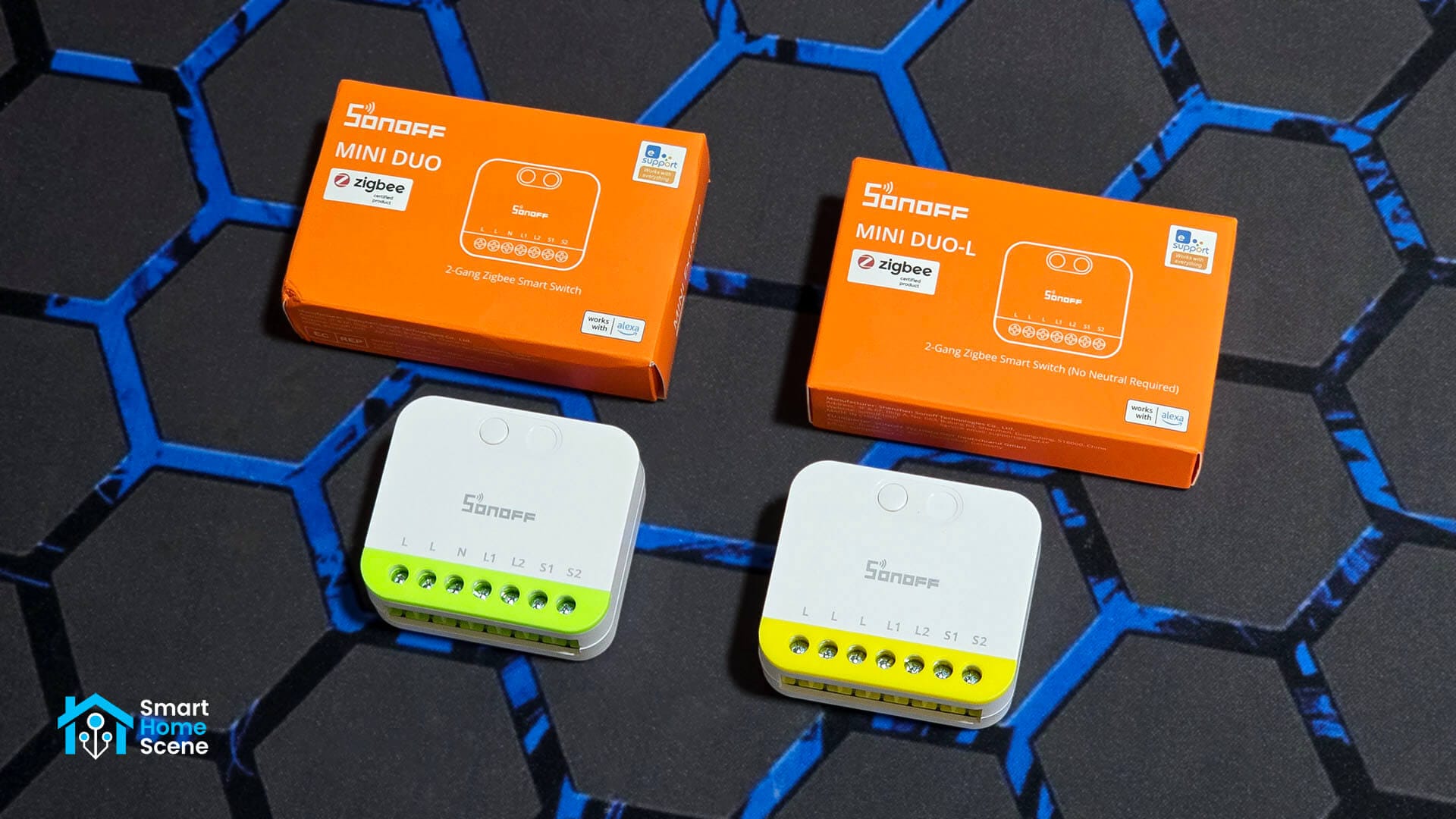
In this review, I’m sharing my experience of the Sonoff MINI DUO (MINI-ZB2GS) and the no-neutral MINI DUO-L (MINI-ZB2GS-L). I will compare the hardware differences between the two, including a look at the different relays and Zigbee chips powering them. I also cover the installation process, the wiring benefits of the extra terminals, and how these devices behave when paired with Home Assistant using Zigbee2MQTT and ZHA.
These dual-channel smart switches are fairly affordable and you can get them on:
- Amazon [MINI DUO, MINI DUO-L]
- AliExpress [MINI DUO, MINI DUO-L]
- Sonoff Webstore [MINI DUO, MINI DUO-L]
Differences and Technical Specification
The entire Sonoff DIY switch lineup has become quite extensive at this point and covers a lot of use cases using different communication protocols for different needs. I made a table noting the technical specifications of each device for easy understanding and comparison.
| Characteristic | 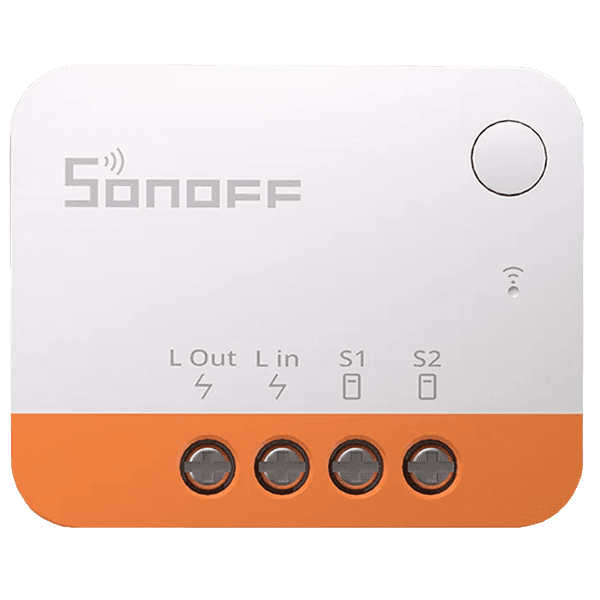 ZBMINI Extreme (L2) | 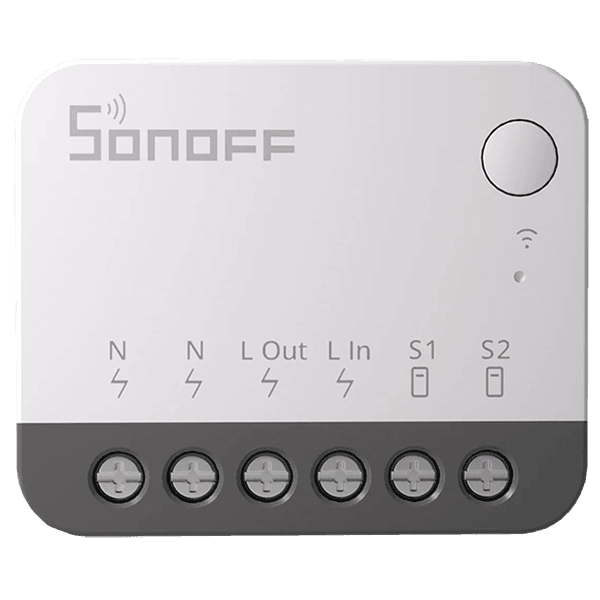 ZBMINI Extreme (R2) | 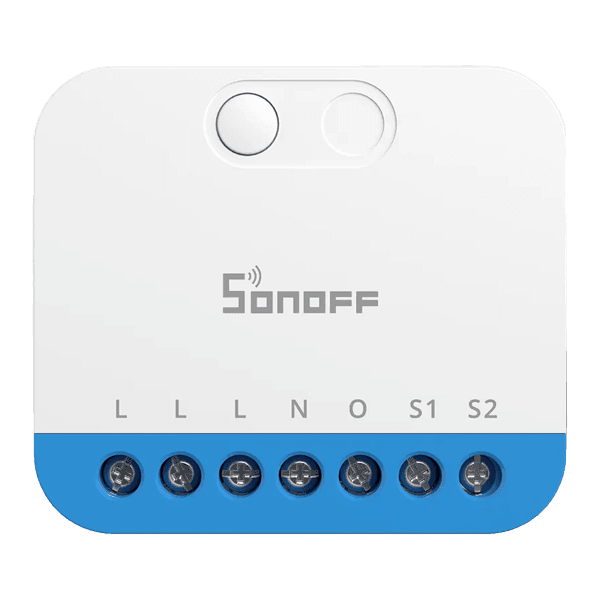 MINI Zigbee Dimmer | 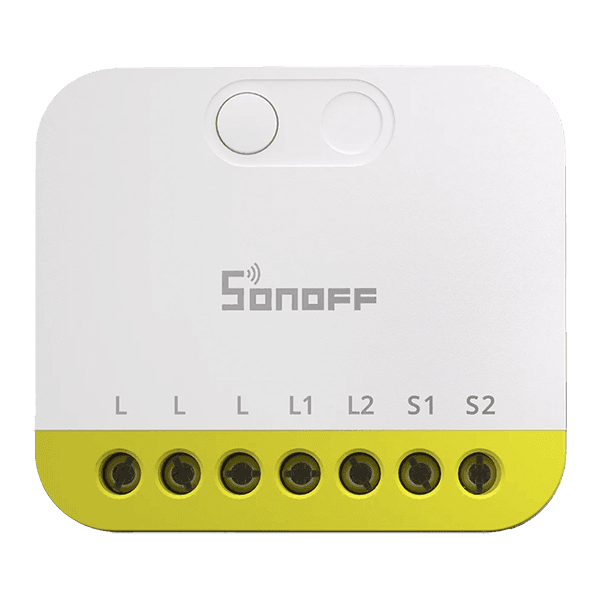 MINI DUO-L (Zigbee) | 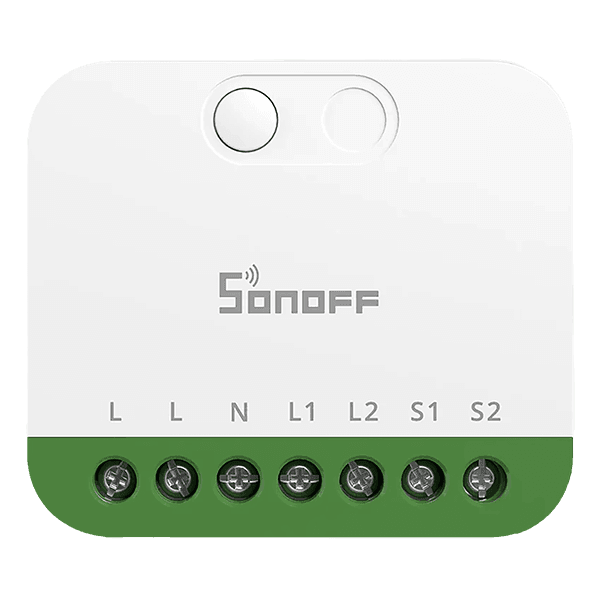 MINI DUO (Zigbee) | 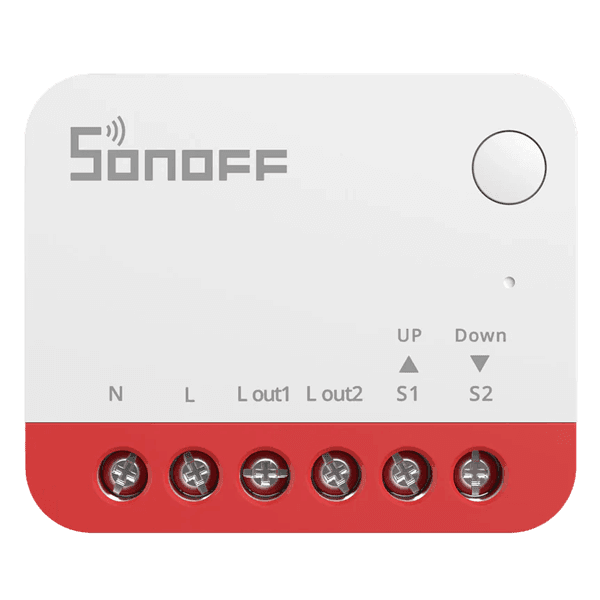 Zigbee Smart Roller | 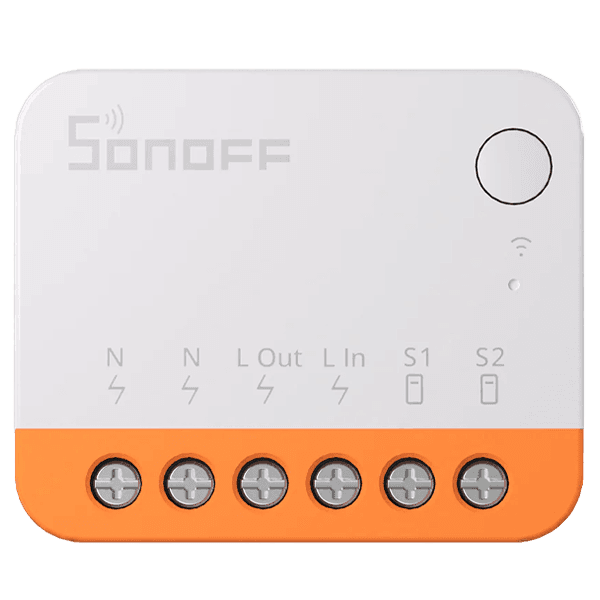 MINI Extreme (Wi-Fi) | 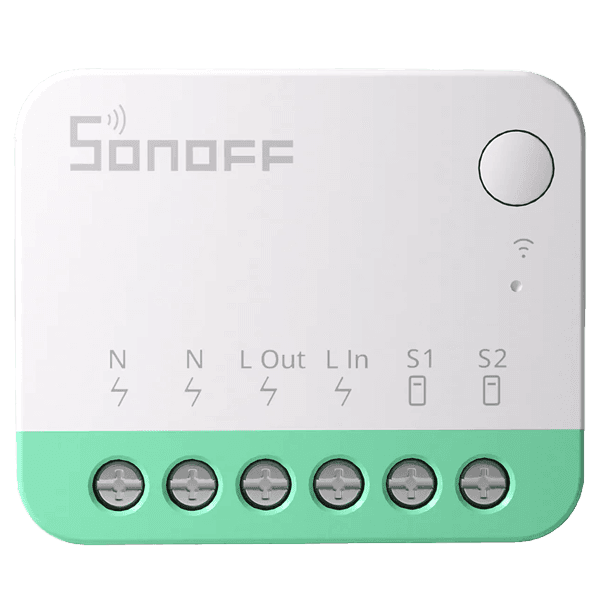 MINI Extreme (Matter) | 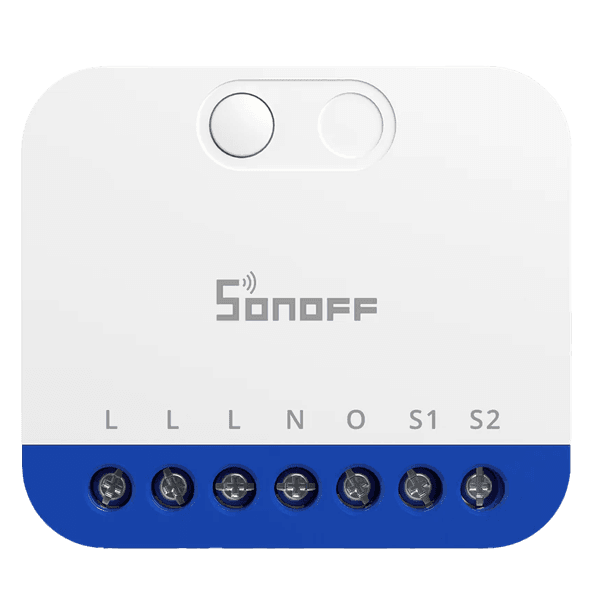 MINI Matter Dimmer | 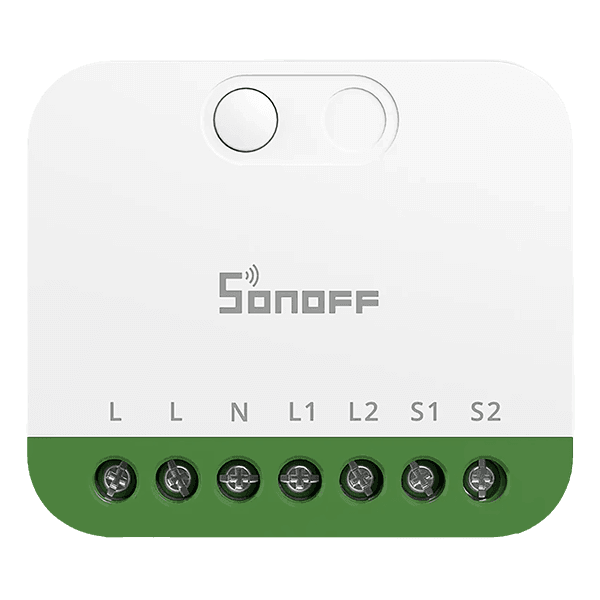 MINI DUO (Matter) | 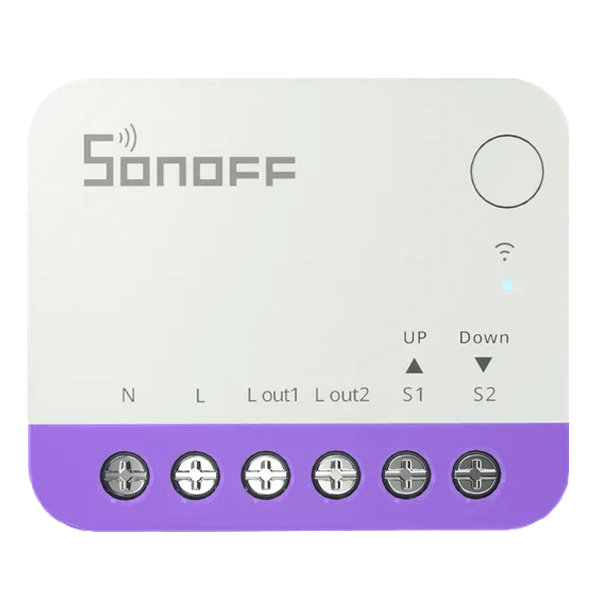 Smart Roller (Matter) |
|---|---|---|---|---|---|---|---|---|---|---|---|
| Model | ZBMINIL2 | ZBMINIR2 | MINI-ZBDIM | MINI-ZB2GS-L | MINI-ZB2GS | MINI-ZBRBS | MINIR4 | MINIR4M | MINI-DIM | MINI-2GS | MINI-RBS |
| Protocol | Zigbee 3.0 | Zigbee 3.0 | Zigbee 3.0 | Zigbee 3.0 | Zigbee 3.0 | Zigbee 3.0 | Wi-Fi (2.4GHz) | Matter (Wi-Fi) | Matter (Wi-Fi) | Matter (Wi-Fi) | Matter (Wi-Fi) |
| Channels | 1-Gang | 1-Gang | 1-Gang | 2-Gang | 2-Gang | 2-Gang (Roller) | 1-Gang | 1-Gang | 1-Gang | 2-Gang | 2-Gang (Roller) |
| Neutral Wire | ❌ | ✅ | ✅ | ❌ | ✅ | ✅ | ✅ | ✅ | ✅ | ✅ | ✅ |
| Max Load | 6A Max | 10A (2400W) | 400W (Resistive), 200VA (LED) | 8A/Gang (12A Total) | 10A/Gang (16A Total) | 1A (Motor) | 10A (2400W) | 10A (2400W) | 400W (Resistive), 200VA (LED) | 10A/Gang (16A Total) | 1A (Motor) |
| Energy Meter | ❌ | ❌ | ✅ | ❌ | ❌ | ❌ | ❌ | ❌ | ✅ | ❌ | ❌ |
| Detached Mode | ❌ | ✅ | ❌ | ✅ | ✅ | ❌ | ✅ | ✅ | ❌ | ✅ | ❌ |
| External Switch | ✅ | ✅ | ✅ | ✅ | ✅ | ✅ | ✅ | ✅ | ✅ | ✅ | ✅ |
| Network Role | End Device | Router | Router | End Device | Router | Router | N/A | N/A | N/A | N/A | N/A |
| MCU Chip | EFR32MG22 | EFR32MG21 | EFR32MG21 | EFR32MG22 | EFR32MG21 | EFR32MG21 | N/A | ESP32-C3 | ESP32-C3 | ESP32-C3 | ESP32 |
| Dimensions | 39.5x32x18.4mm | 39.5x33x16.8mm | 45×39.4×16.8mm | 45×39.4×16.8mm | 45×39.4×16.8mm | 39.5x33x16.8mm | 39.5x33x16.8mm | 39.5x33x16.8mm | 45×39.4×16.8mm | 45×39.4×16.8mm | 39.5x33x16.8mm |
| Availability | Amazon AliExpress Sonoff | Amazon AliExpress Sonoff | Amazon AliExpress Sonoff | Amazon AliExpress Sonoff | Amazon AliExpress Sonoff | Amazon AliExpress Sonoff | Amazon AliExpress Sonoff | Amazon AliExpress Sonoff | Amazon AliExpress Sonoff | Amazon AliExpress Sonoff | Amazon AliExpress Sonoff |
Package Contents and Disassembly
The new Sonoff MINI DUO and MINI DUO-L Zigbee switch modules ship in a small box which contains the device itself and a user manual. Nothing else is included as nothing else is actually needed.
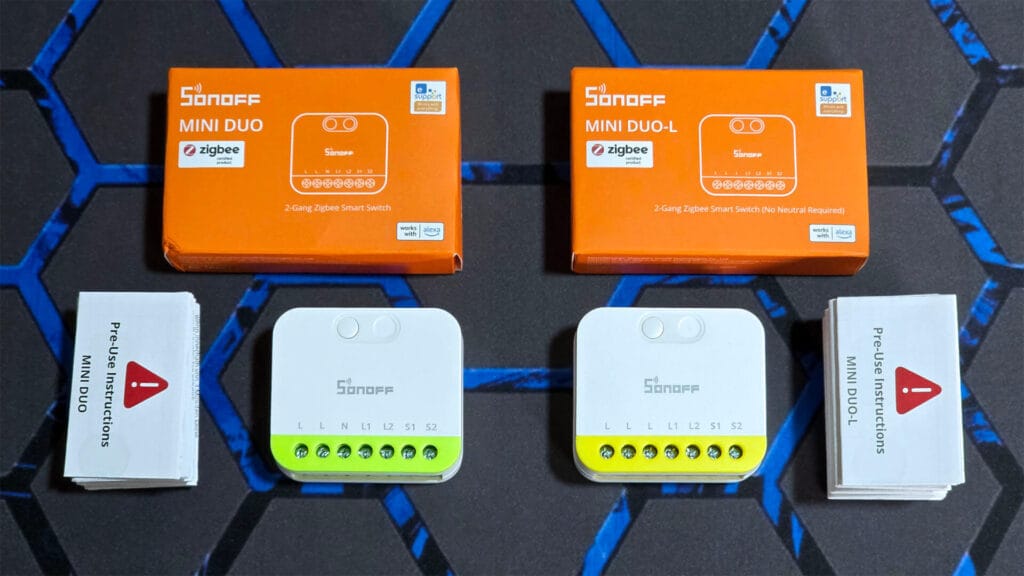
The form factor is instantly recognizable, shared with the rest of Sonoff’s DIY switch range like the Matter-enabled MINI Extreme or the Zigbee ZBMINI Extreme. The entire lineup reuses the same case, with the color and terminal labeling being the only visual differences.
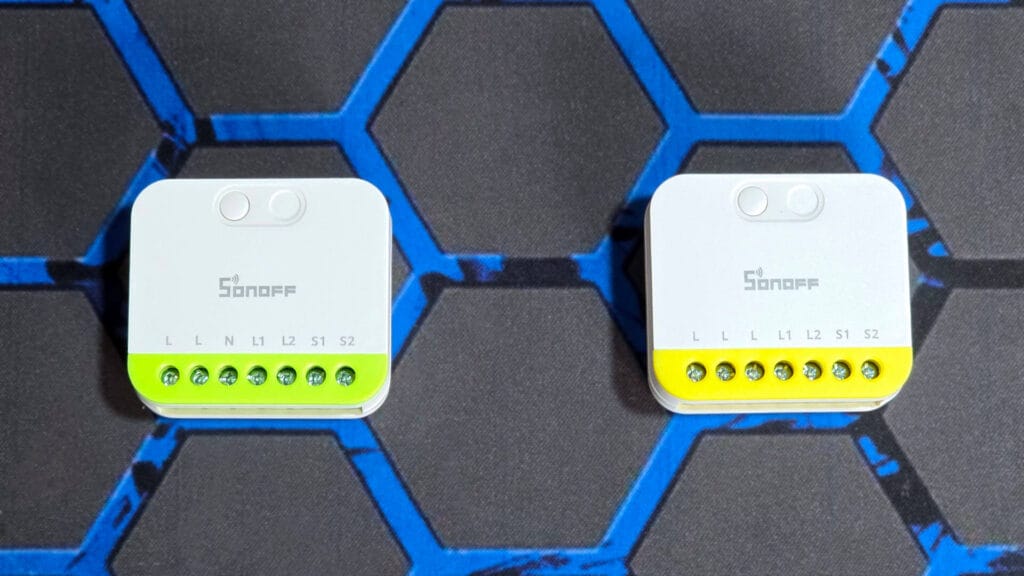
These modules measure 45 x 39.4 x 16.8 mm, which is very small and quite impressive. There is a small pairing and reset button on the top and clearly labeled terminals on the bottom. As I’ve mentioned many times, I appreciate the fact that these use good old screw terminals instead of those flaky push terminals I’ve seen some use.
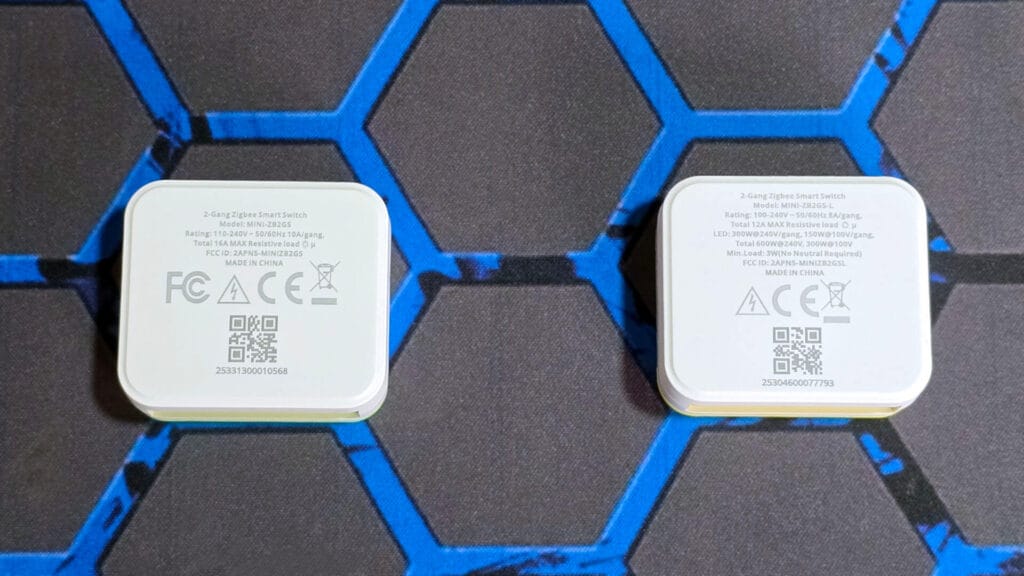
There is some basic device info and labeling on the backside, including the model number, current rating, max load, and FCC ID, as well as a QR device code. The interesting thing is that while these are called the MINI DUO and MINI DUO-L, the model numbers are actually listed as MINI-ZB2GS and MINI-ZB2GS-L respectively.
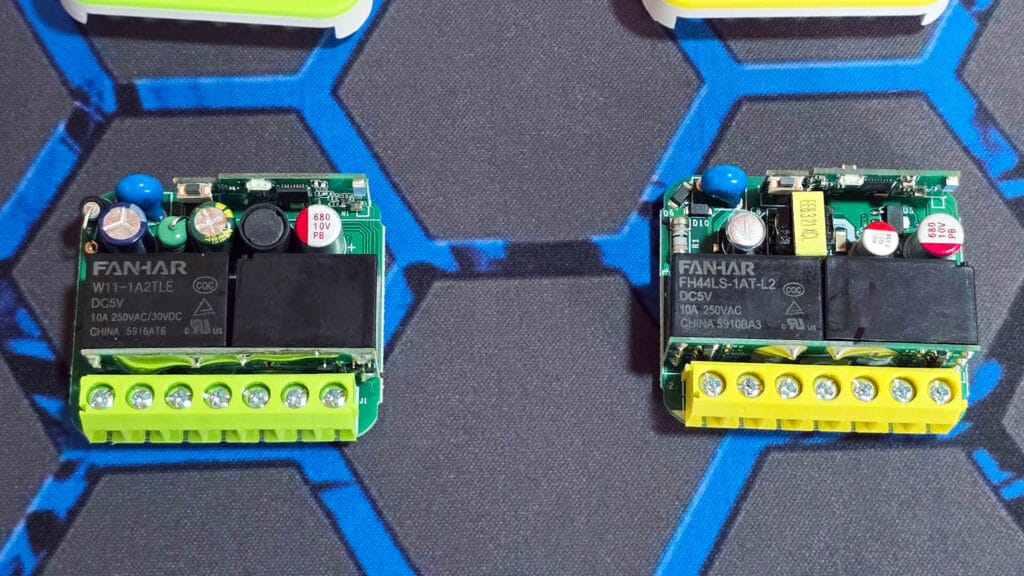
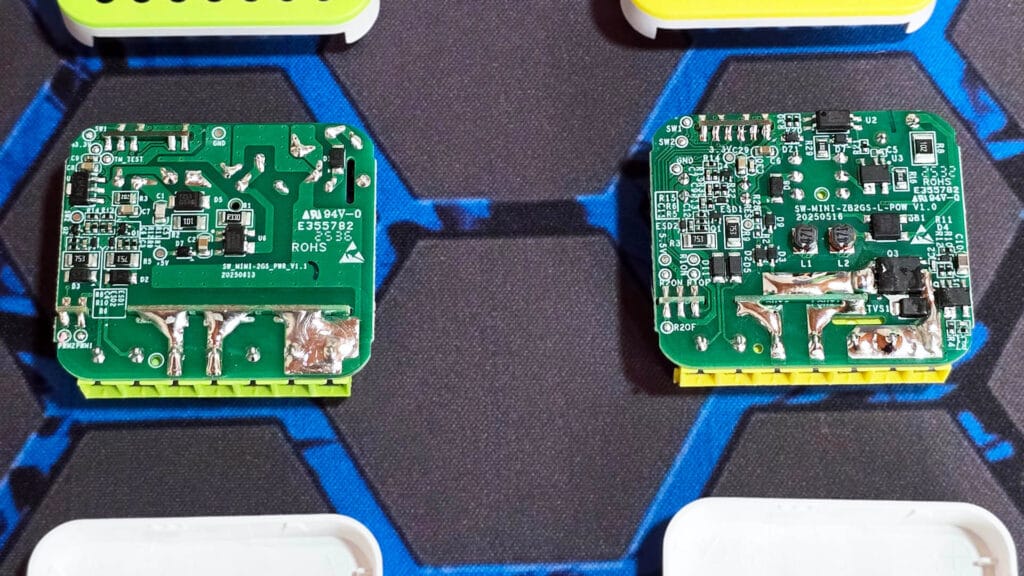
Inside, the main difference lies in the relays used to control the power. The standard MINI DUO on the left uses Fanhar W11-1A2TLE [Datasheet] relays, which are standard components that require constant power to stay “on.” Since this model connects to a neutral wire, it has plenty of power to keep them running. The MINI DUO-L on the right uses Fanhar FH44LS-1AT-L2 [Datasheet] relays. These are “latching” relays that physically lock into place with just a quick pulse of electricity. This is essential for a no-neutral device because it saves energy and prevents your lights from flickering.
The power supply components are also different. The standard model uses a simple black coil (inductor) to step down the voltage, whereas the no-neutral model on the right relies on a small yellow transformer near the top. This specialized transformer allows the device to “leak” via the live wire just enough power to stay online and function without a neutral wire.
On the back, the difference in complexity is even more obvious. The standard MINI DUO on the left has a relatively clean design with fewer tiny components scattered around. You can clearly see the thick solder lines at the bottom, which carry the main electrical load, but the rest of the board is quite open and simple.
The no-neutral MINI DUO-L on the right is a different story, as it is packed with small electronic components. You can spot two distinct small coils (labeled L1 and L2) and extra protection parts that aren’t present on the standard model. This crowded design is necessary because “no-neutral” technology requires much more complex circuitry to safely manage power and keep the switch running without a full electrical connection.
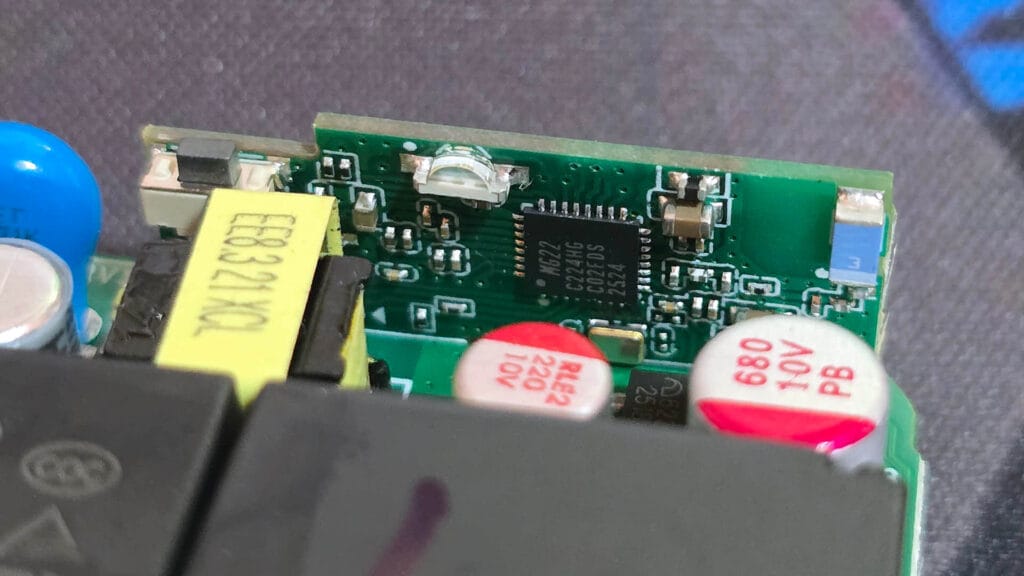
I managed to zoom in and identify the Zigbee connectivity modules on these switches. They actually rely on different SoCs to match their specific power needs. The standard MINI DUO uses the EFR32MG21 [Datasheet] chip while the no-neutral MINI DUO-L is powered by the EFR32MG22 [Datasheet].
This is a deliberate hardware choice by Sonoff. The MG21 offers higher transmission power suitable for acting as a network router. The MG22 focuses on ultra-low power consumption which is essential for maintaining a stable connection without a neutral wire. This SoC acts as an EndDevice in your mesh network.
Installation and Wiring
Installing the Sonoff MINI DUO and Sonoff MINI DUO-L is rather simple in terms of know-how, but there are some things that you need to be aware of, especially if you are new to this. The wiring diagrams and clear and easy to follow, here’s how they look for these modules:
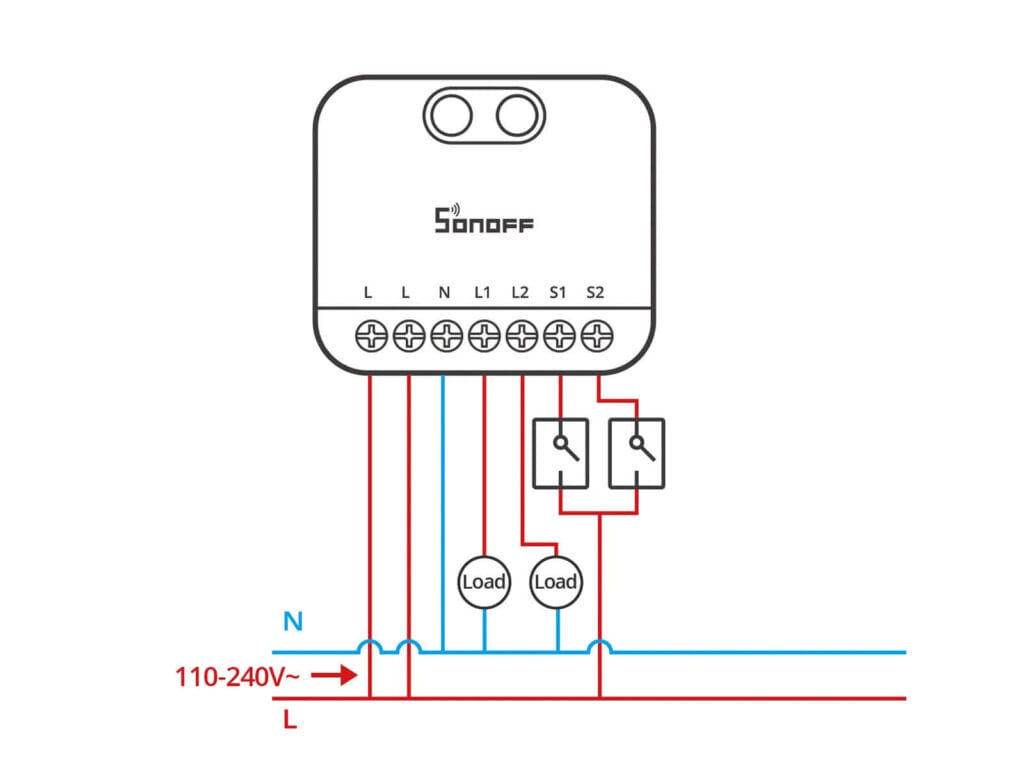
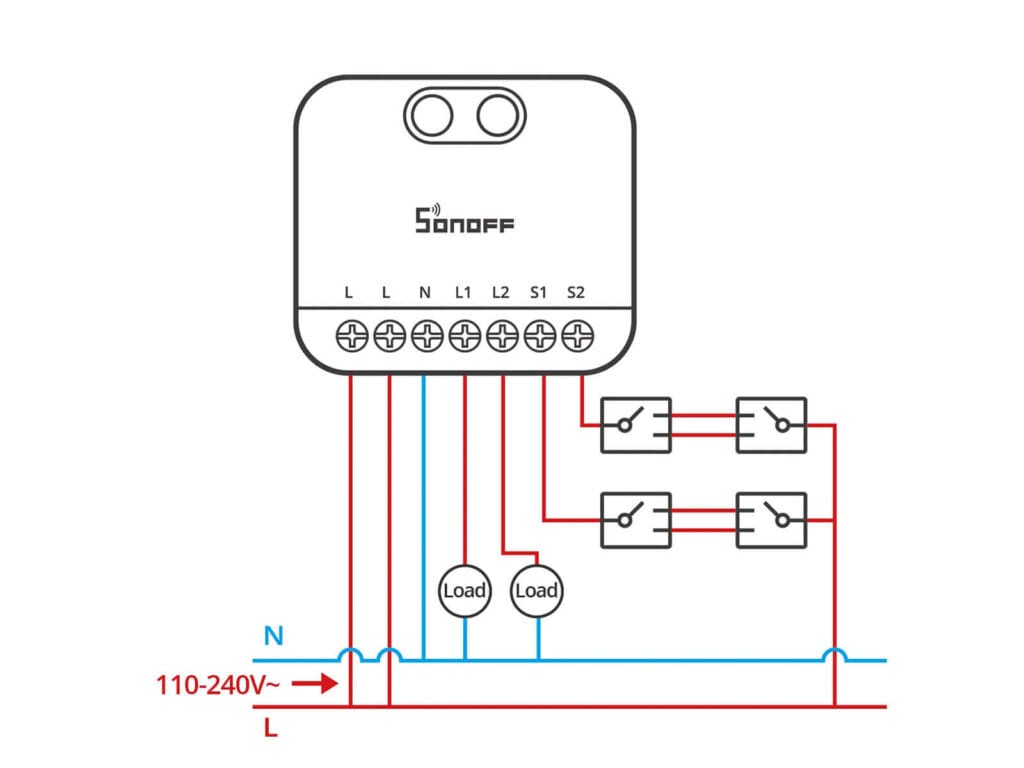
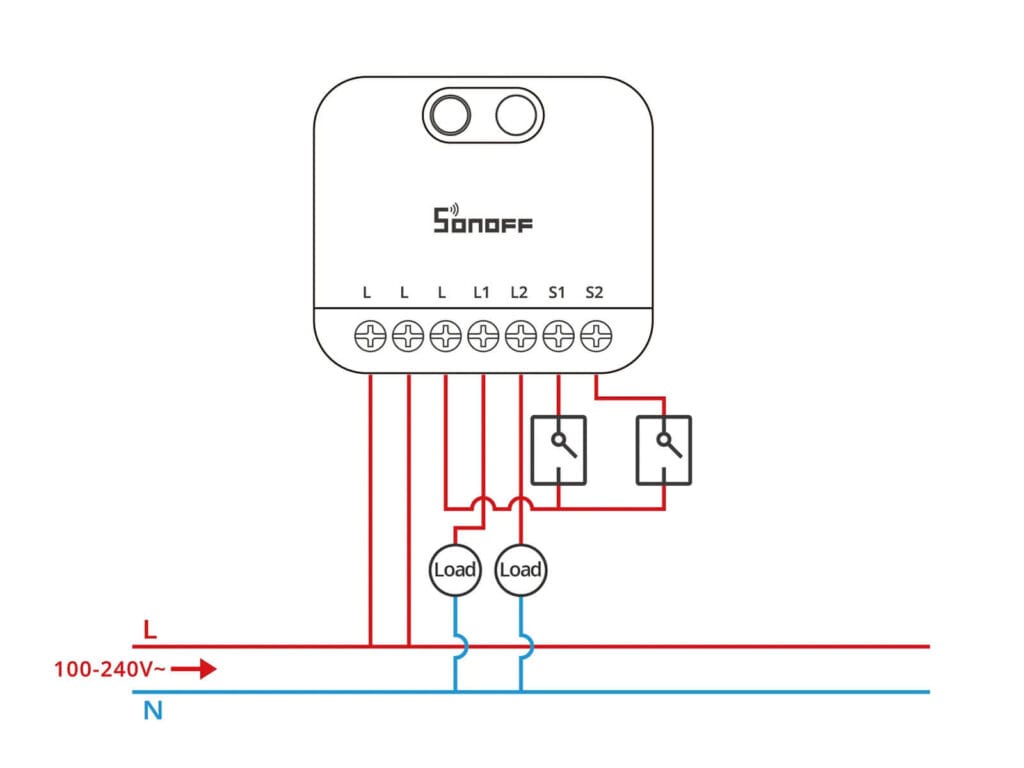
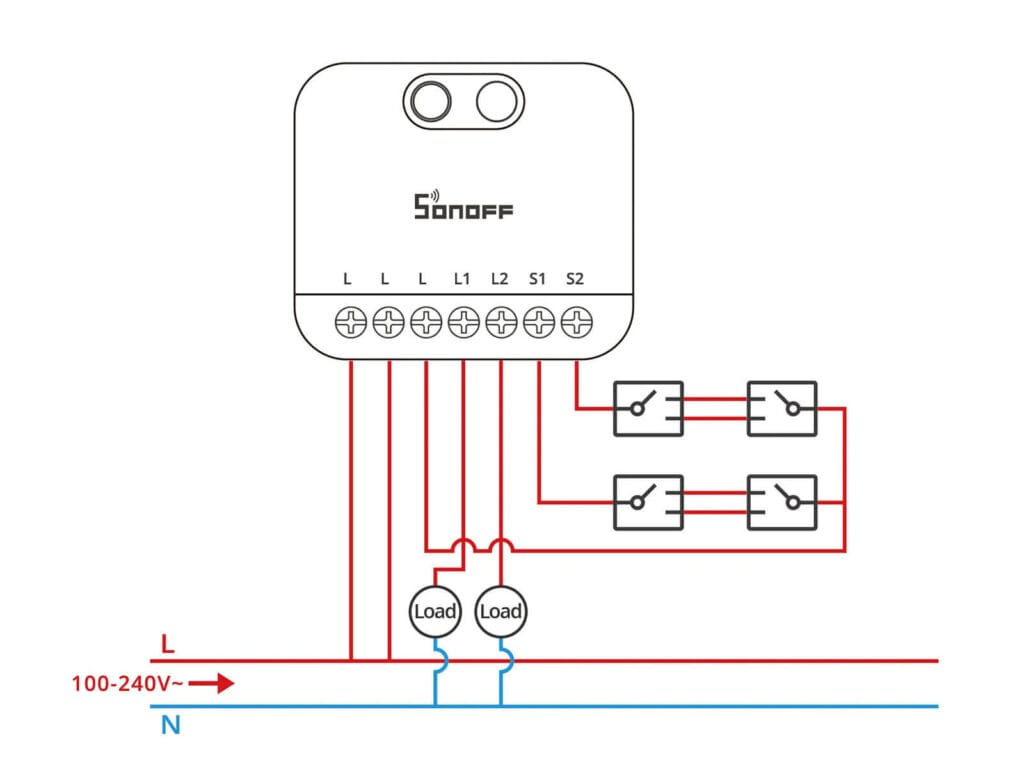
What makes wiring these modules significantly easier than older generations is a thoughtful design choice: extra Live (L) terminals. In a typical smart switch installation, you often struggle to cram Wago connectors into the box because you need to split the incoming Live wire, one to power the smart module and another to power your physical wall switches.
Sonoff has solved this by bridging the terminals internally. You simply insert your incoming Live wire into the first “L” slot, and then use the second (or third on the DUO-L) “L” slot to run a short jumper wire directly to your wall switches. Neat and very useful!
For the actual connections, the logic remains standard. Connect your light fixtures to L1 and L2 (Load 1/2) and your physical switch wires to S1 and S2. Don’t forget, if you are using the standard MINI DUO, you must also connect a Neutral wire to the N terminal. You might still need to use one Wago block to split the L for the individual S1 and S2 switches, but it’s much better than having no internally bridged terminals.
Once everything is connected, do a tug test. It is better to have a wire come loose now while you are holding it than later when you are pushing the switch back into the wall. Further, make sure there is no exposed copper and the stripped wire is completely inside the terminal block. Once you are sure all is good, gently push the module into the switchbox and you are done.
Home Assistant Integration
The Sonoff MINI DUO and MINI DUO-L smart switches are fully supported in Zigbee2MQTT and partially in ZHA. I say partially because a lot of the functionality is missing once added to ZHA in Home Assistant. To pair either of these switches, you need to hold the button on the device until the LED starts blinking (about 6 seconds). You also need to have the load connected to the DUO-L, otherwise there won’t be enough current to wake up the chip.
Zigbee2MQTT
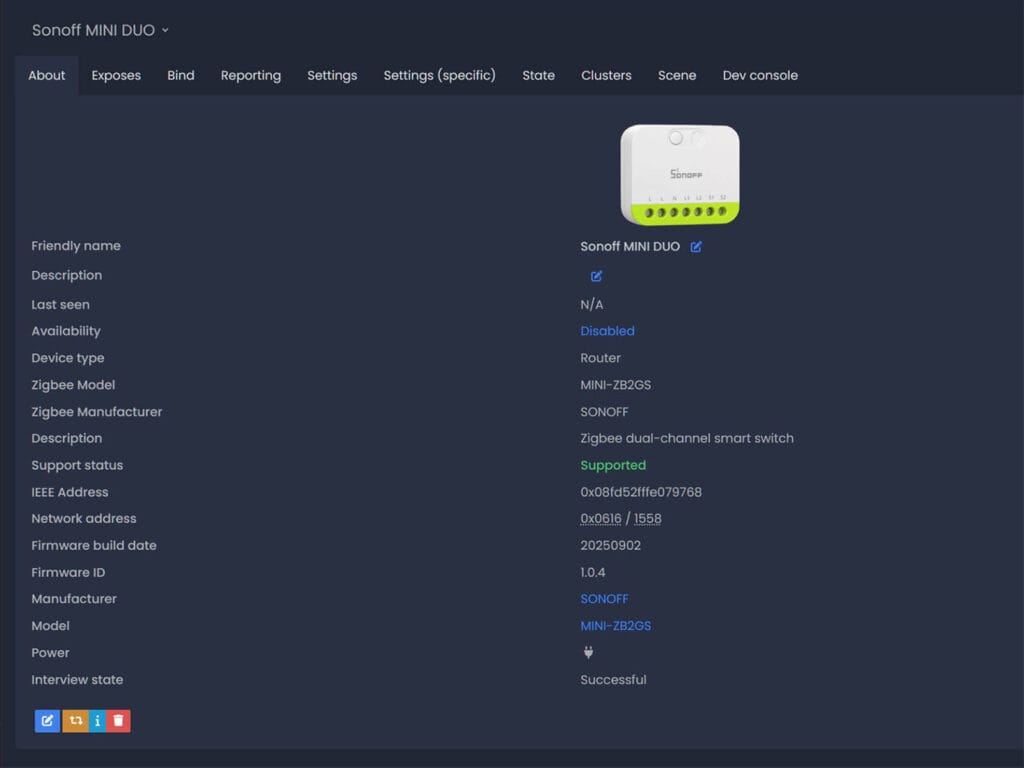
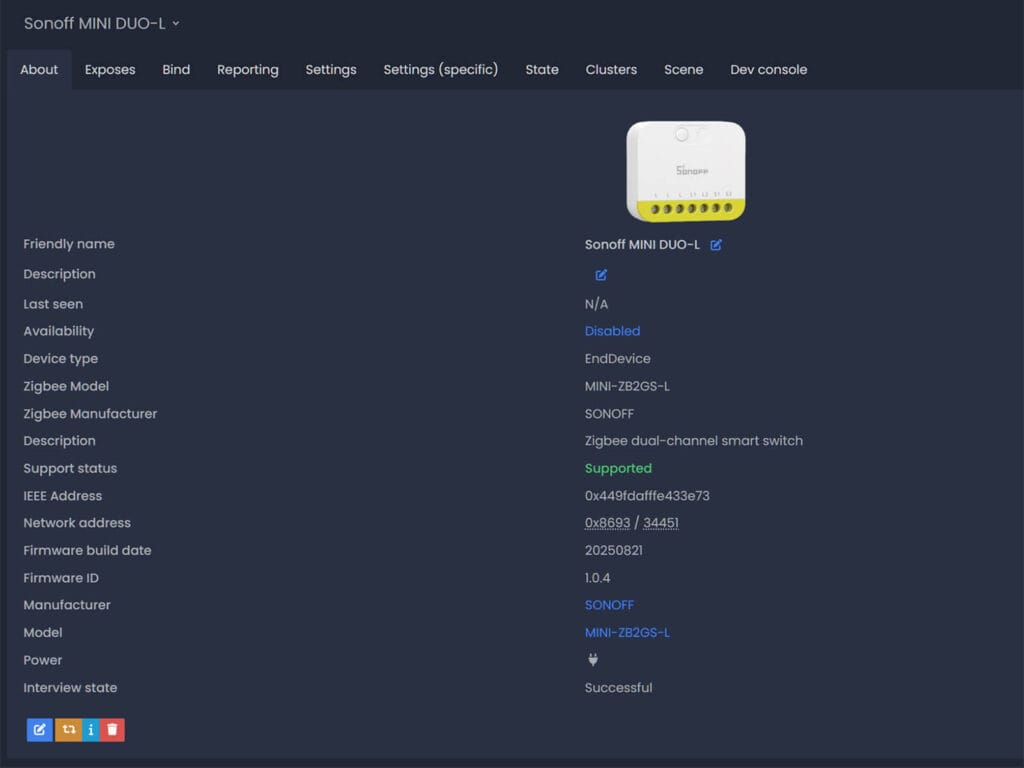
Once paired to my Z2M coordinator, both devices were immediately identified. As I mentioned earlier, the MINI DUO is labelled as model MINI-ZB2GS while the MINI DUO-L is set as model MINI-ZB2GS-L. The former also acts as a network router, relaying traffic from adjacent devices back to the coordinator thanks to its MG21 chip and neutral wiring. The no neutral version is obviously an End Device, unable to relay traffic and strengthen your mesh network.
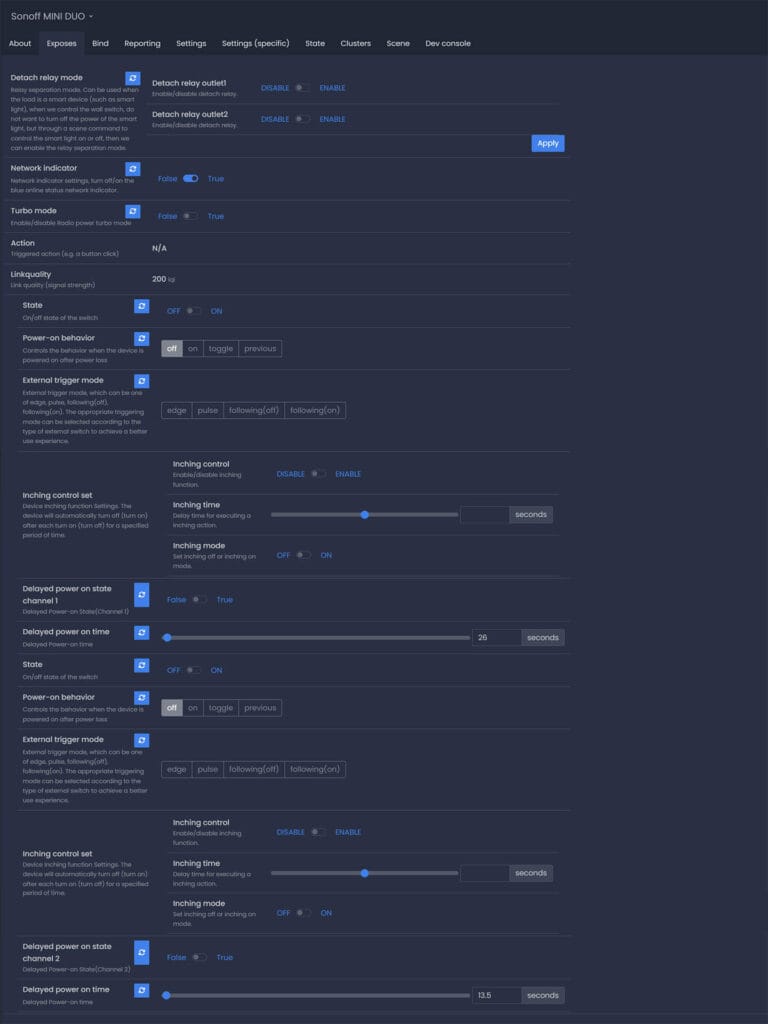
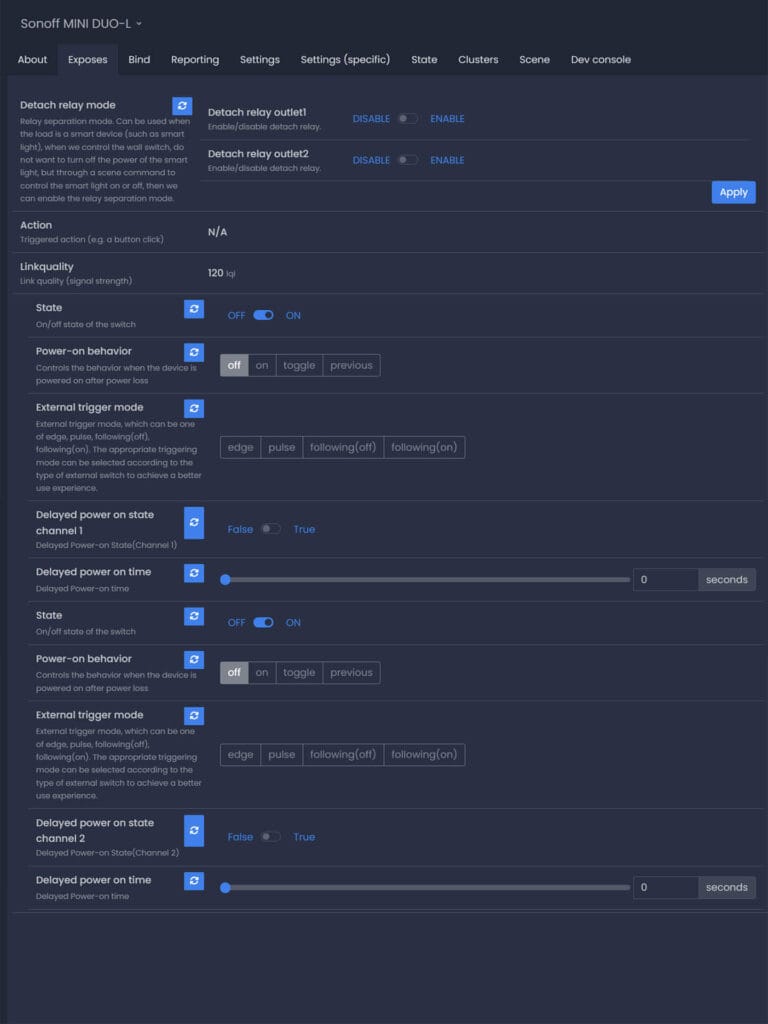
The exposes tabs of both devices can be overwhelming on first glance, but these entities are simple and important as they control the behavior of the switches. There are differences between the two, which obviously comes down to the neutral wiring on each module.
Sonoff MINI DUO (With Neutral, MINI-ZB2GS)
- Detach Relay Mode: This separates the physical wall switch from the internal relay. When enabled, flipping the switch sends a Zigbee event but does not cut power to the output. This is ideal for use with smart bulbs (like Philips Hue) that need constant power.
- Network Indicator: A toggle to enable or disable the blue LED light on the device itself, useful if the light bleeding through the switch cover bothers you.
- Turbo Mode: A specific feature of the EFR32MG21 chip; enabling this boosts the radio transmission power to extend range and strengthen the mesh network.
- State (L1 / L2): The standard On/Off toggle for each channel.
- Power-on Behavior: Determines what the lights do when power is restored after an outage (On, Off, Toggle, or Previous State).
- External Trigger Mode: Configures the input for your physical switch type. You can select Edge (standard rocker switch), Pulse (momentary/push-button), or Following (where the ON/OFF position physically matches the light state).
- Inching Control: Essentially an “auto-off” timer, a common Sonoff feature I’ve talked about in the past. You can set the switch to automatically turn itself off after a specific number of seconds (e.g., for staircases or fans).
- Delayed Power On: Allows you to set a delay (in seconds) before the switch turns on after a power outage. This prevents all your smart devices from surging the grid simultaneously when power returns.
Sonoff MINI DUO-L (No Neutral, MINI-ZB2GS-L)
- Detach Relay Mode: Like the standard version, this decouples the physical switch from the relay, allowing for “smart bulb mode” on both channels.
- State (L1 / L2): The standard On/Off toggle for each channel.
- Power-on Behavior: Sets the restoration state after power loss (On, Off, Toggle, Previous).
- External Trigger Mode: Identical to the standard version, allowing you to define your switch type (Edge, Pulse, or Following) to ensure the physical switch behaves correctly.
- Delayed Power On: Provides the same staggered start-up protection as the standard model, allowing you to delay activation after power restoration.
ZHA
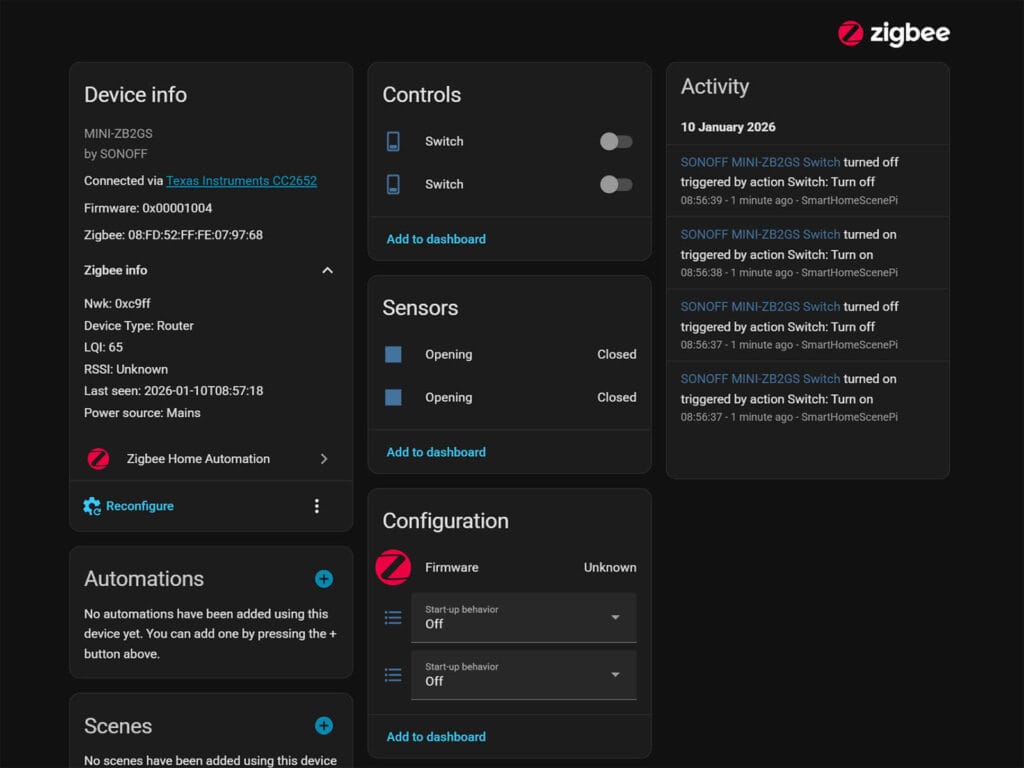
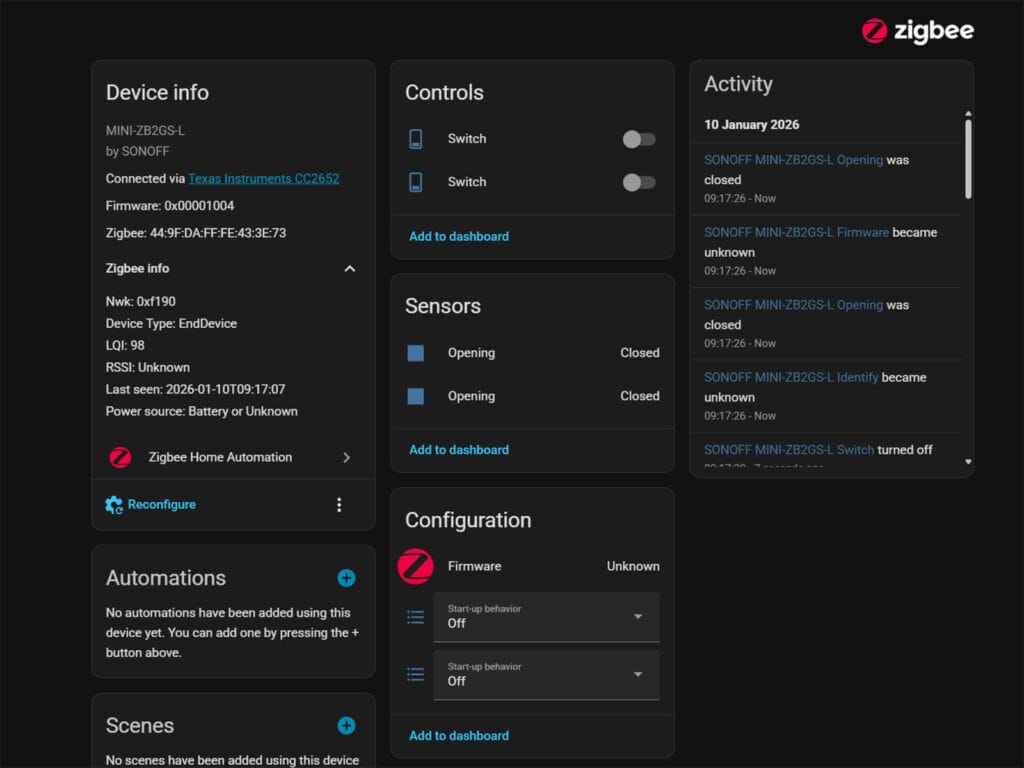
Even though both switch modules are correctly identified in ZHA, the only thing the integration exposes as controllable entities are the switches and power-on-behavior for each. Nothing extra is added or exposed, so the inching mode, detached relay mode, delayed power-on and the ability to configure the external trigger are missing.
For example, if you use momentary buttons but leave the device in Edge mode, the light will only stay on while you hold the button down. On the other hand, if you use a standard rocker switch but set it to Pulse, you will have to flip the switch back and forth just to register a single command. To put it mildly, migrate to Z2M already and be done with it.
Testing Relay Behavior and Network Traffic
One of the most critical features for smart lighting enthusiasts is the detached relay or “decoupled” mode. I tested this by enabling the mode in Zigbee2MQTT and toggling the wall switch attached to S1. The physical switch events were successfully sent to Home Assistant and saved under the action entity (e.g. toggle_l1, toggle_l2). So, instead of cutting power to the bulb, you can create automations with this action as a trigger. This configuration ensures your smart bulbs never lose power and eliminates the common issue of them going offline when someone uses the wall switch.
I also analyzed the device response to rapid toggling to see if it would flood the Zigbee network or cause latency. The Mini Duo is very quiet on the network, especially because it lacks energy monitoring capabilities. It does not periodically report voltage or power consumption so it generates zero traffic unless you physically toggle the switch or control it via Home Assistant. Even during rapid actuation the device groups state changes into single payloads rather than broadcasting excessive individual messages which makes it an excellent choice for keeping your Zigbee mesh uncongested.
Here’s what a single payload looks like:
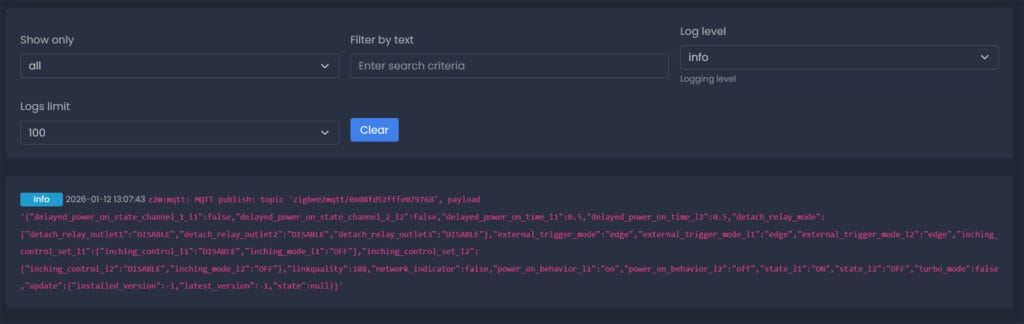
Finally, I simulated a power outage by cutting the mains supply to the test while the switches were in a mixed state. Upon restoring power the device booted up instantly and correctly restored both gangs to their previous status. This reliable “Last State” memory is essential as it prevents your lights from turning on unexpectedly in the middle of the night after a minor power flicker. Overall, I can comfortably say the Sonoff MINI DUO works as advertised.
Final Thoughts
The Sonoff MINI DUO and MINI DUO-L are a nice addition to the Sonoff DIY switch line-up. Dual-channel relays were missing in this form factor and these are small enough to fit inside most standard switch boxes without much trouble.
I highly appreciate the decision to use screw terminals since they provide a much more secure connection than the push connectors found on similar devices. The internal bridging of the Live wire is also a great design choice that eliminates the need for extra Wago connectors during installation. This saves valuable space inside the wall which is usually the biggest headache when installing switch modules.
If possible, always prioritize the standard MINI DUO if you have a neutral wire available at the switch. It offers a more stable Zigbee connection as a router and includes useful software features like inching control that are stripped from the no-neutral model.
I would consider the MINI DUO-L strictly a problem solver for older electrical installations and you have to accept that it will not extend your mesh network or support higher power loads. It gets the job done for retrofitting but the standard version is objectively the better piece of hardware. With that said, note that there is no bypass capacitor requirement (like on some Shellys), but it does need a minimal load of 3W to operate properly.
If you prefer using Zigbee (like me) and need dual-channel smart relays, the Sonoff MINI DUO and MINI DUO-L are excellent choices. Here’s where you can get them:
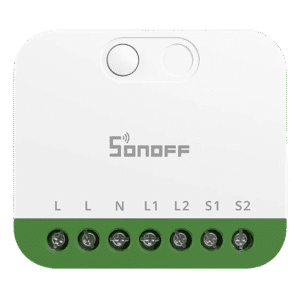
Also on AliExpress, Amazon DE, Amazon UK.
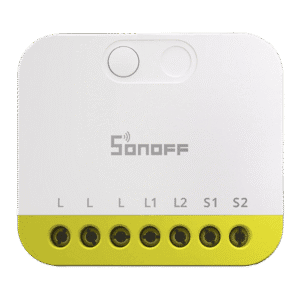
Also on AliExpress, Amazon UK, Amazon NL.









Great article, thanks. I was not aware of this new lineup, so thanks for bringing up this review. I have a handful of ZBMINI Extreme (R2) installed and they work great as a relais, but also double as a Zigbee router. For places where I need 2 switches, I use Shelly 2PM (Gen2 and Gen4 ), but (at least the Gen4) are much more expensive and also larger. Which makes these new DUO devices an excellent alternative for future installations.
really wish Sonoff would release a high amprage version of these. I have some switch controlled recepticals i’d love to automate, but not putting a 10 amp rated switch on one!
Will the detached mode work separately on channels? For example if i wish to use one channel for my dumb bulb and the second channel for my ikea zigbee bulb across the room?
thank you
Yes, it works separately. There are two individual switches for enabling it per channel
I’d be interested to see a comparison and hear your thoughts on Shelly vs Sonoff vs other smart relays. For example, how do the quality of the relay components compare? When would you choose one over another? Do you have any experience comparing reliability?
Yes, I’ve been thinking about doing such a comparison.
Especially since I have samples from most of those brand.
In time 🙂
Sonoff MINI DUO-L (No Neutral, MINI-ZB2GS-L)
Detach Relay Mode: Like the standard version, this decouples the physical switch from the relay, allowing for “smart bulb mode” on both channels.
^ You missed the fine print on image at the bottom of the linked product page from sonoff:
https://sonoff.tech/products/sonoff-mini-duo-l-2-gang-zigbee-smart-switch-mini-zb2gs-l
This image:
https://cdn.shopify.com/s/files/1/0742/9963/8001/files/MINI-ZB2GS-L-PC-14.png
That specifically say smart lights are not supported.
I’m not sure what Sonoff meant by that (maybe smart lights in their ecosystem?), but I SPECIFICALLY tested Detached mode on the MINI DUO-L and it can definitely control smart lights through automations.
When you operate the manual wall switch, an event is recorded by the action entity (
toggle_l1,toggle_l2) which you can use as a trigger for smart lights, without issue.The relay does not open and close, so Detached relay mode works perfectly fine, keeping the bulb online. I agree about inductive loads though, obviously.
Edit: They even say so in the listing above the image you shared, under the “Detach Relay, Turn Switches Into Smart Triggers” section.
Quote: “Enable detach relay to effortlessly separate external switch operation from smart device control. Turn your physical switch button into smart triggers for lighting scenes—an ideal solution for smart bulbs.”
Confusing, but the mode DOES work!
Great! Thank you for clarification. Once I saw them on web, bough 2 immediately to save my wife from using voice command when switching on smart lights (she likes physical switches which I can’t change on certain reasons), and save my smart lights from being disconnected from network.
it’s sad to see that sonoff wont release ever again a WiFi standalone version of new devices but force us to use matter that way we cannot flash the chip
Good morning, and congratulations on the quality of the article.
I would like some additional information, as I know little about Home Assistant and Z2M.
The Action entity is not exposed in HA via Z2M, even though it appears in the Z2M device dashboard. How do I access this function? Is it necessary to use templates to insert code into any automations?
I can’t automate the following behavior: a light turns off after a certain amount of time after being turned off, either from a switch or from the console. That is, a delayed shutdown with the transition from on to off. I tried, but the inching feature isn’t suitable, and the information provided by the action doesn’t allow me to determine the state of the external switch when used in detach mode (the variable assumes the value toggle_x, which doesn’t change if only the external switch is repeatedly toggled). I probably didn’t fully understand the device’s logic. I currently implement this automation with a Shelly1 gen3, but the Sonoff purchase responded to the need for expansion with a second device to control and the possibility of strengthening my ZigBee network.
Thank you for your kind attention and any advice you may have.
With Z2M, you automate as action triggers (MQTT triggers).
You do not see the action entity in HA, but you can use it in automations. For instance:
triggers:- domain: mqtt
device_id: d322ab024b062dc61fa6ab27d84f3c32
type: action
subtype: 1_single
trigger: device
actions: ...
You can just choose the device in the automation editor and it will give you a list of possible triggers.
Thank you for your kind and prompt reply. I will try to expand my knowledge and apply the advice I received. See you soon.
Could you update your table to include the relays that support Direct binding?
ZBMINIR2 suports it with the latest firmware (V1.0.8) although is a bit buggy when using with groups but works great if pairing with lights directly
MINI-ZB2GS currently doesn’t support it
Direct binding is great as it means if HA is down you can still control the lights with your switches whilst in detached relay mode.