

Ever since I tested the SwitchBot Lock Ultra with the Keypad Vision, it has been my daily driver in my own smart home. The Ultra is a significant improvement over the previous generation Lock Pro, as it solves some bugs that plagued that model for many users like the lock getting uncalibrated randomly. If you are hunting for a retrofit lock instead of a full replacement, I firmly believe the Ultra will not disappoint.
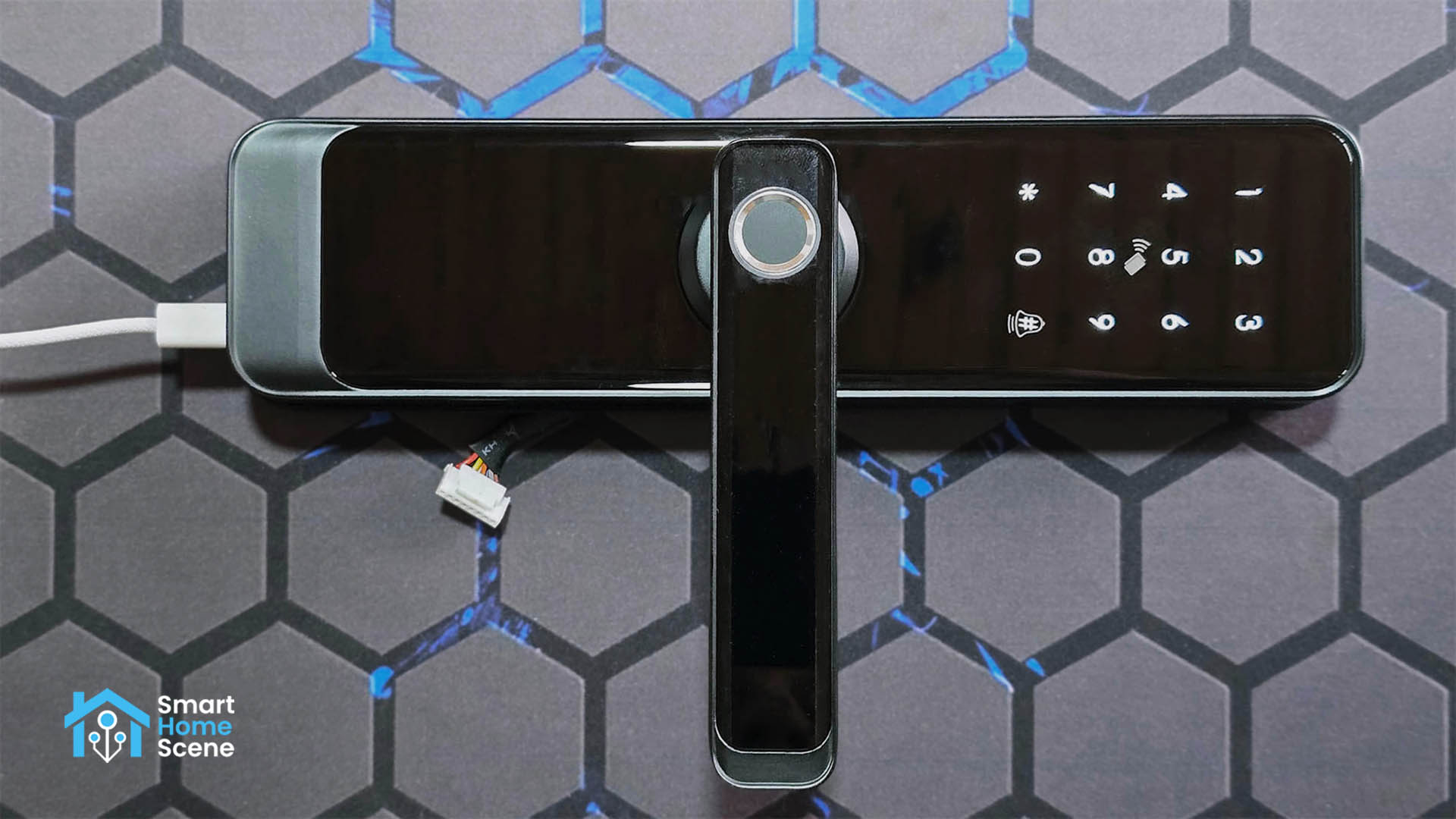
In this review, I am sharing my experience with the Zemismart A270-Z Smart Lock. This is a full replacement lock compatible with various mortise lock sizes and available in both Wi-Fi and Zigbee variants. While my sample is the Zigbee model, the unfortunate reality is that it cannot be integrated directly with Zigbee2MQTT or ZHA. There is a way to use it with Home Assistant, which I have detailed below.
You can get the A270-Z on AliExpress or the Official Zemismart Webstore.
Device Overview and Package Contents
The Zemismart A270-Z ships in a simple box containing the smart lock, a user manual, a set of keys, a mortise lock of your choosing, screws and bolts, keys, and two IC cards for keyless entry. The mortise lock is available in different sizes, ranging from 50mm to 240mm to accommodate various door frame sizes. You can even use your own, if you find it fits this lock.
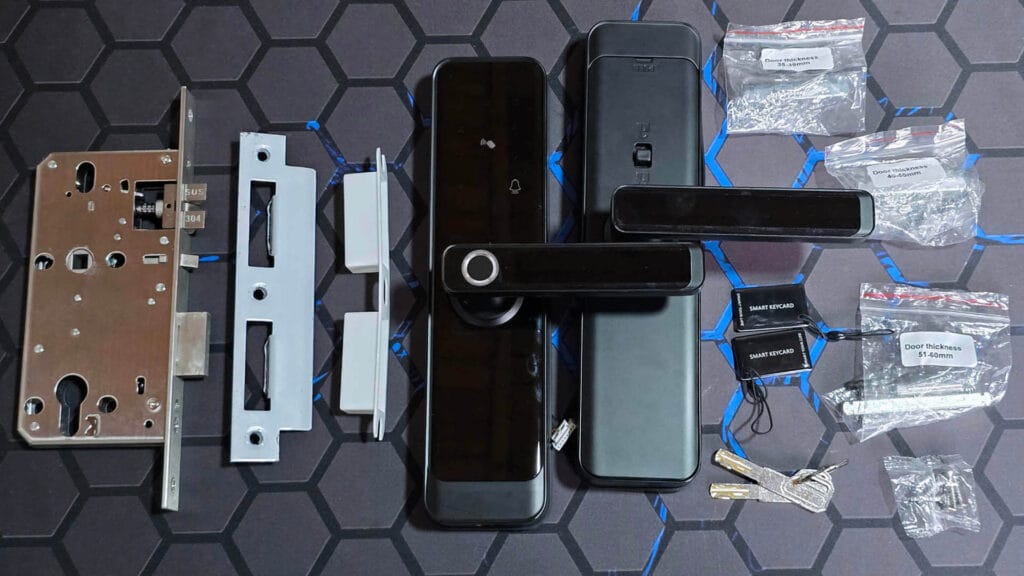
While I am confident you can find a suitable mortise size for almost any door from their listing, it is important to consider the overall physical size of this smart lock. The A270 measures 206mm in height, 66mm in width, and 22mm in depth. These dimensions matter because I have seen door handles installed too close to the doorframe where a lock this large simply will not fit.
The handles are made from metal with a glass cover which provides a premium look and feel while enabling touch recognition on the keypad. The lock body itself is made from an aluminum zinc alloy with a reflective glass coating that is marketed as fingerprint resistant. Sadly, that is not entirely the case. While it is not the worst I have seen, you can still clearly see fingerprints on the keypad after it has been used.
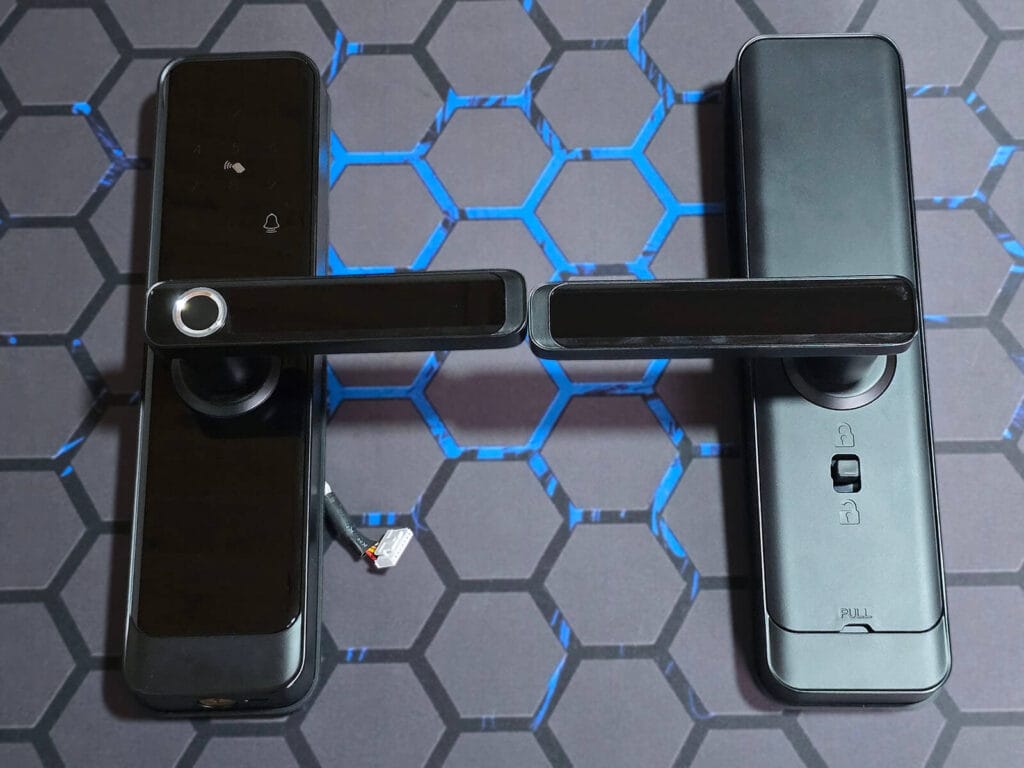
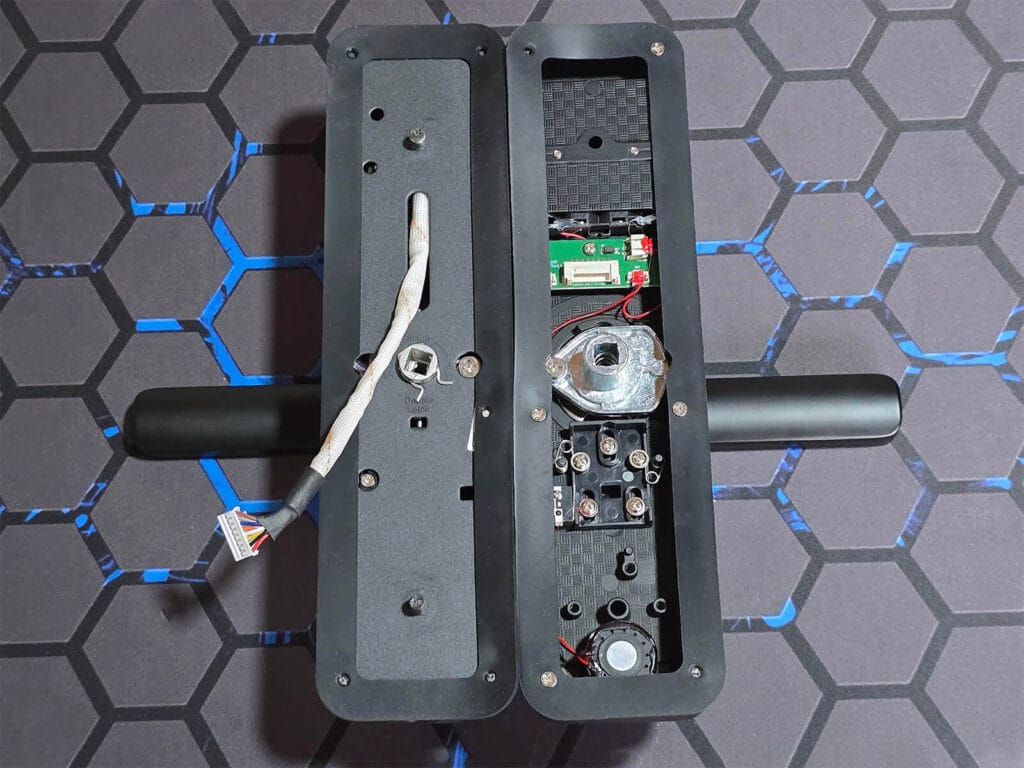
The lock includes two rubber gaskets going around the inner and outer handles. These handles are connected together by two bolts, which require pre-drilled holes to pass through the door. Both the connecting cable and the square spindle are routed through the mortise lock to link the two sides of the unit. While it’s not as simple as installing a retrofit model, like the SwitchBot Lock Ultra, installation is much easier than it seems.
There’s a small speaker/siren at the bottom of this lock which is used for audible notifications. You hear this siren chime inside your home whenever someone presses the doorbell button on the keypad.
The great thing about the Zemismart A270 is that it includes a physical key as a backup unlocking method. You receive two keys in the package, which allow you to unlock your door manually in case of an emergency. This is a significant advantage over retrofit locks, which usually require you to leave an existing key in the cylinder and use a motor to physically turn it from the inside.
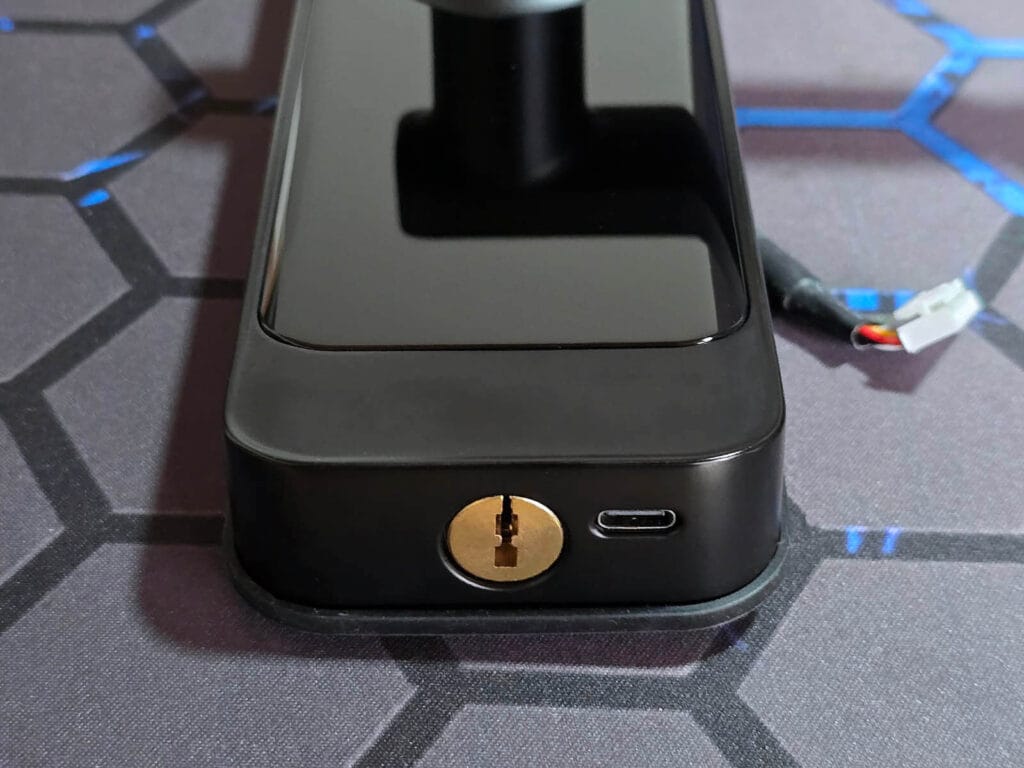
The Zemismart A270 Smart Lock is powered by four AA batteries with a battery life of up to 1 year. In case of an emergency, you can use the USB-C port on the bottom to temporarily power the lock with any 5V source and open your door.
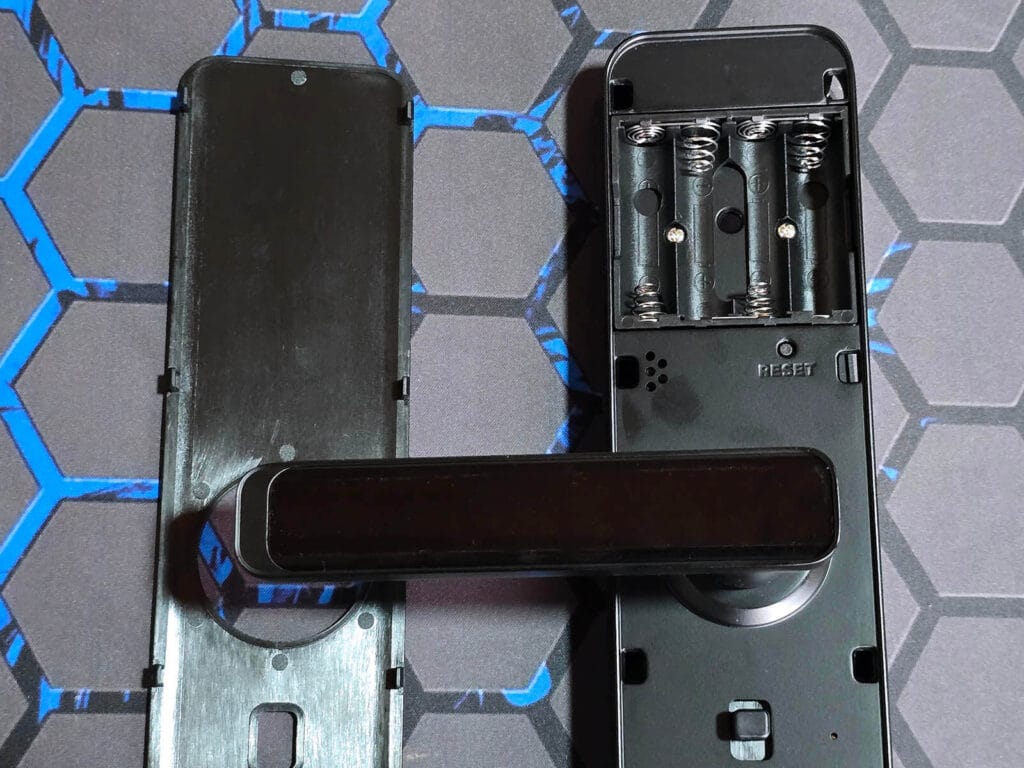
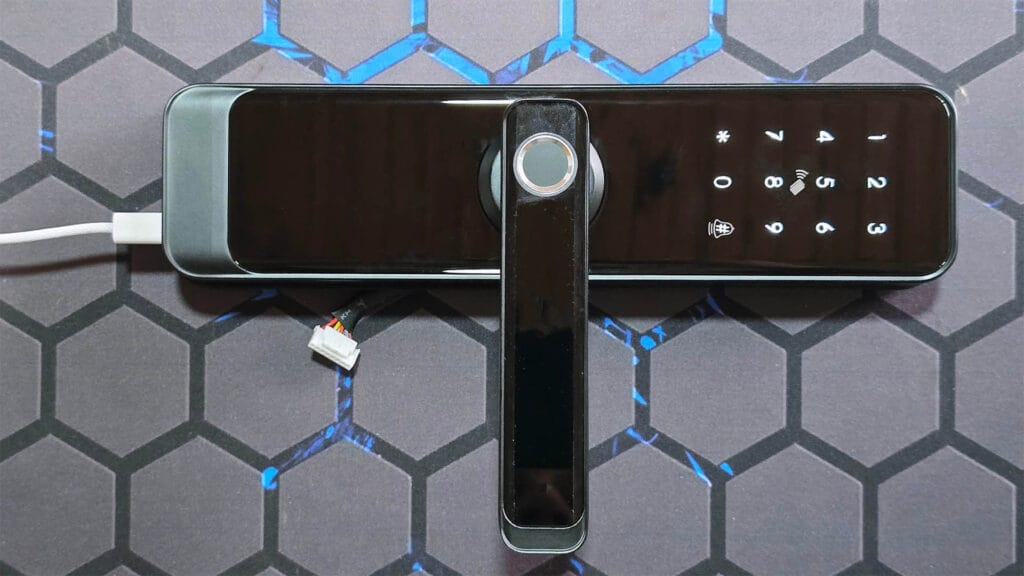
Once you plug in the USB-C connector, the smart lock wakes up and can be configured with the app, even without the battery installed. The keypad remains in sleep mode by default and wakes up instantly with a single tap. This keypad also serves as the scanning area for your NFC tags.
The fingerprint sensor is located directly on the handle, which is much more natural and convenient than reaching for a separate keypad. Overall, the A270 is a solid replacement lock that offers a wide variety of unlocking methods.
In the Smart Life App
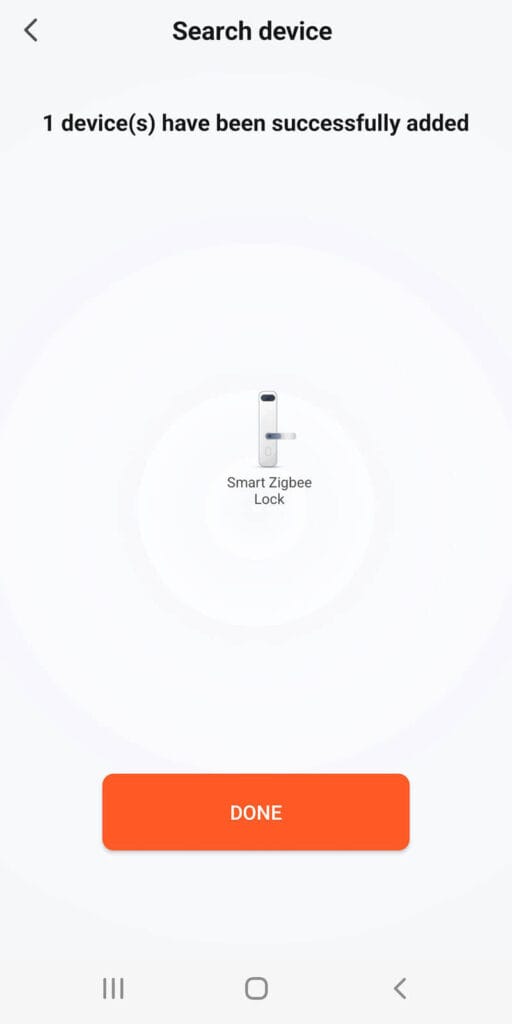
Once I had the M1 hub paired to the Tuya Smart Life app, I was able to onboard the A270 smart lock without issues. Pairing was smooth and took less than a minute. Here’s how the process looked like in a few screenshots:
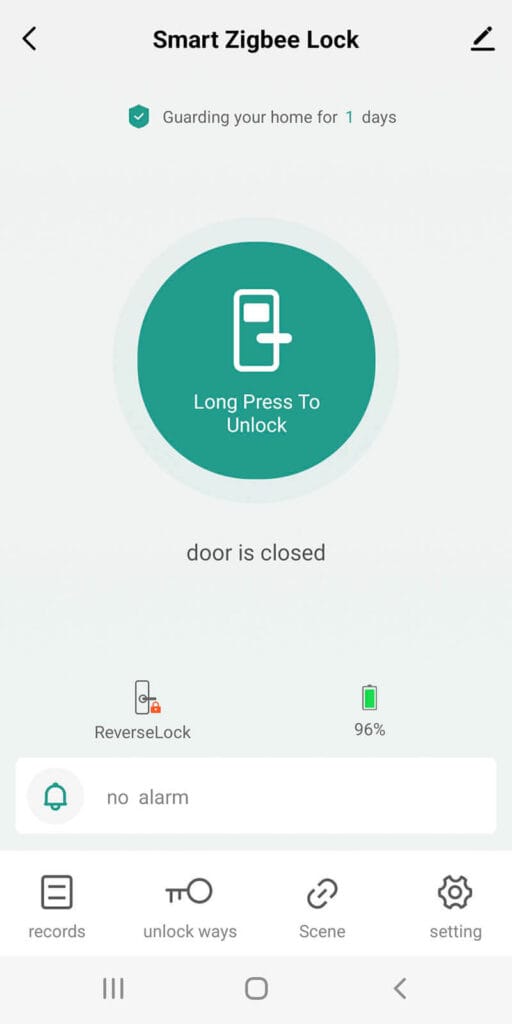
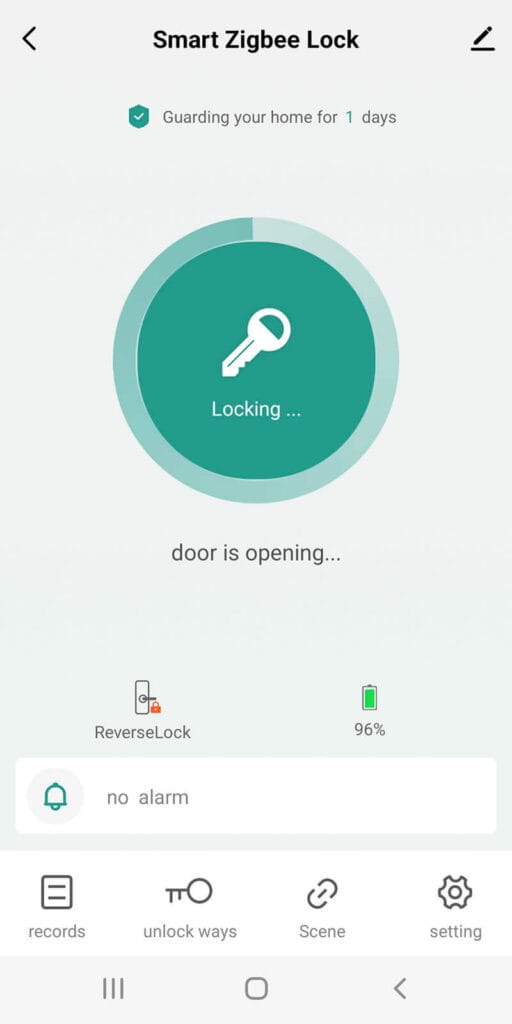
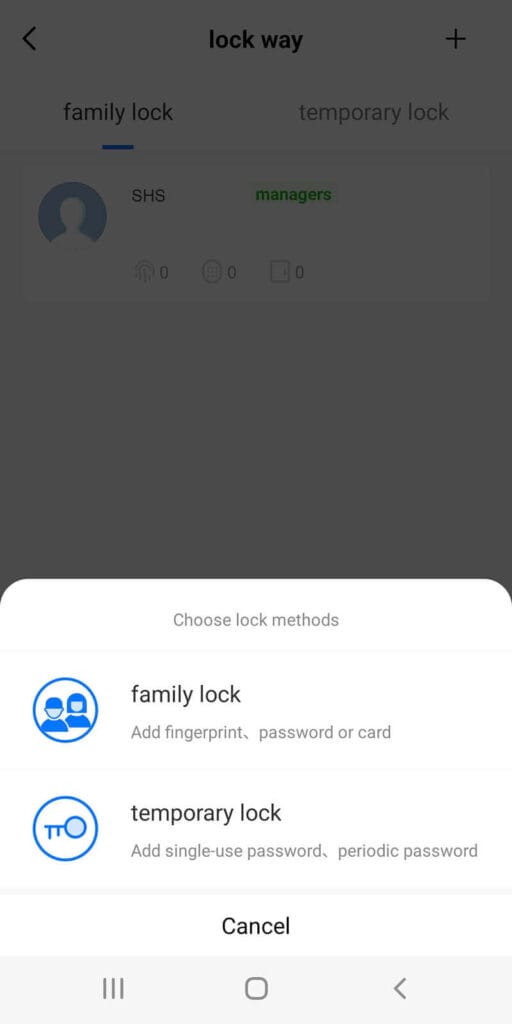
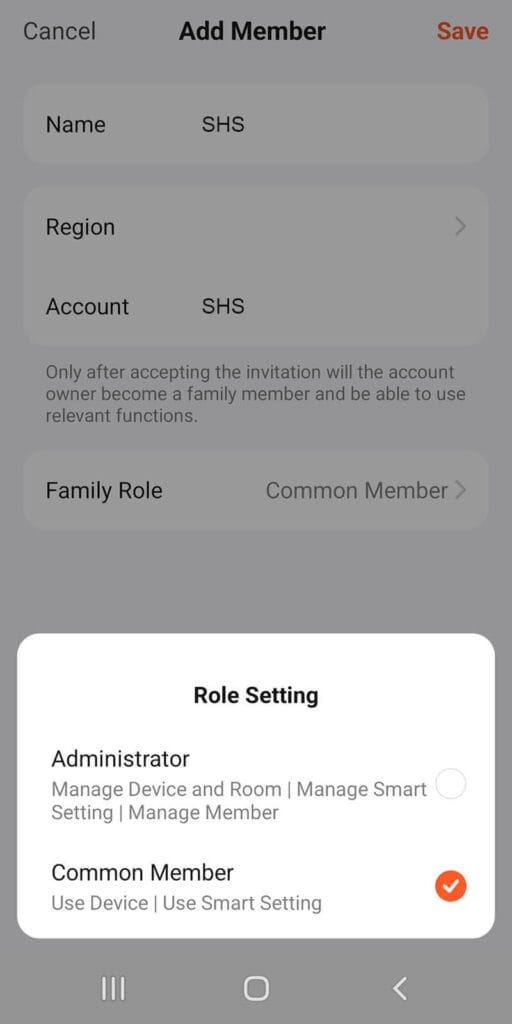
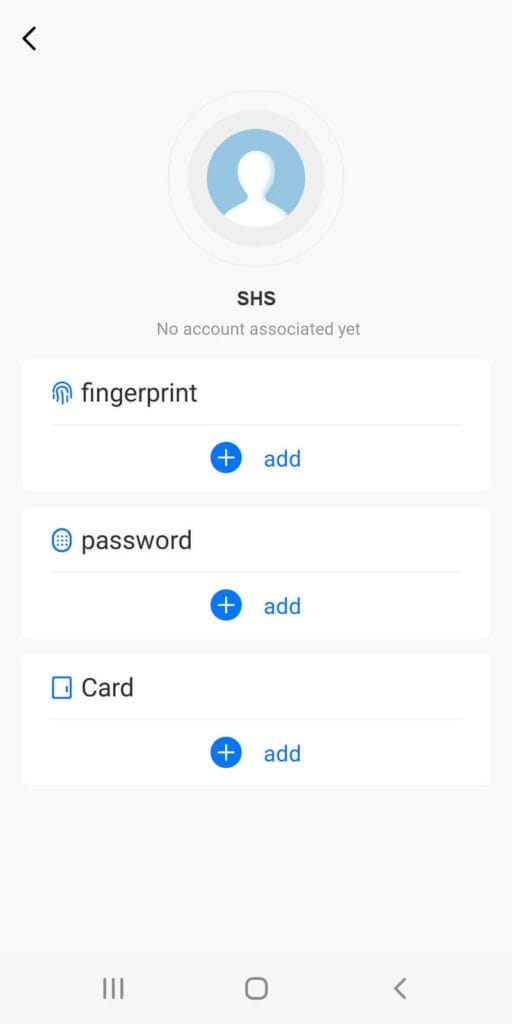
Once you add a member to the app, you can assign a fingerprint, password, or NFC card to them, which allows you to track and log their entry. One standout security feature is the anti-peep PIN entry. This allows you to enter random digits before or after your actual code to prevent anyone from memorizing your sequence. For example, if your password is 123456, you could enter 999123456 or 123456000, and the lock will still grant access.
The ReverseLock indicator seen in the screenshot, once engaged, activates the lock’s electronic privacy mode. This feature physically and electronically disables the outside handle, preventing access via fingerprints, passwords, or NFC cards for standard users. It is designed for privacy when you are inside the home, though Administrators or those with the mechanical emergency key can still override it to gain entry if necessary.
While you can use the lock as a trigger for scenes or automations within the Smart Life app, those features were not my focus. For this review, the most important aspects were that the lock operated reliably, the fingerprint reader responded quickly, and the tag reader was operational.
My focus was integrating and testing this lock in Home Assistant, which was the tricky part.
Using fingerprints, codes and NFC tags
The fingerprint sensor on this lock is impressively fast and responsive; in my testing, it never produced a single false negative. The superior performance here is due to the ergonomic placement of the sensor. When you grip the handle, your thumb naturally rests on the reader in the exact same spot every time. Because your finger hits the sensor at a consistent angle and position, it recognizes your fingerprint almost instantly.
In contrast, wall-mounted readers like those on the SwitchBot Keypad Touch and Keypad Vision require you to reach for a specific spot on the wall. This often leads to variations in how you press the sensor, which, while rare, can occasionally cause a failed reading. By integrating the sensor into the handle, this lock ensures perfect alignment every time you open the door.
When managing passwords, the Zemismart A270-Z offers a versatile range of code options. You can generate a single-use password that lasts for 24 hours, a dynamic password that is valid for only 5 minutes, or a periodic password with a custom start and end time. Obviously, you can set permanent family passwords for member.
Adding a new member is straightforward and does not require them to download the app, as the credentials work entirely offline once programmed. These options are more than enough for almost anything you would need.
The NFC tags included in the box must be programmed before they can be used. Once you have assigned them to a member and written the access code to the tag via the app, you can use them to unlock the door without any issues. Googling around I found that standard blank Mifare 13.56MHz NFC tags also work with this lock, though I haven’t verified this.
About Tuya Zigbee Locks in Home Assistant
You might be wondering why you almost never see Tuya Zigbee locks integrated directly with Home Assistant via ZHA or Zigbee2MQTT. There are so many models available and floating around AliExpress, yet direct support in either integration is extremely rare or incomplete.
There is a simple (and selfish) reason for this, cloaked under the guise of “user privacy” and “security”. To be clear from the start, I consider this approach to be Tuya’s fault, not Zemismart’s.
Standard Zigbee vs. Tuya’s “Financial Level” Security
Let’s take a simple Tuya light switch as an example. When you pair it to the coordinator, whether it is ZHA or Zigbee2MQTT, even if it is not officially supported, it identifies itself as a standard Zigbee router or end device. At its core, a light switch is chatty and predictable. It communicates using standard Zigbee clusters, where the coordinator sends a simple command like toggle or on and off to a specific cluster and the switch obliges.
This communication is protected by the Zigbee Network Key, which your coordinator already possesses. Because the data is sent in a well-defined format within that secure network, Zigbee2MQTT can decrypt, observe, and translate the traffic. Even if custom endpoints are used, creating a converter for a switch is usually as simple as mapping a 1 to ON and a 0 to OFF.
With a Tuya smart lock (like the Zemismart A270-Z), however, Tuya adds a second proprietary layer of protection. When you pair this lock, the communication is not just a simple open command. Instead, Tuya uses what they call financial level security. This is a secondary AES-128 CCM encryption that happens at the Application Support Sublayer or APS. This means that even though the lock is technically on your Zigbee network, the actual data packets are wrapped in an additional layer of code that the coordinator cannot read.
The Cloud-Key Barrier and Encryption Payloads
This creates a massive hurdle for local integration because the lock requires a unique AuthKey to function. This key is not hardcoded into the device. It is dynamically generated on Tuya’s cloud servers the moment you pair the lock with an official Tuya Zigbee Gateway.
When the lock communicates, it sends its data inside an encrypted payload on a proprietary data cluster. To Zigbee2MQTT, this looks like random and garbled noise. Without that specific AuthKey, there is no way to decipher which part of that noise means unlocked and which part means the battery is low. Even though some clusters can be unencrypted (e.g. battery level), the core functionality of the lock (e.g. lock/unlock) is usually hidden behind an AuthKey.
Furthermore, it is not as simple as just finding the key and pasting it into a configuration file. To prevent replay attacks, where a malicious actor records an unlock command and plays it back later, Tuya implements rolling frame counters and sequence numbers. Every command must be signed with the correct key and follow a strict numerical order. If the sequence is off by even a single step, the lock ignores the command entirely. To make this work in Zigbee2MQTT or ZHA, developers would need to reverse engineer the full Tuya security handshake and implement custom encryption and signing logic, on a per-model basis.
Ecosystem Lock-in Disguised as Security
The ultimate reality is that once you unpair the lock from a Tuya Hub and attempt to use it with a generic coordinator, the original security handshake is effectively broken. Because Zigbee2MQTT and ZHA cannot replicate Tuya’s proprietary provisioning and signing process, the lock refuses to communicate in any meaningful way. This design does protect against certain attacks that could otherwise leave a front door vulnerable, but in practice, it primarily serves to ensure users remain locked into the Tuya ecosystem. Nothing more.
Tuya could have easily allowed a local key exchange mechanism or implemented a standard Zigbee security model compatible with open-source coordinators. Even without their proprietary secondary encryption layer, the device would remain secure, as the Zigbee protocol already uses AES-128 encryption at the network and link-key level to protect every packet from interception, tampering, or spoofing by unauthorized devices.
Home Assistant Integration via Matter
Now, the simplest way to integrate the Zemismart A270-Z lock in Home Assistant is to bridge it via Matter. Obviously, you are going to need a Tuya Gateway with Matter support, which Zemismart offers as their M1 model. You simply pair the lock in the Smart Life app and share it via Matter to Home Assistant, just like any other Matter device.
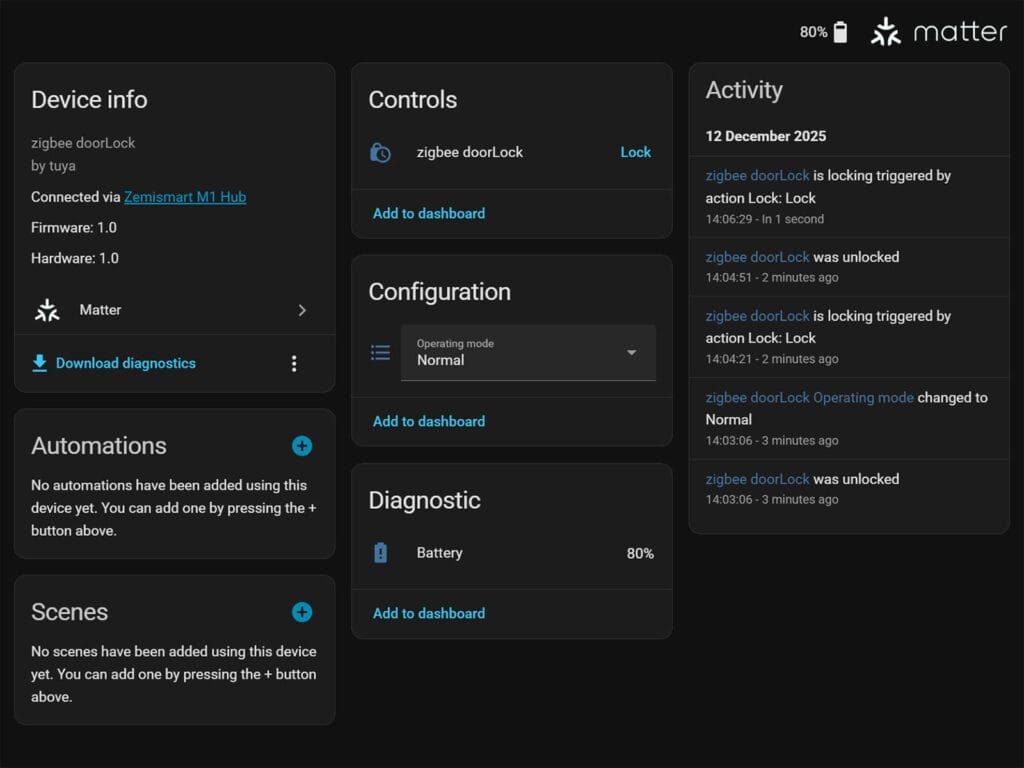
Local control is a strict requirement of Matter. Because of this, you are accessing the lock completely locally on your network. When you issue a command, it travels to the lock directly via the hub, bypassing the Tuya cloud. As long as your Home Assistant server and Tuya Matter hub are on the same network, you can use the lock locally in Home Assistant.
However, there’s an important distinction to make here. While the HA > Hub path is 100% local, the Zigbee path Hub > Lock is still Tuya’s proprietary territory. Yes, Zigbee is a local protocol by design, but you are trusting that the hub’s firmware doesn’t have a “heartbeat” requirement where it disables its Zigbee radio or “locks” its internal AuthKey if it hasn’t seen the Tuya servers for X days (if you decide to block the Hub from accessing the internet). I have had the Hub firewalled for about 3 days and while it shows up as offline in their app, it continues to function and control the lock for now. Whether this will expire eventually, I am simply not sure.
Final Thoughts
The Zemismart A270-Z is a solid full replacement smart lock that offers a premium look without the high price tag of more established brands. The availability of a physical key backup and multiple digital entry methods makes it a highly versatile smart lock choice.
Installation requires more effort than a simple retrofit model, but the result is a much more integrated and aesthetically pleasing solution for your door. The hardware feels robust and the biometric performance of the handle-mounted sensor is excellent and impressed me the most. Because your thumb naturally lands on the reader during a normal grip, the recognition is incredibly fast and produces no false negative errors.
If you are a Zigbee or nothing person like me, the lack of direct Zigbee2MQTT or ZHA support is a significant disappointment that highlights the limitations of the Tuya ecosystem. It is frustrating to see a device with standard Zigbee hardware locked behind proprietary encryption layers that serve more as a barrier to entry than an essential security feature.
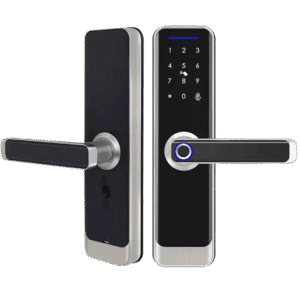
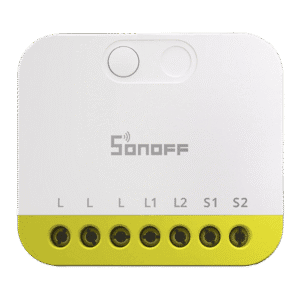
While the Matter bridge provides a viable and local workaround, it still requires the purchase of a specific gateway and reliance on a secondary hub to function. If this isn’t a dealbreaker for you (it is for me), the Zemismart A270-Z with the M1 Hub is a very solid combo. Here’s where you can get it:









this article is very detailed and useful~
Thanks, appreciate the feedback.
Look nice, I would definitely buy it instead of u200, but it’s too late 🙁
Thank you for this nice article and happy new year !
This encryption key on Tuya server is also a deal breaker for me… Thanks for the detailed article as always, you’re the best reviewer I know for domotic hardware ! Please keep going !
Thanks for the kind words, appreciate it!
Great review, as always
Thanks Mario
they key position on the lock means its mechanism is not protected by the heavy iron door, it is only protected by the lock plastic which is very easy to brake – i have huge security concerns about such construction. Aqara A100 has the correct mechanism protected by the door. Are my concerns legit?
They are and you are right.
Id say it doesn’t matter either way, a determined thief is getting in anyway.
I’d argue retrofit locks are much more secure in this manner: you leave the key inside the lock (cant be picked).
Do you have to lift a handle to lock the doors (bottom bolt) or can be it autolocked without lifting a handle? thanks
You have to lift it to engage
Edit: I’ll double check this
Thanks.
As I began reading I was thinking “finally found what I was looking for”. Sadly, the cloud encription part is a deal breaker.
Thanks for the review!
schlage zwave hands down, best American made lock ever. no other lock comes even closer.
I can agree it’s good quality, but it’s also among ugliest locks ever made and sounds like a muffled chainsaw
Thanks for the review. I was looking to buy it because of the price and the looks, but not having an offline way to operate it is a deal-breaker for me.
I agree, for me too.
It’s a major drawback, there are better options out there.