

Intro
If you care about Home Assistant and local control, Christmas lights can be surprisingly tricky to choose. A lot of the flashy tree kits and string lights are still very cloud heavy and Wi-Fi dependent or only partially exposed via local APIs. The list below focuses on options that you can either run fully local from day one, or at least integrate locally through WLED, Zigbee or Matter. No separate cloud hub required and everything can be pulled into Home Assistant directly.
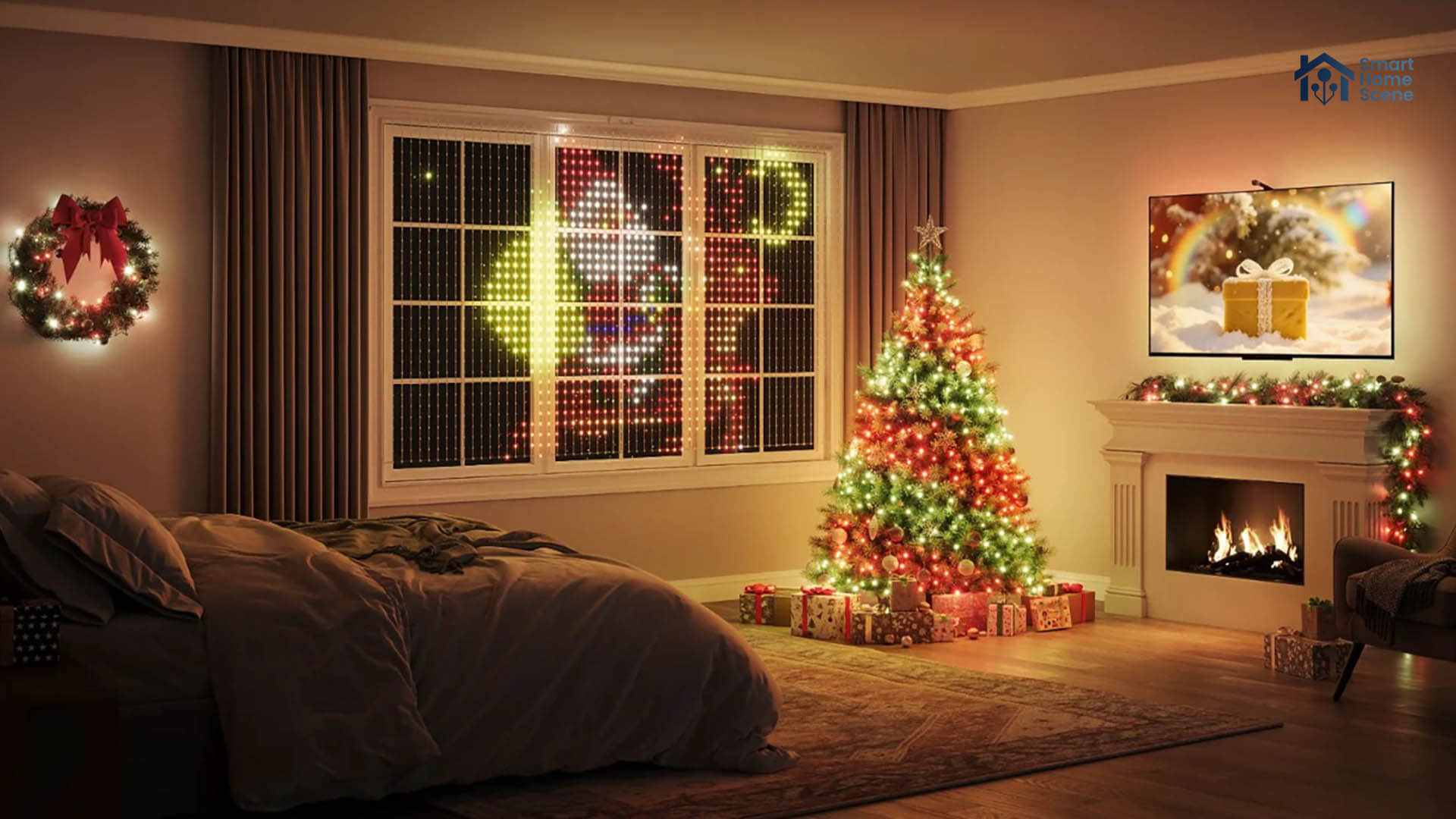
Broadly, there are three approaches we considered here. First, the pure DIY route with WLED and WS2812B strips, which gives you the most flexibility and the cleanest local access. Second, Zigbee based control, which drops straight into your existing coordinator. Third, branded lights from Hue, Govee, Nanoleaf and SwitchBot that speak Matter and you can use without a bridge.
Apollo Automation M-1 LED Matrix
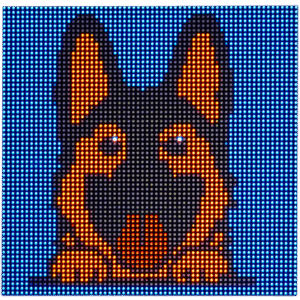
The Apollo Automation M-1 LED Matrix is a fun way to do Christmas lighting that is not just a strip wrapped around a tree. It is a 64 x 64 HUB75 panel with 4096 pixels driven by an onboard controller, and it ships pre flashed with WLED out of the box. You power it over 5V USB-C, connect it to Wi-Fi, and the WLED integration picks it up just like any other device in Home Assistant.
From a local control point of view, the M-1 behaves exactly like a normal WLED device. Home Assistant talks to it through the WLED integration, and you can also push data over MQTT if you prefer. It is still a niche product compared to a strip, and the panel aesthetic fits better on a wall or as a window display than on a tree, but as a seasonal status display it hits a nice balance between plug and play and full DIY smart device. If you want something to display a flashy picture of Santa for your kids, the Apollo Automation M-1 LED Matrix is a great choice!
WLED Controller with WS2812B LED Strip
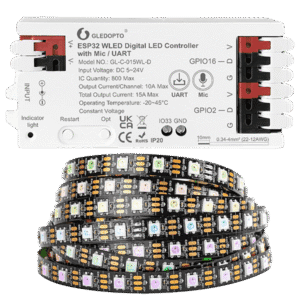
A classic WLED controller paired with a WS2812B LED strip is still the cleanest way to get completely local, highly customizable Christmas lighting. You take an ESP8266 or ESP32-based controller, flash WLED, hook up a power supply and a WS2812B strip, and you are done. Gledopto is one brand that offers an entire range of WLED compatible controllers.
WLED gives you an absurd amount of effects, palettes, timers and presets, all exposed through the Home Assistant WLED integration with no cloud in sight. For indoor trees and window outlines, a 5 meter strip with 60 to 100 LEDs per meter is usually enough, and you can always go denser if you want smoother gradients.
The nice thing about this setup is that you control every part of the stack. You choose the power supply, cable gauge, and how much you want to push the LEDs. If a segment fails, you replace a cheap strip instead of a whole proprietary kit. The flip side is that it is still a project and requires some tinkering. You need to think about power injection on longer runs and you will probably end up crimping or soldering if you go beyond 5 meters. Here’s a list of good WLED controllers:
- Gledopto GL-C-616WL WLED Controller with Ethernet
- Gledopto GL-C-016WL-D WLED Controller with Mic
- Gledopto GL-C-309WL Mini WLED Controller
Zigbee Controller with WS2812B LED Strip
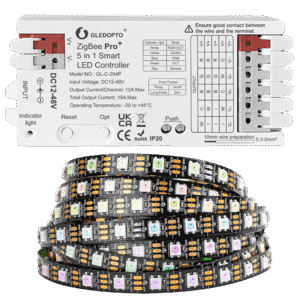
If you prefer to stay with Zigbee like I do, a Zigbee LED controller driving a strip is a good compromise between DIY and convenience. There are controllers on the market that can drive addressable strips like WS2812B over 12V or 24V. From Home Assistant’s point of view these show up as regular Zigbee lights that you can dim, color shift, and group, which makes them easy to drop into existing automations. They pair with your existing Zigbee coordinator, whether you are using ZHA or Zigbee2MQTT.
In my experience, you do lose some of the crazy per pixel effects that WLED offers. On the other hand, you gain mature mesh behavior, no Wi-Fi credentials on yet another microcontroller, and a control path that is completely local once joined. For people who already have a strong Zigbee mesh and want their Christmas lighting to behave like any other light in the house, a Zigbee controller plus strip is often the most boring yet practical choice. Besides the Zigbee Pro+ model from Gledopto, here’s a list of other great Zigbee LED controllers:
- Gledopto GL-C-205P Zigbee Pro+ 3-in-1 LED Controller
- BTF-Lighting C04Z RGBW Zigbee LED Controller
- Giderwel RGBWW Zigbee 3.0 LED Controller
Govee Cone Tree Lights
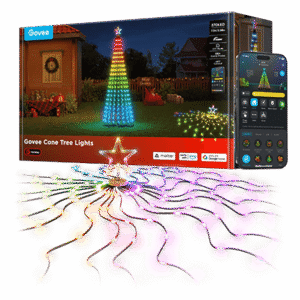
Govee’s Cone Tree Lights are one of the more polished tree kits if you want something that installs cleanly and covers the tree evenly. The layout of individual branches gives you much better light distribution than a spiral-wrapped strip, and the scene library in the Govee app is genuinely good. The important bit for Home Assistant users is that this model supports Matter, meaning you can pair it directly with your Matter sever in HA and use it fully locally.
The limitation is the usual one: Matter does not expose all of Govee’s advanced effects. The fancier AI mapping, chase patterns, and complex gradients stay inside the Govee app. If you want similar dynamic effects in Home Assistant, you will need to recreate them using a combination of automations or a dedicated light-effects integration such as hass-scene_presets. It’s a small tradeoff: you lose some built-in animations but gain reliable, local-first control that slots neatly into your existing automations.
Govee String Lights 2
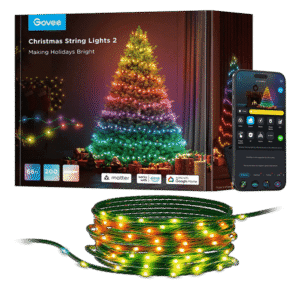
Govee Christmas Lights 2 follow the same pattern: long RGBWIC strings with per-LED mapping, meant for larger trees, balconies, and facades. They’re bright, flexible, and the preset library is enormous. The good news is that this series also supports Matter, and once paired, Home Assistant treats them as local devices with zero dependency on the Govee cloud. If all you need is simple color control, ambient lighting, or triggering Christmas scenes from automations, they integrate easily and behave reliably.
Just like the tree lights, all the advanced Govee-app effects remain outside the Matter specification. In Home Assistant you get the basics, not the full Govee feature set. To rebuild more interesting patterns, you’ll need to lean on Home Assistant automations or something like hass-scene_presets, which can generate dynamic gradients and animations locally. It’s a good compromise: keep the lights fully local and stable, and recreate only the effects that matter to you.
Govee Christmas Sparkle String Lights
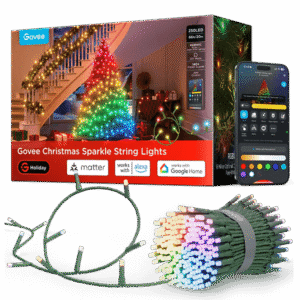
The Govee Christmas Sparkle String Lights add the classic “bulb sparkle” look that many people prefer over flat LED nodes. They’re dense, vivid, and the diffused bullet LEDs make them stand out more than the typical string. Again, these support Matter, so integration with Home Assistant is straightforward and entirely local once paired. You gain dependable control and instant responsiveness without routing commands through Govee’s servers.
As with other Govee Matter lights, the catch is effect depth. Home Assistant will happily control them, but only exposes what Matter allows. These are available in two sizes, carrying 250 LEDs for the shorter 20 meter version and 375 LEDs for the longer 30-meter one.
Philips Hue Festavia String Lights
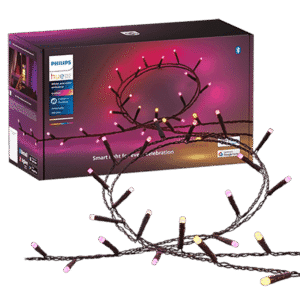
Philips Hue Festavia is the safer choice if you already live in the Hue ecosystem or want something that behaves like any other Hue light in Home Assistant. Festavia is an IP54 rated string with individually addressable RGB LEDs, available in different lengths, sold as indoor and outdoor capable.
By default, Festavia works with the Hue Bridge, which can be integrated in Home Assistant. The great news is Zigbee2MQTT has excellent support for Hue lights, supporting even advanced lighting effects out of the box. Of course, you also pay that Hue tax, as Festavia is more expensive than Govee or a DIY solution.
Philips Hue Festavia Globe Outdoor String Lights
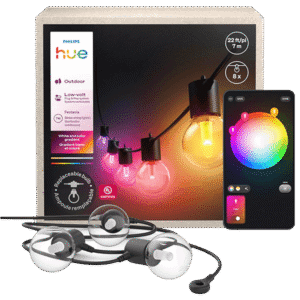
The Festavia Globe Outdoor String Lights take the same idea and wrap it in a more decorative, bulb style package for the garden or balcony. Instead of tiny points on a cable, you get larger globe bulbs spaced along a long cord, built to survive rain, sun and snow. Each globe is replaceable, which is a rare and very practical touch in this category.
For outdoor Christmas lighting that you want to leave up all year, this is one of the more sensible options. Everything stays on your local network, automations are easy, and you still get nice gradients and seasonal scenes controlled via Zigbee2MQTT. The tradeoff is again price and the usual Hue limitations around very custom patterns only available in the Hue Bridge.
Nanoleaf Smart Holiday String Lights
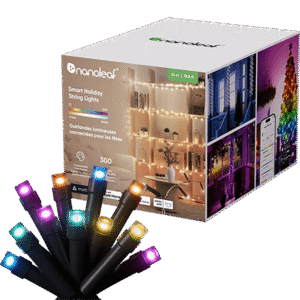
Nanoleaf’s Smart String Lights strike a middle ground between Govee’s creativity and Hue’s reliability. The hardware is solid, the LEDs are bright, and the mapping in the Nanoleaf app is surprisingly flexible. However, their biggest advantage for Home Assistant users is that they are fully Matter-compatible, meaning once you pair them, they operate entirely locally with fast, stable control. No cloud calls, no polling delays, just a clean light entity that works like any other in your dashboards and automations.
The tradeoff is identical to Govee: Matter’s current feature set doesn’t expose the richer Nanoleaf effects. If you want more than simple color scenes, you’ll need to recreate animations yourself. If you already own Nanoleaf products or prefer their design, this set integrates smoothly while still keeping everything local.
SwitchBot Smart RGBICWW Floor Lamp
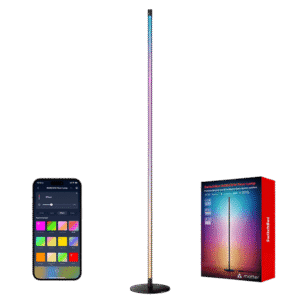
SwitchBot’s RGBICWW Floor Lamp isn’t a Christmas product by default, but it actually works great as a seasonal accent. Because it supports Matter, Home Assistant can control it locally without ever touching SwitchBot’s cloud once onboarding is done. You get stable, instant control over brightness, temperature, and color, and it behaves like any other Matter light entity.
Just like the others, Matter exposes only the basics. The more elaborate effects available in the SwitchBot app won’t show up natively in Home Assistant. Luckily this lamp responds well to rapid color changes and transitions, so building your own animations through Home Assistant works surprisingly well. It’s one of those devices you can repurpose year-round: Christmas gradients in December, warm reading light in January, and ambient color wash whenever you feel like it, which is how I use this lamp.









An excellent choice for govee lights to bei controlled locally incl. all effects(!) is to use govee2mqtt add-on. (https://github.com/wez/govee2mqtt)
Tested by myself with “Christmas Sparkle String Lights (H6871)” – works beautifully.
Hello, thank you for this nice article, as always !
I went the govee way, and there is a nice addon for HA called Govee2mqtt (https://github.com/wez/govee2mqtt)
When possible this addon communicates on the local API. Works for my Govee String Lights 2
As an alternative to matter the nanoleaf lights have a local api and a home assistant integration that supports the effects.
For the newer devices, like the mentioned Holiday String Lights, the offical integration currently does not work, but there is a fixed version available for install via HACS here: https://github.com/loebi-ch/nanoleaf
Thanks for sharing Michael, appreciate it.
I would also suggest GyverTwink and it’s variants for DIY approach – it allows for a camera mapping of individual pixels of a randomly positioned RGB addressable string.