

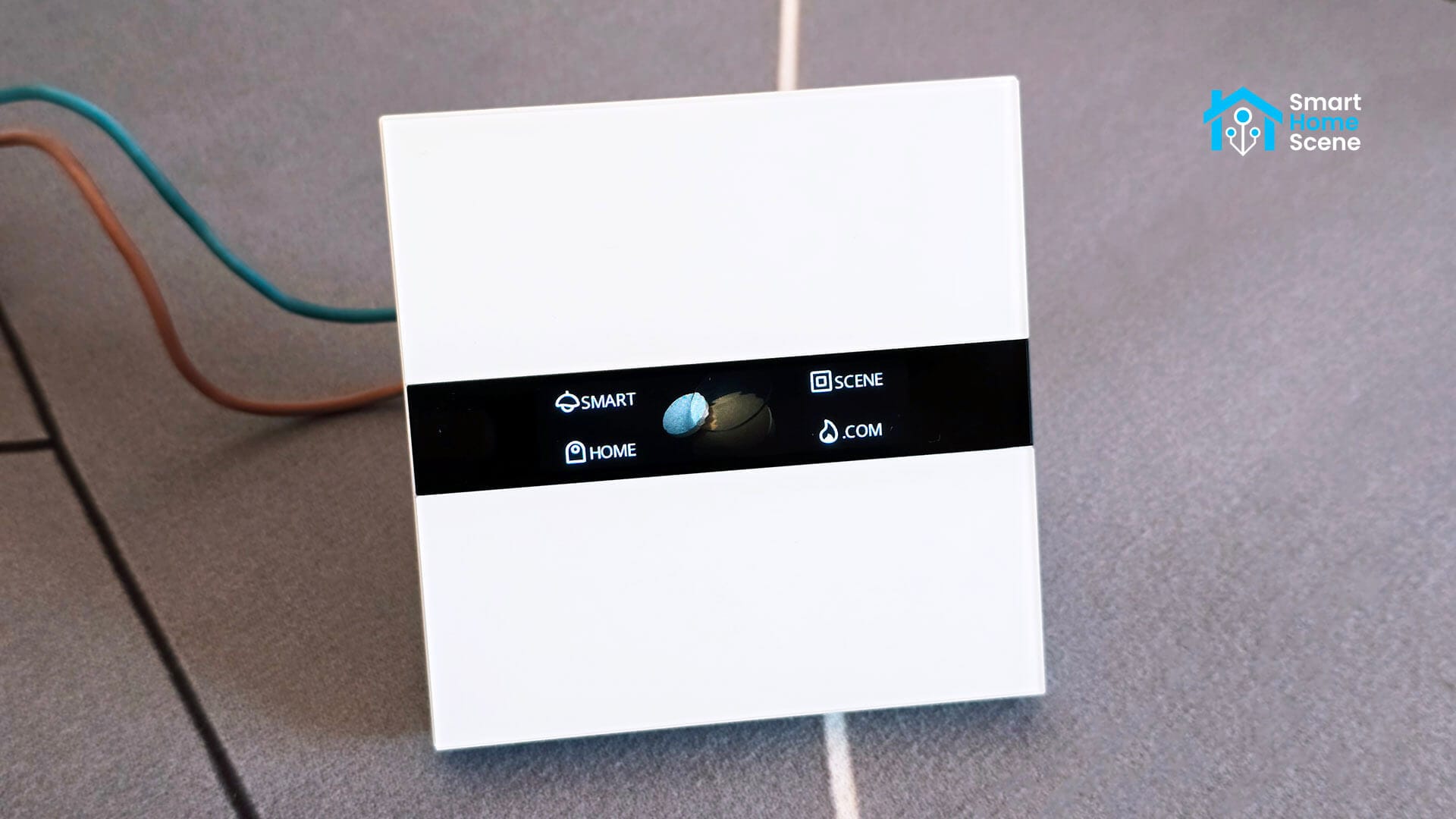
The Aqara Display Switch V1 is one of the more interesting wall switches to come out of Aqara’s lineup in recent years. It has also been completely absent from Zigbee2MQTT, until now. This guide covers what the device is, what the external converter exposes, and how to get the most out of it in Home Assistant.
About the Aqara Display Switch V1
The WS-K02D is a 4-button wall switch with two independent relays, a color display, and a proximity sensor. On the surface it looks like a premium wall switch, and it is, but what makes it different is the display itself. It’s fully configurable: you can assign icons, names, and functions to each of the four touch buttons shown on screen, set a screen saver with either a digital clock, live weather data, or indoor sensor readings, and adjust everything from brightness to font size.
Specs at a glance:
- Two relay switches (L1 and L2), max 8A resistive load
- Four configurable display buttons with custom icons and labels
- Proximity sensor to wake the display on approach
- Power monitoring (power, current, energy)
- Weather and indoor environment screen savers
- Zigbee IEEE 802.15.4 + Bluetooth
- EU form factor, 86×86mm
In the Aqara app, the display is tightly integrated: weather pulls from a live service based on your location, and indoor readings come from linked Aqara sensors automatically. My Zigbee2MQTT external converter makes this possible too, as I figured out a way to control the display from HA too.
The External Converter
To use the Z2M converter, create a new file inside /zigbee2mqtt/external_converters/ and name it aqara_ws_k02d.js. Copy the entire converter contents into this file, save it and reboot Zigbee2MQTT. There is no need to add anything to Zigbee2MQTT’s configuration.yaml file, it loads all converters in this folder automatically on boot.
Zigbee2MQTT External Converter (click to expand)
// Aqara Display Switch V1 EU
// Model: WS-K02D / zigbeeModel: lumi.switch.aeu001

const exposes = require("zigbee-herdsman-converters/lib/exposes");
const lumi = require("zigbee-herdsman-converters/lib/lumi");
const m = require("zigbee-herdsman-converters/lib/modernExtend");

const e = exposes.presets;
const ea = exposes.access;

const {
    lumiZigbeeOTA,
    lumiOnOff,
} = lumi.lumiModernExtend;

const manufacturerCode = 4447;
const manufacturerOptions = {manufacturerCode, disableDefaultResponse: true, disableResponse: true};

// ---------------------------------------------------------------------------
// Helpers
// ---------------------------------------------------------------------------

function get_ieeeBytes(addr) {
    if (addr && addr.length >= 16) {
        const h = addr.replace(/0x/i, "").replace(/:/g, "");
        return [
            parseInt(h.slice(-16, -14), 16), parseInt(h.slice(-14, -12), 16),
            parseInt(h.slice(-12, -10), 16), parseInt(h.slice(-10, -8), 16),
            parseInt(h.slice(-8, -6), 16),   parseInt(h.slice(-6, -4), 16),
            parseInt(h.slice(-4, -2), 16),   parseInt(h.slice(-2), 16),
        ];
    }
    return [0x00, 0x00, 0x54, 0xef, 0x44, 0x73, 0x35, 0xf9];
}

function floatToHexBytes(num) {
    const buf = new ArrayBuffer(4);
    const view = new DataView(buf);
    view.setFloat32(0, num, false);
    return [0, 1, 2, 3].map((i) => view.getUint8(i));
}

function getDeviceState(device) {
    if (!device._aqaraDisplayState) device._aqaraDisplayState = {weatherSeq: 0, sensorSelected: 0};
    return device._aqaraDisplayState;
}

function buildWeatherPacket(addr, seq, type = "null", value = 0) {
    const ieee = get_ieeeBytes(addr);
    const s = seq & 0xFF, cs = (0x8E - s) & 0xFF;
    let mt = [0x00, 0x06], vb = [0x00, 0x00, 0x00, 0x00];
    if (type === "condition")        { mt = [0x0d, 0x02]; vb = [0x00, 0x00, 0x00, value]; }
    else if (type === "temperature") { mt = [0x00, 0x04]; vb = floatToHexBytes(value); }
    else if (type === "humidity")    { mt = [0x00, 0x05]; vb = floatToHexBytes(value); }
    return Buffer.from([0xaa, 0x71, 0x13, 0x44, s, cs, 0x08, 0x41, 0x10, ...ieee, ...mt, 0x00, 0x55, ...vb]);
}

function buildSensorPacket(addr, seq, type = "null", value = 0) {
    let ieee = get_ieeeBytes(addr);
    const s = seq & 0xFF, cs = (0x8E - s) & 0xFF;
    let p2 = 0x13, p6 = 0x05, b1 = [], b2 = [], mt = [0x08, 0x00], pt = [0x07, 0xfd], vb = [0x00, 0x00, 0x00, 0x01], sb = [];
    if (type === "temperature_empty_octet") {
        p2=0x1c; p6=0x04; b1=[0x19,0x69,0x86,0x67,0x60,0x34,0x54,0xef,0x44]; b2=[0x01,0x18,0xaf,0x8e];
        ieee=[]; mt=[]; pt=[]; vb=[];
        sb=[0x00,0x00,0x00,0x00,0x00,0x00,0x00,0x00,0x00,0x00,0x00,0x00];
    } else if (type === "temperature_null_n_string") {
        p2=0x32; p6=0x02; b1=[0x2f,0x69,0x86,0x67,0x60,0x32,0x54,0xef,0x44]; b2=[0x01,0x18,0xaf,0x8e];
        pt=[0x07,0xfd]; vb=[0x15,0x0a,0x02,0x09];
        sb=[0xe8,0xae,0xbe,0xe5,0xa4,0x87,0xe5,0x9c,0xa8,0x00,0x00,0x00,0x00,0x00,0x01,0x20,0x03,0x64];
    } else if (type === "temperature_0") {
        p2=0x32; p6=0x02; b1=[0x2f,0x69,0x86,0x67,0x60,0x33,0x54,0xef,0x44]; b2=[0x01,0x18,0xaf,0x8e];
        mt=[0x00,0x01]; pt=[0x00,0x55]; vb=[0x15,0x0a,0x02,0x00];
        sb=[0x00,0x64,0x06,0xe6,0xb8,0xa9,0xe5,0xba,0xa6,0x00,0x00,0x00,0x00,0x00,0x01,0x20,0x07,0x64];
    } else if (type === "temperature") {
        mt=[0x00,0x01]; pt=[0x00,0x55]; vb=floatToHexBytes(value * 100);
    } else if (type === "humidity_empty_octet") {
        p2=0x1c; p6=0x04; b1=[0x19,0x69,0x86,0x70,0xdd,0x33,0x54,0xef,0x44]; b2=[0x01,0x18,0xaf,0x8e];
        ieee=[]; mt=[]; pt=[]; vb=[];
        sb=[0x00,0x00,0x00,0x00,0x00,0x00,0x00,0x00,0x00,0x00,0x00,0x00];
    } else if (type === "humidity_null_n_string") {
        p2=0x32; p6=0x02; b1=[0x2f,0x69,0x86,0x70,0xdd,0x32,0x54,0xef,0x44]; b2=[0x01,0x18,0xaf,0x8e];
        pt=[0x07,0xfd]; vb=[0x15,0x0a,0x02,0x09];
        sb=[0xe8,0xae,0xbe,0xe5,0xa4,0x87,0xe5,0x9c,0xa8,0x00,0x00,0x00,0x00,0x00,0x01,0x20,0x03,0x64];
    } else if (type === "humidity_0") {
        p2=0x32; p6=0x02; b1=[0x2f,0x69,0x86,0x70,0xdd,0x34,0x54,0xef,0x44]; b2=[0x01,0x18,0xaf,0x8e];
        mt=[0x00,0x02]; pt=[0x00,0x55]; vb=[0x15,0x0a,0x02,0x00];
        sb=[0x00,0x64,0x06,0xe6,0xb9,0xbf,0xe5,0xba,0xa6,0x00,0x00,0x00,0x00,0x00,0x01,0x20,0x08,0x64];
    } else if (type === "humidity") {
        mt=[0x00,0x02]; pt=[0x00,0x55]; vb=floatToHexBytes(value * 100);
    }
    return Buffer.from([0xaa,0x71,p2,0x44,s,cs,p6,0x41,...b1,0x10,...b2,...ieee,...mt,...pt,...vb,...sb]);
}

// ---------------------------------------------------------------------------
// fromZigbee (local) — display-specific attributes only
// ---------------------------------------------------------------------------

const fzLocal = {
    aqara_display: {
        cluster: "64704",
        type: ["attributeReport", "readResponse"],
        convert: (model, msg, publish, options, meta) => {
            const result = {};
            const ep = msg.endpoint.ID;

            // Power monitoring — reported via manuSpecificLumi attributes
            if (msg.data.hasOwnProperty(149)) result.energy  = msg.data[149];
            if (msg.data.hasOwnProperty(151)) result.current = msg.data[151] * 0.001;
            if (msg.data.hasOwnProperty(152)) result.power   = msg.data[152];

            if (msg.data.hasOwnProperty(0x0215)) result.display_theme = {0: "option_1", 1: "option_2"}[msg.data[0x0215]] ?? "unknown";
            if (msg.data.hasOwnProperty(0x026a)) result.show_mode = {1: "icon_and_text", 2: "icon", 3: "text"}[msg.data[0x026a]] ?? "unknown";
            if (msg.data.hasOwnProperty(0x0266)) {
                const buf = msg.data[0x0266];
                if (Buffer.isBuffer(buf) && buf.length >= 4) result.button_color = {r: buf[1], g: buf[2], b: buf[3]};
            }
            if (msg.data.hasOwnProperty(0x0211)) result.lcd_brightness = msg.data[0x0211];
            if (msg.data.hasOwnProperty(0x0216)) result.standby_time = {5: "5_seconds", 15: "15_seconds", 30: "30_seconds", 60: "1_minute", 120: "2_minutes", 300: "5_minutes", 65535: "never"}[msg.data[0x0216]] ?? "15_seconds";
            if (msg.data.hasOwnProperty(0x0221)) result.standby_screen_saver = msg.data[0x0221] === 1 ? "ON" : "OFF";
            if (msg.data.hasOwnProperty(0x0222)) result.standby_lcd_brightness = msg.data[0x0222];
            if (msg.data.hasOwnProperty(0x0214)) result.screen_saver_style = {1: "digital_clock", 2: "weather_conditions", 3: "indoor_environment"}[msg.data[0x0214]] ?? "unknown";
            if (msg.data.hasOwnProperty(0x026d)) result.proximity_activation = msg.data[0x026d] === 1 ? "ON" : "OFF";
            if (msg.data.hasOwnProperty(0x0268)) result.proximity_sensitivity = {1: "near", 2: "nearby", 3: "medium", 4: "distant", 5: "far"}[msg.data[0x0268]] ?? "unknown";
            if (msg.data.hasOwnProperty(0x0217)) result.font_size = {3: "medium", 5: "large"}[msg.data[0x0217]] ?? "unknown";
            if (msg.data.hasOwnProperty(0x0236)) result.double_tap_override = msg.data[0x0236] === 1 ? "ON" : "OFF";

            if (ep >= 1 && ep <= 4) {
                if (!meta.device._aqaraLayoutCache) meta.device._aqaraLayoutCache = {};
                const cache = meta.device._aqaraLayoutCache;
                if (!cache[ep]) cache[ep] = {};
                if (msg.data.hasOwnProperty(0x0269)) cache[ep].opMode = msg.data[0x0269];
                if (msg.data.hasOwnProperty(0x0235)) cache[ep].relay  = msg.data[0x0235];
                if (msg.data.hasOwnProperty(0x0300)) cache[ep].layout = msg.data[0x0300];
                const {opMode, relay, layout} = cache[ep];
                let lv = null;
                if (opMode === 0) lv = "empty";
                else if (opMode === 1 && relay !== undefined) lv = {1: "switch_1", 2: "switch_2"}[relay] ?? "unknown";
                else if (opMode === 4 && layout !== undefined) lv = {1: "button_1", 2: "button_2", 4: "button_3", 8: "button_4"}[layout] ?? "unknown";
                if (lv !== null) result[`button_${ep}_layout`] = lv;
            }

            if (msg.data.hasOwnProperty(0x026e) && Buffer.isBuffer(msg.data[0x026e]) && (ep === 1 || ep === 2)) result[`switch_${ep}_name`] = msg.data[0x026e].toString("utf8");
            if (msg.data.hasOwnProperty(0x026f) && Buffer.isBuffer(msg.data[0x026f]) && (ep === 1 || ep === 2)) result[`switch_${ep}_icon`] = msg.data[0x026f].toString("utf8");
            if (msg.data.hasOwnProperty(0x026b) && Buffer.isBuffer(msg.data[0x026b]) && ep >= 1 && ep <= 4) result[`button_${ep}_name`] = msg.data[0x026b].toString("utf8");
            if (msg.data.hasOwnProperty(0x026c) && Buffer.isBuffer(msg.data[0x026c]) && ep >= 1 && ep <= 4) result[`button_${ep}_icon`] = msg.data[0x026c].toString("utf8");

            return result;
        },
    },
    aqara_action_multistate: {
        cluster: "genMultistateInput",
        type: ["attributeReport", "readResponse"],
        convert: (model, msg, publish, options, meta) => {
            const ep = msg.endpoint.ID;
            const name = {1: "button_1", 2: "button_2", 3: "button_3", 4: "button_4"}[ep] ?? `button_${ep}`;
            const action = {1: "single"}[msg.data["presentValue"]] ?? `unknown_${msg.data["presentValue"]}`;
            return {action: `${name}_${action}`};
        },
    },
};

// ---------------------------------------------------------------------------
// toZigbee (local) — display-specific attributes only
// ---------------------------------------------------------------------------

const weatherConditions = {
    "sunny": 0x00, "clear": 0x01, "fair": 0x03, "partly_cloudy": 0x05, "mostly_cloudy": 0x07,
    "overcast": 0x09, "light_rain": 0x0D, "moderate_rain": 0x0E, "storm": 0x10,
    "heavy_storm": 0x11, "severe_storm": 0x12, "freezing_rain": 0x13, "sleet": 0x14,
    "snow_flurry": 0x15, "light_snow": 0x16, "moderate_snow": 0x17, "heavy_snow": 0x18,
    "snowstorm": 0x19, "foggy": 0x1E, "windy": 0x20, "blustery": 0x21,
    "hurricane": 0x22, "tropical_storm": 0x23, "tornado": 0x24, "unknown": 0x25,
};

const tzLocal = {
    aqara_display_theme: {
        key: ["display_theme"],
        convertSet: async (entity, key, value, meta) => {
            await entity.write(0xFCC0, {[0x0215]: {value: {option_1: 0, option_2: 1}[value], type: 0x20}}, manufacturerOptions);
            return {state: {display_theme: value}};
        },
        convertGet: async (entity, key, meta) => { await entity.read(0xFCC0, [0x0215], manufacturerOptions); },
    },
    aqara_show_mode: {
        key: ["show_mode"],
        convertSet: async (entity, key, value, meta) => {
            await entity.write(0xFCC0, {[0x026a]: {value: {icon_and_text: 1, icon: 2, text: 3}[value], type: 0x20}}, manufacturerOptions);
            return {state: {show_mode: value}};
        },
        convertGet: async (entity, key, meta) => { await entity.read(0xFCC0, [0x026a], manufacturerOptions); },
    },
    aqara_button_color: {
        key: ["button_color"],
        convertSet: async (entity, key, value, meta) => {
            const r = value.r ?? 255, g = value.g ?? 255, b = value.b ?? 255;
            await entity.write(0xFCC0, {[0x0266]: {value: Buffer.from([0x01, r, g, b]), type: 0x41}}, manufacturerOptions);
            return {state: {[key]: {r, g, b}}};
        },
    },
    aqara_lcd_brightness: {
        key: ["lcd_brightness"],
        convertSet: async (entity, key, value, meta) => {
            await entity.write(0xFCC0, {[0x0211]: {value, type: 0x20}}, manufacturerOptions);
            return {state: {lcd_brightness: value}};
        },
        convertGet: async (entity, key, meta) => { await entity.read(0xFCC0, [0x0211], manufacturerOptions); },
    },
    aqara_standby_time: {
        key: ["standby_time"],
        convertSet: async (entity, key, value, meta) => {
            const s = {"5_seconds": 5, "15_seconds": 15, "30_seconds": 30, "1_minute": 60, "2_minutes": 120, "5_minutes": 300, "never": 65535}[value] ?? 15;
            await entity.write(0xFCC0, {[0x0216]: {value: s, type: 0x23}}, manufacturerOptions);
            return {state: {standby_time: value}};
        },
        convertGet: async (entity, key, meta) => { await entity.read(0xFCC0, [0x0216], manufacturerOptions); },
    },
    aqara_standby_screen_saver: {
        key: ["standby_screen_saver"],
        convertSet: async (entity, key, value, meta) => {
            await entity.write(0xFCC0, {[0x0221]: {value: {ON: 1, OFF: 0}[value], type: 0x10}}, manufacturerOptions);
            return {state: {standby_screen_saver: value}};
        },
        convertGet: async (entity, key, meta) => { await entity.read(0xFCC0, [0x0221], manufacturerOptions); },
    },
    aqara_standby_lcd_brightness: {
        key: ["standby_lcd_brightness"],
        convertSet: async (entity, key, value, meta) => {
            await entity.write(0xFCC0, {[0x0222]: {value, type: 0x20}}, manufacturerOptions);
            return {state: {standby_lcd_brightness: value}};
        },
        convertGet: async (entity, key, meta) => { await entity.read(0xFCC0, [0x0222], manufacturerOptions); },
    },
    aqara_screen_saver_style: {
        key: ["screen_saver_style"],
        convertSet: async (entity, key, value, meta) => {
            await entity.write(0xFCC0, {[0x0214]: {value: {digital_clock: 1, weather_conditions: 2, indoor_environment: 3}[value], type: 0x20}}, manufacturerOptions);
            return {state: {screen_saver_style: value}};
        },
        convertGet: async (entity, key, meta) => { await entity.read(0xFCC0, [0x0214], manufacturerOptions); },
    },
    aqara_weather_condition: {
        key: ["weather_condition"],
        convertSet: async (entity, key, value, meta) => {
            const state = getDeviceState(meta.device);
            state.weatherSeq = (state.weatherSeq + 1) & 0xFF;
            const code = weatherConditions[(value || "sunny").toLowerCase()] ?? weatherConditions["sunny"];
            await entity.write(0xFCC0, {[0xfff2]: {value: buildWeatherPacket(meta.device.ieeeAddr, state.weatherSeq, "condition", code), type: 0x41}}, manufacturerOptions);
            await entity.write(0xFCC0, {[0xfff2]: {value: buildWeatherPacket(meta.device.ieeeAddr, state.weatherSeq), type: 0x41}}, manufacturerOptions);
            return {state: {weather_condition: value}};
        },
    },
    aqara_weather_temperature: {
        key: ["weather_temperature"],
        convertSet: async (entity, key, value, meta) => {
            const state = getDeviceState(meta.device);
            state.weatherSeq = (state.weatherSeq + 1) & 0xFF;
            await entity.write(0xFCC0, {[0xfff2]: {value: buildWeatherPacket(meta.device.ieeeAddr, state.weatherSeq, "temperature", value ?? 20), type: 0x41}}, manufacturerOptions);
            return {state: {weather_temperature: value}};
        },
    },
    aqara_weather_humidity: {
        key: ["weather_humidity"],
        convertSet: async (entity, key, value, meta) => {
            const state = getDeviceState(meta.device);
            state.weatherSeq = (state.weatherSeq + 1) & 0xFF;
            await entity.write(0xFCC0, {[0xfff2]: {value: buildWeatherPacket(meta.device.ieeeAddr, state.weatherSeq, "humidity", value ?? 50), type: 0x41}}, manufacturerOptions);
            return {state: {weather_humidity: value}};
        },
    },
    aqara_sensor_temperature: {
        key: ["sensor_temperature"],
        convertSet: async (entity, key, value, meta) => {
            const state = getDeviceState(meta.device);
            state.weatherSeq = (state.weatherSeq + 1) & 0xFF;
            if (state.sensorSelected !== 1) {
                state.sensorSelected = 1;
                for (const t of ["temperature_empty_octet", "temperature_null_n_string", "temperature_0", "null"]) {
                    await entity.write(0xFCC0, {[0xfff2]: {value: buildSensorPacket(meta.device.ieeeAddr, state.weatherSeq, t), type: 0x41}}, manufacturerOptions);
                }
            }
            await entity.write(0xFCC0, {[0xfff2]: {value: buildSensorPacket(meta.device.ieeeAddr, state.weatherSeq, "temperature", value ?? 20), type: 0x41}}, manufacturerOptions);
            return {state: {sensor_temperature: value}};
        },
    },
    aqara_sensor_humidity: {
        key: ["sensor_humidity"],
        convertSet: async (entity, key, value, meta) => {
            const state = getDeviceState(meta.device);
            state.weatherSeq = (state.weatherSeq + 1) & 0xFF;
            if (state.sensorSelected !== 2) {
                state.sensorSelected = 2;
                for (const t of ["humidity_empty_octet", "humidity_null_n_string", "humidity_0", "null"]) {
                    await entity.write(0xFCC0, {[0xfff2]: {value: buildSensorPacket(meta.device.ieeeAddr, state.weatherSeq, t), type: 0x41}}, manufacturerOptions);
                }
            }
            await entity.write(0xFCC0, {[0xfff2]: {value: buildSensorPacket(meta.device.ieeeAddr, state.weatherSeq, "humidity", value ?? 50), type: 0x41}}, manufacturerOptions);
            return {state: {sensor_humidity: value}};
        },
    },
    aqara_proximity_activation: {
        key: ["proximity_activation"],
        convertSet: async (entity, key, value, meta) => {
            await entity.write(0xFCC0, {[0x026d]: {value: {ON: 1, OFF: 0}[value], type: 0x20}}, manufacturerOptions);
            return {state: {proximity_activation: value}};
        },
        convertGet: async (entity, key, meta) => { await entity.read(0xFCC0, [0x026d], manufacturerOptions); },
    },
    aqara_proximity_sensitivity: {
        key: ["proximity_sensitivity"],
        convertSet: async (entity, key, value, meta) => {
            await entity.write(0xFCC0, {[0x0268]: {value: {near: 1, nearby: 2, medium: 3, distant: 4, far: 5}[value], type: 0x20}}, manufacturerOptions);
            return {state: {proximity_sensitivity: value}};
        },
        convertGet: async (entity, key, meta) => { await entity.read(0xFCC0, [0x0268], manufacturerOptions); },
    },
    aqara_font_size: {
        key: ["font_size"],
        convertSet: async (entity, key, value, meta) => {
            await entity.write(0xFCC0, {[0x0217]: {value: {medium: 3, large: 5}[value], type: 0x20}}, manufacturerOptions);
            return {state: {font_size: value}};
        },
        convertGet: async (entity, key, meta) => { await entity.read(0xFCC0, [0x0217], manufacturerOptions); },
    },
    aqara_double_tap_override: {
        key: ["double_tap_override"],
        convertSet: async (entity, key, value, meta) => {
            await entity.write(0xFCC0, {[0x0236]: {value: {ON: 1, OFF: 0}[value], type: 0x20}}, manufacturerOptions);
            return {state: {double_tap_override: value}};
        },
        convertGet: async (entity, key, meta) => { await entity.read(0xFCC0, [0x0236], manufacturerOptions); },
    },
    aqara_button_layout: {
        key: ["button_1_layout", "button_2_layout", "button_3_layout", "button_4_layout"],
        convertSet: async (entity, key, value, meta) => {
            const ep = meta.device.getEndpoint(parseInt(key.split("_")[1], 10));
            if (ep) {
                const lookup = {empty: 0, switch_1: 1, switch_2: 2, button_1: 3, button_2: 4, button_3: 5, button_4: 6};
                const n = typeof value === "string" ? lookup[value] : value;
                if (n === 1 || n === 2) {
                    await ep.write(0xFCC0, {[0x0269]: {value: 1, type: 0x20}}, manufacturerOptions);
                    await ep.write(0xFCC0, {[0x0235]: {value: n, type: 0x20}}, manufacturerOptions);
                } else if (n >= 3 && n <= 6) {
                    await ep.write(0xFCC0, {[0x0269]: {value: 4, type: 0x20}}, manufacturerOptions);
                    await ep.write(0xFCC0, {[0x0300]: {value: Math.pow(2, n - 3), type: 0x20}}, manufacturerOptions);
                } else {
                    await ep.write(0xFCC0, {[0x0269]: {value: 0, type: 0x20}}, manufacturerOptions);
                }
            }
            return {state: {[key]: value}};
        },
        convertGet: async (entity, key, meta) => {
            const ep = meta.device.getEndpoint(parseInt(key.split("_")[1], 10));
            if (ep) await ep.read(0xFCC0, [0x0269, 0x0235, 0x0300], manufacturerOptions);
        },
    },
    aqara_switch_name: {
        key: ["switch_1_name", "switch_2_name"],
        convertSet: async (entity, key, value, meta) => {
            const ep = meta.device.getEndpoint(parseInt(key.split("_")[1], 10));
            if (ep) await ep.write(0xFCC0, {[0x026e]: {value: Buffer.from(value, "utf8"), type: 0x41}}, manufacturerOptions);
            return {state: {[key]: value}};
        },
        convertGet: async (entity, key, meta) => {
            const ep = meta.device.getEndpoint(parseInt(key.split("_")[1], 10));
            if (ep) await ep.read(0xFCC0, [0x026e], manufacturerOptions);
        },
    },
    aqara_switch_icon: {
        key: ["switch_1_icon", "switch_2_icon"],
        convertSet: async (entity, key, value, meta) => {
            const ep = meta.device.getEndpoint(parseInt(key.split("_")[1], 10));
            if (ep) await ep.write(0xFCC0, {[0x026f]: {value: Buffer.from(value, "utf8"), type: 0x41}}, manufacturerOptions);
            return {state: {[key]: value}};
        },
        convertGet: async (entity, key, meta) => {
            const ep = meta.device.getEndpoint(parseInt(key.split("_")[1], 10));
            if (ep) await ep.read(0xFCC0, [0x026f], manufacturerOptions);
        },
    },
    aqara_button_name: {
        key: ["button_1_name", "button_2_name", "button_3_name", "button_4_name"],
        convertSet: async (entity, key, value, meta) => {
            const ep = meta.device.getEndpoint(parseInt(key.split("_")[1], 10));
            if (ep) await ep.write(0xFCC0, {[0x026b]: {value: Buffer.from(value, "utf8"), type: 0x41}}, manufacturerOptions);
            return {state: {[key]: value}};
        },
        convertGet: async (entity, key, meta) => {
            const ep = meta.device.getEndpoint(parseInt(key.split("_")[1], 10));
            if (ep) await ep.read(0xFCC0, [0x026b], manufacturerOptions);
        },
    },
    aqara_button_icon: {
        key: ["button_1_icon", "button_2_icon", "button_3_icon", "button_4_icon"],
        convertSet: async (entity, key, value, meta) => {
            const ep = meta.device.getEndpoint(parseInt(key.split("_")[1], 10));
            if (ep) await ep.write(0xFCC0, {[0x026c]: {value: Buffer.from(value, "utf8"), type: 0x41}}, manufacturerOptions);
            return {state: {[key]: value}};
        },
        convertGet: async (entity, key, meta) => {
            const ep = meta.device.getEndpoint(parseInt(key.split("_")[1], 10));
            if (ep) await ep.read(0xFCC0, [0x026c], manufacturerOptions);
        },
    },
};

// ---------------------------------------------------------------------------
// Available icons
// ---------------------------------------------------------------------------

const availableIcons = [
    "access_controller", "air_cleaner", "air_conditioning", "air_conditioning_vertical", "air_pressure", "air_switch", "alarm", "art_lamp",
    "bathroom_heater", "battery_storage", "box", "button", "cabinet", "calorifier", "camera", "camera_b", "camera_c", "camera_d", "camera_e",
    "camera_ir", "camera_tube", "car", "ceiling_light", "ceiling_light_a", "ceiling_light_b", "central_air_conditioning", "chandelier_a",
    "chandelier_b", "chandelier_c", "child_lamp", "clothes_drying", "co", "co2", "column_light", "cooker_hood", "cube", "curtain_a", "curtain_b",
    "curtain_c", "curtain_d", "curtain_e", "curtain_f", "curtain_group", "custom_remote_control", "dishwasher", "door", "downlights_light",
    "drawer_cabinet", "drinking_fountain", "dvd", "electric_cooker", "energy_monitor", "fan", "fan_b", "fan_c", "fish_tank", "floor_heating",
    "floor_lamp_a", "flow_sensor", "fresh_air", "gas", "gateway", "gateway_b", "grille_lamp", "hearth", "heat_pump", "humidifier", "humidity",
    "illumination", "induction_cooker", "kettle", "keypad", "laundry_dryer", "light_bulb", "light_group", "location", "lock", "lock_b", "lock_left",
    "manipulator", "microphones", "microwave", "mini_switch", "motion", "move", "music", "on_off_sensor", "outlet_group", "oven", "panel",
    "panel_light", "pet_feeder", "pet_waterer", "platooninsert", "plug_a", "plug_b", "plug_c", "plug_d", "plug_uk", "pm1.0", "pm10", "pm2.5",
    "presence_detector", "projector", "pump", "pusher", "radiator", "radiator_thermostat", "refrigerator", "rolling_curtain_group", "rotary_knob",
    "router", "sleep_band", "sliding_door", "smart_bed", "smoke", "solar_power", "soundbox", "spotlight_a", "spotlight_b", "strip_light",
    "sweeping_robot", "switch", "switch_group", "temperature", "thermostat", "thermostat_group", "toilet_seat", "towel_rack", "track_lighting",
    "tv", "tvoc", "usb", "valve", "vehicle_charger", "video_doorbell", "volume_gate", "wall_lamp", "washer", "water_freeze_detector", "waterleak",
    "window_a", "window_b", "window_c",
];

// ---------------------------------------------------------------------------
// Definition
// ---------------------------------------------------------------------------

const definition = {
    zigbeeModel: ["lumi.switch.aeu001"],
    model: "WS-K02D",
    vendor: "Aqara",
    description: "Aqara Display Switch V1 EU",
    extend: [
        lumi.lumiModernExtend.addManuSpecificLumiCluster(),
        lumiZigbeeOTA(),
        m.deviceEndpoints({endpoints: {switch_1: 1, switch_2: 2, button_1: 3, button_2: 4}}),
        m.bindCluster({endpointNames: ["switch_1", "switch_2", "button_1", "button_2"], cluster: "manuSpecificLumi", clusterType: "input"}),
        m.bindCluster({endpointNames: ["switch_1", "switch_2"], cluster: "genOnOff", clusterType: "input"}),
        lumiOnOff({powerOutageMemory: "enum", endpointNames: ["switch_1", "switch_2"]}),
    ],
    fromZigbee: [
        fzLocal.aqara_display,
        fzLocal.aqara_action_multistate,
    ],
    toZigbee: [
        tzLocal.aqara_display_theme,
        tzLocal.aqara_show_mode,
        tzLocal.aqara_button_color,
        tzLocal.aqara_lcd_brightness,
        tzLocal.aqara_standby_time,
        tzLocal.aqara_standby_screen_saver,
        tzLocal.aqara_standby_lcd_brightness,
        tzLocal.aqara_screen_saver_style,
        tzLocal.aqara_weather_condition,
        tzLocal.aqara_weather_temperature,
        tzLocal.aqara_weather_humidity,
        tzLocal.aqara_sensor_temperature,
        tzLocal.aqara_sensor_humidity,
        tzLocal.aqara_proximity_activation,
        tzLocal.aqara_proximity_sensitivity,
        tzLocal.aqara_font_size,
        tzLocal.aqara_double_tap_override,
        tzLocal.aqara_button_layout,
        tzLocal.aqara_switch_name,
        tzLocal.aqara_switch_icon,
        tzLocal.aqara_button_name,
        tzLocal.aqara_button_icon,
    ],
    exposes: [
        // Button Actions
        e.action(["button_1_single", "button_2_single", "button_3_single", "button_4_single"]),

        // Button Layout
        e.enum("button_1_layout", ea.ALL, ["empty", "switch_1", "switch_2", "button_1", "button_2", "button_3", "button_4"]).withLabel("Button 1 Function").withDescription("Button 1 function Switch/Button (Left Top)"),
        e.enum("button_2_layout", ea.ALL, ["empty", "switch_1", "switch_2", "button_1", "button_2", "button_3", "button_4"]).withLabel("Button 2 Function").withDescription("Button 2 function Switch/Button (Left Bottom)"),
        e.enum("button_3_layout", ea.ALL, ["empty", "switch_1", "switch_2", "button_1", "button_2", "button_3", "button_4"]).withLabel("Button 3 Function").withDescription("Button 3 function Switch/Button (Right Top)"),
        e.enum("button_4_layout", ea.ALL, ["empty", "switch_1", "switch_2", "button_1", "button_2", "button_3", "button_4"]).withLabel("Button 4 Function").withDescription("Button 4 function Switch/Button (Right Bottom)"),

        // Switch Labels
        e.text("switch_1_name", ea.ALL).withDescription("Custom name for switch 1"),
        e.text("switch_2_name", ea.ALL).withDescription("Custom name for switch 2"),
        e.enum("switch_1_icon", ea.ALL, availableIcons).withDescription("Icon for switch 1"),
        e.enum("switch_2_icon", ea.ALL, availableIcons).withDescription("Icon for switch 2"),

        // Button Labels
        e.text("button_1_name", ea.ALL).withDescription("Custom name for button 1"),
        e.text("button_2_name", ea.ALL).withDescription("Custom name for button 2"),
        e.text("button_3_name", ea.ALL).withDescription("Custom name for button 3"),
        e.text("button_4_name", ea.ALL).withDescription("Custom name for button 4"),
        e.enum("button_1_icon", ea.ALL, availableIcons).withDescription("Icon for button 1"),
        e.enum("button_2_icon", ea.ALL, availableIcons).withDescription("Icon for button 2"),
        e.enum("button_3_icon", ea.ALL, availableIcons).withDescription("Icon for button 3"),
        e.enum("button_4_icon", ea.ALL, availableIcons).withDescription("Icon for button 4"),

        // Display Settings
        e.enum("display_theme", ea.ALL, ["option_1", "option_2"]).withDescription("Display theme"),
        e.enum("show_mode", ea.ALL, ["icon_and_text", "icon", "text"]).withDescription("Button display mode (icon, text, or both)"),
        e.numeric("lcd_brightness", ea.ALL).withValueMin(0).withValueMax(100).withUnit("%").withLabel("Display Brightness").withDescription("LCD Display Brightness (0-100%)"),
        e.numeric("standby_lcd_brightness", ea.ALL).withValueMin(0).withValueMax(100).withUnit("%").withLabel("Display Brightness (Standby)").withDescription("Display LCD brightness in Standby (0-100%)"),
        e.enum("standby_time", ea.ALL, ["5_seconds", "15_seconds", "30_seconds", "1_minute", "2_minutes", "5_minutes", "never"]).withDescription("Time before display enters standby"),
        e.binary("standby_screen_saver", ea.ALL, "ON", "OFF").withDescription("Enable screen saver in standby mode"),
        e.enum("screen_saver_style", ea.ALL, ["digital_clock", "weather_conditions", "indoor_environment"]).withDescription("Screen saver style"),
        e.enum("font_size", ea.ALL, ["medium", "large"]).withDescription("Display font size"),
        exposes.composite("button_color", "button_color", ea.SET)
            .withFeature(exposes.numeric("r", ea.SET).withValueMin(0).withValueMax(255).withDescription("Red component"))
            .withFeature(exposes.numeric("g", ea.SET).withValueMin(0).withValueMax(255).withDescription("Green component"))
            .withFeature(exposes.numeric("b", ea.SET).withValueMin(0).withValueMax(255).withDescription("Blue component"))
            .withDescription("Button color (write-only)"),

        // Weather Screen Saver
        e.enum("weather_condition", ea.SET, [
            "sunny", "clear", "fair", "partly_cloudy", "mostly_cloudy", "overcast",
            "light_rain", "moderate_rain", "storm", "heavy_storm", "severe_storm",
            "freezing_rain", "sleet", "snow_flurry", "light_snow", "moderate_snow",
            "heavy_snow", "snowstorm", "foggy", "windy", "blustery", "hurricane",
            "tropical_storm", "tornado", "unknown",
        ]).withDescription("Weather condition displayed on screen saver"),
        e.numeric("weather_temperature", ea.SET).withValueMin(-100).withValueMax(100).withUnit("°C").withDescription("Weather temperature shown on screen saver"),
        e.numeric("weather_humidity", ea.SET).withValueMin(0).withValueMax(100).withUnit("%").withDescription("Weather humidity shown on screen saver"),

        // Sensor Screen Saver
        e.numeric("sensor_temperature", ea.SET).withValueMin(-100).withValueMax(100).withUnit("°C").withDescription("Sensor temperature shown on screen saver (indoor environment mode)"),
        e.numeric("sensor_humidity", ea.SET).withValueMin(0).withValueMax(100).withUnit("%").withDescription("Sensor humidity shown on screen saver (indoor environment mode)"),

        // Device Settings
        e.binary("proximity_activation", ea.ALL, "ON", "OFF").withDescription("Wake display on proximity detection"),
        e.enum("proximity_sensitivity", ea.ALL, ["near", "nearby", "medium", "distant", "far"]).withDescription("Proximity sensor sensitivity"),
        e.binary("double_tap_override", ea.ALL, "ON", "OFF").withDescription("Double tap to toggle switch override"),

        // Power Monitoring
        e.power(),
        e.current(),
        e.energy(),
    ],
};

module.exports = definition;
What’s Exposed in Zigbee2MQTT
As this is a highly versatile wall switch with four buttons and other additional features, the converter is quite large. There is a lot to expose and handle correctly, from the display and energy metering to button layout, screen saver data, and device settings. Here is a full breakdown of everything available in Zigbee2MQTT.
Buttons and Switches
Both relays are exposed as standard switches, State L1 and State L2. Toggling these from the Z2M UI, MQTT, or HA automations bypasses any button configuration and simply turns the relays on and off. They report state changes in real time and support all standard on/off automations.
Button Actions and Configuration
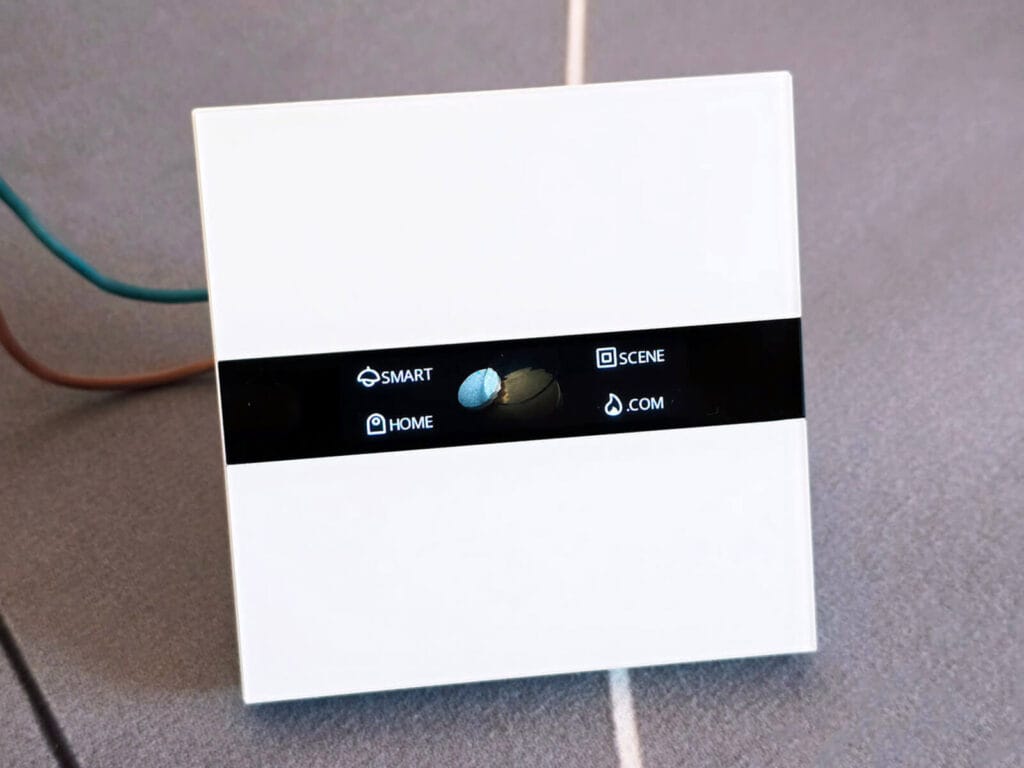
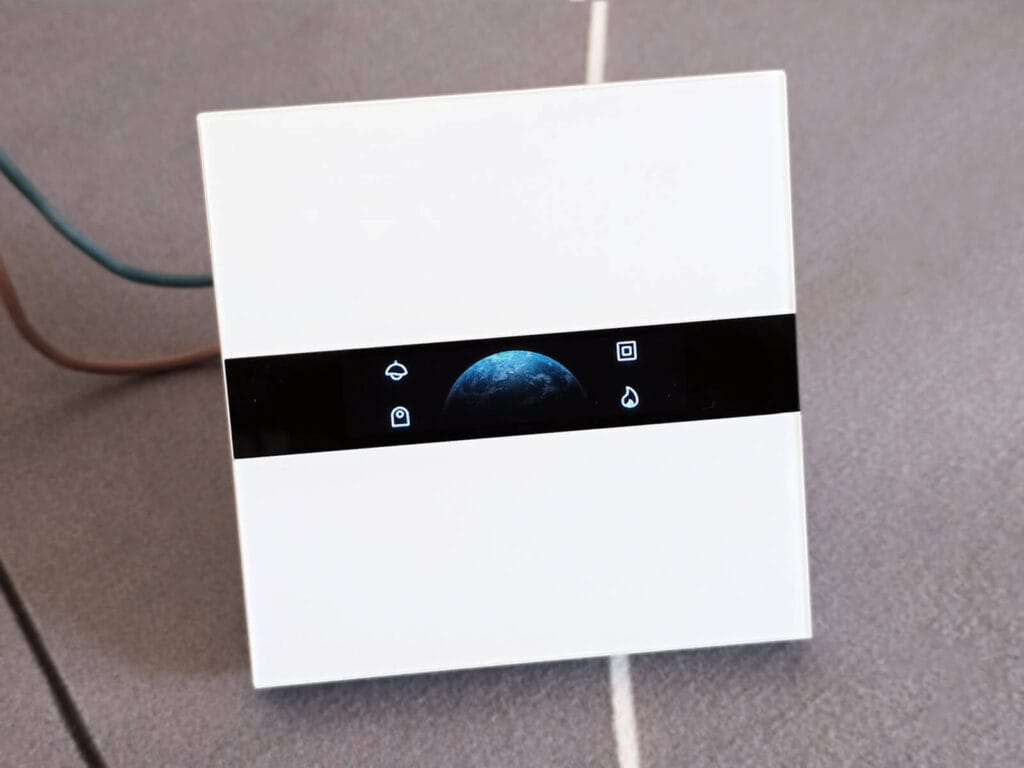
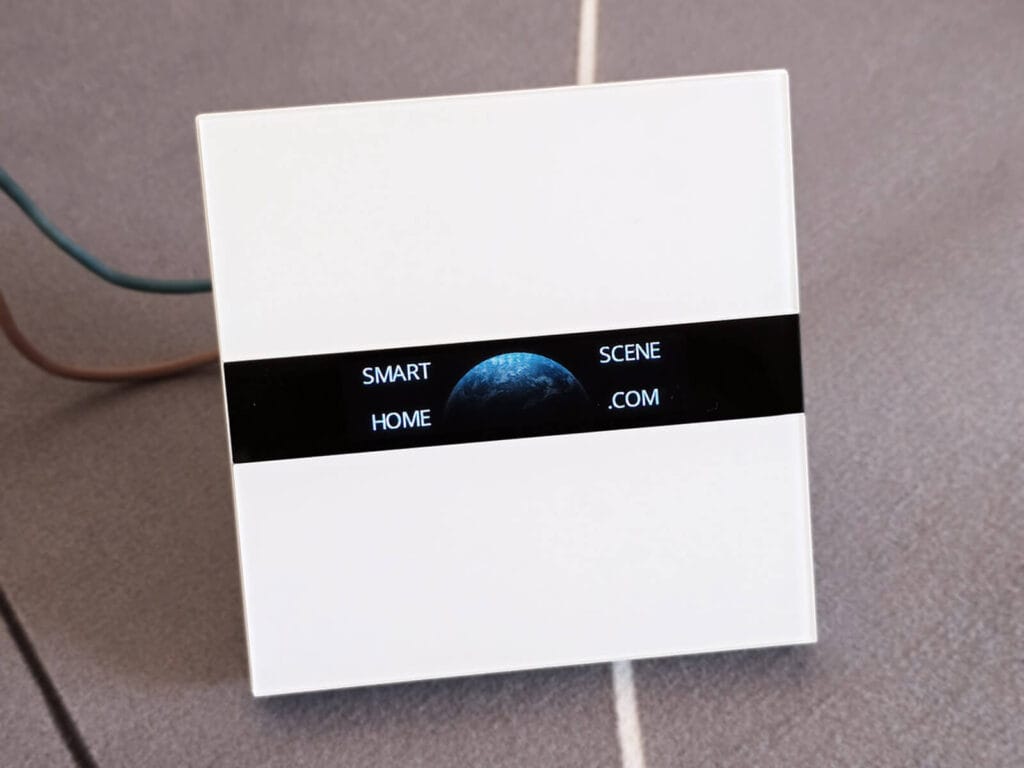
Each button can be assigned a function independently, either tied to one of the two relays or set to fire a standalone button event for use in automations. Using Aqara’s MARS switching technology, you can configure any button to toggle the relay. Here’s how they’re exposed:
- Button Function (1 to 4):
- Toggle the relays:
switch_1orswitch_2 - Decoupled button event: (
button_1,button_2,button_3orbutton_4)
- Toggle the relays:
- Show mode: display icons only, text only, or both on each button
- Font size: medium or large
- Button color: RGB color for button elements, write-only
- Switch name (L1 and L2): custom text label displayed on screen next to the relay button
- Button name (1 to 4): custom text label for standalone buttons
- Switch icon (L1 and L2): choose from any built-in icons.
- Button icon (1 to 4): choose from any built-in icons
When display buttons are set to button mode instead of switch, they fire action events on single press. Double press and hold are not supported by this device over Zigbee. These are the four actions you can use in automations:
button_1_singlebutton_2_singlebutton_3_singlebutton_4_single
Display and Screen Saver Settings
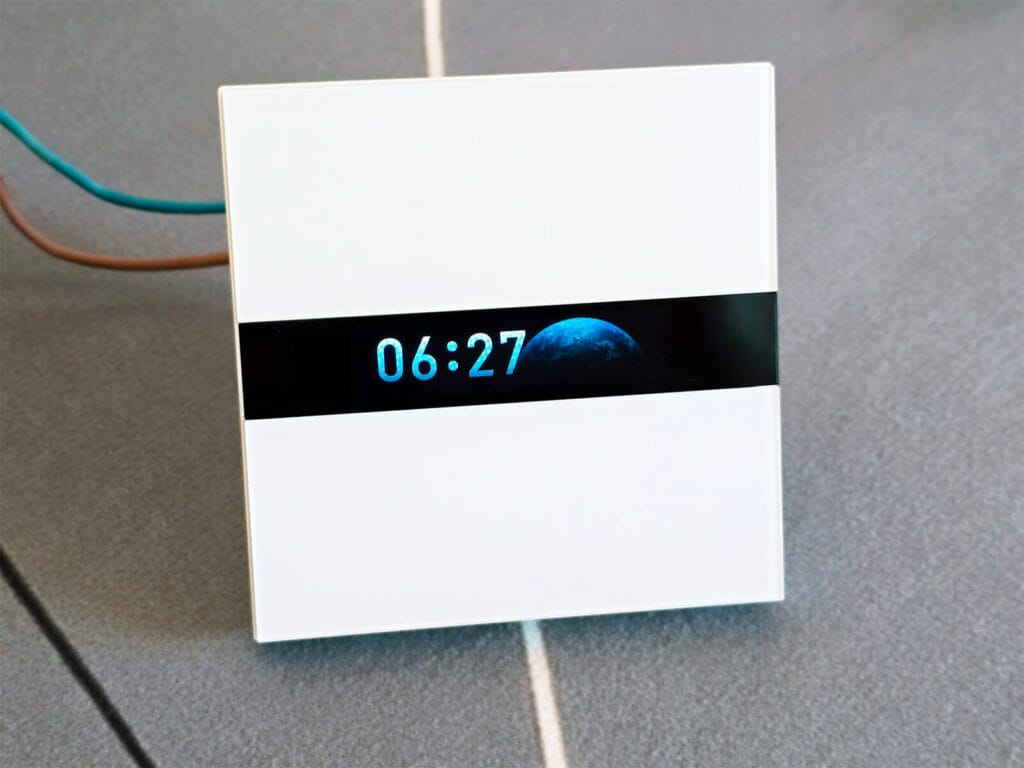
After a lot of tinkering and testing, I made sure the display is fully configurable from Zigbee2MQTT. All settings below are read/write unless noted.
- Display theme: You can choose from two visual theme options
- Display Brightness: Set from 0 to 100%
- Display Brightness (Standby): Set from 0 to 100% when screen saver is active
- Standby time: How long before the screen saver is activated, from 5 seconds to never
- Standby screen saver: Enable or disable the screen saver
- Screen saver style: digital clock, weather conditions, or indoor environment
The digital clock is unconfigurable, and it simply shows a nice digital clock whenever the screen saver activates. The time zone is inherited from Home Assistant if you are running Zigbee2MQTT as an app.
Screen Saver: Weather Conditions
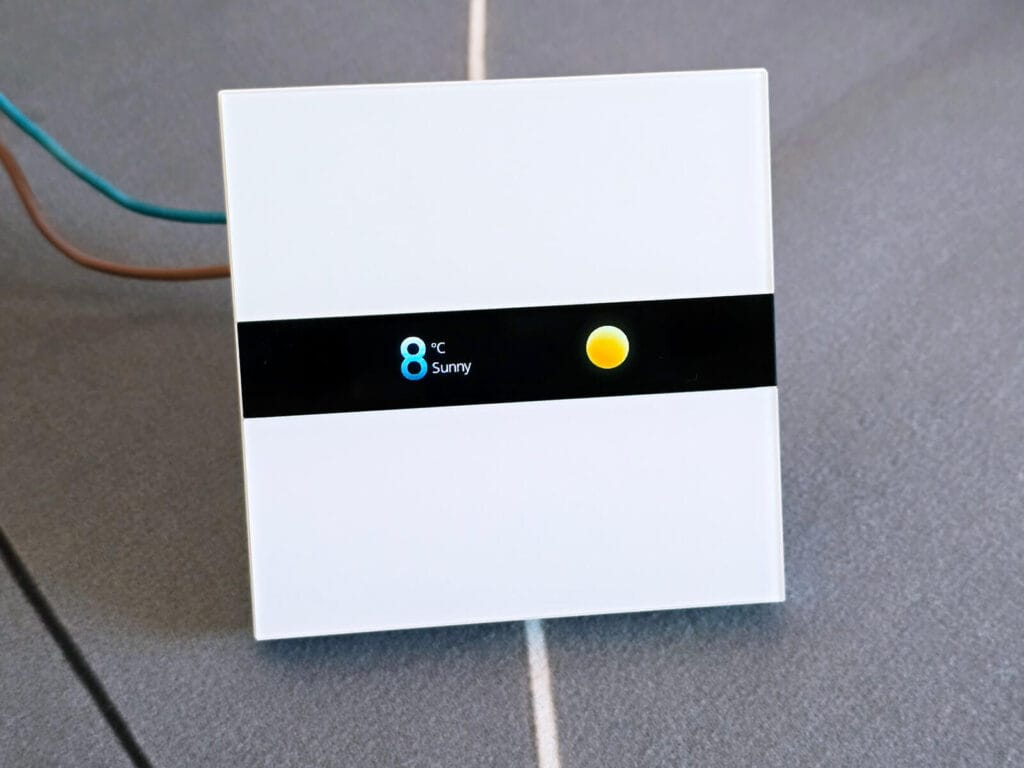
When set to weather_conditions mode, the display shows a weather icon, condition string, and temperature. You can push three values to the device:
weather_condition: one of 25 supported conditions (sunny, partly_cloudy, storm, foggy, etc.)weather_temperature: temperature in °C shown on screenweather_humidity: accepted by the device but not shown on screen
All three are write-only. The device doesn’t report them back. See the automation section below for how to keep this data current using a Home Assistant weather entity.
Screen Saver: Indoor Environment
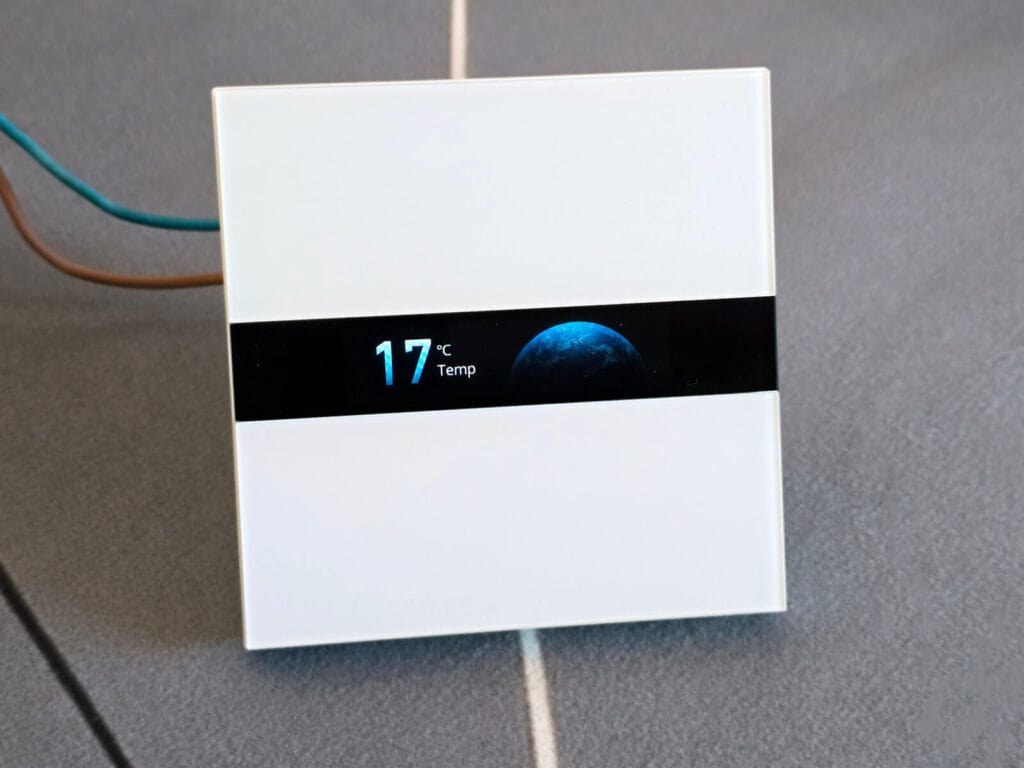
When set to indoor_environment mode, the display shows either temperature or humidity, whichever was pushed most recently. Two write-only values:
sensor_temperature: in °Csensor_humidity: in %
Push both from an automation tied to a sensor entity and they will cycle as they update. See the automation example I’ve shared below.
Power Monitoring
The switch reports power consumption through its internal energy meter. Voltage is not reported, which appears to be a firmware limitation across this generation of Aqara switches. Values update on a device-driven interval or when load changes, not instantly or on demand.
- Power: instantaneous consumption in W
- Current: current draw in A
- Energy: cumulative consumption in kWh
- Device temperature: internal chip temperature in °C
- Power outage count: number of outages since last pairing
Device Settings
- Power on behavior: controls relay state after a power outage, options are on, previous, off, or inverted
- Proximity activation: wake the display when someone approaches
- Proximity sensitivity: five levels from near to far
- Double tap override: toggle the relay on double tap of its display button
Automating Weather and Sensor Data
The Aqara Display Switch V1 can show live weather data and indoor sensor readings on its screen saver, but it has no way to pull that data itself. You have to push it from Home Assistant on a schedule or your own automation logic. The two automation examples below handle that. One covers weather conditions and temperature from your HA weather integration, the other pushes temperature from a paired sensor.
Pushing Weather from Met.no
As Met.no is the default weather integration in Home Assistant, I decided to develop an automation that would cycle weather data on the display on the Aqara Display Switch V1. This automation runs every 10 minutes, reads your HA weather entity, maps the condition to one of the Aqara icons, and pushes temperature and condition to the display separately.
alias: Display Switch — push weather
description: >-
  Pushes Met.no weather condition and temperature to Aqara Display Switch every
  10 minutes
triggers:
  - minutes: /10
    trigger: time_pattern
actions:
  - data:
      topic: zigbee2mqtt/0x54ef44100118701f/set
      payload: >-
        {% set map = {
          'sunny': 'sunny',
          'clear-night': 'clear',
          'partlycloudy': 'partly_cloudy',
          'cloudy': 'overcast',
          'fog': 'foggy',
          'hail': 'sleet',
          'lightning': 'storm',
          'lightning-rainy': 'storm',
          'pouring': 'heavy_storm',
          'rainy': 'light_rain',
          'snowy': 'moderate_snow',
          'snowy-rainy': 'sleet',
          'windy': 'windy',
          'windy-variant': 'mostly_cloudy',
          'exceptional': 'unknown'
        } %} {% set condition = states('weather.forecast_smarthomescene') %}
        {"weather_condition": "{{ map.get(condition, 'unknown') }}"}
    action: mqtt.publish
  - delay:
      milliseconds: 500
  - data:
      topic: zigbee2mqtt/0x54ef44100118701f/set
      payload: >-
        {"weather_temperature": {{ state_attr('weather.forecast_smarthomescene',
        'temperature') | float | round(1) }}}
    action: mqtt.publish
mode: single
Replace 0x54ef44100118701f with your device’s friendly name or IEEE address, and weather.forecast_smarthomescene with your HA weather entity ID. If you are using another weather provider, you will have to examine how attributes are populated and use those for pushing temperature.
The two values are sent as separate MQTT publishes with a 500ms delay between them because the device processes one attribute write at a time. Sending condition and temperature in a single payload causes the device to silently drop the second value. Splitting them into sequential writes with a short pause gives the device enough time to process and apply each one before the next arrives.
Pushing Indoor Sensor Data
When the screen saver mode is set to indoor_environment, you can push sensor data on a set interval from Home Assistant. For example, this automation pushes temperature from a paired sensor to the display every 10 minutes:
alias: "Display Switch - push sensor temperature"
description: "Pushes sensor temperature to Aqara Display Switch every 10 minutes"
trigger:
  - platform: time_pattern
    minutes: "/10"
action:
  - service: mqtt.publish
    data:
      topic: "zigbee2mqtt/0x54ef44100118701f/set"
      payload: >-
        {"sensor_temperature": {{ states('sensor.living_room_temp') | float | round(1) }}}
mode: single
Known Limitations
- Voltage not reported: the device does not expose mains voltage over Zigbee (Device limitation)
- Power values are not instant: they update on the device’s own reporting interval or when load changes, not on demand (Device limitation)
- Single press only: double tap and hold are not reported as Zigbee events on the touch buttons (Device limitation)








Hello.
Thank you so much, this works great. However I’m struggling with the clock because it uses UTC time and I’m on UTC+2. I’m using Zigbee2MQTT on Windows 10, is there any way to send offset time without manually adjusting the OS time?
If you are running Zigbee2MQTT as an add-on in Home Assistant OS, you need to change the time/timezone in Home Assistant itself.
Zigbee2MQTT uses the host machine timezone. Reboot everything after change.
It actually doesn’t work for me. I have correct timezone in HA, Z2M shows correct time at least in logs, however display still shows UTC time.
Same for me. Have you found a workaround?
Thank you for the reply. I’ve another question. I would like to change the button name with an external button and I figured sending a payload via mosquitto pub would be the best approach. Can you help me with the correct syntax for topic and payload for example button_name_2? I tried checking the code in the external converter but I don’t have enough knowledge to figure out the correct topic and syntax 🙂
I’m not sure I get what you mean. Can you explain?
You can change the names through Zigbee2MQTT?
I can change the name via Zigbee2MQTT easy with your converter. But I wanted to change the name by sending message directly via mosquitto pub so I could make a script. However I found out with the help of AI just today 🙂
Topic: zigbee2mqtt/YOUR_DEVICE_NAME/2/setPayload: {"write": {
"cluster": "manuSpecificLumi",
"payload": {
"619": {
"value": "Your Custom Text Here",
"type": 65
}
}
}
}
Aha I see! Glad you got it figured out.
And I’m glad my converter works for you, cheers!
Hi SHS.
I’ve been looking for a way to integrate this device with zigbee2mqtt ever since i bought it in vain.
I followed the instructions, resetted my device and imported it. I see it in z2m, and i can see state 1 and 2 for the button 1 and 2.
But I must admit i’m clueless in how to customize how the buttons look etc. When i click them, it just says “Configure in app”.
Sorry if this should be obvious, or maybe i’m doing something wrong. But would love some guidance.