

Apollo Automation, a fan favorite among smart home enthusiasts, has officially joined Home Assistant as a commercial partner. The brand has built a strong reputation for privacy-first hardware based on ESPHome, keeping data fully local and ensuring control always remains in the hands of the user.
With this new partnership, Apollo pledges to support and fund the Open Home Foundation, the organization behind Home Assistant. Furthermore, they are looking to create hardware that shows what’s possible with ESPHome, beyond basic devices and Bluetooth proxies and inspire other creators in the process. If you ask me, they’ve already been doing it, releasing devices like the powerful Apollo R PRO-1 Presence Multi-sensor or the Apollo AIR-1 Air Quality Monitor that do so much more beyond their basic function.
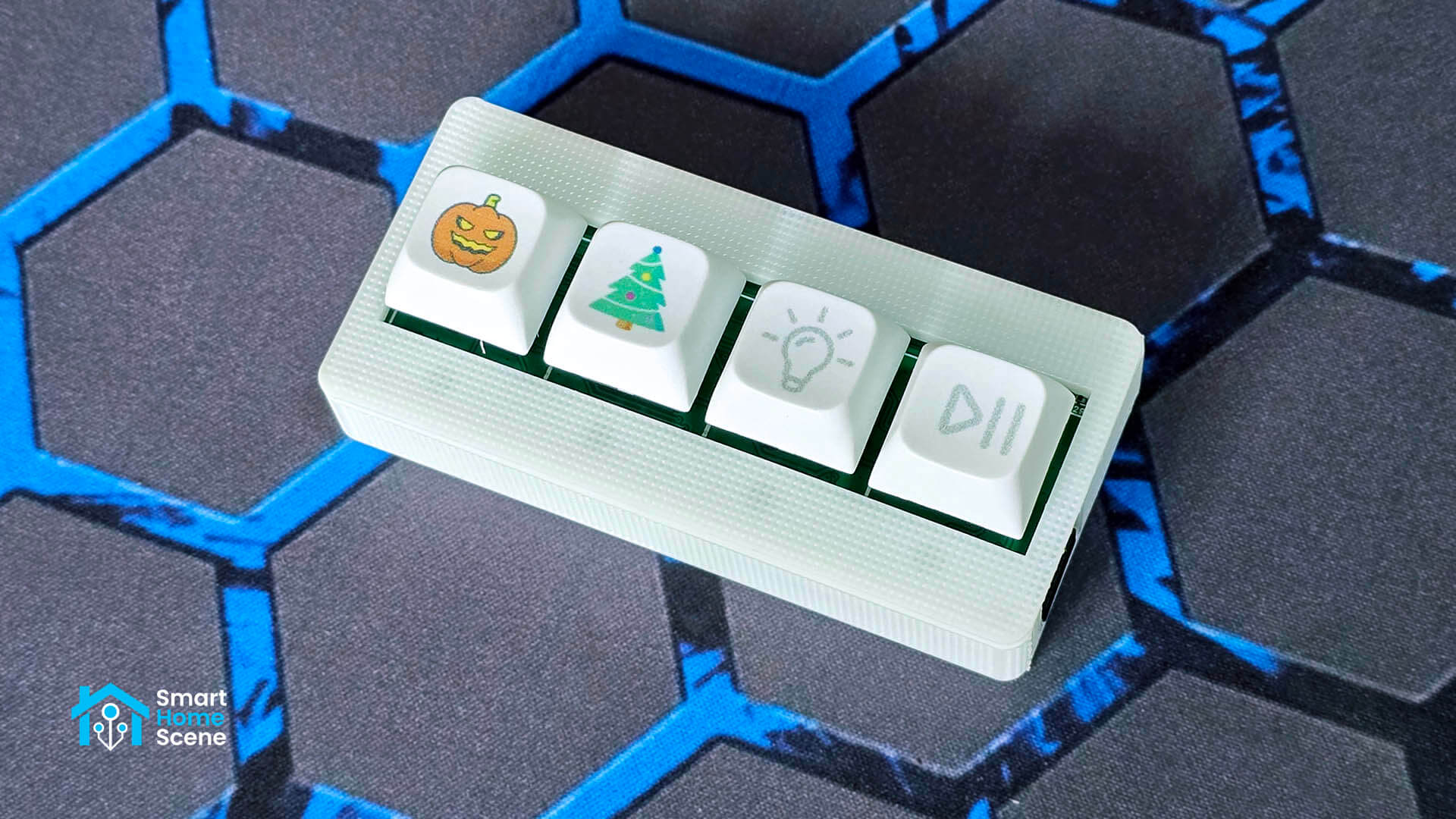
In this article, I’m writing about another interesting Apollo Automation device, the four-button BTN-1 Macro Deck Controller. I’ve always wanted to build one of these for my own smart home, but never had the time. Apollo beat me to it and today I’m sharing my experience with this device. You can get it on their official website along with a bunch of different keycaps that you like.
Device Overview and Disassembly
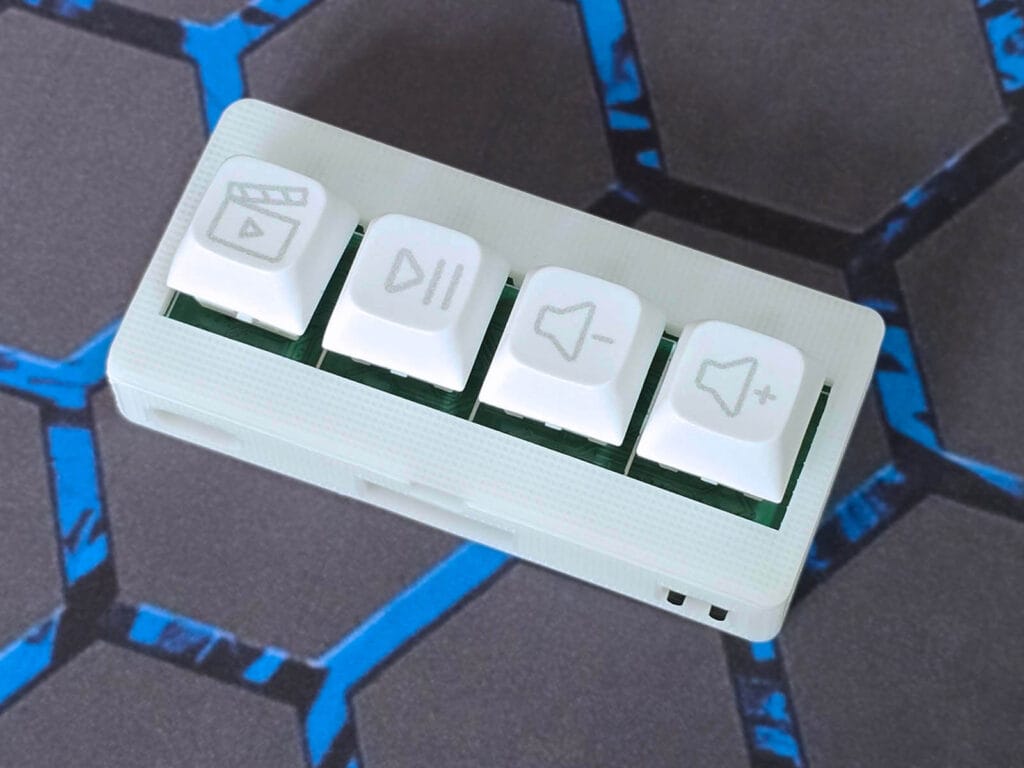
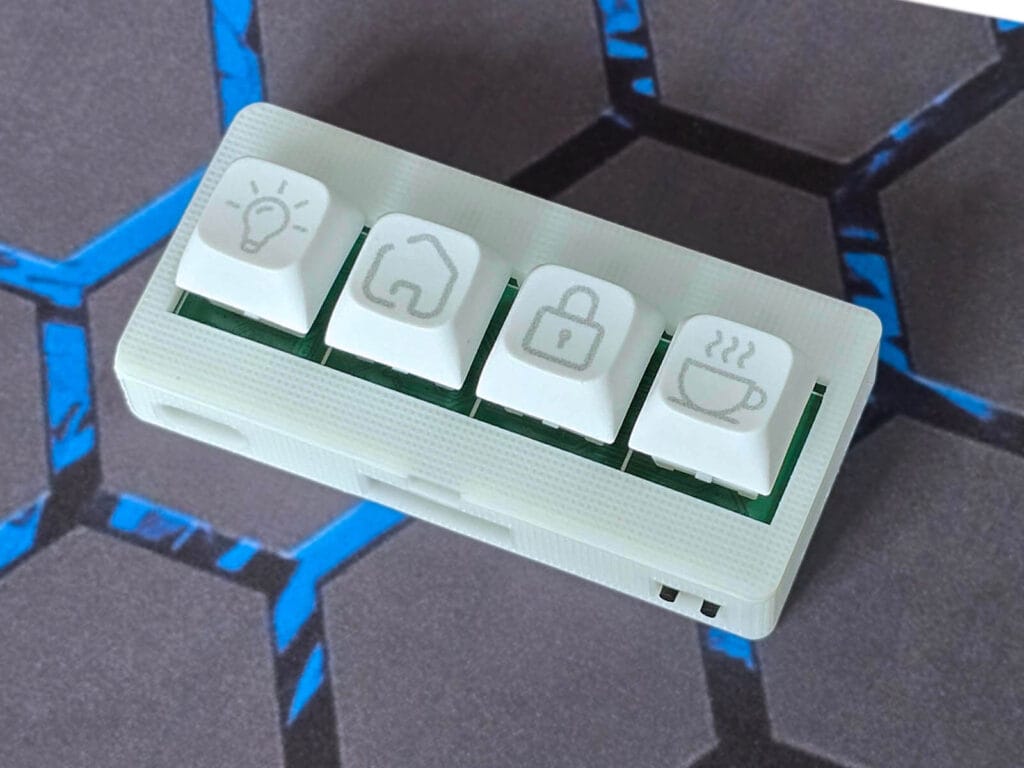
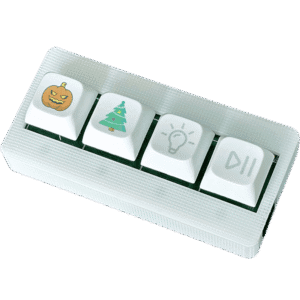
The Apollo Automation BTN-1 Macro Deck is a highly customizable device that you can design in many ways. You can get the macro deck with different accessories, such as clear or smoke keycap sets and a special icon pack with 16 common symbols to help you label your buttons. For mounting, there is an optional angled stand that uses magnets and screw holes so you can put it almost anywhere.
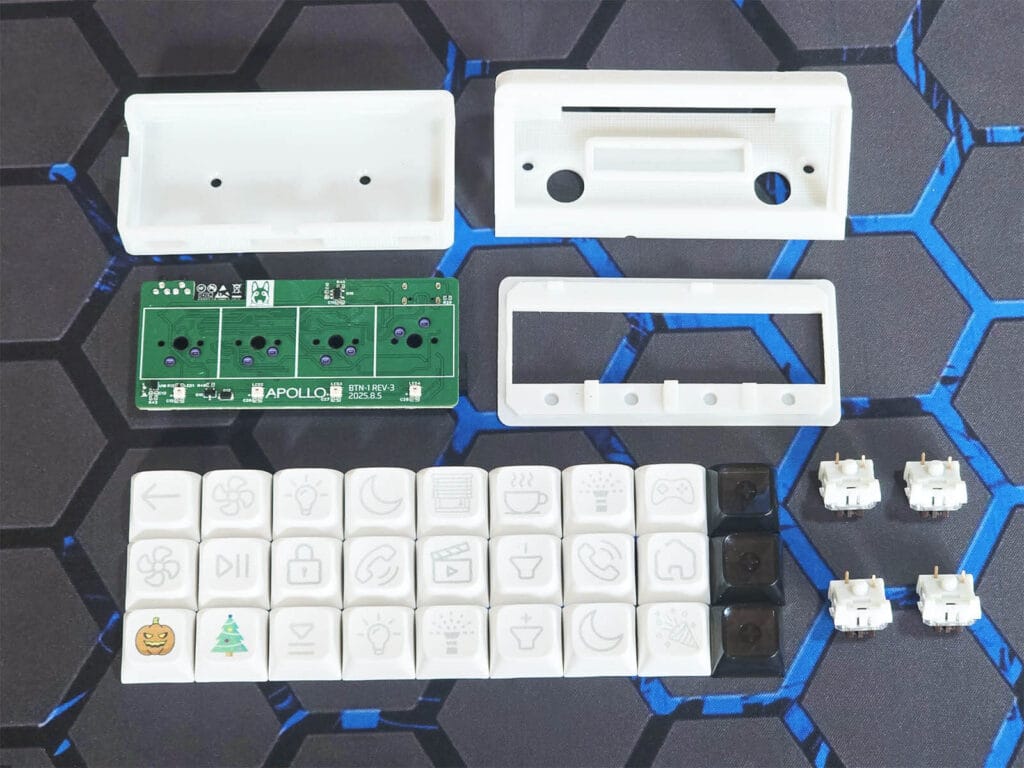
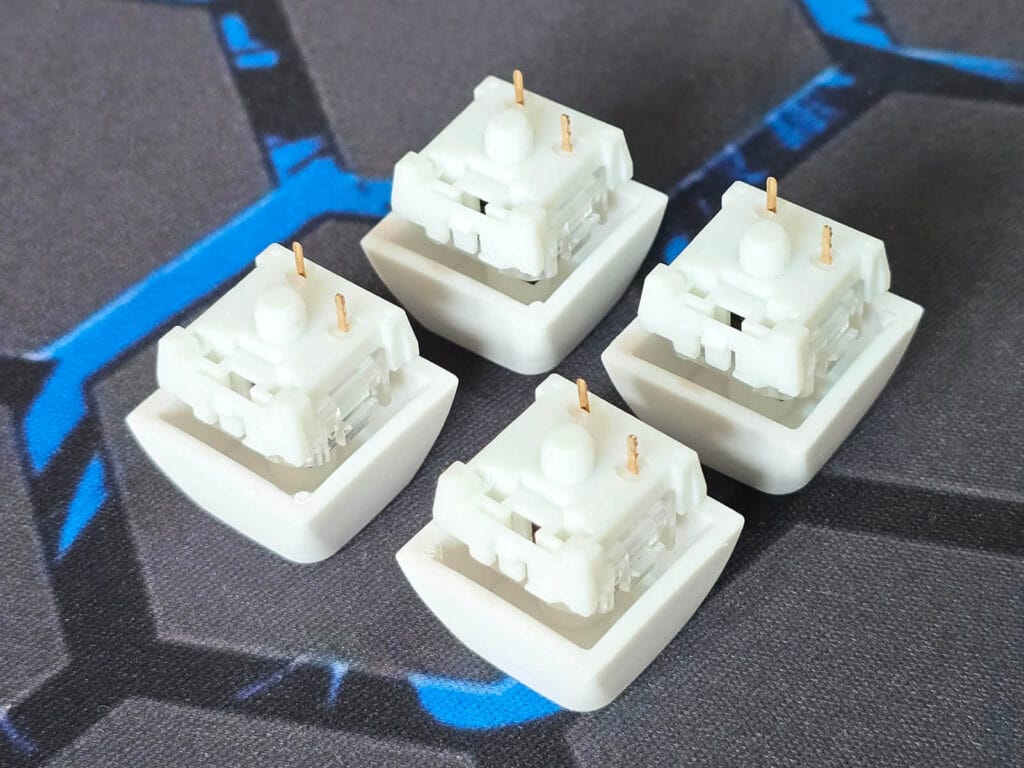
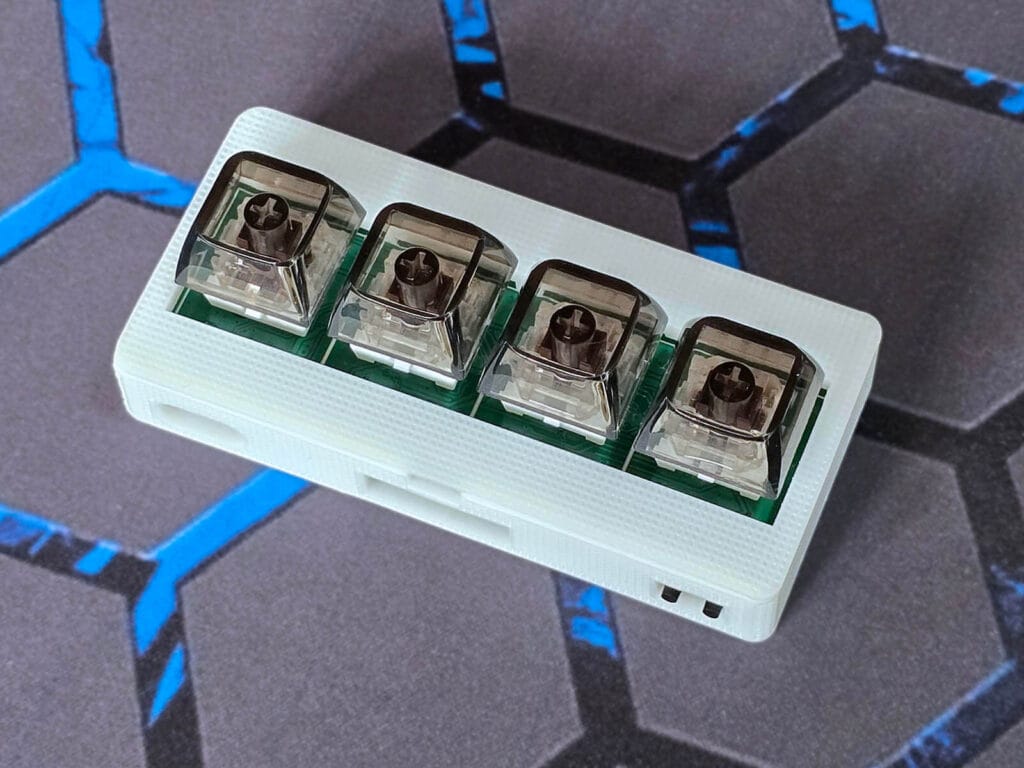
The buttons themselves are mechanical Cherry MX brown switches. As mechanical keyboard enthusiasts will know better, these are tactile switches that provide a physical bump you can feel when the button is pressed. This tactile feedback ensures you know the command has been sent without needing a loud clicking noise, typically featuring a 2mm actuation point and a 4mm total stroke for a consistent and responsive feel. The good news is you can swap these for something else if you want to.
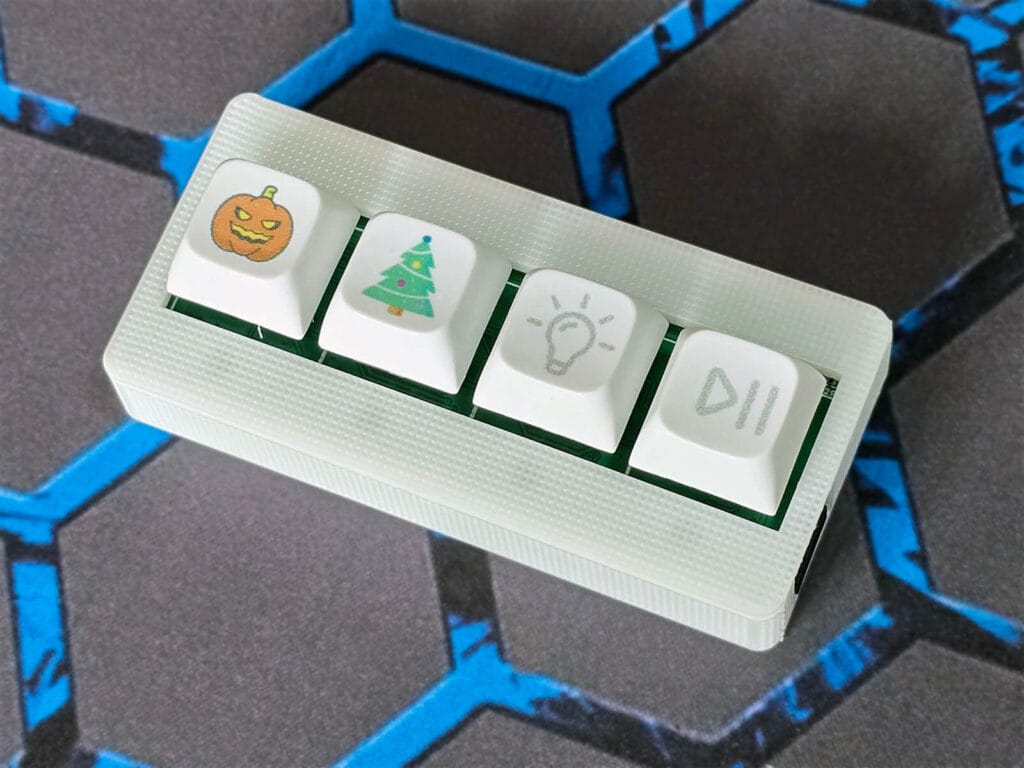
The Apollo BTN-1 case is resin-printed, with smooth edges, no stray PLA hairs and a better print quality overall. Apollo also provides the BTN-1 3D model files so that you can print or modify a case to your liking yourself.
I installed a couple of different keycaps on the Apollo BTN-1 to highlight some combinations you can do with the 4-button layout of this macro deck. They are easy to install but, be warned, the keycaps fit quite snug onto the buttons and don’t come off that easy.
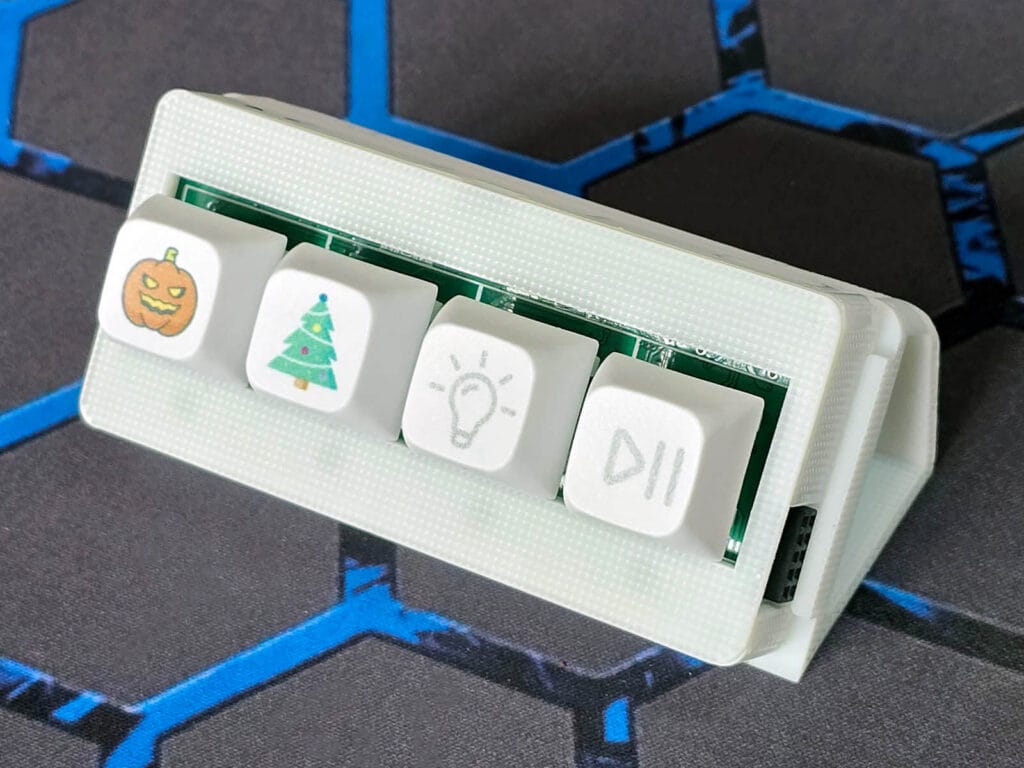
Apollo sells an optional angled stand accessory for the BTN-1 macro deck. The stand features multiple screw holes and two integrated magnets, allowing for several mounting options. It can be used to install the BTN-1 on a desk, wall, or other flat surfaces, depending on your setup and preferred viewing and control angle. Here’s how it looks like:
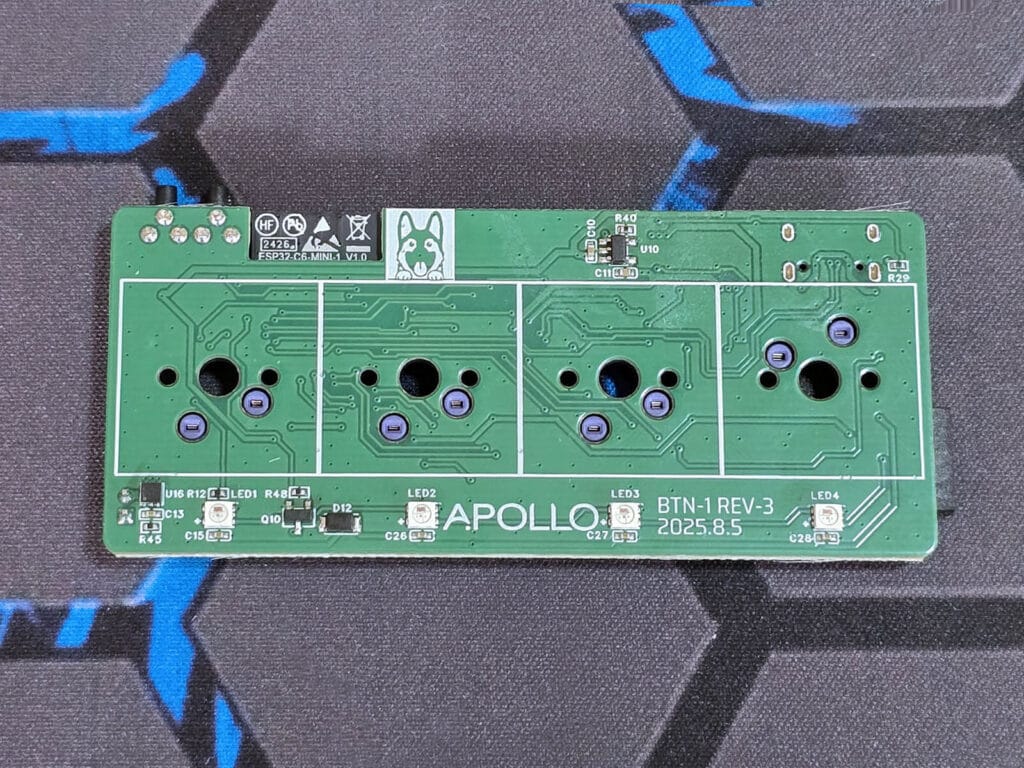
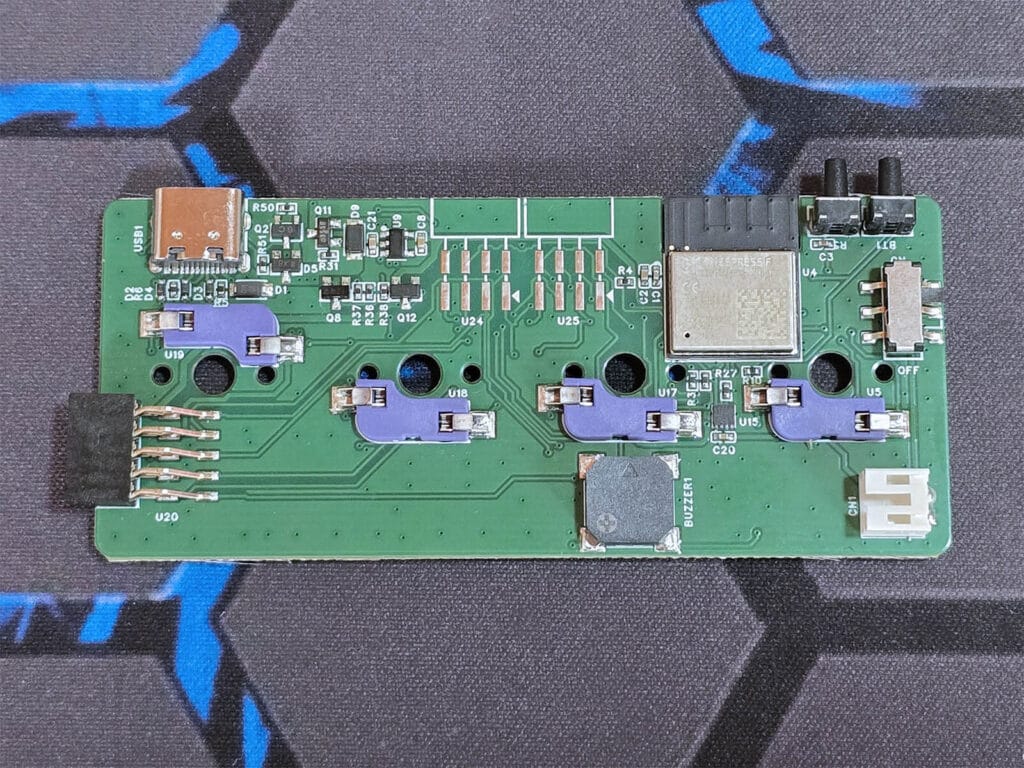
The Apollo BTN-1 can be powered either via USB-C or by battery. I am testing the USB-C powered model in this review. The battery-powered version uses a single rechargeable Lithium-ion battery which attaches to the PCB via a 2-pin JST connector. The device is built around an ESP32-C6-MINI [Datasheet], which handles connectivity and runs ESPHome.
As expected from Apollo, which is well known for the modularity and expandability of its devices, the BTN-1 fully embraces this design philosophy. On the top side, the BTN-1 supports larger modular attachments such as a high-contrast e-ink display for customizable status indicators, as well as an NFC tag reader and emitter for contactless interactions. On the right side, smaller modular add-ons are supported, including additional buttons, rotary dials, OLED screens, LED matrices, and a mezzanine board designed for integrating sensors like CO2 monitors or other future expansions.
Just like almost all Apollo devices, the BTN-1 is also equipped with a piezo buzzer, which can be used for audible automations, feedback, and confirmation of button presses or other interactions. Each button has its own RGB LED indicator which can be fully controlled through ESPHome and Home Assistant.
Home Assistant Integration
Obviously, the Apollo BTN-1 Macro Deck integrates seamlessly with Home Assistant. It ships pre-flashed with Apollo’s firmware which emits a fallback hotspot once powered on. You connect to this hotspot, input your Wi-Fi credentials and the device gets auto-discovered in Home Assistant.
Here’s a screenshot:
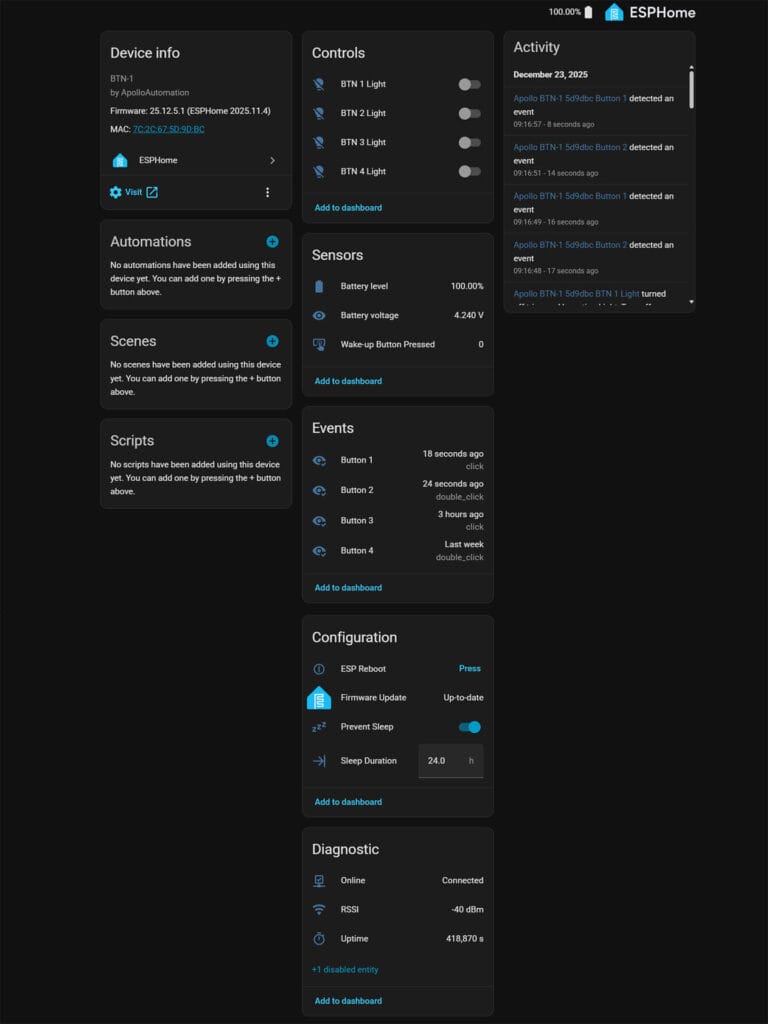
First, the four light entities are used to control the indicator LEDs for each button. You can change the color, adjust brightness, or go wild with color effects. A simple use case is providing visual feedback, not only for button presses but also for confirming that an automation has been executed. Since this is a Wi-Fi device, response time is instant and entity state changes appear immediately in Home Assistant.
Next, you get several diagnostic entities, including uptime, RSSI signal strength, firmware update status, battery level, and battery voltage, along with controls such as an ESP reboot button and a prevent sleep toggle. This toggle can be used either to save battery or to prevent the device from entering sleep mode, depending on how it is powered and used.
The buttons themselves support up to four actions each: single press, double press, triple press, and hold. This means you can use the four buttons as 16 different automation triggers. If you get creative enough, you can even introduce small delays, for example triggering a separate automation when two buttons are held at the same time. Apollo also provides a very nice automation Blueprint for automating the BTN-1.
Apollo BTN-1 Sleep Behavior on Battery Power
When powered by battery, the Apollo BTN-1 uses deep sleep to conserve energy, which has a direct impact on how button actions behave. In sleep mode, the device needs to wake up before it can process input, meaning the first button press is primarily used to wake the BTN-1 rather than trigger an automation. As a result, multi-press actions such as double or triple press may not register reliably while the device is sleeping.
To ensure consistent behavior for advanced actions, Apollo provides a prevent sleep toggle in Home Assistant. When enabled, the BTN-1 remains awake and responsive at all times, allowing all press types to function as expected, at the cost of increased power consumption. For users relying on battery power, this trade-off is important to understand, as keeping the device awake will significantly reduce battery life.
Boot Mode, Recovery, and Firmware Reflashing
Like other Apollo devices, the BTN-1 includes a built-in boot mode that can be used for recovery and firmware re-flashing if something goes wrong. This is particularly useful if the device becomes unreachable, fails to connect to Wi-Fi, or a firmware update does not complete successfully. Entering boot mode allows the BTN-1 to be reprogrammed manually using ESPHome or standard ESP flashing tools.
Apollo provides clear guidance for accessing boot mode and reflashing the device, including a full teardown guide that shows how to safely open the enclosure without damaging the case or PCB. From there, the BTN-1 can be connected over USB and reflashed with a fresh firmware build, restoring it to a working state. This level of recoverability is important for a device that encourages experimentation, custom firmware changes, and modular hardware add-ons.
Using Apollo’s Automation Blueprint
Apollo’s Automation blueprint for the BTN-1 allows you to quicky set multiple triggers for each of the buttons, without manually creating automations. You can import the blueprint and easily create a bunch of automations in half the time. Here’s how it looks like:
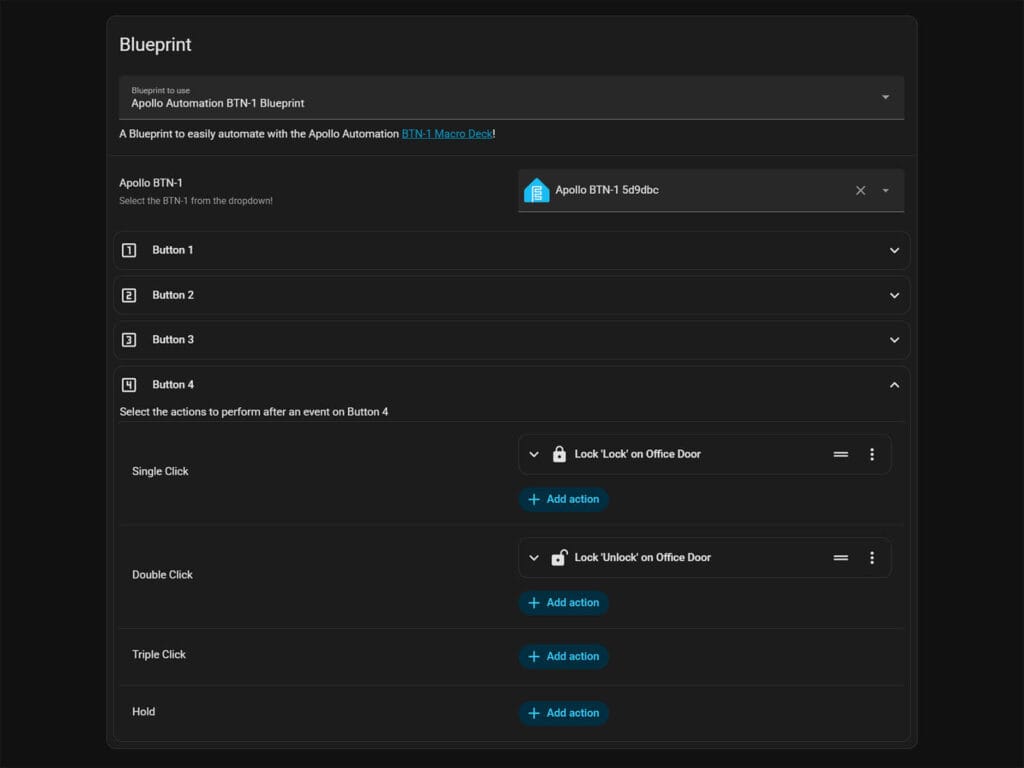
The blueprint allows you to set multiple triggers per action. For example, you can create a single-press automation which locks your front door, turns off your porch light, arms your alarm system and confirms everything with a tune in the Piezo buzzer.
For example, here’s an action to play the Indiana Jones tune with the BTN-1’s Piezo Buzzer:
action: esphome.apollo_btn_1_5d9dbc_play_buzzer
data:
  song_str: >-
    'Indiana:d=4,o=5,b=250:e,8p,8f,8g,8p,1c6,8p.,d,8p,8e,1f,p.,g,8p,8a,8b,8p,1f6,p,a,8p,8b,2c6,2d6,2e6,e,8p,8f,8g,8p,1c6,p,d6,8p,8e6,1f.6,g,8p,8g,e.6,8p,d6,8p,8g,e.6,8p,d6,8p,8g,f.6,8p,e6,8p,8d6,2c6'
The buzzer requires RTTTL (Ring Tone Text Transfer Language) to output melodies. You can find a bunch of them here.
Final Thoughts
I’ve reviewed almost all Apollo devices on SmartHomeScene, including the AIR-1, MSR-2, and the R PRO-1 powerhouse. The BTN-1 feels very much in line with what I’ve come to expect from the company. Apollo consistently focuses on local control, ESPHome-first firmware, and hardware that is clearly designed with Home Assistant users in mind.
What I like most about the BTN-1 is how flexible it is. It’s not just a simple button controller, but a small platform you can build around, if you want to. Between the modular expansions, per-button RGB indicators, the piezo buzzer, and support for multiple press actions, it gives you a lot of freedom in how you design your automations.
Now, I’m not a YouTuber or a streamer, so I can’t really judge how useful this device would be in a live production or content creation setup. However, in a smart home context, the BTN-1 is great and I think I’ve found a place for it on my desk. I power it via my PC’s USB port and only use it while I’m at the desk, which means when my PC is sleeping so does the Apollo BTN-1.
I don’t think battery life would be great on this controller, as ESP boards are very battery hungry by design. With that in mind, the BTN-1 is a nice and well thought-out device that fits nicely into a Home Assistant setup. If you value local control, customization, and hardware that encourages experimentation, the BTN-1 is an easy recommendation.









Sold out :@ aarfgh
No longer sold out! #happy
Jesus, that’s so ugly.