

Motorized window shades are one of the most satisfying smart home upgrades you can make, and also one of the easiest to get wrong. Most options on the market force you into a proprietary hub, a cloud account, or both. The Graywind Motorized Shangrila Shades take a different approach. For instance, the Zigbee motor variant pairs directly with ZHA and Zigbee2MQTT without any bridge, without any cloud dependency, and without any setup friction that would make a normal person give up halfway through.
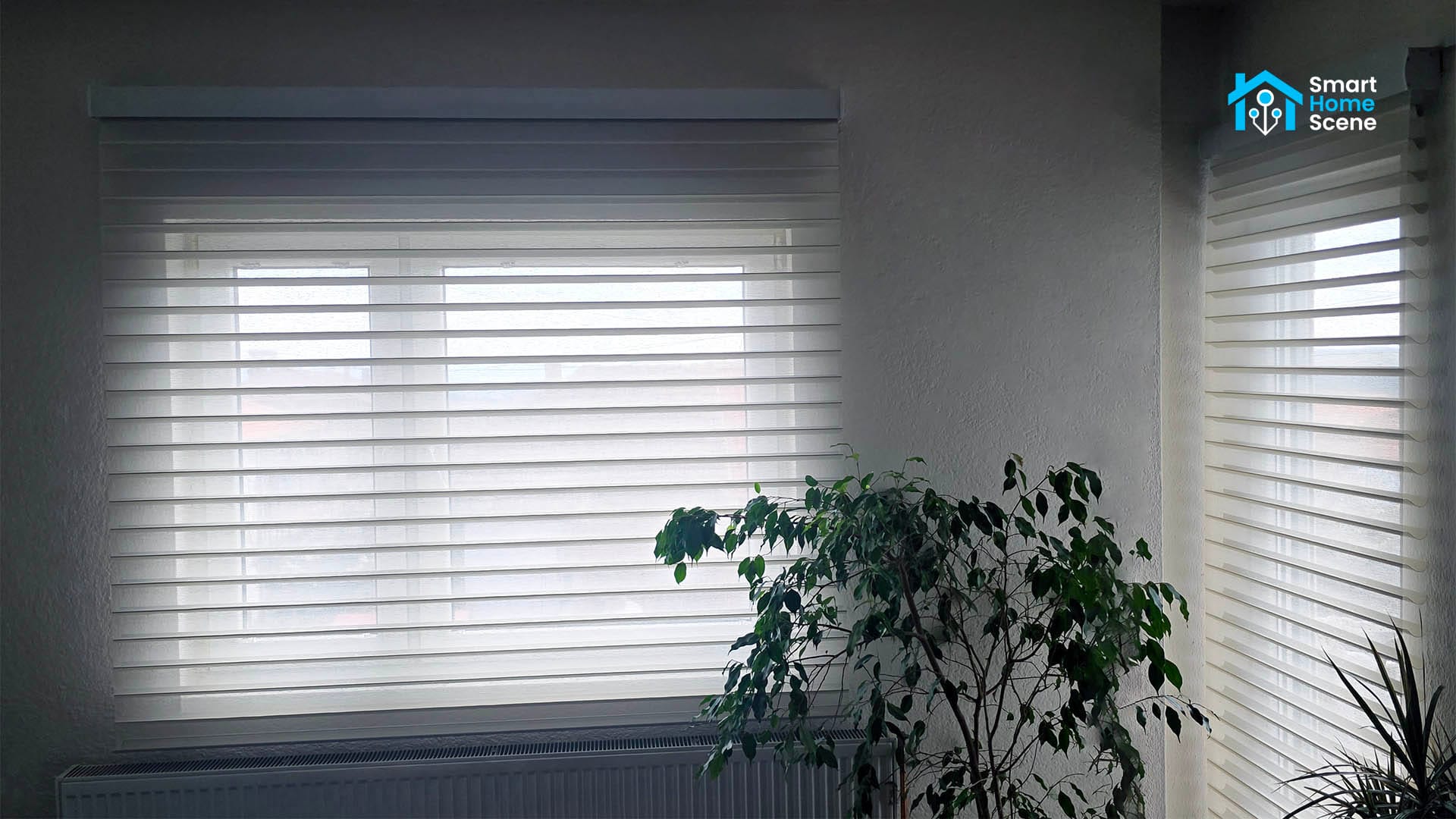
These are cut-to-order Shangri-La shades, a construction where soft horizontal fabric vanes are suspended between two layers of sheer fabric. The result looks closer to a soft drapery than a typical blind, and the light behavior is unlike any roller or zebra shade. Graywind sells them fully customized to your exact window dimensions, with a choice of fabric, valance style, motor type, and a handful of useful accessories.
DISCLOSURE: These Graywind Shangrila shades were sent to me by Graywind for the purpose of a review. This will in no way affect, sway or influence my opinion of their products and will be just my honest review as usual. I underlined this in the first e-mail I sent to their PR person, highlighting my review principles and guidelines to which they agreed and had no problems with.
What Is a Shangri-La Shade?
If you have not owned Shangri-La shades before, the mechanism is worth understanding before you buy because it is genuinely different from roller or zebra shades, and the difference affects how you automate them.
A Shangri-La shade has soft horizontal fabric vanes that float between two layers of sheer fabric. Think of horizontal louvers made from soft material rather than hard slats, sandwiched front and back by a sheer panel. When the shade is fully lowered, the vanes hang horizontally and are visible as thin parallel bands across the window. Light filters through them based on the fabric you chose. At any position above fully lowered, the vanes tilt closed and seal against each other, blocking light entirely through the shade body. The window area below the bottom hem of the shade is what becomes exposed as you raise it, not the vanes opening.
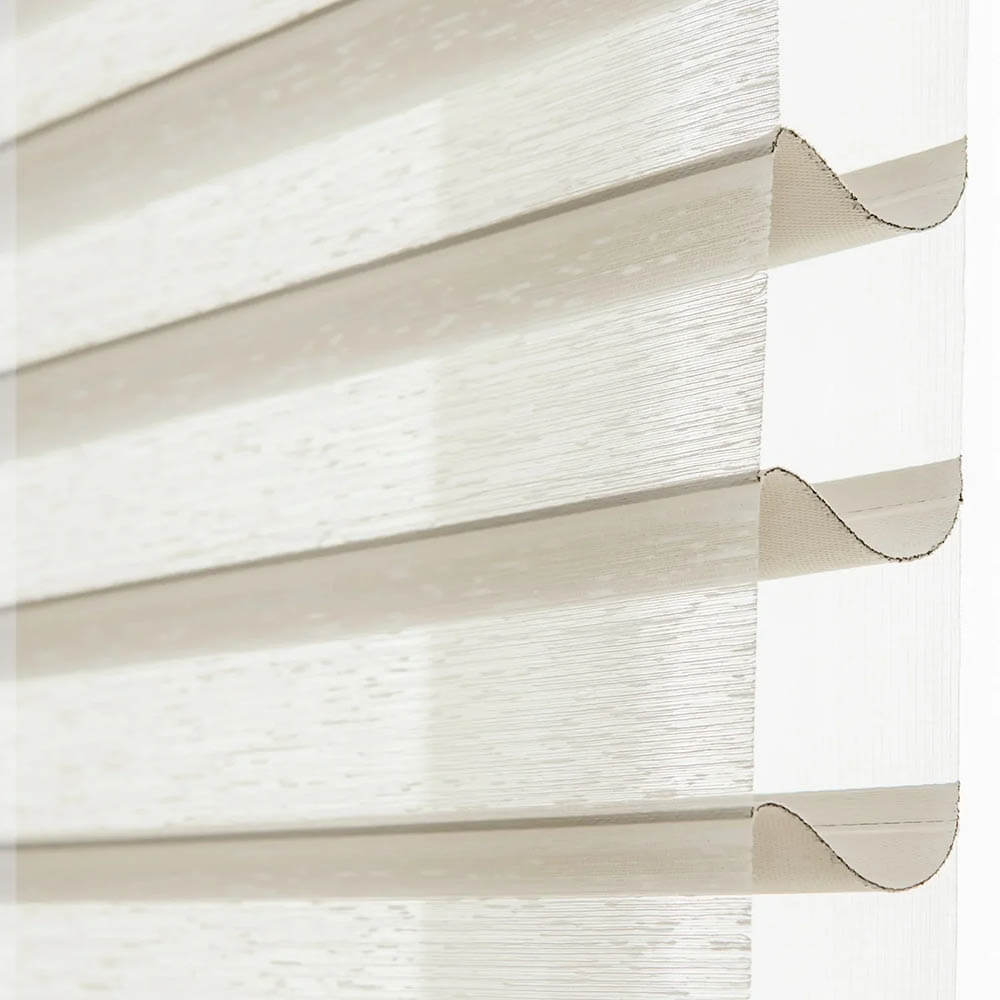
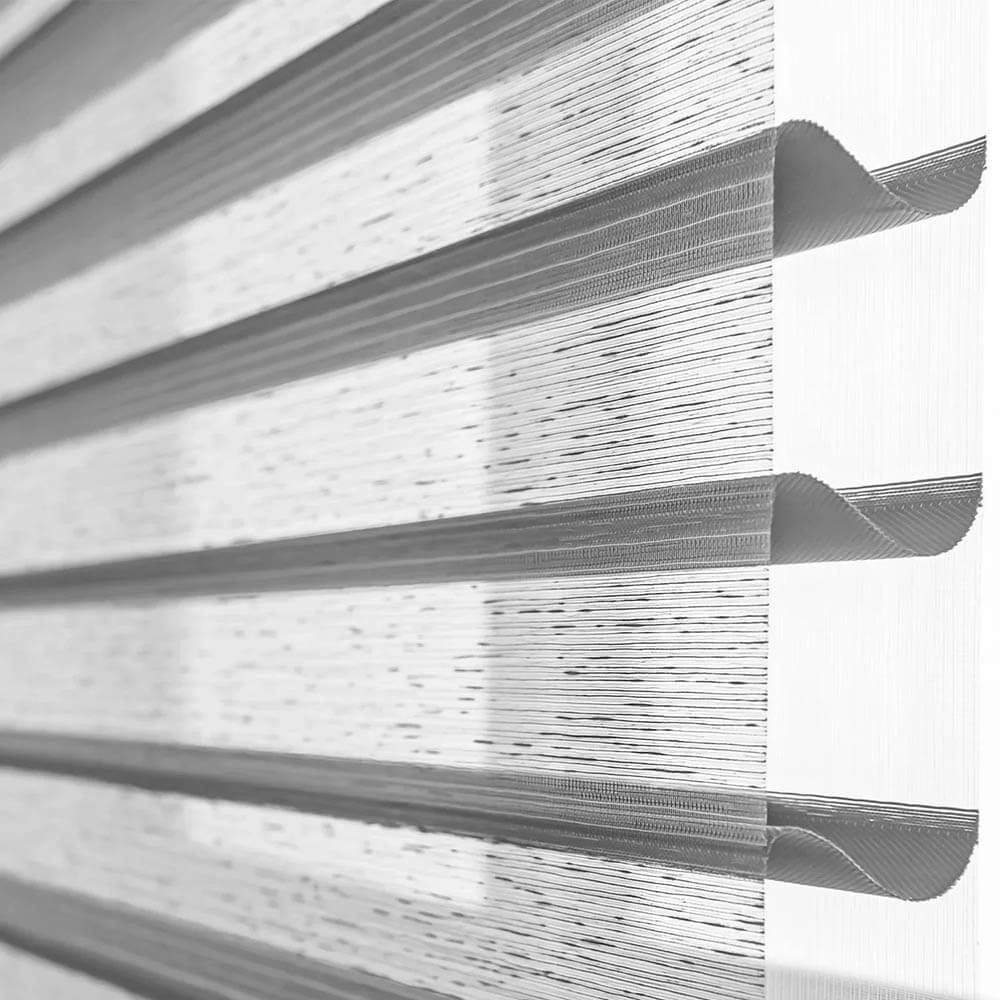
There is one thing to understand before you build your automations. Vane tilt is not an independently controllable axis. The shade has a single position parameter. At 100% lowered, the vanes hang open horizontally and light filters through. At any position above that, the vanes are tilted closed and the shade body blocks light. At 0% (fully raised), the fabric is rolled into the cassette and the window is fully exposed. You cannot command a specific tilt angle mid-travel. The vane state at any position is determined by the fabric geometry, not a separate motor.
In practice this means your two meaningful automation positions are fully raised for an unobstructed window and fully lowered for filtered light through the open vanes. Any position in between blocks light through the shade body entirely, which makes mid-range positions useful for privacy without light control rather than diffusion. It is a different mental model than motorized blinds with independent tilt control, but once you understand it the automation logic is straightforward.
Hardware and Build
Graywind manufactures these to order, so there is no standard box to review. You configure your shade on their website by selecting width, height, fabric, valance style, mount type, motor, and any add-ons. The entire ordering experience is more like specifying a piece of furniture than buying a consumer product, which makes sense given the price scales with dimensions and add-ons rather than being a flat retail price.
The cassette headrail on the Wide Series is a white metal unit that looks clean and substantial. The fabric quality on the Jacquard Beige is noticeably better than budget motorized shades. The vanes hang flat without warping, and the construction is consistent throughout. Nothing here feels like it came out of a cheap AliExpress mold.
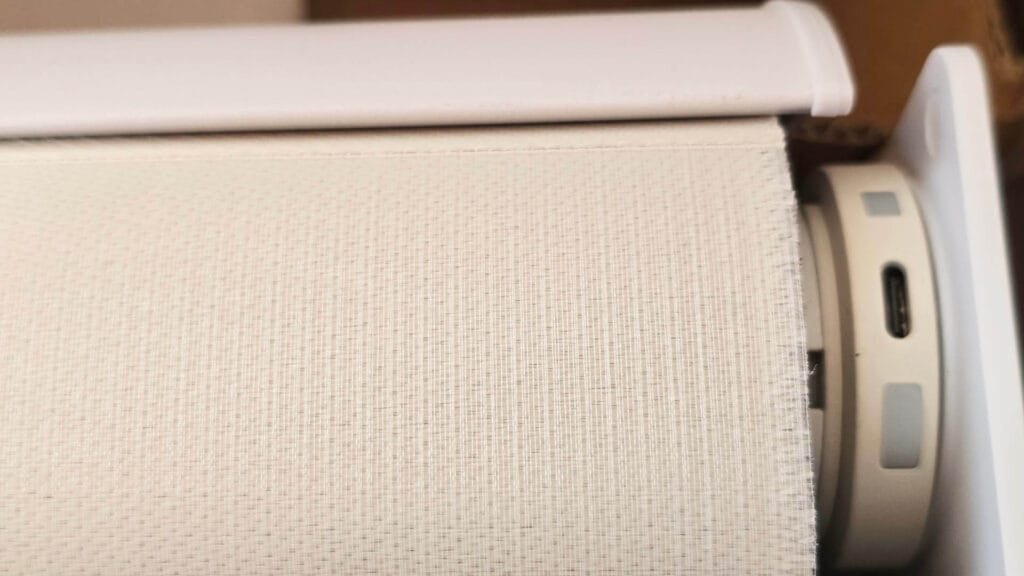
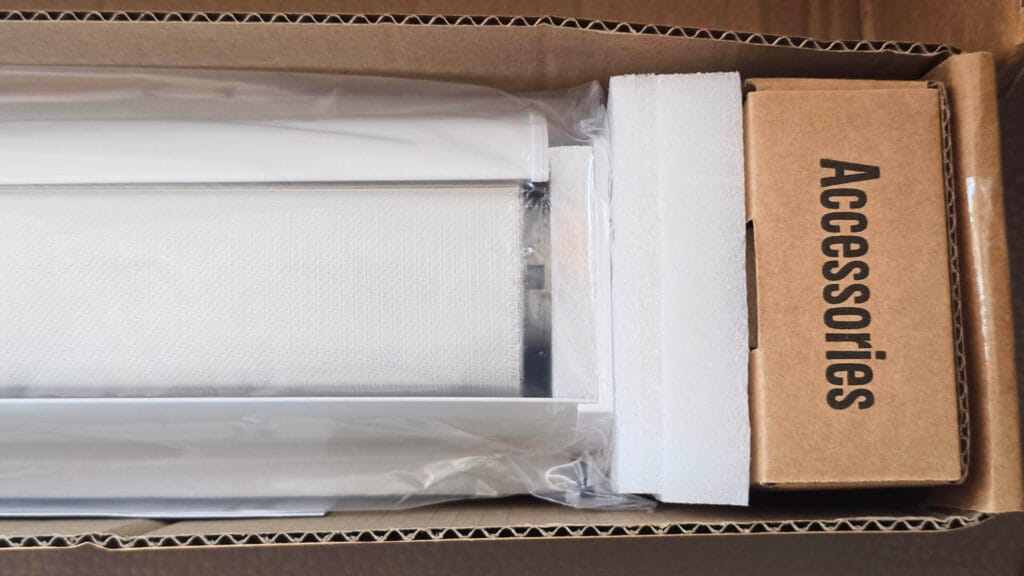
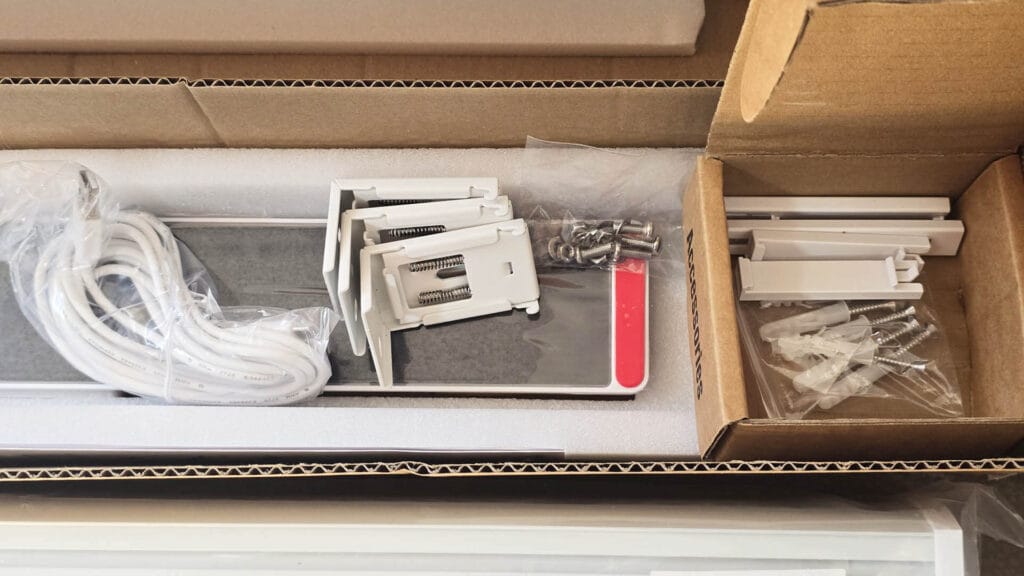
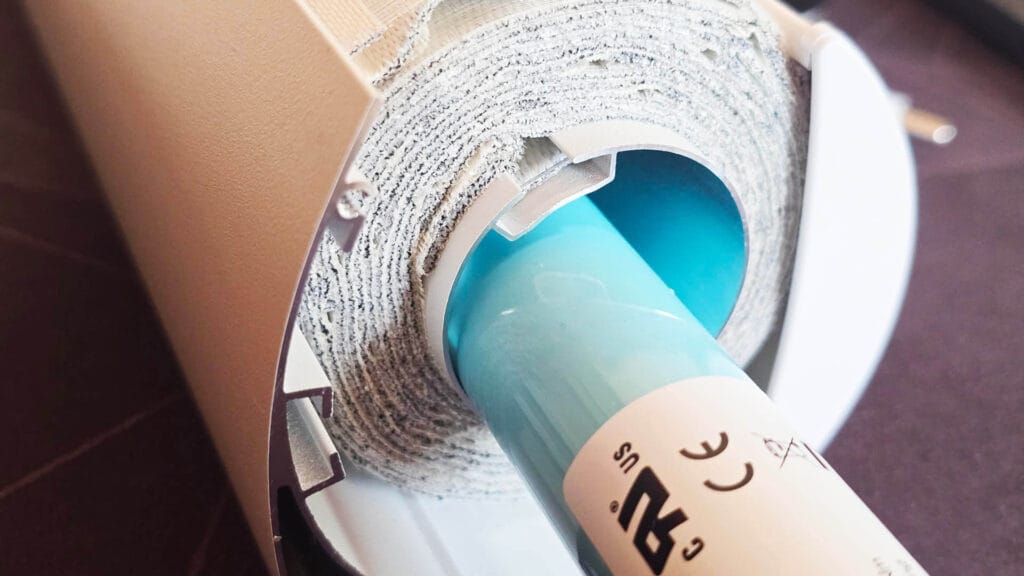
The motor is housed inside the cassette on the right or left side depending on your configuration. Charging is via a USB connector that attaches to the side of the headrail, directly into the motor. You can add an optional solar panel that clips onto the outside, extending battery life to the point where manual charging becomes essentially unnecessary in a normally lit room. The solar panel is worth adding if your window gets reasonable daylight exposure.
Motor noise is not an issue. This is among the quietest tubular shade motors available at this price point. At a normal conversational distance, you can hear a faint mechanical hum during movement, but from across a room it is inaudible. It does not sound like a budget motor.
The mounting hardware is fairly straightforward. Each shade ships with brackets that you screw into the wall or ceiling before snapping the cassette in. The shade is lightweight enough that a single screw per bracket is all you need, which makes installation easier than it sounds. I did not use the extensions as those move the shades away from the window and allow light to bleed through the edges.
Zigbee Motor and Home Assistant Integration
The motor option you want for Home Assistant is the Zigbee Alexa Motor [ZBO1]. Despite the Alexa branding in the product name, this is a standard Tuya Zigbee device that works natively with both ZHA and Zigbee2MQTT. You do not need Alexa, you do not need Graywind’s app, and you do not need their optional Zigbee hub. I do not recommend getting the Matter version cause you overpay and get nothing better.
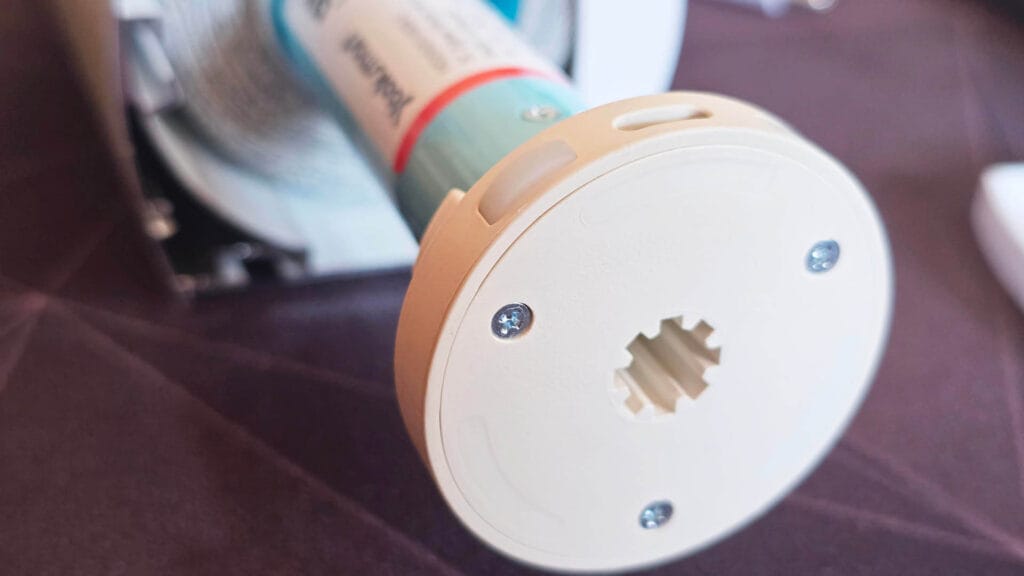
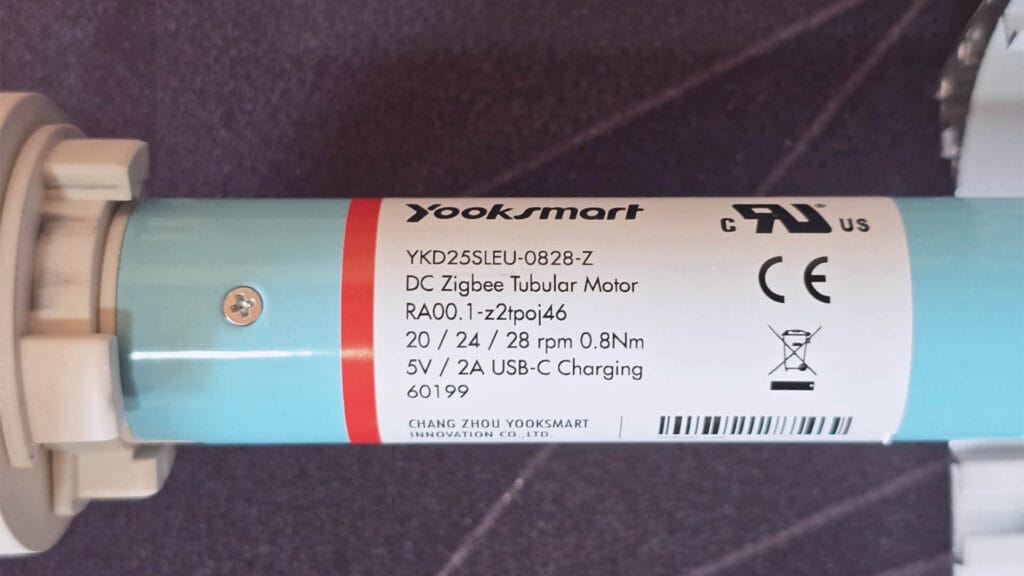
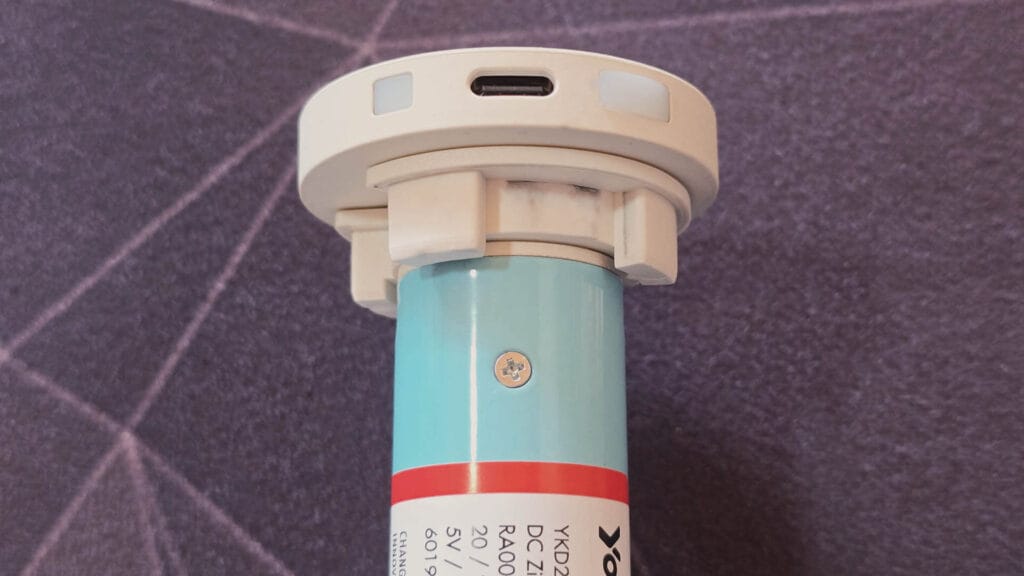
In ZHA, put your coordinator in pairing mode and hold the button on the motor until it jogs twice. In Zigbee2MQTT, enable joining and do the same. Both integrations pick up the device cleanly without manual intervention or device fingerprint overrides. No converter or quirk is needed. The device exposes a cover entity with position control, which is exactly what you want for automation.
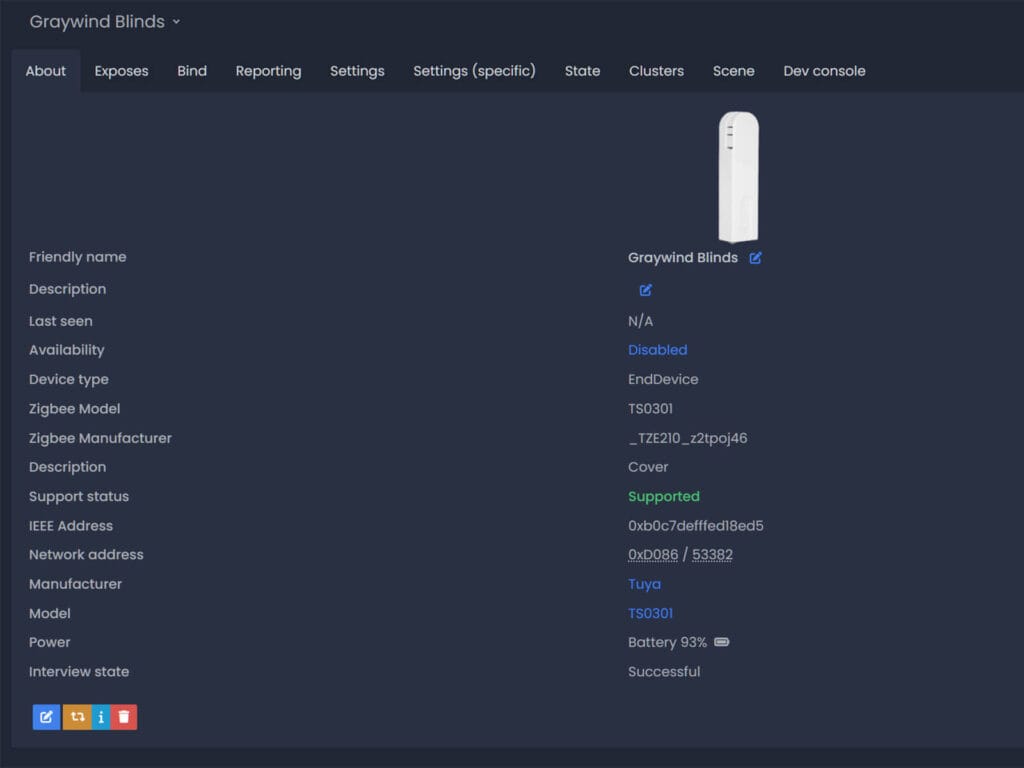
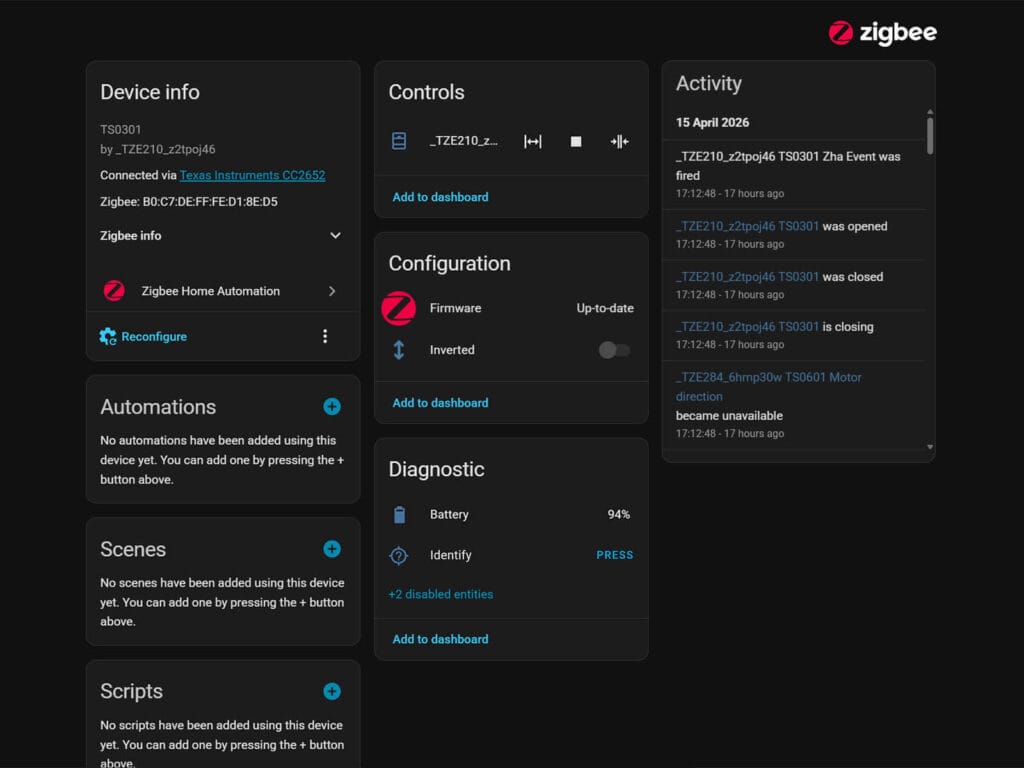
Position control works as expected. You can set the shade to any percentage from 0 to 100, use it in automations triggered by time, presence, or sun position, and group multiple shades together in Home Assistant for room-level control. Response time between a command being sent and the motor starting to move is fast with no noticeable lag. As limits are set from the factory, you don’t have to adjust them unless you really need to.
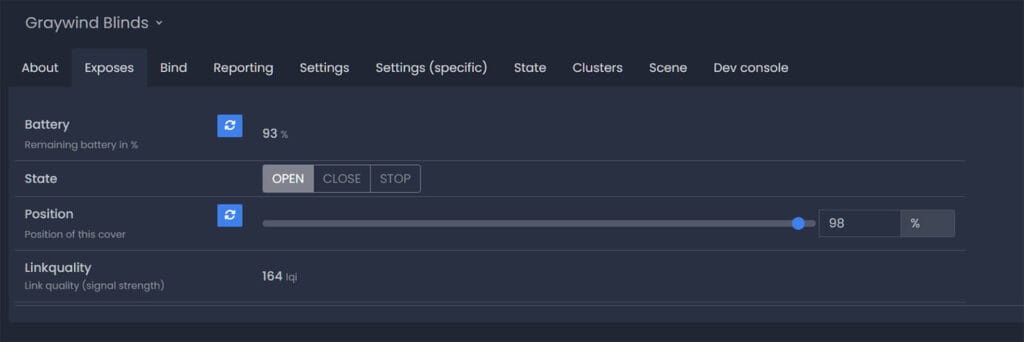
Battery state is reported as a sensor entity, so you can set an automation to notify you when a shade drops below a threshold. With the solar panel attached, the battery level on a south or west-facing window stays consistently in the upper range during normal daylight hours.
Remote Controllers
Graywind offers two remote options worth knowing about if you want physical control alongside the smart integration.
The 16-Channel Basic Remote [ZB16] is exactly what the name implies. It is a small, no-nonsense remote with channel buttons, up, down, and stop. Programming it takes a few button presses per shade and it works independently of any hub or integration. This is the one you hand to a family member who does not want to open an app.
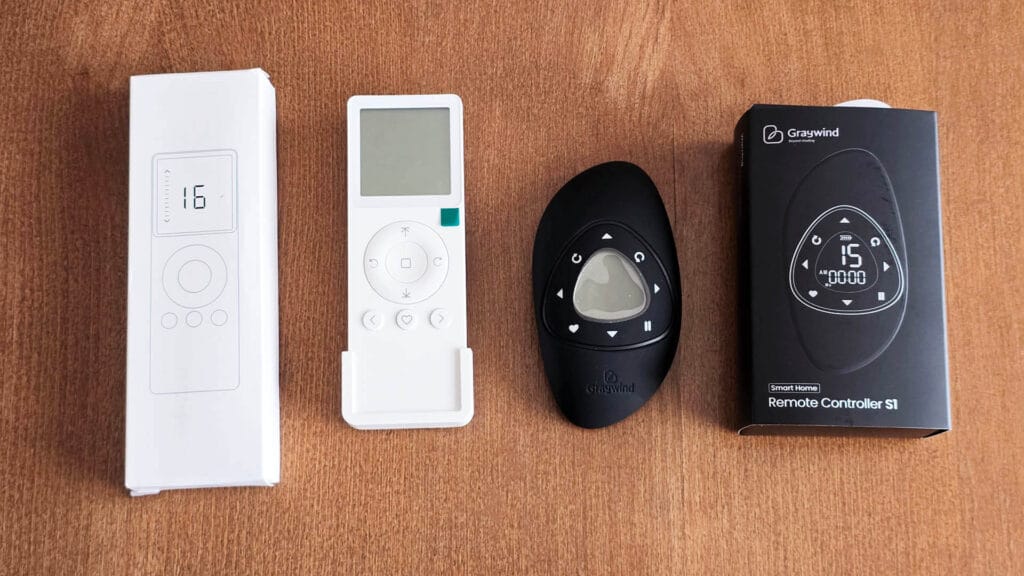
The 15-Channel Timing Remote with Holder [GR] is a more premium piece of hardware. It has an ergonomic pebble shape, a small LCD screen showing channel, time, and programmed schedule indicators, and a physical holder for wall mounting. Buttons for open, close, stop, and position are arranged around the display. It looks and feels expensive. The timing functionality lets you program schedules directly into the remote without touching Home Assistant at all, which is useful during setup or as a fallback.
Both remotes operate on 433 MHz RF rather than Zigbee, which means they work regardless of whether your HA instance is running.
Fabric and Light Control
The three states you work with are fully raised into the cassette, anywhere in the mid-range with vanes tilted closed, and fully lowered with vanes hanging horizontal. Fully raised gives you an unobstructed window. Fully lowered lets light filter through the open vanes, with the character of that light depending on the fabric you ordered. Anywhere in between, the vanes are closed and the shade body blocks light completely.
On the 90% blackout Jacquard Beige, the fully closed position produces complete vane seal with no light bleed through the fabric. Any light that enters at full close comes from the edges of the shade relative to your window frame, which is a function of how you mounted it rather than the shade itself. If you mount flush without extension brackets, the blackout performance is excellent.
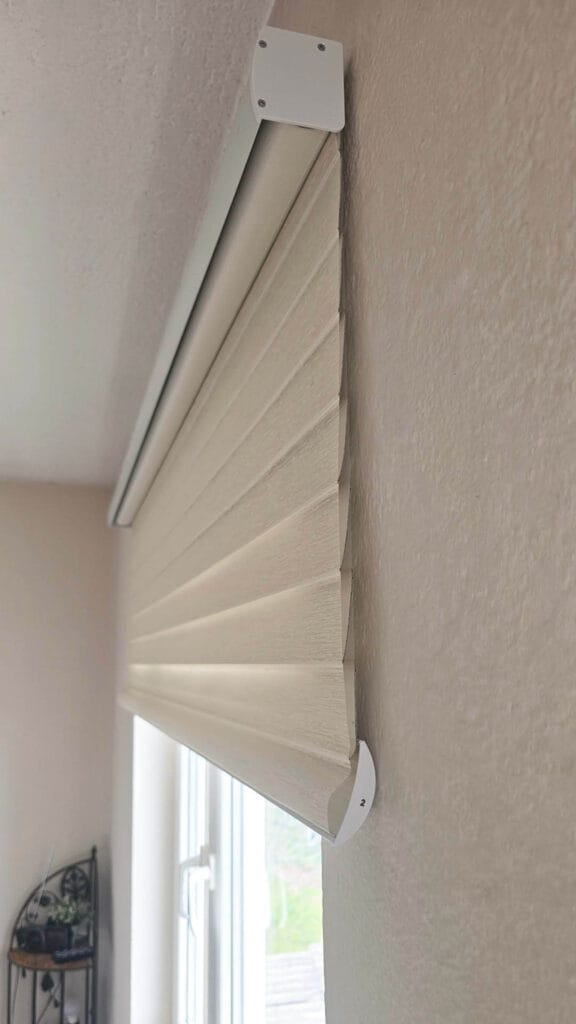
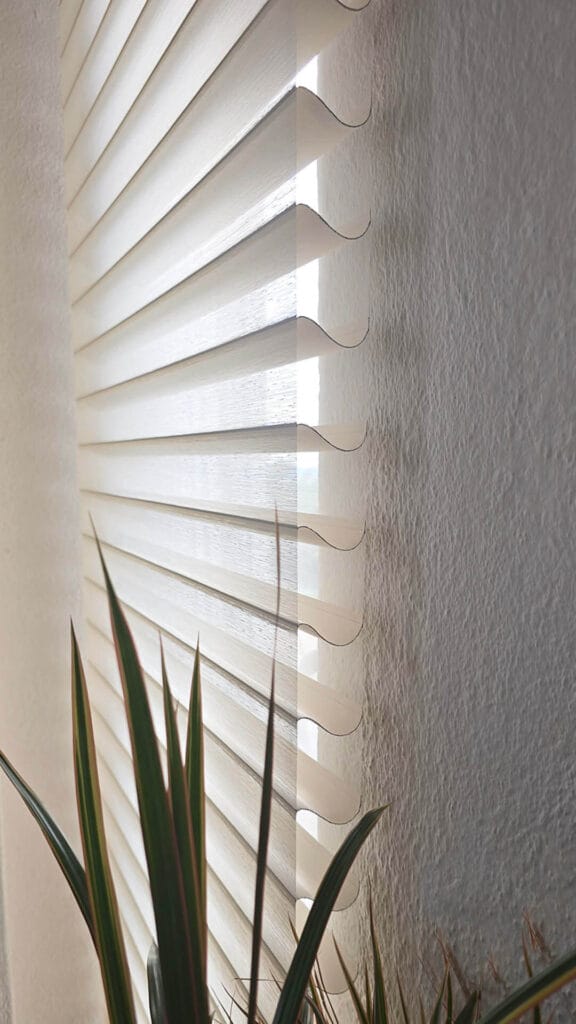
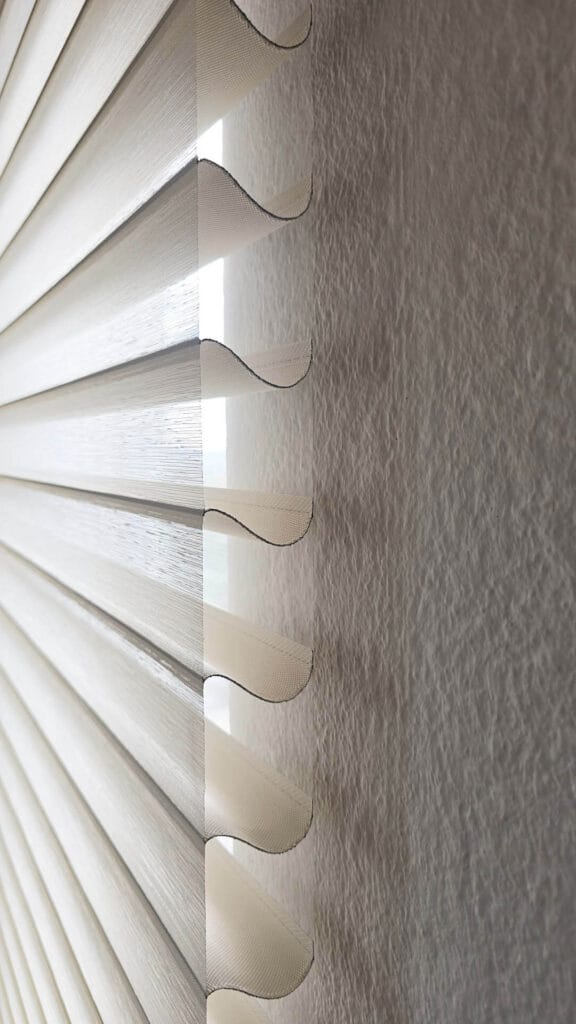
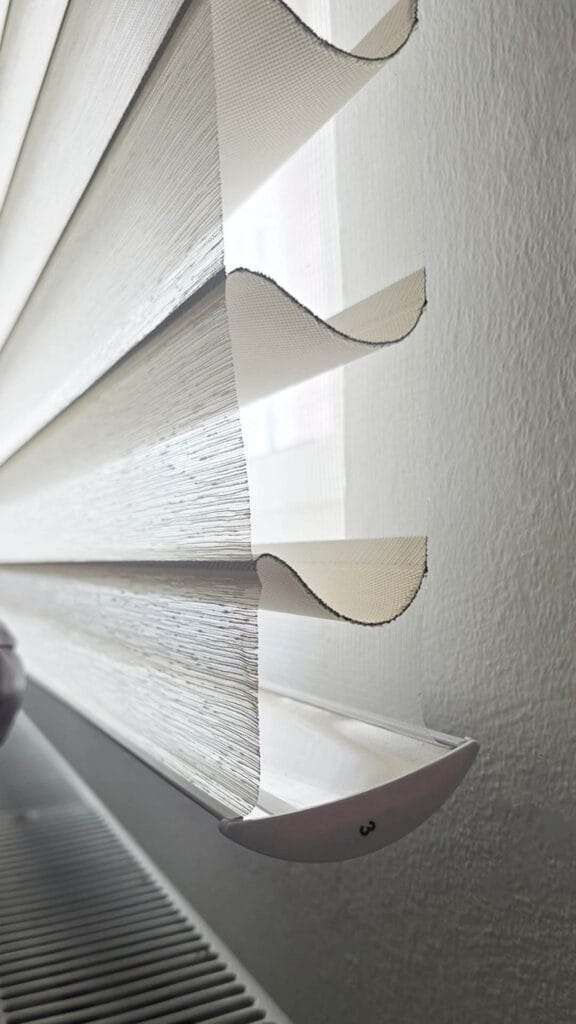
The useful Home Assistant automation range for this shade is a morning open to full retraction, a daytime position somewhere in the mid-range for ambient light with privacy, and a full close at night. Because vane behavior is mechanically fixed to position, you will dial in the exact percentage for your preferred daytime state once and reuse it. The motor’s position accuracy is consistent enough that returning to a saved percentage reliably lands in the same visual state.
What to Know Before Ordering
A few practical points that will hopefully save you some trouble.
Order carefully on dimensions. Once the shade is cut, there is no return path. Measure your window twice, decide on inside versus outside mount before you configure, and account for any trim or casing that would affect the fit.
The extension brackets are worth adding if your installation has any protrusions on the wall or frame that prevent the shade from hanging flush. Without them, or without any gap, the blackout performance is excellent. With a gap, light comes in around the edges at night when room lights are on outside. I really don’t like this, so I mounted them flush.
The motor extension cord is a short extension for the charging cable. Add it if your charging port will end up in an awkward position relative to where you plan to charge.
Verdict
The Graywind Motorized Shangrila Shades are a nice local solution for custom shades for Home Assistant users. The Zigbee motor integrates cleanly with both ZHA and Zigbee2MQTT, requires no proprietary hub, and exposes full position control. The hardware quality is noticeably better than budget alternatives. The Shangri-La construction gives you light control and aesthetic quality that a standard roller simply cannot match.
The pricing is not cheap, particularly for large windows or wide-format installations where both the size premium and the Zigbee motor add-on stack up. But you are buying a custom-cut window treatment with a quality motor and a five-year warranty, not an off-the-shelf gadget. On that basis, I consider the value fair.
If you are building a serious Home Assistant setup and want window shades that behave like a first-class integration rather than an afterthought, Graywind Blinds are worth ordering.








Can these blinds support direct control by binding them to a zigbee remote?
No, I don’t think so, like all Tuya motors.