

Smoke alarms and carbon monoxide detectors remain one of the few categories still missing from the mainstream Matter lineup. The standard has supported them for a while now, but we have not seen any new devices using Thread for as a communication protocol. Even Zigbee smoke sensors are not very common if we exclude the many Tuya models. The Frient Intelligent Smoke Alarm is the only solid option I can think of which uses Zigbee.
In this article, I’m reviewing the new Sensereo MS-1 Matter over Thread Smoke Alarm. This device works with any certified Matter controller out of the box and is meant to be a drop-in replacement for your existing smoke sensors, like Nest Protect. You can get it on Amazon UK, and their Official Website.
Overview and Disassembly
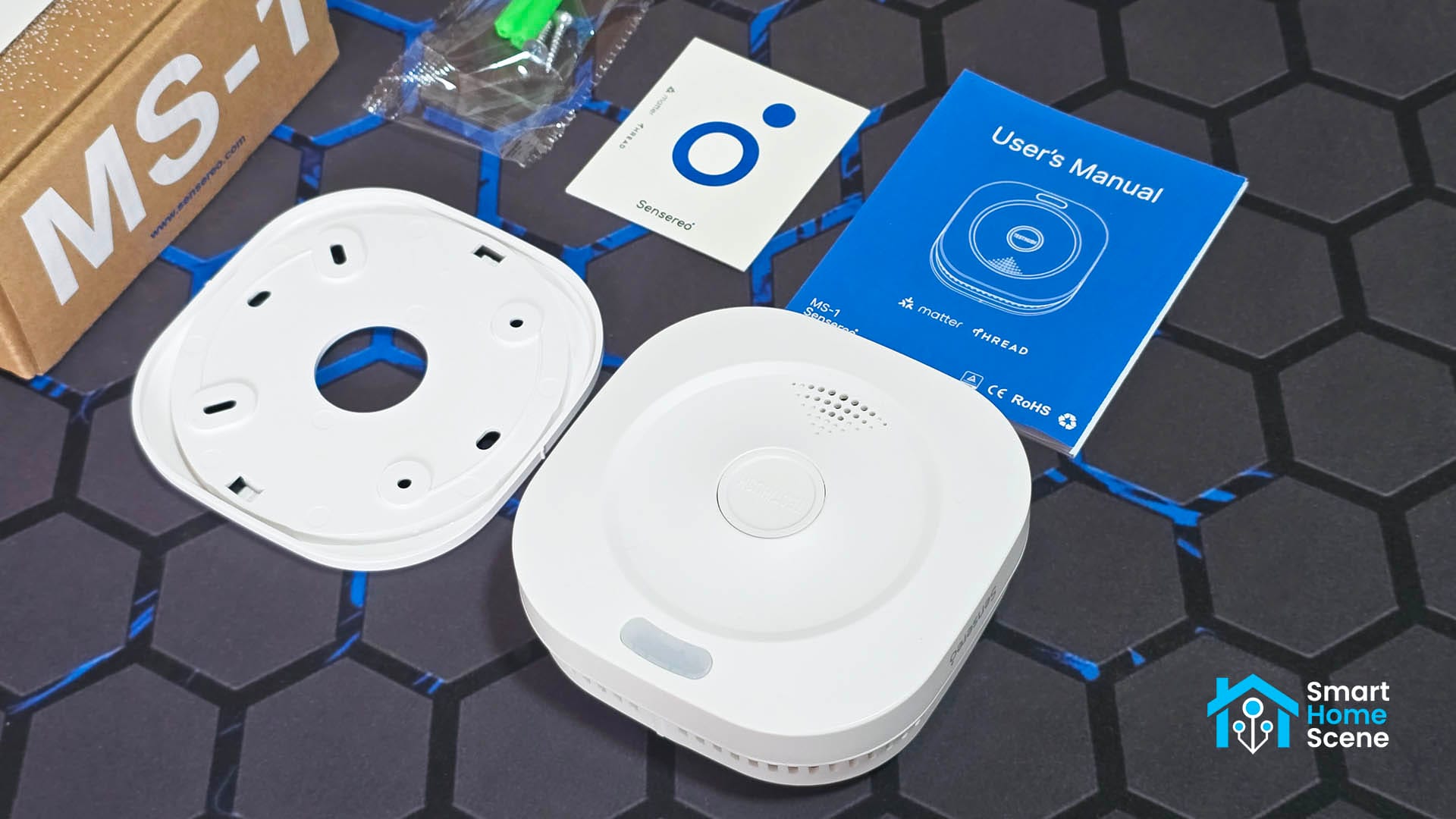
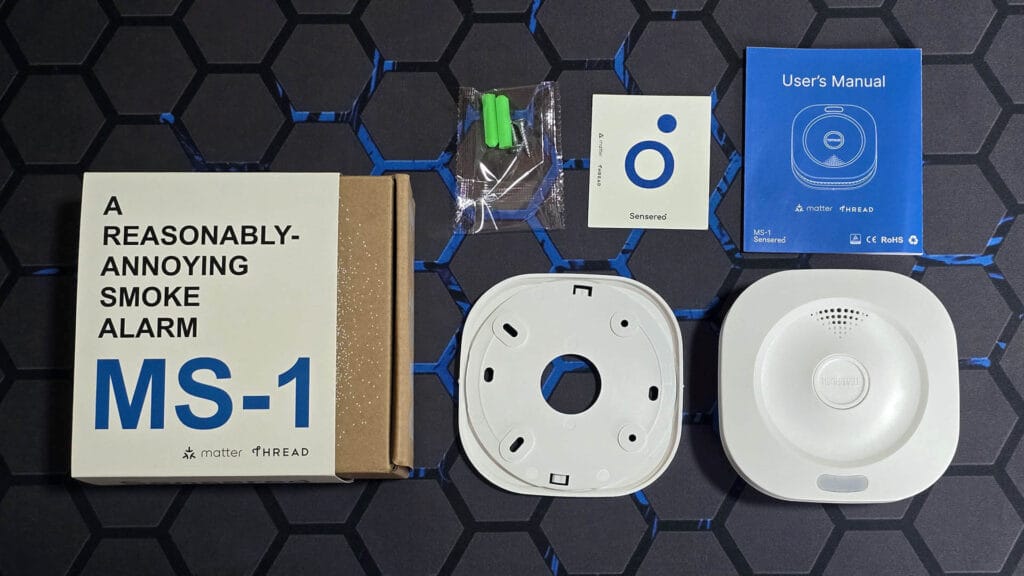
The Sensereo MS-1 Smoke Alarm ships in a box containing the device itself, a mounting plate with a set of screws and a user manual. The box labelling quite funny, describing the MS-1 as “a reasonably-annoying smoke alarm”.
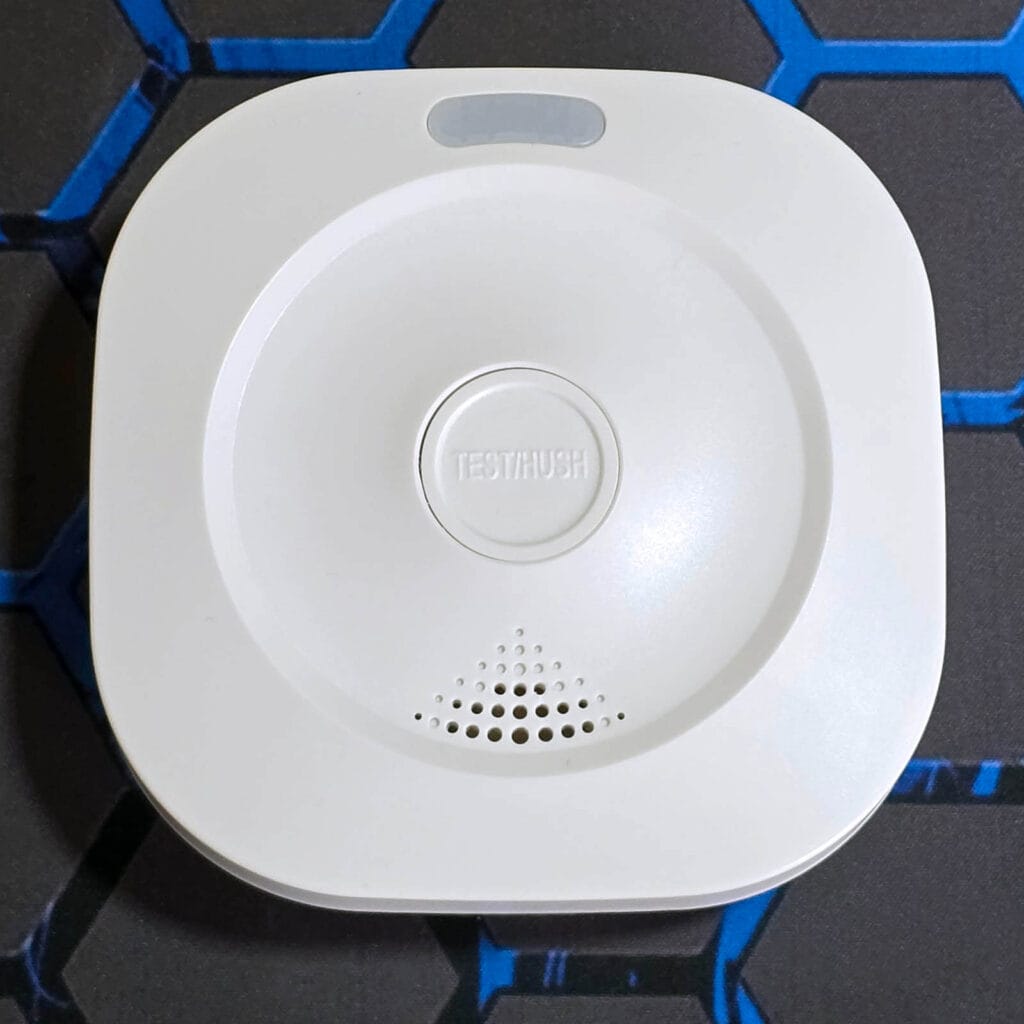
On the front of the device, there is a large test and silence button labelled TEST/HUSH. This button is also used for resetting and pairing the MS-1 in combination with the ON/OFF toggle. Above it lies a small indicator LED which changes color based on the status of the device. Underneath the main button there’s a meshed section of the case that allows smoke to enter for detection.
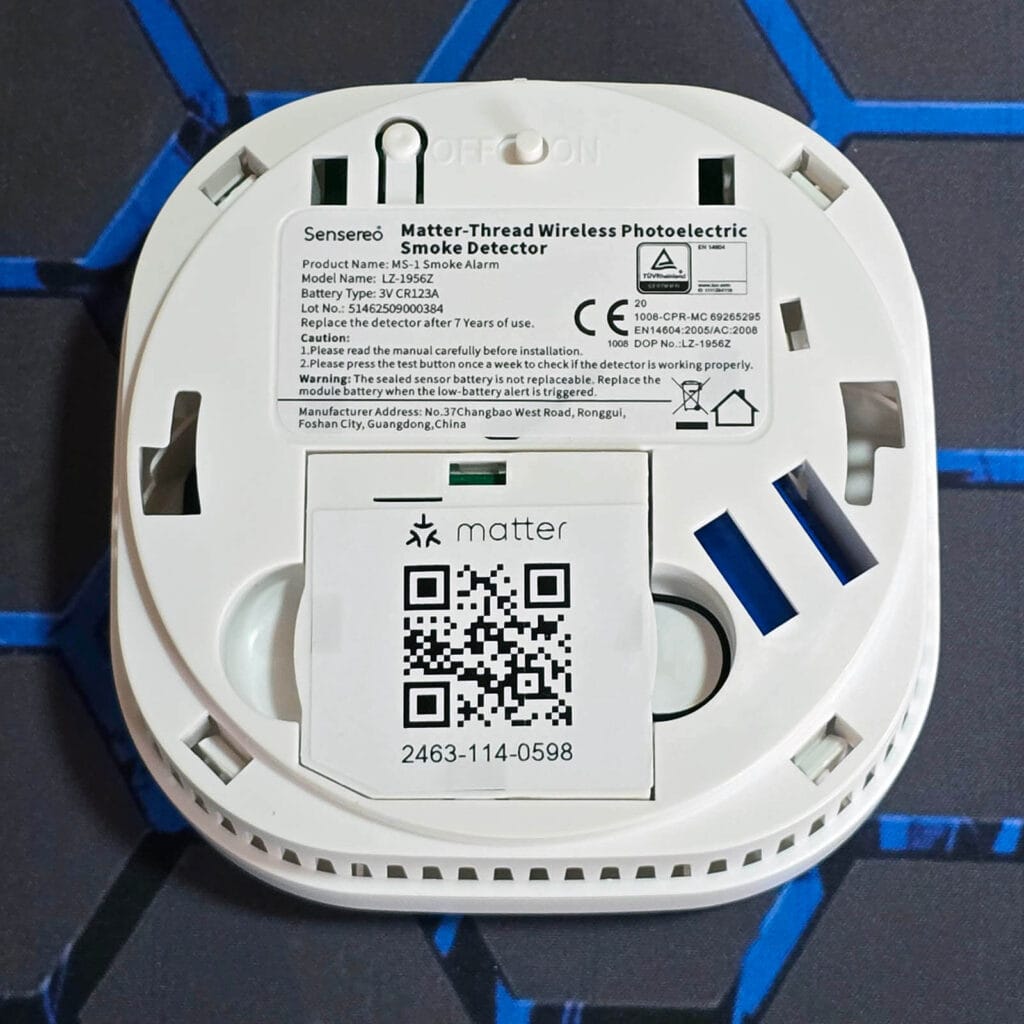
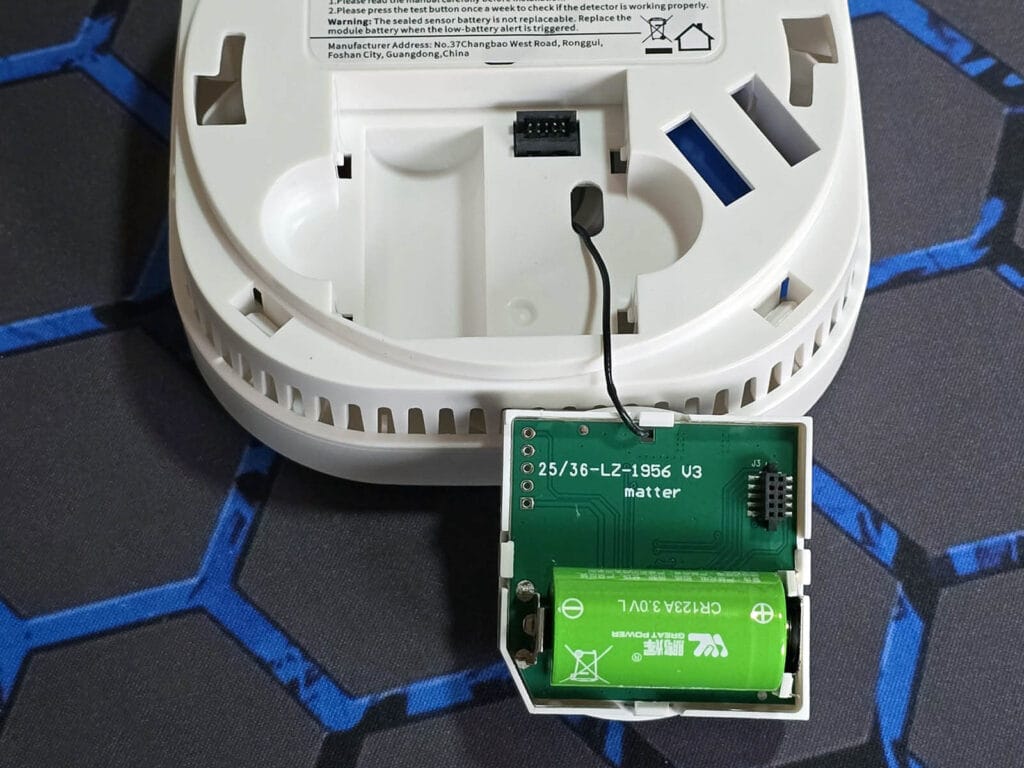
On the bottom side you will find the ON/OFF toggle button along with the Matter QR pairing code. This cover holds the battery compartment and can be pulled out easily with two fingers. The small button next to the ON/OFF toggle does not appear to be connected to anything and does not seem to serve any purpose.
The Sensereo MS-1 is powered by two batteries, one serving as the main power source while the other is installed inside as backup. The main battery is model CR123A, a fairly common battery type found in sensors of this type. The cable you see in the image connected the onboard SoC to an external antenna for better connectivity range.
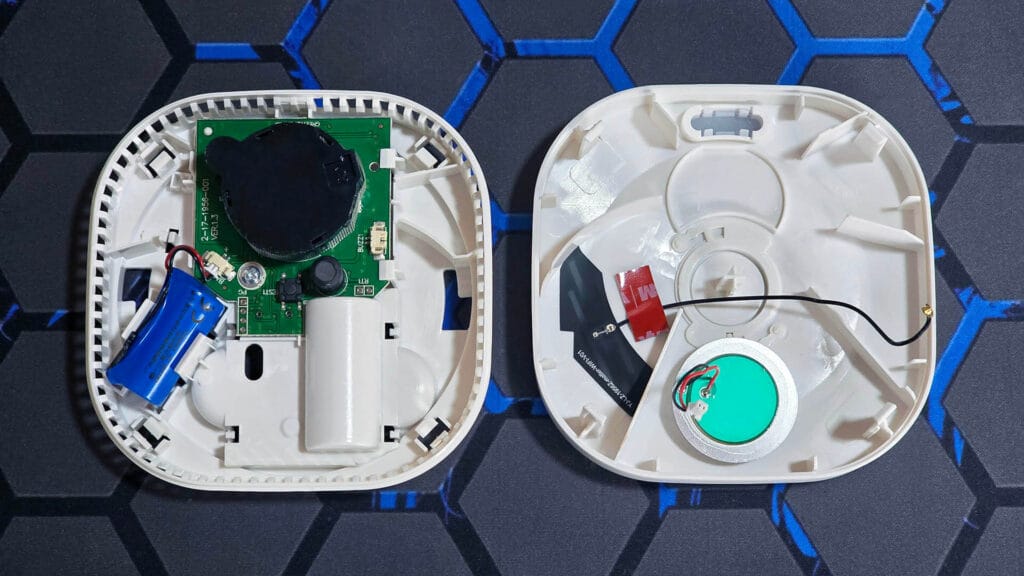
Once I opened the Sensereo MS-1, I was able to inspect the internals. The second backup battery of the device is also model CR123A. This one is cable connected via a 2-pin JST connector, which can also be easily replaced.
The smoke chamber is labelled as model C2 which tells me it uses a standard photoelectric design with an infrared LED and a photodiode placed at a right angle to detect scattered light from smoke particles. This chamber type is widely used in many Heiman and Tuya based detectors and is paired here with an alarm siren and an low power MCU that handles the sensing logic.
The siren is rated as being able to output 85dB, per the company. It’s definitely very loud and and screamy, blaring in my face when I tested the button. It’s the classical beep sound found in residential smoke alarm, so don’t expect the jingle bells tune like some Chinese manufacturers do.
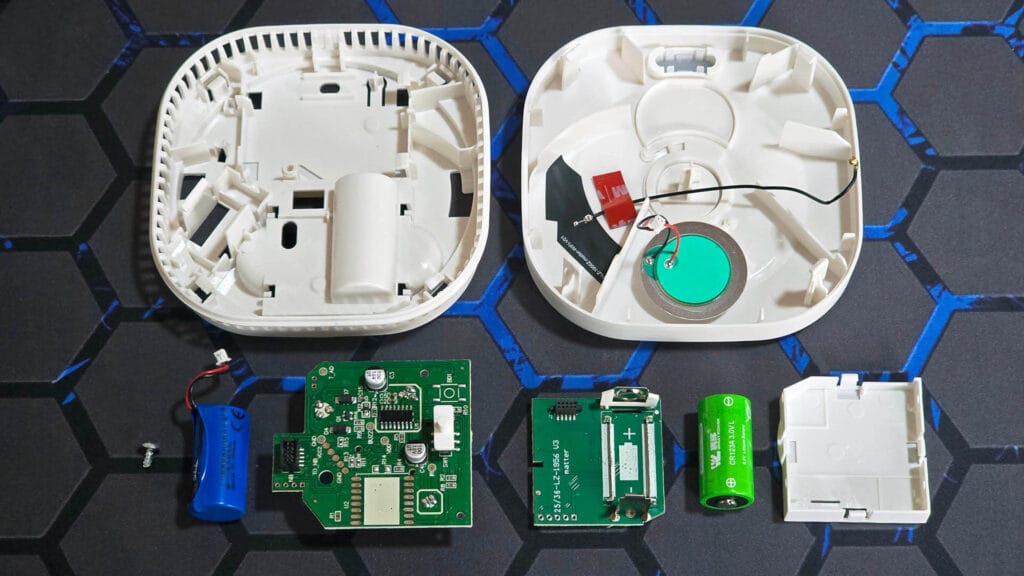
I detached and dismantled everything to get all MS-1 components in one picture:
Home Assistant Integration via Matter
Like all Matter devices, integrating the Sensereo MS-1 into your existing Thread network is very easy. The device is in pairing mode out of the box, indicated by the green LED blinking on the back. All you need to do is scan the QR code and onboard it to Home Assistant.
If you need to reset it, you simply move the toggle to the OFF position, press and hold the test button on the front and move the toggle to ON. Once it lights up, you release the front button and single-press it again within 5 seconds. Once integrated, here’s what’s exposed in HA:
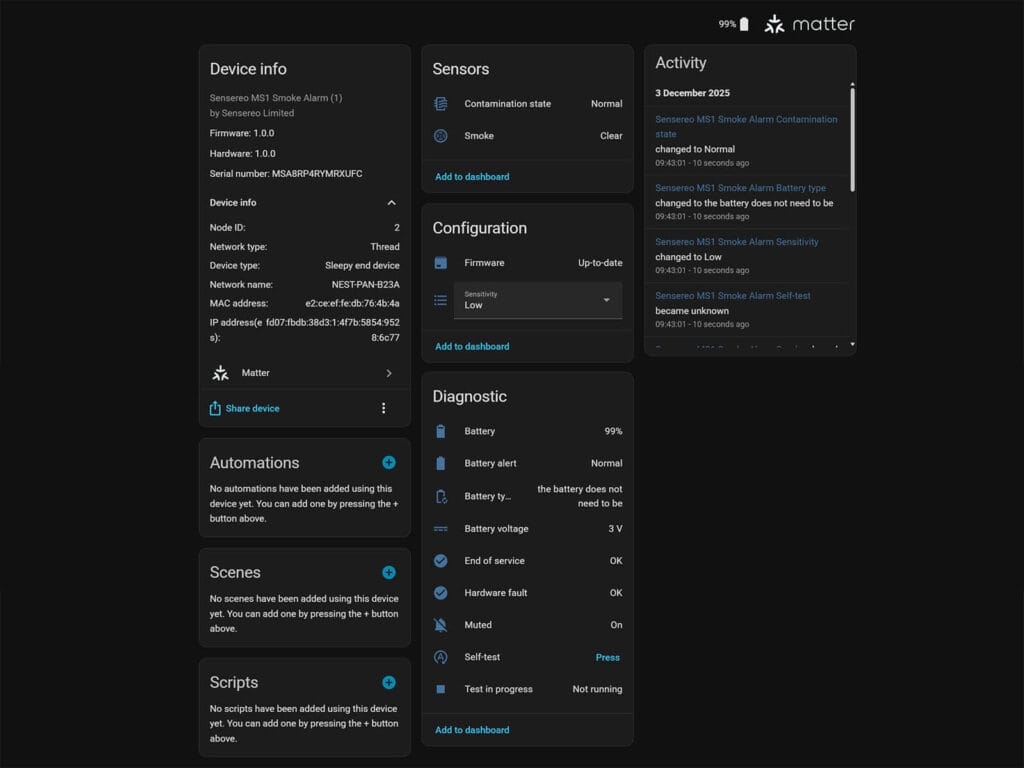
For once, a Thread device exposes some additional features and sensors over Matter. Besides the obvious binary sensor for detecting smoke, it also has a contamination sensor which appears to change state based on the level of smoke detected. You can even set the sensitivity of the sensor remotely (low, standard, high), depending on your installation location and room height.
Furthermore, in enables a bunch of sensors used for diagnostics and testing the device. You can monitor battery level, voltage and status, hardware faults and track the EOL of the sensor. There’s also a binary sensor which simply tells you whether you need to replace the battery or not.
You can perform a self-test via Matter too, which appears to enable the device’s built-in diagnostic function and check if everything is okay. From my testing, this feature does not toggle the siren remotely, which appears can only be done with the physical test/hush button on the device itself. Overall, the Sensereo MS-1 has great Matter implementation, besides the basic “is there smoke” sensor.
Installation and Testing
Installing the MS-1 is straightforward as long as you follow the placement rules from the manual. The sensor should always be mounted on the ceiling since smoke rises and collects in the upper parts of a room before spreading. The ideal position is in the center area of the ceiling, at least thirty centimeters away from walls, beams, or corners where airflow can be restricted.
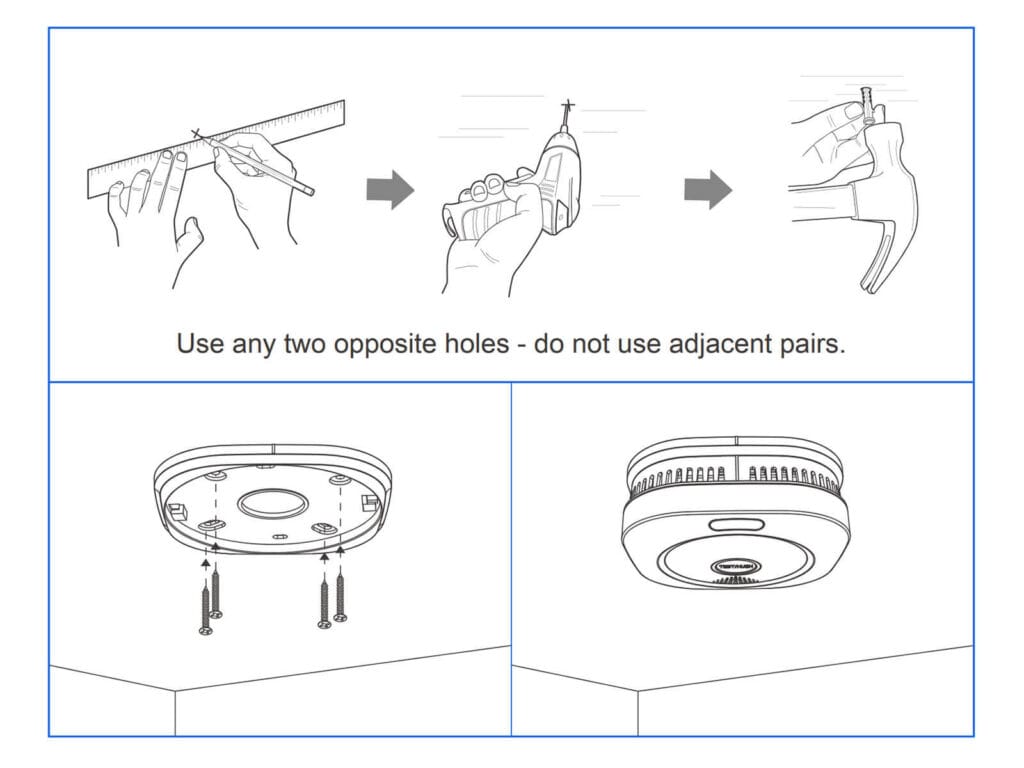
If ceiling mounting is not possible, the detector can be installed on a wall, but it must be placed near the ceiling and never lower than that. Hallways, bedrooms, and common living spaces are priority locations since those areas benefit most from early smoke detection.
Obviously, avoid installing the alarm near bathrooms, cooking areas, or ventilation ducts since steam and strong airflow can affect its sensitivity. The manual also recommends avoiding dusty or humid areas and keeping at least one meter of distance from air conditioners or fans. Once you decide on the location, the mounting plate is attached first and the alarm locks into it with a twist.
I tested the MS-1 using a controlled source of smoke to confirm the chamber reacts correctly. By holding a small amount of cigarette smoke near the intake vents, the alarm triggered in roughly five seconds which shows the sensor responds quickly once smoke enters the chamber. Of course, this is not the official testing method recommended by the manufacturer, but it was an effective way to verify real world detection performance. The current MS-1 smoke alarm is certified under EN 14604 and CE standards for European markets and is TÜV tested, which is all you need to know in terms of compliance and safety assurance. I’m told there is an UL certificate pending for the US market too!
Final Thoughts
The Sensereo MS-1 is a well designed smoke alarm that looks great once mounted on the ceiling. It blends smoothly into a modern home or office and avoids the bulky look many traditional detectors have. The photoelectric sensing element has a life span of seven years, after which the entire unit needs to be replaced.
One of the major advantages of the MS-1 is its use of Thread. Since Thread is a true mesh network, the sensor can take advantage of nearby routers to maintain a stable connection and extend its range. This is true for Zigbee sensors too, so it should be perfectly clear Thread does not hold an advantage over Zigbee in this regard. If you do not have a Thread network at all, the MS-1 still operates as a normal standalone smoke alarm which keeps the essential safety function independent from the smart home setup.
What surprised me most was how much additional functionality it exposes through Matter. Besides basic smoke detection, it provides sensor and diagnostic data for self testing, battery status, and hardware fault monitoring. You can even adjust the sensitivity level to match your room height or installation position which is something rarely seen on Matter devices. It is a good sign that Matter is finally maturing.









Thanks for the review, I am evaluating smart smoke alarm sensors in my house currently. Would love to see more of these reviewed.
My requriements are:
– certified for Germany/EU (usually DIN EN 14604)
– works as a dumb smoke alarm as well if network fails
– can be triggered by Home Assistant –> if one alarm goes off, I want all alarms in the house to beep so everyone is notified
– good enough battery life to not change it every couple of months
This one seems to fulfil all requirements but the external trigger which is unfortunate.
I have on test device of the Aqara smoke alarm at home, connected via Zigbee, that meets all the above requirements. I wanted to test one to see how battery life is going. First, I was dissapointed since it lost 10% battery life in the first month. In the second it only lost 5% and in the third only 2%, so it looks like it will be my pick for the whole house.
I tested Aqara smoke alarms also, the batteries dies much too fast si i ditched them.
Now i use the SMSZB-120 sold under Frient and Develco, they are availible in Germany also i see at reichelt . de
These have been flawless. Can be triggered by HA also. Batteries have been running for ages now and still only a 80%
DIN EN 14604 also.
Not many Zigbee? How about HEIMAN Zigbee 3.0 Fire alarm Smoke detector that you actually reviewed here also?
That device is EOL and it appears only random white label brands sell them now (OEM).
I reached out to Heiman, asking for their new Thread version to test and review.
If it’s the same, I’ll add it!