

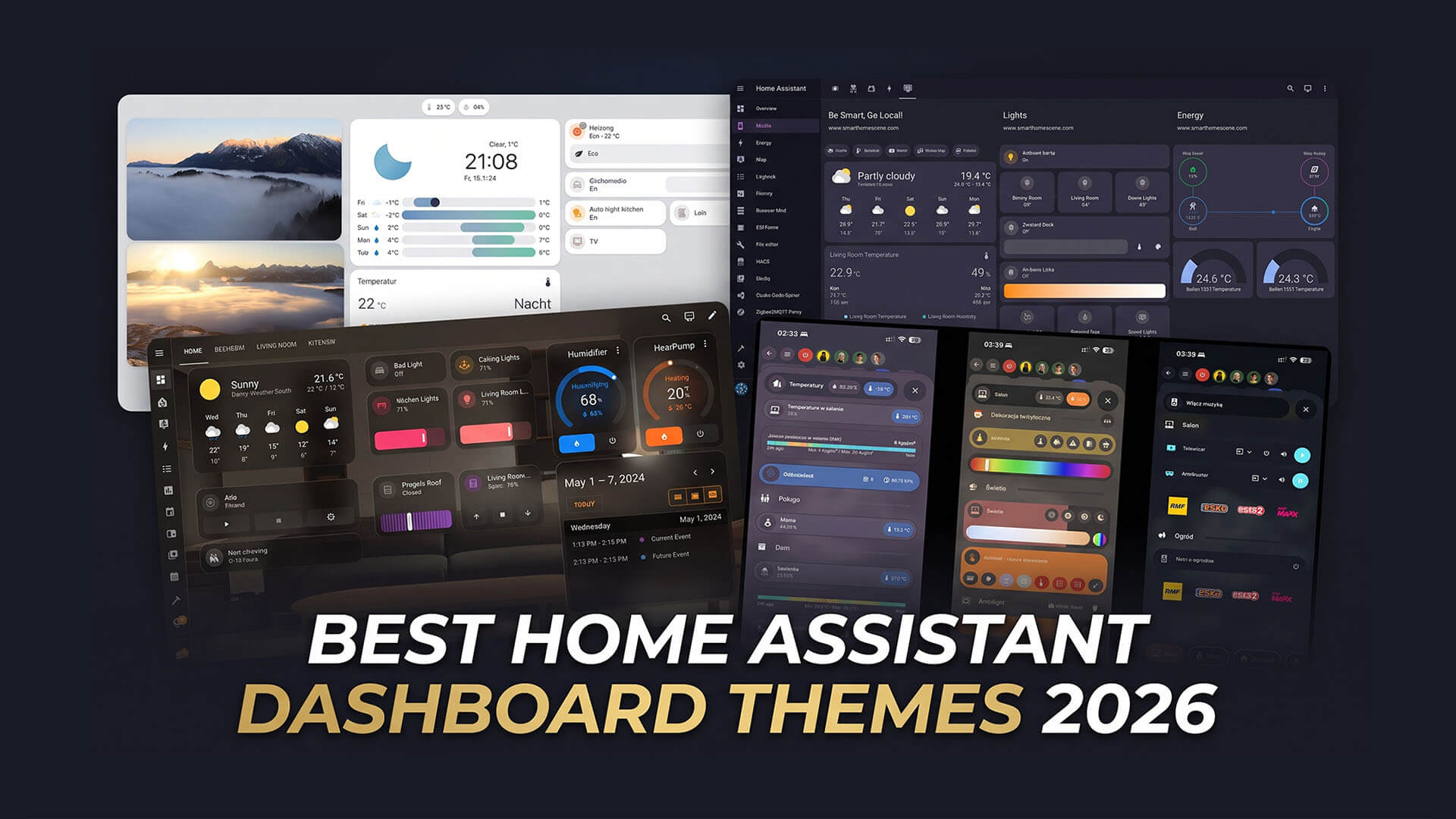
If you are someone who likes to create custom Home Assistant Dashboards, than you probably know that a good theme makes all the difference in how your user interface looks like. If you are just starting out with Home Assistant, this article is a summary of the best Home Assistant Dashboard themes in 2026.
Before you can use custom themes in Home Assistant, they need to be enabled by editing the configuration.yaml file. Here’s how to do this:
- Open your Home Assistant server
- Navigate to Settings > Apps > Install App
- Search for File Editor
- Install and start the app
- (Optional) Toggle Show in sidebar, Start on boot and Watchdog
- Open the File Editor app
- Open the configuration.yaml file in the config folder
- Add the following lines:
frontend:
themes: !include_dir_merge_named themes- Save the configuration.yaml file
- Restart Home Assistant
- Done
Themes can be downloaded via HACS (Home Assistant Community Store) and automatically set in the config/themes/<theme_folder> directory. Alternatively, you can manually upload a theme to this directory and use it in Home Assistant. If the themes folder is not available, you can manually create it using the File Editor add-on.
Please keep in mind some of these themes utilize card-mod as a resource to fully style the theme. You need to install it in order to experience everything the theme has to offer.
15. Skynet Dark Theme
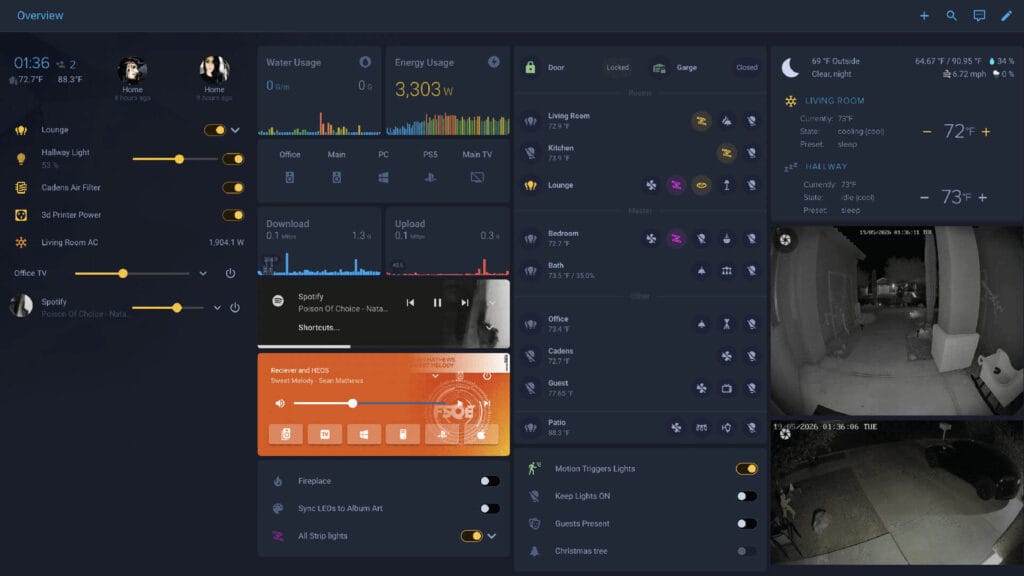
Skynet Dark is a dark midnight theme built around a single palette. The 2026 releases added support for current Home Assistant UI tokens, so toggles, input fields, chips, pills, entity lists and tables all follow the theme colors. It also supports card-mod that spins the fan icon while a fan is running.
- Modes: Dark
- Colors: 1 available
- Made By: skynet01
- GitHub: skynet01/homeassistant-skynet-theme
14. Very Dark Black Theme
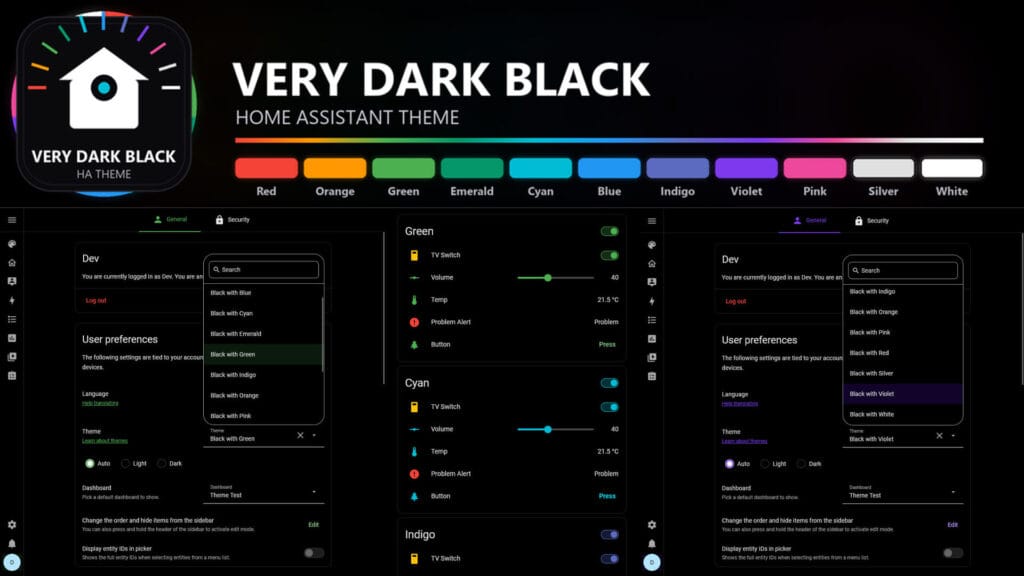
Very Dark Black puts pure black behind every element it can reach and adds one accent color on top. You get 11 accent variants, including Silver and White for a fully monochrome look. Pure black pixels draw no power on OLED panels, which makes this a good match for wall-mounted tablets and old phones used as dashboards. The theme also sets transparent backgrounds for Mushroom and Bubble cards, and card-mod is optional but recommended.
- Modes: Dark
- Colors: 11 available
- Made By: PlayFaster
- GitHub: PlayFaster/very-dark-black-ha-theme
13. Slate Theme
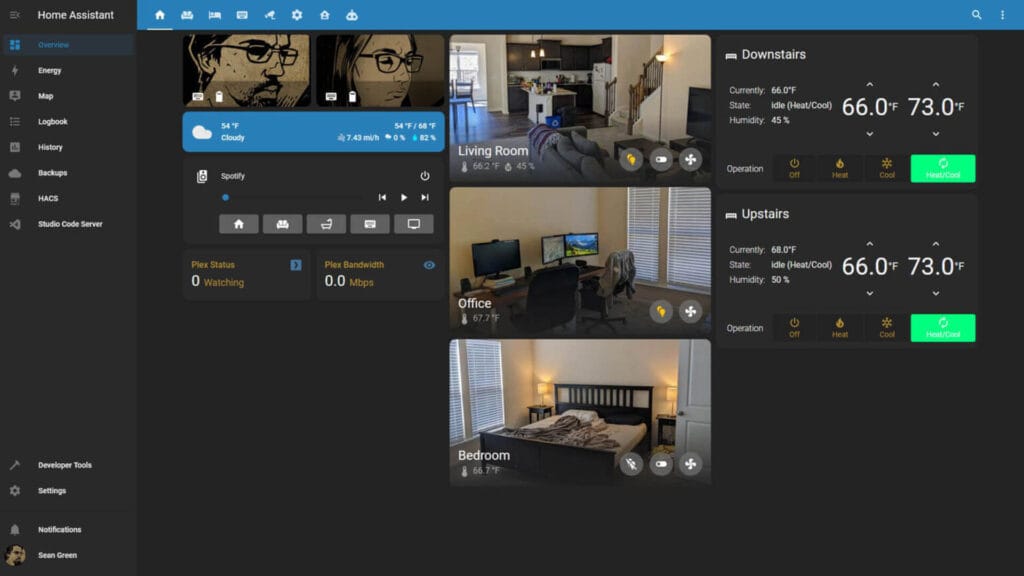
Slate is a dark theme with blue and dim yellow accents. It is one of the oldest themes on this list and still installs from HACS and looks great. The author also publishes matching hex values for graphs and bars, so your history and statistics cards can follow the same palette.
- Modes: Dark
- Colors: 1 available
- Made By: seangreen2
- GitHub: seangreen2/slate_theme
11. Gruvbox Theme
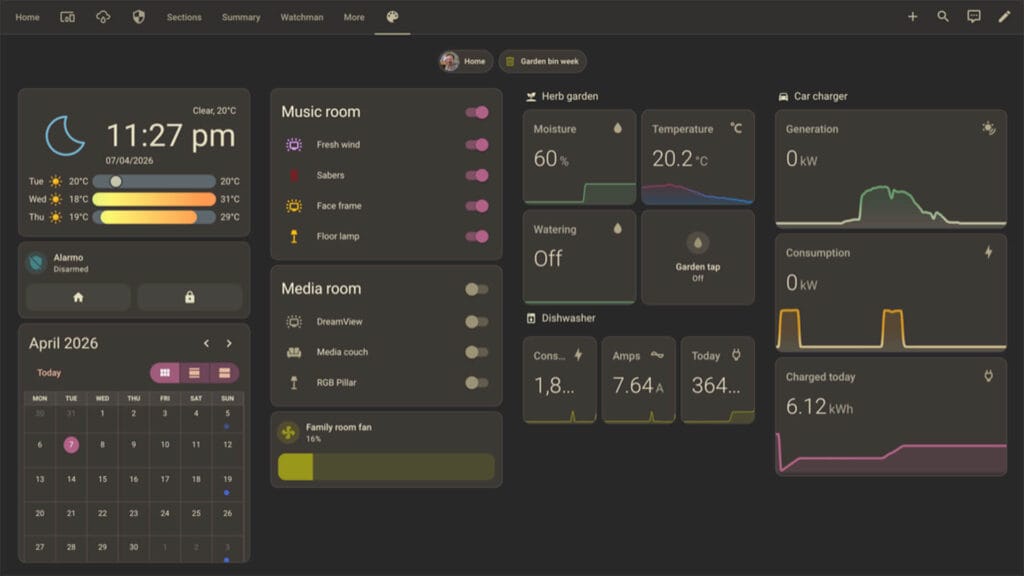
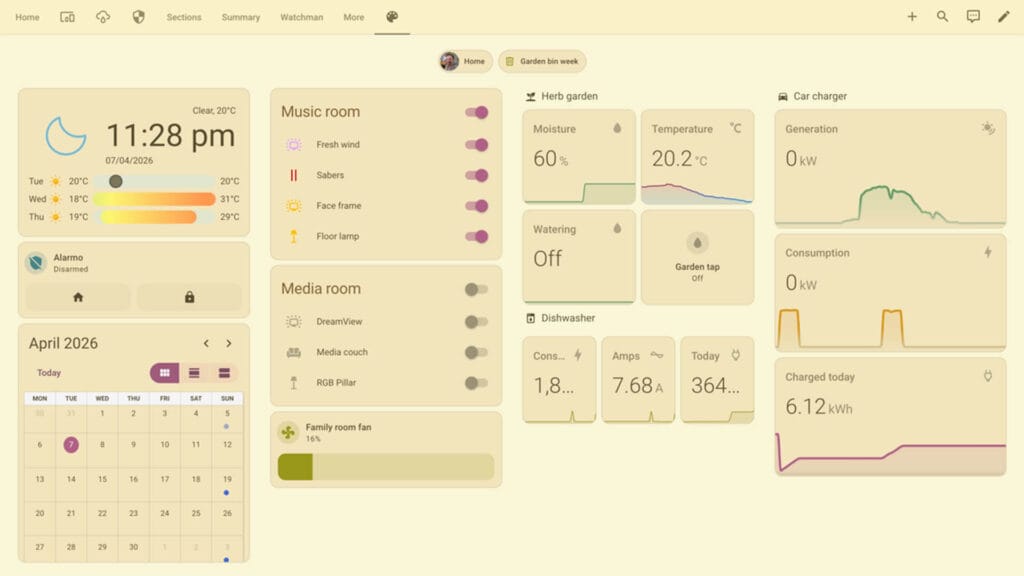
Gruvbox brings the popular retro editor color scheme to Home Assistant. It uses warm, earthy tones with low contrast, which is easy on the eyes at night. The theme includes light, dark and auto modes, plus matching colors for Mushroom cards.
- Modes: Light/Dark
- Colors: 1 available
- Made By: kizza
- GitHub: kizza/homeassistant-gruvbox-theme
10. Pip-Boy Terminal Theme
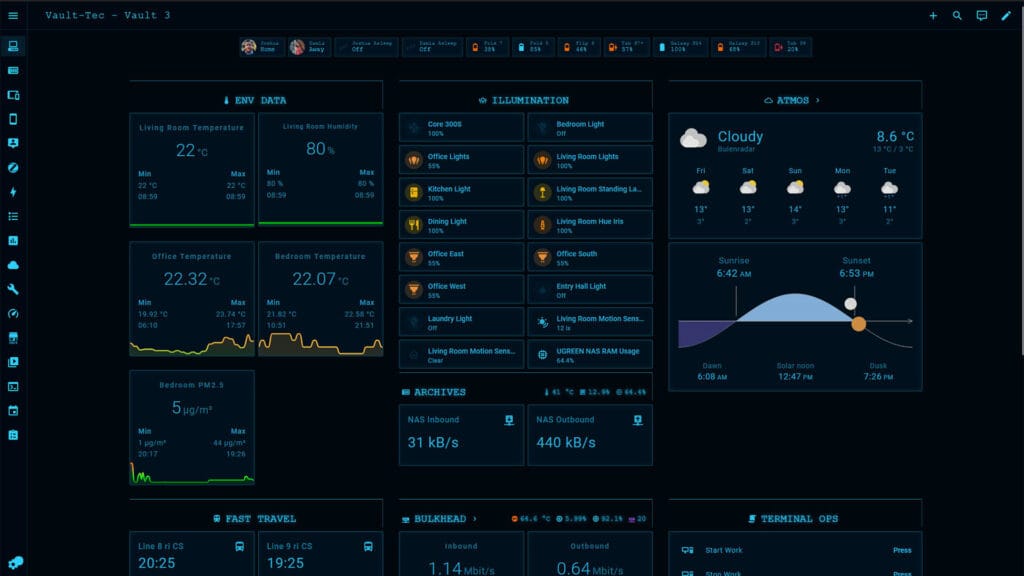
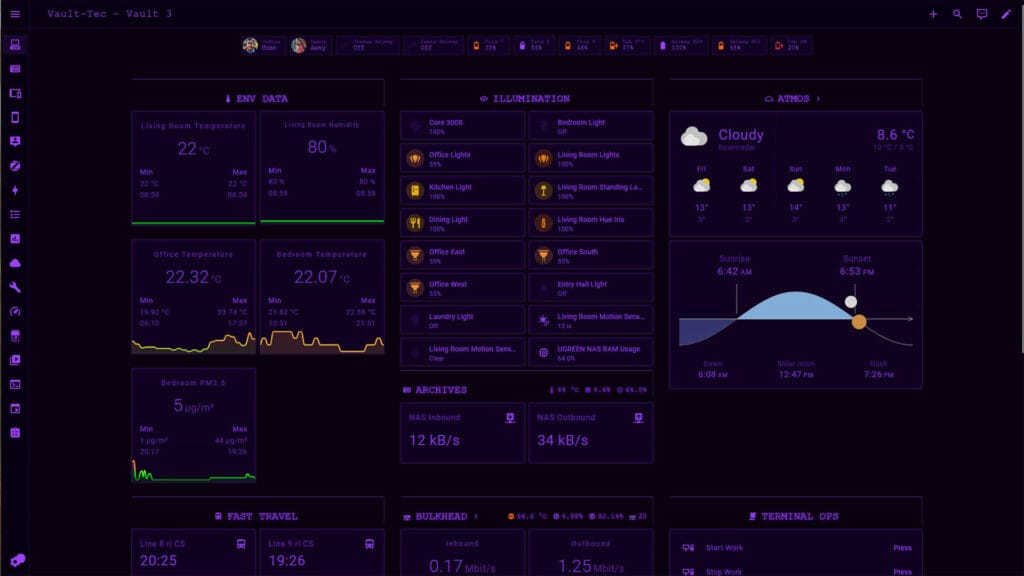
Pip-Boy Terminal turns your dashboard into a Fallout-style CRT terminal. It adds scanlines, a vignette around the screen edges, a subtle phosphor flicker and the Share Tech Mono font across the whole interface. Five phosphor colors are included, with green for the Fallout 3 and 4 look and amber for New Vegas. The theme requires card-mod and loads its font from Google Fonts.
- Modes: Dark
- Colors: Green, Amber, Blue, White, Purple
- Made By: iosue-iulianus
- GitHub: iosue-iulianus/homeassistant-pipboy-theme
9. Noctis Theme
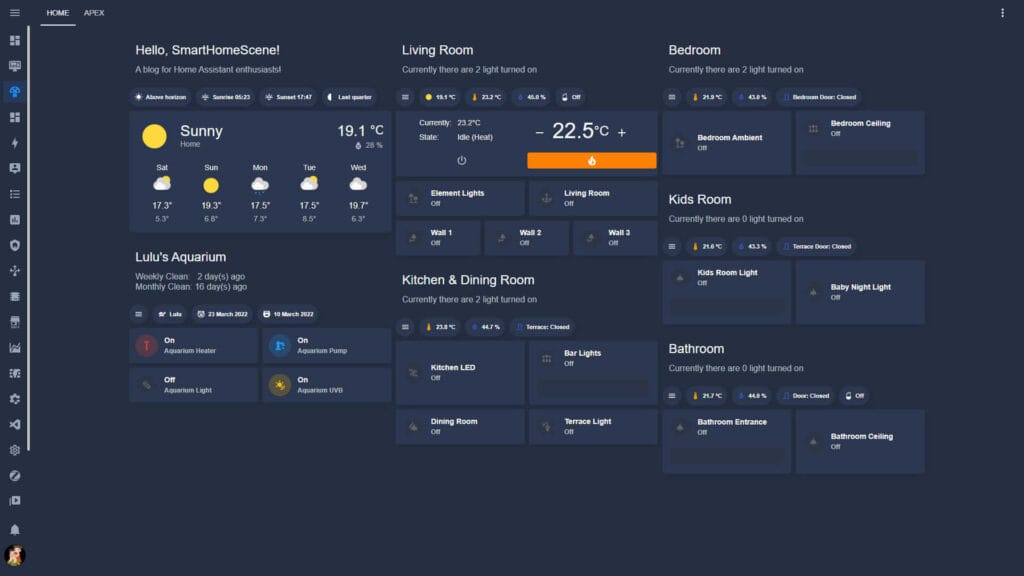
Noctis is a dark blue theme with blue accents and one of the longest running themes in HACS. It still receives updates in 2026 and styles the full interface with a single consistent palette. You can load the Raleway font as a dashboard resource to match the screenshots in the repository.
- Modes: Dark
- Colors: 1 available
- Made By: aFFekopp
- GitHub: aFFekopp/noctis
8. Bubbles Theme Pack
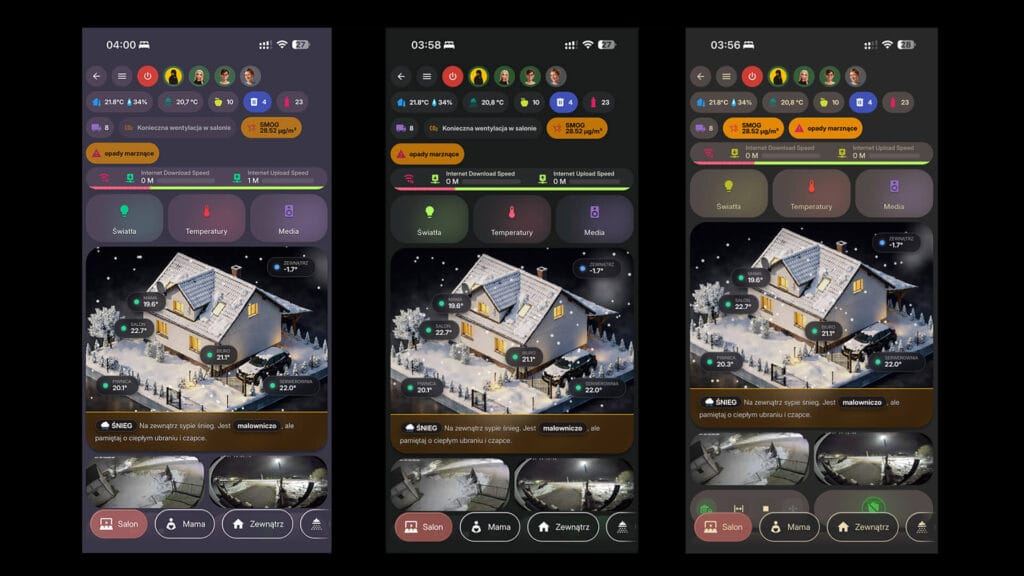
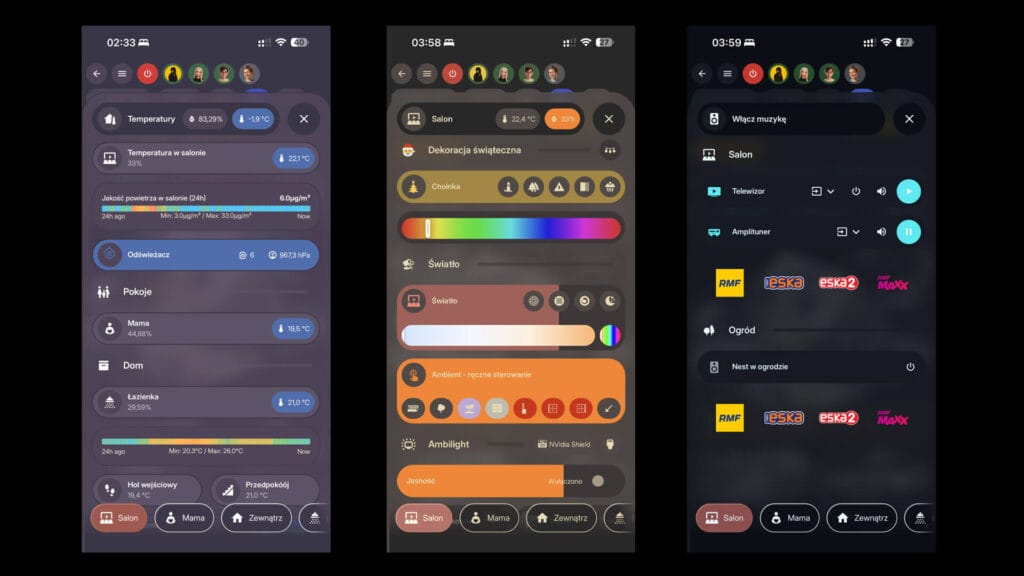
Bubble Theme 2026 is a large theme pack built for Bubble Card dashboards. It is a fork of the original Bubble theme by Clooos and also borrows elements from Noctis. HACS installs three files, a main pack that hides the header on mobile, a Header mod version and a Menubar version that moves the header to the bottom. The Header mod and Menubar files hold 296 themes each. card-mod is a requirement.
- Styles: Default, Header mod, Menubar
- Colors: 296 available
- Made By: silasmariusz
- GitHub: silasmariusz/Bubble_Theme_2026
7. VisionOS Theme
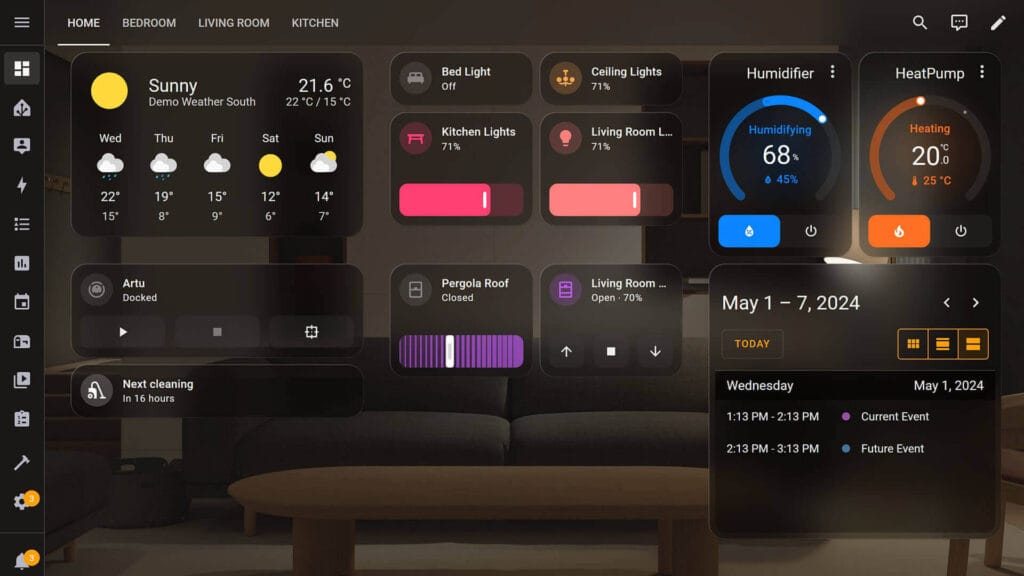
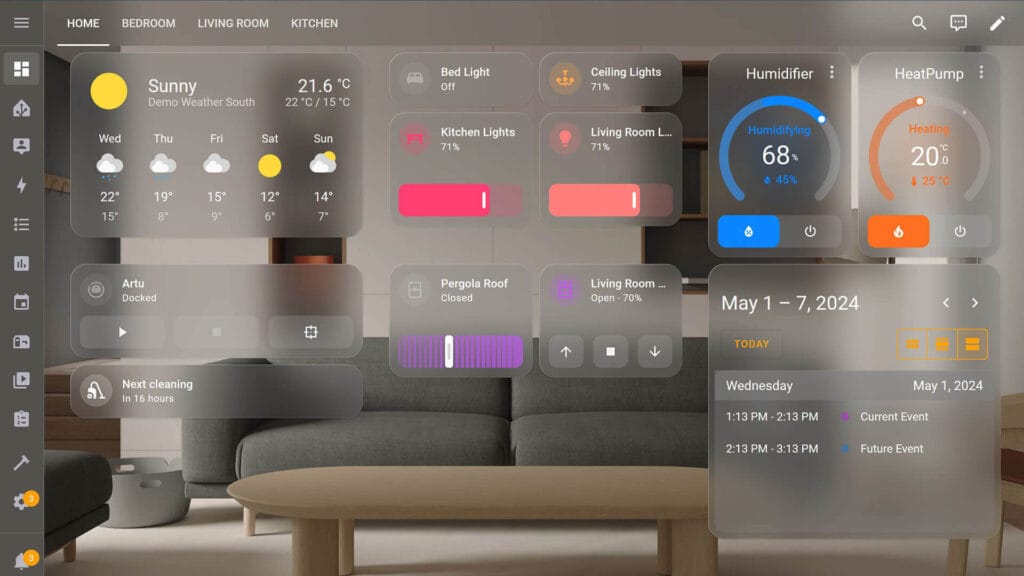
This theme started as a visionOS look for Home Assistant and now also includes an iOS 26 Liquid Glass variant. Both switch between light and dark mode automatically. The author recommends the UIX integration, a drop-in replacement for card-mod, to make the sidebar transparent. A sample dashboard configuration is in the repository if you want the layout from the screenshots.
- Modes: Light/Dark
- Colors: visionOS, Liquid Glass
- Made By: Nezz
- GitHub: Nezz/homeassistant-visionos-theme
6. Material You Theme
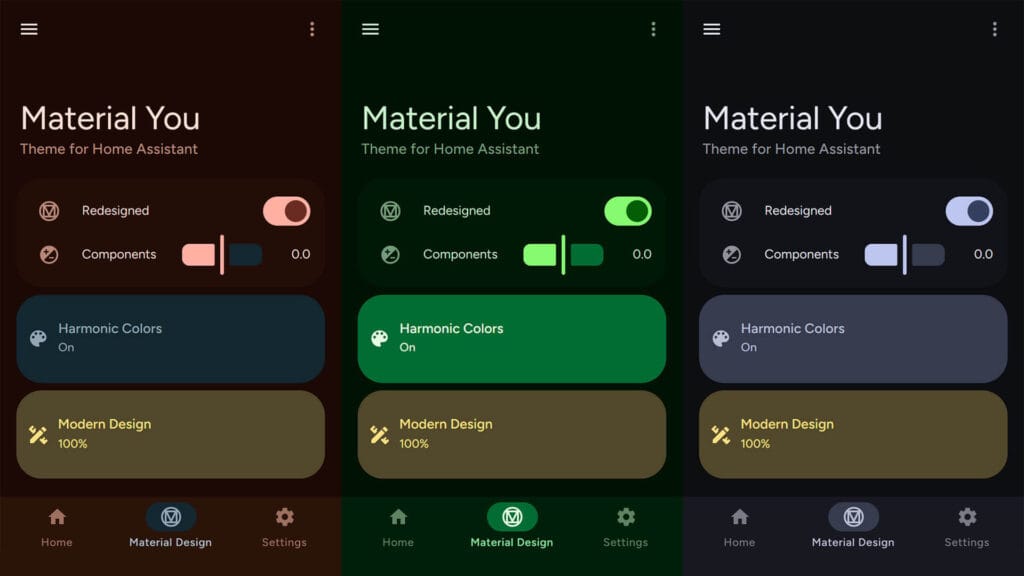
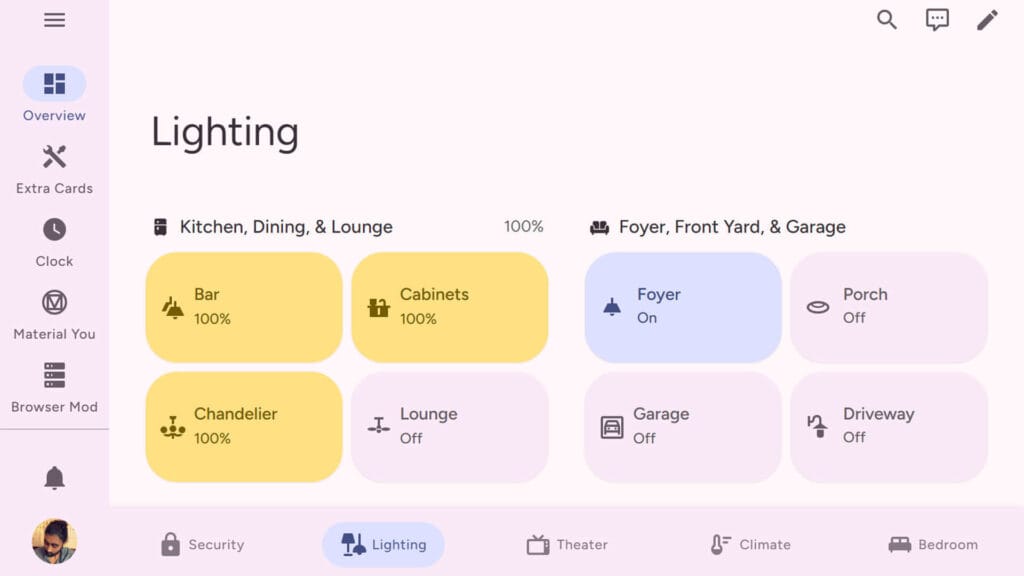
Material You is a full implementation of Google’s Material Design 3 for Home Assistant, including the newer Material Expressive updates. Out of the box it uses a blue color scheme. For custom colors and restyled components, install the companion Material You Utilities module and set the theme in your profile, not per view. Google Sans Flex is the recommended font.
- Modes: Light/Dark
- Colors: Custom (via Material You Utilities)
- Made By: Nerwyn
- GitHub: Nerwyn/material-you-theme
5. iOS Themes
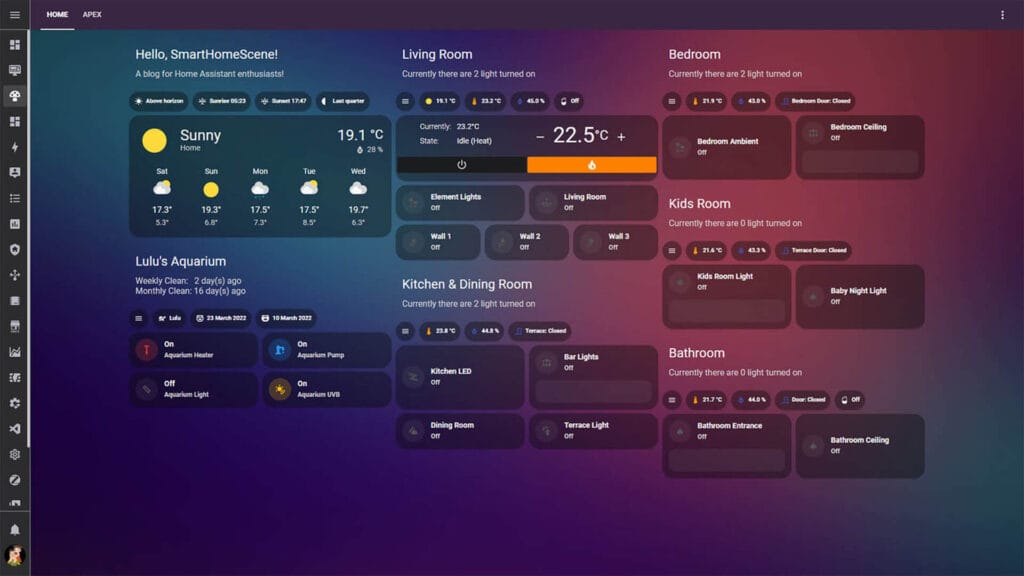
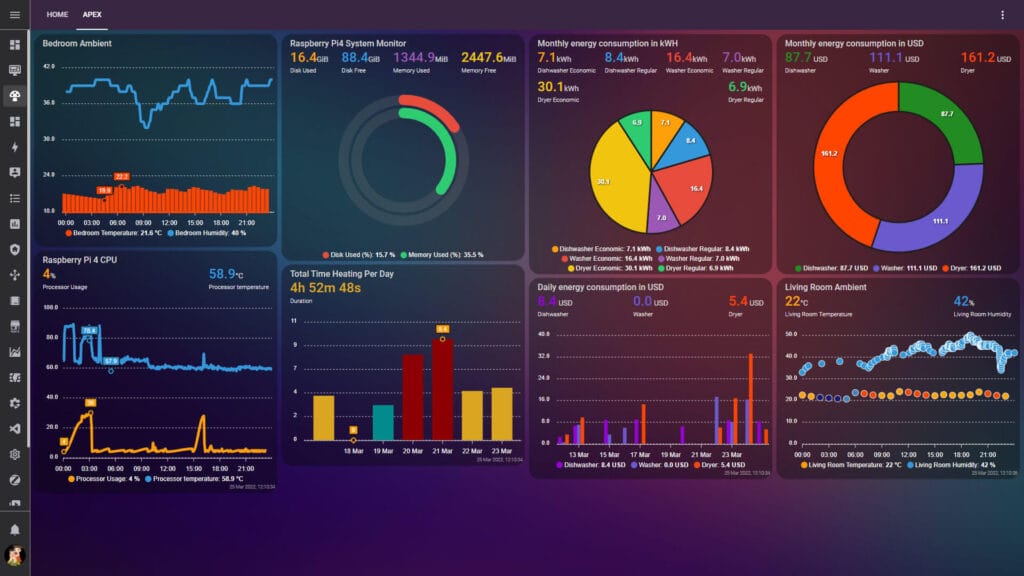
iOS Themes copies the look of Apple Home with light and dark modes and seven HomeKit wallpapers. Installing it adds 28 theme variants to your profile. Since version 3.0.0 the wallpapers load from GitHub by default, and the alternative versions use images stored locally in your www folder. Add background: var(--background-image) to your dashboard for the wallpaper to show.
- Modes: Light/Dark
- Colors: 28 available
- Made By: basnijholt
- GitHub: basnijholt/lovelace-ios-themes
4. HA LCARS
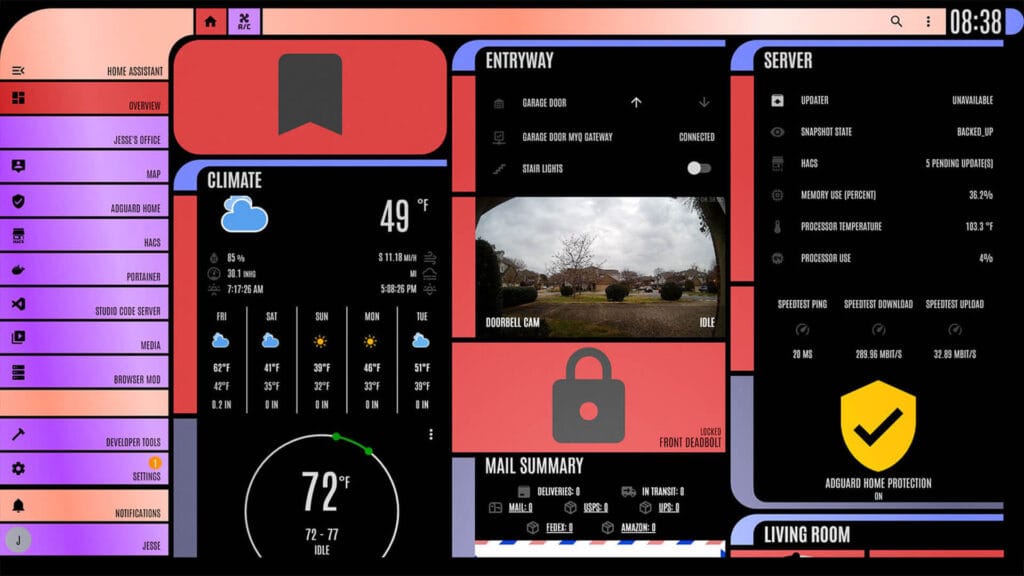
HA LCARS recreates the LCARS computer interface from Star Trek. It ships a long list of color themes, including Classic, 25th Century, Next Generation, Lower Decks, Romulus, Cardassia, Kronos and Nemesis, and every one now has light and dark modes. Setup takes more work than most themes, since you need a font, a JavaScript resource and a few helper entities. The latest versions use UIX instead of card-mod.
- Modes: Light/Dark
- Colors: Classic, 25th Century, Next Generation, Lower Decks, Romulus, Cardassia, Kronos, Nemesis and more
- Made By: th3jesta
- GitHub: th3jesta/ha-lcars
3. Graphite Theme
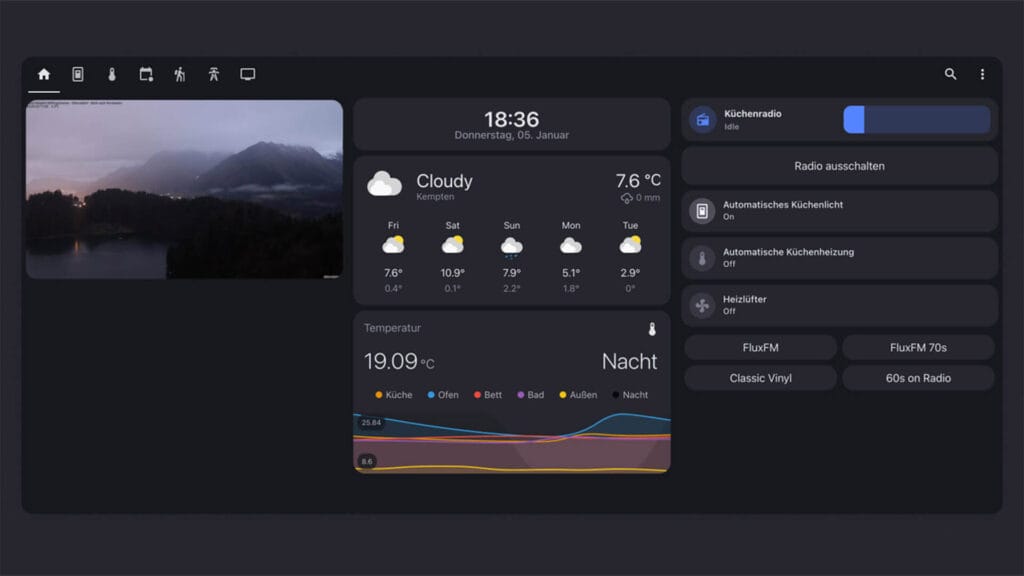
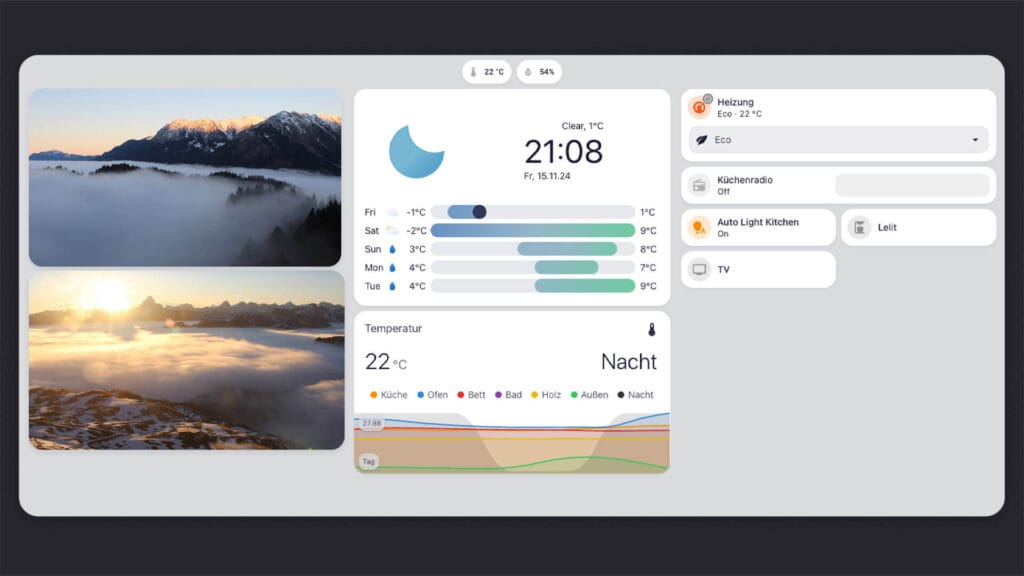
Graphite is a calm, minimal theme with a soft dark mode and a clean light mode. It uses native device fonts and styles the whole interface, from dashboards to the settings pages and code editors, without extra plugins. It also includes two E-Ink variants made for e-paper dashboards.
- Modes: Light/Dark/E-Ink
- Colors: 1 available
- Made By: TilmanGriesel
- GitHub: TilmanGriesel/graphite
2. Frosted Glass Theme
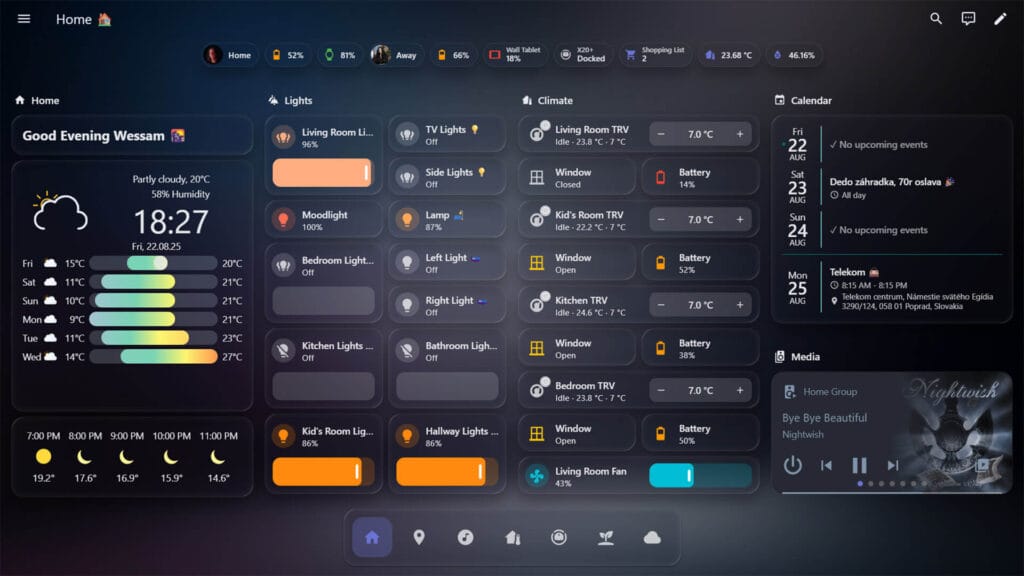
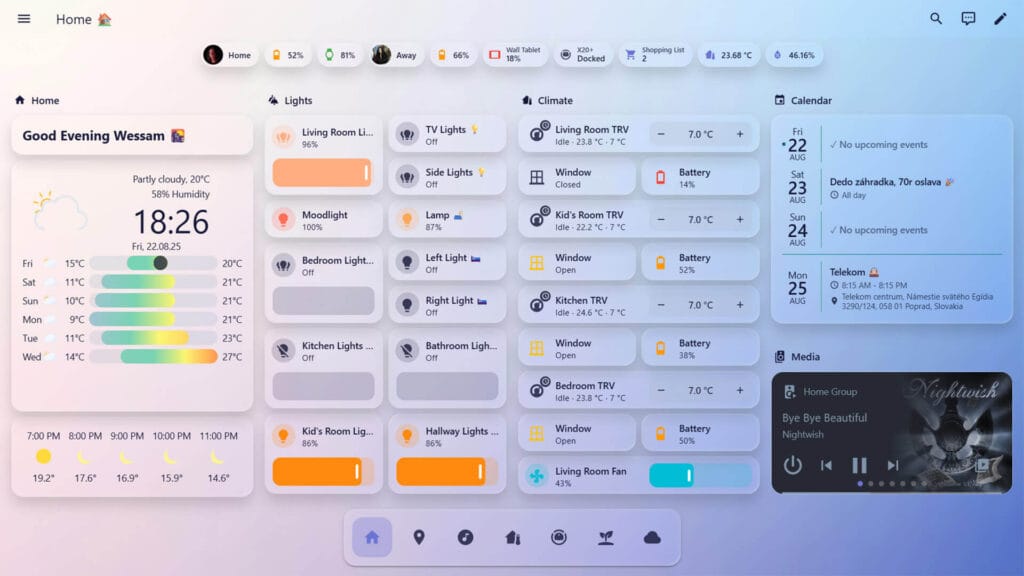
Frosted Glass gives cards a transparent, blurred background that creates a layered glass look. It comes in light and dark versions, plus Lite editions without blur for older tablets and low-power devices. The optional Frosted Glass Theme Manager integration lets you pick your own primary color and background image from the UI. The theme requires card-mod for the blur and styling.
- Modes: Light/Dark
- Colors: Custom (via Frosted Glass Theme Manager)
- Made By: wessamlauf
- GitHub: wessamlauf/homeassistant-frosted-glass-themes
1. Catppuccin Theme
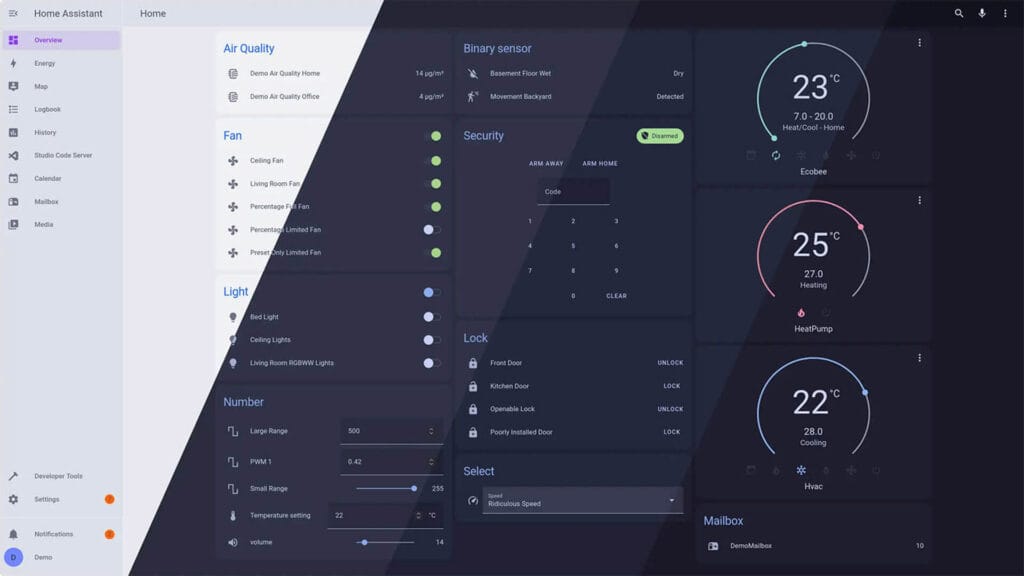
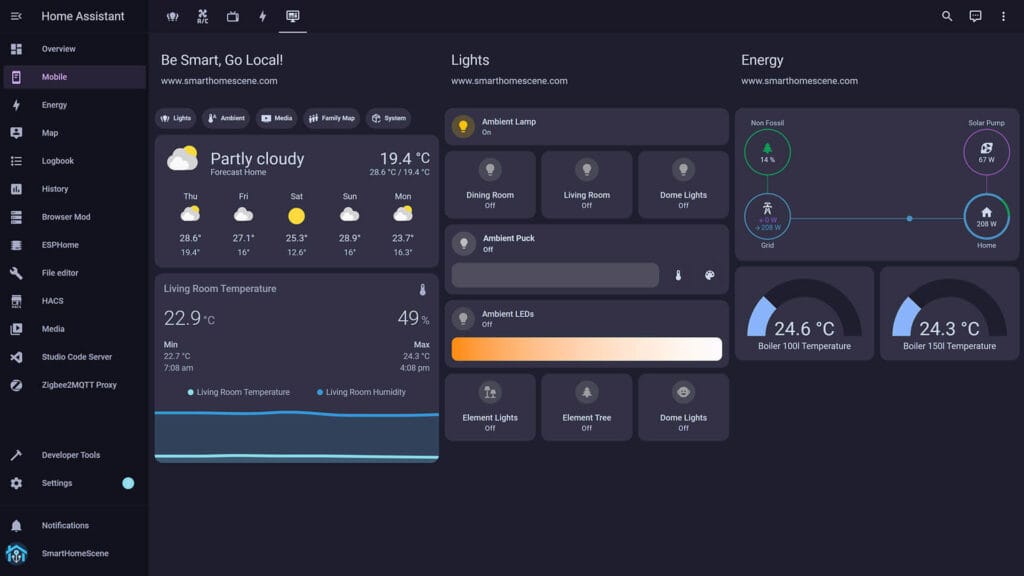
Catppuccin is a beautiful, calm, pastel theme that sits between low and high contrast themes. It comes in four flavors, Latte, Frappé, Macchiato and Mocha, and styles the whole Home Assistant interface, including the code editors.
- Modes: Light/Dark
- Colors: Latte, Frappé, Macchiato, Mocha
- Made By: Catppuccin
- GitHub: catppuccin/home-assistant
Gallery








Author of HA-LCARS, here. Thanks for the shout-out!
Hey, thanks for showing up! Your work is excellent and much appreciated!
Cheers!
Legend! So awesome. Which makes me wonder do you have any others? Cyperpunk? Ultra Futuristic?
the kibibit theme has been removed from hacs and is no longer maintained. In 2022 a whole bunch of errors were introduced and never addressed. it now needs custom CSS to be used. Not completely broken. But it doesn’t belong in this list anymore unfortunately. It’s a favourite of mine.
what about https://github.com/biofects/Enhanced-Biofects I found this gem and is my favorite by far.
Great find, I’ll look into it! Thanks!
I was just thinking we needed an updated list! Thank you!
Your’re welcome!