

For the past year or so, SMLight has released so many different Zigbee coordinators and Thread Border Routers that things are becoming messy and difficult to understand. What’s more interesting to me is that older coordinators, like the SLZB-06 range, are still highly relevant and usable, capable of driving very large mesh networks without breaking a sweat.
So, why is SMLight releasing so many different models and coordinators? I’m sure I don’t know. What I can tell you is that whichever model you pick will perform as advertised, as their hardware and software support is great and ahead of many competitors.
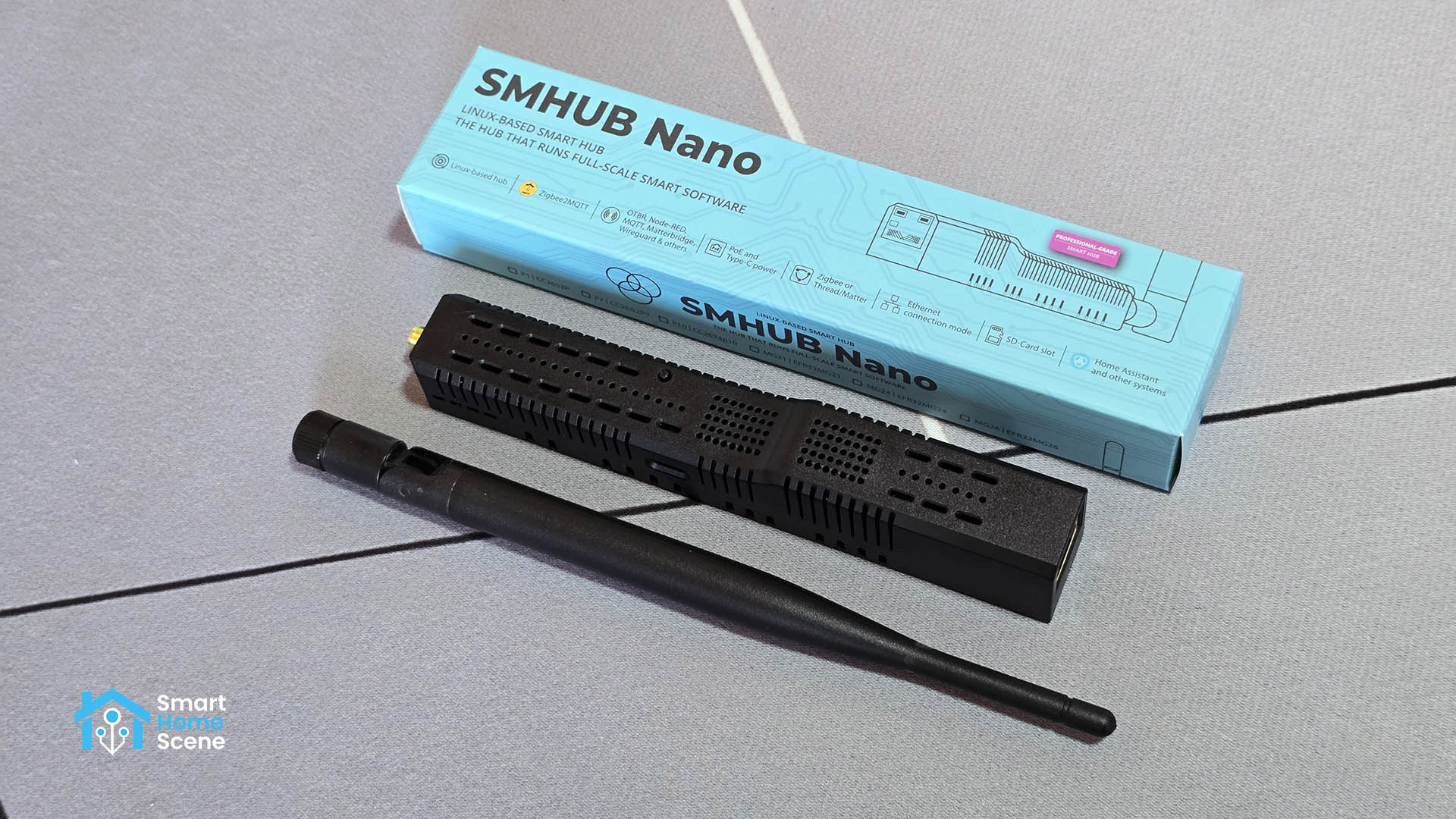
In this article, I’m sharing my experience with the new SMLight SMHUB Nano MG24. While this device may look like just another Zigbee/Thread coordinator, it’s anything but; it’s a standalone smart hub meant to run as a micro-server, bridging the gap between various smart home protocols and smart home apps.
You can get it on Amazon US, Amazon UK, Amazon DE and Domadoo.
What’s the SMHUB Nano?
The SMLight SMHUB Nano MG24 is a Linux-based smart hub built for local home automation. It runs a Linux-based operating system called SMHUB-OS and is designed to handle your smart home logic entirely on the device, without relying on the cloud.
Unlike other SMLight devices, which are Zigbee and Thread coordinators and routers, the SMHUB Nano is an all-in-one smart home hub that runs apps like Zigbee2MQTT, OpenThread, Matterbridge, NodeRED and others directly on the device. The SMLight SMHUB Nano is the smaller brother of the new SMHUB Professional.
Who’s the SMHUB Nano for?
From first glance, it can be difficult to wrap your mind around exactly who the SMHUB Nano is for. It offers so many things and throws so many technical terms out there that it quickly becomes confusing. It sure doesn’t help that it looks exactly the same as other SMLight PoE coordinators, too.
Well, essentially the SMHUB Nano detaches critical smart home apps from your main server and runs them fully locally. This means that in a remote location, detached house or your elderly parents’ home, you can simply deploy the Nano to bridge various smart home apps like Zigbee2MQTT, Matterbridge, or Z-WaveJS and run them entirely without a Home Assistant server.
By hosting the “brain” of your automation logic directly on the hardware, the Nano effectively transforms from a simple antenna into a standalone micro-server that ensures your devices stay responsive even if your primary network or main server goes offline. Whether or not you need something like this is entirely up to you.
What’s inside the SMHUB Nano?
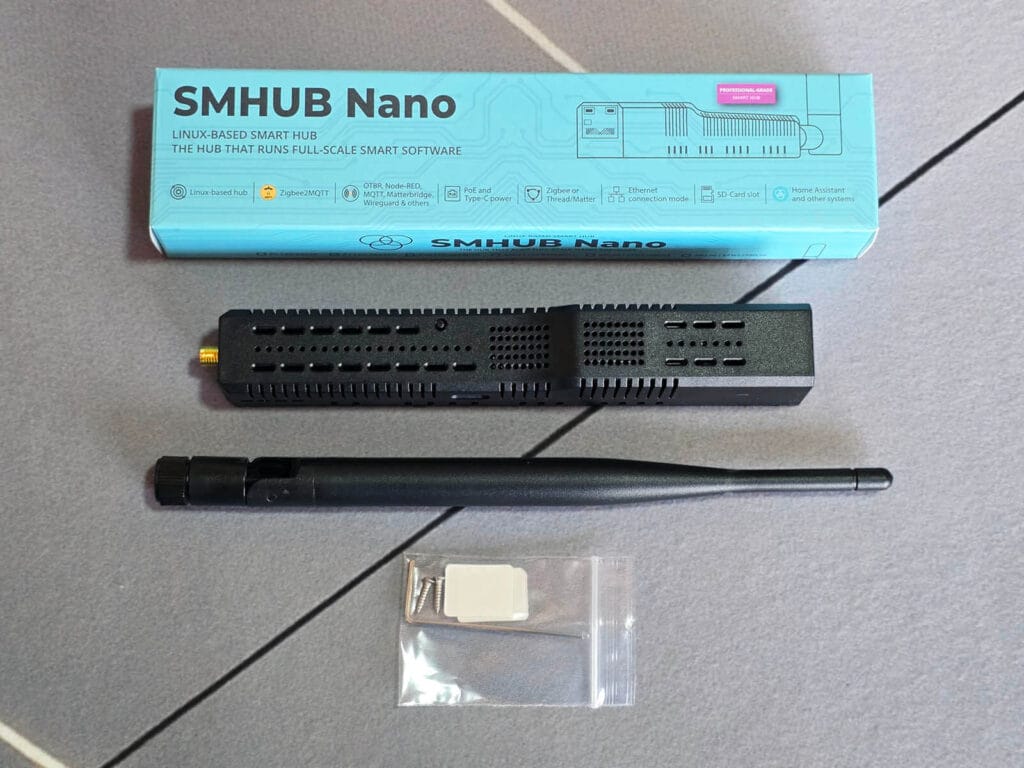
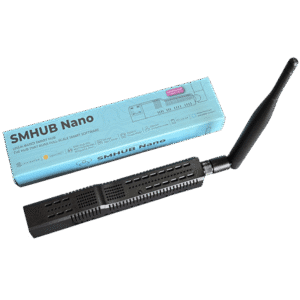
The SMLight SMHUB Nano MG24 arrives in a nice blue box that includes the device, an external antenna, a quick-start manual, and a set of stickers and screws for mounting. In terms of its physical design, the shape, size, and overall appearance are identical to SMLight’s other single-antenna PoE coordinators like the SLZB-06 range.
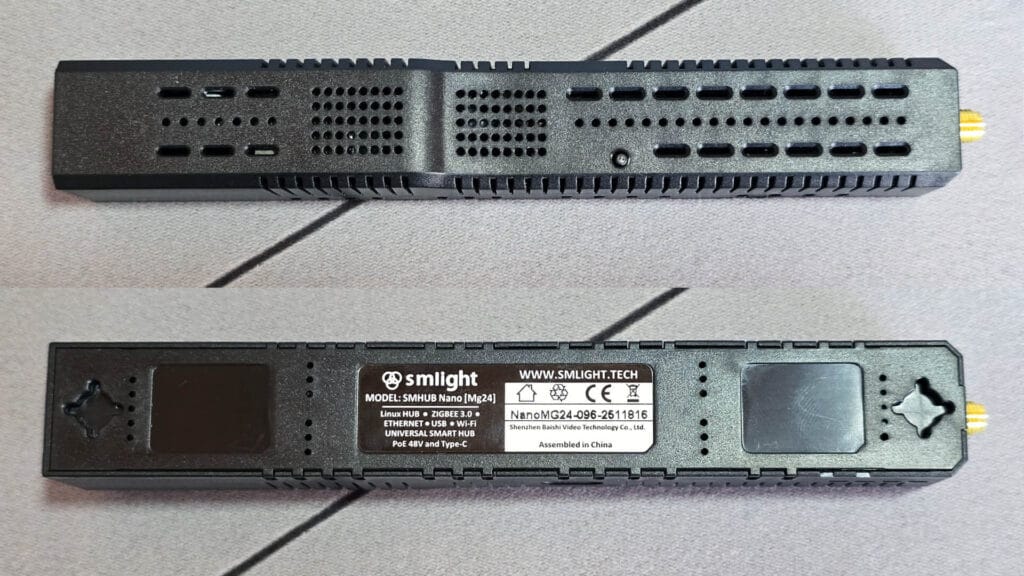
SMLight officially labels the SMHUB Nano as a Linux Hub, as its operating system is Linux-based. The back of the device features printed basic technical information and two screw-mounting holes. If you own any of the previous generation SMLight PoE coordinators, you’ll find that these mounting points and dimensions are exactly the same.
Once you open up the Nano, the differences start becoming noticeable. The first thing that sticks out is the internal antenna used by the onboard SoC for Wi-Fi communication. Instead of an ESP32 board, the SMHUB Nano uses something else entirely, a processor capable of actually running the Linux kernel.
The PoE port remains in the same position as on previous models, as does the Zigbee/Thread chip on the opposite side. This chip is what the external antenna is used for, providing the primary signal for your mesh networks.
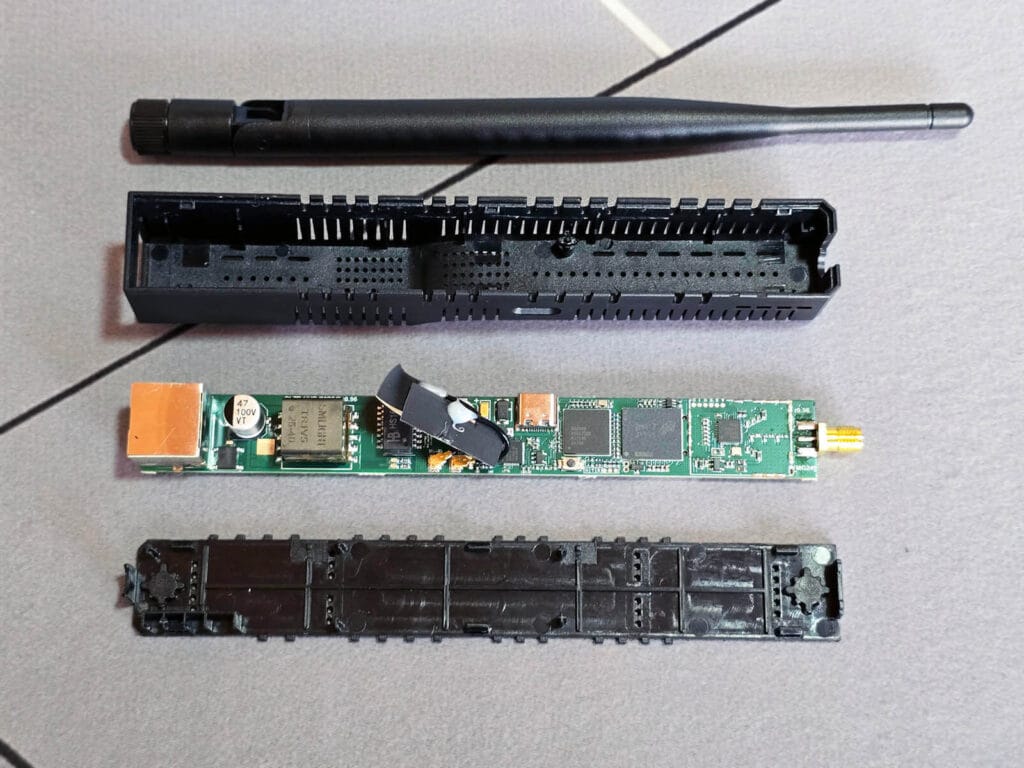
The SMHUB Nano MG24 is built on a sophisticated multi-processor architecture that separates high-level system logic from low-level radio communication. By analyzing the markings on each chip, I can wrap my mind on how this device operates as a “standalone brain” for your smart home.
The SOPHGO SG2000 [Datasheet] serves as the primary “brain” of the device. Unlike simpler devices that use low-power microcontrollers (e.g. ESP32), this is a sophisticated 64-bit SoC featuring a 1.0 GHz primary core and a 700 MHz secondary core. This dual-core architecture is what allows the hub to run a full Linux kernel and simultaneously manage heavy applications like NodeRED, Zigbee2MQTT, as well as a dedicated web interface. The 512 MB of SIP DRAM the Nano MG24 uses are integrated directly inside the SG2000 processor to save board space.
The Micron JY995 [Datasheet] is the largest chip you see on the board, providing the 8 GB of eMMC storage for the device. This industrial-grade storage is significantly more reliable than standard microSD cards, protecting your data from corruption during power outages or frequent write cycles.
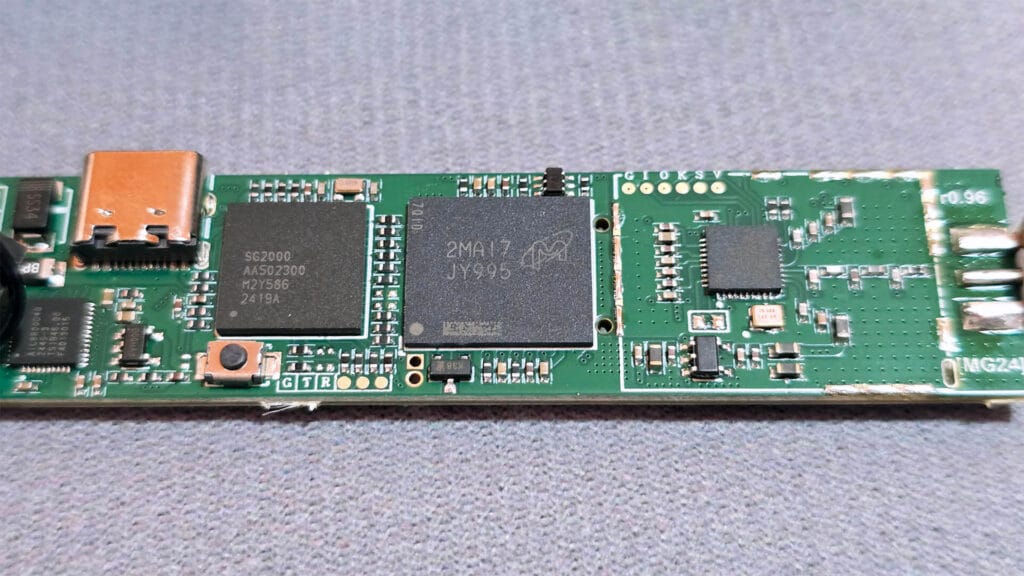
For wireless 802.15.4 communication, the EFR32MG24 [Datasheet] acts as a dedicated radio SoC from Silicon Labs. While the main processor handles the system logic, this chip focuses entirely on the Zigbee and Thread protocols, using its own internal ARM Cortex-M33 processor to manage high-density radio traffic independently. The MG24 is, in my opinion, the best Thread/Zigbee SoC at the moment, as I consider the MG26 redundant.
The TR1V5 appears to be a specialized PoE (Power over Ethernet) flyback transformer custom-labeled for SMLight. While the hub can be powered via USB-C, this component is the heart of the PoE circuitry. It converts higher PoE voltage input into the stable 5V and 3.3V levels required to power the hub’s internal processors and radios.
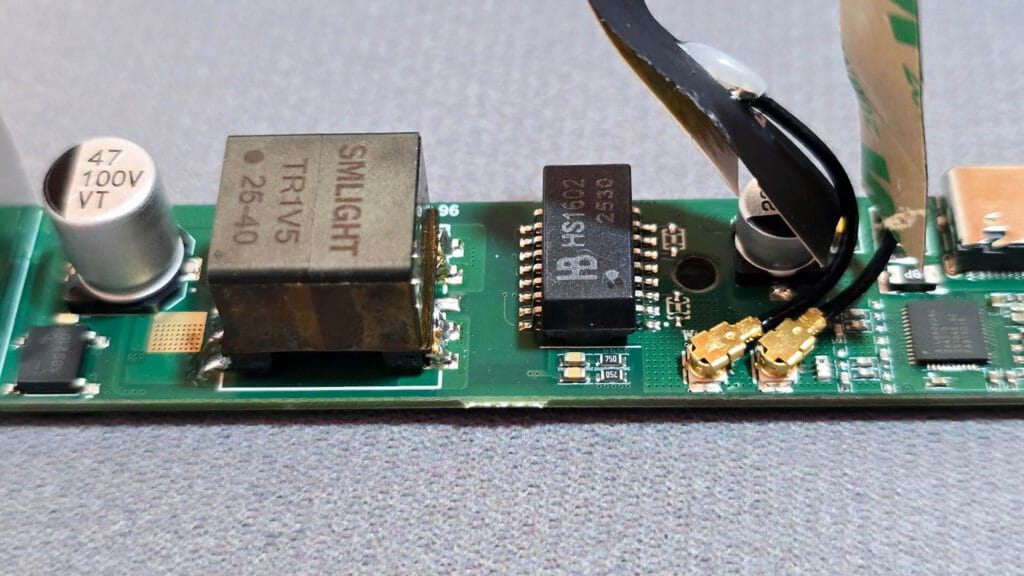
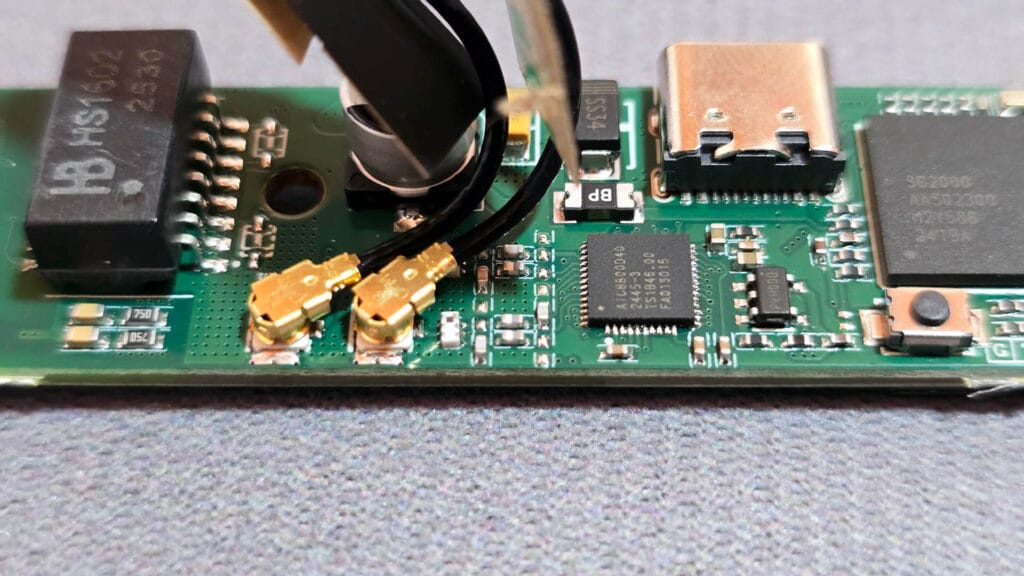
Finally, the AIC8800D40 [Datasheet] is a integrated combo chip from AICSEMI that provides the hub with Wi-Fi 6 and Bluetooth 5.4 capabilities. This chip allows the SMHUB Nano to maintain a high-speed wireless connection to your router (up to 287 Mbps). For various reasons, the primary one being latency and instability, I don’t see this device being user reliably over Wi-Fi. However, It’s worth noting that the SMHUB Nano MG24 does support 5GHz networks.
SMHUB OS Dashboard Overview and Setup
Once the SMHUB Nano boots up, you can access the web dashboard via its IP address, which you can find in your DHCP list. Alternatively, you can access smhub.local which will resolve and take you to the dashboard via mDNS.
At this point in development, the dashboard is still in beta and labeled as an Early Adopter version. Even still, I found no bugs when clicking through the menus or changing settings, but it does seem it’s still not optimized fully and can feel sluggish.
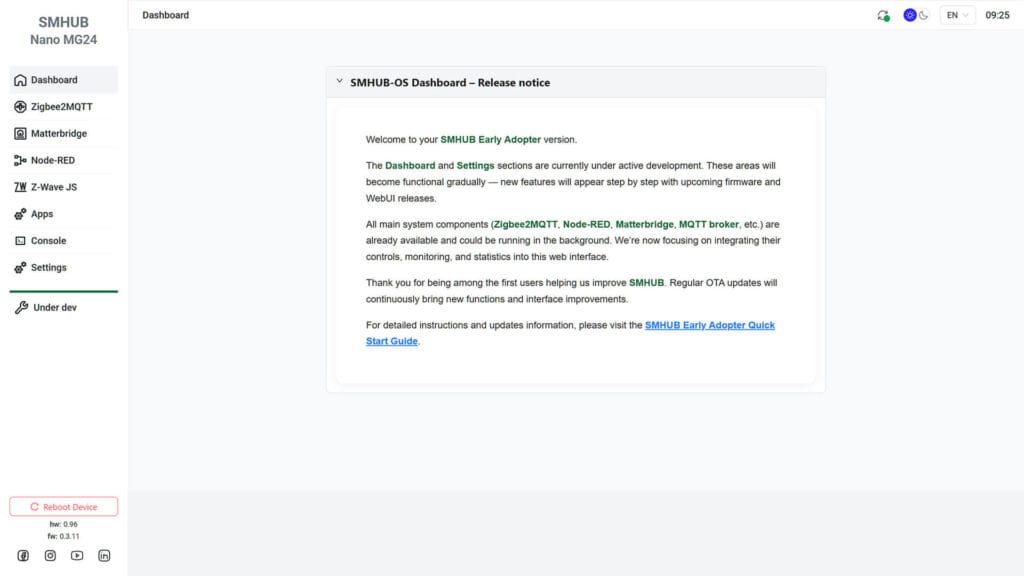
The Nano MG24 has a few apps pre-installed and running, so you can start using them straight away. Zigbee2MQTT and Matterbridge are running out of the box, but do you need to install and setup the others from the Apps menu.
The first thing I did was go through the Settings menu and tweak some things. I added a username and password combo in the Authorization menu, so that the web dashboard is not so easily accessible. I changed the time zone to match my own and updated the firmware of the device. This bumped the Nano MG24 to version 0.3.11 at the time of my testing, which is the latest stable version available.
The Settings menu also contains the MQTT broker settings, which allows you to run Mosquito MQTT broker as a native app on the Nano MG24 itself or simply connect it to a remote one running on your local network, like on Home Assistant. This is a simple and easy way to bridge the Zigbee2MQTT app running on the Nano to your Home Assistant instance and expose any paired devices.
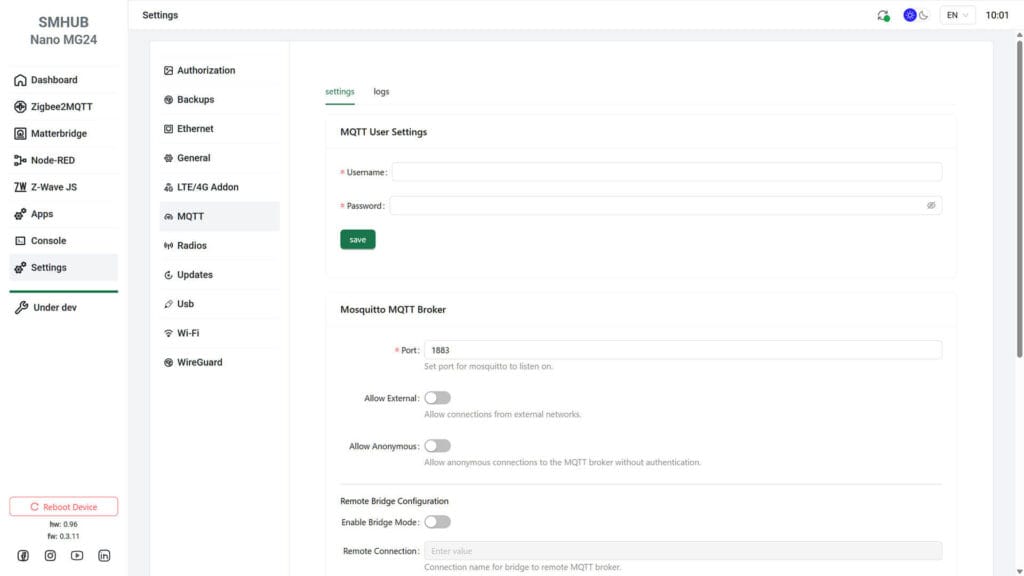
The Radio menu allows you update the firmware of the EFR32MG24 chip and configure the operating mode. Here you can choose between a Zigbee coordinator, Zigbee router and Thread, which runs on the OpenThread standard. If for some reason you want to use Wi-Fi, you can configure that as well, although I highly suggest you use a wired Ethernet connection instead.
Furthermore, like other SMLight devices, they include a built-in WireGuard plugin which allows you to connect the Nano remotely to your home network over a secure tunnel. Interestingly, there is also a Tailscale app which you can install and use instead, found in the apps menu. More on this below.
Once I configured everything, I created a backup of my configuration which can later be used to simply restore the entire OS along with any installed apps. You can also include the Home folder (scripts, SSH keys, Downloads, etc.) in the backup or keep it off to backup only core features and apps.
Installing Apps on the SMHUB Nano
The SMHub Nano MG24 supports several apps which boast its intended use case as a standalone smart hub. You can find the entire list in the Apps menu on the left side. What’s interesting is that you also have access to a web terminal within the OS itself, allowing to install and configure additional services you might need.
Here’s what the Apps screen looks like:
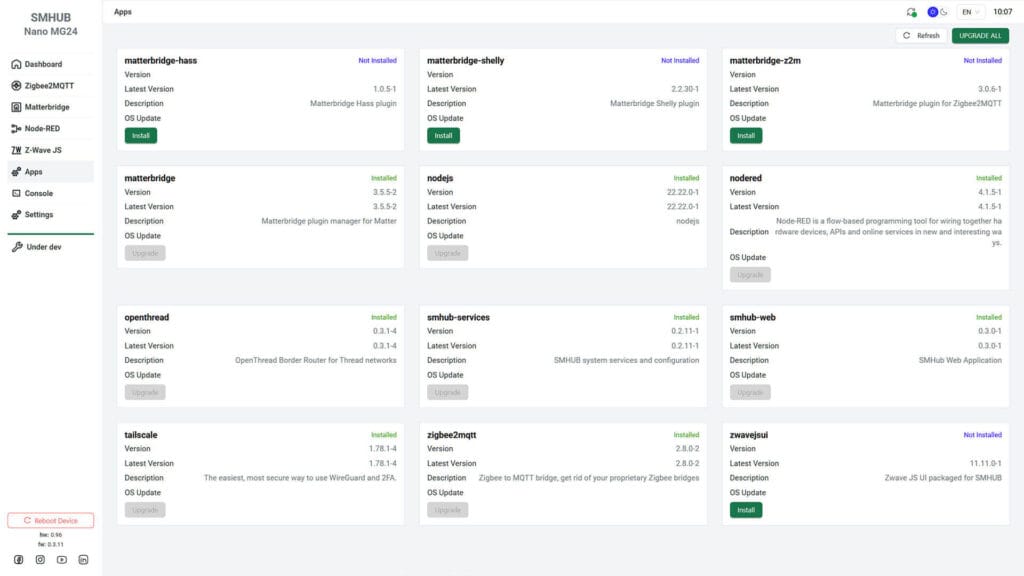
Matterbridge on the SMHUB Nano operates as a modular system. The main matterbridge app acts as the core manager, while the other versions are specific plugins that allow different types of devices to be exposed to Matter ecosystems like Home Assistant, Apple Home or Google Home.
- matterbridge: This is the core “plugin manager” for Matter. It is required to host and run all the other specific plugins. It’s important to reboot this app when you install additional plugins.
- matterbridge-z2m: This plugin connects directly to Zigbee2MQTT. It takes the Zigbee devices paired with your SMHUB and “bridges” them so they appear as Matter devices on your network.
- matterbridge-hass: This is the plugin for Home Assistant. It allows you to take entities already existing in Home Assistant and expose them to other Matter controllers through the SMHUB.
- matterbridge-shelly: This is a dedicated plugin for Shelly devices. It allows you to integrate Shelly’s Wi-Fi-based switches and sensors into your Matter ecosystem locally through the hub.
The true strength of the Nano lies in its ability to host the industry’s most popular open-source tools directly on the hardware. By running these applications locally, the hub acts as a standalone brain that processes commands instantly without ever pinging a cloud server. For automations, Zigbee and OpenThread, here’s what each app does:
- zigbee2mqtt: The primary bridge that connects Zigbee devices to your network, allowing you to control them via MQTT without needing a proprietary hub. This is already pre-installed and running on the Nano MG24.
- nodered: A flow-based programming tool used to create local automations; it allows you to wire together hardware devices and APIs with a visual editor. This app can be used to create automations on the device itself.
- zwavejsui: A web interface and gateway that allows you to manage a Z-Wave network locally using a compatible USB dongle. This leverages the Nano MG24 USB passthrough mode, which allows you to attach a Z-Wave controller like the ZWA-2 and use it with Z-Wave JS directly on the Nano MG24.
- openthread: Turns the SMHUB into an OpenThread Border Router, enabling it to route traffic for Thread-based Matter devices.
- tailscale: A zero-config VPN service that allows you to access your SMHUB Nano securely from anywhere in the world without opening ports on your router.
The following list of apps are part of core, essential for running the SMHUB OS along with the dashboard and required services. Here’s what each does and means:
- smhub-web: The core web interface you are currently using to manage the hub and its settings.
- smhub-services: The background system services that handle the “heavy lifting,” such as controlling hardware access and managing the other apps.
- nodejs: The runtime environment required to execute JavaScript-based applications on the hub; it is the foundation that many of these apps (like Matterbridge) run on.
Testing Connectivity, Performance and Apps
Pairing to Z2M, Exposing via Matter
In order to test performance and interoperability between apps running on the Nano MG24, I decided to start with the simplest use case. Pair a Zigbee device to Zigbee2MQTT running on the device itself and expose it via Matter to Home Assistant.
I paired the new Sonoff TH Temperature and Humidity sensor:
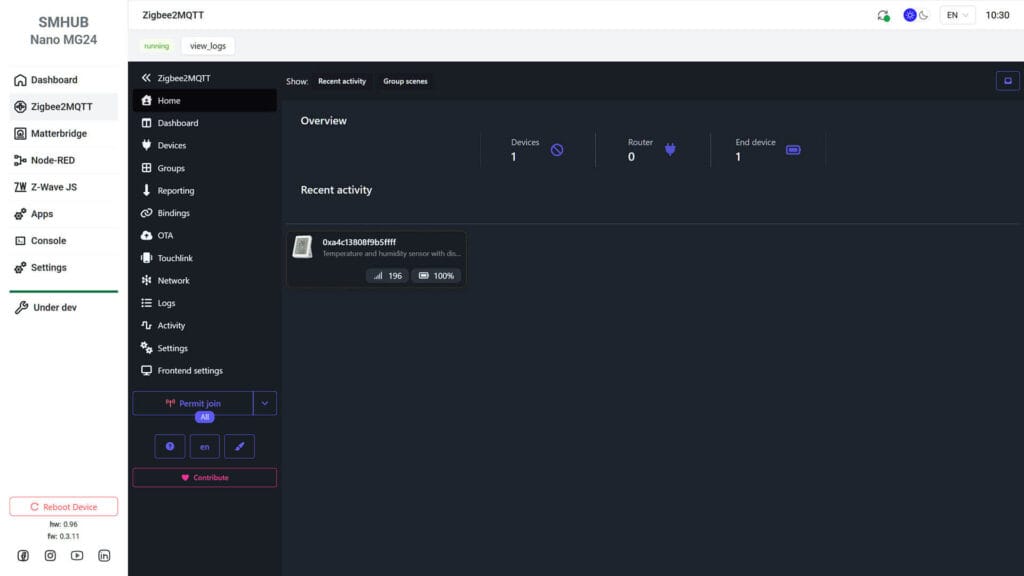
Zigbee2MQTT running on the SMHUB Nano MG24 behaves and operates just like you were running it on Home Assistant or inside a Proxmox LXC. There are no differences to my eye, besides the eye sore Windfront UI which I quickly ditched. The Sonoff TH paired immediately and started communicating with the Nano without issues.
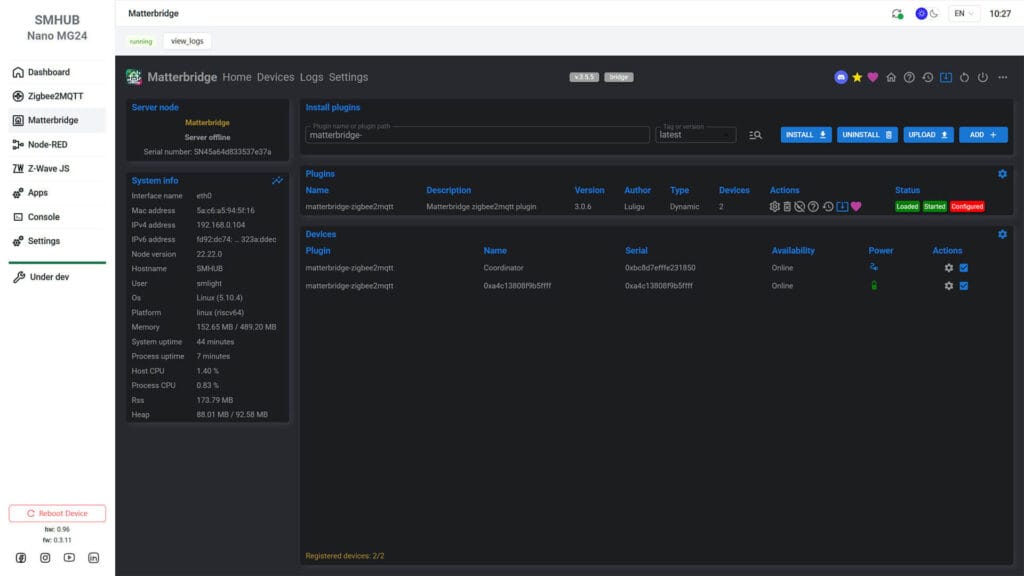
Once I installed the matterbridge-z2m plugin in addition to the core matterbridge, the device popped in the UI and was ready to be shared. From here, you simply scan the QR code from Home Assistant or Google Home and the device is shared over Matter, just like any other Matter device.
Pairing to Z2M, Exposing via MQTT
Zigbee2MQTT devices can also be exposed via MQTT to any broker you have running on your network. The SMHUB Nano MG24 allows you to do this in two ways:
- Connect Zigbee2MQTT connects directly to Home Assistant’s MQTT broker
- Connect Zigbee2MQTT to SMHUB’s local MQTT broker, and bridge it to MQTT on Home Assistant
The first option is simple, as you are changing settings only for Zigbee2MQTT and pointing it to an MQTT broker running on the local network. The second one is a bit more complex to setup, but does allow you to run an MQTT broker on the SMHUB Nano itself and bridge other devices outside Zigbee2MQTT as well (e.g. Z-Wave devices).
To set-up option number 1, use your own MQTT broker credentials and URL:
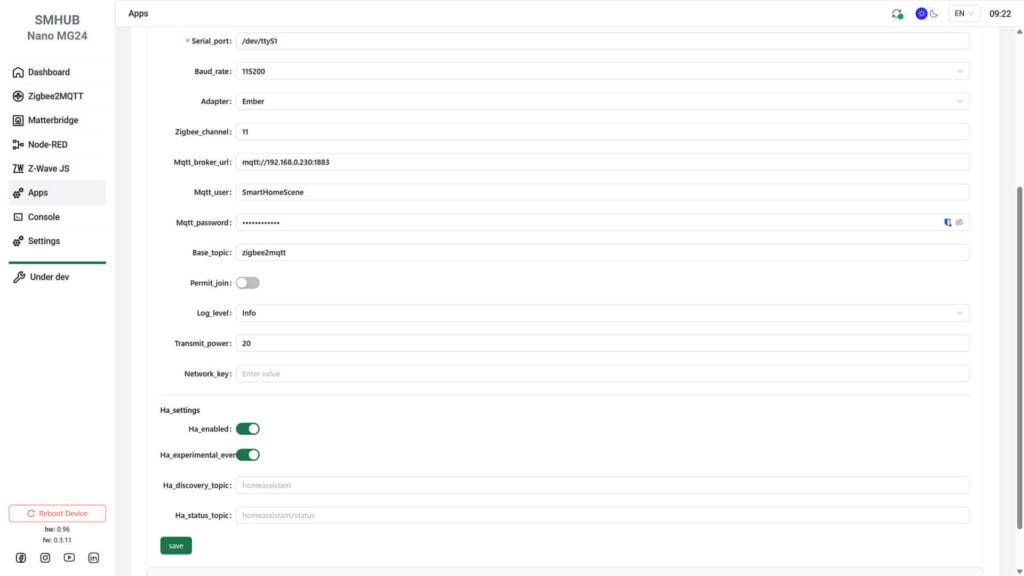
- Navigate to Settings > Apps and select Zigbee2MQTT from the list
- Click the Controls tab at the top and set:
- mqtt_broker_url: e.g.
mqtt://192.168.0.xxx:1883 - mqtt_user: e.g.
SmartHomeScene - mqtt_password: e.g.
SmartHomeScenePass - base_topic: e.g.
zigbee2mqtt
- mqtt_broker_url: e.g.
- Scroll further down to the ha_settings section:
- enable ha_enabled
- enable ha_experimental_events
- Save and restart the app
To set-up option number 2, you need to tweak several settings in the SMHUB Nano MG24 dashboard:
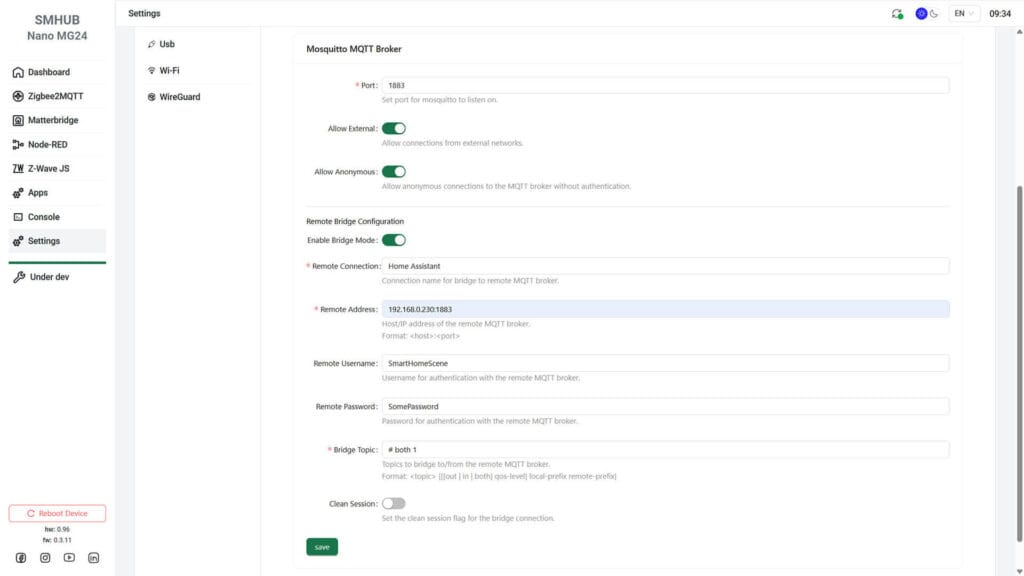
- Navigate to Apps and select Zigbee2MQTT from the list
- Scroll further down to the ha_settings section and make sure ha_enabled is on
- Click Save
- Navigate to Settings > MQTT and set:
- Port > 1883 (default)
- Allow External > Enabled
- Allow Anonymous > Enabled (add credentials later)
- Scroll down to Remote Bridge Configuration and set:
- Enable Bridge Mode > Enabled
- Remote Connection > e.g.
HA - Remote Address >
192.168.0.xxx:1883 - Remote Username > e.g.
SmartHomeScene - Remote Password > e.g.
SmartHomeScenePass - Bridge Topic >
# both 1
- Click Save and reboot SMHUB Nano
- Done
Pairing to OpenThread, Exposing via Matter
Obviously, the EFR32MG24 radio in the SMHUB Nano can be used as an OpenThread Border Router, just like other SMLight coordinators. By default, it ships with Zigbee firmware and runs Zigbee2MQTT on-device, so you would need to reflash the chip and install the OpenThread app on the Nano itself. This way you don’t have to run the OTBR app in Home Assistant, but simply integrate it via the integration:
Here’s how to do that:
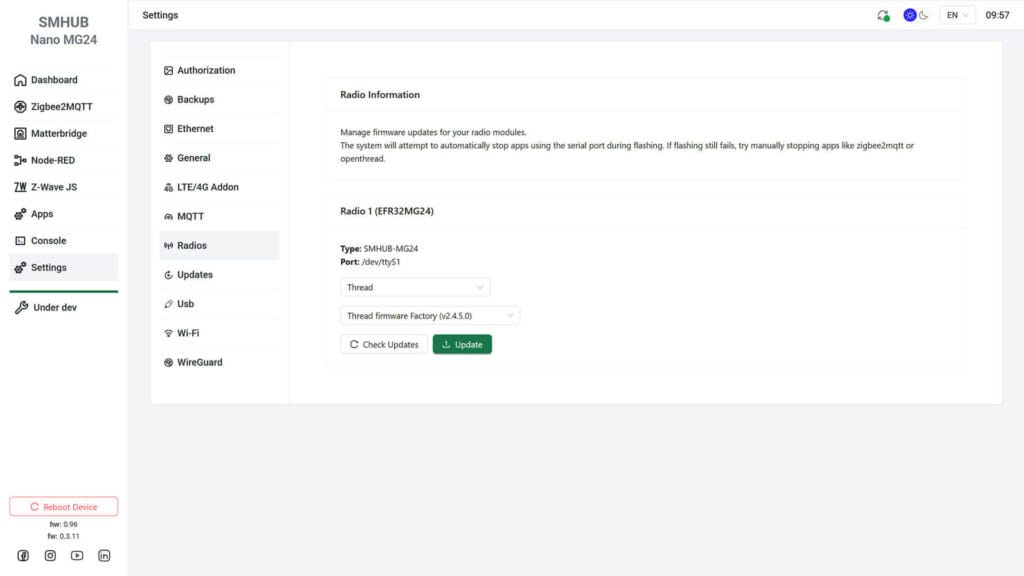
- Navigate go Settings > Radios
- Select Thread from the list and click Refresh
- Select Thread firmware factory v.2.4.5.0 (latest ATM)
- Click Update and wait for the process to finish
- Navigate to Settings > Apps
- Install the openthread app
- Toggle the Start on boot handle
- Start the app or reboot SMHUB Nano
- Done
Once the firmware flashes and the app is running, you can connect your Home Assistant server to OTBR directly on the SMHUB Nano. During the integration setup, instead of pointing to the OTBR running on HA, you simply point it to to the Nano:
- In Home Assistant, Go to Settings > Devices & Services
- Click Add Integration
- Search for OpenThread Border Router
- In the dialog window, enter you Nano IP and OTBR port:
tcp://192.168.0.104:8081
- Click Finish
- Done
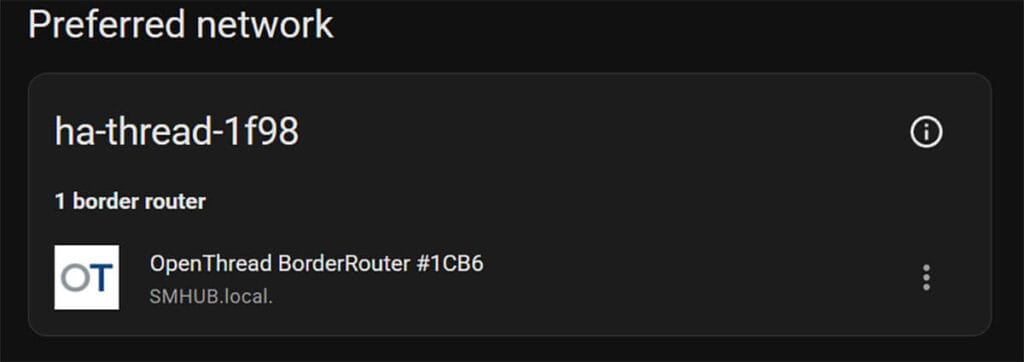
If you navigate to Home Assistant and check the Thread integration, you can see the SMHUB running as an OTBR:
Ways to connect SMHUB Nano to Home Assistant
There are a many ways to connect the SMHUB Nano to Home Assistant. Give the flexibility and capability of the device, the SMHUB Nano can act as a “Super-Bridge,” and its connectivity options go well beyond the basics. I tested several scenarios already, but here some more I can think of:
- You can connect the Zigbee2MQTT App to your Home Assistant MQTT broker
- You can connect ZHA on Home Assistant by pointing it to the Nano’s IP address and port
- You can use Matterbridge to expose your devices to Home Assistant as native Matter entities.
- You can use the Global MQTT Bridge setting to automatically expose every paired device (including Z-Wave via the Z-Wave JS UI app + passthrough) to your main Home Assistant MQTT broker.
- You can configure the hub as an OpenThread Border Router (OTBR) and connect Home Assistant to it by pointing the OTBR integration to the hub’s IP address.
- You can bridge complex logic using the onboard NodeRED app to communicate with Home Assistant via WebSockets or MQTT.
- You can use the hub as a Remote USB Adapter for other smart home software by leveraging its transparent bridge mode over TCP.
And there are probably many more I’m not thinking of right now. Whether or not some of these methods make sense is highly debatable, but I’m sure someone will find a use case for those edge cases and rare scenarios. The thing worth remembering is that the SMHUB Nano can do almost everything you can think of.
Summary
The SMLight SMHUB Nano MG24 is a bit of a curveball in a market already crowded with coordinators. While it looks like just another PoE stick, it’s actually a punchy, standalone micro-server that takes the heavy lifting off your main machine. By packing a dual-core processor and industrial-grade eMMC storage into such a small frame, SMLight has created a “set it and forget it” brain that is significantly more reliable than any Raspberry Pi booting off a shaky SD card (can we forget about this setup already?).
What I love most about this thing is its sheer independence. Whether you’re setting up a smart system for your parents or managing a remote site, being able to run Zigbee2MQTT, Matterbridge, and even Node-RED directly on the hub is a total game-changer. You don’t need to worry about your main server going down for an update and taking your lights with it; the Nano just stays in its lane and keeps the mesh running smoothly.
If you’re just starting out with three lightbulbs, this is overkill and you need to step aside. I would say even advanced users are going to struggle to find a use case for the Nano, but for those who want to bridge the gap between Zigbee and Matter without HA, the Nano is a stellar choice. It’s compact, it’s powerful, and it’s built on a hardware stack that actually respects your need for local, high-speed control.
If you find a use case for the Nano, I can comfortably recommend it. However, it’s worth remembering that the OS is still in Beta, can feel clunky at times and as it’s still being polished. At the moment, here’s where you can get it:
Also available on Amazon DE, Amazon UK, Amazon IT, Amazon ES, AliExpress.









Nice write up…
Much to learn about this SMlight hub.
Thanks for the feedback!
Definitely offers a lot.
What a fantastic write up, thank you!
You’re welcome, cheers.
Great post!
These guys at SMLight never cease to amaze me…
I’m sure they have a new hub in the works that runs Home Assistant!
Niiice… i would also put MQTT on it 😀
i like the idea of having essential services like zigbee2mqtt running on a separate device. its very inexpensive on aliexpress today with coupons….
Whats the difference in power consumption compared to the SLZB-06? Are you also planning to review the Hub Essential which is multi radio?
Was thinking about Hub Essential but if power consumption is high I’ll stick with the SLZB-06 and ha.
The SMHUB is on it’s way, so yes I will be reviewing it.
I haven’t tested power consumption, but I doubt it will be different compared to the SLZB-06
Since its running linux distro and have a lot of additional components the difference might be significant. Im really interested to see it before the purchase 😀
Hello,
nice work from you?
Did you also try to connect it via WiFi?
I have troubles to get it work.
BR Joe
Wi-Fi is the worst way to use this device. Or any network coordinator for that matter.
Zigbee, Wi-Fi, Thread and Bluetooth all coexist on the 2.4GHz band, which means interference.
So no, I haven’t used it via Wi-Fi.
You are absolutely right!
But I only wanted to know if there is a hardware-problem on my Nano MG24.
When I try:
W-iFi -> Available Networks -> Scan for Networks – > select my homenetwork -> connect!
add my cedentials -> save
settings saved < – is the feedback
then I have to close (x) the save-dialog but no connected WiFi.
should this be normal/Ok?
Is there an info for the 4 leds?
BR Joe
Are u not seeing the device in your router’s DHCP list?
Try unplugging Ethernet and rebooting the device after you save settings.
Here’s their manual
https://smlight.tech/support/manuals/books/smhub/page/5-network-connectivity
now it works, made an fw-update to 0.9.7.
thank you.
do you have information about the leds?
Per the documentation:
Yellow LED is the power LED. Default operation: On when the unit is connected to a power source.
Blue LED is the operation mode LED. Default operation: On when the device is in Zigbee-to-USB mode and off when the device is in Zigbee-to-Ethernet mode.
Green LED – this LED is active when Permit Joining is enabled in Zigbee2MQTT/ZHA.
Red LED – reserved for further work with Zigbee2MQTT
Very nice review thanks you for sharing.