

UPDATED 05.02.2026: This list has been completely revamped for 2026. Obsolete and redundant coordinators have been removed and updated our recommendations to reflect the new “EFR32MG24-standard” for high-performance Zigbee networks.
Zigbee coordinators are the core part of building a Zigbee network, without them a network cannot be formed. They orchestrate and manage your devices, define how and when they talk to each other, send and push information between them and keep the stack in check.
So, it’s simple: the better the coordinator, the better the quality of your mesh network and Zigbee experience.
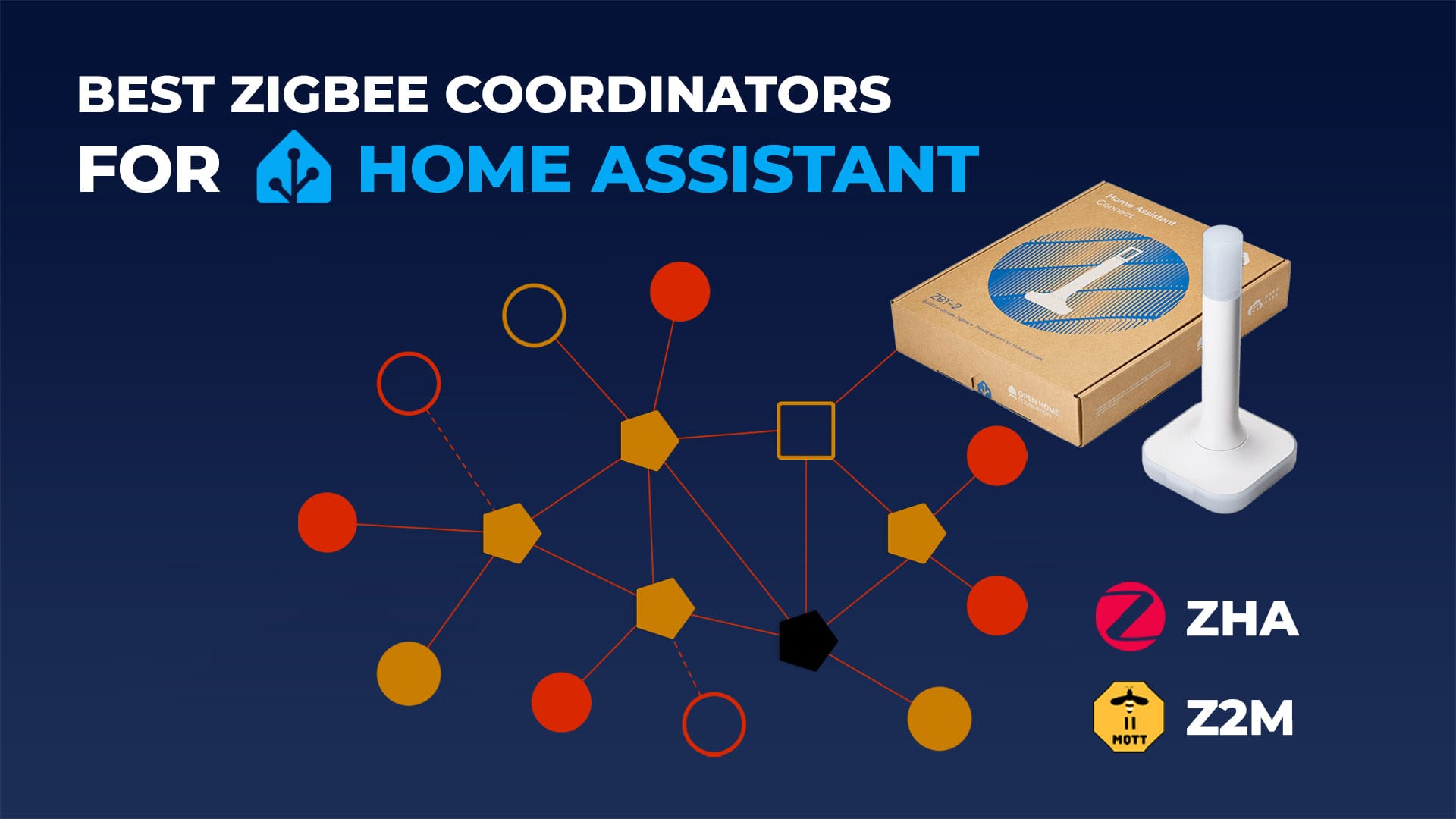
This article is an overview of the Best Zigbee Coordinators for Home Assistant in 2026, analyzed by SoC platform, integration compatibility, and overall value. If you are looking to find which is best suited for Thread, check out the Best Thread Border Routers for Home Assistant list.
If you are just starting out with Zigbee check out the only guide you will ever need for building a stable and robust Zigbee network.
Quick Summary: Best Zigbee Coordinators
If you don’t want to go through the full technical breakdown and reasoning, here are our top 3 recommendations based on performance, hardware capability, and ecosystem support.
Best Zigbee USB Dongles for Home Assistant
List of the Best USB-only Zigbee coordinators for Home Assistant, compatible with ZHA and Zigbee2MQTT. Remember to use them with a USB extension cord, to eliminate USB port interference.
🥇Best USB Dongle Overall
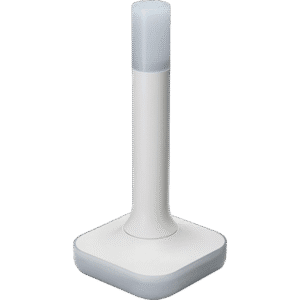
The Home Assistant Connect ZBT-2 is a USB Zigbee and Thread adapter designed specifically for Home Assistant systems. It is built around a Silicon Labs EFR32MG24 radio and uses an external 4.16 dBi omnidirectional antenna tuned for the 2.4 GHz band, giving it an excellent link quality for both Zigbee and Thread devices.
What truly sets the ZBT-2 apart is its dual-chip architecture. Unlike standard dongles that use a basic USB-to-UART bridge, this device integrates a dedicated ESP32-S3 co-processor to handle the communication between the radio and your Home Assistant server. This design choice explicitly offloads the serial bridging tasks, ensuring that the EFR32MG24 radio can dedicate 100% of its resources to maintaining your network mesh.
In practice, you can use the ZBT-2 either as a Zigbee 3.0 coordinator or as a Thread adapter, not both at the same time. Home Assistant provides separate firmware options and setup flows so you can choose between Zigbee (with ZHA or Zigbee2MQTT) or Thread for Matter devices and switch roles when needed.
For teardown photos and detailed breakdown, read the full Home Assistant ZBT-2 Review.
🥈Best High-Power USB Dongle
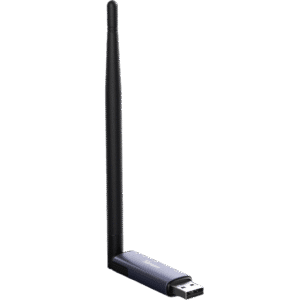
The Sonoff Dongle Plus MG24 is the official successor to the Sonoff ZBDongle-E. While the ZBDongle-E is still available, the Dongle Plus MG24 is a significant upgrade in raw power. It is based on the latest Silicon Labs EFR32MG24 SoC, but its real selling point is the radio performance: it pushes the legal limit with +20dBm output power paired with a massive +4.5dBi external antenna.
This combination creates the highest “out-of-the-box” gain of any USB coordinator on this list. If you need a stick that can punch through thick walls or cover dead zones that standard +3dBi dongles can’t reach, this is the one to get.
What’s interesting about this dongle is that it can run Sonoff’s MultiPAN firmware, which allows you to form both Zigbee and Thread networks on a single SoC. It’s worth noting that this feature is experimental and not officially supported by Home Assistant.
Check out our Sonoff Dongle Plus Review to learn more.
🥉Best Compact USB Dongle
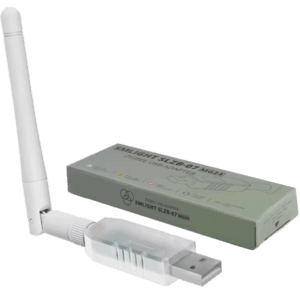
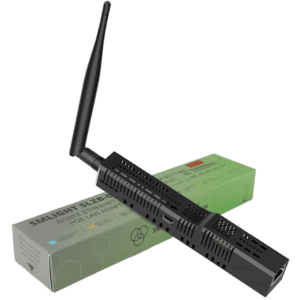
If you are familiar with SMLight coordinators, the new SLZB-07MG24 is an excellent option. It uses the EFR32MG24 chip and includes a +3 dBi external antenna. The adapter is a capable Zigbee and Thread coordinator that can handle large networks without issues. SMLight also tends to ship their devices with the latest stable firmware, which is not always the case with other manufacturers. One thing to keep in mind is that the dongle should be used with a USB extension cable, because interference from nearby USB ports is very likely.
Hardware-wise, SMLight didn’t cut corners. It integrates the premium CP2102N USB-to-UART converter, which ensures rock-solid serial communication with your host, eliminating the connection drops often seen with cheaper CH340 chips. Furthermore, it features Auto-BSL support, allowing you to easily flash firmware updates or switch between Zigbee and Thread modes via SMLight’s web flasher without manually pressing physical buttons or putting the device in bootloader mode.
💰Best Budget USB Dongle
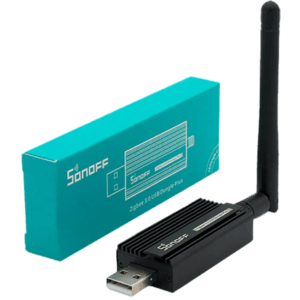
If you don’t need the absolute latest EFR32MG24 chip, the Sonoff ZBDongle-E remains the best value-for-money coordinator in 2026. Based on the EFR32MG21 radio from Silicon Labs, this dongle was our top pick for over two years and continues to run thousands of Home Assistant instances reliably.
While it lacks the raw power of the newer Sonoff Dongle Max (MG24), it is still rock-solid for ZHA and Zigbee2MQTT networks. It ships with a +3dBi antenna and is often frequently available for nearly half the price of modern MG24 USB coordinators. For users building a moderately sized Zigbee network, the ZBDongle-E is still a beast.
Best Zigbee LAN/PoE Coordinators for Home Assistant
List of the Best Hybrid (USB, LAN, PoE, Wi-Fi) Zigbee coordinators for Home Assistant, compatible with ZHA and Zigbee2MQTT. Remember to update the firmware in the web dashboard before pairing devices.
🥇Best PoE Coordinator Overall
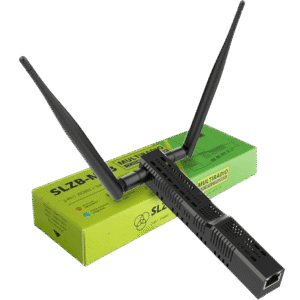
The SLZB-06MG24 is a PoE powered coordinator built on the EFR32MG24 SoC from Silicon Labs. It supports up to 350 Zigbee end devices and is fully compatible with both ZHA and Zigbee2MQTT. The MG24 radio is paired with an external +5dBi antenna, giving it stable range and enough headroom for very large Zigbee networks. Thread is supported natively on this model, although it operates as a single protocol device at a time, just like the rest of the SLZB-06 range.
Under the hood, the device relies on a robust dual-chip design, utilizing a dedicated ESP32 processor to manage Ethernet, Wi-Fi, and the web interface, while the EFR32MG24 is left dedicated entirely to Zigbee traffic. This separation of concerns ensures that accessing the dashboard or pushing a firmware update never destabilizes your mesh network. It effectively makes the coordinator “crash-proof” in ways that single-chip USB dongles cannot match.
SMLight includes an advanced web dashboard for configuration, firmware management, and basic network tools. The SLZB-06MG24 also supports Wi-Fi via its ESP32 subsystem, if for some reason you want to use it. The SMLight range can connect a remote Zigbee network to your Home Assistant instance via WireGuard, a very welcome and useful feature. Overall, the SLZB-06MG24 is the top pick, as the pricier SLZB-06MG26 is overkill and unnecessary for a dedicated Zigbee network.
🥈Best High-Power PoE Coordinator
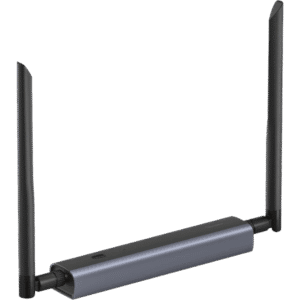
The Sonoff Dongle Max is the latest and greatest PoE coordinator from Sonoff, based on the EFR32MG24 SoC. It supports the latest 8.x firmware and ships with +5dBi tuned dual antennas that deliver excellent performance for modern DIY smart homes. While it supports both Zigbee and Thread at the firmware level, you can only run one at a time (despite what the antennas suggest). Sonoff claims MultiPAN support is working fine, although I highly advise against using it on single SoC coordinators.
The Sonoff Dongle Max has its own beautiful web dashboard, useful for configuration and debugging. You can configure an MQTT server, set up webhooks, enable WireGuard, and add an eWeLink Remote Gateway. There is also a very interesting feature that Sonoff decided to include, called the Channel Energy Scan. This tool scans the entire 2.4 GHz spectrum and identifies which channels are occupied or free.
Check out the Sonoff Dongle Max Review to learn more.
🥉Best Dual-Radio PoE Coordinator
The SMLight SLZB-MR3 is a high-end, dual SoC Zigbee and Thread coordinator. This model is powered by an EFR32MG24 and CC2674P10 which you can use for either Zigbee or Thread. Just like the first version (MR1), it can run both networks simultaneously, each on its own dedicated radio. Thanks to the newer MG24 and P10 chips, it has increased capacity, supporting up to 750 end devices, with 350 on Zigbee and 400 on Thread. The external dual antenna setup combines the strengths of both radios, giving it excellent coverage.
Its PoE design, built-in web dashboard, Wi-Fi support, and ESPHome integration for Bluetooth proxies make it a highly capable all-in-one coordinator. The MR3 is ideal for users who expect large networks, want maximum headroom, or plan to grow both their Zigbee and Thread ecosystems without swapping hardware later. If you are aiming to cover both Zigbee and Thread, the SLZB-MR3 is the smart choice. You should only consider the SLZB-MR4 (EFR32MG26) if your primary focus is a large-scale Thread network, as the extra RAM provides zero benefit for Zigbee.
NOTE:
- The SMLight SLZB-MR2 (EFR32MG21/CC2652P) is not included in this category because its Texas Instruments chip is weaker than the MR1 and its Silicon Labs SoC is the same.
- The SMLight SLZB-MR4 (EFR32MG26/CC2674P10) is not included in this list because its Texas Instruments chip is the same as the MR3, while the Silicon Labs chip offers no tangible performance benefit over the EFR32MG24 used in the MR3 when it comes to Zigbee.
USB vs. PoE Zigbee Coordinators: Which should you choose?
Now that you have seen the best options out there, it is important to understand the practical differences between these two connectivity methods. Depending on your home layout and server location, one type will be much more suitable than the other.
- USB Zigbee Dongles
- Connectivity: Direct physical connection via USB.
- Power: Powered directly by the server’s USB port.
- Best For: Beginners, small apartments, or setups where the server is already centrally located.
- PoE Zigbee Coordinators
- Connectivity: Ethernet (LAN), Wi-Fi, or USB.
- Power: Power-over-Ethernet (PoE) or USB-C.
- Best For: Large homes, virtualized servers (Proxmox/Docker), or placing the coordinator in a central location away from the server.
The easiest options are standard USB Zigbee sticks. You simply plug them into your server and you are good to go. However, they are physically tethered to your machine. PoE Coordinators offer superior versatility. Since they connect over your local network, you can install the device physically anywhere in your home to maximize signal coverage, regardless of where your Home Assistant server sits.
Texas Instruments vs. Silicon Labs Chips
While the connectivity method (USB vs. PoE) determines where you can place your coordinator, the chipset determines how well it performs. The market is currently dominated by two chip manufacturers: Texas Instruments (TI) and Silicon Labs (SiLabs).
Texas Instruments chips like the CC2652P [Datasheet] were the gold standard for DIY Zigbee networks for many years. The industry has shifted significantly since then and these have largely been surpassed by the more modern EFR32 series from Silicon Labs, like the EFR32MG21 [Datasheet] or EFR32MG24 [Datasheet].
Furthermore, with the new release wave of Zigbee coordinators like the Home Assistant ZBT-2 and Sonoff Dongle Plus / Dongle Max, we’re seeing more and more EFR32MG24 [Datasheet] based coordinators. This is a newer, more powerful chip with more RAM and a better processor, capable of handling larger networks with ease. Here’s how they compare to each other:
| Feature | EFR32MG21 | EFR32MG24 | CC2652P | CC2652P7 | CC2674P10 |
|---|---|---|---|---|---|
| Processor | Arm Cortex-M33, 80 MHz | Arm Cortex-M33, 78 MHz | Arm Cortex-M4F, 48 MHz | Arm Cortex-M4F, 48 MHz | Arm Cortex-M4F, 48 MHz |
| Wireless Protocols | Zigbee, Thread, Bluetooth LE | Zigbee, Thread, Bluetooth LE | Zigbee, Thread, Bluetooth LE | Zigbee, Thread, Bluetooth LE | Zigbee, Thread, Bluetooth LE |
| Output Power | Up to +20 dBm | Up to +20 dBm | Up to +20 dBm | Up to +20 dBm | Up to +20 dBm |
| Security Features | Secure Boot, TrustZone, Cryptography | Secure Boot, TrustZone, Cryptography | AES-128 Encryption | AES-128 Encryption | Secure Boot, TrustZone, AES-128 Encryption |
| Flash Memory | Up to 1 MB | Up to 1.5 MB | Up to 512 KB | Up to 704 KB | Up to 1 MB |
| RAM | Up to 128 KB | Up to 256 KB | Up to 80 KB | Up to 144 KB | Up to 352 KB |
| Peripherals | UART, SPI, I2C, ADC, GPIO, etc. | UART, SPI, I2C, ADC, GPIO, etc. | UART, SPI, I2C, ADC, GPIO, etc. | UART, SPI, I2C, ADC, GPIO, etc. | UART, SPI, I2C, ADC, GPIO, PWM, etc. |
| Development Tools | Simplicity Studio | Simplicity Studio | TI Code Composer Studio | TI Code Composer Studio | TI Code Composer Studio |
| Operating Temperature | -40°C to +125°C | -40°C to +125°C | -40°C to +85°C | -40°C to +125°C | -40°C to +125°C |
| Supply Voltage Range | 1.71V to 3.8V | 1.8V to 3.8V | 1.8V to 3.8V | 1.8V to 3.8V | 1.8V to 3.8V |
Technical Comparison Table
To help you make the final decision, here is the side-by-side comparison of every coordinator’s key hardware specs for easy reading.
| Model | Chip | Antenna | Max Output | RAM / Flash | Connection | Integration | Links |
|---|---|---|---|---|---|---|---|
| Home Assistant ZBT-2 | EFR32MG24 | +4.16dBi | +10dBm | 256kB / 1.5MB | USB | ZHA, Z2M, OTBR | Amazon Domadoo |
| Sonoff Dongle Plus MG24 | EFR32MG24 | +4.5dBi | +20dBm | 256kB / 1.5MB | USB | ZHA, Z2M, OTBR | Amazon AliExpress |
| SMLight SLZB-07MG24 | EFR32MG24 | +3.0dBi | +20dBm | 256kB / 1.5MB | USB | ZHA, Z2M, OTBR | Amazon AliExpress |
| Sonoff ZBDongle-E | EFR32MG21 | +3.0dBi | +20dBm | 96kB / 1MB | USB | ZHA, Z2M, OTBR | Amazon UK Amazon DE |
| SMLight SLZB-06MG24 | EFR32MG24 | +5.0dBi | +20dBm | 256kB / 1.5MB | USB, LAN, PoE, Wi-Fi | ZHA, Z2M, OTBR | Amazon AliExpress |
| Sonoff Dongle Max | EFR32MG24 | +5.0dBi | +20dBm | 256kB / 1.5MB | USB, LAN, PoE, Wi-Fi | ZHA, Z2M, OTBR | Amazon AliExpress |
| SMLight SLZB-MR3 | EFR32MG24 CC2674P10 | +5.0dBi | +20dBm | 256kB / 1.5MB 256kB / 1MB | USB, LAN, PoE, Wi-Fi | ZHA, Z2M, OTBR | Amazon AliExpress |









Nice guide. A few questions:
– SkyConnect is the only one which is future proof with Matter & Thread support?
– I’m currently using a Sonoff Zigbee Bridge with Tasmota, would you say I’m better off upgrading?
Thanks
SkyConnect and Sonoff ZBDongle-E both use the EFR32MG21 which supports Thread and Matter.
You won’t go wrong with either.
Although, I would honestly not run a Thread network and a Zigbee network on the same stick.
The UZG-01 is top of the line for Zigbee right now.
Hi. Thanks for the nice article.
Why do you prefer ZigStar UZG-01 (CC2652P7) over SLZB-06 (CC2652P) or SLZB-06M (EFR32MG21)?
What are the benefits?
Well, It’s not inherently “worse” in the most basic sense of the word, but it does use the ZigStar firmware, developed by the same person who made the ZigStar coordinators.
So it’s essentially a clone firmware wise.
I expect support to be better on ZigStar coordinators, since the firmware is created specifically for their coordinators.
The CC2652P7 is better in almost every aspect than the CC2652P2. As for the EFR32MG21, ZigStar has a coordinator coming up with this chip in the near future.
Thanks. So is it better to get ZigStar(CC2652P7) now or wait for the version with EFR32MG21 or buy SLZB-06M?
ZigStar UZG-01. You will never need another Zigbee coordinator.
I have UZG-01 with P7 and I am having trouble with Zigbee2MQTT. I know that Radu (ZigStar) is working with Koenkk (Zigbee2MQTT) on stable firmware, but not done yet
What are the issues you are having?
1. very low LQI in many cases <20
2. Zigbee2MQTT crashes once per day in average
3. Maybe not related to P7 directly (however I did not observe it before), but TuYa ZY-M100-24G (zigbee) and/or TuYa MTG075-ZB-RL (zigbee) crash UZG-01. HA entities are still shows availability, but actually they are not responding. Need to power cycle UZG-01 and restart Zigbee2MQTT add-on.
Hi,
I tried the SkyConnect und Sonoff Dongle-E with a semi large Zigbee network (around 70 devices) with ZHA and keep having problems. What do you recommend for large Zigbee networks?
They are both awesome for any network size, you most likely need to add more routers or repath better.
If I could see a map, I can tell better.
Since I can’t paste images directly in here I uploaded the image. Hope this works:
https://imgbox.com/TIcWXJoK
The problems I have with my Zigbee network are that I keep getting messages about my Zigbee Channel 15 utilization is over 90% (even though my wifi is at channel 11+ and the wifi router is over 5 meters away from the zigbee dongle) and I get EmberStatus.DELIVERY_FAILED messages in the log. Usually this results in my automations stopping to work after a few days of uptime.
First, Zigbee and Wi-Fi channels numbering do not match, I hope you are aware of that.
https://www.metageek.com/training/resources/zigbee-wifi-coexistence/
Second, I would use an app on the phone and scan for any Wi-Fi networks creating interference on the same channel.
I would test by changing the Wi-Fi channel first, not the Zigbee channel since it will involve repairing all devices.
You network seems fine, another thing to check is spammy devices that may cause delays (e.g. certain presence sensors)
hi
i am newbie
Required Assistance for Integrating Aeotec Zi-Stick with Zigbee2MQTT in Home Assistant
I am reaching out to seek assistance with integrating my Aeotec Zi-Stick with Zigbee2MQTT and Home Assistant. Despite following the available guidelines, I am encountering some difficulties in getting the setup to work as expected.
Here are the details of my setup:
— redacted, too long —-
I would greatly appreciate your guidance on resolving these issues. If there are any specific logs or additional information needed from my end, please let me know, and I will be happy to provide them.
Thank you for your time and assistance. I look forward to your response.
Best regards,
The Aeotec Zi-stick is based on the EFR32MG21 module, not the CC2652 from Texas Instruments.
You need to add
adapter: ezsporadapter: emberto your configuration, just bellowportWhether or not you can use the new ember driver depends on your coordinator version (you need the latest firmware)
Hi SHS,
I have a question regarding my home automation setup. Currently, I have a lot of Wi-Fi devices connected at home, and I am now adding some Zigbee devices. I have a Sonoff ZB with Tasmota connected to Home Assistant using ZHA. My Zigbee devices include those from Sonoff and some from AliExpress. The Sonoff ZB is working great, but now I am adding Zigbee devices to the second floor, and the RSSI for some devices is around 40/50.
What should I do to improve the signal?
Should I buy some smart plugs or USB repeaters for the second floor?
Should I change the Sonoff ZB coordinator to a different one and flash the Sonoff ZB to work as a router for the second floor?
Currently, I have 12 Zigbee devices on the first floor, and I expect to have around 30-35 devices split between the two floors.
Thanks in advance for your help!
30-35 devices is nothing, the number won’t cause you problems.
However, the bridge can introduce latency and connection drops since it uses Wi-Fi to communicate.
Your best choice is to use an USB coordinator (ZBDongle-E, ZBDongle-P, SLZB-07, SLZB-07p7) or a LAN/PoE coordinator (SLZB-06, SLZB-06M or Zigstar UZG-01).
I would use the bridge solely as a Zigbee router, unhook it from the Wi-Fi.
Or just get a cheap signal repeater for the second floor.
Some resources for u:
https://smarthomescene.com/guides/how-to-build-a-stable-and-robust-zigbee-network/
https://smarthomescene.com/reviews/extending-network-range-with-cheap-zigbee-signal-repeaters/
https://smarthomescene.com/guides/how-to-use-ember-driver-with-efr32mg21-zigbee-adapters/
Does the ZigStar UZG-01 support touch link? I have a bunch of original hue bulbs that are a pain without touch link.
Thanks for the updated article as of 04/12/2025
I enjoy reading your articles.
As of today, I am entirely on zigbee network (no wifi, bluetooth etc) on HA.
With thread devices becoming popular, I wish to add a thread dongle (by retaining my actual sonoff dongle-P for zigbee) to effectively have two separate dongles as per your above recommendations.
Which thread dongle would you recommend ?
Also, when using two separate dongles (one for zigbee and one for thread), with both using USB extensions, can I keep both dongles next to each other, or should they be well separate ?
Thank you once again
Thanks for updating this. One thing I wished you touched on more was ease of firmware updates. Seamless and frequent firmware updates is an important consideration.
Yeah, you are right. I’ll look into adding this.
I’m getting the opposite results with my Dongle Plus MG24 compared to the test published on SmartHomeScene. Considerably less LQI across the board (35 devices), in some cases less than half the LQI. I’m also experiencing much more lag in the network, with some devices taking many seconds to react to input. I re-paired all devices for safe measure and also tried out different channels, to no avail. When switching back to the Dongle-E everything is back to normal. I’m using Home Assistant and Z2M. I was looking forward to the upgrade, but ended up with a downgrade 😅 I have seen others complain about signal quality in the MG24 as well. Any input/feedback welcome!
There is definitely something amiss in your setup.
Can you set the network channel to 20, power down your network for 30minutes and boot it back up?
I’m curious what’s causing the delay, it’s almost definitely not the Dongle Plus.
Please report back.
You wrote in an old comment from 2023 that you wouldn’t run ZigBee and Thread on the same corodinator. Is that still the case and is it also the case when running a PoE coordinator like SMLight SLZB-MR1 or SMLight SLZB-MR3?
Would you rather have two SLZB-06MG24/SLZB-06P10/Sonoff Dongle Max and have one of them using Zigbee and the other using Thread?
I’m coming from a single Conbee 2 stick running only Zigbee but would like to place my coordinator more in the center of the house which an PoE/LAN coordinator will help with and also add support for Thread devices.
At the time, i was likely referring to the MultiPAN firmware for running Thread and Zigbee simultaneously.
This firmware (which is no longer supported and is now deprecated) turns out, introduced more issues when running both on a single radio.
However, the MR1 and MR3 range you are referring to carry two separate chips for each individual protocol.
That’s completely different and I do still use the MR1 without issues.
Ultimately, for the greatest stability, flexibility and optimal usage i would say:
First choice: Two separate SLZB-06MG24s, one for Thread another for Zigbee (don’t go MG26, unnecessary)
Second choice: One SLZB-MR3, using the EFR32MG24 for Thread and CC2674P10 for Zigbee.
SLZB-MR3 – CC2674P10 + EFR32MG24
SLZB-MR5 – EFR32MG24 + EFR32MG24
If your first choice is 2x MG24’s (one zigbee, one thread), then why not the SLZB-MR5?
Chip performance aside and looking at firmware, isn’t the SMLight zigbee firmware more mature for the CC2674P10 than the EFR32MG24?
The SLZB-MR5 JUST came out, so I haven’t had the chance to look into it.
And no, TI firmware is no longer better or more mature compared to SiLabs.
If I had to pick, I’d go SiLabs every time.
Thanks for the tip!
Thanks for the advice! I didn’t know the MR5 is so new – if you are certain that SiLabs is better for Zigbee then that might be the one to get.
What I meant by firmware being more mature, is that it seems like SMLight is focusing more on Zigbee for TI.
Ex, my MR1:
EFR32MG21
Zigbee Coordinator Firmware
Revision: 20250220
CC2652P7
Zigbee Coordinator Firmware
Revision: 20260307
So the MG21 hasn’t had a zigbee firmware update in over a year. Maybe the MG24 and MG26 are getting more zigbee focus?
The market is currently dominated by two chip manufacturers: Texas Instruments (TI) and Silicon Labs (SiLabs).
^Not anymore, its gonna be a monopoly. Expect prices to rise due to lack of competition. Or worse, a loss of support and availability to (now former) SiLabs producs due to TI prioritizing their own designs despite being inferior.
https://news.silabs.com/2026-02-04-Texas-Instruments-to-acquire-Silicon-Labs
Yes, that was my first thought as well.
Remains to be seen.
I was a bit confused reading the comments as this is an updated article touting the UZG01 as the best choice when it wasn’t even mentioned in the article. Figured out that these comments are from 2023 with newer comments being at the bottom.
Yes, sorry about that.
Back at the time, the UZG-01 was unbeatable and dominated the space before the SLZB PoE range showed up.
But it’s stuck in time, still using a CC2652P chip, which is why it’s no longer considered the best.
I like to keep these articles updated, which what you are seeing.
Hello, has someone bought from Domodoo? I read the reviews on Trustpilot but they’re not really reassuring!
Thanks
I frequently buy from Domadoo, they are a highly reliable retailer in Europe.
I migrated from a slzb-06 (zstack) to slzb-06mg24 (ember). I copied the IEEE address and after migration my mesh performs okay-ish. There are a few devices that randomly become unavaible. And although I thought the limit was far above 127 devices, I seem not to be able to pair more than 127 devices. Also, I get this error/warning: ‘Adapter EZSP protocol version (14) lower than Host. Switched.’. I am running the latest official zigbee firmware (revision: 20250212). Is there a better/newer version available somewhere?
When migrating between different chip families, such as
zstacktoemberorembertozstack, the process is not officially supported.However, the error ‘Adapter EZSP protocol version (14) lower than Host. Switched.’ is a version mismatch from your migration.
Update your MG24 with the official flasher: https://smlight.tech/flasher/ or flash an older version to test it out.
I am finding the new migrated mesh 90% reliable, but there are devices that drive me completely crazy. They work for a few hours, then stop responding, come back after a few hours etcetera. Not just battery powered devices, but also mains powered like lights (both Ikea and Hue) and switch modules. I am now thinking of going back to my old coordinator (zstack) and restore a backup of the zigbee2mqtt files. Then set up a new, second instance of zigbee2mqtt, with a different channel and mqtt topic and revert the IEEE of the ember coordinator to the original IEEE. Then start building a new zigbee mesh by one-by-one removing devices from the old coordinator and pairing it with the new. Does that make sense to you?
Well, that’s the bulletproof way to migrate. You are basically creating a new mesh, one device at the time.
So yeah, I’d definitely do that if manageable. Star from the inside out, routers first and end devices paired at their end location.