

What Is the Sleepal AI Lamp
The Sleepal AI Lamp is a smart contactless sleep tracker in the form of a bedside lamp. It doesn’t have a camera, wearable, ring or watch you need to wear on your wrist. It uses mmWave radar tech, thermal sensing, and acoustic sensors to track how you sleep while sitting quietly on your nightstand.
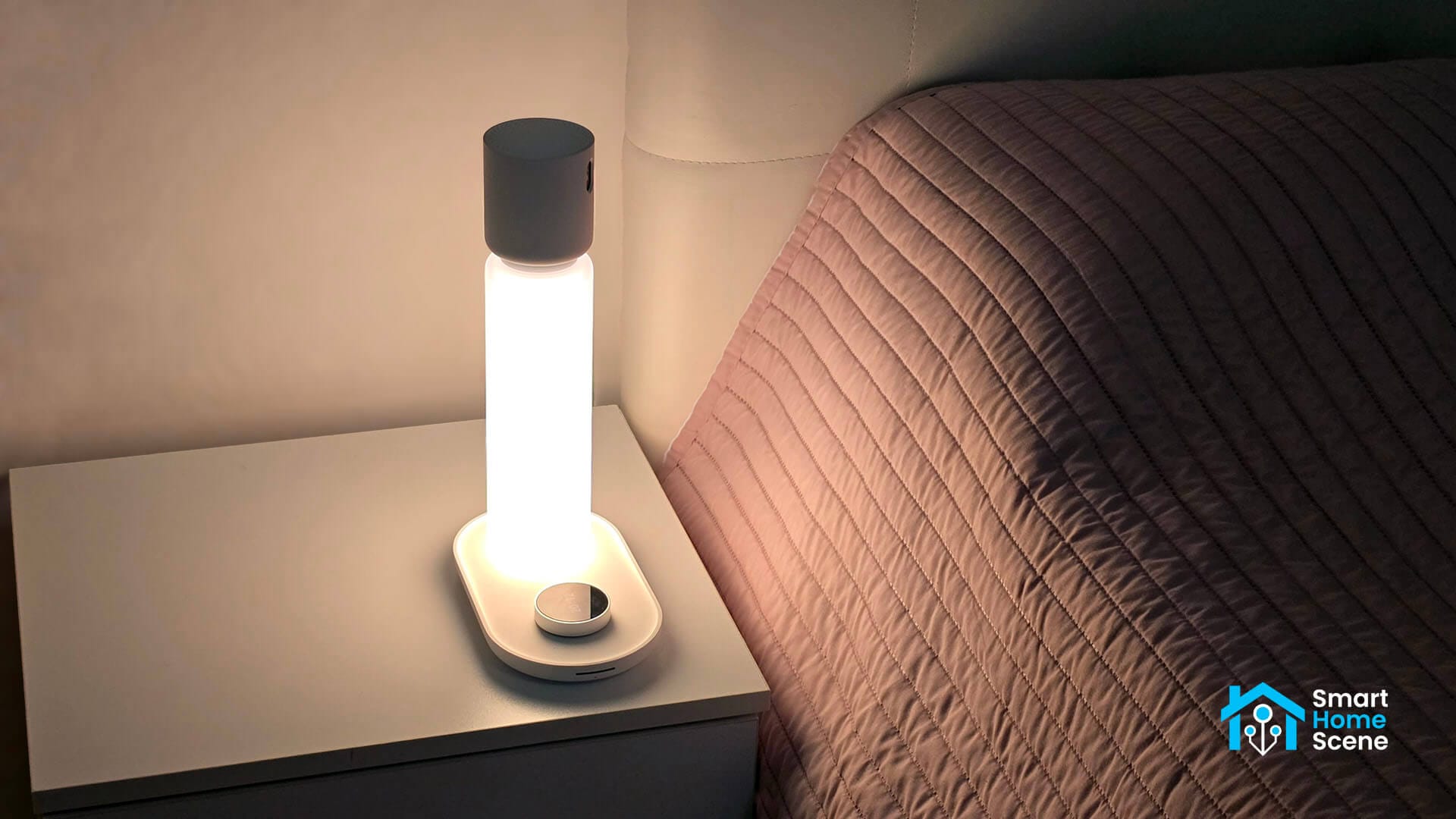
I have tried a fair share of wearable sleep trackers over the years, and they all share the same problem. You have to remember to wear them, charge them, and you eventually get tired of sleeping with something on your wrist. Sleepal removes that entirely. You set it on your nightstand, point it at yourself once, and forget about it completely.
The Sleepal AI Lamp is currently funding on Kickstarter, priced at $299 for early bird backers, and I have been testing a unit for the past couple of weeks. This is a detailed review with a focus on Matter integration in Home Assistant.
DISCLOSURE: The Sleepal AI Lamp was sent to me by Sleepal for the purpose of a review. This will in no way affect, sway or influence my opinion of their product and will be just my honest review as usual. I underlined this in the e-mail I sent to their PR person, highlighting my review principles and guidelines to which they agreed and had no problems with.
Design and Build Quality
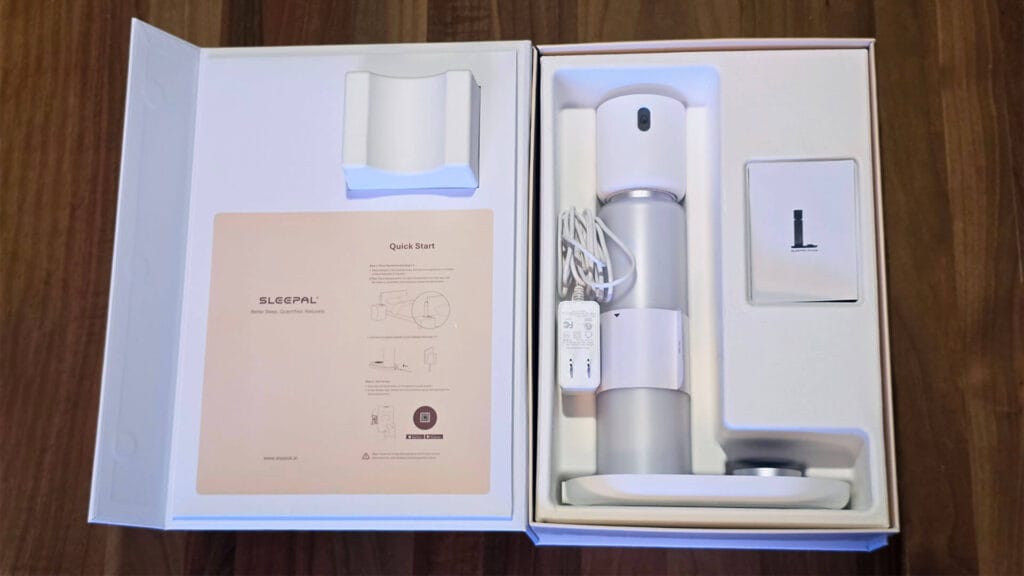
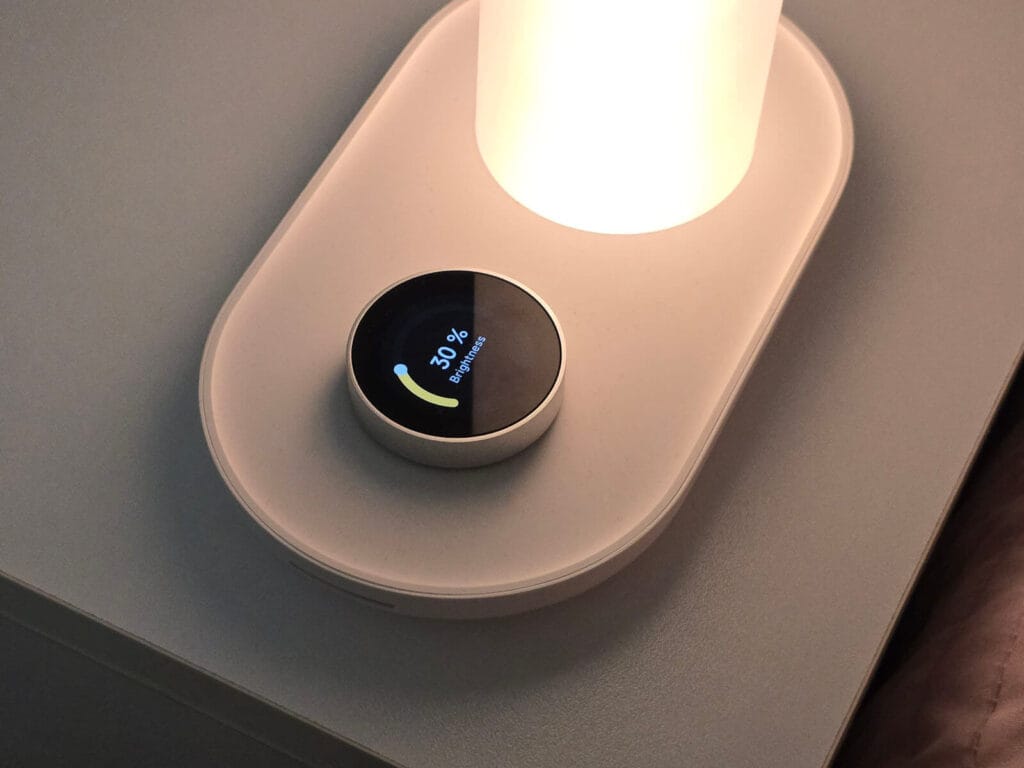
The packaging and build quality on this lamp are great. And not just because I’m used to testing cheap AliExpress hardware all the time. It’s truly great. The base is heavy and sturdy, made so you cannot accidentally knock it over reaching for your phone at 3am. The main control is a knob at the base of the lamp. It feels smooth with proper tactile feedback when you turn it, not the loose plastic click you get on cheap smart knobs or dimmers.
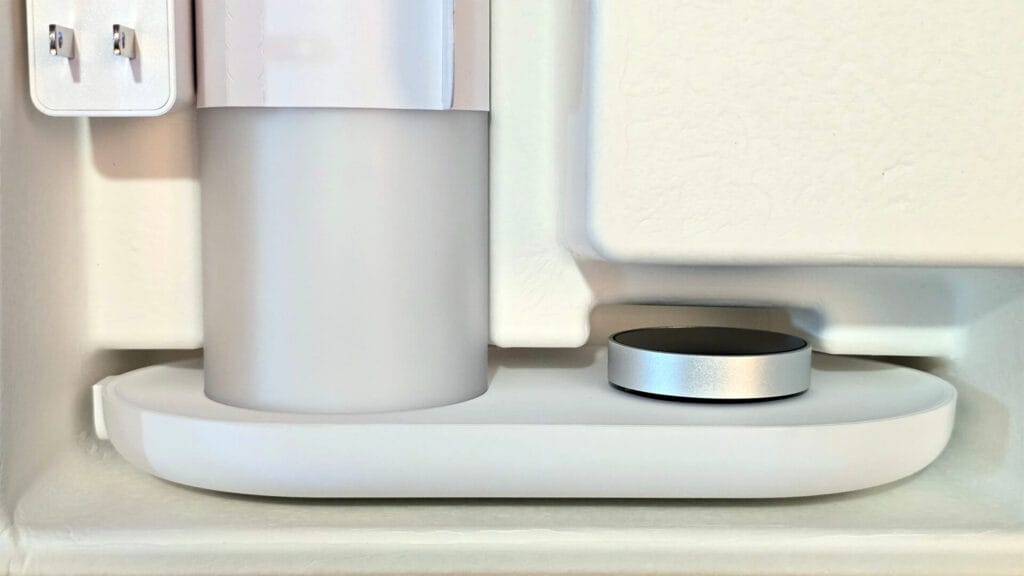
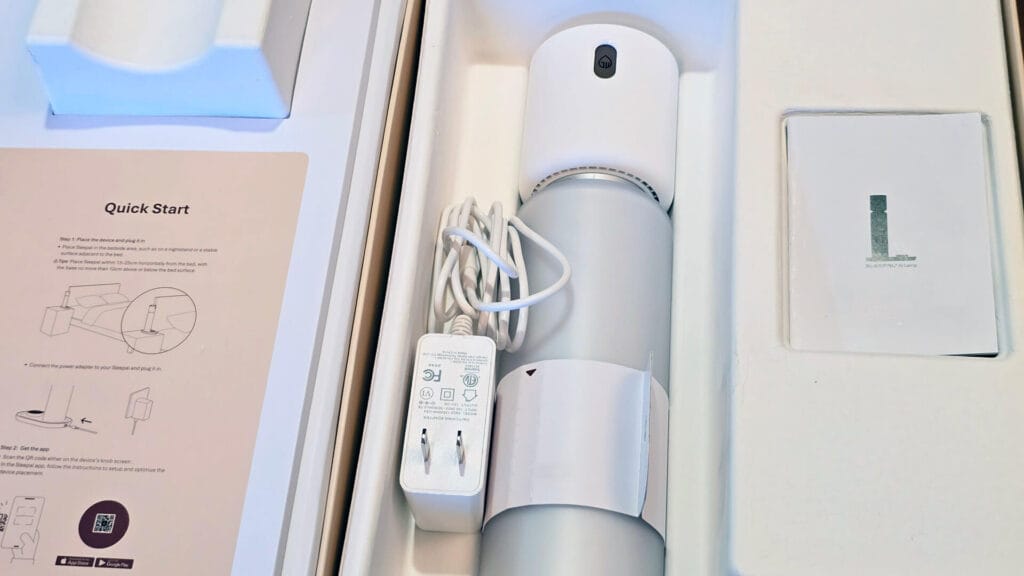
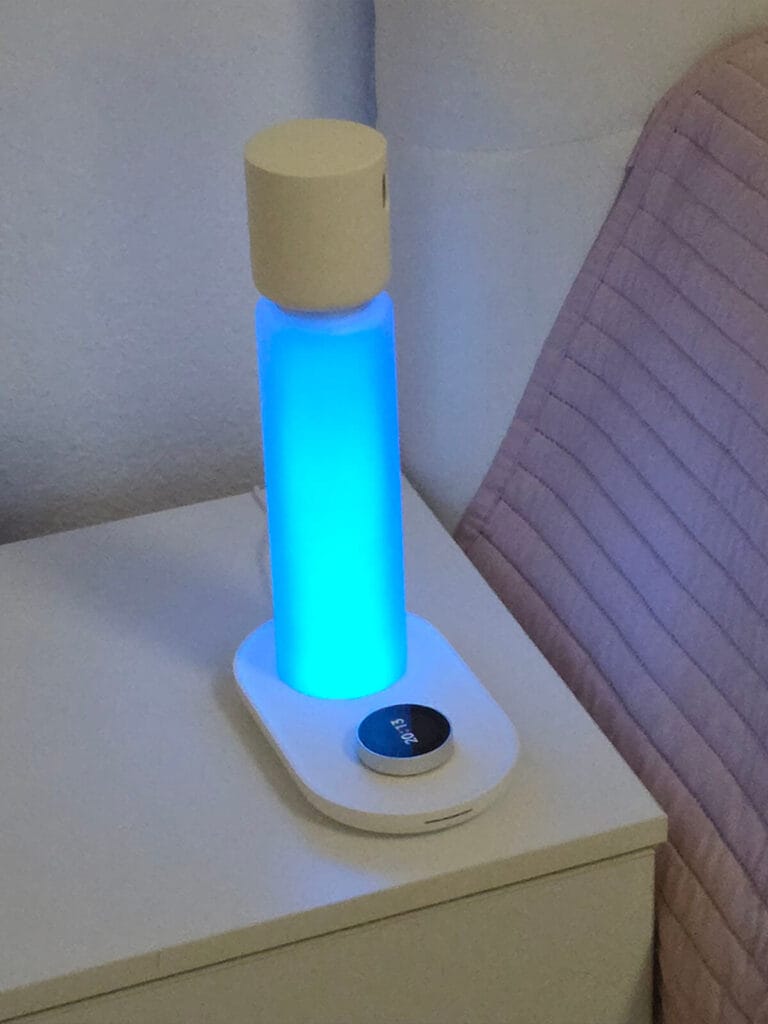
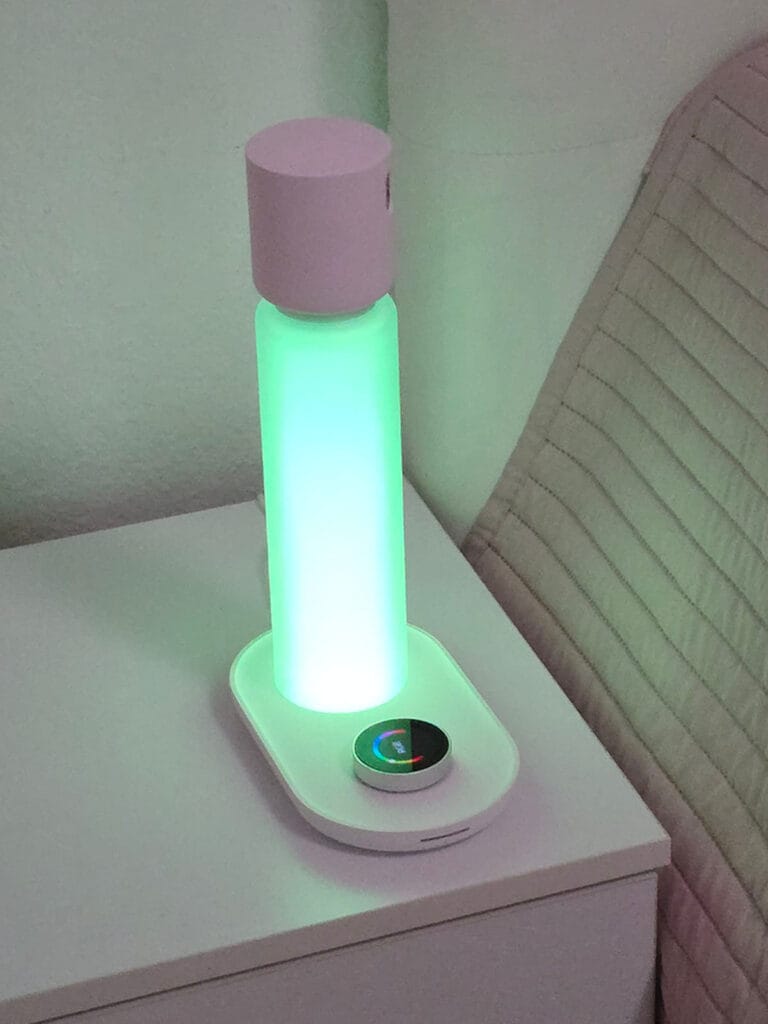
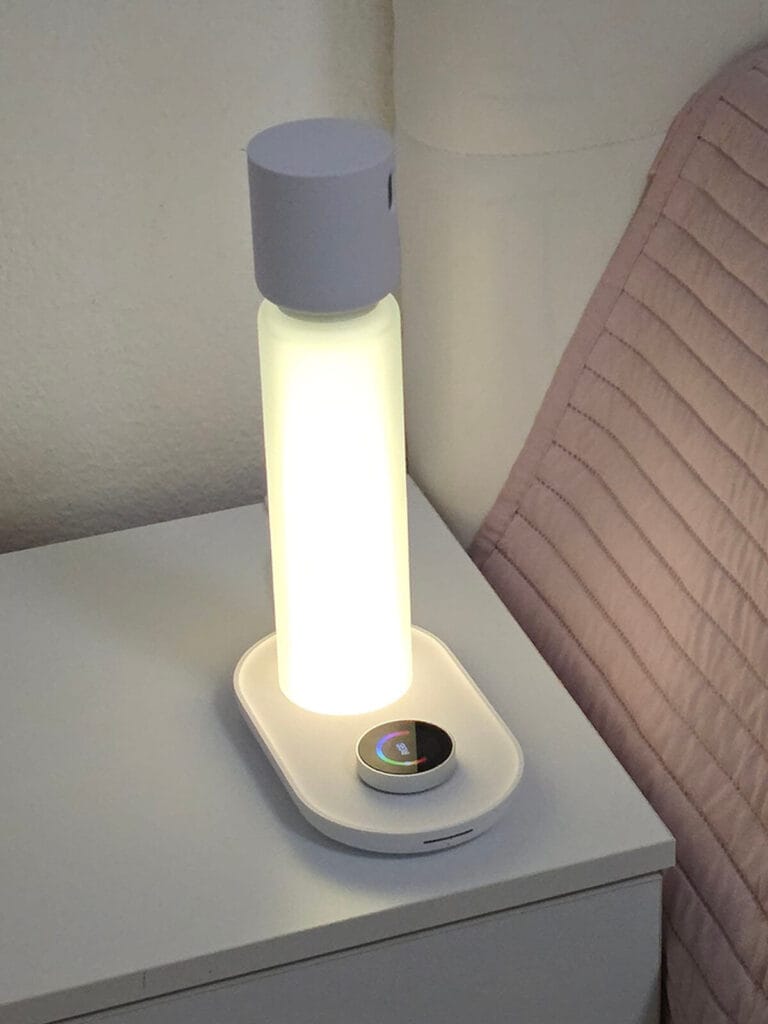
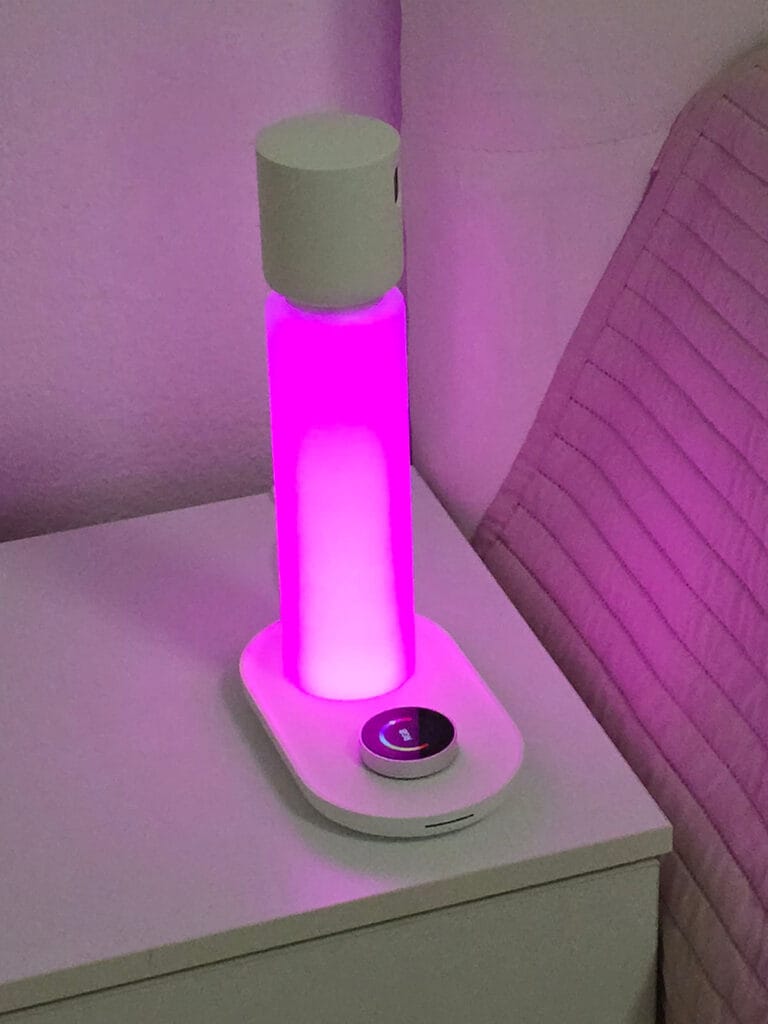
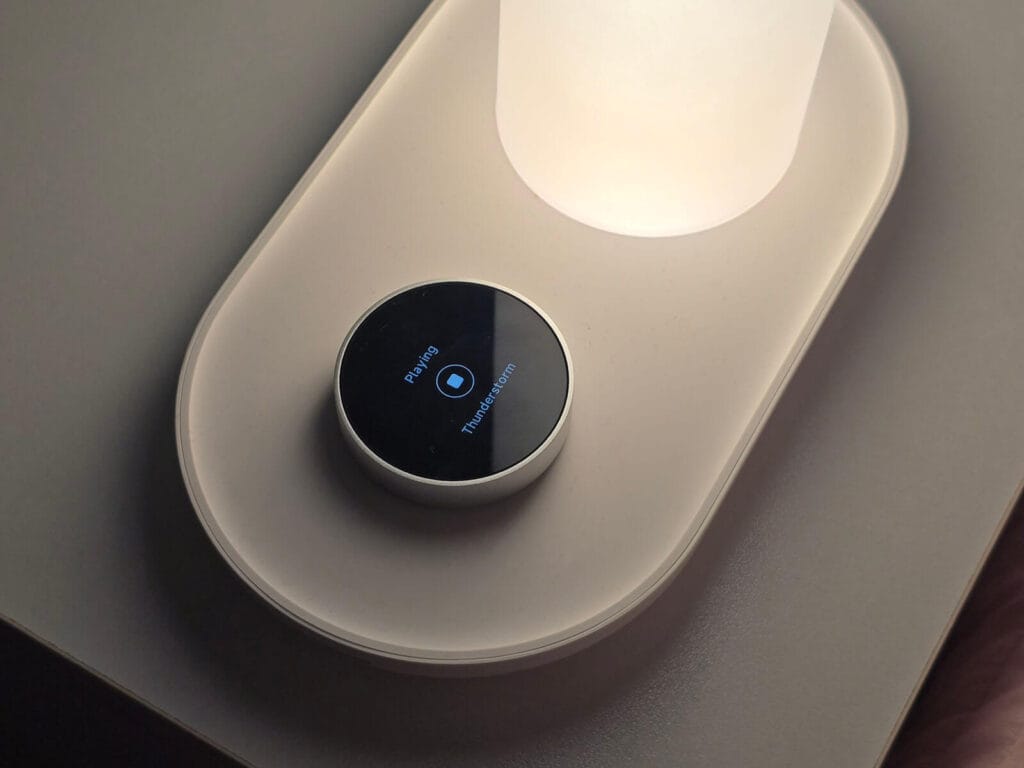
The display is built-in right on the knob itself, and it looks crisp and high definition, likely IPS based on how it renders. You can adjust its brightness so it does not become its own light source at night, which is a small detail but one that matters a lot for a lamp meant to sit 50cm from your face while you sleep. When not in use, it displays a clock and fades out after a while.
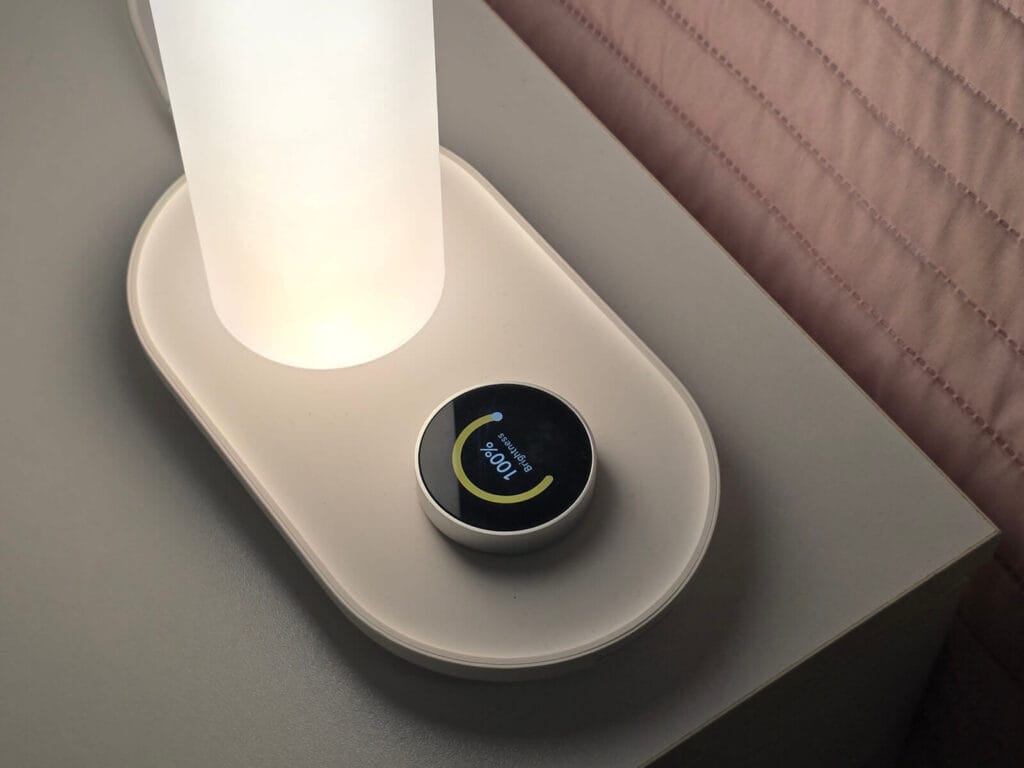
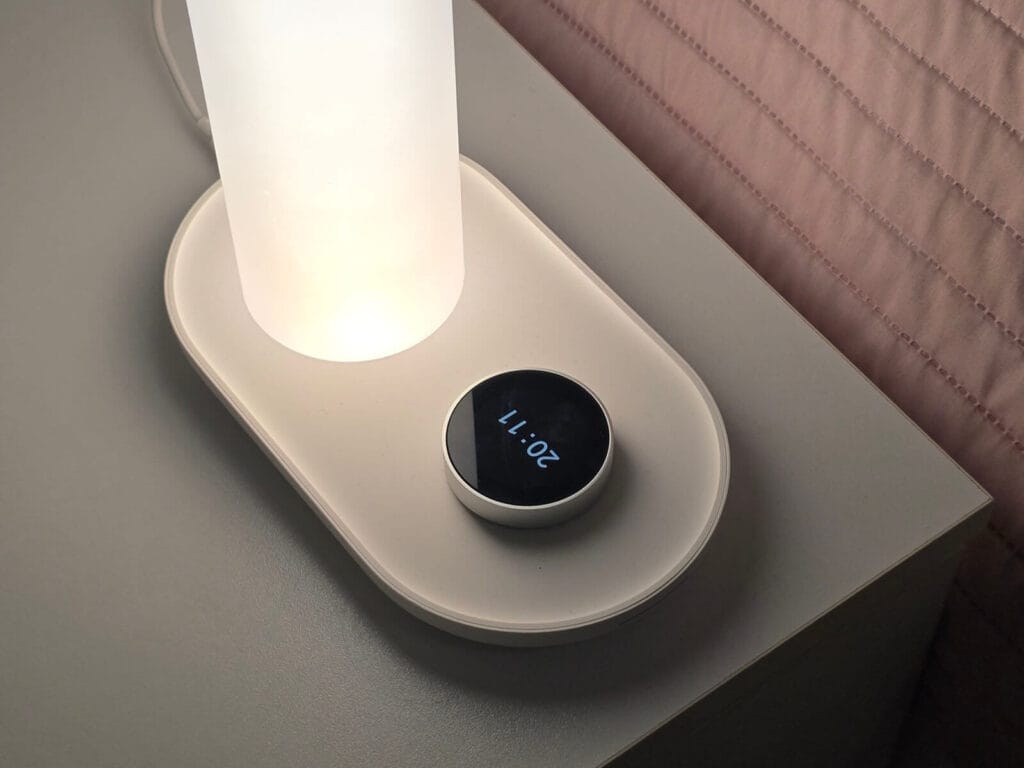
The lamp itself is LED and supports full color rendering with smooth transitions between tones, covering 2500K to 5500K in white and color temperature mode, plus full RGB. No flicker, no jagged jumps, just a gradual fade that feels designed for winding down rather than just flipping between presets.
The rotating head on top of the lamp contains all the sensors. That rotation is not just for show. You use it during setup to aim the sensors at your chest while laying down, which is how the lamp gets its most accurate readings.
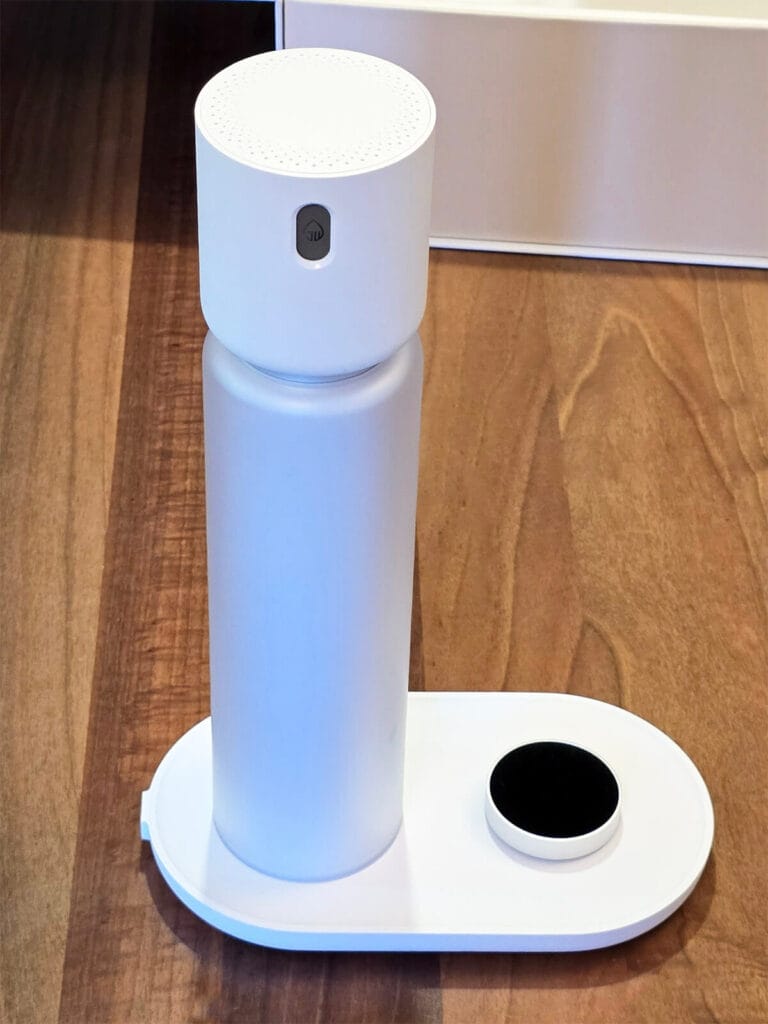
One detail I appreciate is the physical privacy button on the lamp. Press it and it physically disconnects the thermal and microphone arrays at the hardware level, not just a toggle buried in a settings menu. I tested it and the thermal and microphone sensors stop reporting while it is active. The mmWave radar stays running for basic sleep stage detection, but the listening and thermal scanning cuts out completely. For a device that is constantly listening and scanning your bedroom, having a hardware-level kill switch is a great feature.
Pairing, Setup and Calibration
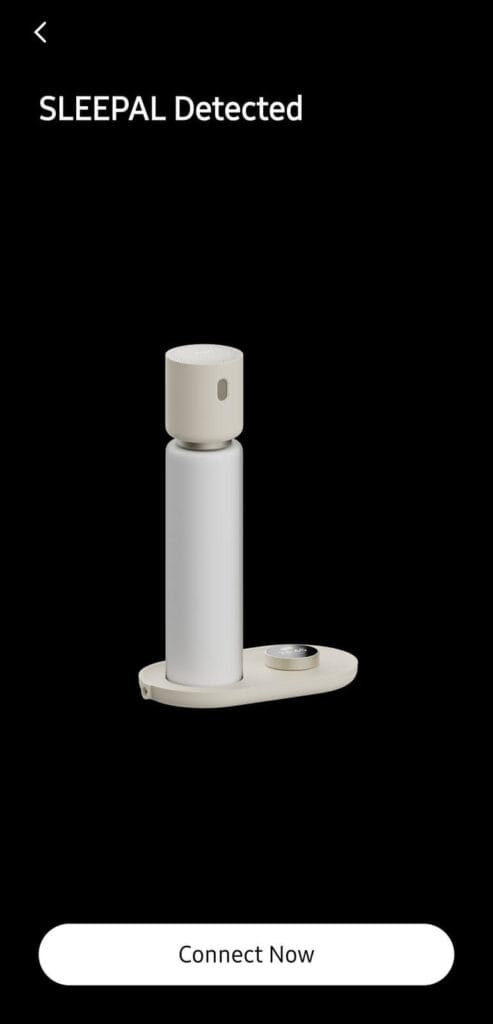
Initial setup and pairing was super easy. You just turn the lamp on, scan the QR code on the display, and the app picks it up immediately. Same flow as pairing devices over Matter. No manual searching for the device on your network, no typing in codes. It uses Bluetooth for the initial onboarding too, which makes things quick and smooth.
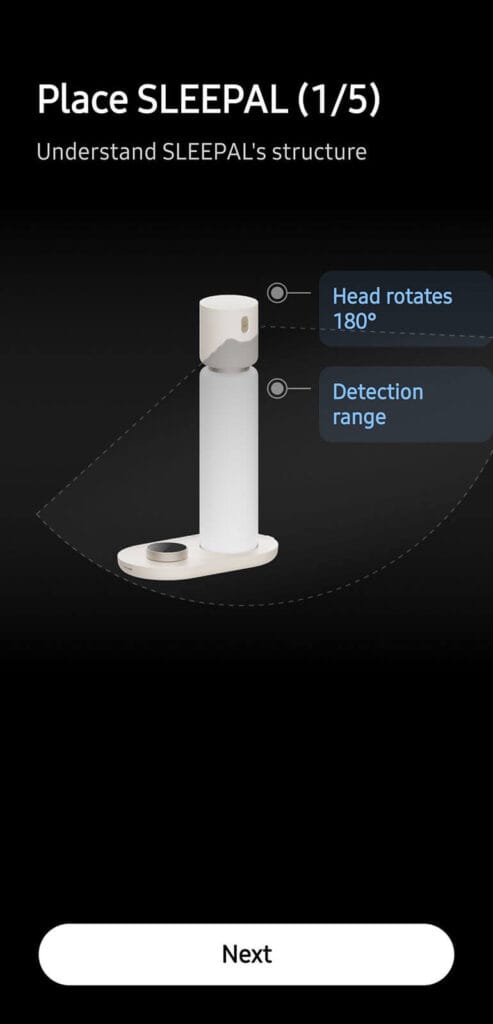
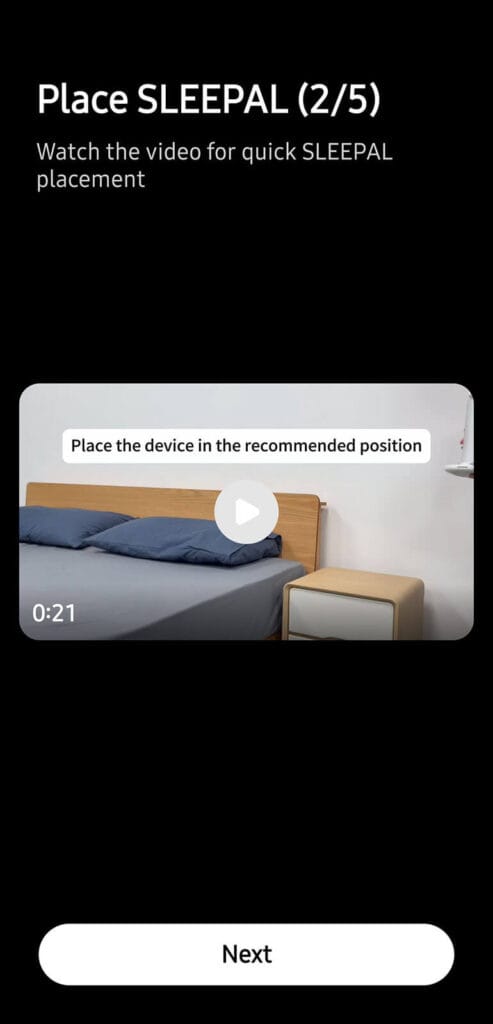
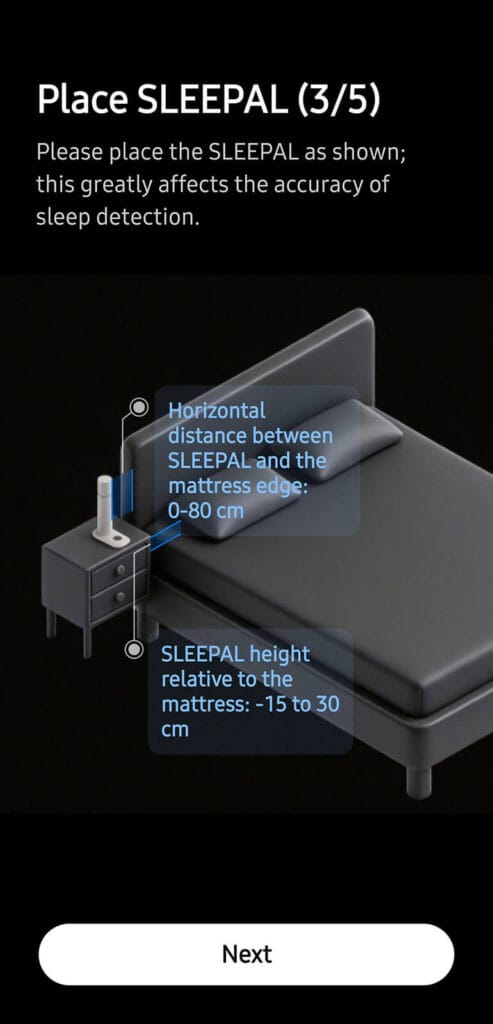
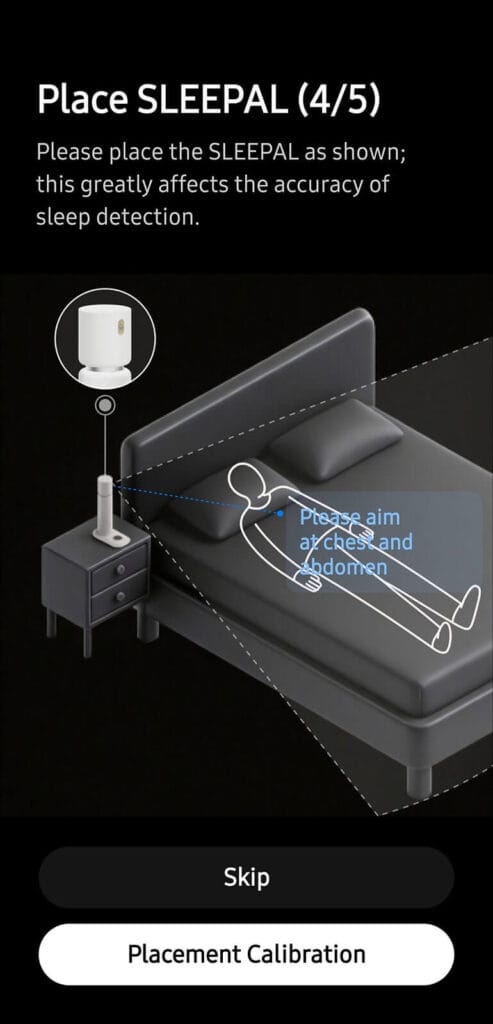
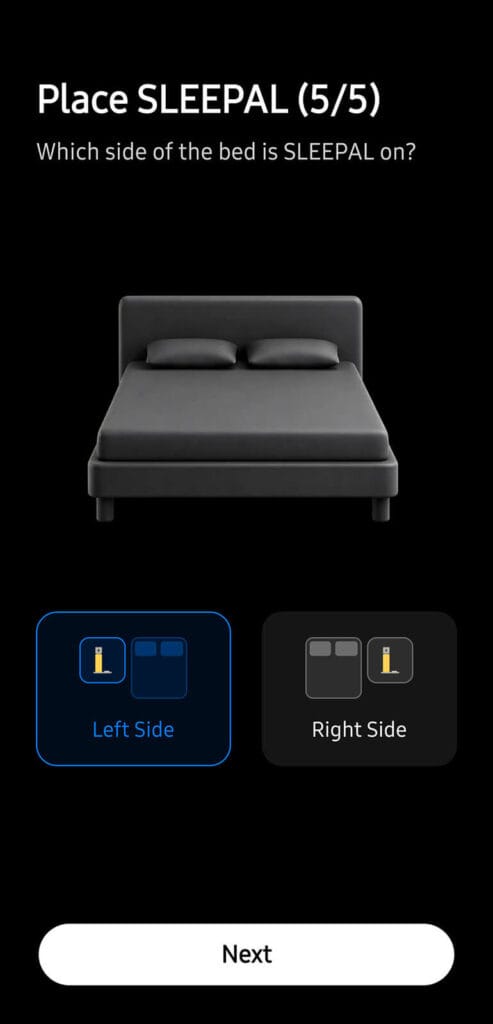
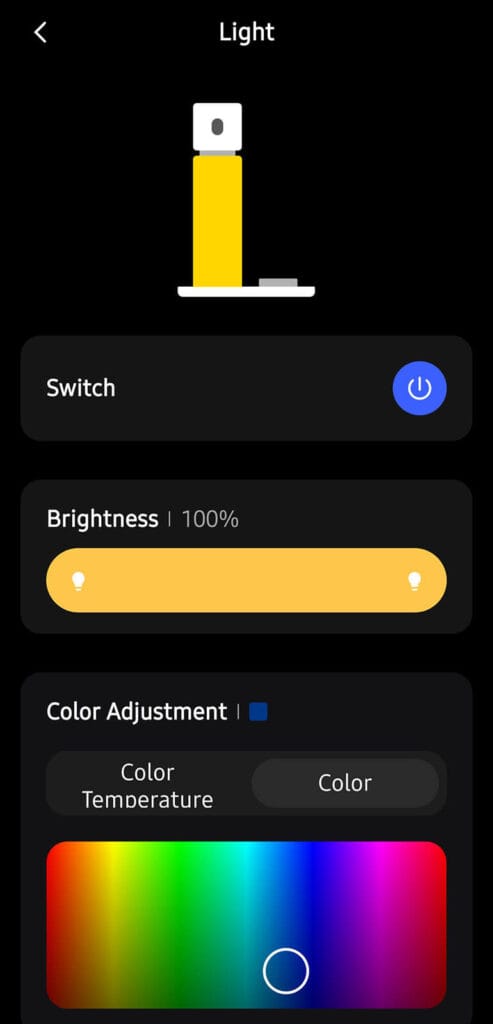
The calibration step took me a bit longer than it should have, but that was on me. Once started, the app walks you through pointing the sensor head toward your chest while lying on your back, and gives clear instructions on how low and how angled it needs to be. According to what it scans live, it tells your rotate the head clockwise or counterclockwise and lower/raise the lamp.
My nightstands are quite tall, and I did not notice it was telling me to lower the lamp. Once I swapped in a shorter nightstand, calibration worked perfectly and stayed accurate every night since. You can of course recalibrate if you need too.
How Sleepal Tracks Your Sleep
This is where the lamp earns its name as a sleep tracker rather than just a smart light. It uses mmWave radar and thermal sensing to pick up heart rate, breathing patterns and body position without any contact. It uses microphones to track ambient sounds and levels of snoring. There is no camera anywhere in the device itself, yet it does an excellent job.
For instance, one night it logged me at 6 hours and 7 minutes sleeping on my side against only 21 minutes flat on my back, which lines up exactly with how I actually sleep. I have always known I am a side sleeper, but seeing it broken down to the minute like that was very interesting.
Another night it flagged nearly 5 hours of snoring, something that caught me by surprise a bit. You go to bed thinking you slept fine and then an app shows you spent most of the night snoring. My SO confirms that I do snore lightly, it’s just that neither of us had any idea it was for such a long time during the night.
Beyond position and snoring, it tracks how many times you wake up during the night, your heart rate range in BPM, your breathing rate per minute, and your heart rate variability (HRV). Sleep itself gets broken down into stages like REM, deep sleep, core sleep, and awake time, all without anything touching you.
The app also flags potential issues on its own. If your breathing pattern looks irregular or unusually fast through the night, it calls that out as a possible recurring respiratory disturbance rather than burying it in a graph you have to look for yourself. It puts it right in front of you in plain language, which I appreciate, since most sleep apps just dump numbers on you and expect you to figure out what they mean.
Sleepal Environment Sensors
Obviously, sleep quality is not just about your body, it is about the room too, and Sleepal tracks that side as well. Temperature, humidity, illuminance, and ambient sound level all feed into the picture. Temperature and humidity get used to assess whether your bedroom conditions are actually optimal for good sleep. The app will tell you if your room ran too warm or too dry during the night and connect that to how restless you were.
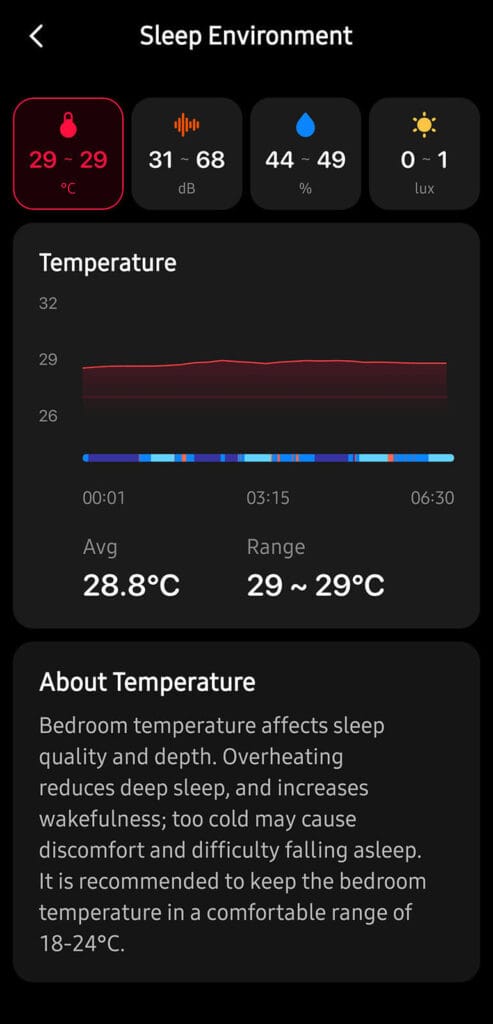
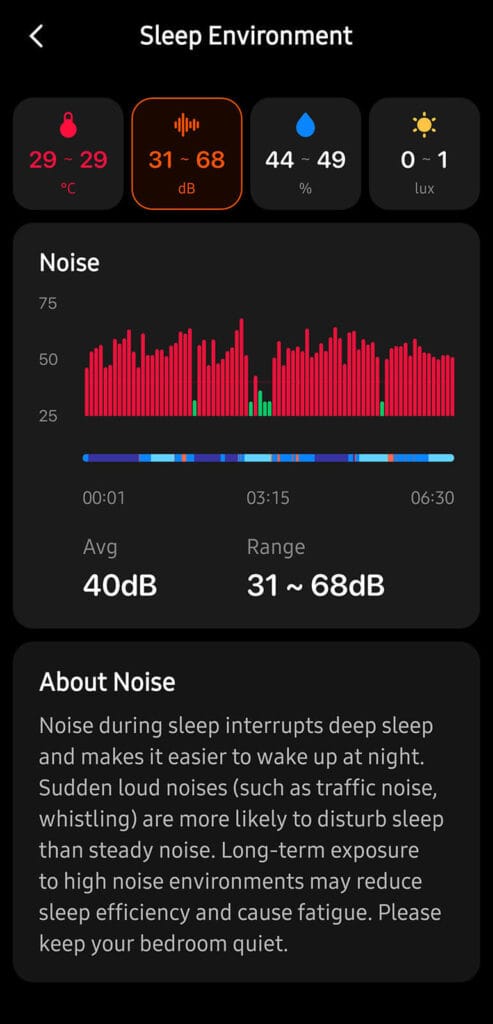
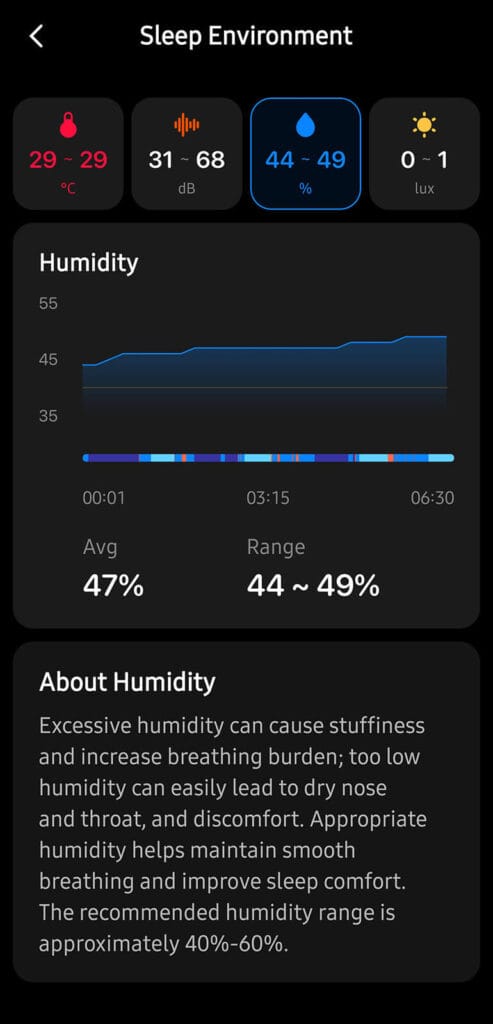
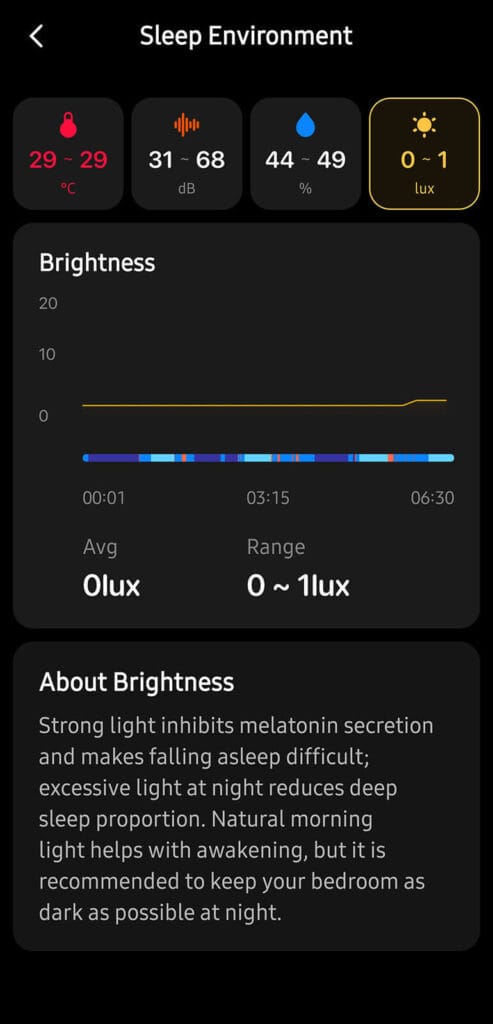
Illuminance is used in two ways I noticed, which I think is a smart use of a single sensor. It feeds into the sleep quality picture, but it also acts as a trigger condition for the lamp’s own automations. So if your room is already bright enough, the lamp knows not to turn itself on for something like motion detection, and it will hold off until the room actually needs the light.
Ambient sound level completes the environment monitoring picture. Beyond just your own snoring, which is isolated in the app, the lamp also detects loud sounds and records them as “high noise” in the logs. If a window was open or there was traffic outside, that gets logged too and tied back into why a particular night might have scored lower.
Sleep Score, Logs and Insights
Each morning you get a sleep score along with trend graphs tracking your stages, heart rate, HRV, and environmental conditions over time. I do not have another sleep tracker running in parallel right now to directly compare the numbers against, so I am reporting what the app showed me rather than validating it against a second data source. With that said, the graphs themselves are clean and easy to read at a glance, nothing felt cluttered or overwhelming even with how much data the lamp is collecting every night.
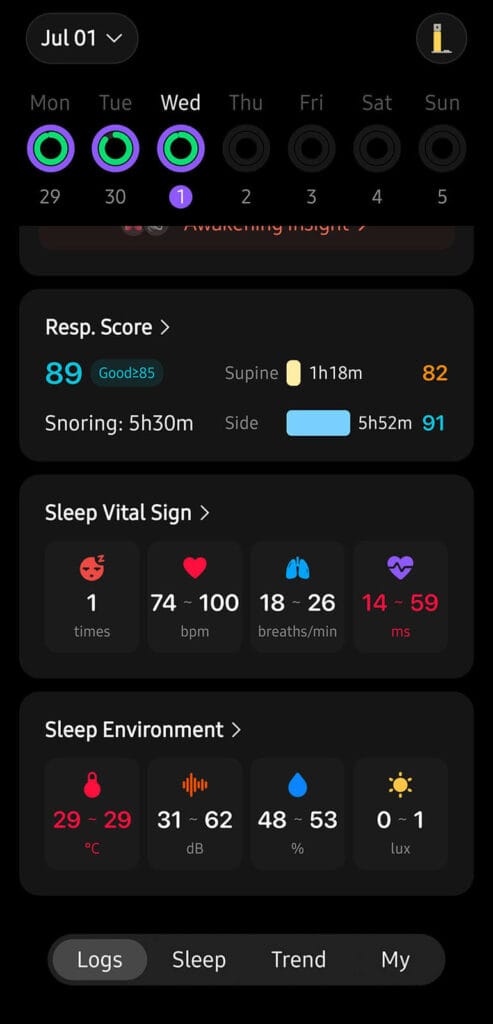
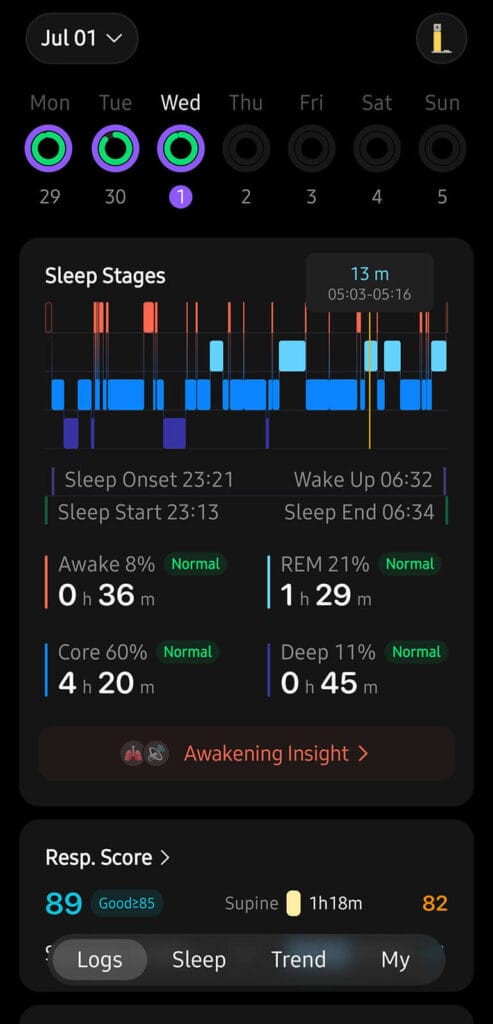
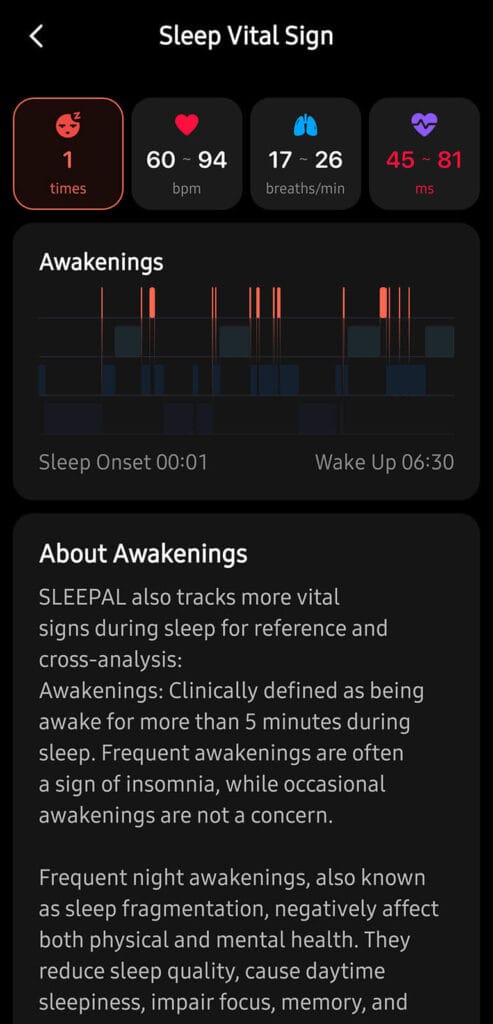
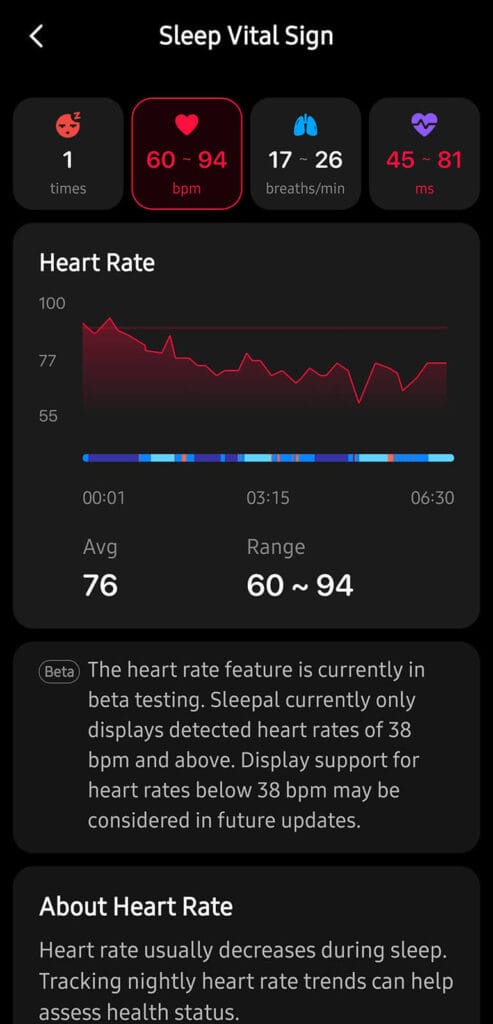
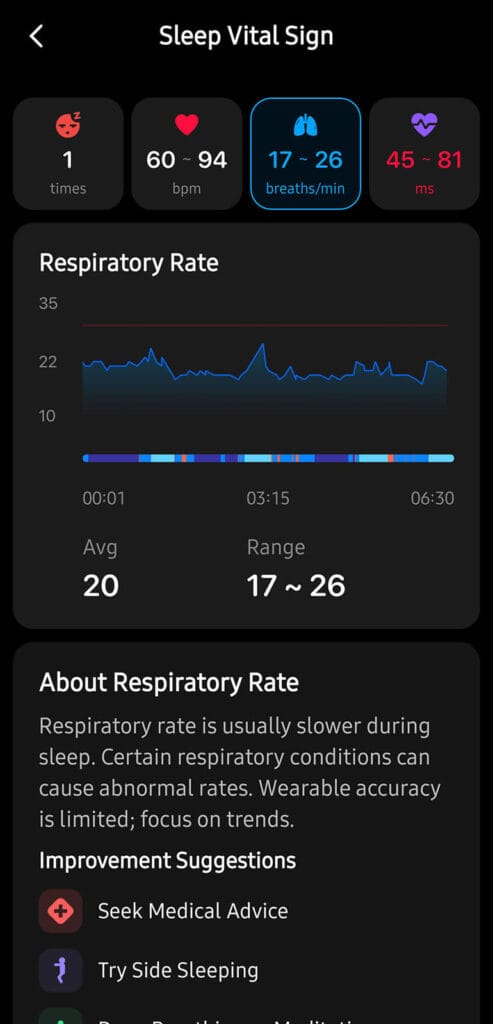
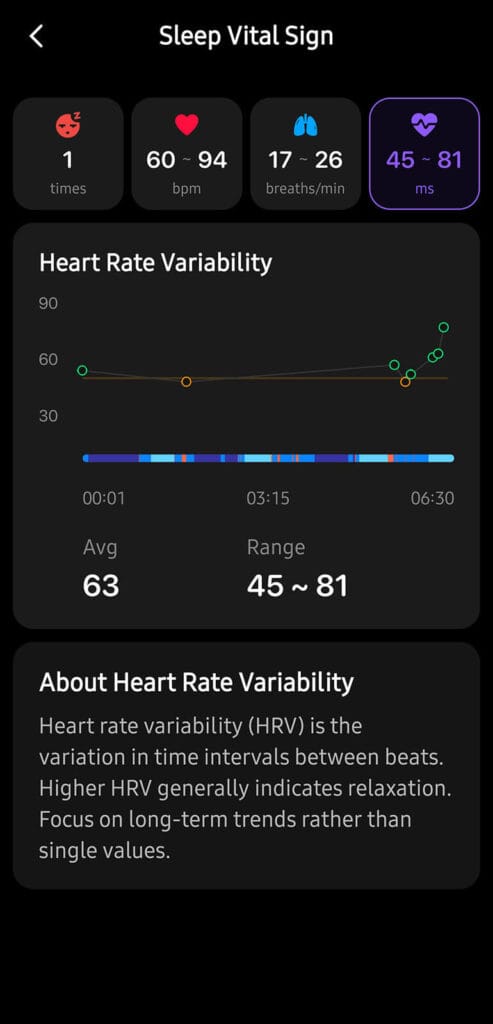
The logs go deeper than just the score itself. You can scroll back through previous nights and see exactly when you fell asleep, when you woke up, how long each sleep stage lasted, and what your heart rate was. It looks through the data and adds relevant comments to time stamps on its own, which is great. A lot of sleep apps just tell you to go to bed earlier. This one is actually looking at your own data and building suggestions around it.
Sleep Aids and Breathing Exercises
Beyond tracking, the lamp doubles as a wind down tool. It has a library of soothing sounds, ocean waves, thunderstorms, ambient white noise, and calming music, along with a guided breathing exercise where the lamp pulses light in sync with the breathing pattern in real time.
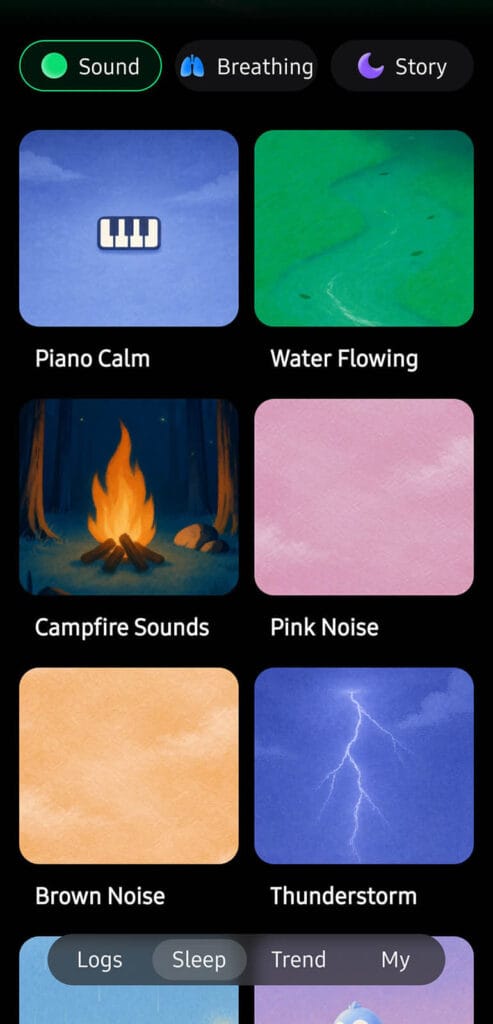



That was the most interesting feature to me. I used it a few nights when my mind would not settle and it worked great. Having a cue to follow made it more interesting and easier to actually stick with the exercise. The lady has a soothing voice too, which does indeed calm you down, combined with the breathing countdowns.
Here’s a short video I recorded of this exercise:
Built-In Automations and Routines
A few automations run directly on the lamp itself, no app or smart home hub required, which I think is worth calling out since it means these still work even if your Wi-Fi or Home Assistant instance happens to be down for whatever reason.
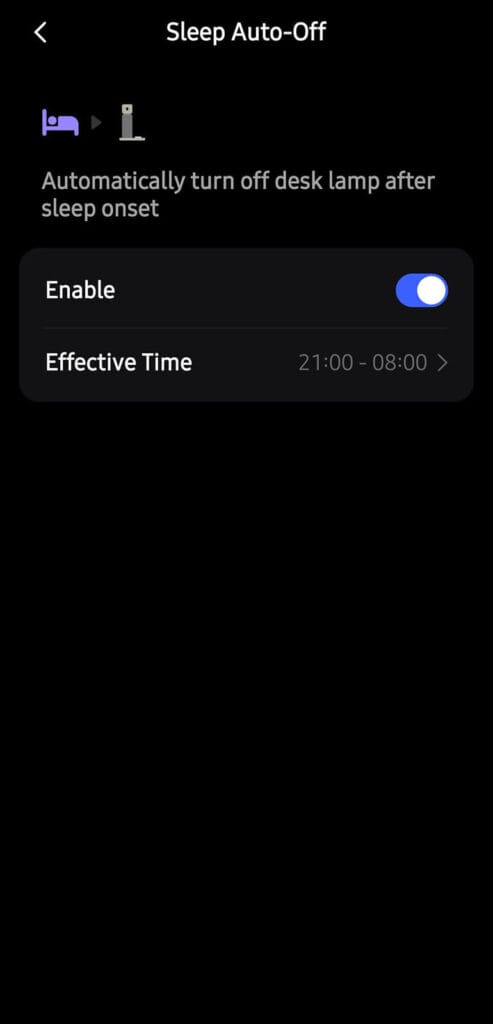
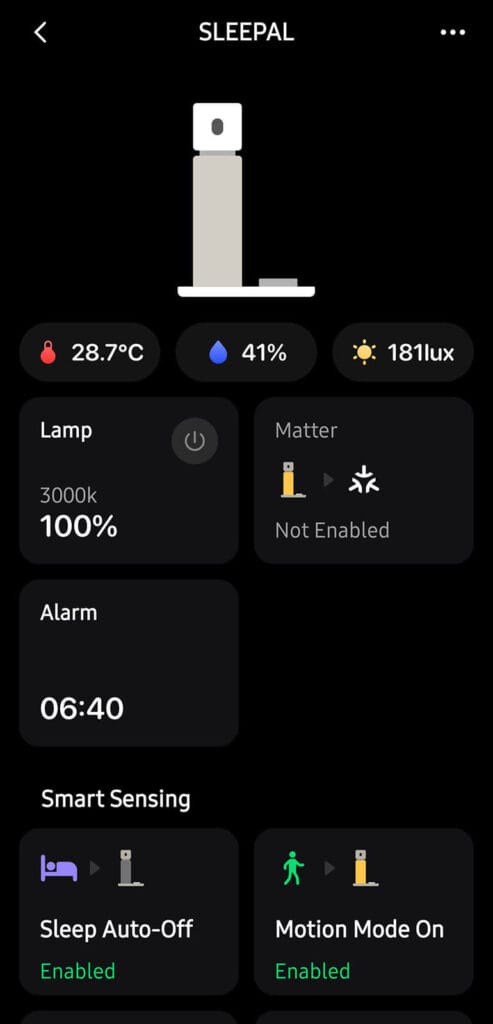
- Sleep auto-off turns the lamp off once it detects you have fallen asleep. You can restrict this to a specific window, say 9pm to 8am, so it does not trigger during a daytime nap on the couch with the lamp nearby.
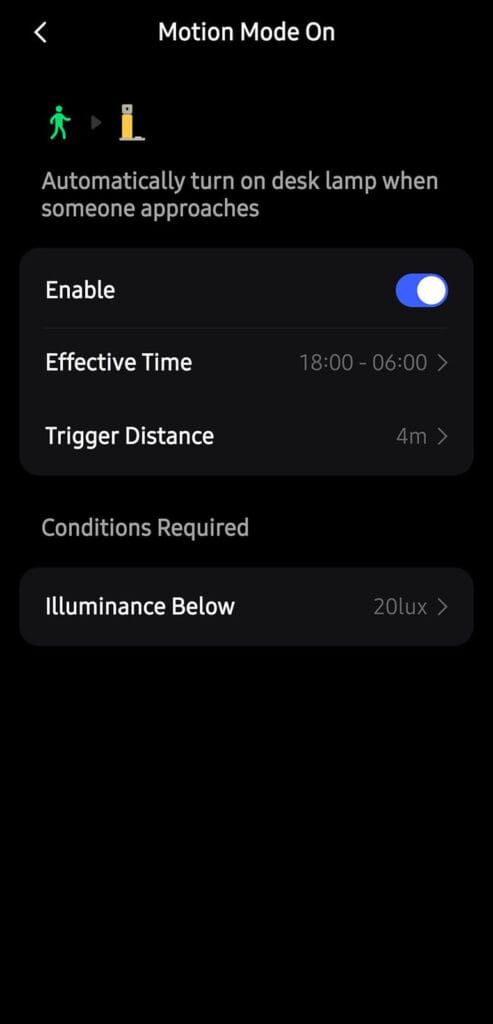
- Motion mode wakes up the lamp when it detects someone approaching. You can set the detection distance, the active time window, and an illuminance threshold so it will not trigger if the room is already bright enough.
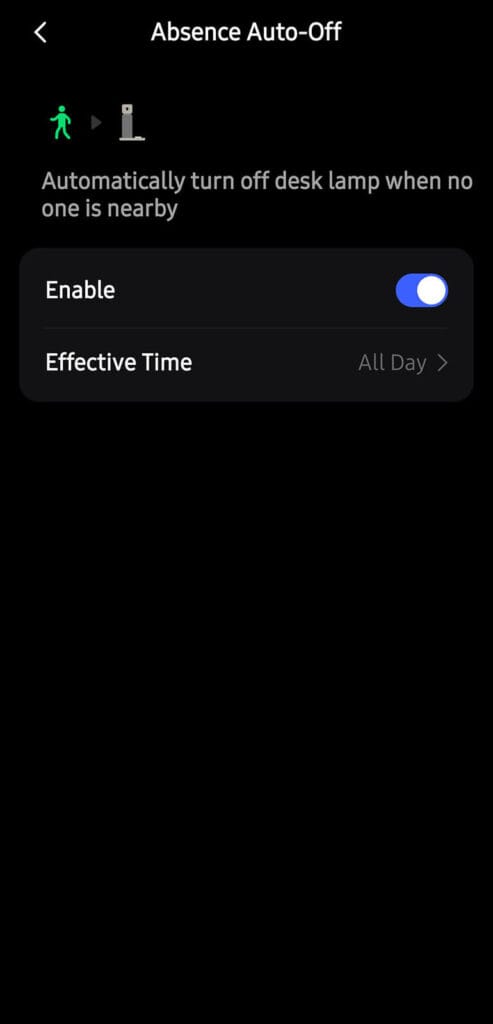
- Absence mode turns the lamp off automatically when no one is nearby. You can also configure a time window, basically the inverse of motion mode and useful for not leaving it running if you step out for a while.
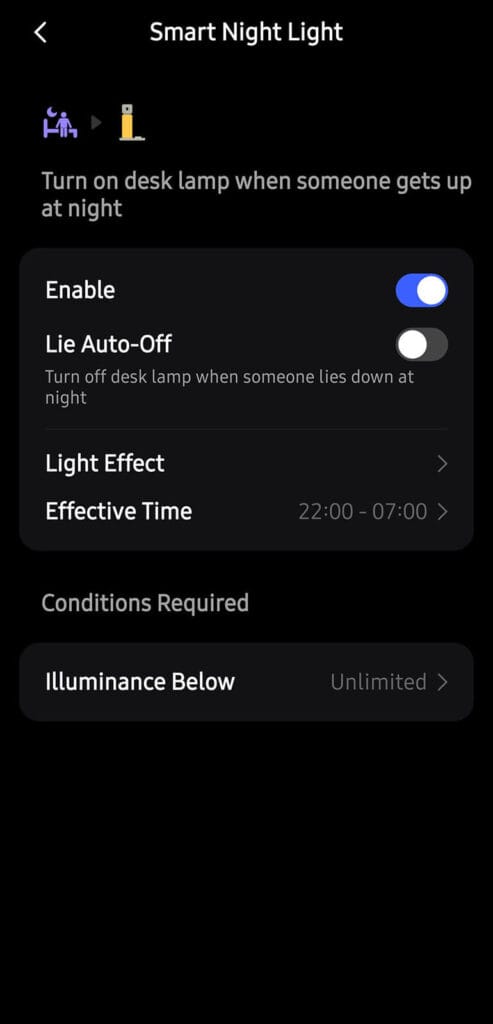
- Smart night light mode turns the lamp on when you get out of bed at night and off again once you lie back down. You can set its own time window, illuminance condition, and adjustable brightness or color temperature for the light. This is the one I appreciate most for actual middle of the night bathroom trips, it gives just enough light to see where you are going without fully waking you up, and then it quietly turns itself off again once you are back in bed.
All four modes worked reliably for me without needing any tweaking once configured, which is not something I expected to be honest. I thought I would handle all these through Home Assistant automations instead, but it’s nice to know they work great on their own.
The smart alarm and snooze features are also worth explaining. Rather than firing at a fixed time, it works within a wake-up window you define and picks the best moment based on your current sleep stage. It avoids waking you up in deep sleep and REM to reduce that groggy feeling. Once your deadline arrives, it keeps going until it detects you have actually left the bed, so you cannot just lie there and ignore it. Snoozing works the same way. Instead of reaching for a button, you just turn over in bed or make a hand motion and it snoozes automatically.
Playing Your Own Music
I assumed the speaker was only there to play the built-in sleep sounds, but you can cast your own music to it exactly like any standard Bluetooth speaker! It is not a speaker-first device since sleep tracking is clearly the priority, but the sound quality turned out to be really solid. I tested it with a few different playlists, nothing too demanding, and it produced a good enough sound to be used as a background music speaker.
This was a nice bonus I was not expecting from a sleep tracking lamp. I went in thinking the speaker existed purely to play ocean waves and white noise, and ended up using it during the morning to play music while getting ready, simply because it pairs fast and sounds better than it has any reason to.
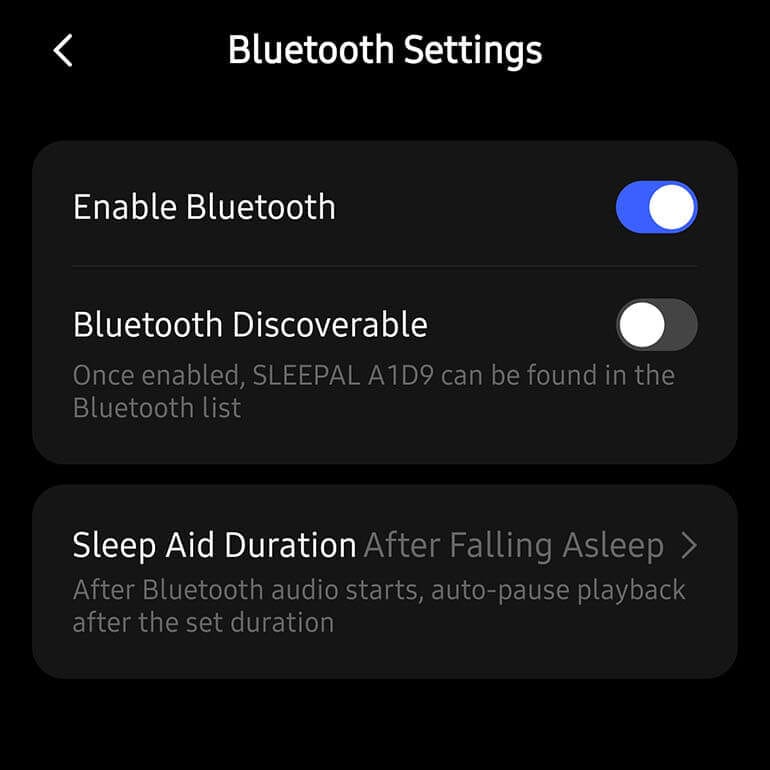
You do need to enable Bluetooth discoverability in the app.
Matter Integration with Home Assistant
Matter support is still in beta, and getting it running requires the beta firmware, version 1.0.0.0.164. Once enabled in the app, the lamp shows a Matter QR code right on its display, which you scan to pair it with your Matter controller. I paired mine with Home Assistant over Matter, which runs over Wi-Fi, though the lamp also uses Bluetooth for onboarding.
Once paired, it exposes a bunch of entities in Home Assistant. You get full lamp control, sensors for humidity and illuminance, and three temperature entities, though two of those currently read 0.0 degrees Celsius and appear unused in this beta. You can also configure the power on behavior and power on brightness level directly from Home Assistant as well.
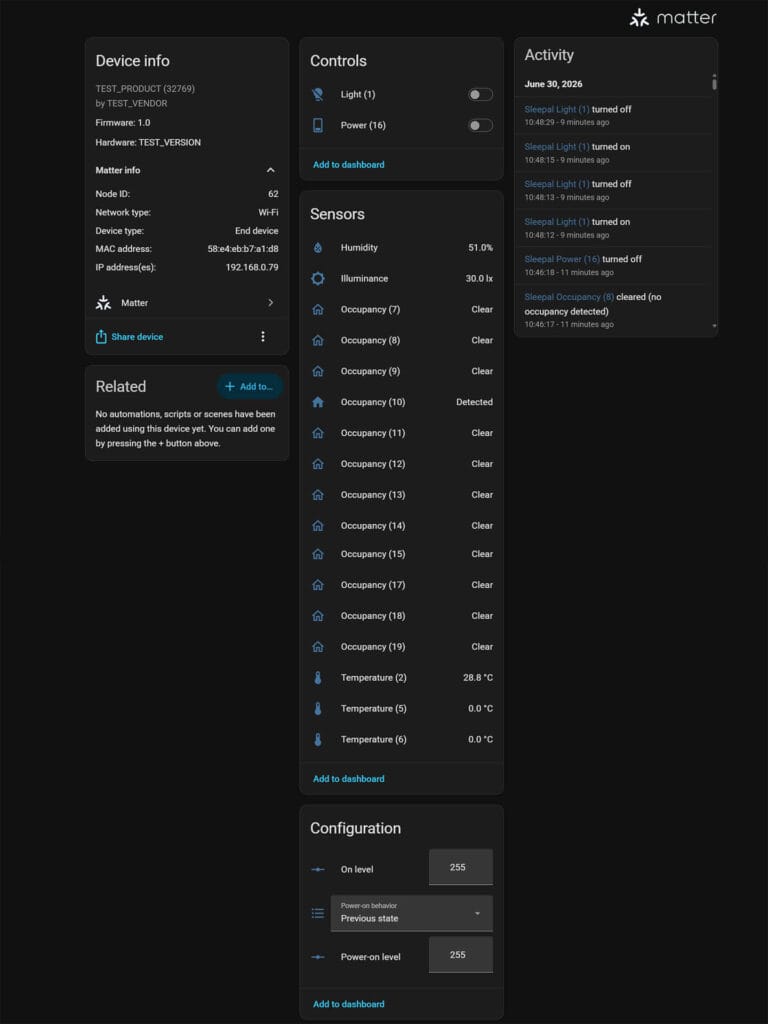
The more interesting part is the occupancy sensors. There are several of them exposed, and because the Matter implementation is still in beta, they are not labeled clearly. I initially assumed these were range-based presence zones, but that is not what they are. Because Matter does not natively support sleep-related sensor states yet, Sleepal maps all of its sleep states as virtual occupancy sensors. Occupied means the corresponding state is active, Unoccupied means it is not.
To figure out what each one does is to trigger the corresponding action in the Sleepal app and watch which entity changes state in Home Assistant. I went through each one manually, opening the app on one screen and watching Home Assistant on the other, triggering them individually. Once you know which is which, you can rename them properly and build automations around them.
Here is what I mapped out so far:
- Occupancy 7 = General Presence: Detects when someone is in range. Useful for triggering lights, AC, or similar devices.
- Occupancy 8 = Wind Down Mode: Detects when Sleepal’s sleep aid mode is active. Useful for triggering broader sleep scenes around the house, like dimming additional lights.
- Occupancy 9 = Sleep Detected: Triggers once you have fallen asleep. Useful for triggering additional sleep related scenes or devices.
- Occupancy 10 = Bed in or out: Detects when you get out of bed. Useful for turning on hallway lights ahead of time and switching them off again once you are back in bed.
- Occupancy 11 = Alarm Status: detects when a Sleepal alarm is actively ringing. Useful for triggering extra wake up automations.
- Occupancy 12 = Snooze Status: Detects when the snooze alarm is active. Useful for additional Home Assistant automations if you tend to sleep through alarms.
The remaining occupancy entities, numbered 13, 14, 15, 17, 18, and 19, did not respond to anything I tried, so they are either unused right now or reserved for features still in development.
There is also a Power entity, numbered 16, that works as a switch rather than a sensor. Turning it on starts the sleep aid, either the sound library or a breathing exercise depending on what you last had active. It also automatically enables the Occupancy 8 wind down mode binary sensor, so you get a nice way to start a separate scene from Home Assistant without opening the Sleepal app at all.
Despite being labeled beta, Matter certification, which Sleepal has confirmed is in progress, has caused zero practical issues for me. It worked reliably with Home Assistant from day one, and the team has been actively shipping updates, two firmware updates in about ten days while I had the unit.
One more thing worth noting for Home Assistant users specifically: all the sensor states are calculated locally on the Sleepal device itself. They do not depend on the cloud or an internet connection, just your local network and device. The data reaches Home Assistant directly without going anywhere else first.
Verdict
Sleepal AI lamp is priced at $299 for Kickstarter backers. I am only referencing the Kickstarter price here since that is the context this campaign exists in right now. Considering the amount of hardware packed into this thing, radar sensing, thermal sensing, acoustic monitoring, a full color display, a capable Bluetooth speaker, and Matter support, I think it is strong value and a project worth backing.
One thing worth knowing before you back it: Sleepal runs a subscription tier called Sleepal AI+, priced at $5.99 a month or $69.99 a year. The free tier covers the core sleep score, HRV, breathing score, environment monitoring, smart home integration, and basic wind-down content, which is a solid feature set. The paid tier adds a detailed sleep report, posture guidance, an AI coach, and an expanding library of wind-down content. For most Home Assistant users the free tier will be more than enough, but it is worth factoring in if you want the full experience.
With that said, if you want a capable, properly vetted sleep tracker and do not want to sleep with a wearable on your wrist or finger, the Sleepal AI Lamp is an excellent device. It does far more than track sleep without ever losing focus on that core job. The Matter integration already works well with Home Assistant even in beta, the bundled Bluetooth speaker was a pleasant surprise, and the team is clearly still actively improving the product. If this is a device you need, I can comfortably recommend it.
Gallery
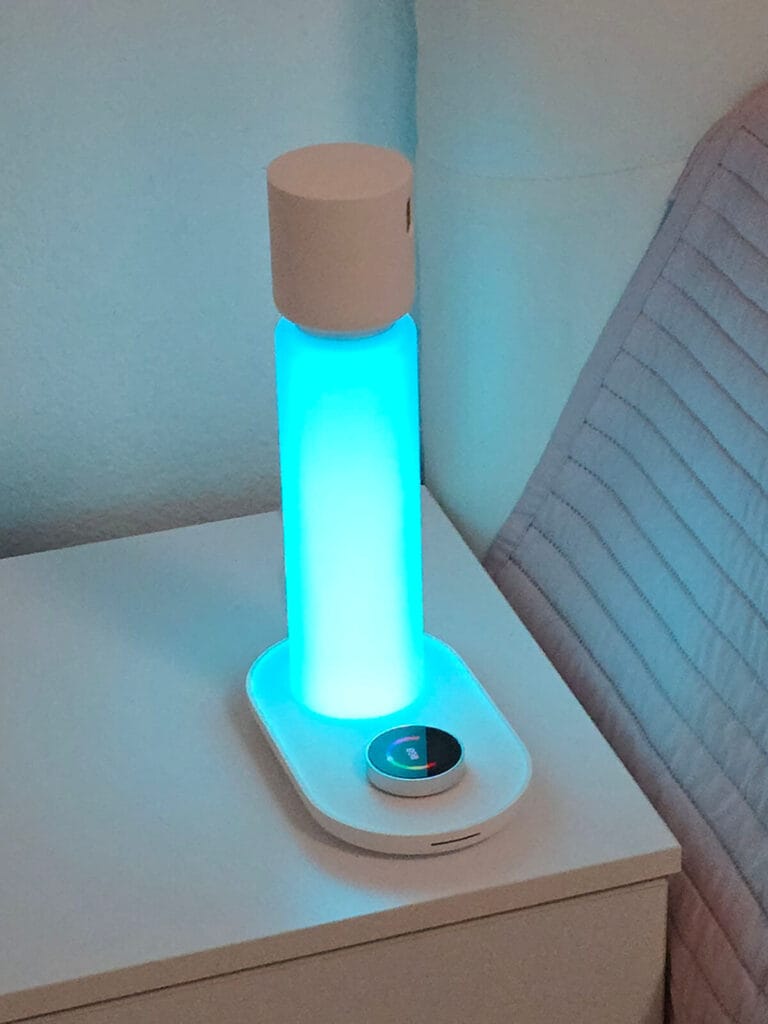
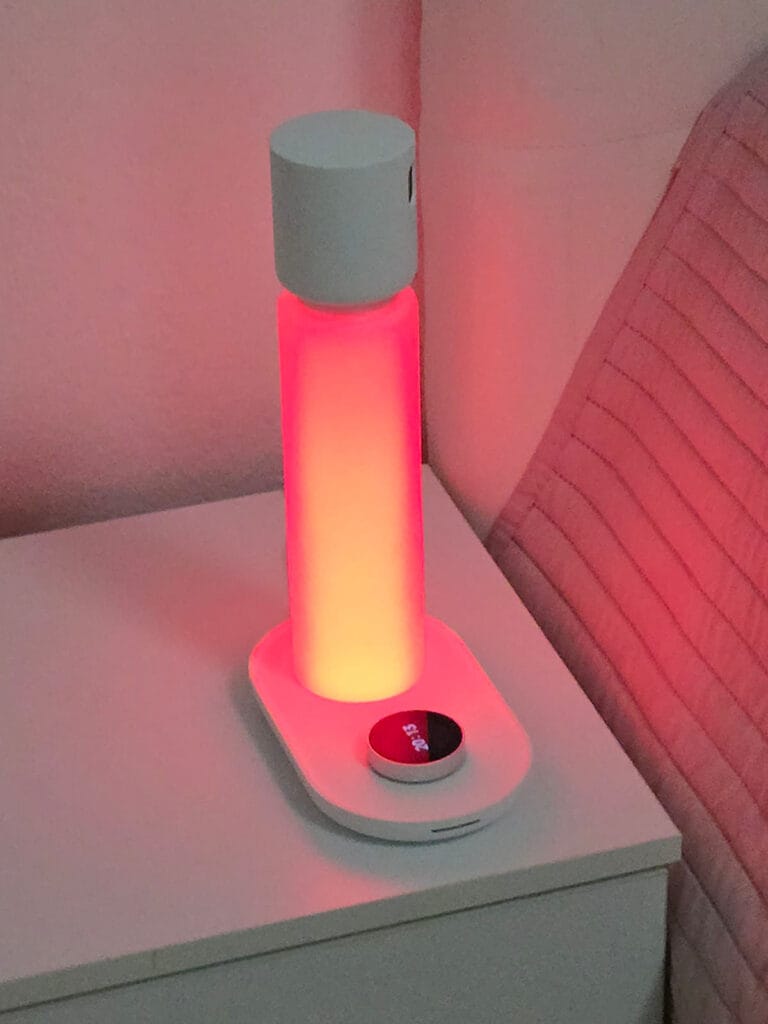
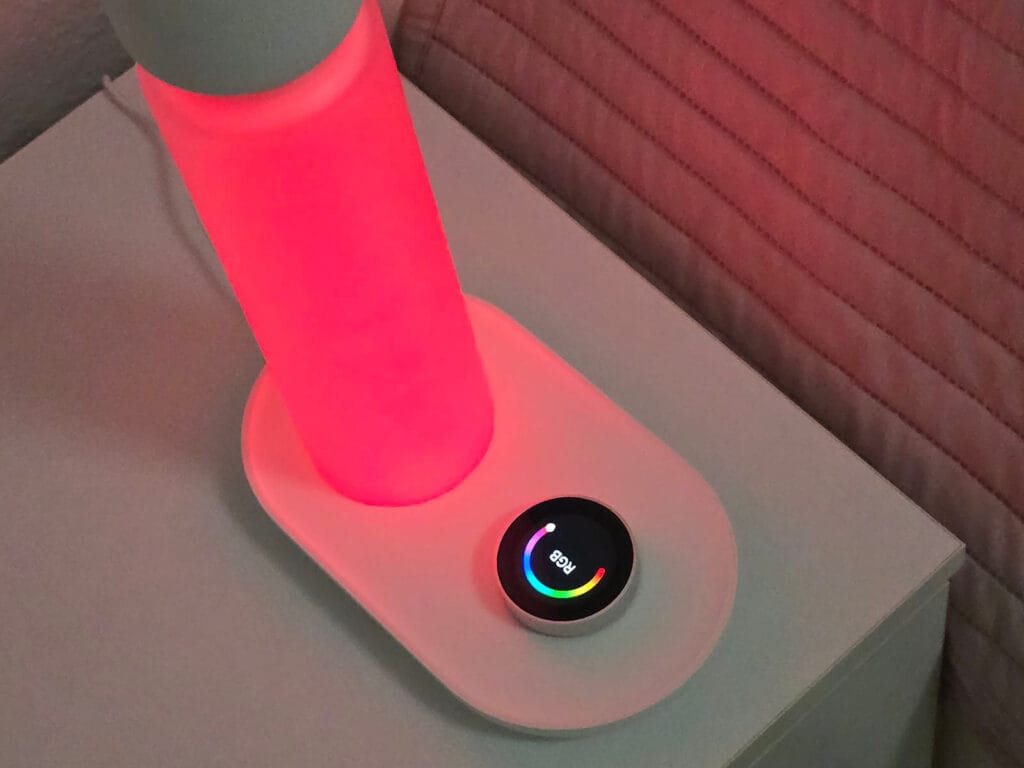
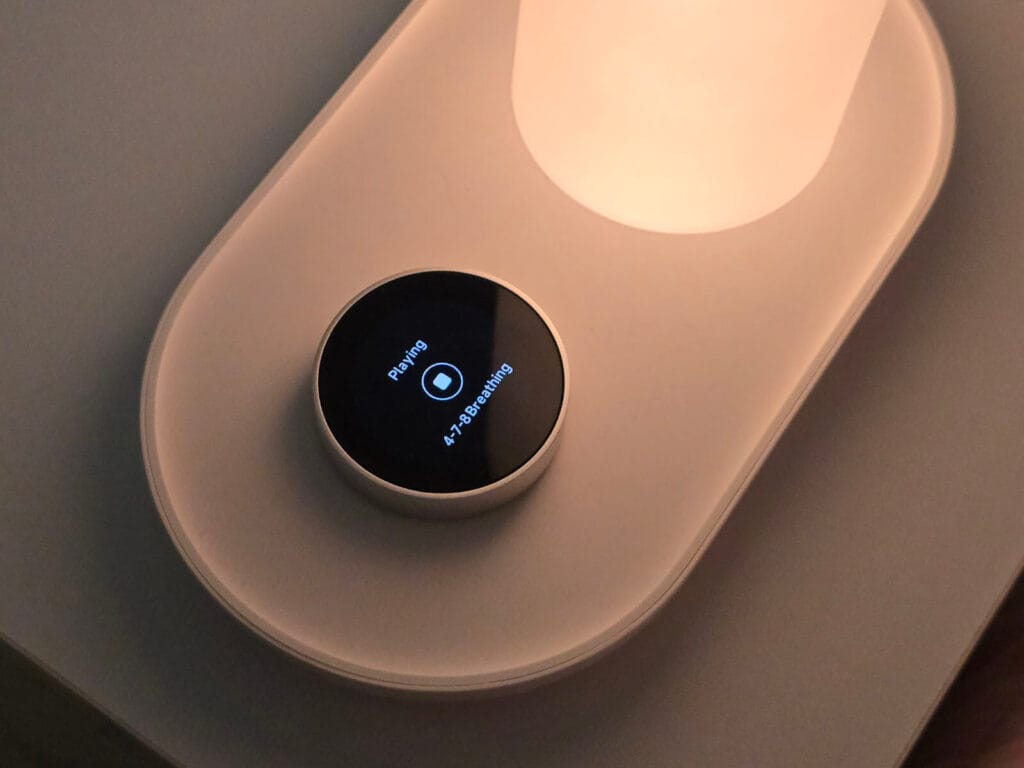








Thanks for the review. How many nights did you test this? Does it have any problems detecting your partner instead of you in the same bed?
Once you calibrate, there is no problem in detecting the other person. But if you need to track them as well, you need a second device obviously.
Hi, thanks for another great review !
I always wondered if putting a mmWave device right next to your head is a good idea from health perspective, a little bit like some people say about smartphone which are not in plane mode. I tried to make a little research about the subject but did not find anything (especially when I was thinking about putting a mmWave sensor right next to my daughter bed). Did you ask yourself this question and made some research about it ? I’m curious to read your point of view on the subject
Radio waves are non-ionizing. Plus, they run on incredibly low power—usually around 10mW, which is a tiny fraction of a smartphone’s antenna (can reach up to 2000mW) or a standard Wi-Fi router.
It is 100% safe to put next to a bed or a crib without a second thought. These sensors are used all over in medicine too.
Thanks a lot for your reply, you convinced me 🙂
Interested because I’ve been looking for a dedicated bed/sleep sensor for HA.
Once it’s setup, it starts/stops sleep monitoring on it’s own without any (app) interaction?
The sleep stages don’t seem to be part of the Matter sensors?
A lot of the app/analysis features seem to be part of a subscription though:
Subscription
Can sleepal AI Lamp works without subscription?
Sleepal AI Lamp can be used without a paid subscription. Rhythm-aware lighting/alarm/bluetooth speaker, smart home integration (Matter), and basic sleep tracking all run on the device without a subscription.
What Sleepal AI+ brings
Comprehensive sleep staging powered by AI models, along with detailed snoring analysis and posture guidance powered by on-device AI models. AI models are developed through clinical research partnerships (2,000+ hospital datasets and growing) to protect your privacy.
Your AI sleep coach: personalized insights, weekly trends, and actionable recommendations that get smarter over time.
A growing, expert-curated sleep content library, including guided breathing, meditation, and soundscapes, to ensure scientific rigor.
You are right, completely forgot to include info about the subscription! I did ask em what it includes since the app was not really clear and this is it what it adds:
Sleepal Al+ Plan Includes:
Detail Sleep Report
Posture Guidance
Sleepal AI Coach
Ever-growing wind-down content
is the raw data all available without a subscription over matter? then it would be possible to create reports and ai coaches ourselves with local LLMs. Does the lamp function without an internet connection?
They are having difficult porting it over Matter, since the standard is so limited and doesn’t support sleep trackers officially yet.
They told me they are doing their best to bypass the limitations and expose everything via other sensors like they do with occupancy.
is the raw data all available without a subscription over matter? then it would be possible to create reports and ai coaches ourselves with local LLMs.
[Sleepal] Sleepal supports writing supported sleep and health data to platforms such as Apple HealthKit and Google Health Connect. However, we still recommend using the native Sleepal app to access the most complete sleep report, because many of Sleepal’s unique sleep insights such as sleep position, snoring-related data, breathing stability insights, and other detailed sleep analysis results are not fully supported by general health platforms like Apple HealthKit or Google Health Connect. Also, as part of the GDPR compliance, Sleepal also support raw data export. Reading raw sleep data & vital signs from platform like Apple HealthKit should be fairly simple.
Does the lamp function without an internet connection?
[Sleepal] Some features can still work locally.
– For example, Matter smart home triggers such as real-time sleep status, nighttime get-up actions, and sleep-position-related automation are processed locally and can still trigger smart home scenes without relying on the Sleepal cloud. Sensor-based lighting features, such as turning off the light after you fall asleep and smart night light, as well as alarm-related functions, also do not rely on an external Internet connection.
– However, sleep reports require an Internet connection for cloud-based processing and app display. If the network is unavailable, the report may not be generated or shown immediately, but the data can be restored and displayed after the connection is recovered.
Once it’s setup, it starts/stops sleep monitoring on it’s own without any (app) interaction?
[Sleepal] correct.
The sleep stages don’t seem to be part of the Matter sensors?
[Sleepal] Wake/Sleep status and Light-sleep alarm status are all part of the Matter sensors. The more complicated 4-stages (Wake/REM/Deep/Light) calculation depends on a deep neural network with nearly 100 million parameters, trained on 2,000+ nights of clinical polysomnography (PSG) from leading hospitals, on the cloud to achieve a Sleep Staging Kappa scores exceeding all known top-tier wearables (with public research study). Research link: arxiv.org/abs/2604.16442 . Find more at https://back.sleepal.ai/science .
BTW, we heard your feedback about subscription. So today, we just made a major update for all Sleepal Kickstarter backers only: up to 5 Years of Sleepal AI+ Subscription — Now Included. If you are interested in backing Sleepal, now is the perfect time (and you get 3 years of Sleepal AI+ at least).
Great review, as someone with impaired sleep this is definitely interesting. Though the subscription is.. unfortunate, i understand its optional but lots of insights like these do not need AI at all its just interpreting data.
One thing though, are the app screenshots from your own nights? If so you should definitely have the snoring checked out.
They are, it gave me quite a pause to be honest.
I have an appointment scheduled already.
Glad to hear it, hope you’re taken seriously! I was dismissed at first because i didn’t fit the typical picture of a sleep apnea patient.
Don’t leave without an appointment for a proper PSG.
Thanks for sharing, I’ll my best to explain things.
Response from Sleepal team:
Why Sleepal AI+ is a subscription?
1. Sleepal Cloud has a cost. For example, it runs a deep neural network with nearly 100 million parameters, trained on 2,000+ nights of clinical polysomnography (PSG) from leading hospitals, on the cloud to achieve a Sleep Staging Kappa scores exceeding all known top-tier wearables (with public research study). Research link: arxiv.org/abs/2604.16442 . Find more at https://back.sleepal.ai/science .
2. Sleepal does not use your personal sleep data to train AI models. Our AI is developed using clinical datasets collected under informed consent and strict medical protocols.
3. We chose this model instead of ads or monetizing your information. Your subscription also funds new sleep content from medical experts and the continued evolution of your AI sleep coach, continuously refined through OTA updates.
Can sleepal AI Lamp works without subscription?
– Sleepal AI Lamp can be used without a paid subscription. Rhythm-aware lighting/alarm/bluetooth speaker, smart home integration (Matter), and basic sleep tracking all run on the device without a subscription.
What Sleepal AI+ brings
– Comprehensive sleep staging powered by AI models, along with detailed snoring analysis and posture guidance powered by on-device AI models. AI models are developed through clinical research partnerships (2,000+ hospital datasets and growing) to protect your privacy.
– Your AI sleep coach (based on LLM): personalized insights, weekly trends, and actionable recommendations that get smarter over time.
– A growing, expert-curated sleep content library, including guided breathing, meditation, and soundscapes, to ensure scientific rigor.
BTW, we heard your feedback about subscription. So today, we just made a major update for all Sleepal Kickstarter backers only: up to 5 Years of Sleepal AI+ Subscription — Now Included. If you are interested in backing Sleepal, now is the perfect time (and you get 3 years of Sleepal AI+ at least).
How well does this track if I move in my sleep or sleep in a slightly different position every night? Will I need to constantly adjust the camera to aim at my chest?
No, you won’t need to constantly adjust it.
Sleepal uses radar, and the radar signal works more like Wi-Fi — it covers a fan-shaped area rather than one exact point. As long as the device is roughly facing your upper body / chest area, it can track normal sleep movements and small position changes during the night. So after the initial setup, you should be fine.
Is there a way to replicate this using ESPhome/Zigbee and a 60GHz mmWave sensor? Might not be the most accurate, the device is huge and honestly the feature creep worries me. As great as the testing on the the mmWave tracking, shame not to see the same evidence for other features like sleep sounds and the lamp (for example if it was a certified SAD lamp or accurate color temperature and R9 rating). Especially if they want an ongoing subscription and product that cost $449 RRP on it’s own! I’m expecting top-tier SAD certified lighting, as good as speaker you can get for those sleep sounds where bass and sub-bass are particularly important.
It’s nice they one scientifically backed feature, a product that did just that and just that well can be smaller, less obtrusive, less bloated and most importantly sub-$100 price tag