

Check out the separate Sonoff AirGuard CO2 & PM Air Quality Monitor review.
Sonoff recently released their new AirGuard series of smart sensors. These are air quality and climate sensors designed to measure temperature, humidity, carbon dioxide (CO2), and particulate matter (PM). However, it’s worth clarifying that these sensors are not housed in a single device:
- Sonoff AirGuard CO2: Measures temperature, humidity, and CO2.
- Sonoff AirGuard PM: Measures temperature, humidity, and PM.
- Sonoff AirGuard TH: Measures temperature and humidity only.
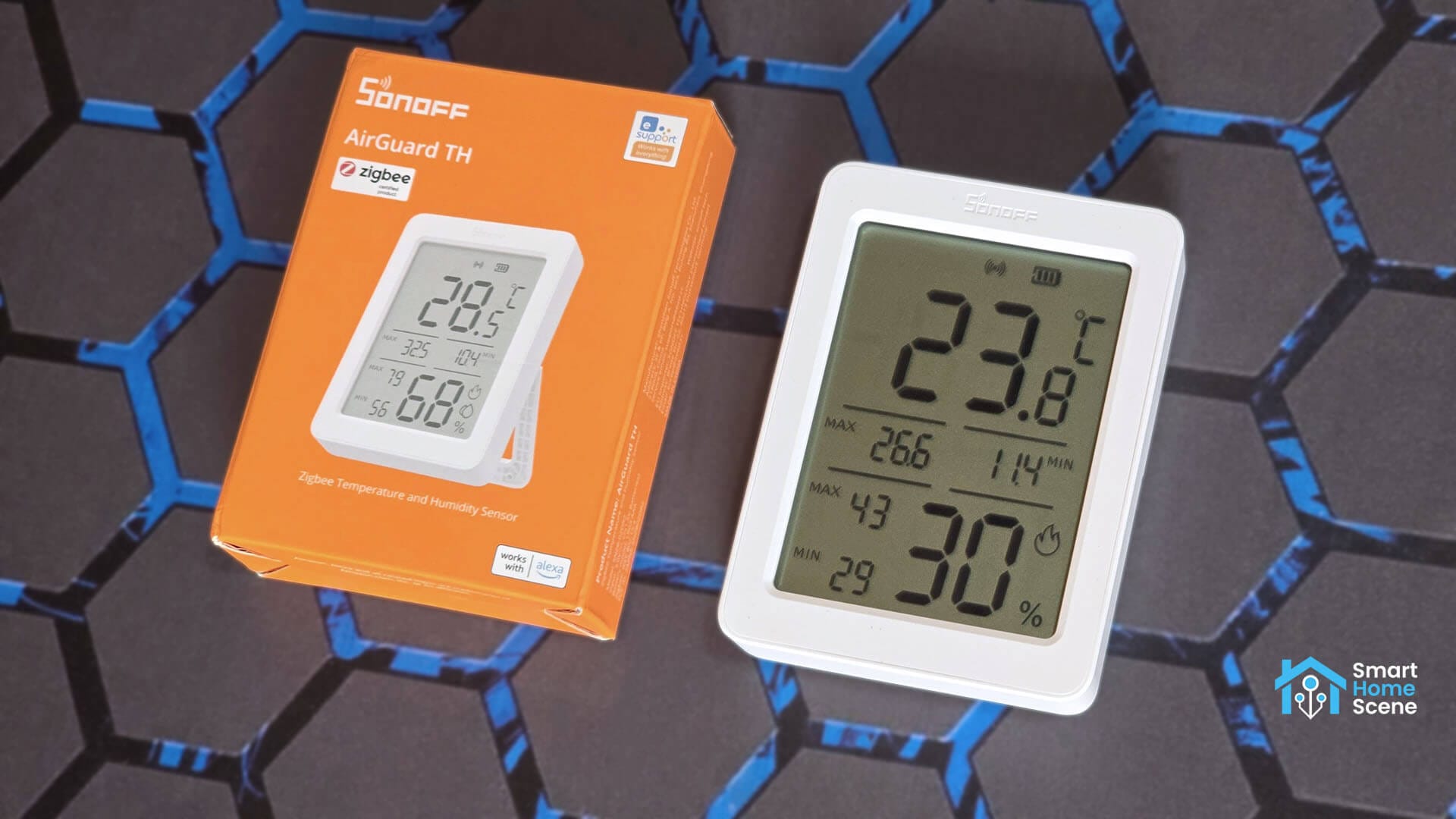
Furthermore, while the AirGuard CO2 and AirGuard PM are Matter-over-Wi-Fi smart devices, the AirGuard TH uses good old Zigbee for connectivity. In this review, I am sharing my experience with the simplest of the bunch, the AirGuard TH smart temperature and humidity sensor and testing its integration into Home Assistant.
You can get it on Amazon US, Amazon DE, Amazon NL or the Sonoff Website.
Technical Specs: AirGuard TH vs CO2 vs PM
I have compiled a detailed comparison of the technical specifications for all three sensors in the AirGuard series. While they share a similar design, there are major differences in their internal components, power sources, and communication protocols that will impact how you integrate them into your smart home.
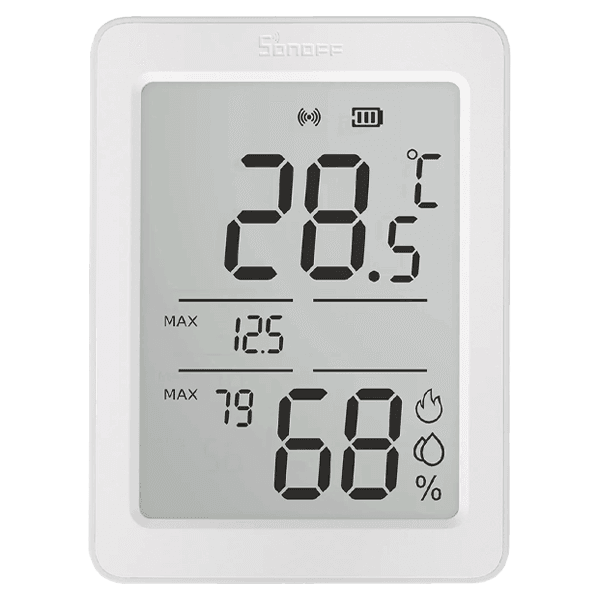 | 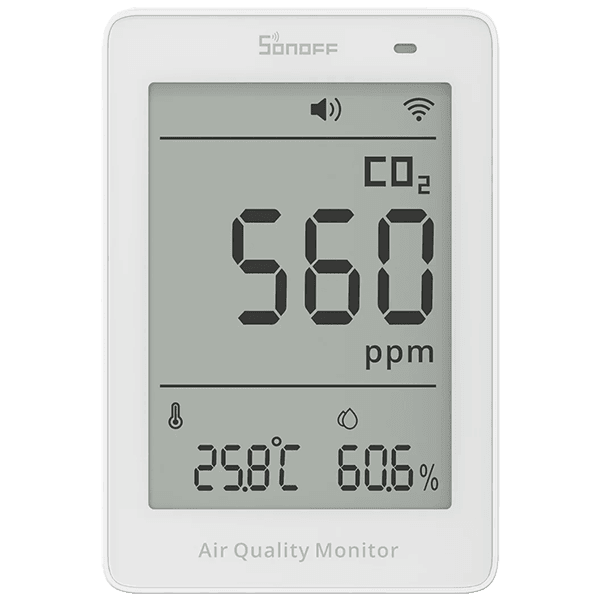 | 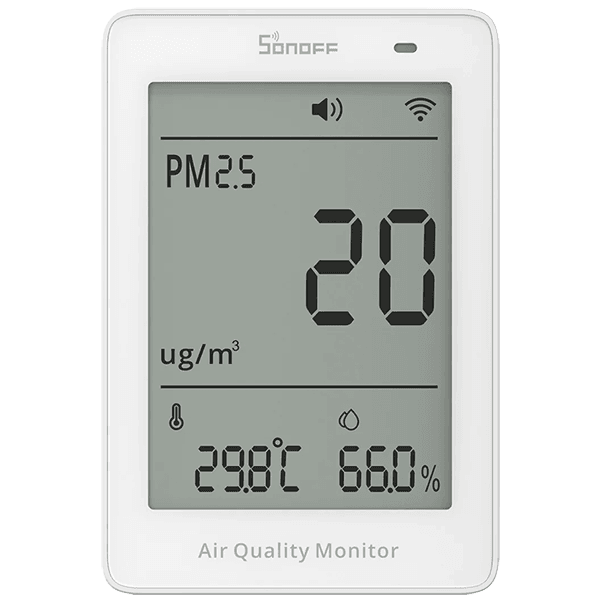 | |
|---|---|---|---|
| Name | AirGuard TH | AirGuard CO2 | AirGuard PM |
| Model | SNZB-02DR2 | SAWF-08P | SAWF-07P |
| MCU | TLSR8656F512ET32 | ESP32-D0WDR2-V3 | ESP32-D0WDR2-V3 |
| Protocol | Zigbee 3.0 | Matter-over-Wi-Fi | Matter-over-Wi-Fi |
| Power | 2xAAA | 5V1A, USB-C | 5V1A, USB-C |
| Display | 3.6″ LCD | 3.73″ LCD | 3.73″ LCD |
| Dimension | 95x70x18.2mm | 70x103X26mm | 70x103X26mm |
| Weight | 99.3g (with battery) | 101g | 127.6g |
| Casing Material | PC+ABS | PC+ABS | PC+ABS |
| T/H Accuracy | ±0.2 °C, ±2% | ±0.5 °C, ±3% | ±0.5 °C, ±3% |
| CO2/PM Accuracy | / | ±50 ppm |  ±10µg/m³ ±10µg/m³ |
| Mounting | Stand/Hook | Stand | Stand |
| Price | $14.90 [Sonoff, Amazon] | $49.90 [Sonoff, Amazon] | $39.90 [Sonoff, Amazon] |
Disassembly and Teardown of AirGuard TH
The Sonoff AirGuard TH comes in a signature orange box that includes the sensor, a user manual, and a pair of AAA batteries. These are likely generic batteries, so do not be surprised if you need to replace them with higher quality ones relatively soon.
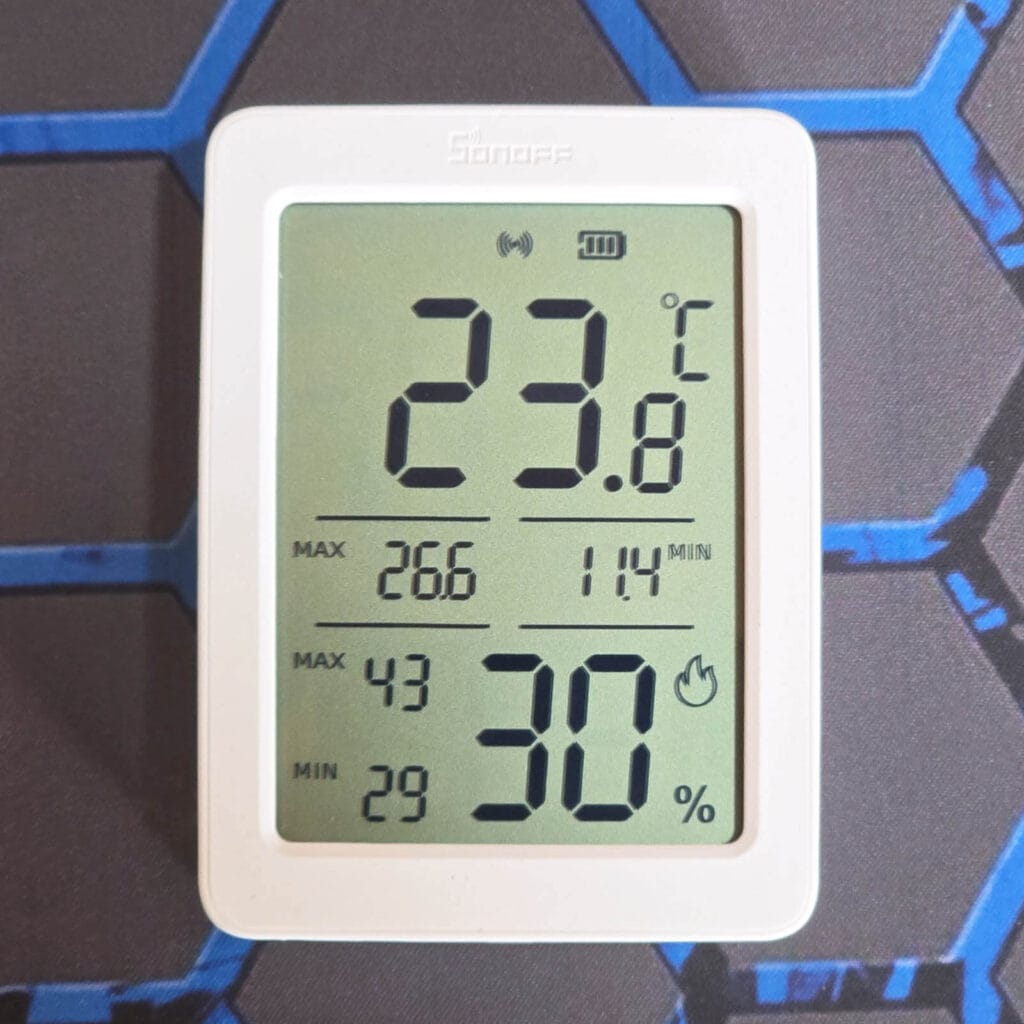
The device is dominated by a 3.6-inch display that uses large, bold numbers to make the readings easy to see. Along with current temperature and humidity, the screen shows 24 hour minimum and maximum records, battery levels, and connectivity status, as well as a comfort level indicator. Interestingly, the AirGuard TH can also display temperature data from a secondary external sensor, though this appears to be a feature that requires the app to set up properly.
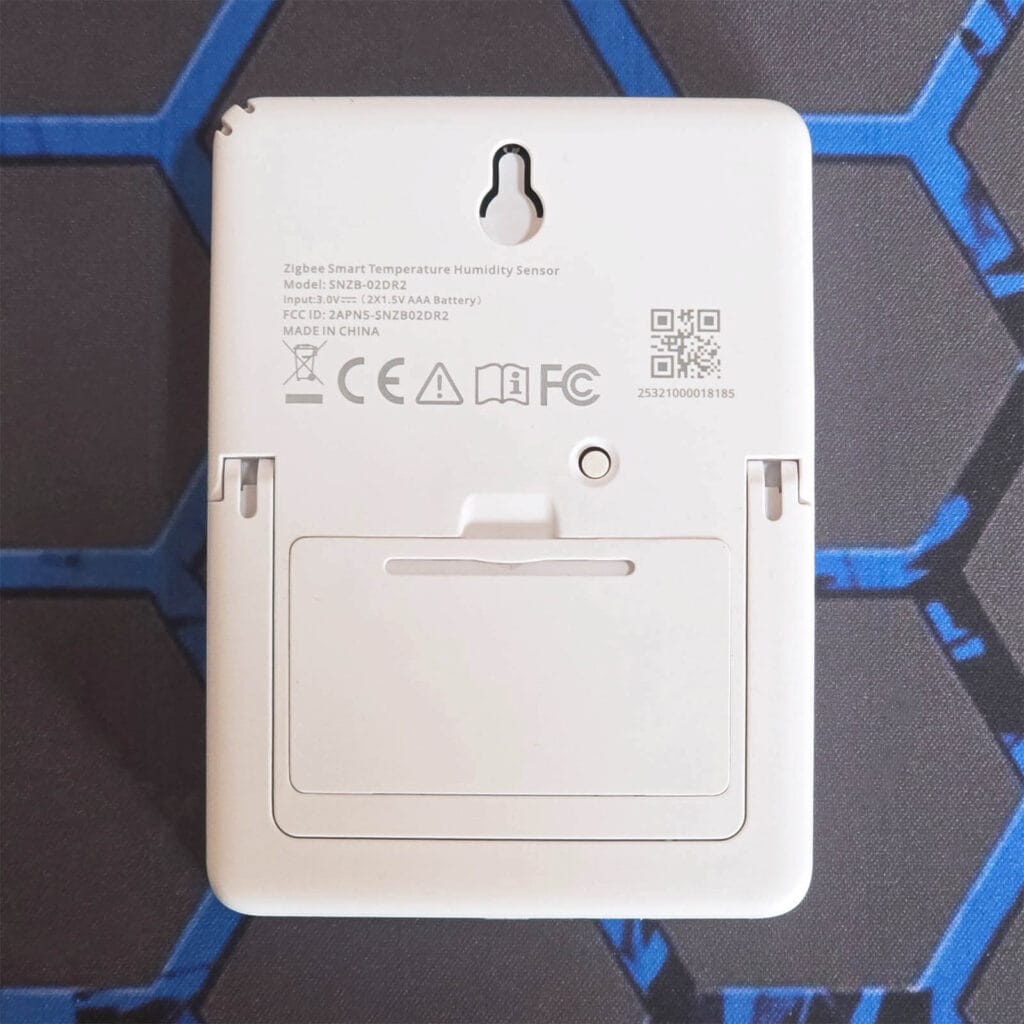
On the back, you will find a reset button positioned just below a built-in mounting hole for hanging the device on a wall. If you prefer to keep it on a flat surface, the unit also features an integrated leg stand that you can easily extend to prop the sensor up wherever you need it.
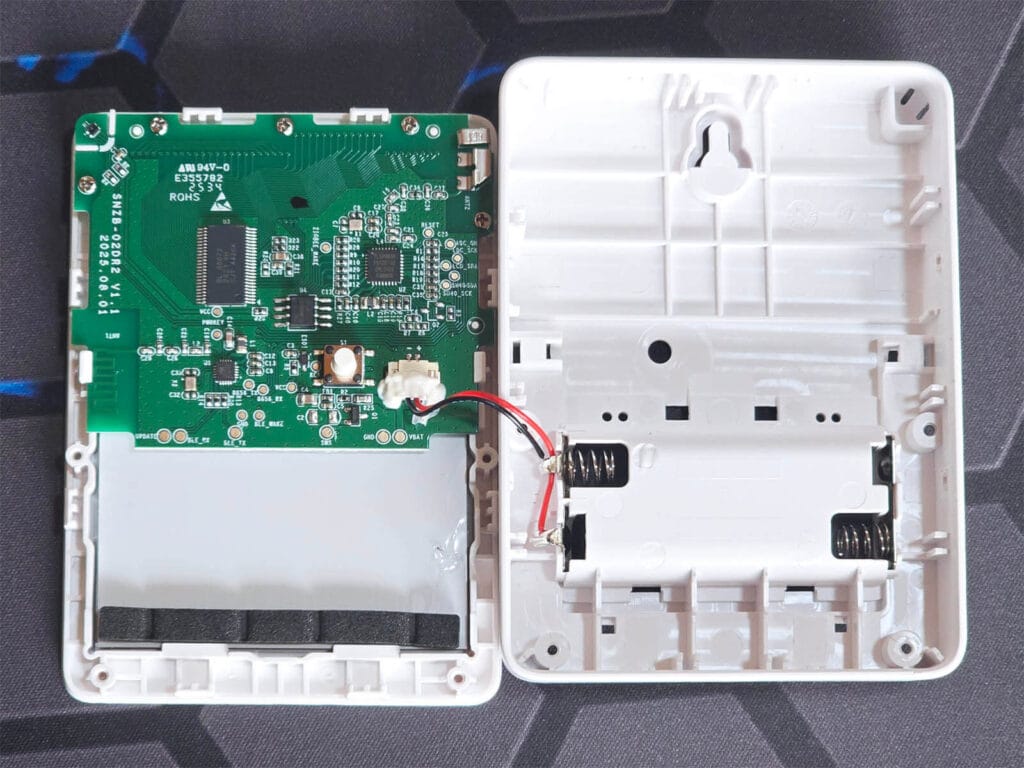
I removed four screws and opened up the AirGuard TH sensor. The PCB is quite neat, professionally made, and very clean. The small component you see in the corner is the actual temperature and humidity sensor, which slots nicely into a small section of the bottom casing.
The AirGuard TH uses the Sensirion SHT40 [Datasheet], a high quality precision sensor which can measure temperature with an accuracy of up to ±0.2°C and humidity with an accuracy of ±2%. Sonoff also used this same sensor in their previous SNZB-02WD model.
Zooming in onto the PCB, the components which make up the Sonoff AirGuard TH can be easily identified.
The brains of the device is the Telink TLSR8656 [Datasheet], which is a Telink Zigbee 3.0 System on Chip. This component is responsible for all the wireless communication and managing the low power sleep modes that allow the device to run on standard AAA batteries. It’s a well known chip, featured across various smart devices. These MCUs gained popularity when people learned you can convert the Xiaomi LYWSD03MMC sensor from Bluetooth to Zigbee by flashing a similar Telink chip.
To manage that large 3.6-inch screen, Sonoff uses the BL 55072 LCD driver [Datasheet] from Shanghai Belling. This specialized chip is what actually controls the segments on the display to show you your readings. It communicates with the main processor over an I2C serial interface to keep the visual data synchronized with the actual sensor measurements.
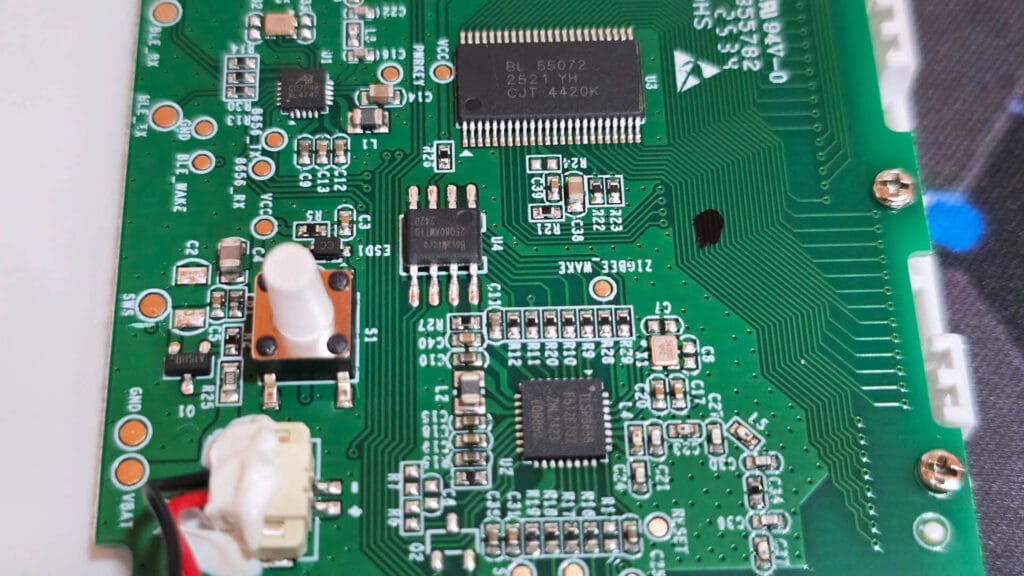
Furthermore, there is a BoyaMicro 25080AWTIG storage chip that acts like a small hard drive for the device software and your saved data logs. This memory is what allows the AirGuard TH to store your temperature and humidity history locally and handle OTA updates without any issues. Lastly, there is a small chip labeled AB C07F4A XL4747 near the battery connections. This one likely works as a power stabilizer, keeping the voltage steady to protect the more delicate electronics while the sensor is running or when you are working on the board.
Home Assistant Integration
The Sonoff AirGuard TH is officially supported in Zigbee2MQTT and partially supported in ZHA. To pair it to your coordinator, you simply press and hold the pairing button on the back until the connectivity indicator on the screen starts blinking.
Zigbee2MQTT
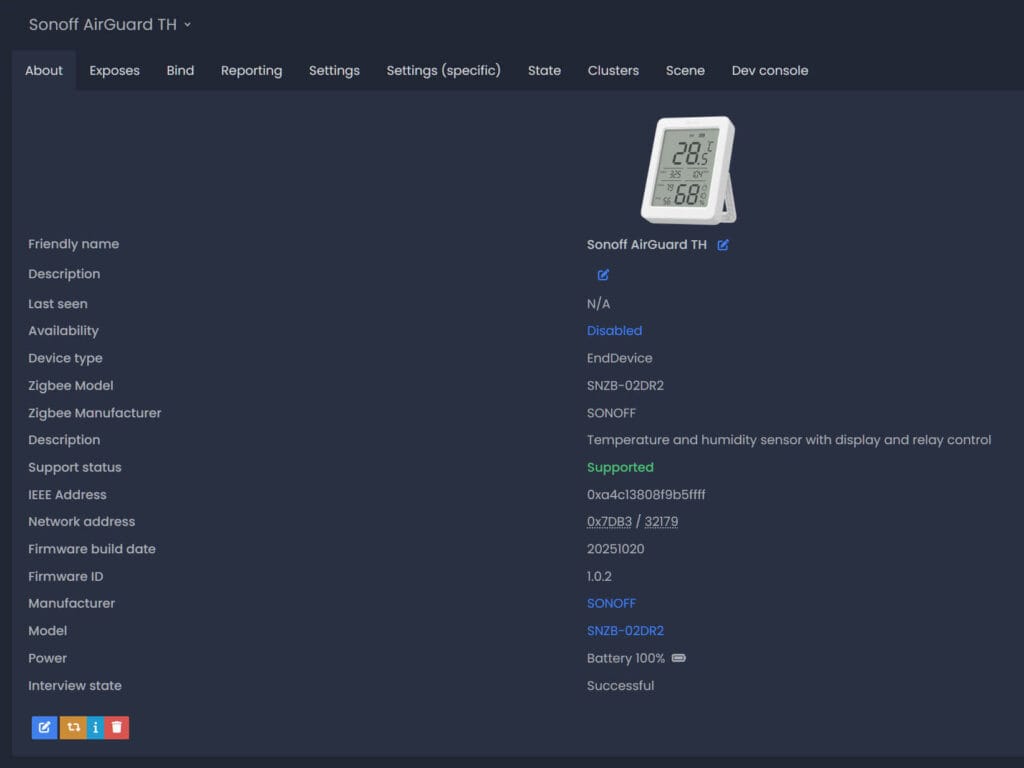
Once paired to Zigbee2MQTT, the device gets correctly identified as model SNZB-02DR2 by manufacturer Sonoff. The sensor also supports OTA via Zigbee2MQTT, but I was unable to fetch the new image, possibly because the index is wrong. It’s currently running version 1.0.2, even though it appears 1.0.4 is the latest firmware.
Here’s what the exposes panel looks like:
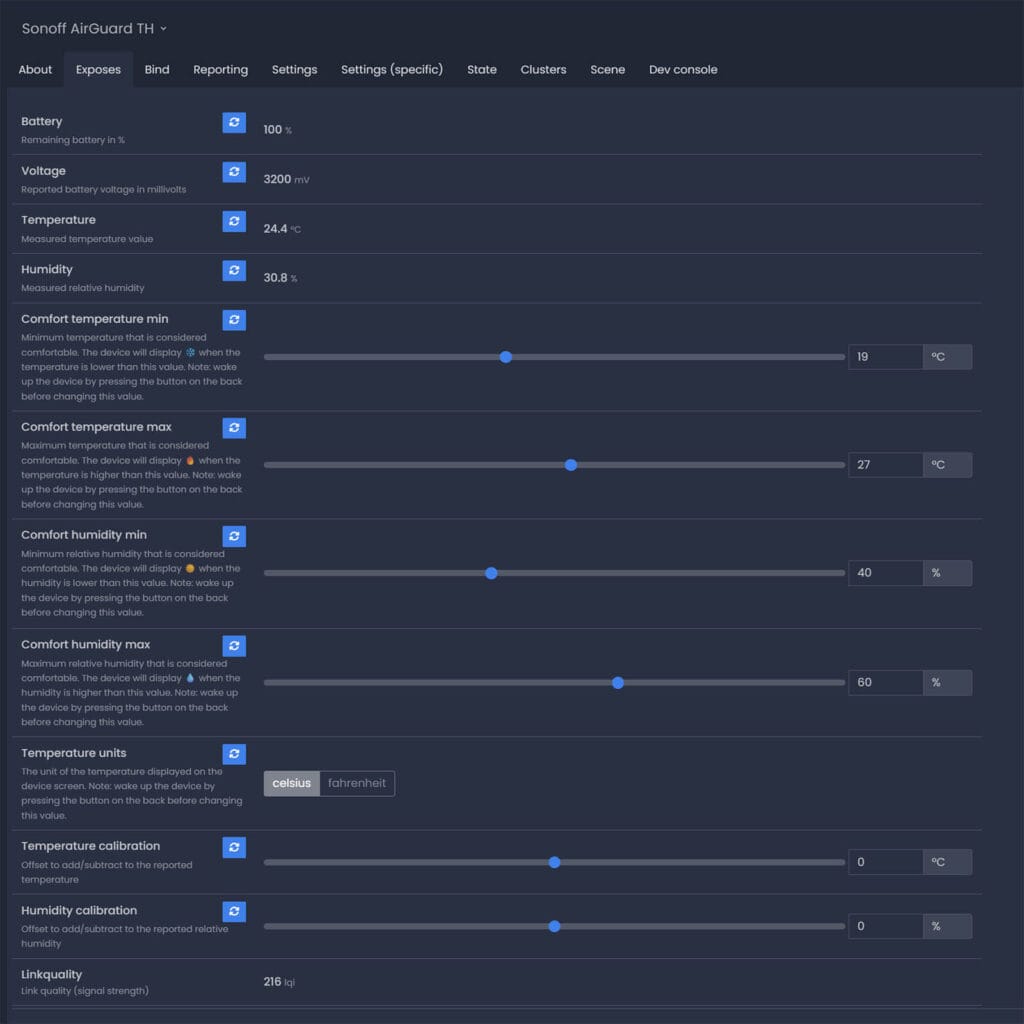
Besides the obvious temperature, humidity and battery level sensors, the device exposes some additional interesting things. First, it allows you to change the temperature unit remotely and define a specific comfort zone through four distinct parameters that trigger visual indicators on the screen.
The Comfort Temperature Min setting establishes the lowest temperature considered comfortable, and the device will display a snowflake icon when the ambient temperature falls below this threshold. Similarly, the Comfort Temperature Max setting defines the upper limit of your comfort range, triggering a fire icon on the screen if the temperature exceeds this value.
For humidity management, the Comfort Humidity Min setting marks the lowest comfortable relative humidity level, showing a sun icon when the air is too dry. Finally, the Comfort Humidity Max setting determines the highest comfortable humidity level, displaying a water drop icon when the environment becomes too damp.
However, the most important feature of the AirGuard TH are the firmware-level temperature and humidity calibration settings. Using these input sliders, you can apply a positive or negative offset to adjust and recalibrate the sensor readings. The unique benefit here is that your offset is automatically reflected on the device screen itself. This functionality is remarkably rare because offsets for similar devices are typically handled on the software side within Zigbee2MQTT, which often leaves the uncalibrated reading on the physical screen even after the data is corrected in your Z2M and HA dashboard. Very useful and highly appreciated!
ZHA
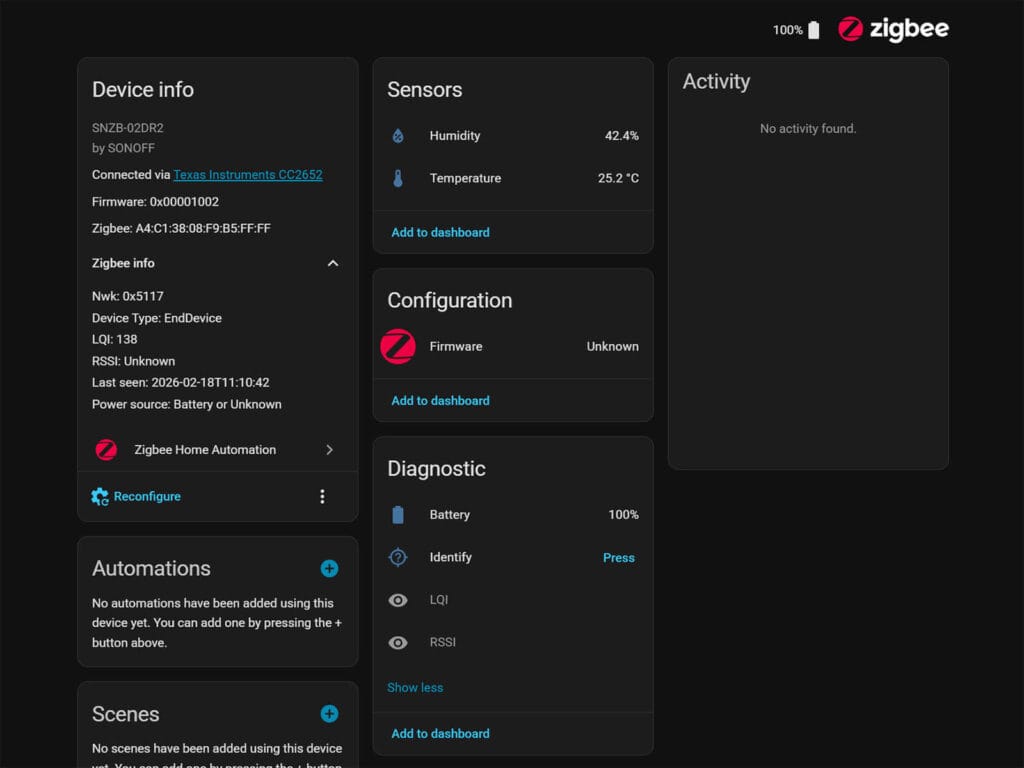
As with most things ZHA, the Sonoff AirGuard TH is only partially supported. You get a temperature, humidity, and battery level reading without any of the advanced calibration and comfort level features the device supports. You will need to develop a custom quirk to read and interface with the custom endpoint clusters correctly, as at the moment, ZHA does not do it for you.
UPDATE: Sonoff has made a custom quirk for the AirGuard TH! You can download it here along with instructions on how to add it to ZHA. Read the official help article for more info.
Installation and Testing
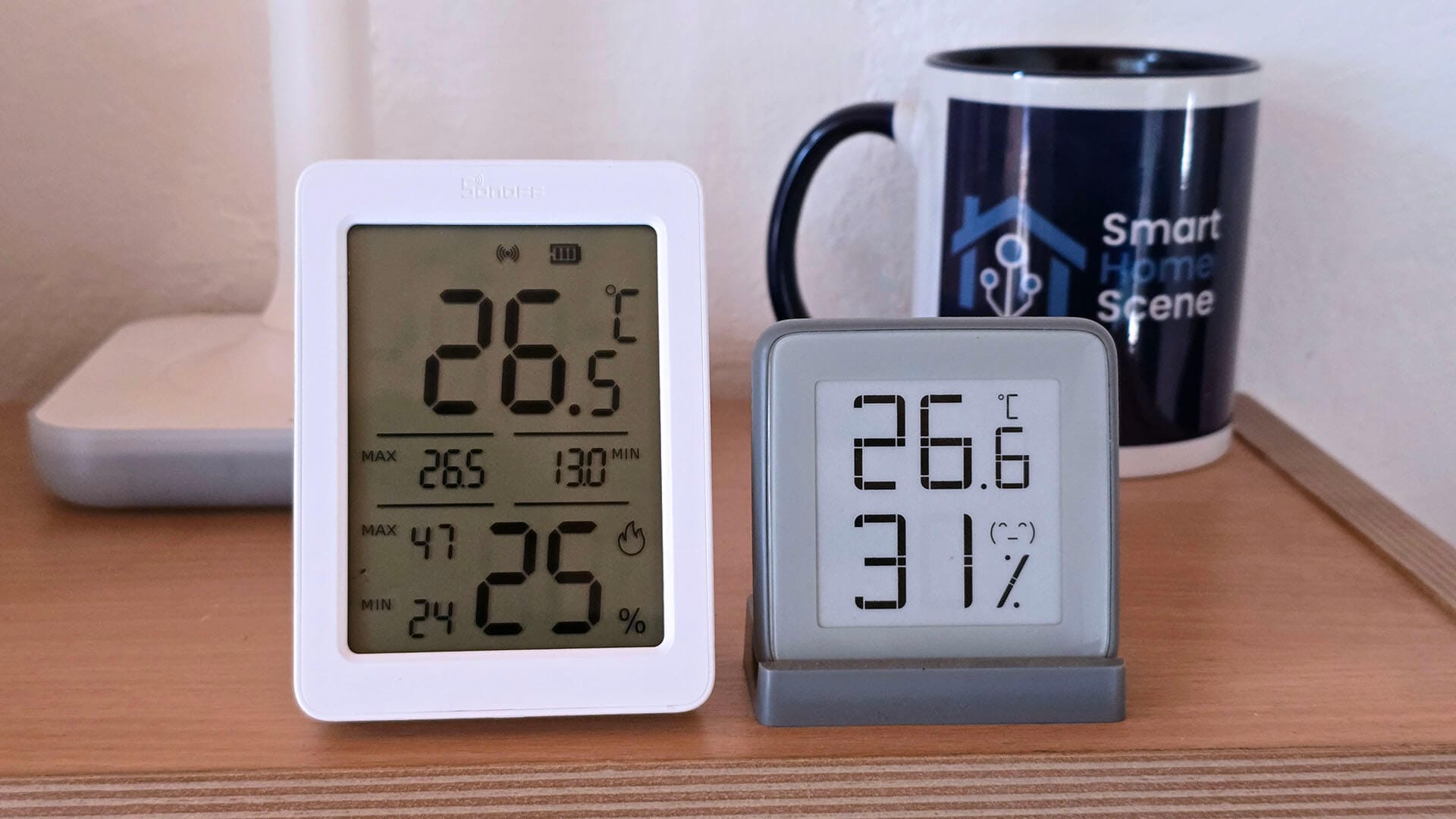
To benchmark the performance of the Sonoff AirGuard TH temperature and humidity sensor, I installed it in my office. It occurred to me that I never benchmarked the temperature and humidity sensor of the Aqara FP300 in its review, as I only focused on presence. Since it’s very capable multi-sensor, I decided to see how it compares to the Sensirion used the AirGuard TH.
Here’s what I got in Home Assistant:
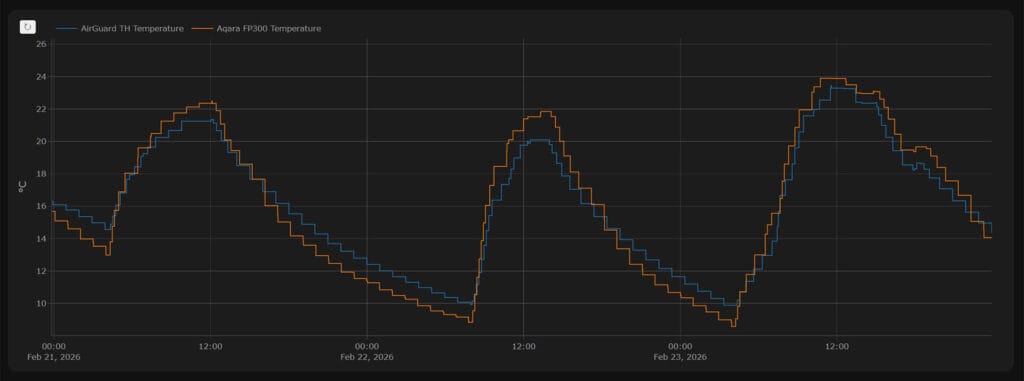
The temperature trend was closely mirrored across both sensors, with both units following an nearly identical path. The jaggedness visible in the data is simply a result of the low reporting rate typical of these battery-powered devices. I found it particularly interesting that they tracked each other more accurately during active temperature shifts, rising or falling. A small deviation appeared during stable periods, where the AirGuard reported slightly lower values at the bottom of the range and slightly higher values at the peak.
You can change and adjust the reporting interval for both devices.
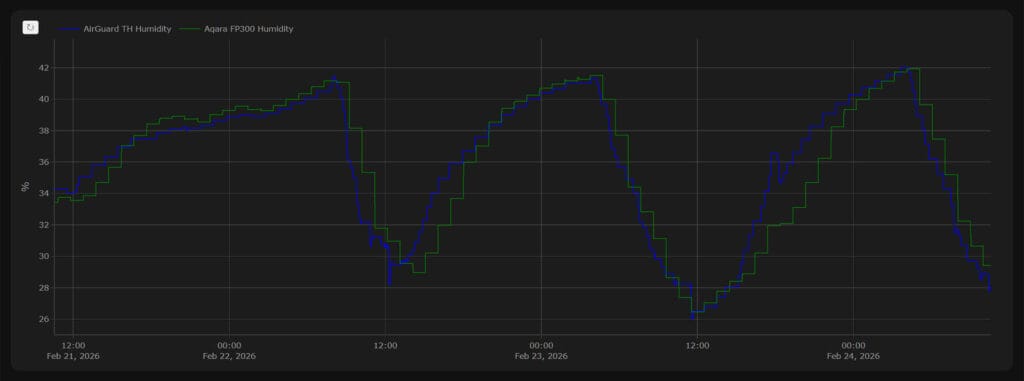
Humidity performance was a bit more consistent, with both sensors maintaining a much tighter correlation than they did with temperature. Although some minor deviations occurred during humidity changes, the overall trend remained in sync across both devices. Interestingly, once the humidity levels stabilized, the two sensors provided nearly identical readings.
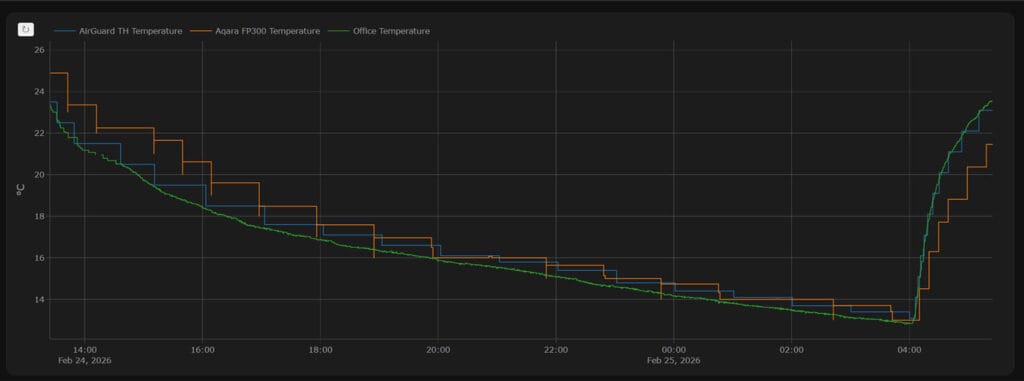
I also compared the results against a calibrated MHO-C401 Bluetooth sensor that I keep in my office. This unit is flashed with the custom PVVX firmware and is configured for high-frequency reporting. Because this custom firmware is so efficient, the sensor can maintain a high reporting rate for years on a single battery. Comparing all three confirmed my previous findings: while there are slight deviations, both the AirGuard TH and the Aqara FP300 are very accurate overall.
Final Thoughts
The Sonoff AirGuard TH is exactly what you would expect from Sonoff when they release a device of this type. It is accurate, reliable, and ships with excellent Zigbee firmware. You can calibrate the temperature and humidity at firmware-level, which mirrors your offset on the physical screen. This is a very rare feature, and I have tested enough climate sensors to know how much that matters.
Furthermore, the display on the Sonoff is quite impressive for an LCD. It has clear, bold numbers and can be viewed from a distance or from an angle without issues. You do get that greenish tint that all LCDs have, but personally it does not bother me since I can still see the contents clearly.
Lastly, the price of $15 is quite fair and simply cannot be easily beat. If you are looking for a capable Zigbee temperature and humidity sensor with a display, the Sonoff AirGuard TH is a great choice. Here is where you can get it:
Check out the separate Sonoff AirGuard CO2 & PM Air Quality Monitor review.









Hi, thanks for the review !
I’m surprised you’re saying “the price of $15 is incredible and simply cannot be beat” when you see all these aliexpress zigbee thermometers for less than 10$. Sure they have less features like missing calibration most of the time, but for other features like comfort zone, I’m not sure a lot people care about this ^^
Just stay away from the one around 4$ (model “TH03”) which is very poorly manufactured and the battery does not connect to the board without pression on it. Plus it has like 10% of drift from real humidity value.
I’ve tested a lot of temp sensors, and with this screen size, build quality and proper Zigbee firmware you aren’t getting the same from Tuya.
15 for a device like this with proper screen calibration and the ability to display external sensors is fair.
But perhaps you are right, I will rephrase it better.
Have you considered adding the salt calibration method to these sensor reviews to see if baseline humidity is correct? I’ve found that some are way off and its a shame that even when setting the offsets will correct the resulting value, the value displayed on the display will not which is one of the primary reasons why you get one with a display.
I haven’t, though it’s a good idea.
The Sonoff Airguard TH changes the value on the display when you apply the offset and calibrate 🙂
That’s good to know! I don’t have this model but i do have others that don’t unfortunately.
Appreciate the response!
Thanks for the review.
Have you tried configuring update parameters for this?
Can you please add a screenshot for the Reporting tab?
I have a SNZB-02D and it sends updates only after the temperature has changed by 0.2 degrees.
Is it the same story with this one?
Yes, by default it sends an update when 0.2°C change is detected, although you can change it to report frequently (time-based).
But the problem with SNZB-02D is that it will not report changes of 0.1 even when the max report time is reached. For example, it will report only values that are divisible by 0.2 [+/- 0.1], no matter what settings I throw at it in Zigbee2MQTT. Does SNZB-02DR2 behave in the same way?
For example, if it started reporting 16.1, then it will never report 16.0 and 16.2.
Yes, that is the case with the AirGuard TH too.
The sensor accuracy is max ±0.2 °C, so yes, it behaves the same way.