

The Sonoff SNZB-02P is an excellent Zigbee temperature and humidity sensor. It scored very highly in my comparison review of twelve popular temp sensors, and I still recommend it to anyone building a Zigbee smart home in Home Assistant.
Recently, Sonoff released an official successor to the popular SNZB-02P. The new SNZB-02M, also named as the AirGuard TH pressure, keeps the same Sensirion sensor for temperature and humidity, but adds a Bosch barometric pressure sensor on top. The device also calculates dew point and VPD readings in Zigbee2MQTT, something the SNZB-02P does not get, even though nothing about its hardware stops it.
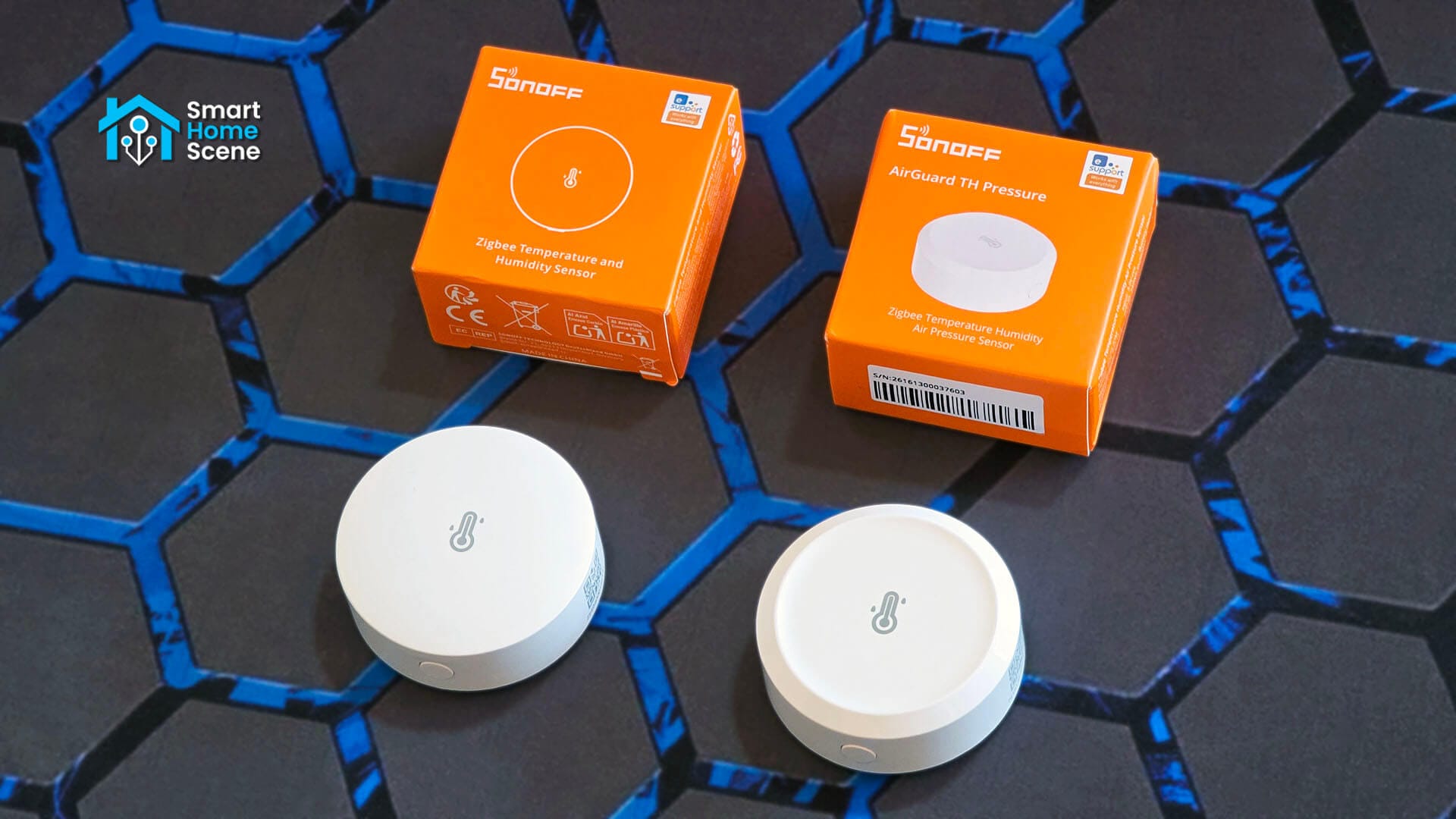
As I already had the SNZB-02P, I bought the new SNZB-02M to see what changed besides the obvious addition of a pressure sensor. I dismantled both devices, tested pairing and integration with Zigbee2MQTT and ZHA, and benchmarked them side by side to see how the SNZB-02M compares to the SNZB-02P.
Technical Specification: SNZB-02P vs SNZB-02M
The table below lists out every spec of both devices, plus some details I confirmed myself during teardown and testing. The differences are small and minor on paper, however there are some things worth examining.
 |  | |
|---|---|---|
| Model | SNZB-02P | SNZB-02M |
| MCU | EFR32MG22 | EFR32MG22 |
| Temperature/Humidity Sensor | Sensirion SHT40-AD1x | Sensirion SHT40-AD1x |
| Pressure Sensor | / | Bosch BME280 |
| Battery Model | CR2477 | CR2477 |
| Connectivity | Zigbee 3.0 (IEEE 802.15.4) | Zigbee 3.0 (IEEE 802.15.4) |
| Temperature Range | -10°C ~ 60°C | -20°C ~ 60°C |
| Temperature Accuracy | ±0.2°C / ±0.4°F | ±0.2°C / ±0.4°F |
| Temperature Resolution | 0.1°C | 0.1°C |
| Humidity Range | 5-95% RH (non-condensing) | 5-95% RH (non-condensing) |
| Humidity Accuracy | ±2% RH | ±2% RH |
| Humidity Resolution | 0.1% | 0.1% |
| Pressure Range | / | 700-1100 hPa |
| Pressure Accuracy | / | ±0.1 hPa |
| Pressure Resolution | / | 0.1 hPa |
| Casing Material | PC | PC |
| Dimensions | 45 x 45 x 17.7mm | 45 x 45 x 17.6mm |
| Net Weight | 26.7g | 27.3g |
| Certification | CE/FCC/RoHS | CE/FCC/RoHS |
| Price | $16.90 | $19.90 |
Inside the Sonoff SNZB-02P and SNZB-02M
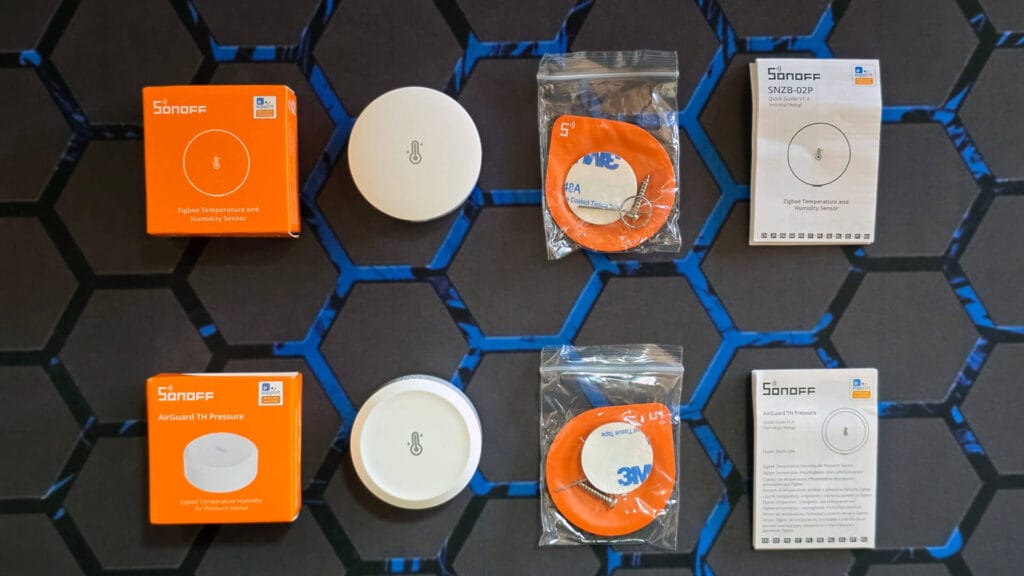
Both sensors ship with identical package contents. Each box holds the sensor itself with a CR2477 battery already installed, a metal mounting bracket, a screw, an adhesive sticker, and a printed user manual. Sonoff did not cut anything from the box between the two models.
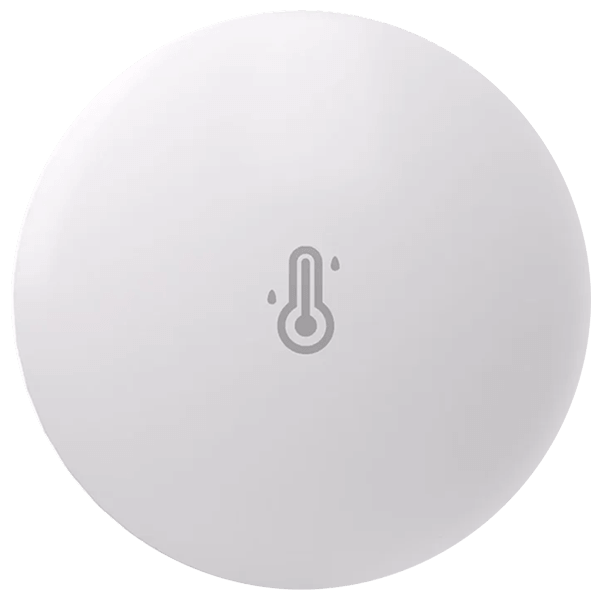
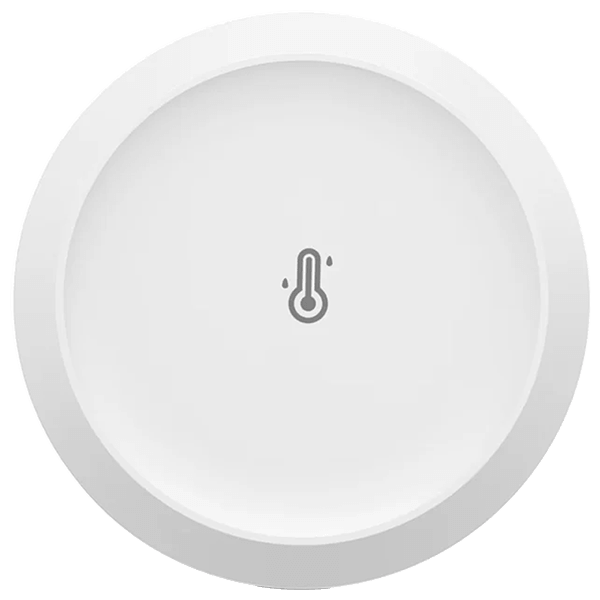
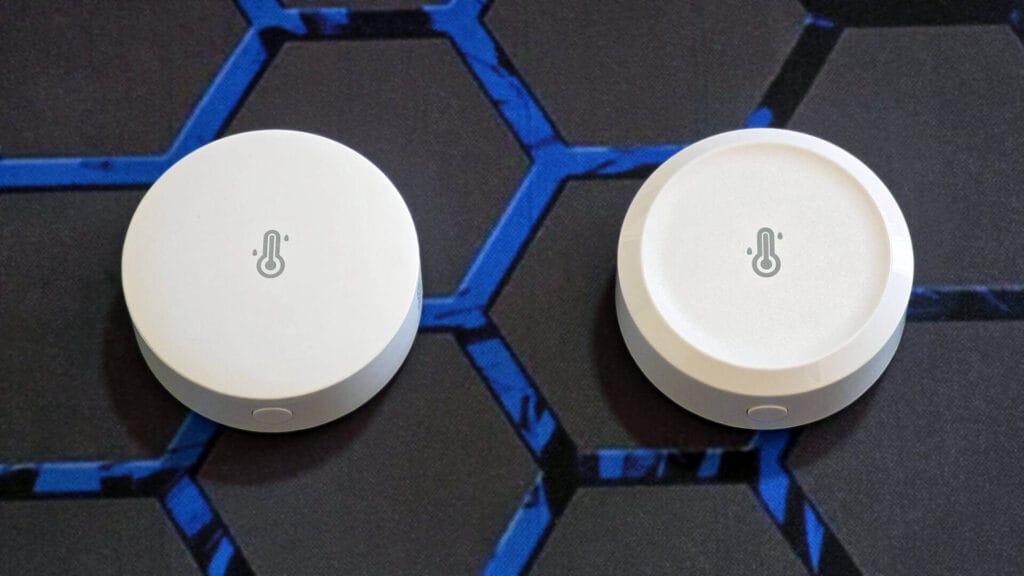
The first real difference is visible in the shape of the outer shell. The SNZB-02P has a slightly convex top, curving outward toward the center. The SNZB-02M has a concave top that dips inward toward the edge. Side by side they look nearly identical, with the same temperature symbol printed in the middle. I’m not sure which one I prefer design wise, as both look perfectly fine for a device of this type.
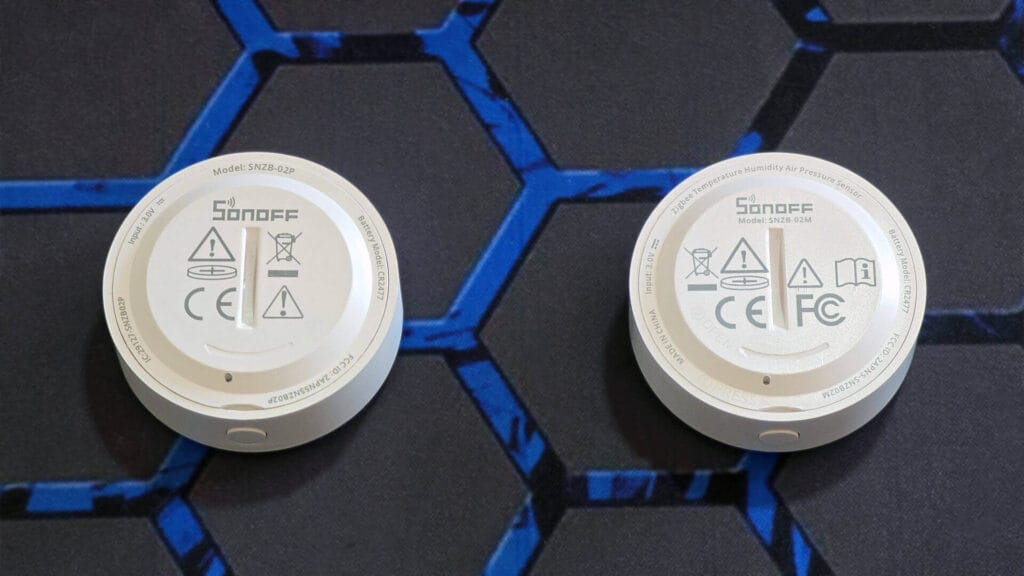
Both sensors are nearly identical on the backside as well. Model number, CR2477 battery type, input voltage, and certification markings are all printed around the battery cover, with a small turning slot that allows you to twist the cover open. Both devices list the FCC id as well as CE and IC marks certification marks.
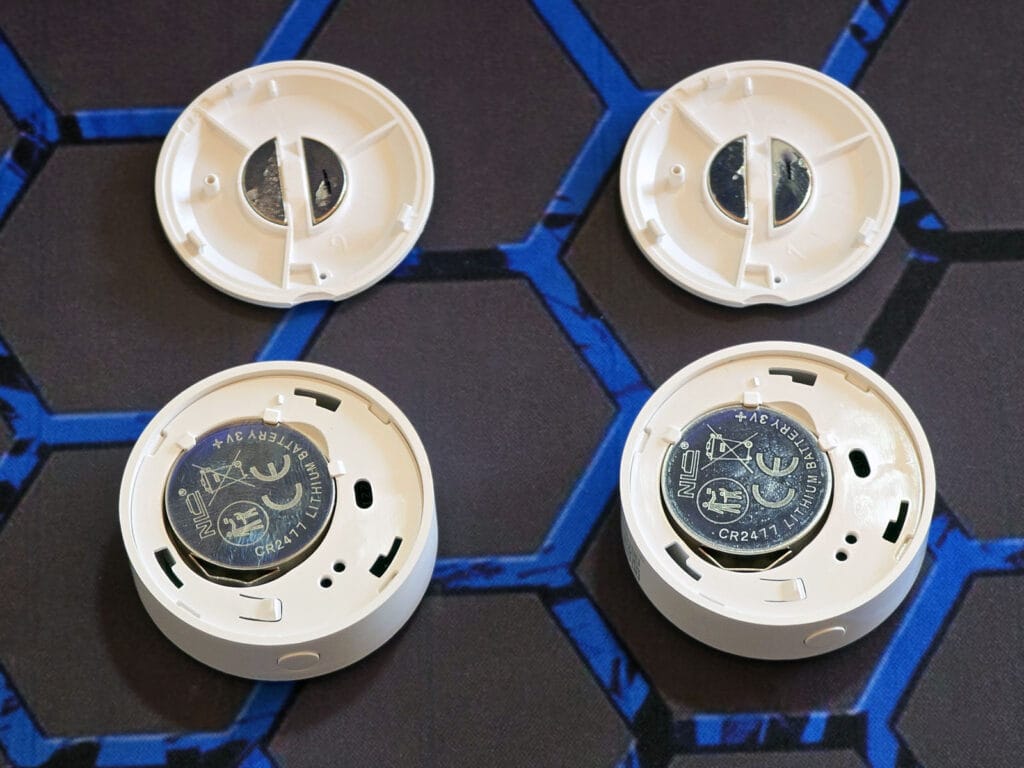
Opening the battery cover on both devices takes a simple twist and pop motion. No glue, no screws, just a twisting plastic cover. Both include a small but surprisingly strong magnet built into the cover, which sticks to metal surfaces or the mounting bracket included in the package. The CR2477 battery sits in the exact same position in both devices, held in place by the same metal contacts.
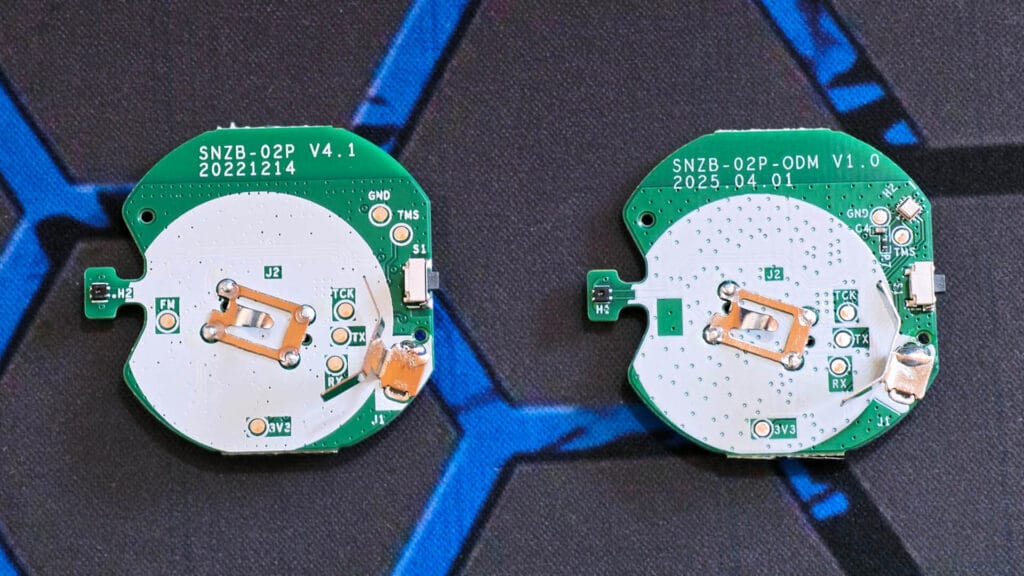
Once you pull the battery out, you can disassemble the entire case by gently releasing the plastic clips around the battery slot. The plastic case, base case, back cover, magnet, and PCB shape are identical across both devices. I could not spot a single difference between the shells of both devices, besides the outer convex versus concave shape I mentioned earlier.
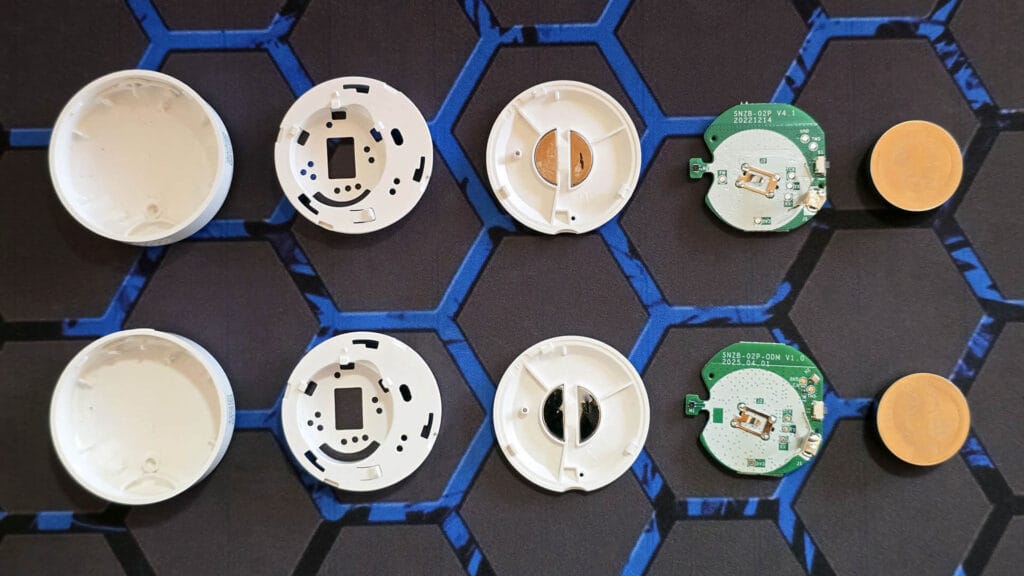
Both devices use the EFR32MG22 [Datasheet] MCU as a communication module. This MCU is also present in many other SONOFF devices, notably the SNZB-06P presence sensor. The rest of the layout is very similar for the reset button, LED, and programming pads. There are small differences between the two boards in the supporting components scattered around the PCB, like resistors, capacitors, inductors, and diodes placed slightly differently to suit each board’s layout. The SNZB-02M feels like a cleaner, leaner and more optimized version of the same device.
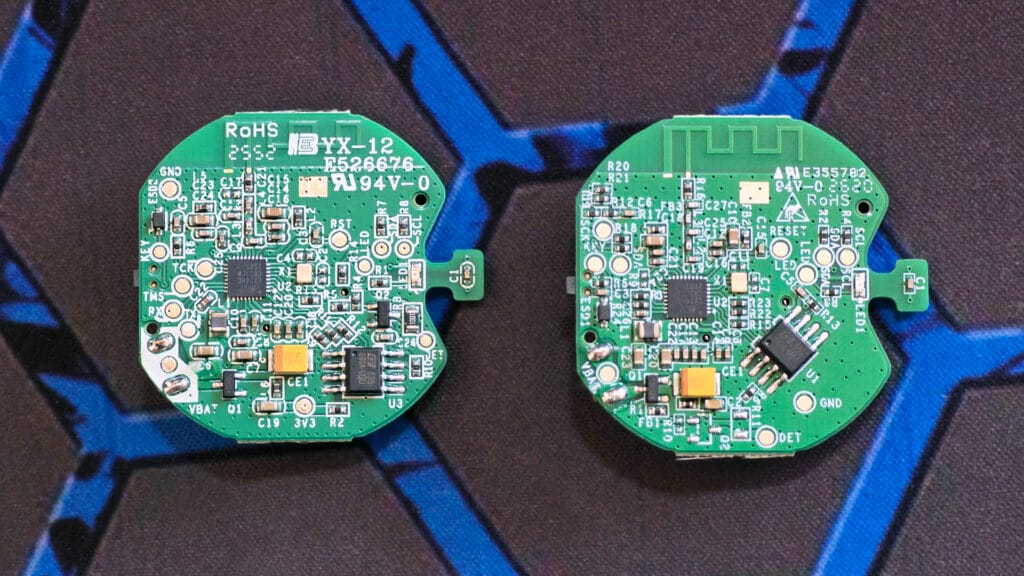
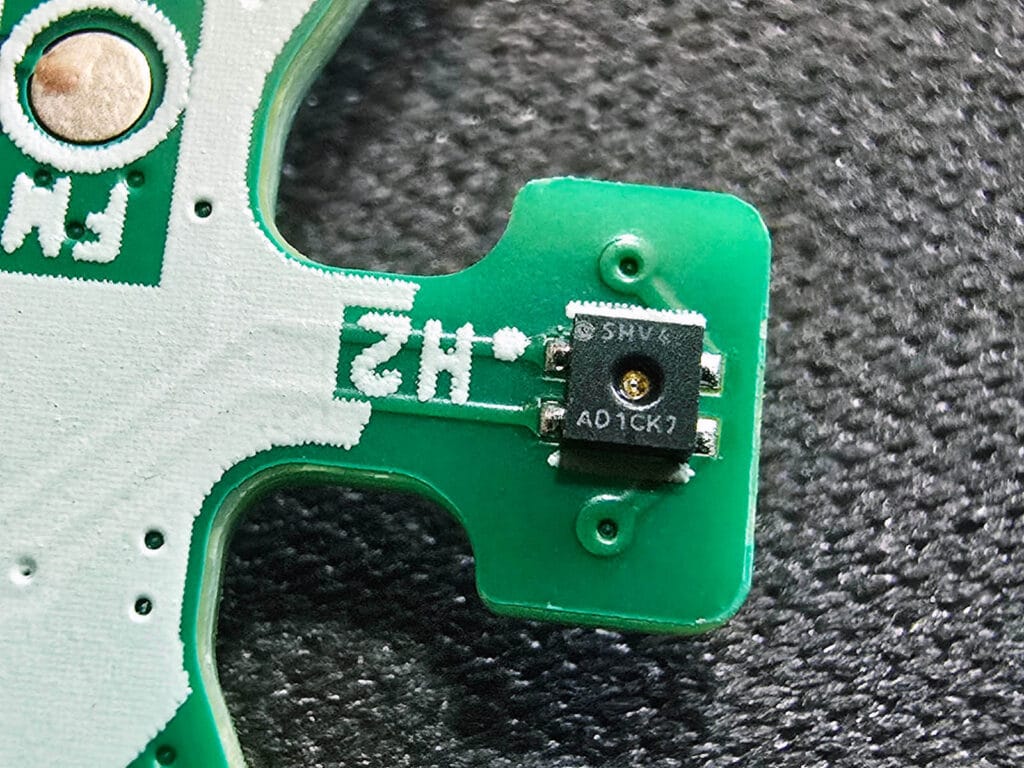
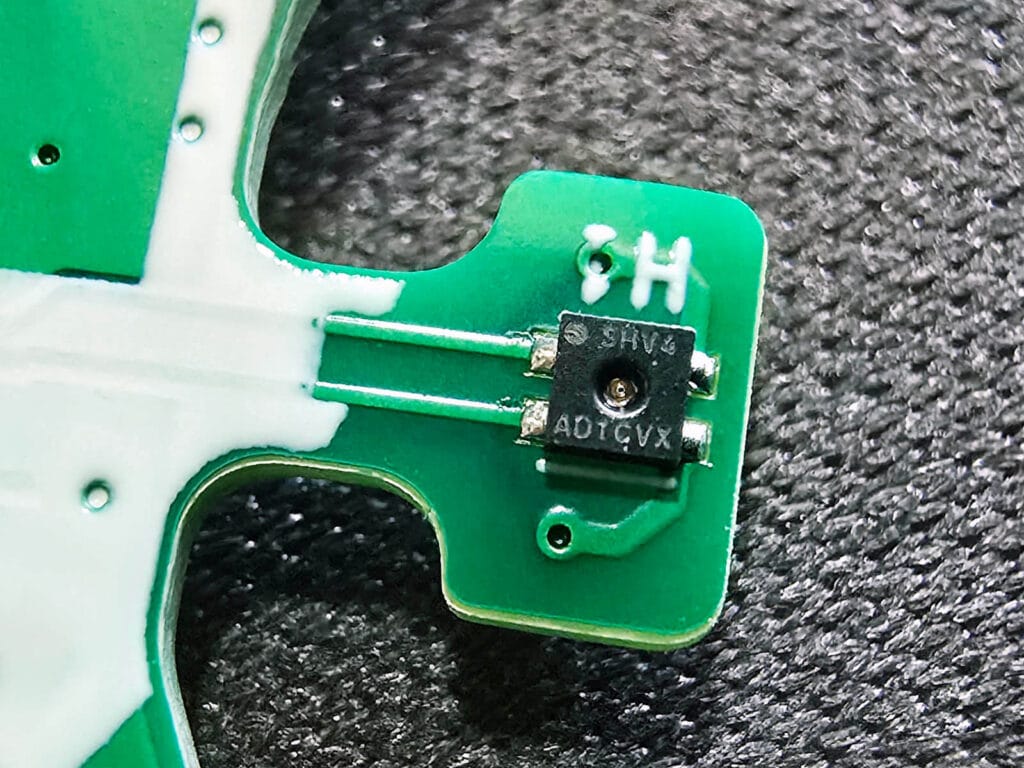
The temperature and humidity sensor sits in the same spot on both boards, a small Sensirion SHT40 [Datasheet] chip. Zooming in, the SNZB-02M’s chip reads AD1CVS, while the SNZB-02P’s reads AD1CK7. Both come from the same SHT40 base accuracy family, but are part of different production lots.
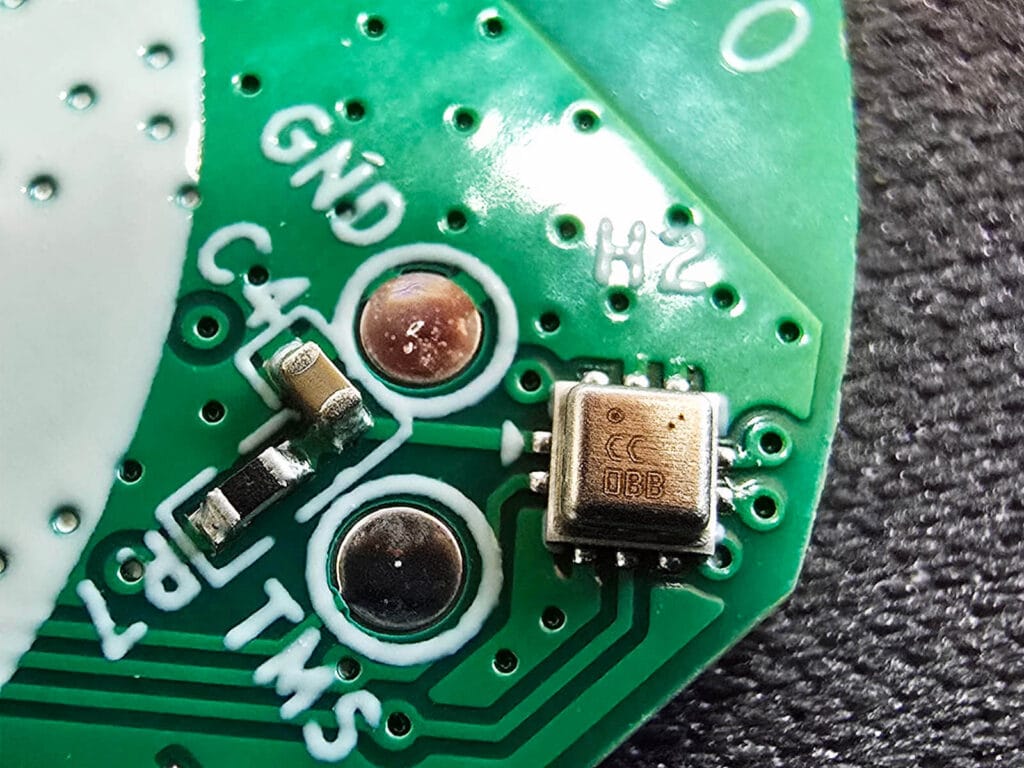
The SNZB-02M uses a Bosch barometric pressure sensor, likely a BME280 or BMP280. I could not verify the exact model, since nothing is printed on the chip besides a lot number. The sensor sits on the same side of the board as the SHT40, alongside the GND and TMS terminals. It is a tiny chip that does not take up any extra room. The markings were barely visible, and I had trouble even capturing a clear image of them.
Outside of the case shape and the additional pressure sensor, these two devices are nearly identical. Same MCU, same temp sensor, same battery, same case material, same mounting hardware. The SNZB-02M is less a of a redesign and more of a targeted upgrade to a device Sonoff already has working well.
Home Assistant Integration
Both sensors run on the same EFR32MG22 radio, so getting either one talking to Home Assistant is exactly the same. To put each sensor in pairing mode, you need to press and hold the button for about 5 seconds until the LED starts blinking.
Zigbee2MQTT Integration and Pairing
Once paired to Zigbee2MQTT, the SNZB-02P identifies itself with Zigbee model SNZB-02P and eWeLink as the manufacturer. The SNZB-02M identifies as SNZB-02M with Sonoff listed as the manufacturer instead of eWeLink. Not that it matters, but Sonoff = eWeLink.
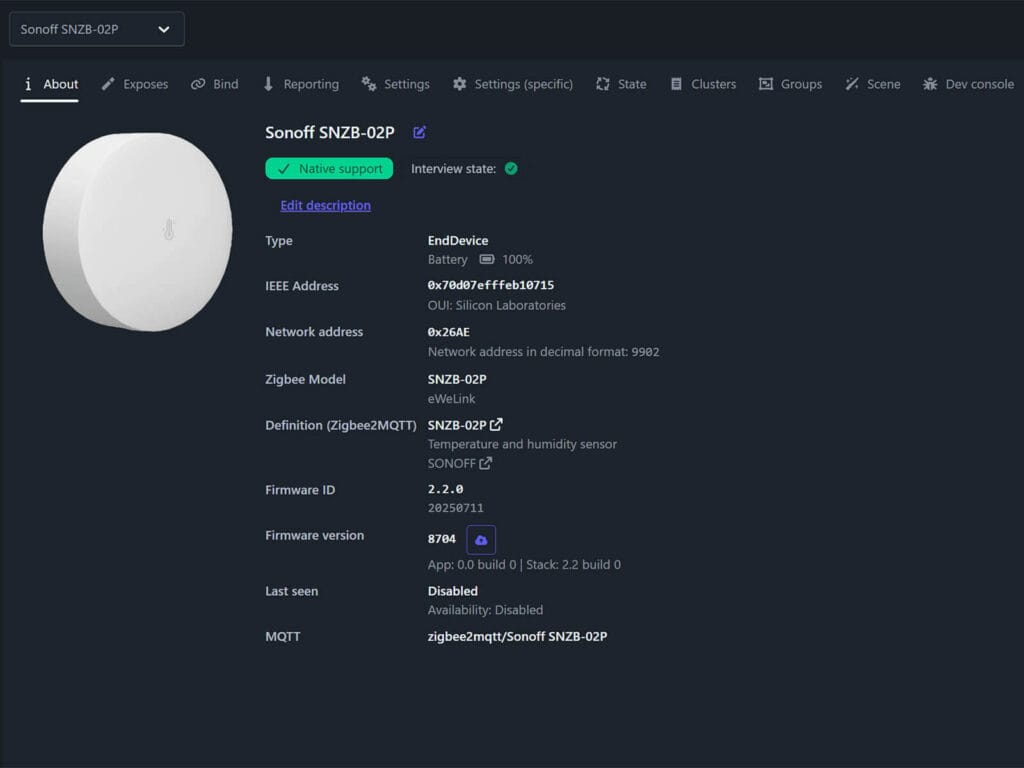
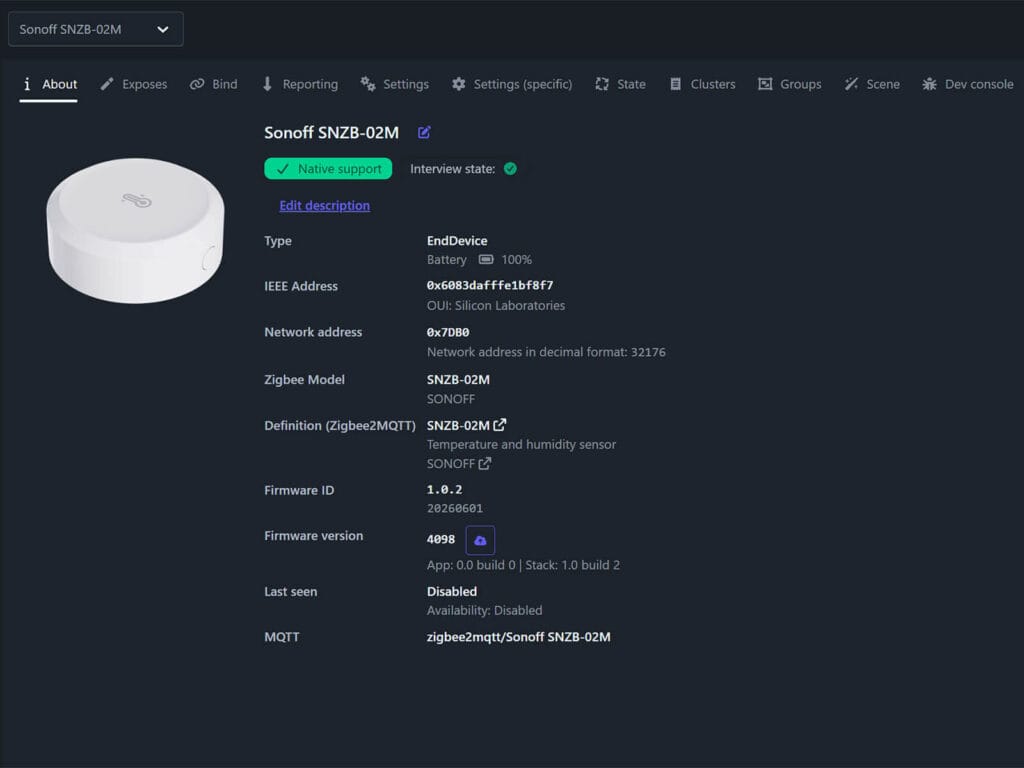
Obviously, the exposed entities are where the two sensors differ. Since the SNZB-02M has a barometric pressure sensor, it adds a few things to the exposes list:
SNZB-02P:
- Battery
- Temperature
- Humidity
- Temperature calibration
- Humidity calibration
- Linkquality
SNZB-02M:
- Battery
- Temperature
- Humidity
- Pressure
- Dew point (calculated)
- VPD Vapor Pressure Deficit (calculated)
- Temperature calibration
- Humidity calibration
- Pressure calibration
- Linkquality
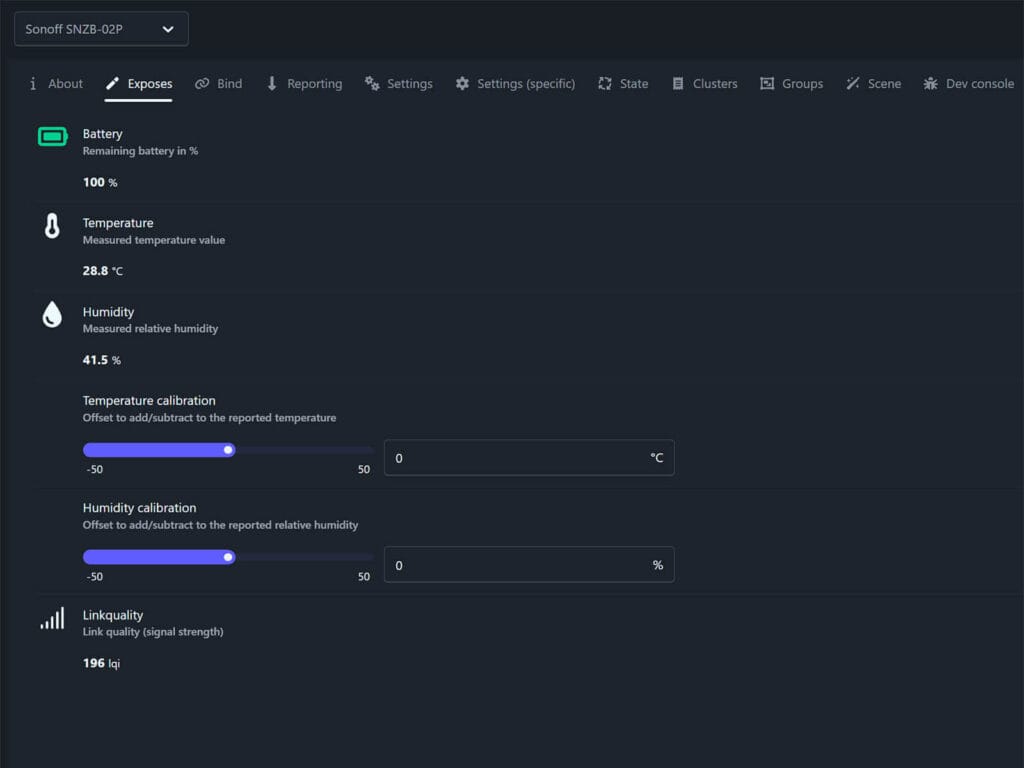
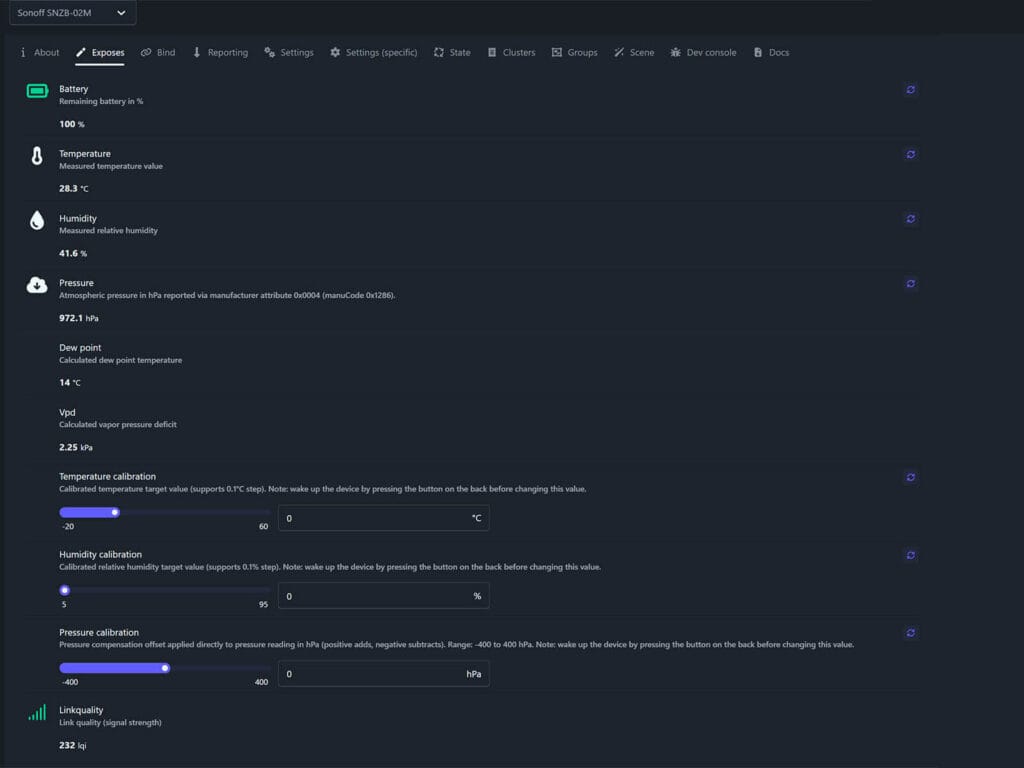
Calibration works the same way on both sensors, a plus or minus offset applied to the raw reading. The SNZB-02M’s calibration fields do note that you should wake the device by pressing the button on the back before a change takes effect, but you need to do that with both devices.
Dew point is the temperature at which the air would need to cool for water vapor to start condensing. VPD or Vapor Pressure Deficit, measures how much drying power the air has, which matters more than humidity alone for things like mold risk or plant health. Both values are standard meteorological calculations that only need temperature and relative humidity, pressure plays no part in either formula.
That is also why the SNZB-02B, which has no pressure sensor at all, is still able to expose dew point and VPD in Zigbee2MQTT. The SNZB-02P has the same temperature and humidity data available, so the missing entities are not a hardware limitation. It just comes down to whether Sonoff or the Zigbee2MQTT converter calculates and exposes those values for that specific device.
ZHA Integration and Pairing
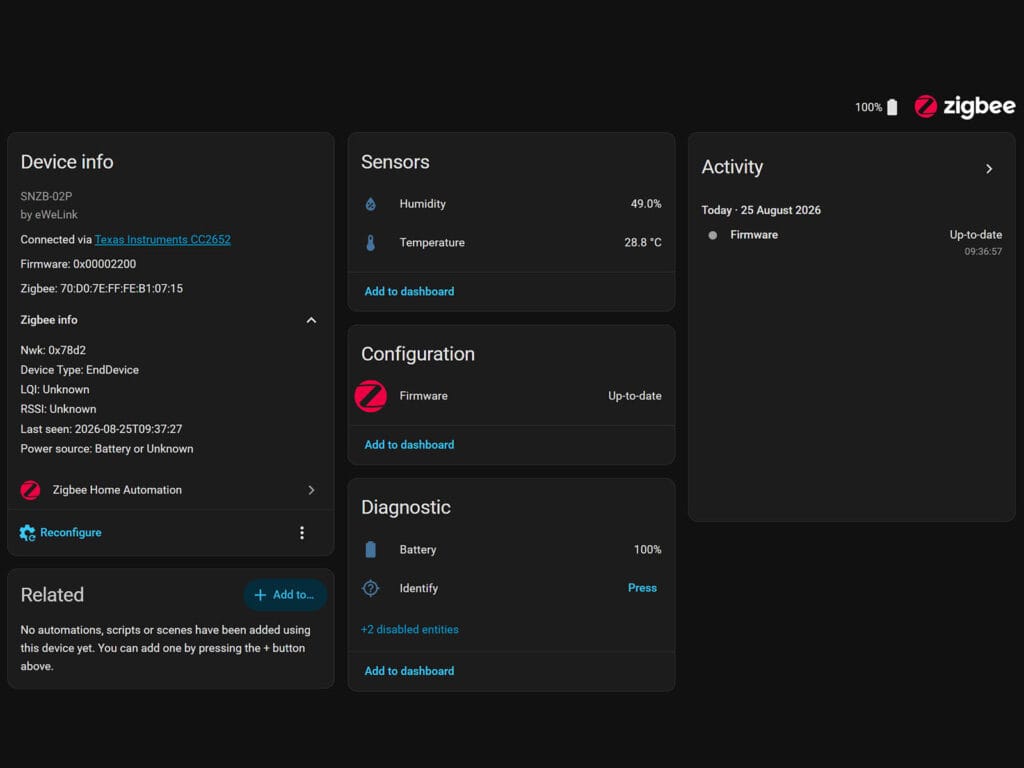
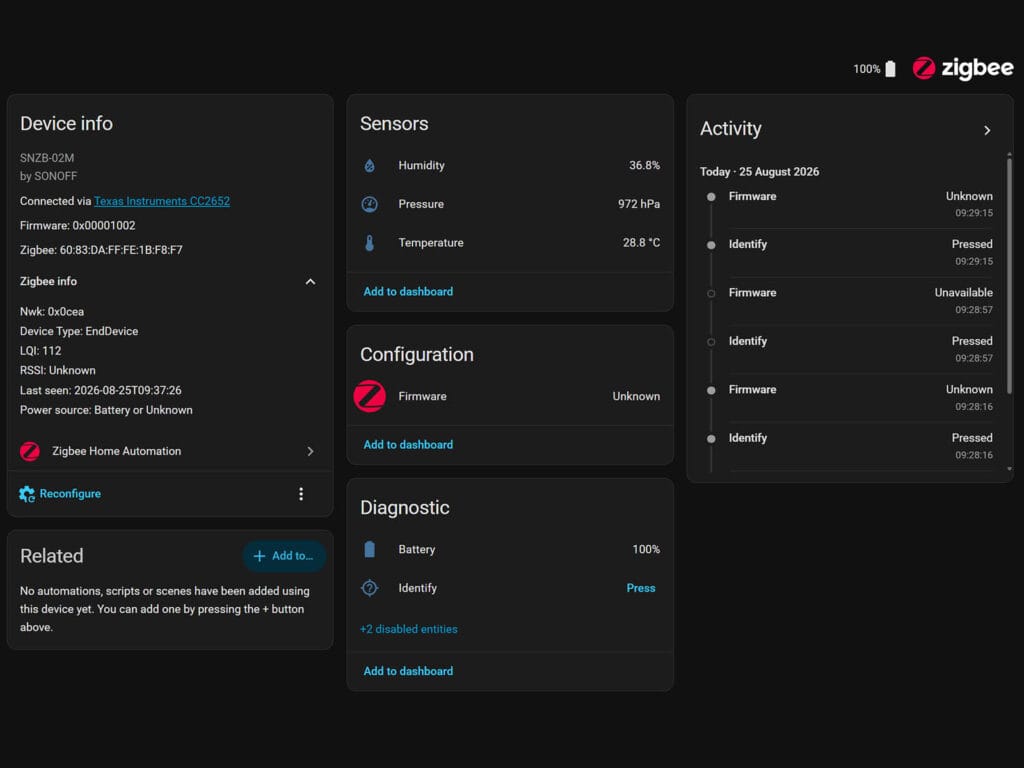
Both sensors paired without issues on ZHA too, connecting through a Texas Instruments CC2652 coordinator (SLZB-07) with no extra quirk required. The SNZB-02P exposes Humidity, Temperature and Battery. The SNZB-02M adds a Pressure sensor entity alongside the same entities.
Battery Life and Power Consumption
I have been running the SNZB-02P for a few months now, and its battery is still reading 100%. I do not have any real world data yet for the SNZB-02M, the unit is too new to have gone through a meaningful discharge cycle.
Sonoff rates the SNZB-02P for up to 4 years on its single CR2477 cell. The SNZB-02M is rated lower, at over 2 years, despite using the exact same CR2477 battery. That’s because the SNZB-02M has an extra barometric pressure sensor to poll, so those additional sampling cycles draw a bit more power from the same coin cell.
However, battery life is primed to be excellent in both devices, all things considered. For example, the CR2477 has over 4 times the capacity of a CR2032 used in similar sensors. In my experience, Sonoff devices are well optimized to prevent unnecessary battery drain. You can push that even further by adjusting the reporting interval in Zigbee2MQTT, like I’ve detailed the process for the S60ZBTPF smart plug.
Changing The Default Reporting Interval
Out of the box, both sensors report humidity and temperature changes using the same reporting interval. The minimum reporting interval is set to 5 seconds, the maximum to 3600 seconds, with a minimum change threshold of 100 for humidity and 20 for temperature.
Since these values are reported in hundredths of a unit, that threshold means a reading has to shift by at least 1% RH for humidity or 0.2°C for temperature before the sensor sends an update early. If nothing changes by that much, the sensor still checks in once an hour regardless.
If you want faster updates, you can lower the min rep interval and the min rep change value. Dropping the change threshold to something like 10 for humidity or 5 for temperature makes the sensor report on smaller changes, giving you more granular data at the cost of more Zigbee traffic and a faster battery drain.
If you prefer a slower, more battery friendly configuration, raise the min rep change threshold instead. Setting humidity to something like 200 and temperature to 50 means the sensor only reports once the reading moves by 2% RH or 0.5°C, cutting down on unnecessary Zigbee traffic. This is a reasonable tradeoff if you are only using the sensor for general climate monitoring and do not need frequent updates, since it stretches battery life further without losing the hourly report.
Temperature and Humidity Accuracy
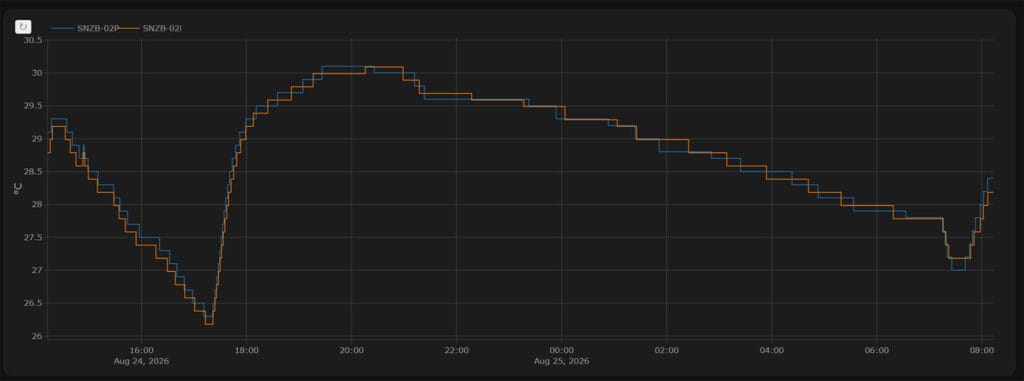
To learn if both devices perform the same, I ran them side by side in my office for a couple of days. All data was logging directly into Home Assistant via Zigbee2MQTT.
The temperature graph shows both sensors moving together the entire time. They rise and fall in sync, from the afternoon peak near 30°C down to the nightly low of around 26.5°C. The gap between the two lines rarely goes past 0.1 to 0.2°C at any point, well within the ±0.2°C accuracy both devices are rated for. Neither sensor reads consistently warmer or cooler than the other.
Humidity shows a similar story. Both sensors climb together from the low 30s in the afternoon up to around 50 to 52% overnight, staying within a percentage point or two of each other. The one place they split is a short spike just after 07:00, where the SNZB-02P jumps briefly to around 53% before the SNZB-02M catches up a few minutes later, and both then dip and settle together.
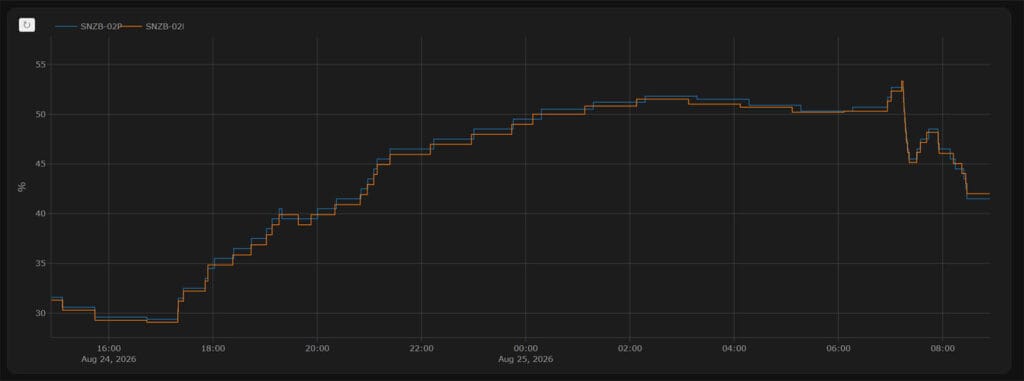
Both sensors use the same Sensirion SHT40 chip, so this result is on par with what I expected. But even more importantly, I don’t think there is any difference in firmware between the two, which is arguably just as important for accuracy. Ultimately, there is no meaningful accuracy difference between the SNZB-02M and SNZB-02P for temperature or humidity. If you already trust the SNZB-02P’s readings, and I do, since it topped my 12 sensor comparison on this exact metric, you can expect the same from the SNZB-02M.
Sonoff SNZB-02P vs SNZB-02M Which One Should You Buy
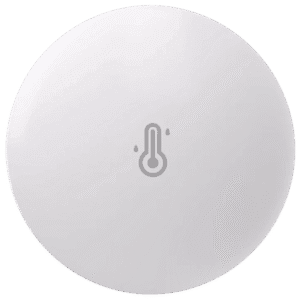
Both of these Sonoff sensors are great, and picking between simply comes to deciding if you need air pressure measurements or not. The new AirGuard TH Pressure (SNZB-02M) simply adds a barometric pressure sensor on top of the same Sensirion sensor the SNZB-02P already had.
In my opinion, there is no real reason to replace the SNZB-02P if you already have it. It has great battery life, you can control the reporting interval to match your needs, and it is a highly accurate temperature and humidity sensor for daily monitoring. It won as my top pick in the 12 sensor comparison I ran recently, and nothing about the SNZB-02M changes that.
Also on: Amazon UK, Amazon DE, Amazon NL, Amazon FR, AliExpress 2, Domadoo.
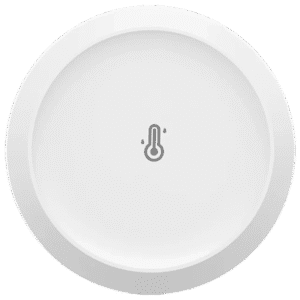
If barometric air pressure is something you are after, the SNZB-02M AirGuard TH Pressure is your pick instead. It is the exact same device with a Bosch pressure sensor added, hence the name. You also get dew point and VPD readings on top of that, entities the SNZB-02P is capable of but simply does not expose. To some, these might even be more valuable than raw barometric pressure data.
Also on: Amazon UK, Amazon DE, Amazon NL, Amazon FR, AliExpress 2, Domadoo.
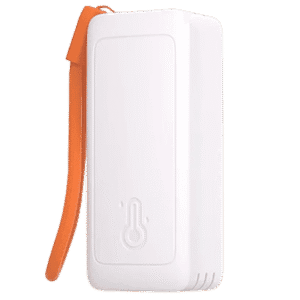
Finally, it is worth highlighting the new SNZB-02B AirGuard TH Lite as well. If you would rather use AAA batteries instead of a coin cell, the SNZB-02B is a great pick. It also generates VPD and dew point data, making it more versatile than the SNZB-02P. It is quite slim considering the size of AAA batteries, and it comes with a string for hanging it up on a hook.
Also on: Amazon UK, Amazon DE, Amazon NL, Amazon FR, AliExpress 2, Domadoo.




Thanks. Would love to see IP65 on a revision or new model.