

The Tuya ZRF01 is a Zigbee RF cloner built to learn and replay radio frequency codes of remotes for garage doors, gates, blinds, and other devices. Zigbee Infrared blasters are everywhere in the Zigbee2MQTT and ZHA ecosystem, but a pure RF cloner controlled entirely over Zigbee has been nonexistent until now. There are also several Wi-Fi options out there too, like the popular Broadlink RM4 Pro or Moes RF-R1, but they rely on Wi-Fi and a cloud connection, which the ZRF01 avoids entirely by working natively over Zigbee.
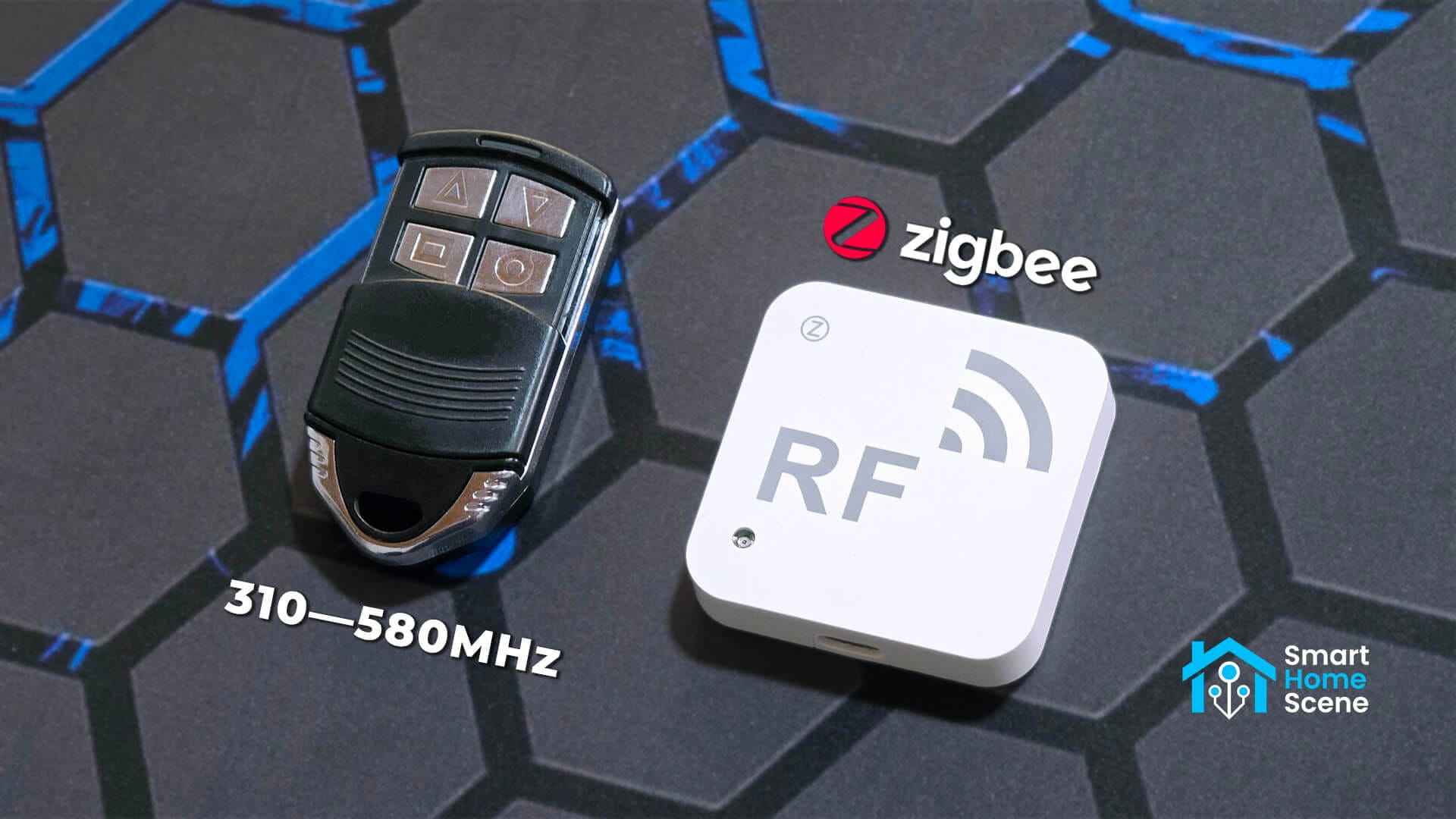
I bought this device on AliExpress, wrote a fully working Zigbee2MQTT converter and ZHA quirk from scratch, and tested every function against my own garage remote. It supports RF frequencies from 310MHz to 580MHz and has eight channels for cloning eight remote buttons.
Alternative listings: AliExpress 2, AliExpress 3, AliExpress 4.
What Is the Tuya ZRF01 RF Cloner?
The ZRF01 is a small, mains-powered Zigbee 3.0 device that listens for RF signals and stores up to eight of them in separate memory slots. Once a code is cloned, the device can transmit it on command, the same way the original remote would trigger a garage door, gate, blind motor, or an RF light switch.
The device automatically adapts to the frequency of the remote it is learning from. It supports 310MHz, 315MHz, 330MHz, 390MHz, 418MHz, 430MHz, 433MHz, 447MHz, and 580MHz. It does not support 299MHz or 915MHz. It also needs to sit fairly close to the source remote during learning, as this is not a long range RF cloner.
The device also has a built-in illuminance sensor as an extra, for creating light automations. It can measure ambient light on a scale from 0 to 3000 lux. The device runs on 5V1A USB-C and has a standby current draw of just 55mA.
Supported RF Codes Types
Not all RF remotes work the same way underneath, and this matters for what the Tuya ZRF01 can and cannot clone.
Fixed codes are the simplest and oldest type of RF codes. The remote sends the exact same code every time you press the button, which makes it easy to capture and replay. Most cheap garage doors, gate openers, wireless doorbells, and basic RF light switches use fixed codes.
Rolling codes are a security measure built to defeat simple RF cloning. The code changes on every button press, following an algorithm that stays synchronized between the remote and the receiver. A cloner that only records one transmission cannot reuse it, since the receiver already expects the next code in the sequence. Most modern garage door openers and car key fobs use rolling codes.
Encrypted codes go a step further, wrapping the transmission in cryptography that requires a shared key to decode. Without that key, capturing the signal gets you nothing usable.
The ZRF01 can copy most fixed RF codes from the range of supported frequencies. It cannot learn rolling codes or encrypted remotes. This is a security limitation of nearly every consumer RF cloner on the market, not something specific to this device.
It does support short and long packet mode, which are used for different types of RF codes. During my own testing, short packet mode successfully learned a fixed code garage remote on the first try. The manufacturer notes that short packet mode can occasionally catch some rolling code remotes as well, although I cannot personally confirm that claim either way. If one packet mode fails to learn your remote, simply switch to the other and try again.
Package Contents and Device Teardown
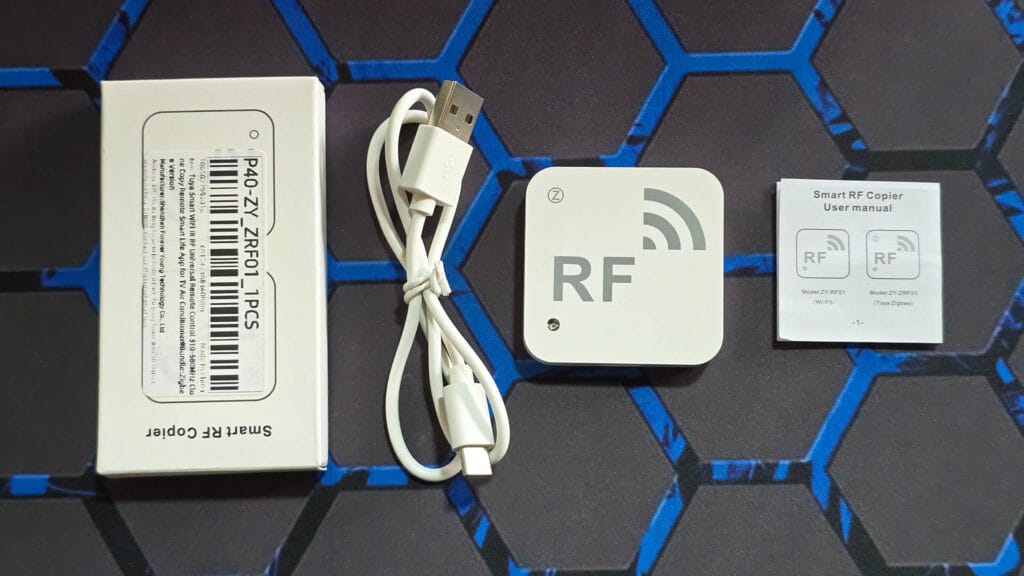
The box contains the ZRF01 unit itself, a printed user manual, and a short USB charging cable, about one meter long. You will need to supply a 5V1A adapter for power, as it ships only with a cable.
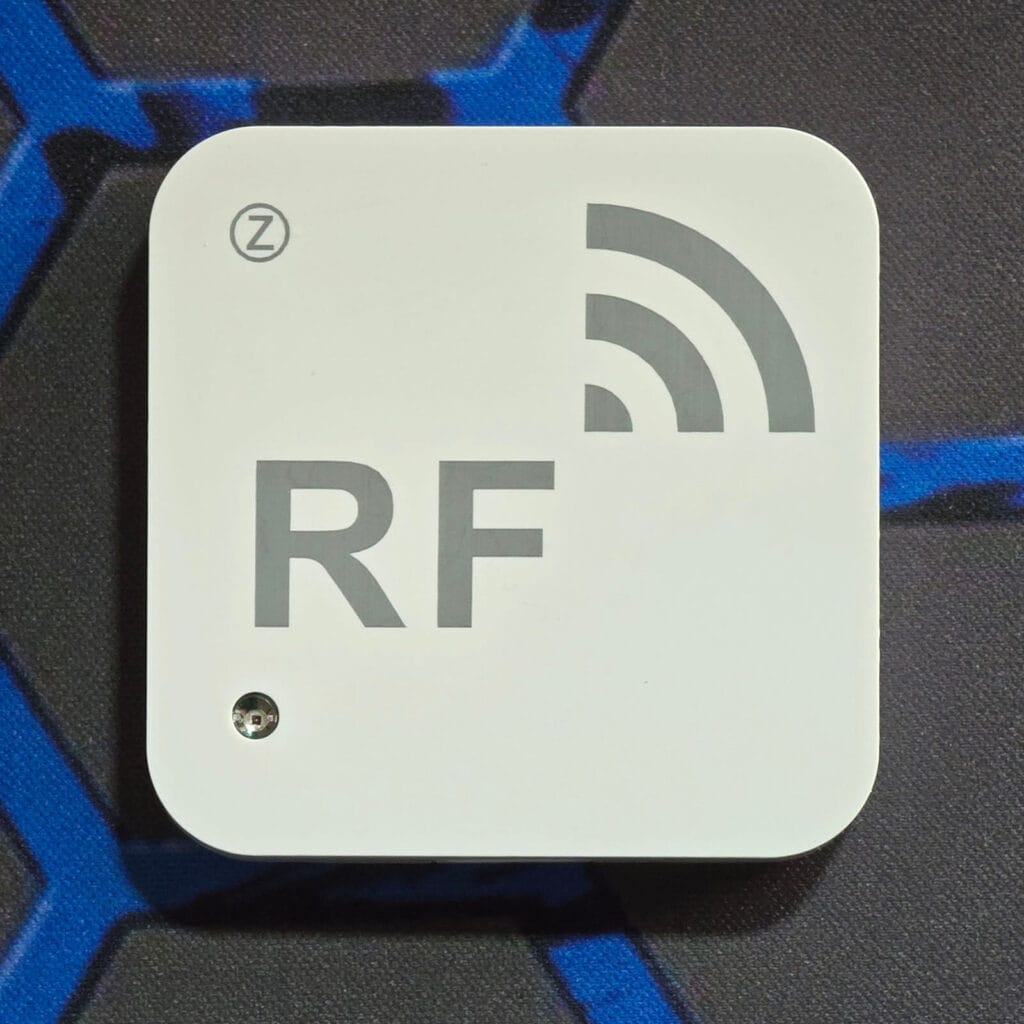
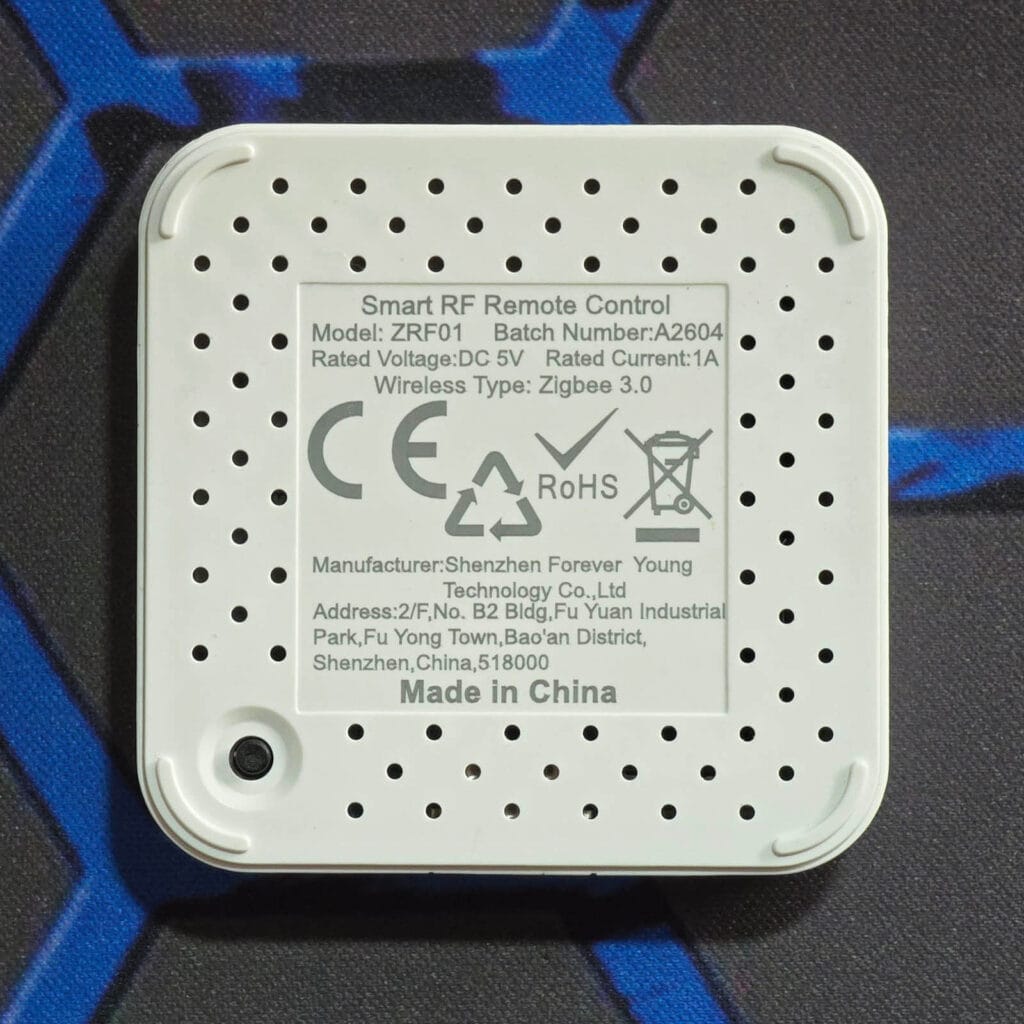
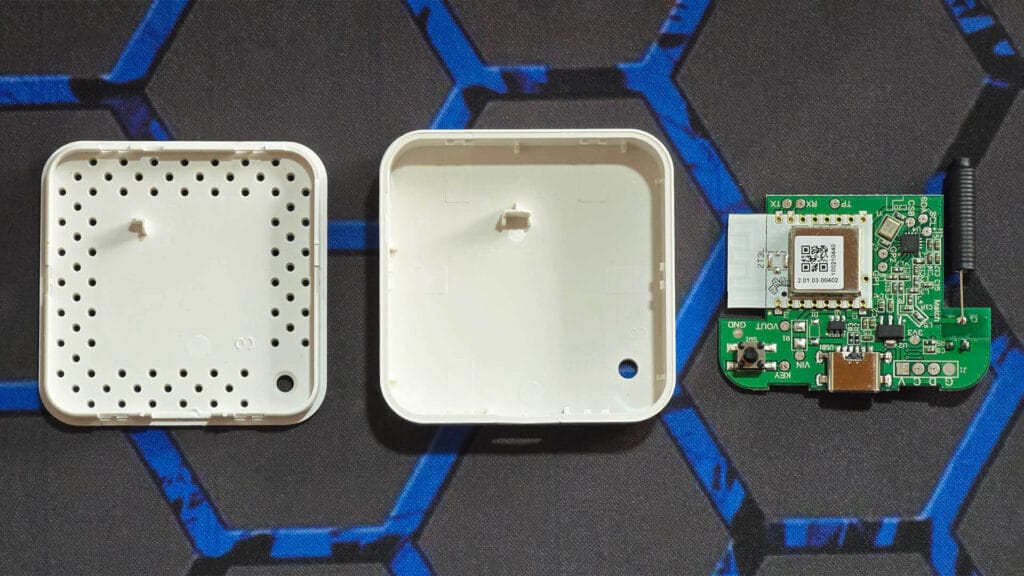
The ZRF01 is very small and lightweight, measuring 50x50x10mm. You can install it anywhere convenient with a simple sticker. There is a small indicator LED on the front, along with a pairing and reset button on the back.
Once I dismantled the case, I was able to inspect the internals. This device uses the Tuya ZT3L [Datasheet] as a Zigbee communications module, alongside a CMS32L051 [Datasheet] microcontroller that handles the RF learning and transmit logic. An isolated spring antenna sits on one side of the main PCB, which transmits the copied codes on demand.
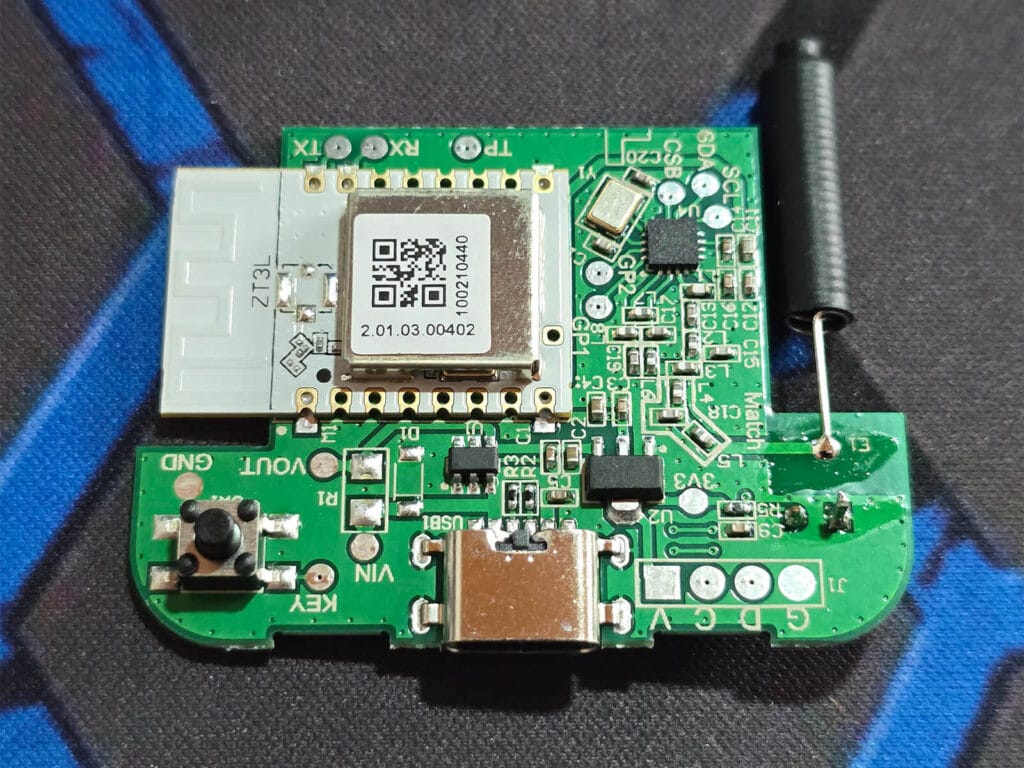
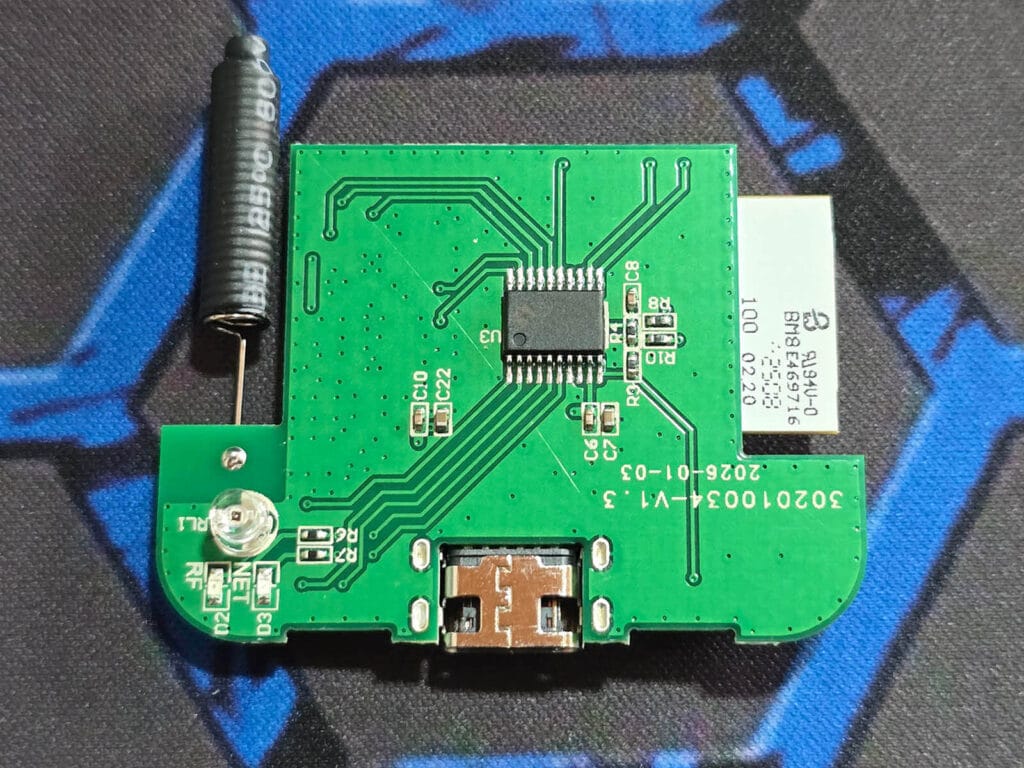
After the control button, indicator LED, and illuminance sensor, that is all there is to this device. There is an additional HL1117-33 regulator that steps the 5V USB input down to the 3.3V rail the rest of the board runs on. Here is everything inside the case.
Home Assistant Integration
The Tuya ZRF01 is not natively supported by Zigbee2MQTT or ZHA. Pairing it gets you a generic, unsupported Tuya device with no usable entities. However, I built a fully working external converter for Zigbee2MQTT and custom quirk for ZHA from scratch, and after a lot of testing, both works flawlessly.
Learning, deleting, and transmitting codes all behave exactly the way they do through the official Tuya app.
Adding Zigbee2MQTT Support
Tuya devices in general do not speak standard Zigbee that most smart home gear uses. Instead, they communicate over a small set of numbered data points, each one representing a single function on the device. Zigbee2MQTT needs a converter file that explains what each of those numbers means and how to read and write it to and from the device.
To get this RF cloner supported in Zigbee2MQTT, I pulled the full data point list directly from the Tuya IoT developer portal, tested each one against the physical device, and mapped every single one to a clear, readable name inside Zigbee2MQTT.
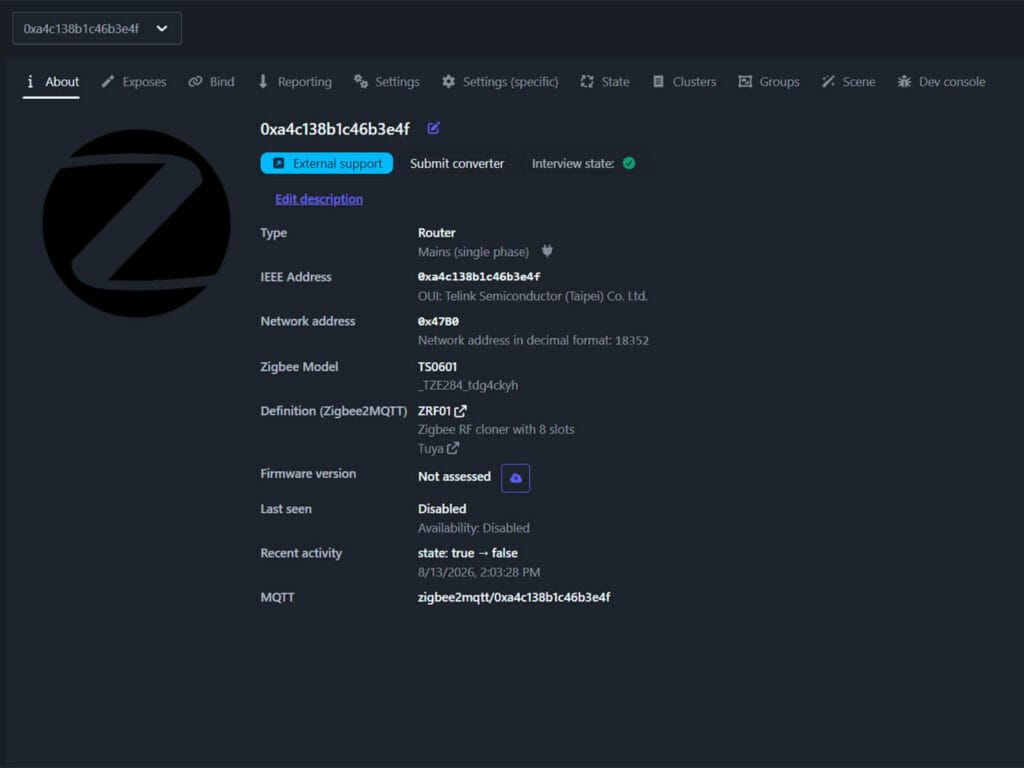
The trickiest part was getting the outgoing commands to actually register. At first, every command looked like it was sent correctly in the logs, yet the device ignored it completely. It turned out certain values need to be tagged in a specific internal format [tuya.enum(0)] before the radio will accept them. Once I corrected that, every single function started working exactly as expected, matching the behavior in the Tuya app.
I have opened a pull request to get this converter merged into Zigbee2MQTT officially, which you can follow here: [GitHub PR #32836]. Until it gets merged, you can add it manually as an external converter.
- Navigate to Zigbee2MQTT’s
external_convertersfolder - Create a new
.jsfile and name itzrf01.js - Open the file and paste the contents of the converter below
- Restart Zigbee2MQTT
- Pair the device
External Converter for Tuya ZRF01 RF Cloner (Zigbee2MQTT)
const exposes = require('zigbee-herdsman-converters/lib/exposes');
const tuya = require('zigbee-herdsman-converters/lib/tuya');
const e = exposes.presets;
const ea = exposes.access;
const slotStatus = {Learn: tuya.enum(0), Delete: tuya.enum(2), Saved: tuya.enum(1)};
const trigger = {Transmit: tuya.enum(0)};

const definition = {
    fingerprint: [
        {
            modelID: 'TS0601',
            manufacturerName: '_TZE284_tdg4ckyh',
        },
    ],
    model: 'ZRF01',
    vendor: 'Tuya',
    description: 'Zigbee RF cloner with 8 slots',
    extend: [
        tuya.modernExtend.tuyaBase({dp: true}),
    ],
    exposes: [
        e.illuminance(),
        e.binary('state', ea.STATE_SET, true, false)
            .withLabel('State')
            .withDescription(`Enable RF learning mode. Must be enabled before 'Learn' can be pressed for any button.`),
        e.binary('pack', ea.STATE_SET, true, false)
            .withLabel('Packet Mode')
            .withDescription(`Enable for 'Long Packet' mode, Disable for 'Short Packet' mode.`),
        ...Array.from({length: 8}, (_, i) => {
            const n = i + 1;
            return e.enum(`button${n}`, ea.STATE_SET, Object.keys(slotStatus))
                .withLabel(`Button ${n} Code Learning`)
                .withDescription(`Press 'Learn' to clone RF code. Press 'Delete' to clear RF code. 'Saved' gets enabled automatically after successful RF cloning.`);
        }),
        ...Array.from({length: 8}, (_, i) => {
            const n = i + 1;
            return e.enum(`start${n}`, ea.SET, Object.keys(trigger))
                .withLabel(`Button ${n} Code Transmit`)
                .withDescription(`Press 'Transmit' to send saved code.`);
        }),
    ],
    meta: {
        tuyaDatapoints: [
            [117, 'state', tuya.valueConverter.raw],
            [118, 'pack', tuya.valueConverter.raw],
            [119, 'illuminance', tuya.valueConverter.raw],
            [101, 'button1', tuya.valueConverterBasic.lookup(slotStatus)],
            [102, 'button2', tuya.valueConverterBasic.lookup(slotStatus)],
            [103, 'button3', tuya.valueConverterBasic.lookup(slotStatus)],
            [104, 'button4', tuya.valueConverterBasic.lookup(slotStatus)],
            [105, 'button5', tuya.valueConverterBasic.lookup(slotStatus)],
            [106, 'button6', tuya.valueConverterBasic.lookup(slotStatus)],
            [107, 'button7', tuya.valueConverterBasic.lookup(slotStatus)],
            [108, 'button8', tuya.valueConverterBasic.lookup(slotStatus)],
            [109, 'start1', tuya.valueConverterBasic.lookup(trigger)],
            [110, 'start2', tuya.valueConverterBasic.lookup(trigger)],
            [111, 'start3', tuya.valueConverterBasic.lookup(trigger)],
            [112, 'start4', tuya.valueConverterBasic.lookup(trigger)],
            [113, 'start5', tuya.valueConverterBasic.lookup(trigger)],
            [114, 'start6', tuya.valueConverterBasic.lookup(trigger)],
            [115, 'start7', tuya.valueConverterBasic.lookup(trigger)],
            [116, 'start8', tuya.valueConverterBasic.lookup(trigger)],
        ],
    },
};

module.exports = definition;
Once successfully paired and added, the device will get identified as Zigbee Model TS0601 with ID _TZE284_tdg4ckyh. Under Definition (Zigbee2MQTT), you should see ZRF01 with description Zigbee RF cloner with 8 slots. This means the converter has been successfully applied. This is what it exposes in Zigbee2MQTT and Home Assistant:
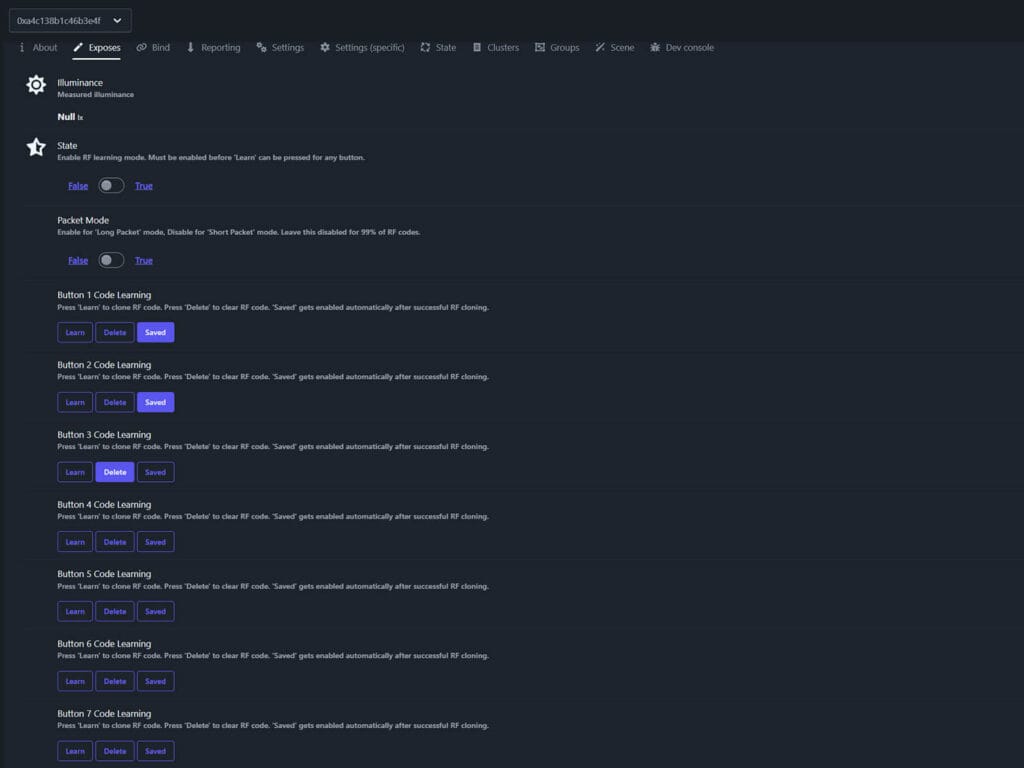
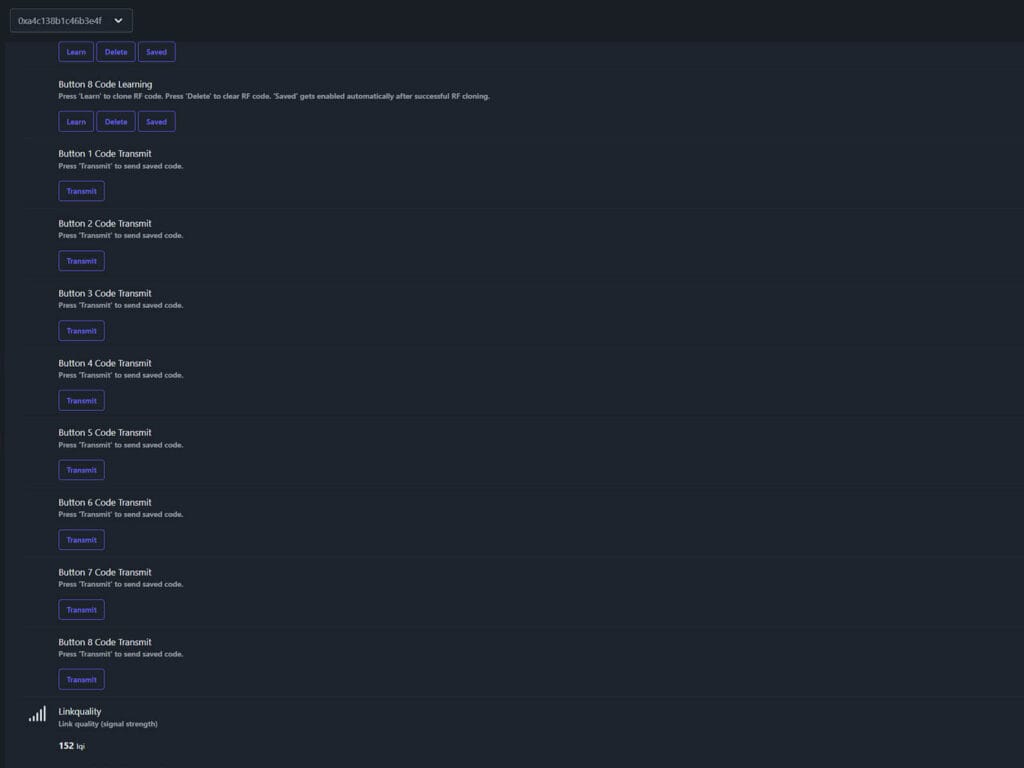
- State
On/Off switch. This must be turned on before you can enable any button slot for learning. - Packet Mode
On/Off switch. This changes the RF packet capturing mode. Short packet mode learns the vast majority of fixed code remotes. Long packet mode is the alternative to try if a code refuses to learn in short mode. - Button Code Learning
Eight learning controls, one for each stored slot. Each one has three options, Learn, Delete, and Saved. Selecting Learn arms that specific slot and puts the device into listening mode for that slot only. Once a valid signal comes in, the slot switches itself to Saved automatically, you do not set this manually. Selecting Delete erases whatever code is currently stored in that slot. - Button Code Transmit
Eight transmitting buttons, one per slot. Pressing Transmit replays whatever code is stored in that slot. The LED blinks red during transmission, the same behavior you get through the official Tuya app. - Illuminance
Measured ambient light from 0 to 3000 lux. - Linkquality
Signal quality in LQI
Adding ZHA Support
The quirk below exposes the same entities as the Zigbee2MQTT converter, an on/off switch for State and Packet Mode, a dropdown per slot for Learn, Delete, and Saved, a button entity per slot for Transmit, and the illuminance sensor.
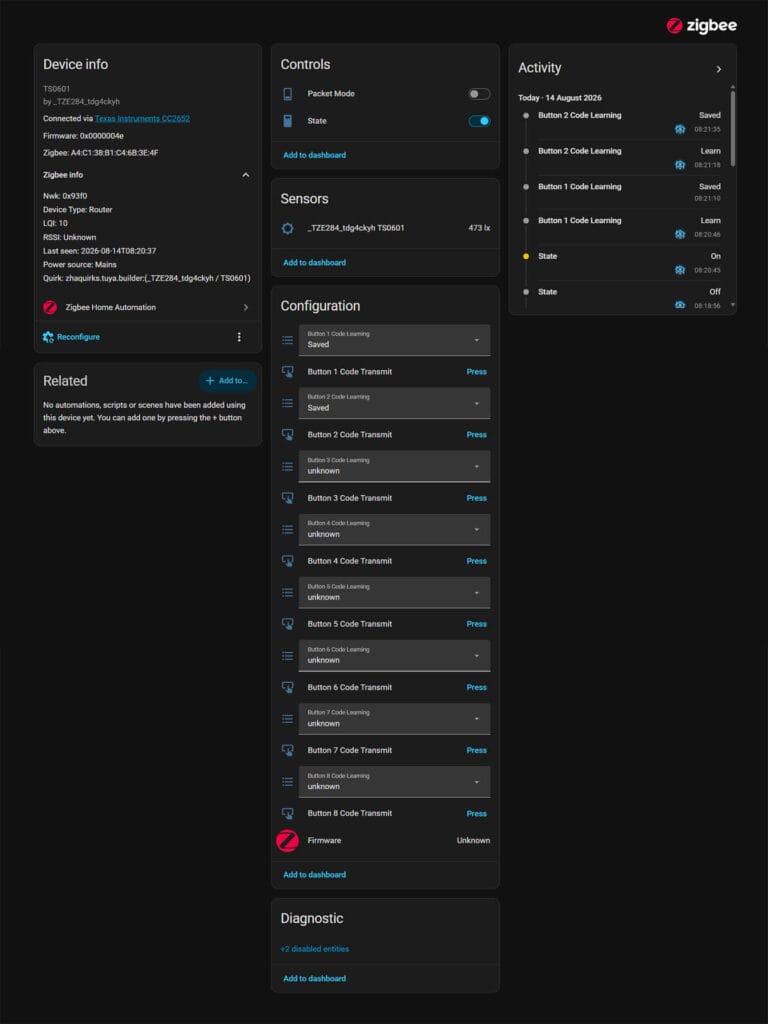
- Save the code below as a .py file inside your custom_zha_quirks folder
- Make sure
enable_quirksandcustom_quirks_pathare set underzhain yourconfiguration.yaml - Restart Home Assistant
- Pair the device
zha:
  enable_quirks: true
  custom_quirks_path: /config/custom_zha_quirks
Custom Quirk for Tuya ZRF01 RF Cloner (ZHA)
import zigpy.types as t
from zigpy.quirks.v2 import EntityType
from zhaquirks.tuya import TUYA_CLUSTER_ID
from zhaquirks.tuya.builder import TuyaQuirkBuilder


class SlotStatus(t.enum8):
    """Per-slot learn status, matches raw Tuya DP values 0/1/2."""

    Learn = 0x00
    Saved = 0x01
    Delete = 0x02


class Trigger(t.enum8):
    """Single-option replay trigger, matches raw Tuya DP value 0."""

    Transmit = 0x00


quirk = (
    TuyaQuirkBuilder("_TZE284_tdg4ckyh", "TS0601")
    .tuya_switch(
        dp_id=117,
        attribute_name="state",
        entity_type=EntityType.STANDARD,
        translation_key="state",
        fallback_name="State",
    )
    .tuya_switch(
        dp_id=118,
        attribute_name="pack",
        entity_type=EntityType.STANDARD,
        translation_key="packet_mode",
        fallback_name="Packet Mode",
    )
    .tuya_illuminance(dp_id=119)
)

for i in range(1, 9):
    quirk = quirk.tuya_enum(
        dp_id=100 + i,
        attribute_name=f"button{i}",
        enum_class=SlotStatus,
        translation_key=f"button{i}_code_learning",
        fallback_name=f"Button {i} Code Learning",
    )

for i in range(1, 9):
    quirk = (
        quirk.tuya_dp_attribute(
            dp_id=108 + i,
            attribute_name=f"start{i}",
            type=Trigger,
        )
        .write_attr_button(
            attribute_name=f"start{i}",
            cluster_id=TUYA_CLUSTER_ID,
            attribute_value=Trigger.Transmit,
            translation_key=f"button{i}_code_transmit",
            fallback_name=f"Button {i} Code Transmit",
        )
    )

quirk.add_to_registry()
How To Copy an RF Code
Cloning an RF remote code is simple, but it does require clicking the buttons in the correct order:
- Enable RF Learning mode, by turning on State
- Press Learn under Button N Code Learning
- The indicator LED should turn on red
- Hold the remote near the RF cloner
- Press the remote button until the slot switches to Saved
- The indicator LED should turn off red and remain blue
- Press Transmit on that slot to test it
If the indicator LED stays red, it means it hasn’t copied the code yet. Switch to Long Packet Mode and try again from the beginning. When everything is correct and the actual code is not encrypted, the device learns it immediately, within a second.
Summary
The Tuya ZRF01 is the first-ever Zigbee RF remote controller I’ve ever encountered. There are many Zigbee infrared remotes out there, several of which I’ve reviewed already (ZS05 and ZS06). This RF cloner is the first device that doesn’t use Wi-Fi or Bluetooth, making things much easier and less cloud dependent.
The limitations of the Tuya ZRF01 are the same ones every RF cloner deals with. No rolling code support, no encrypted code cloning and a relatively short learning range, which means you need the source remote next to the unit. Transmitting range is quite solid, the same as with my existing remote. I was able to open my garage door from about 9 meters away, just like my original remote.
With my external converter and ZHA quirk now fully working, this device is a great local-only way to control garage doors, gates, RF light switches and other legacy RF equipment from Home Assistant. At the moment, you can get it only on AliExpress.
Alternative links: AliExpress 3, AliExpress 4.

very nice! lots of folks will be very happy with this for their garage door projects. thanks for the excellent work.
Will thus work for a SOMFY RTS awning? Will it be able to report on current position and will it still work if the old school remote is used?
I’m trying to understand if it’s a good alternative to this – https://github.com/rstrouse/ESPSomfy-RTS
Fantastic bit of kit, I’ve ordered two, thanks for making us aware of it!
Are you aware of anything that can support 868 MHz? I’ve got some dumb blinds that operate on it, so unfortunately I can’t use the ZRF01 or my BroadLink RM4.
Unfortunately, no. I even asked a couple of AliExpress sellers if they’d make an 868MHz version and no answer yet. But keep checking in, if that kind of device ships, I’ll test it ASAP 🙂
868 Mhz is difficult, i did found a device RFXCOM that can do this, but keep in mind not everything is supported. In my case i can control my Orcon Ventilation System, u can find it here:
https://slimhuisje.nl/en/products/rfxcom-rfx-868-transceiver-868mhz
Hi I have one of these now to control a gate. I recorded the code and sometimes it works perfectly and other time the gate ‘shudders; instead of opening or closing. Its a single code to open, stop or close the gate. Is there anyway to manually enter the code somewhere or any other tips that might help. Would long packet mode make much of a difference? The remote is a 330mhz type with a simple 3 position dip switch. Thanks
I thought I remembered the remote for my fan being 315Mhz so I ordered one of these installed it without issue but no learning. Went back and looked it up and my remote is 304Mhz which it seems like no one supports out of the box there is a possibility of an rf module and esphome with recent changes to HA
I’m having issues getting mine to recognize it using the ZHA quirk. Your instructions lacks what to name the *.py file for the zha quirk. I’ve tried zrf01.py & TS0601.py with no luck.
You can name the quirk file whatever you want. You just need too make sure it’s a .py file and copy the contents fully. When you reboot HA, monitor the logs to see if the quirk is applied properly. It should say something along the lines of “Custom quirk discovered”. Then you can pair the device.
I restarted HA and Wham it appears! Thanks for the reply!
Amazing work, thank you so much!!!
Awesome thank you. Illuminance is not working for me under zigbe2mqtt with the above external converter. I have confirmed it works in Tuya with an old gateway I have laying around, any thoughts?
It doesn’t work here too.
There seems to be a bug, I was seeing a cached version during testing and simply assumed it works because it worked initially and illuminance was not my focus. I will fix it, the PR is getting merged.
To help anyone else out before this gets merged into HA, as I had not used an external converter before I had to:
* Create a folder /homeassistant/zigbee2mqtt/external_converters (i.e in the same folder as Z2M’s configuration.yaml file)
* set “enable_external_js” to “true” in /homeassistant/zigbee2mqtt/configuration.yaml
Works flawlessly and can now integrate some RF doorbells into HA
You saved me! thank you very much
in the configuration.yaml, to enable external js, it has to be placed under advanced.
advanced:
enable_external_js: true
\copied the code, I see the stats, but no red LED for learning 🙁
sorry, it is not standard red… so it is OK, but it does not learn any of 433 code 🙁
I am trying to Pair a Broan Fan and light for a bathroom. For some reason it doesnt detect. I was using a linklink before this and it had no issues paring. Thee FCCID show the Broan remote is 433.92Mhz
https://fccid.io/2ADLL-RGB002
Any thoughts?
It looks like your remote does not use rolling or encrypted codes, so it should work.
Is the quirk/converter properly applied? Does the Zigbee remote go into learning mode?
Hello everyone, I also have a ZRF01.
I have followed all the procedures described and even the tips in the comments.
However I don’t see my sensor appear.
Do you have an idea of why?
Thank you 😉
Well, I’m now able to pair it but I don’t have anything that’s displayed.
The manufacturer name does not match the name of the code zrf01.js.
Normal?
I followed all the procedures, but nothing works. 🙁
You can change the ID in the converter to match yours and reload it.
The first AliExpress link is to the Wifi version, I just discovered when it landed on my doorstep 🙁
Thanks for this! It worked perfectly!
You are welcome, cheers!
Thanks for the work you’ve done! I got the RF01 paired, and actually only after that added the external converters, but it registered the device accordingly.
The light turns blue to purple, as I change state to True and I press Learn, but it doesn’t Save any code. I also tried using Packet Mode.
I have a set of SilverCrest RF 433.92 MHz wall sockets and a Awning that also uses the same frequency, but neither registers. I’ve also tried to read the signal with an Arduino and a RF reciever, but without success, so I’m thinking they might be using some encrytion maybe? Or could there be something I’m missing? Wouldn’t be the first time…