

A wall-mounted tablet changes how your household interacts with Home Assistant. Instead of pulling out a phone or talking to a voice assistant, your dashboard is right there on the wall. Lights, climate, cameras, and other controls are always visible and a tap away. A good wall-mounted dashboard also boosts the Home Acceptance Factor significantly.
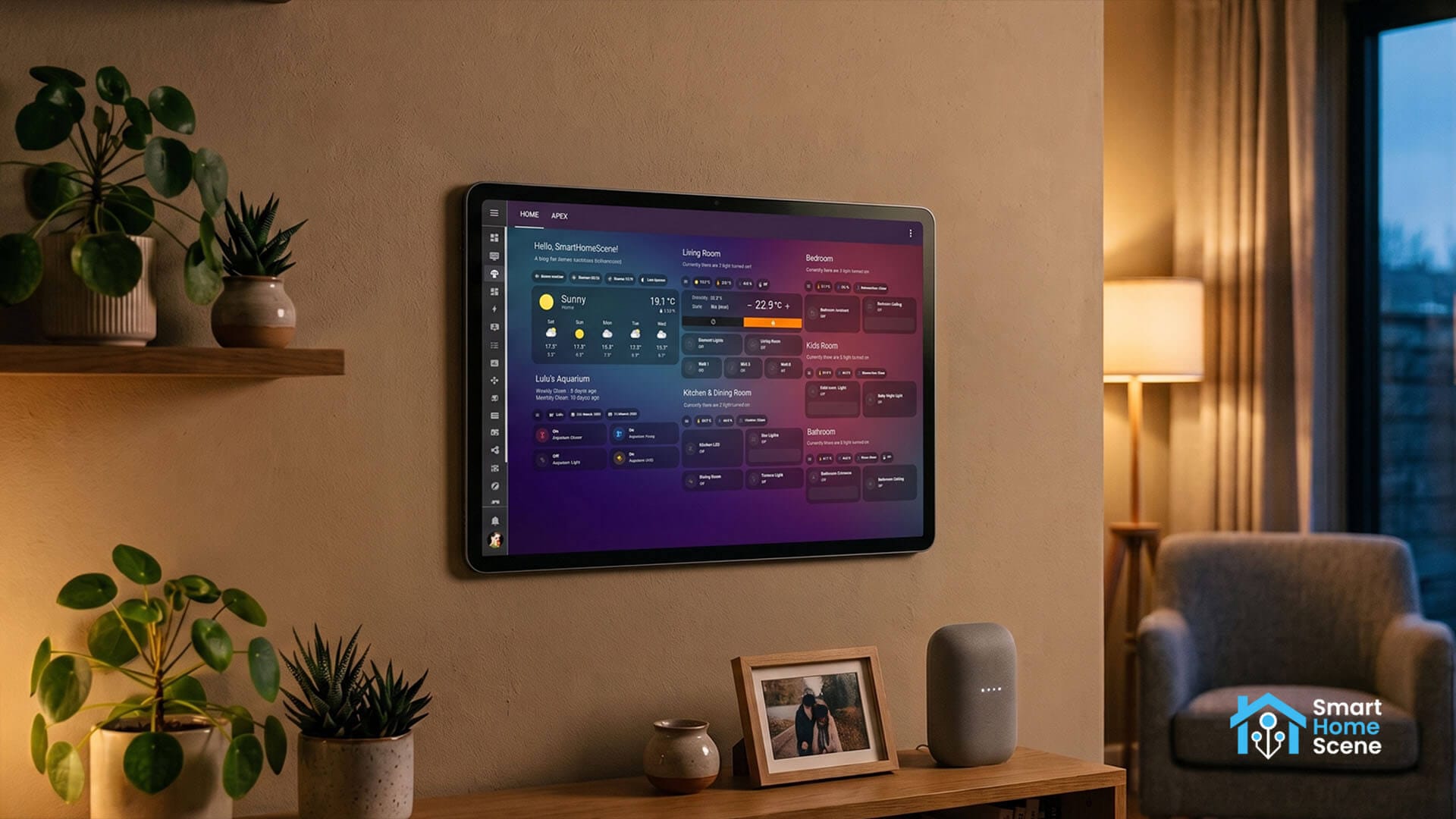
This guide highlights the best tablets for Home Assistant dashboards. It is built from real community experience: the Home Assistant forums, Reddit threads, Discord channels and other long-term user reports. These tablets are what Home Assistant users actually used in the homes, and not a generic best-tablets list repurposed for smart homes.
Quick Summary: Best HA Dashboard Tablets
How To Choose A Tablet for Home Assistant
When choosing a tablet for Home Assistant, there are several important things to consider:
- Screen mounting. Decide where the tablet will be installed before picking a size. A small tablet works best in a hallway or bedroom, while a larger one is more suitable as a center control dashboard in the living room.
- Kiosk support. Fully Kiosk Browser runs natively on most Android tablets, while Fire OS needs it sideloaded. iOS can run natively in Kiosk mode, which turns an iPhone or iPad into a dedicated Home Assistant display.
- Chip strength. A basic dashboard runs fine on any budget chip. But viewing multiple camera streams needs something stronger.
- Battery handling. A permanently charging tablet needs to be put on a charging cycle, which means getting a smart plug if you don’t already have one.
- Build durability. A dust or splash resistance rating matters for a kitchen or laundry room tablet, and most tablets on this list have none at all. Consider the TCL Tab A1 Plus or the Lenovo Tab M11 if that matters, since they are the only two with an IP rating.
Amazon Fire HD 10 (13th Gen)
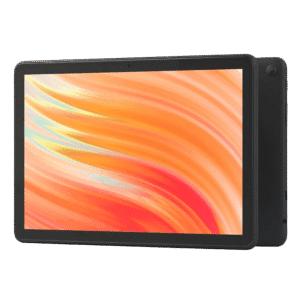
The Amazon Fire HD 10 shows up more than any other tablet in Home Assistant community threads, and the reason is simple. It is cheap, the screen is large and clean, and once it is set up properly it does the job of a wall-mounted dashboard quite well. People repurpose or deploy three or four of these around the house, since the price often drops under $100 during sales.
The 13th gen release of the Fire HD 10 also brings some nice upgrades. The MediaTek MT8186A chip is 25% faster than the previous generation, the front camera moved to a proper landscape orientation, and the whole tablet now weights about 434 grams. The 10.1 inch 1920×1200 display looks sharp once wall-mounted with no visible branding in the bezel.
The catch is Amazon’s Fire OS. There is no Google Play by default, so getting the Home Assistant Companion App or Fully Kiosk running means sideloading the APKs directly. Neither is hard, but these are extra steps that a stock Android tablet just doesn’t require.
Key specs:
- 10.1 inch IPS, 1920×1200, 224ppi
- MediaTek MT8186A octa core
- 4GB RAM, 32 or 64GB storage
- 4,850mAh battery, USB-C charging
- Fire OS 8, Android 11 base
The Amazon Fire HD 8 is the smaller version also worth highlighting. It is an 8-inch panel with a hexa core chip and 4GB of RAM, a good fit for a compact hallway or bedroom Home Assistant dashboard where the full 10.1 inch version does not make sense.
TCL Tab A1 Plus
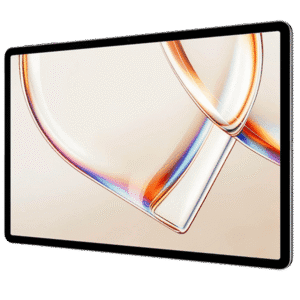
The TCL Tab A1 Plus is the best overall pick on this list. It brings the largest, sharpest screen in the mid-range price bracket. Its 12.2 inch 2400×1600 panel running at 120Hz makes dashboard scrolling feel closer to a premium tablet than a $220 one, and the IP54 rating gives it an edge for a kitchen install where splashes and steam are present.
TCL builds TV panels for a living, and that background shows in the display choice here. The 3:2 aspect ratio is taller and boxier than the 16:10 ratio used on the Samsung and Lenovo tablets on this list, which gives a stacked Home Assistant dashboard more vertical room for cards before it needs to scroll. It is a small difference on paper that becomes noticeable once several rows of entities are on screen at once.
The Snapdragon 4 Gen 2 handles a full dashboard without issues, and the 8,000mAh battery is the largest capacity of any battery powered tablet on this list. Storage tops out at 128GB, expandable to 2TB via microSD, more headroom than a browser based dashboard will ever need. TCL also lists a virtual RAM feature that borrows unused storage to extend the 6GB of physical memory, a software trick more useful for marketing than for a dashboard that mostly just renders a browser tab.
Key Specs:
- 12.2 inch IPS LCD, 2400×1600, 120Hz, 550 nits
- Snapdragon 4 Gen 2, Adreno GPU
- 6GB RAM, 128GB storage
- 8,000mAh battery, 20W charging
- Android 16
This is the base Tab A1 Plus, not the pricier NXTPAPER version with the anti glare matte display, which runs $299 to $399 instead. The base model also ships in a single color, Space Blue, so there is no picking a finish to match the wall it goes on.
Samsung Galaxy Tab A9+
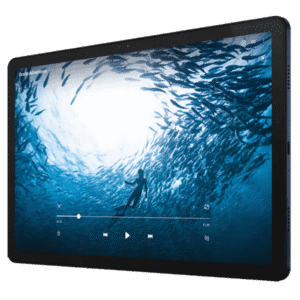
The Samsung Galaxy Tab A9+ is the performance pick among the mid-range Home Assistant tablets on this list. Its Snapdragon 695 chip gives you much better performance compared to the MediaTek chip in the Fire HD 10 and the Lenovo M11. If you are displaying multiple camera streams on your dashboard, the Galaxy Tab A9+ can handle them with ease once properly configured.
Google Play is built-in and you do not need to sideload APKs. You can run the Home Assistant companion app directly and push sensor data from the device to Home Assistant for automations. The speakers with Dolby Atmos are a nice bonus if the tablet also handles TTS announcements or media playback. It also has a front-mounted camera you can use for waking up the screen when someone approaches.
Key specs:
- 11.0 inch TFT LCD, 1920×1200, 90Hz
- Snapdragon 695 5G, Adreno 619
- 4 to 8GB RAM, 64 to 128GB storage
- 7,040mAh battery, 15W charging
- Android 13, upgradable to Android 16, One UI 8
Battery life is excellent, thanks to the large 7040mAh. You can charge the A9+ with a 15W adapter, although it’s always better to cycle the battery between 20 and 80% with a smart plug via Home Assistant. Once the tablet is logged in to Home Assistant, you simply use the sensor data to create smart charging automations and prevent battery degradation or swelling.
Samsung Galaxy Tab A11+
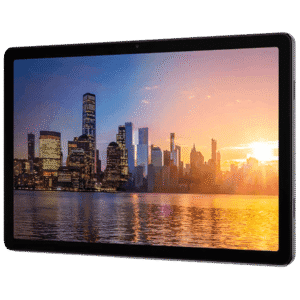
The Samsung Galaxy Tab A11+ is the newest tablet in Samsung’s A series. It is built around a MediaTek Dimensity 7300 chip instead of the Snapdragon 695 found in the A9+. This chip can handle busy or animated Home Assistant dashboards without any issues. Your cards load faster, camera feeds refresh instantly, and the 90Hz display keeps scrolling very smooth.
The 11.0 inch panel matches the A9+ in size and resolution, but the Mohs level 5 glass in the A11+ holds up better against scratches over years of use. It supports 25W charging instead of 15W, but in my opinion a wall-mounted dashboard should always have fast charging completely disabled and only slow charge.
At around $250 it costs more than the A9+, and for a basic dashboard showing lights and climate cards, that extra cost buys speed most people will not notice day to day. It earns its place as a dashboard doing heavier lifting, multiple camera streams, animated cards, or a dashboard with a lot of moving parts.
Key Specs:
- 11.0 inch TFT LCD, 1920×1200, 90Hz, Mohs level 5 glass
- MediaTek Dimensity 7300, Mali-G615 MC2
- 6 to 8GB RAM, 128 to 256GB storage
- 7,040mAh battery, 25W charging
- Android 16, One UI 8
The Galaxy Tab A11 is the compact 8.7 inch version, built on the older Helio G99 chip instead of the Dimensity 7300. This tablet comes from the same product family, but has a smaller footprint which makes it a great pick for a bedroom or entryway dashboard.
Lenovo Tab One
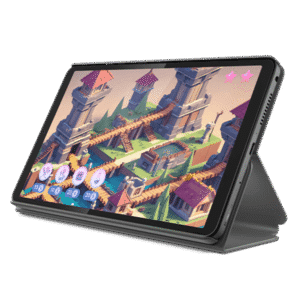
The Lenovo Tab One is the cheapest new Android tablet worth buying for this job. At $100 to $130 on regular sale, it undercuts nearly every other tablet for Home Assistant on this list while still running full Android with Google Play out of the box.
The Helio G85 chip and 4GB of RAM will not win any benchmarks, but a Home Assistant dashboard can be designed around the performance of this chip. As long as you are not forcing it to render 6 live camera feeds on one dashboard, the Tab One will perform perfectly fine. The 8.7 inch 1340×800 display is small next to the 11 inch tablets on this list, which works in its favor for a tight wall spot like a laundry room or a narrow hallway.
Key Specs:
- 8.7 inch IPS, 1340×800, 60Hz
- MediaTek Helio G85, Mali-G52
- 4GB RAM, 64GB to 128GB storage
- 5,100mAh battery
- Android 14, upgradable to Android 15
At 320 grams it is also the lightest tablet on this list, light enough that some simple adhesive wall mounts can hold it without the heavier duty bracket a bigger tablet would need. Retailers commonly bundle it with a clear case that includes a built-in kickstand, which is a convenient way to display a Home Assistant dashboard on a desk or shelf.
Lenovo Tab M11
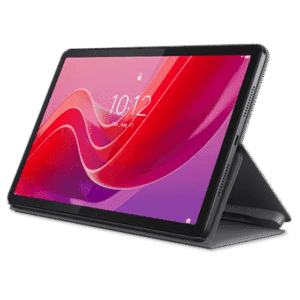
Lenovo built the Tab M11 around a metal body instead of the all plastic shells common at this price point. A glass front sits over an aluminum frame and an aluminum back, and it looks very premium. It also just feels sturdier under the daily taps a dashboard takes.
The Lenovo Tab M11 is IP52, which means it can handle light dust and the occasional water splash. For instance, a kitchen or laundry room install benefits from that more than a living room would, since a tablet with no ingress protection at all runs a real risk over months of steam and cooking splatter. Nothing else on this list at this price offers that kind of protection.
The 90Hz display is the other standout. Scrolling through dashboard cards and watching camera feed refreshes feels noticeably smoother than the 60Hz panels on this list, and the ambient light sensor lets Fully Kiosk dim the screen automatically once the room goes dark. Lenovo launched the tablet at $179, though it regularly drops to $130 to $150 during sales.
Key Specs:
- 11.0 inch IPS LCD, 1920×1200, 90Hz, 400 nits
- MediaTek Helio G88, Mali-G52 MC2
- 4 to 8GB RAM, 64 to 128GB storage
- 7,040mAh battery, 15W charging
- Android 13, upgradable to Android 15
The Helio G88 handles a standard dashboard without complaint, but if you overload it with several Frigate camera streams at once and you will notice frame drops. For camera heavy setups, the Galaxy Tab A11+ carries that load more comfortably.
Apolosign 21.5 Inch
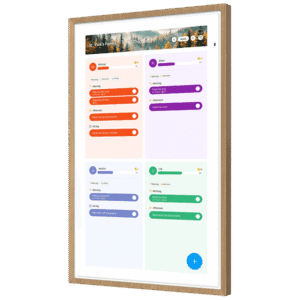
The Apolosign 21.5″ is not a handheld tablet you can wall mount, it is a display built to live on a wall from day one. It ships as a family calendar device, but underneath that branding sits a full Android tablet with Google Play access. This is exactly why it earns a spot on this Home Assistant dashboard tablet list despite the calendar marketing.
The RK3576 chip runs Android with EDLA certification, so the Play Store, Fully Kiosk, and the Home Assistant Companion App all install cleanly with no workarounds. The giant 21.5 inch 1920×1080 panel is the largest screen on this entire list, and it ships with a VESA 100mm wall mount in the box instead of an accessory bought separately.
The Apolosign display has no built-in battery at all. The device needs to stay plugged in to run. Every install runs off the included power adapter through a DC-in port on the back, so there is no battery to protect, cap, cycle, or eventually replace. That also means the screen cannot survive a power outage or run cordless on a countertop, it stays on only as long as it stays plugged in.
The matte anti-glare glass on top is a real advantage in a bright kitchen or a room with big windows, where a glossy tablet screen usually turns into a mirror. The dual-mode design also means a spouse or a kid can use Calendar Mode for the family schedule day to day, while the Home Assistant dashboard lives in Android Mode a swipe away, so the device is not locked into a single purpose.
Key Specs:
- 21.5 inch LCD, 1920×1080, 300 nits
- Rockchip RK3576 octa core
- 4GB RAM, 64GB storage
- Wi-Fi 6, Bluetooth 5.4, USB-C
- Android, EDLA licensed Google Play
The Apolosign 15.6 inch version runs the same chip and platform in a smaller footprint, and ships with both a wall mount bracket and a desktop stand in the box, so it works propped on a counter just as well as mounted flush to a wall.
Apple iPad, 10th Generation
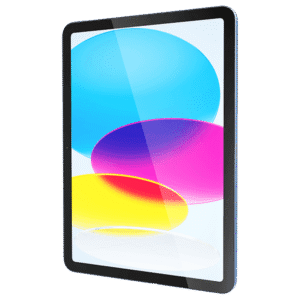
The 10th generation iPad is the premium pick for anyone who wants Apple hardware without paying current flagship prices. Apple discontinued it as a new product in March 2025, but it stays easy to find refurbished for $230 to $340, and it is still receiving iPadOS updates well into 2026.
This generation marked the first time a standard iPad dropped Lightning for USB-C. Every charger, cable, and USB-C hub already sitting in a drawer works with it, unlike older Lightning iPads that needed their own dedicated adapter and cable. Apple also moved the front camera to a 12MP Ultra Wide lens with Center Stage support, positioned along the long edge for landscape use, a small detail that pays off if the tablet ever doubles for a video call instead of just a dashboard.
Key Specs:
- 10.9 inch Liquid Retina, 2360×1640, 500 nits
- Apple A14 Bionic
- 4GB RAM, 64 or 256GB storage
- USB-C charging
- iPadOS, still updated as of mid 2026
The A14 Bionic chip and 10.9 inch Liquid Retina display outclass every Android tablet on this list for build quality and screen sharpness. Kiosk mode is also built directly into the Home Assistant Companion App itself, so there is no separate kiosk browser to install at all. You just open Settings, then Companion App, then Kiosk Mode, and the app sets a default dashboard, hides its own interface, and offers a screensaver with clock, dim, or blank options once the display sits idle.
SONOFF NSPanel Pro
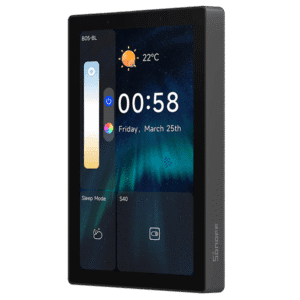
The Sonoff NSPanel Pro sits in a different category entirely. It is not a tablet, it is an in-wall touch panel with built-in relays that replaces a standard light switch or thermostat plate, wired directly into mains power. It’s a beautiful and highly customizable display, which is why I decided to include it.
The original NSPanel Pro is a 3.95 inch panel built around a quad core Cortex-A35 chip with a Zigbee 3.0 hub built in, so it doubles as both a dashboard and a Zigbee coordinator you can use with Home Assistant. The Gen2 keeps that same 3.95 inch screen but upgrades the chip to a Rockchip RK3326-S, adds a Matter bridge feature alongside Zigbee, and adds a built-in 10A relay for switching connected loads straight from the panel. Both are built around the 86mm wall box standard common in Europe and Asia, and neither fits a North American wall box without an adapter or a desk stand.
The NSPanel Pro 120 is the version actually built for North America. It uses the same Cortex-A35 platform as the original, but has a better and larger screen at 4.7 inches and a sharper 750×1334 resolution. Its rectangular dimensions match a standard US single-gang wall box with no adapter needed. It also adds Matter support alongside Zigbee, but it does not include the built-in relay found on the Gen2, so if you need switching, you would need to go for the older NSPanel 120.
Key Specs:
- 3.95 to 4 inch touchscreen
- Cortex-A35 on the original, RK3326-S on Gen2
- 2GB RAM, 32GB storage on Gen2
- Mains powered, no battery
- Zigbee 3.0 hub, Matter bridge on Gen2
Neither generation gives the screen real estate of the tablets above. What both give instead is a permanent fixture that looks like it belongs on the wall and never needs charging or replacing.
Waveshare e-Paper Display With ESP32
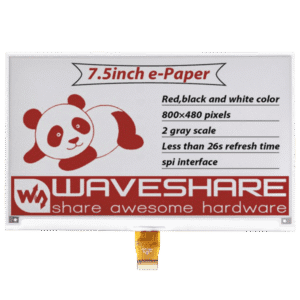
Waveshare makes e-paper screens that work differently from every other display on this list. Instead of backlit pixels, the screen holds thousands of tiny charged pigment particles that physically move to form black, white, or a limited set of colors. That is why e-paper never matches an LCD for color range or refresh speed, but it also never glares, glows, or washes out in daylight.
Waveshare displays are available in sizes from 1.5 inches up to 13.3 inches. A screen in the 1.5 to 3 inch range suits a single sensor status board, while 7 inches and up handles a full dashboard with several data points on screen. Every size except the 7.3 inch seven color model works with the official Waveshare ESP32 Driver Board, and ESPHome has a native waveshare_epaper component built in, so the display just needs proper firmware to run.
Refresh speeds for e-ink displays depend on the update mode. A partial refresh redraws only the pixels that changed and is fast, while a full refresh clears the whole screen first to remove ghosting and takes longer. The update interval can also be set to never and triggered only on demand, for example refreshing the screen just when motion is detected nearby.
Key Specs:
- 1.5 to 13.3 inch e-Paper panels
- ESP32 driver board, official Waveshare hardware
- Native ESPHome support
- No touch input, static display only
- Mains or low power USB, no battery
This is the one entry on this list with no touch input at all. It cannot run a normal Home Assistant dashboard the way a tablet does. What it is built for is showing information clearly and reliably with almost no power draw, which is exactly why it works well as a always visible status board rather than an interactive one. I cover the full setup, including driver board wiring and ESPHome configuration, in my Waveshare e-paper and ESPHome guide.
Battery Management for Wall-Mounted Home Assistant Tablets
A tablet left on permanent power sits at full charge under constant heat. That is what makes lithium batteries swell over time. The best fix is a smart plug on a charge cycle, keeping the battery between 20 and 80 percent instead of sitting at 100 percent all day.
Home Assistant can manage this automatically once the tablet is connected. You simply read the battery level through the app, then automate the smart plug to switch off at 80 percent and back on at 20 percent. This keeps the battery cycling properly instead of sitting fully charged at 100% around the clock.
Some tablets also offer a native charge limit as a backup. The Samsung Tab A9+ and Tab A11+ have a Protect Battery feature, capping charge at 80 percent. The Lenovo Tab M11 has a similar option under Settings, but even with these enabled, the smart plug cycle is still the more reliable approach.
The Apolosign, the SONOFF NSPanel Pro, and the Waveshare e-Paper display skip this problem entirely. All three run on mains power with no battery at all, so there is nothing to protect, cap, or cycle. You simply plug them in and they run indefinitely with zero degradation risk.
The Best Tablet for Home Assistant Is The One You Already Have
An old iPad, a Galaxy Tablet your kid no longer uses, or a first generation Fire HD 10 sitting in a drawer can all work as a Home Assistant dashboard right now, at no cost. This is the best choice for turning a tablet into a Home Assistant dashboard.
The requirements are simple. A screen that turns on, a browser that can load a URL, and a charging setup with a plug that does not wreck the battery. If a spare tablet meets that bar, mount it and see how it performs before buying something new.
FAQs
What is the best tablet for a Home Assistant dashboard?
The TCL Tab A1 Plus is the best overall pick on this list, thanks to its sharp 120Hz display and IP54 rating. The Amazon Fire HD 10 is the better choice if budget matters more than screen quality.
Can I use an old tablet for Home Assistant instead of buying a new one?
Yes. Any tablet with a working screen and a browser that can load a URL can run a Home Assistant dashboard. An old iPad or an unused Android tablet works fine for this.
Does a Home Assistant tablet need Fully Kiosk Browser?
Fully Kiosk Browser is the most common choice on Android, since it adds battery reporting and remote control on top of a locked fullscreen dashboard. It is not required, but most Android setups use it.
Will a tablet left plugged in all the time ruin the battery?
Yes, if it sits at 100 percent charge constantly. A smart plug cycling the charge between 20 and 80 percent, or a tablet with a native charge limit, prevents this.
Can an iPad run a Home Assistant dashboard?
Yes. The Home Assistant Companion App has a built-in Kiosk Mode, and pairing it with Guided Access locks the iPad to the dashboard just like a kiosk browser does on Android.






I wish someone bundled a mains powered touchscreen with camera and presence sensor. It would be great to have a turnkey dashboard display that supports touch and can determine if someone is in front of it / who that person is.
I have more or less that combo with a 15.6” android touch screen from Ali express, and and Everything Presence Lite. My screen cycles large battery symbol for house, large PV mater, and last 5 Photo Booth pics that were taken on the screen, then as anyone gets close it auto falls back to control dash board.
I’ve yet to hang a tablet on the wall, reason being is that the most logical spot on the house gets quite some movement and i don’t want the screen to be on all the time.
There is tap to wake but that’s also something i do not want, most tablets don’t come with proximity sensors and cameras kind of suck for gauging distance.
A separate sensor for this is a solution but that kind of sucks 🙁
Start using kios-satellite combined with voice-satellite and all your whishes are fulfilled (https://github.com/jxlarrea/kiosk-satellite).
One other category to consider is a POE powered android tablet like those discussed here: https://community.home-assistant.io/t/the-perfect-walltablet-for-ha/972488
Great website with loads of info. We’re venturing further into home automation having had a bog-standard Hue app with lots of bulbs and sensors. Over the last stro years several non-Hue items (Innr, Eve, Ikea, and what-have-you) have made their way into our home and Home Assistant seems the preferred way forward. What I’m seeing in all articles are snazzy displays with even snazzier dashboards. I wouldn’t mind being helped in the direction of how to design, setup and/or install such beautiful dashboards. If anyone could point me in the right direction, I’d be much obliged. Thanks a bunch.
Hey Rob, welcome to SmartHomeScene!
And congrats on taking your smart home back, that is the most important step.
I’d strongly suggest you familiarize yourself with how Home Assistant works in general before jumping into fancy dashboards.
Get your devices integrated first and make sure entities are named and organized well and assigned into Zones, since a clean dashboard starts with clean data.
Once you’re comfortable, look into custom cards from HACS. Bubble Card, Mushroom, Plotly, Advanced Camera Card are some of the best ones people use, but can take some work to get right.
Start slow and ease your way into it.
Cheers,
SHS.
Thanks for the advice. Sounds the way forward. I’ve got everything running via HA, but have to admit that I haven’t taken the time to organise things yet. Naming, zoning, scenes, etc. are still on the (eternal 🙂 to-do list. I’ll get that sorted first and then move on to the card options you mentioned.
Thanks again!