

UPDATED 04.12.2025: The list has been completely revamped and obsolete and redundant coordinators have been removed.
Zigbee coordinators are the core part of building a Zigbee network, without them a network cannot be formed. They orchestrate and manage your devices, define how and when they talk to each other, send and push information between them and keep the stack in check.
So, it’s simple: the better the coordinator, the better the quality of your mesh network.
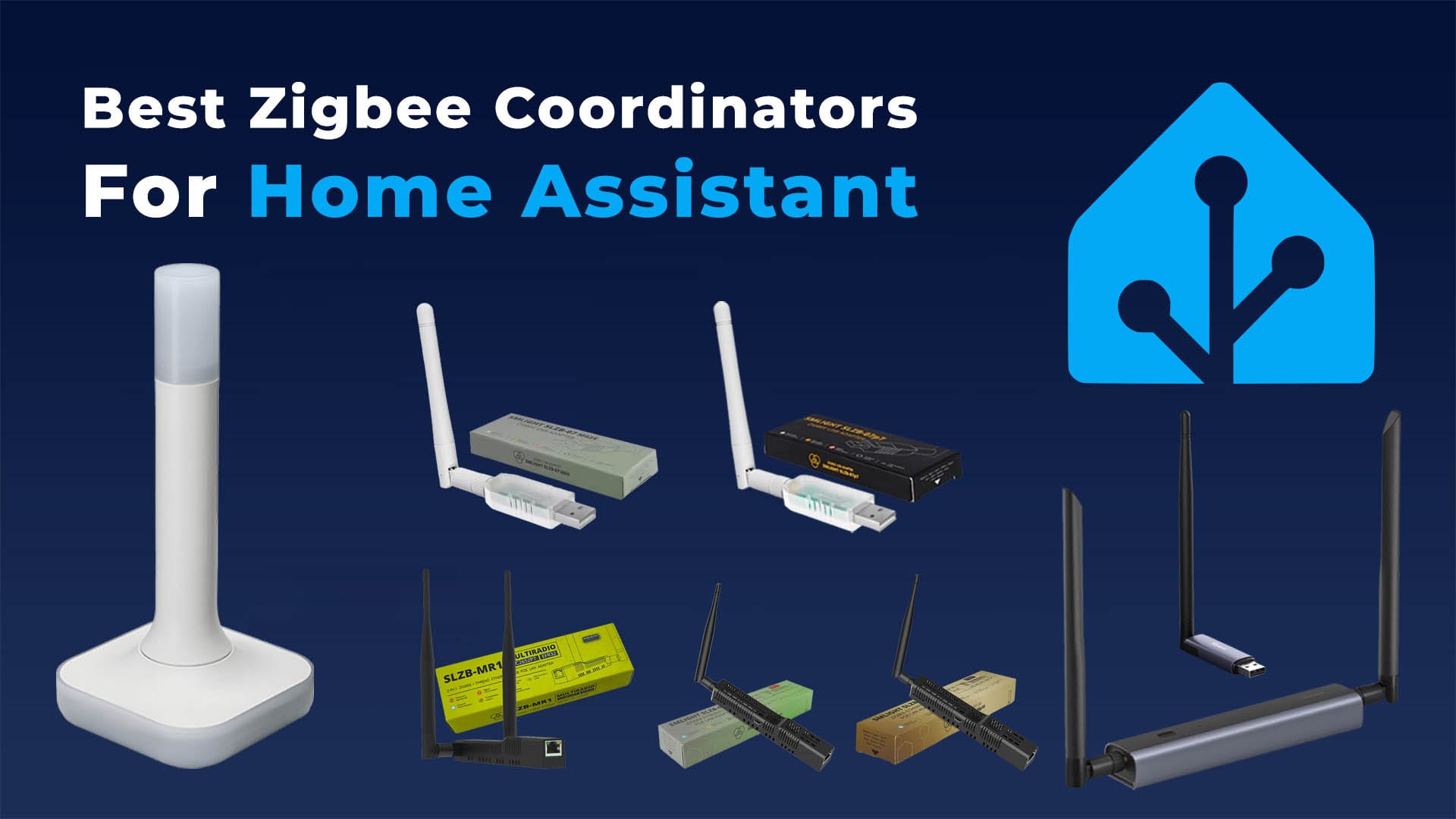
This article is an overview of the Best Zigbee Coordinators for Home Assistant in 2025, organized by radio platform, integration compatibility, and overall value. Since most modern coordinators can also run Thread, the same list applies if you are looking for the Best Thread Border Routers for Home Assistant.
If you are just starting out with Zigbee check out the only guide you will ever need for building a stable and robust Zigbee network.
USB vs. PoE Coordinators
Before deep diving into the list, it’s important to differentiate between the types of Zigbee dongles available in terms of their connectivity method. Depending on your setup and need, some may be more suitable than the other:
- USB-only Zigbee Coordinators
- Connected via USB
- Powered via USB
- PoE Zigbee Coordinators
- Connected via USB, Wi-Fi or Ethernet
- Powered via USB or PoE (Power-over-Ethernet)
The easiest of the lot are USB Zigbee sticks, you simply plug them in your server and you are good to go. LAN/PoE coordinators allow for a more versatile installation, you can attach the dongle anywhere on your network. LAN-only coordinators are made obsolete by PoE coordinators, a combination of the two with interchangeable operation/power modes.
Texas Instruments vs. Silicon Labs Chips
The second important difference between modern Zigbee coordinators is the type of chip they carry. Most modern chips are manufactured either by Texas Instruments (CC range) or Silicon Labs (EFR32 range). While TI chips like the CC2652P [Datasheet] used to dominate in DIY Zigbee networks, they have been long surpassed by the better, more powerful Silabs chips like the EFR32MG21 [Datasheet].
Furthermore, with the new release wave of Zigbee coordinators like the Home Assistant ZBT-2 and Sonoff Dongle Plus / Dongle Max, we’re seeing more and more EFR32MG24 [Datasheet] based coordinators. This is a newer, more powerful chip with more RAM and a better processor, capable of handling larger networks with ease. Here’s how they compare to each other:
| Feature | EFR32MG21 | EFR32MG24 | CC2652P | CC2652P7 | CC2674P10 |
|---|---|---|---|---|---|
| Processor | Arm Cortex-M33, 80 MHz | Arm Cortex-M33, 78 MHz | Arm Cortex-M4F, 48 MHz | Arm Cortex-M4F, 48 MHz | Arm Cortex-M4F, 48 MHz |
| Wireless Protocols | Zigbee, Thread, Bluetooth LE | Zigbee, Thread, Bluetooth LE | Zigbee, Thread, Bluetooth LE | Zigbee, Thread, Bluetooth LE | Zigbee, Thread, Bluetooth LE |
| Output Power | Up to +20 dBm | Up to +20 dBm | Up to +20 dBm | Up to +20 dBm | Up to +20 dBm |
| Security Features | Secure Boot, TrustZone, Cryptography | Secure Boot, TrustZone, Cryptography | AES-128 Encryption | AES-128 Encryption | Secure Boot, TrustZone, AES-128 Encryption |
| Flash Memory | Up to 1 MB | Up to 1.5 MB | Up to 512 KB | Up to 704 KB | Up to 1 MB |
| RAM | Up to 128 KB | Up to 256 KB | Up to 80 KB | Up to 144 KB | Up to 352 KB |
| Peripherals | UART, SPI, I2C, ADC, GPIO, etc. | UART, SPI, I2C, ADC, GPIO, etc. | UART, SPI, I2C, ADC, GPIO, etc. | UART, SPI, I2C, ADC, GPIO, etc. | UART, SPI, I2C, ADC, GPIO, PWM, etc. |
| Development Tools | Simplicity Studio | Simplicity Studio | TI Code Composer Studio | TI Code Composer Studio | TI Code Composer Studio |
| Operating Temperature | -40°C to +125°C | -40°C to +125°C | -40°C to +85°C | -40°C to +125°C | -40°C to +125°C |
| Supply Voltage Range | 1.71V to 3.8V | 1.8V to 3.8V | 1.8V to 3.8V | 1.8V to 3.8V | 1.8V to 3.8V |
Best Zigbee USB Coordinators for Home Assistant
List of the Best USB-only Zigbee and Thread coordinators for Home Assistant, compatible with ZHA and Zigbee2MQTT. Remember to use them with a USB extension cord, to eliminate USB port interference.
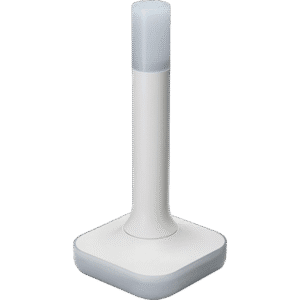
The Home Assistant Connect ZBT-2 is a USB Zigbee and Thread adapter designed specifically for Home Assistant systems. It is built around a Silicon Labs EFR32MG24 radio and uses an external 4.16 dBi omnidirectional antenna tuned for the 2.4 GHz band, giving it an excellent link quality for both Zigbee and Thread devices.
In practice, you can use the ZBT-2 either as a Zigbee 3.0 coordinator or as a Thread adapter, not both at the same time. Home Assistant provides separate firmware options and setup flows so you can choose between Zigbee (with ZHA or Zigbee2MQTT) or Thread for Matter devices and switch roles when needed. For teardown photos, detailed measurements and migration examples, see the full Home Assistant ZBT-2 Zigbee and Thread Coordinator Review.
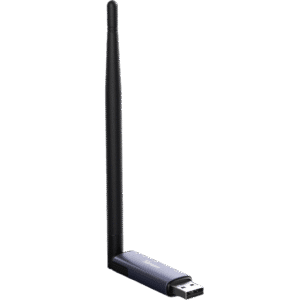
The Sonoff Dongle Plus MG24 is the new kid on the block. It’s a new USB Zigbee/Thread coordinator based on the latest EFR32MG24 SoC. It has a more powerful antenna compared to any other USB coordinator, going up to 4.5dBi. What’s interesting about this dongle is that it can run Sonoff’s MultiPAN firmware, which allow your to form both Zigbee and Thread networks on a single SoC. This feature is experimental and not officially supported by Home Assistant.
Check out our Sonoff Dongle Plus Review to learn more.
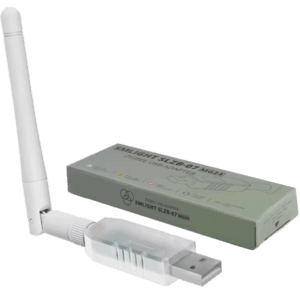
If you are familiar with SMLight coordinators, the new SLZB-07MG24 is an excellent option. It uses the EFR32MG24 chip and includes a +3 dBi external antenna. The adapter is a capable Zigbee and Thread coordinator that can handle large networks without issues. SMLight also tends to ship their devices with the latest stable firmware, which is not always the case with other manufacturers. One thing to keep in mind is that the dongle should be used with a USB extension cable, because interference from nearby USB ports is very likely.
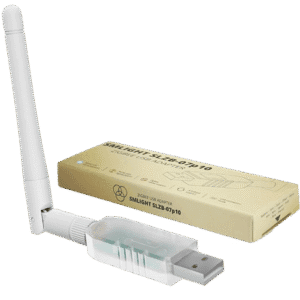
If you prefer a coordinator based on TI hardware, the SMLight SLZB-07P10 is a great choice. It is built on the CC2674P10 and uses the CP2102N USB to UART converter. The radio includes a +20 dB SoC amplifier paired with a +3 dBi external antenna, the same configuration found on other high performance SMLight dongles. It works with both ZHA and Zigbee2MQTT out of the box, and it is powerful enough to manage networks with more than 400+ devices without issues.
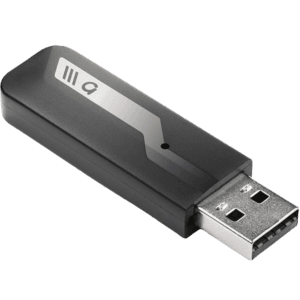
If you’ve started using Zigbee about 7 years ago, chances are your first coordinator was the Conbee II. This dongle was made by Phoscon, the company behind Deconz, and was the most used USB coordinator at that time. The great news is, the Conbee II is not yet obsolete, as Phoscon released a firmware update that turns the Conbee II into a Thread Border Router.
The Conbee II was finally succeeded by its big brother, the Conbee III, based on the EFR32MG21 module by Silicon Labs. Phoscon are known for releasing rock-solid firmware updates, making their coordinators work very well with software like Deconz, ZHA and Zigbee2MQTT. The Conbee III is an excellent piece of hardware, but it does require a USB extension cord.
Best Zigbee LAN/PoE Coordinators for Home Assistant
List of the Best Hybrid (USB, LAN, PoE, Wi-Fi) Zigbee and Thread coordinators for Home Assistant, compatible with ZHA and Zigbee2MQTT. Remember to update the firmware in the web dashboard before pairing devices.
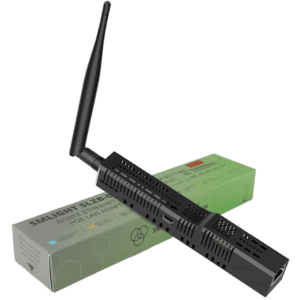
The SLZB-06MG24 is a PoE powered coordinator built on the EFR32MG24 SoC from Silicon Labs. It supports up to 350 Zigbee end devices and is fully compatible with both ZHA and Zigbee2MQTT. The MG24 radio is paired with an external +5dBi antenna, giving it stable range and enough headroom for very large Zigbee networks. Thread is supported natively on this model, although it operates as a single protocol device at a time, just like the rest of the SLZB-06 range.
SMLight includes an advanced web dashboard for configuration, firmware management, and basic network tools. The SLZB-06MG24 also supports Wi-Fi via its ESP32 subsystem, if for some reason you want to use it. The SMLight range can connect a remote Zigbee network to your Home Assistant instance via WireGuard, a very welcome and useful feature. Overall, it is a great option for users who want Silicon Labs hardware with enough capacity for growing Zigbee networks.
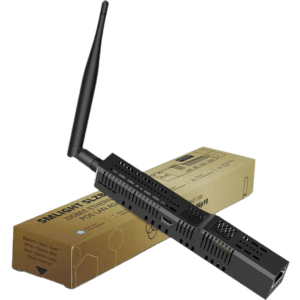
The SLZB-06P10 is a PoE powered Zigbee and Thread coordinator using the latest Texas Instruments CC2674P10 radio. This model supports up to 400 Zigbee devices, making it the most capable standalone single SoC coordinator in the SLZB 06 lineup, at least on paper. Just like the rest of the SLZB-06 range, it has a web dashboard for configuration and enabling advanced features like Bluetooth proxies, WireGuard VPN and OTA firmware flashing.
The CC2674P10 integrates a high power +20dB amplifier, and SMLight pairs it with the same +5dBi antenna. Since it is TI based, it performs especially well under Zigbee2MQTT, but it also works with ZHA without issues. For users who want the most modern TI radio with high device capacity and PoE, this is the go-to model.
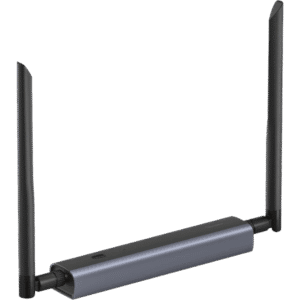
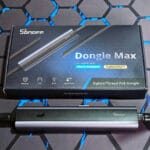
The Sonoff Dongle Max is the latest and greatest PoE coordinator from Sonoff, based on the EFR32MG24 SoC. It supports the latest 8.x firmware and ships with a +5dBi tuned external antenna that delivers excellent performance for modern smart home requirements. While it supports both Zigbee and Thread at the firmware level, you can only run one at a time (despite what the antennas suggest). Sonoff claims MultiPAN support is experimental, although I highly suggest against using it on single SoC coordinators.
The Sonoff Dongle Max has its own beautiful web dashboard, useful for configuration and debugging. You can configure an MQTT server, set up webhooks, enable WireGuard, and add an eWeLink Remote Gateway. There is also a very interesting feature that Sonoff decided to include, called the Channel Energy Scan. This tool scans the entire 2.4 GHz spectrum and identifies which channels are occupied or free.
Check out the Sonoff Dongle Max Review to learn more.
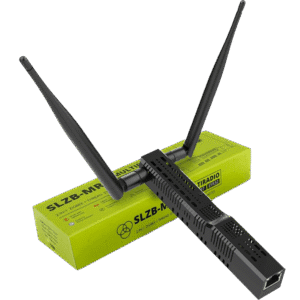
The SMLight SLZB-MR1 is the first-ever PoE powered, dual SoC coordinator by SMLight. It combines the well known and tested EFR32MG21 with a CC2652P7 chip, which can be used for Zigbee or Thread interchangeably. Unlike single chip devices, the MR1 can run both Zigbee and Thread at the same time, with each protocol handled by a separate dedicated radio. This architecture allows independent Zigbee and Thread networks to operate in parallel without performance penalties. The device is rated for up to 500 end devices, split into 200 on Zigbee and 300 on Thread.
It includes a full web dashboard for configuration, firmware management, log access, and network visibility. Wi-Fi and Bluetooth ESPHome support for Bluetooth proxies are also available through its ESP32 subsystem. The MR1 is a great choice for users who want native dual network operation and long term flexibility, provided through a tested device like the SLZB-MR1.
Check out the SMLight SLZB-MR1 review to learn more.
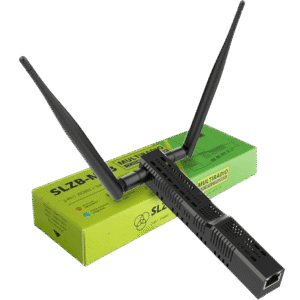
The SMLight SLZB-MR3 is the higher end dual SoC model, powered by an EFR32MG24 and CC2674P10 which you can use for either Zigbee or Thread. Just like the MR1, it can run both networks simultaneously, each on its own dedicated radio. Thanks to the newer MG24 and P10 chips, it has increased capacity, supporting up to 750 end devices, with 350 on Zigbee and 400 on Thread. The external dual antenna setup combines the strengths of both radios, giving it excellent coverage.
Its PoE design, built-in web dashboard, Wi-Fi support, and ESPHome integration for Bluetooth proxies make it the most capable all-in-one coordinator SMLight offers. The MR3 is ideal for users who expect large networks, want maximum headroom, or plan to grow both their Zigbee and Thread ecosystems without swapping hardware later. If you are aiming to cover both Zigbee and Thread, the SLZB-MR3 is the device to get. I suggest staying away from the SLZB-MR4 (based on the EFR32MG26) as it’s pricier and brings very little benefits over the EFR32MG24.
NOTE:
- The SMLight SLZB-MR2 (EFR32MG21/CC2652P) is not included in this category because its Texas Instruments chip is weaker than the MR1 and its Silicon Labs SoC is the same.
- The SMLight SLZB-MR4 (EFR32MG26/CC2674P10) is not included in this list because its Texas Instruments chip is the same as the MR3, while the Silicon Labs chip offers no tangible performance benefit over the EFR32MG24 used in the MR3.
Summary Table
| Model | Chip | Connection | Integration | Links |
|---|---|---|---|---|
| Home Assistant ZBT-2 | EFR32MG24 +4.16dBi | USB | ZHA, Zigbee2MQTT, OTBR | Amazon Domadoo |
| Sonoff Dongle Plus MG24 | EFR32MG24 +4.5dBi | USB | ZHA, Zigbee2MQTT, OTBR | Amazon AliExpress |
| SMLight SLZB-07MG24 | EFR32MG24 +3.0dBi | USB | ZHA, Zigbee2MQTT, OTBR | Amazon AliExpress |
| SMLight SLZB-07P10 | CC2674P10 +3.0dBi | USB | ZHA, Zigbee2MQTT, OTBR | Amazon AliExpress |
| Conbee III | EFR32MG21 +3.0dBi | USB | ZHA, Zigbee2MQTT, OTBR Deconz | Amazon US Amazon DE |
| SMLight SLZB-06MG24 | EFR32MG24 +5.0dBi | USB, LAN, PoE, Wi-Fi | ZHA, Zigbee2MQTT, OTBR | Amazon AliExpress |
| SMLight SLZB-06P10 | CC2674P10 +5.0dBi | USB, LAN, PoE, Wi-Fi | ZHA, Zigbee2MQTT, OTBR | Amazon AliExpress |
| Sonoff Dongle Max | EFR32MG24 +5.0dBi | USB, LAN, PoE, Wi-Fi | ZHA, Zigbee2MQTT, OTBR | Amazon AliExpress |
| SMLight SLZB-MR1 | EFR32MG21 / CC2674P7 +5.0dBi | USB, LAN, PoE, Wi-Fi | ZHA, Zigbee2MQTT, OTBR | Amazon AliExpress |
| SMLight SLZB-MR3 | EFR32MG24 / CC2674P10 +5.0dBi | USB, LAN, PoE, Wi-Fi | ZHA, Zigbee2MQTT, OTBR | Amazon AliExpress |




Nice guide. A few questions:
– SkyConnect is the only one which is future proof with Matter & Thread support?
– I’m currently using a Sonoff Zigbee Bridge with Tasmota, would you say I’m better off upgrading?
Thanks
SkyConnect and Sonoff ZBDongle-E both use the EFR32MG21 which supports Thread and Matter.
You won’t go wrong with either.
Although, I would honestly not run a Thread network and a Zigbee network on the same stick.
The UZG-01 is top of the line for Zigbee right now.
Hi. Thanks for the nice article.
Why do you prefer ZigStar UZG-01 (CC2652P7) over SLZB-06 (CC2652P) or SLZB-06M (EFR32MG21)?
What are the benefits?
Well, It’s not inherently “worse” in the most basic sense of the word, but it does use the ZigStar firmware, developed by the same person who made the ZigStar coordinators.
So it’s essentially a clone firmware wise.
I expect support to be better on ZigStar coordinators, since the firmware is created specifically for their coordinators.
The CC2652P7 is better in almost every aspect than the CC2652P2. As for the EFR32MG21, ZigStar has a coordinator coming up with this chip in the near future.
Thanks. So is it better to get ZigStar(CC2652P7) now or wait for the version with EFR32MG21 or buy SLZB-06M?
ZigStar UZG-01. You will never need another Zigbee coordinator.
I have UZG-01 with P7 and I am having trouble with Zigbee2MQTT. I know that Radu (ZigStar) is working with Koenkk (Zigbee2MQTT) on stable firmware, but not done yet
What are the issues you are having?
1. very low LQI in many cases <20
2. Zigbee2MQTT crashes once per day in average
3. Maybe not related to P7 directly (however I did not observe it before), but TuYa ZY-M100-24G (zigbee) and/or TuYa MTG075-ZB-RL (zigbee) crash UZG-01. HA entities are still shows availability, but actually they are not responding. Need to power cycle UZG-01 and restart Zigbee2MQTT add-on.
Hi,
I tried the SkyConnect und Sonoff Dongle-E with a semi large Zigbee network (around 70 devices) with ZHA and keep having problems. What do you recommend for large Zigbee networks?
They are both awesome for any network size, you most likely need to add more routers or repath better.
If I could see a map, I can tell better.
Since I can’t paste images directly in here I uploaded the image. Hope this works:
https://imgbox.com/TIcWXJoK
The problems I have with my Zigbee network are that I keep getting messages about my Zigbee Channel 15 utilization is over 90% (even though my wifi is at channel 11+ and the wifi router is over 5 meters away from the zigbee dongle) and I get EmberStatus.DELIVERY_FAILED messages in the log. Usually this results in my automations stopping to work after a few days of uptime.
First, Zigbee and Wi-Fi channels numbering do not match, I hope you are aware of that.
https://www.metageek.com/training/resources/zigbee-wifi-coexistence/
Second, I would use an app on the phone and scan for any Wi-Fi networks creating interference on the same channel.
I would test by changing the Wi-Fi channel first, not the Zigbee channel since it will involve repairing all devices.
You network seems fine, another thing to check is spammy devices that may cause delays (e.g. certain presence sensors)
hi
i am newbie
Required Assistance for Integrating Aeotec Zi-Stick with Zigbee2MQTT in Home Assistant
I am reaching out to seek assistance with integrating my Aeotec Zi-Stick with Zigbee2MQTT and Home Assistant. Despite following the available guidelines, I am encountering some difficulties in getting the setup to work as expected.
Here are the details of my setup:
— redacted, too long —-
I would greatly appreciate your guidance on resolving these issues. If there are any specific logs or additional information needed from my end, please let me know, and I will be happy to provide them.
Thank you for your time and assistance. I look forward to your response.
Best regards,
The Aeotec Zi-stick is based on the EFR32MG21 module, not the CC2652 from Texas Instruments.
You need to add
adapter: ezsporadapter: emberto your configuration, just bellowportWhether or not you can use the new ember driver depends on your coordinator version (you need the latest firmware)
Hi SHS,
I have a question regarding my home automation setup. Currently, I have a lot of Wi-Fi devices connected at home, and I am now adding some Zigbee devices. I have a Sonoff ZB with Tasmota connected to Home Assistant using ZHA. My Zigbee devices include those from Sonoff and some from AliExpress. The Sonoff ZB is working great, but now I am adding Zigbee devices to the second floor, and the RSSI for some devices is around 40/50.
What should I do to improve the signal?
Should I buy some smart plugs or USB repeaters for the second floor?
Should I change the Sonoff ZB coordinator to a different one and flash the Sonoff ZB to work as a router for the second floor?
Currently, I have 12 Zigbee devices on the first floor, and I expect to have around 30-35 devices split between the two floors.
Thanks in advance for your help!
30-35 devices is nothing, the number won’t cause you problems.
However, the bridge can introduce latency and connection drops since it uses Wi-Fi to communicate.
Your best choice is to use an USB coordinator (ZBDongle-E, ZBDongle-P, SLZB-07, SLZB-07p7) or a LAN/PoE coordinator (SLZB-06, SLZB-06M or Zigstar UZG-01).
I would use the bridge solely as a Zigbee router, unhook it from the Wi-Fi.
Or just get a cheap signal repeater for the second floor.
Some resources for u:
https://smarthomescene.com/guides/how-to-build-a-stable-and-robust-zigbee-network/
https://smarthomescene.com/reviews/extending-network-range-with-cheap-zigbee-signal-repeaters/
https://smarthomescene.com/guides/how-to-use-ember-driver-with-efr32mg21-zigbee-adapters/
Does the ZigStar UZG-01 support touch link? I have a bunch of original hue bulbs that are a pain without touch link.
Thanks for the updated article as of 04/12/2025
I enjoy reading your articles.
As of today, I am entirely on zigbee network (no wifi, bluetooth etc) on HA.
With thread devices becoming popular, I wish to add a thread dongle (by retaining my actual sonoff dongle-P for zigbee) to effectively have two separate dongles as per your above recommendations.
Which thread dongle would you recommend ?
Also, when using two separate dongles (one for zigbee and one for thread), with both using USB extensions, can I keep both dongles next to each other, or should they be well separate ?
Thank you once again
Thanks for updating this. One thing I wished you touched on more was ease of firmware updates. Seamless and frequent firmware updates is an important consideration.
Yeah, you are right. I’ll look into adding this.
I’m getting the opposite results with my Dongle Plus MG24 compared to the test published on SmartHomeScene. Considerably less LQI across the board (35 devices), in some cases less than half the LQI. I’m also experiencing much more lag in the network, with some devices taking many seconds to react to input. I re-paired all devices for safe measure and also tried out different channels, to no avail. When switching back to the Dongle-E everything is back to normal. I’m using Home Assistant and Z2M. I was looking forward to the upgrade, but ended up with a downgrade 😅 I have seen others complain about signal quality in the MG24 as well. Any input/feedback welcome!
There is definitely something amiss in your setup.
Can you set the network channel to 20, power down your network for 30minutes and boot it back up?
I’m curious what’s causing the delay, it’s almost definitely not the Dongle Plus.
Please report back.