

The Aqara Dimmer Switch H2 EU is a rotary dimmer built for the 55mm switchbox standard used across Europe. It works with LED, halogen, incandescent, and CFL bulbs, and it has a built-in power monitor for tracking energy use. Like most of Aqara’s H2 lineup, this device is dual protocol and can run either Zigbee or Thread out of the box. If you are in North America, Aqara sells a direct equivalent called the Dimmer Switch H2 US (model WS-K05E), built for standard US junction boxes and 120V wiring.
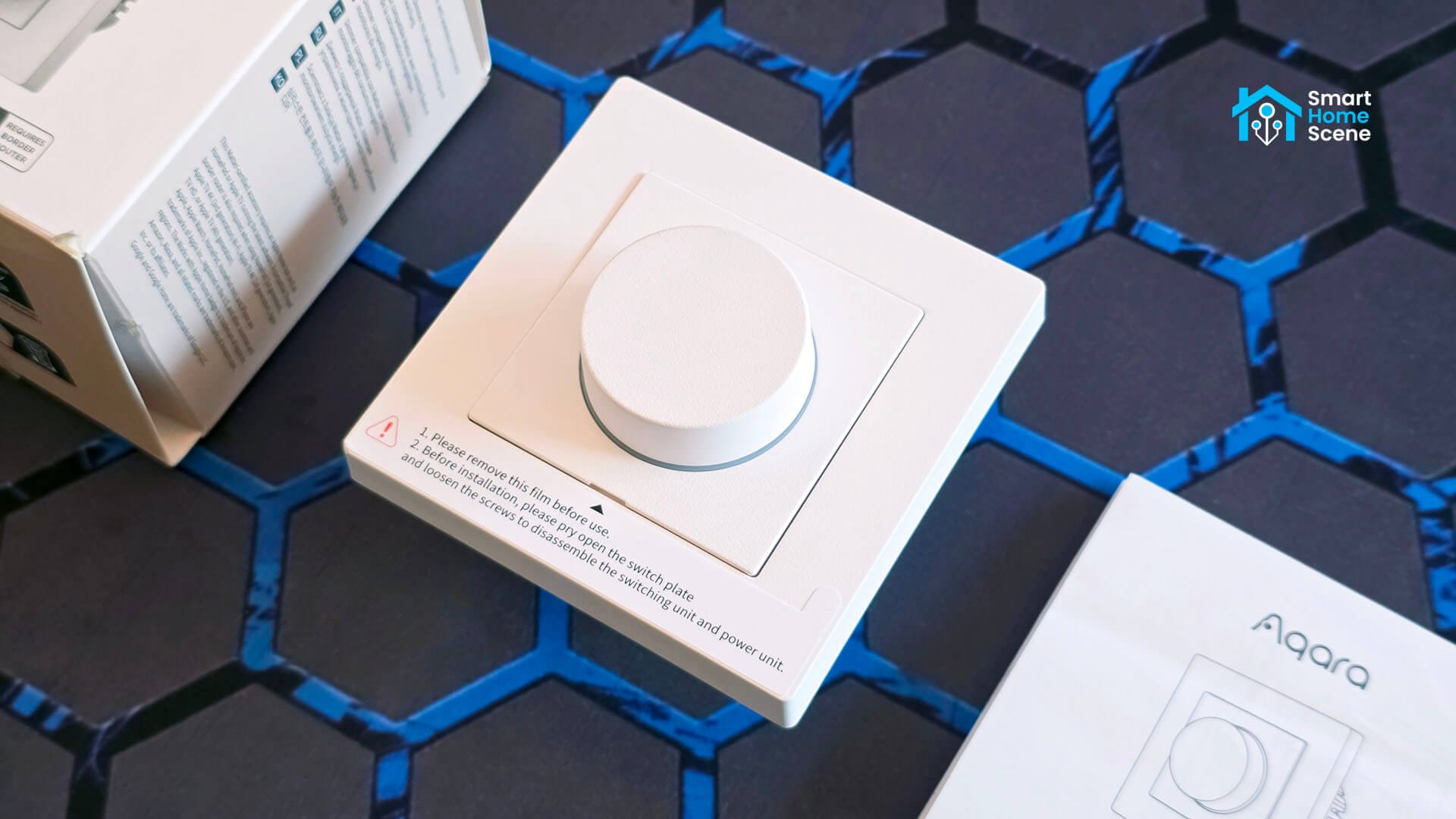
I have been testing the KD-R01E model for the past few weeks, wiring it with and without a neutral, running it through Zigbee2MQTT, ZHA, and Matter over Thread, and pulling it apart to see what is actually inside. If you need a switch instead of a dimmer, I also reviewed the Aqara Light Switch H2.
You can find the Aqara Dimmer Switch H2 (EU) on Amazon DE, Amazon UK, Amazon NL, Amazon FR, Amazon IT and the US/CA version on Amazon US and Amazon CA.
What’s in the Box
The Dimmer Switch H2 EU comes in a compact square box with the device neatly packaged inside, along with a user manual, a compliance statement, and a screw kit for mounting. The device measures 86 x 86 x 55.45mm, which lines up with the 55mm cutout standard used in most European wall boxes. It is available in white and grey, and Aqara also sells a matching H2 frame separately if you want to pair it with other H2 switches in a multi-gang setup.
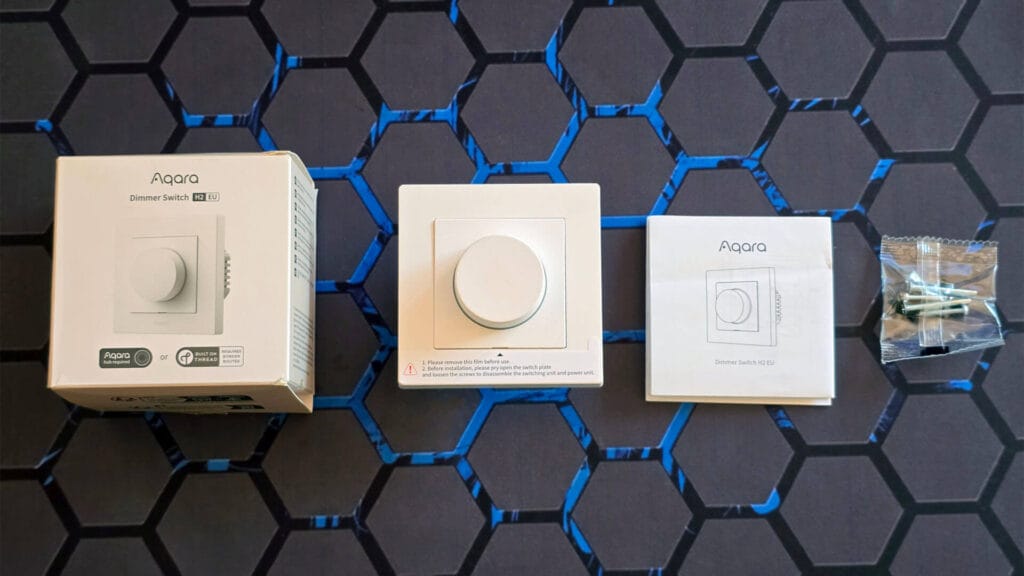
The device feels and looks compact and well-made. The plastic on the dial has a solid, weighted turn to it rather than the loose, rattly feel some budget dimmers have. You can feel distinct notches as you turn it, which is enough tactile feedback for most people. Personally I prefer a clickier, more defined stop between steps, but that is just my own preference rather than a flaw. The dial is never mushy or vague about where it sits.
Teardown and Disassembly
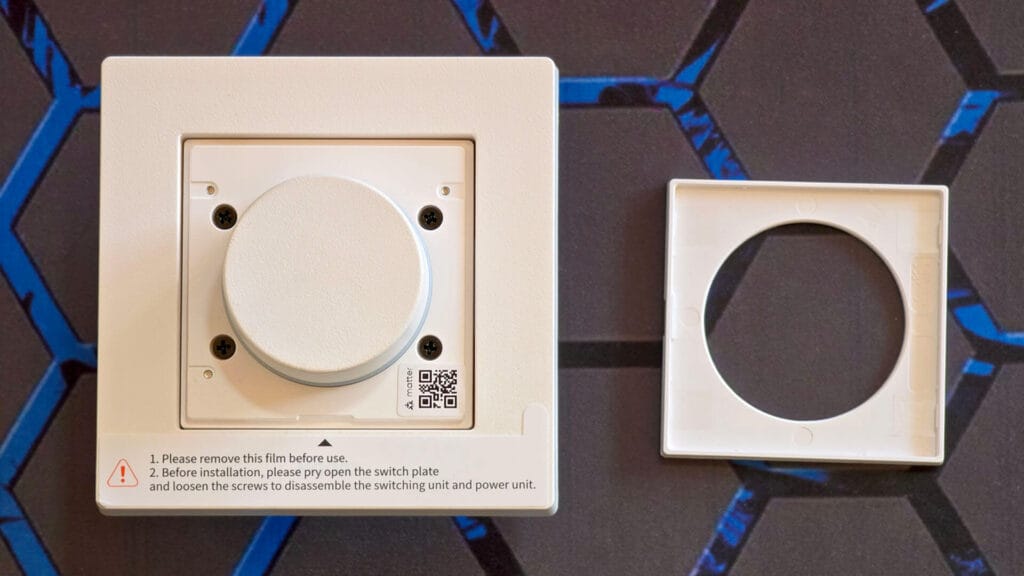
The switch arrives fully assembled, with a protective film still stretched over the face and a printed warning telling you to remove it before use. That same label doubles as the disassembly instructions, telling you to pry open the switch plate first, then loosen the screws to separate the switching unit from the power unit.
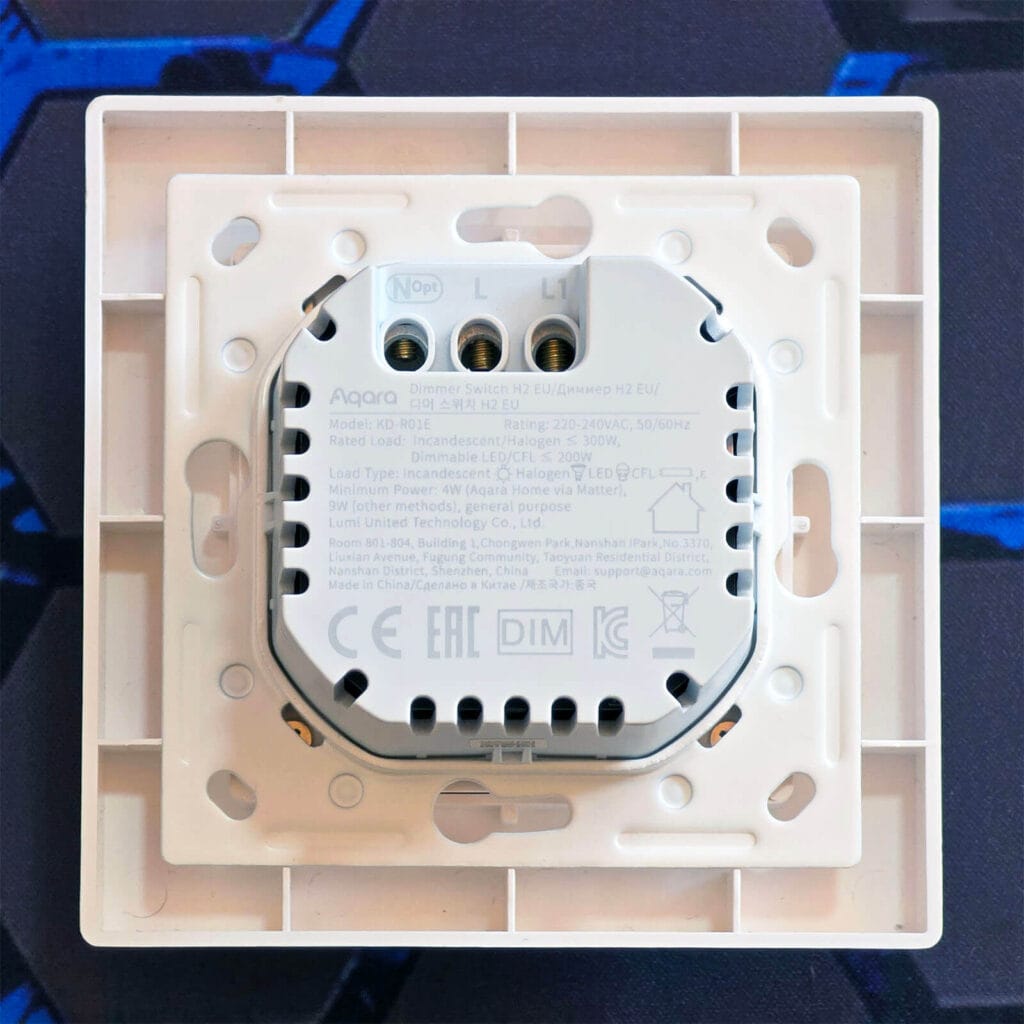
The back plate carries the full spec label directly on the switching unit itself. The three terminals sit right up top, clearly marked. As expected, the Neutral wire is marked as optional.
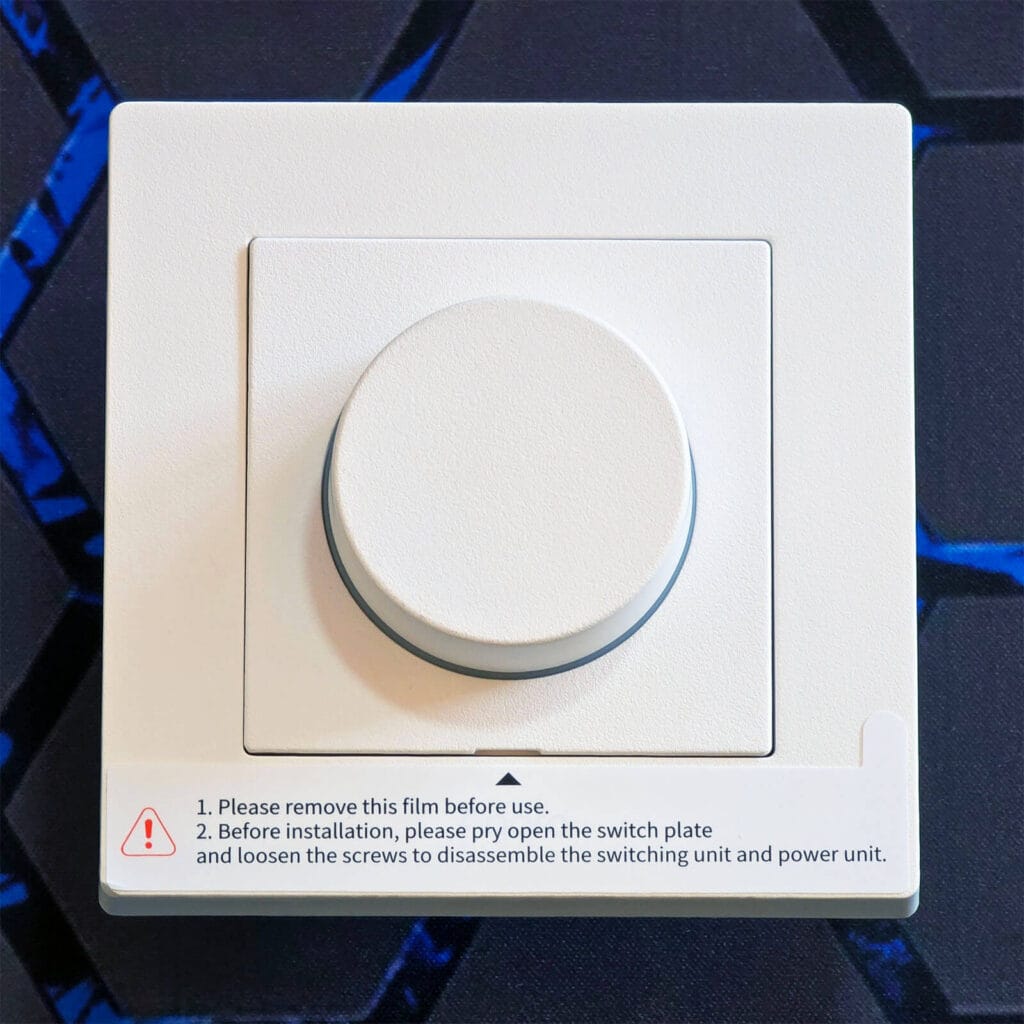
Once you remove the small cover plate, you can access four screws that hold the device together. You need to remove these to separate the frame from the switch so you can mount it to the wall. Underneath the cover plate you will also find the Matter QR pairing code, a smart spot for Aqara to tuck it away since it stays hidden and protected until you actually need it.
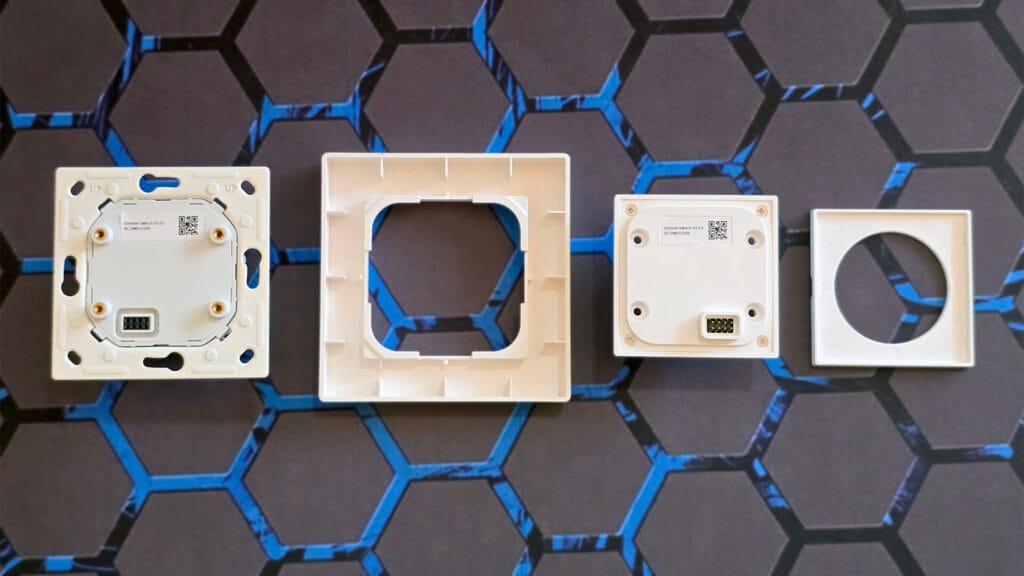
This is how the device looks in its installation-ready form. The mounting plate is thick, heavy, and solidly built, with several screw holes to fit different switch box shapes and screw layouts. Once you mount the plate, be careful putting the knob PCB back in place, since it connects to the power PCB through 8 small connectors that you do not want to bend or break.
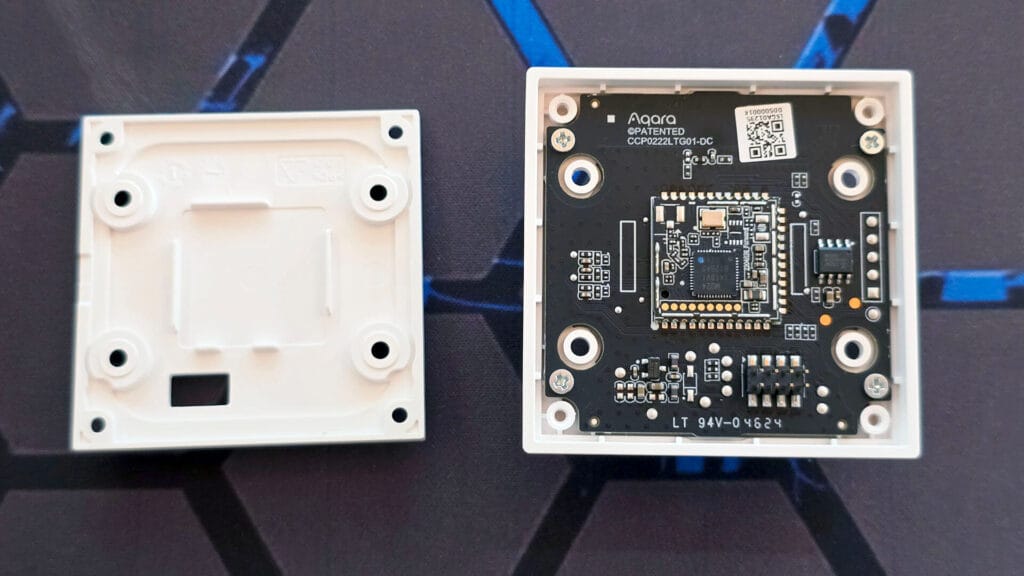
The knob plate also holds the communication module. Aqara has been using the Silicon Labs EFR32MG24 [Datasheet] almost exclusively across their H2 range for dual protocol support. The MG24 is an excellent SoC, built around a 78MHz Arm Cortex-M33 core with up to 1.5MB of flash and up to 256KB of RAM, paired with a 2.4GHz radio that natively handles Zigbee, Thread, Matter, and Bluetooth LE on a single chip.
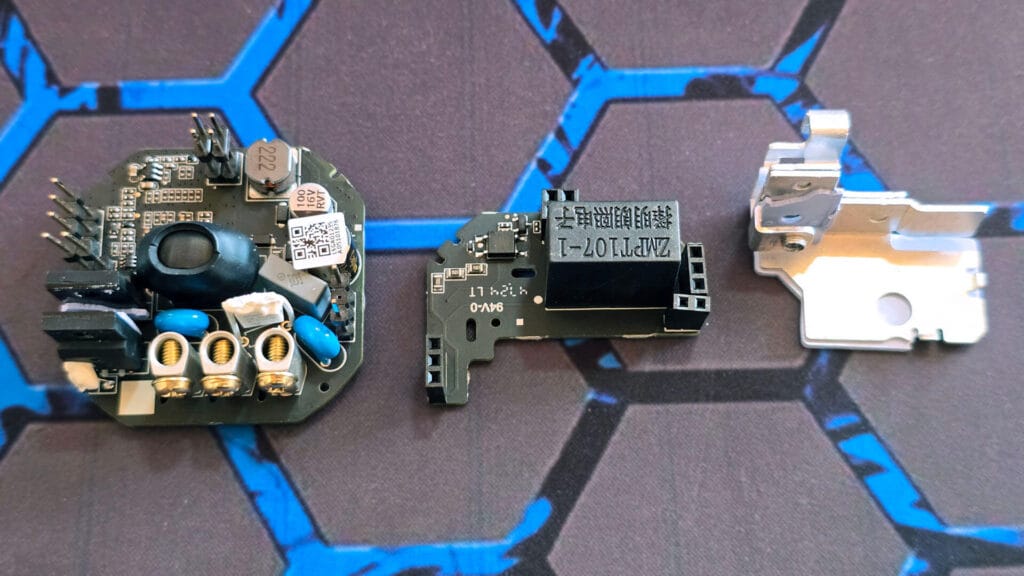
Once I removed the power PCB cover, I was able to get to the internals. The terminals are very nicely soldered, with thick traces and plastic isolation between them for good measure. The PCB is black, a color instantly recognizable as typical Aqara PCB. There is a TI MSPM0L1105 [Datasheet] chip here, which likely handles local control tasks like power monitoring through its ADC and generating the dimming curve, separate from the Silicon Labs EFR32MG24 on the knob plate that runs the actual Zigbee and Thread radio.
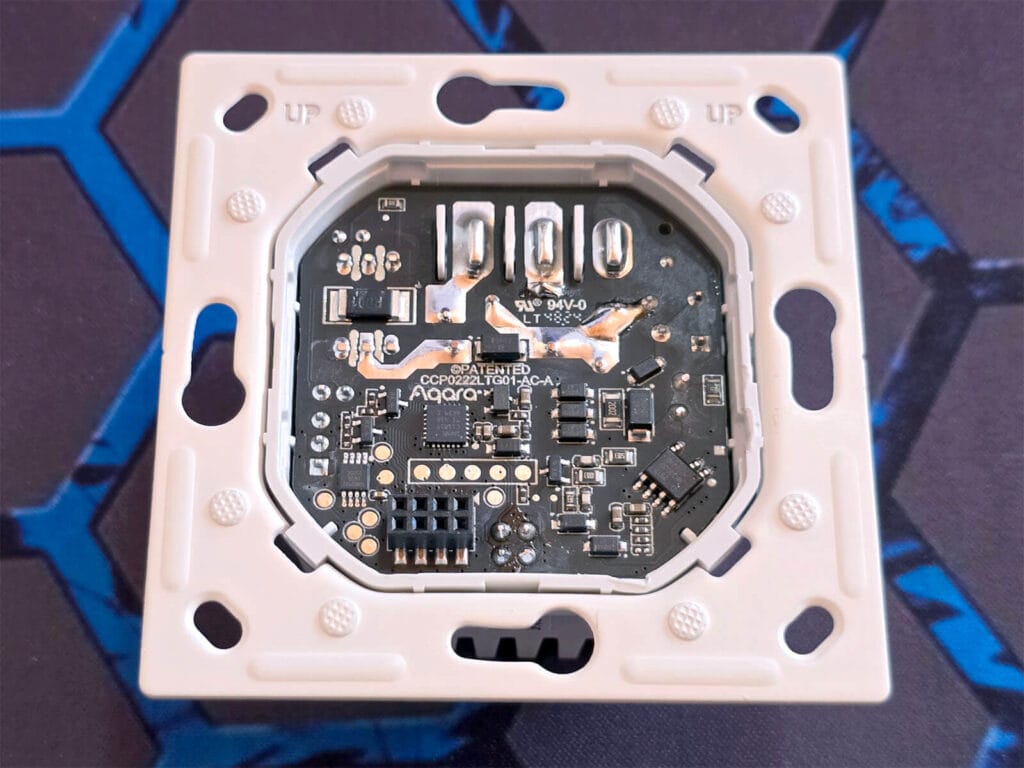
The screw terminals are excellent, thick brass posts with deep threading that grip the wire firmly instead of relying on thin spring clips like cheaper switches use. Right above them sits a folded thermal insulator pad wrapped around a small heat spreader. This is there to pull heat away from whatever is doing the phase cutting while keeping it electrically isolated from the rest of the board. It is a small detail, but it shows Aqara actually thought about heat management in this device.
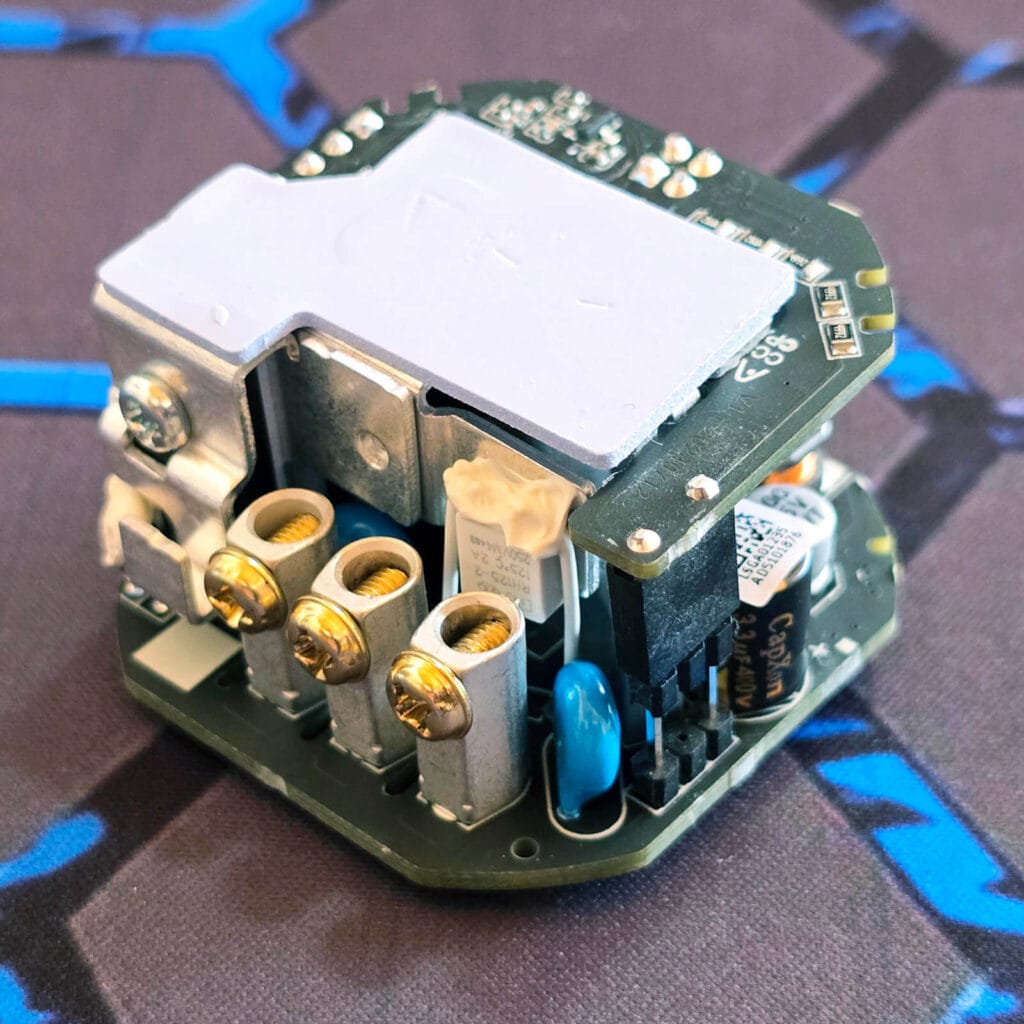
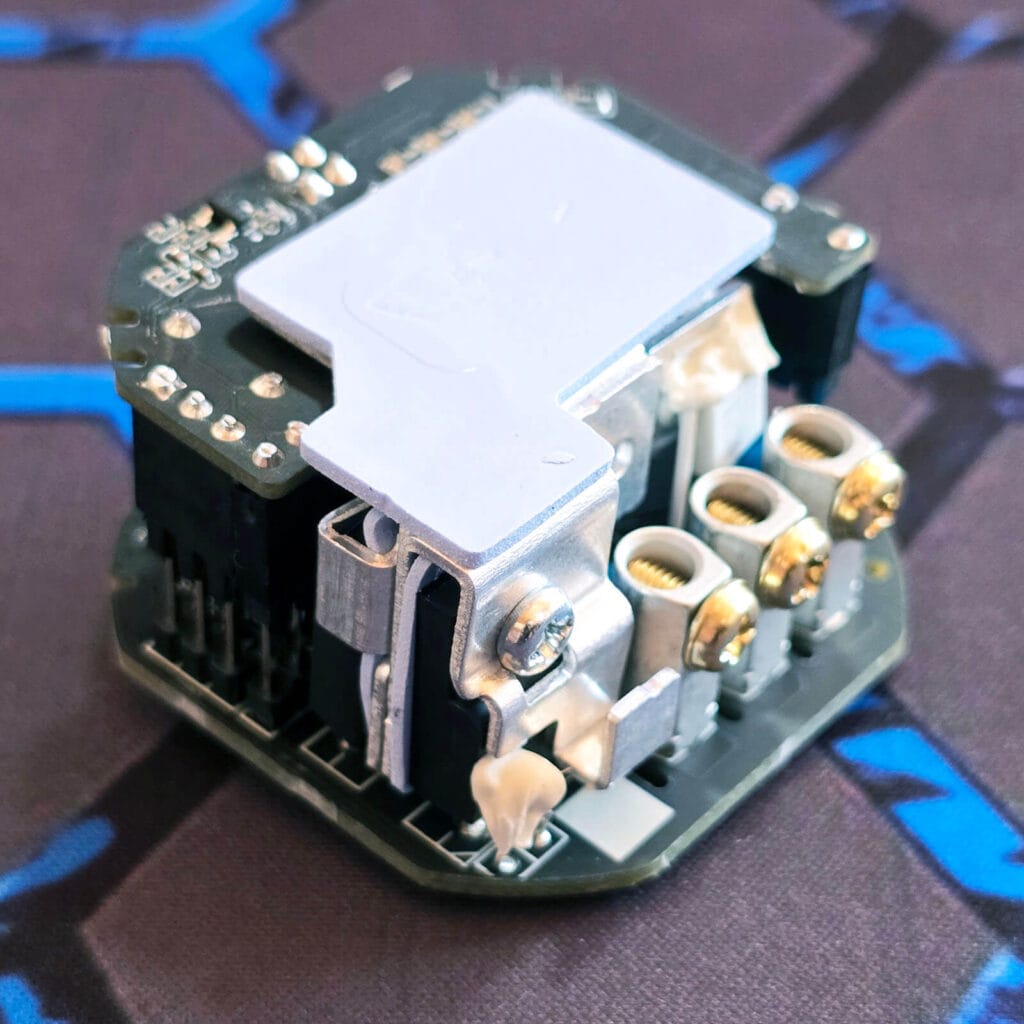
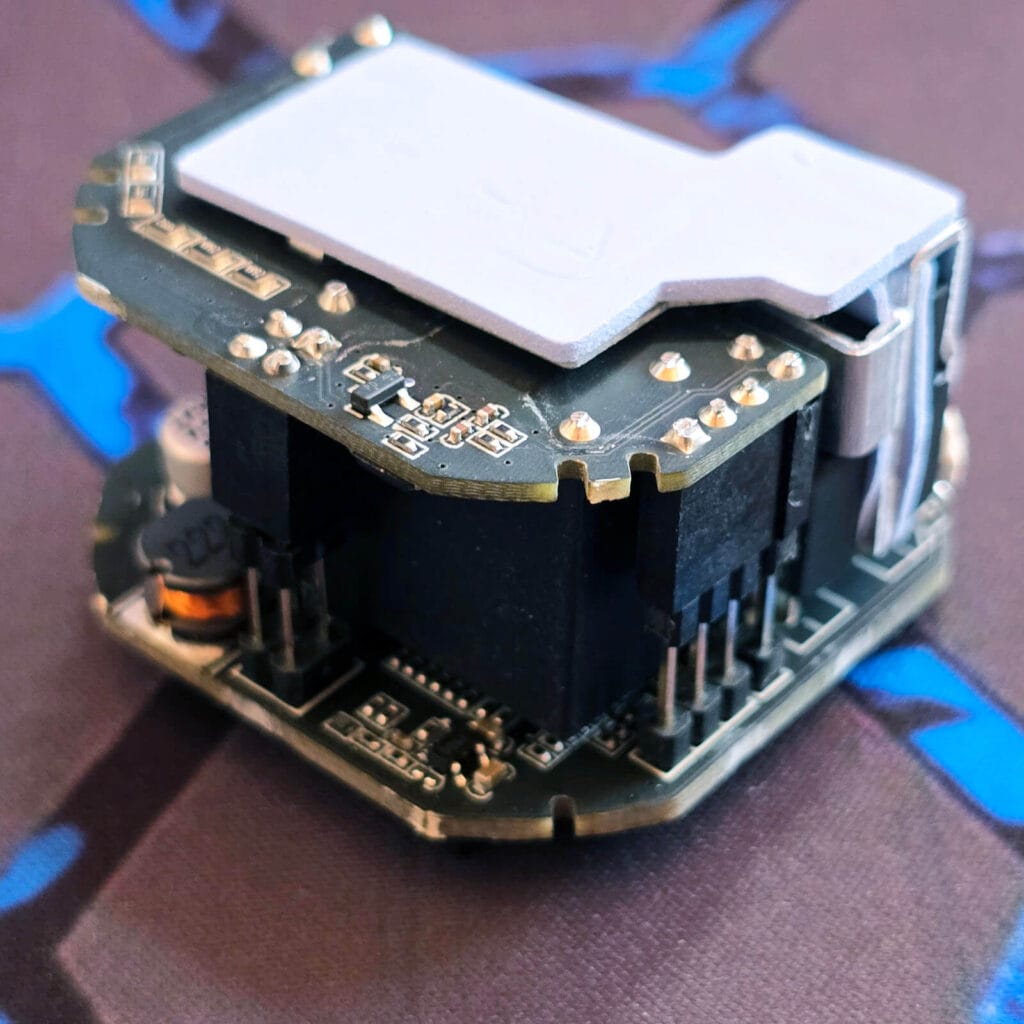
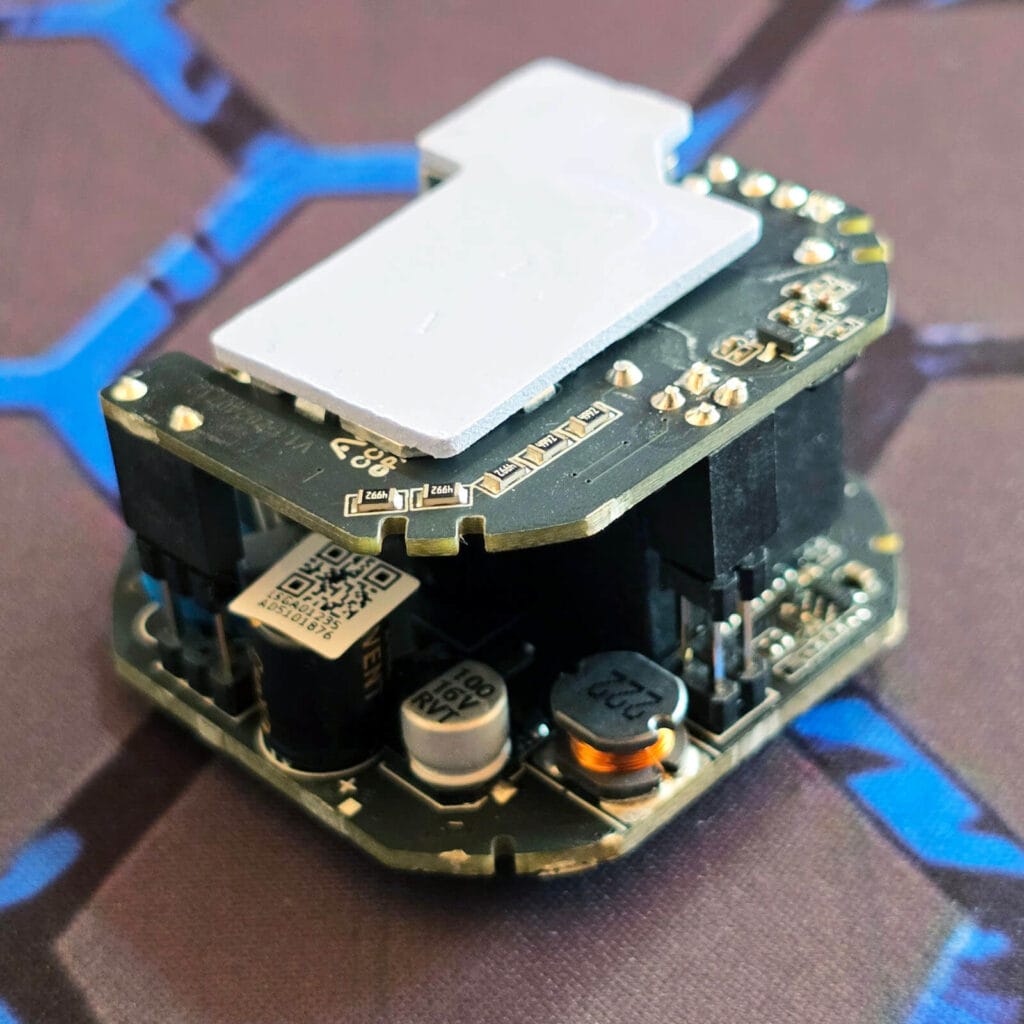
The rest of the board carries the usual supporting components, like disc capacitors, electrolytic capacitors, transformers and an inductor for filtering. The small module printed with “ZMPT107-1” is a dedicated voltage sensing transformer, feeding the power monitoring circuitry that reports voltage, current, and wattage back to Home Assistant. None of it is exotic. It is just clean, deliberate layout work.
Installation and Wiring
The H2 EU supports both neutral and no-neutral wiring, which is one of its bigger selling points. On the back of the switch you get three terminals: L for the live wire, N for the neutral wire if you have one available, and L1 for the load, meaning the wire that runs to your light fixture. You loosen the terminal screws, connect each wire to its corresponding hole, then tighten everything back down once you have confirmed the wiring is correct.
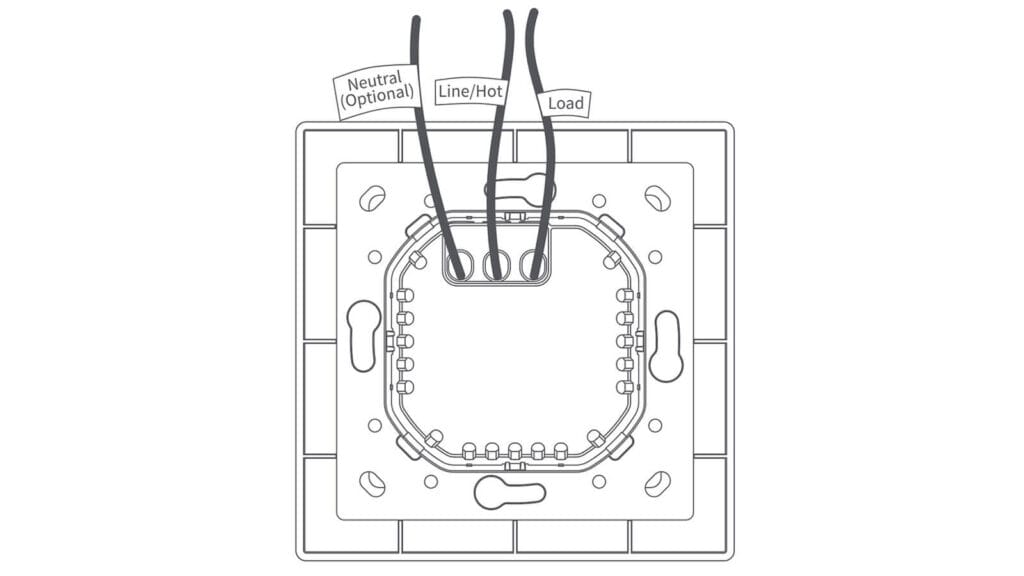
If you do have a neutral wire available, wire it. It is required for several important features, including power monitoring and overload protection. Skipping the neutral connection means giving those up even though the switch will still function as a basic dimmer.
Once wired, the power unit mounts to the wall junction box using the included screws, followed by the switch frame. The switching unit then aligns with pins on the power unit and snaps into place, secured with its own set of screws, and the switch plate clicks on last.
The whole installation took me under 10 minutes, since I’m replacing a full wall switch rather than cramming in a small switch module into a shallow wall box. If you already have Gira System 55 or Merten M frames installed, the H2 EU drops straight into them without needing an electrician to modify anything.
Dimming Performance and Load Compatibility
The H2 EU is rated for incandescent and halogen bulbs up to 300W, and dimmable LED or CFL bulbs up to 200W. ELV (Electronic Low Voltage) are also supported up to 200W. When wiring without a neutral wire, the dimmer also has a minimum load requirement that you need to respect to avoid flickering issues.
Bulbs need to be at least 4W when connected through Aqara Home via Matter, or at least 9W over Zigbee, since the switch borrows its own operating power through the bulb itself. If you have a neutral wire connected, this requirement does not apply.
The H2 supports both Forward (Leading Edge / TRIAC) and Reverse (Trailing Edge / ELV) phase dimming, and picking the right one for your bulb type matters more than most people expect. Forward phase cuts power at the start of the AC wave cycle and generally suits older or heavier loads, while reverse phase cuts power near the end of the cycle, which tends to give quieter, smoother, flicker-free dimming on modern LEDs.
In my experience, there is no strict rule for which bulbs need which mode. Some bulbs dim better on forward phase and some on reverse, so if you notice flickering at low brightness, buzzing, or a light that will not dim smoothly, switching phase is the first thing to try. ELV loads are the one exception, since they require reverse phase to function correctly, matching how their electronic transformers behave. Reverse phase is the default on the H2 out of the box.
You switch between both modes by pressing the dial five times to enter phase selection mode, then pressing again to toggle, with the indicator ring flashing red for forward phase and blue for reverse. A long press locks in your choice.
The Aqara H2 dimmer has two extra settings that help smooth out rough edges on cheaper LED bulbs. Minimum brightness sets a floor so the dimmer never goes low enough to cause flickering or cutoff, and you can set it anywhere from 1 to 100 percent. To configure the minimum brightness, double press the dial, then rotate within three seconds to pick the level, and press once to save.
Warm up handles a different problem. Some bulbs need a brief power boost to switch on below full brightness, and without it they either flicker or refuse to turn on at low settings. This feature lets you set a starting brightness level from 1 to 100 percent and a ramp time from 1 to 10 seconds, so the light gently reaches your target brightness instead of snapping on all at once.
Home Assistant Integration
This is where the H2 EU gets interesting, since you have three different ways to bring it into Home Assistant, and each one exposes a different slice of what the device can actually do. I tested all three, Matter over Thread, Zigbee2MQTT, and ZHA, on the same physical switch. You can probably guess which integration is the best already.
Changing Communication Protocol
Since the H2 EU is a dual protocol device, you can switch it between Thread and Zigbee whenever you want, not just once at setup. That flexibility is very useful, but switching only works through the Aqara Home app, as the process involves flashing different firmware onto the device rather than just changing a setting. No Aqara hub or any other extra hardware is required to do this.
The indicator ring tells you which protocol is active whenever the device enters pairing mode. Once it successfully pairs to a Matter controller or Zigbee coordinator, the LED settles into a solid blue. Here is what each color means during pairing:
- Blue LED: Thread mode
- Purple LED: Zigbee mode
- Red LED: Pairing timeout
To switch protocols, you need to double press the knob followed by a five second hold, with the hold starting within three seconds of the double press. Once the LED starts blinking, open the Aqara Home app and choose your protocol from there. On the final screen, the app tries to connect the device to your Aqara hub if you have one paired, but you can back out of that step since the firmware flash has already happened. At that point the switch is ready to be paired directly with ZHA or Zigbee2MQTT in Zigbee mode, or with any Matter controller in Thread mode.
PRO TIP: You can use protocol switching in the Aqara app as a workaround to update the device firmware. Since switching always flashes the latest available firmware for whichever protocol you pick, you can switch to Thread and then back to Zigbee to force the newest firmware onto the H2.
Matter over Thread
Pairing the Aqara Dimmer H2 via Thread is very simple. You just scan the Matter QR code with no extra steps. Once added, Home Assistant shows the device as Aqara Dimmer Switch H2 EU, with the model number 4106 listed in the device info panel alongside firmware and hardware versions. The device is treated as an End Device initially and gets automatically promoted to a Router as the network settles.
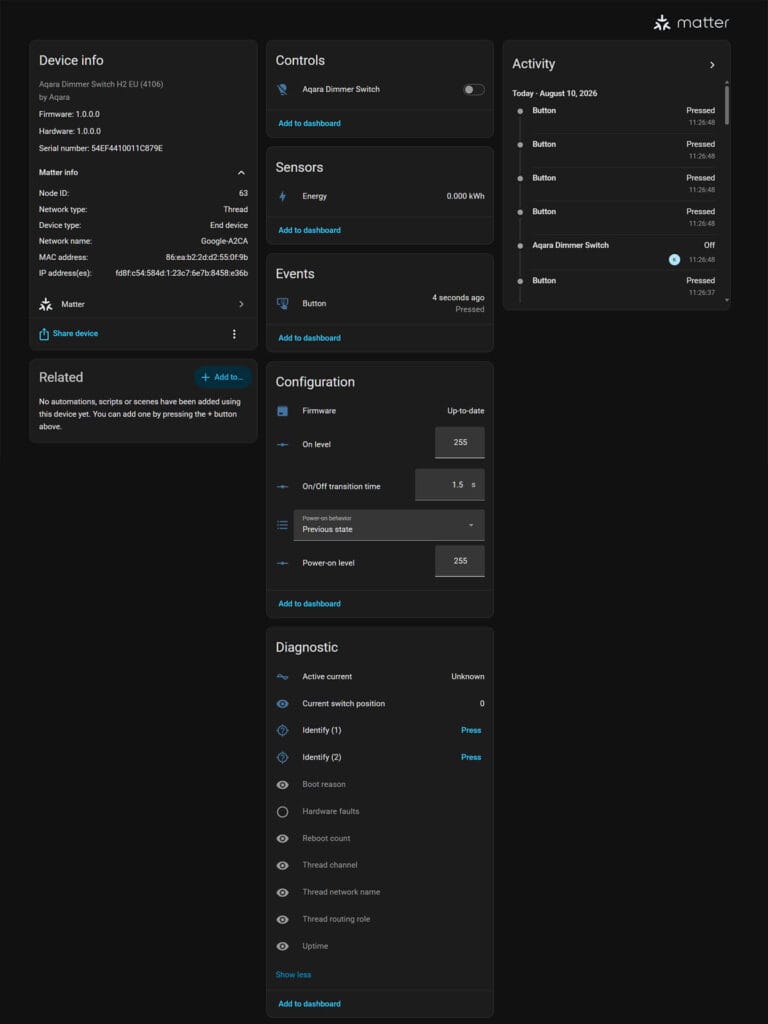
Under controls, you get a single light entity for the dimmer. Under sensors, only energy is exposed, reporting in kWh. There is no live power or voltage reading, only current which lives under diagnostics. You can configure the power-on level, power-on state, transition time, and capture button events, which are limited to single clicks.
The Diagnostic panel also carries Thread specific information, including network channel, Thread network name, routing role, and uptime, plus two identify buttons for locating the device physically and a live count of button press events under Activity.
If your entire setup runs through Matter, this is a perfectly usable dimmer. However, keep in mind you are trading away almost everything that makes this device interesting. As you will see below, a lot of features are missing when using the H2 over Matter.
Zigbee2MQTT
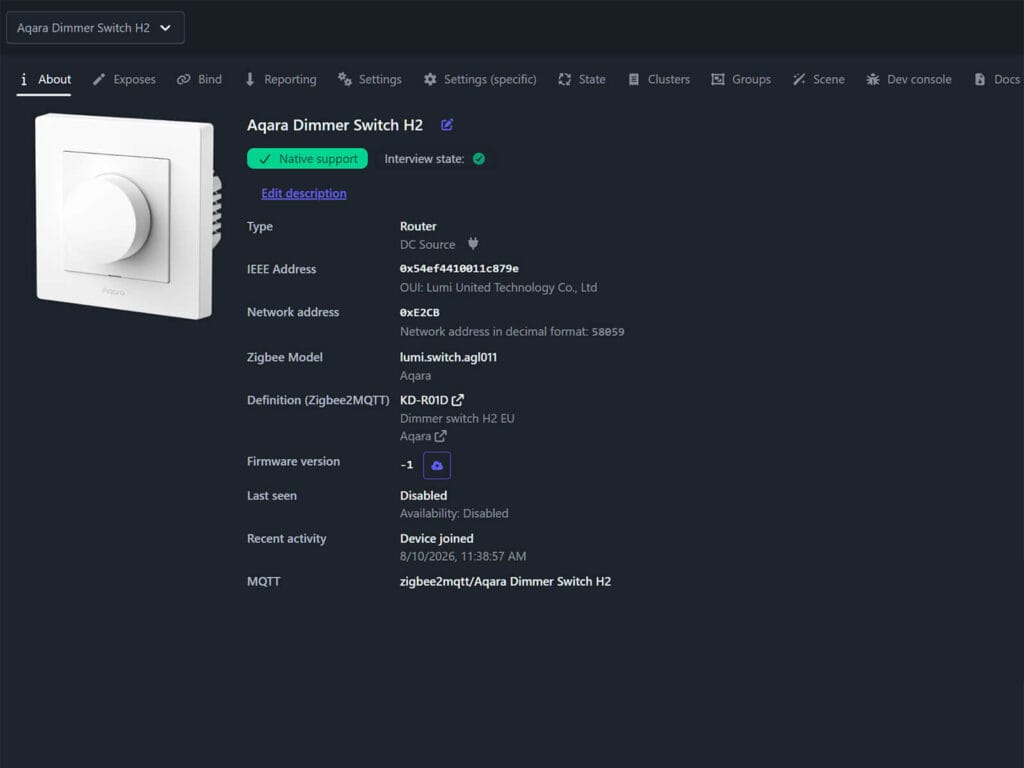
Zigbee2MQTT is where this switch actually shows what it is capable of. The device pairs natively, showing up as lumi.switch.agl011 by manufacturer Aqara. Zigbee2MQTT maps it internally to the KD-R01D definition regardless of whether your unit is the E or D variant, and identifies it as a mains powered Router, meaning it also helps extend your Zigbee mesh.
The exposed entity list in Zigbee2MQTT is the longest of the three integration methods by a wide margin. You get a full energy monitoring suite including voltage, current, power and total energy. You can also monitor the internal device temperature. This is what you get as sensors:
- Device temperature, in degrees Celsius
- Power, instantaneous measured wattage
- Energy, cumulative consumption in kWh
- Voltage, measured electrical potential
- Current, instantaneous measured amperage
- Linkquality, signal strength in LQI
The light itself exposes state and brightness, with brightness controllable from 0 to 254 the same way any other Zigbee light behaves in Zigbee2MQTT. You also get an effect control for triggering blink, breathe, and a handful of other visual light effects, which can be useful in automations.
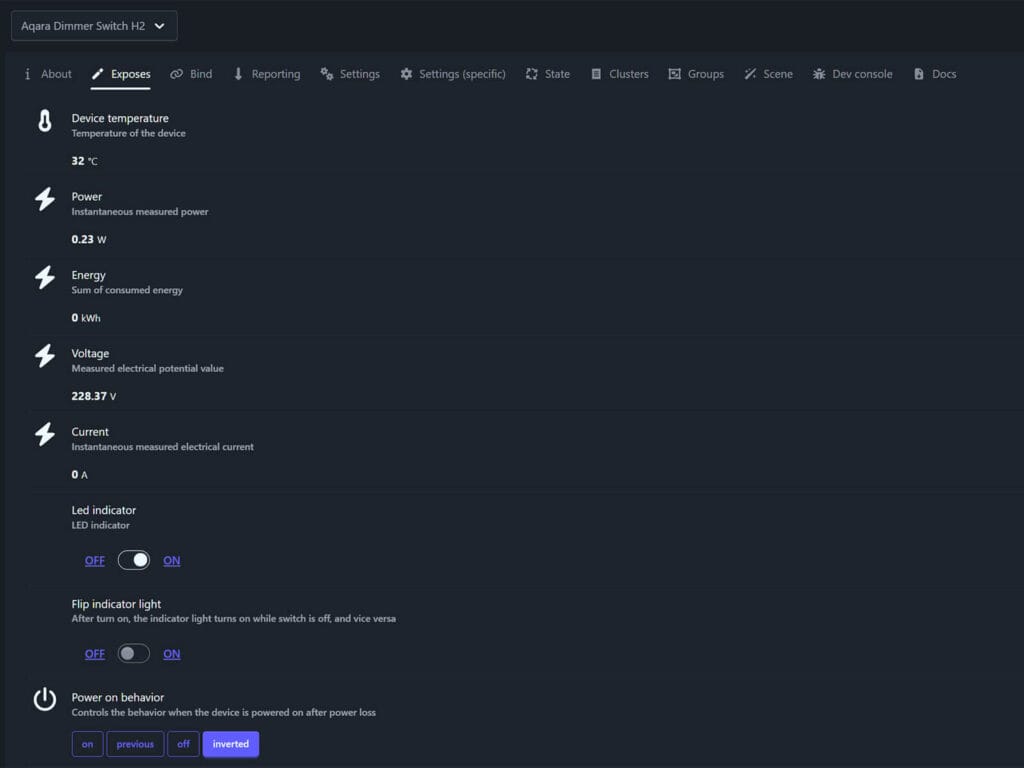
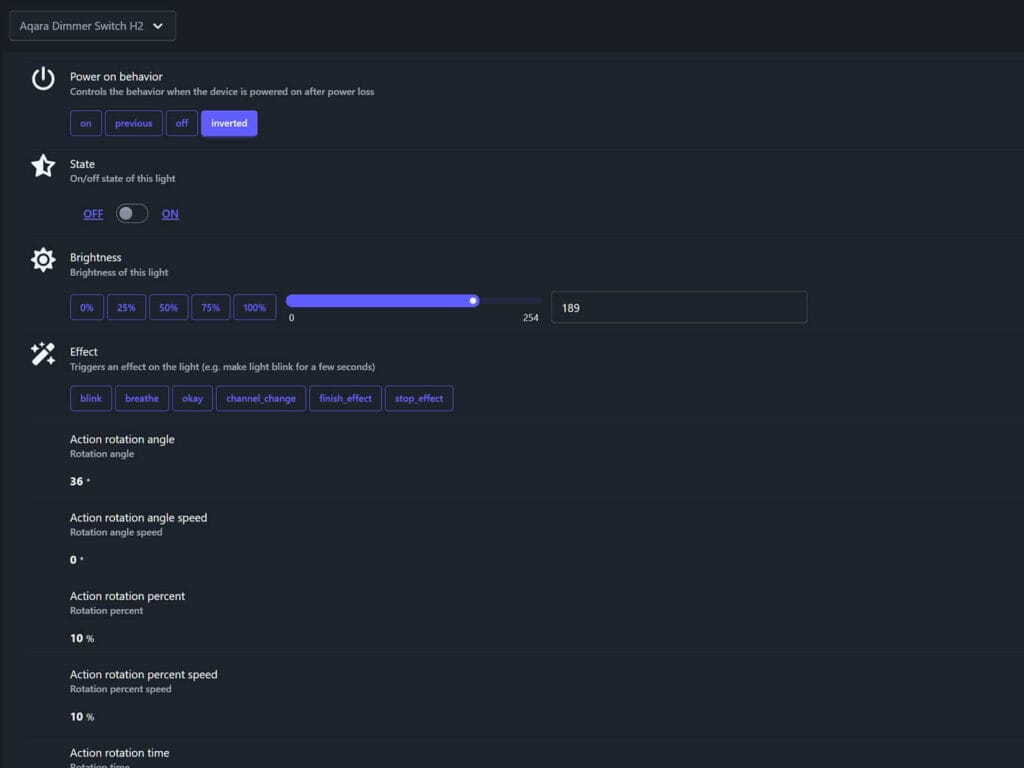
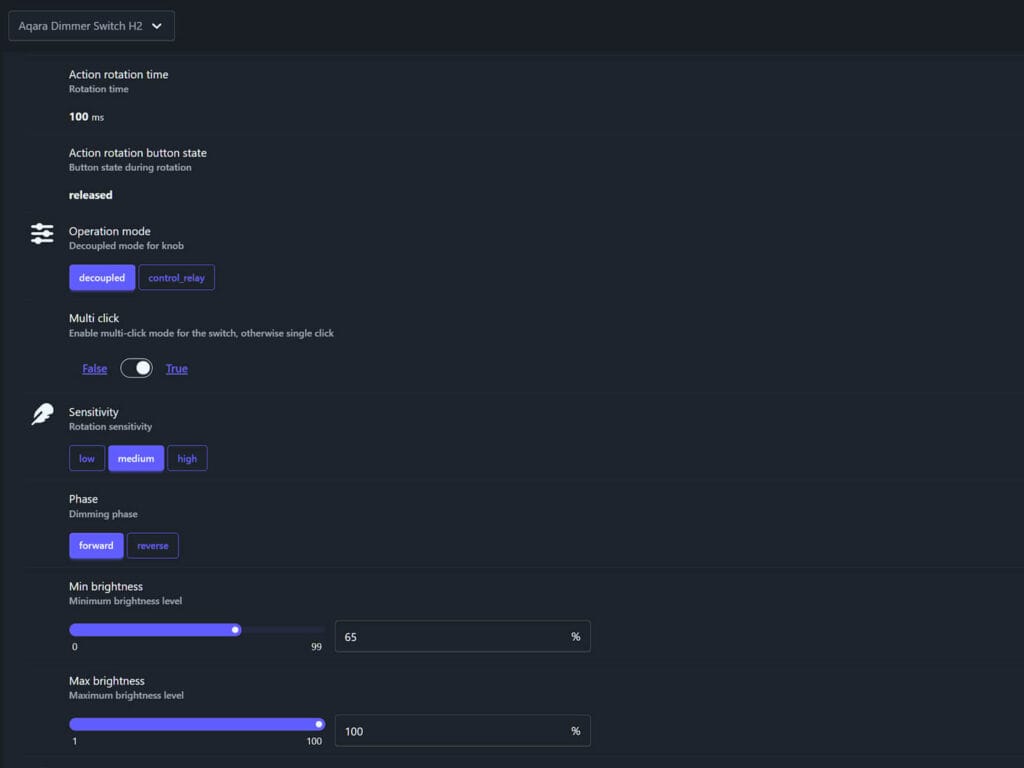
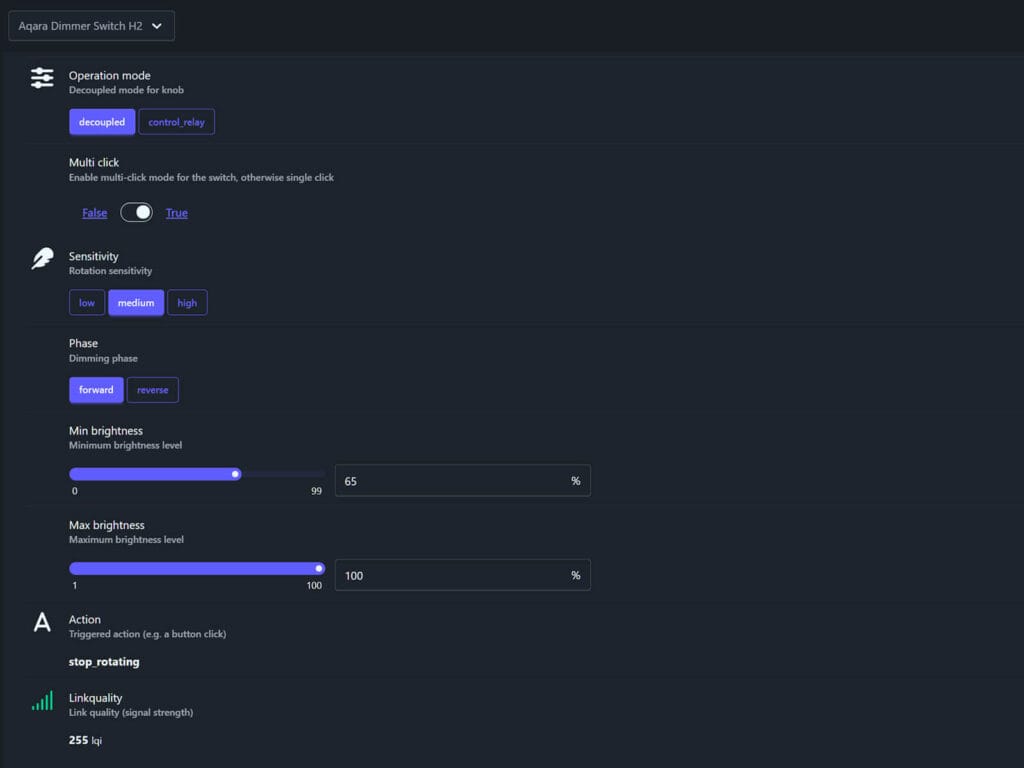
The configuration section is very deep. You get full control over the LED indicator, power on behavior, operation mode to toggle between decoupled and control_relay, multi-click support, knob sensitivity, phase switching between forward and reverse, and both min brightness and max brightness sliders.
On top of all that, the dial itself generates a stream of rotation data, including rotation angle, percent, angle speed, percent speed, rotation time, and the button state during rotation, all of which update live as you turn the knob.
When set in multi-click mode, a separate action entity fires events for start_rotating, rotation, stop_rotating, hold, single, double, and release, which is exactly what you want if you are building automations around the physical dial rather than letting it just control its own relay.
ZHA
ZHA also identifies the device correctly, again as lumi.switch.agl011, connected in my case through a SLZB-07 CC2652 coordinator. It relies on a dedicated quirk, zhaquirks.xiaomi.aqara.switch_agl011, to unlock the extra configuration entities beyond basic Zigbee clusters.
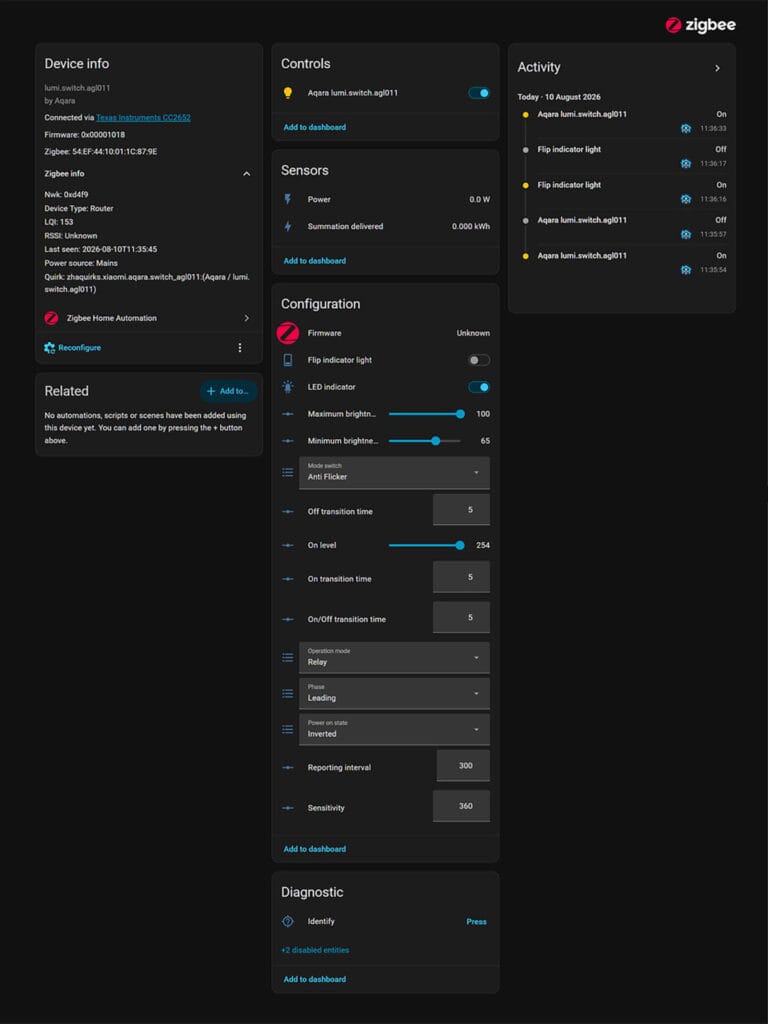
Sensor support is noticeably thinner here than Zigbee2MQTT. You only get power and energy summation delivered. Voltage, current, and device temperature are not exposed at all through ZHA.
The configuration side is more generous, though the naming and structure differs a lot from Zigbee2MQTT. You get toggles to flip the indicator light, sliders for maximum and minimum brightness, and a mode switch dropdown that ZHA labels anti-flicker rather than multi-click. There are separate off/on transition time fields, an operation mode dropdown, a phase selection mode, a power-on state selector, a reporting interval field, and a numeric sensitivity value rather than the low, medium, high preset buttons Zigbee2MQTT gives you.
Functionally, ZHA gets you most of the same controls as Zigbee2MQTT, just organized differently and stripped of the live rotation telemetry and the deeper sensor suite. If dial based automations or full power monitoring matter to you, Zigbee2MQTT is the clear winner between the two Zigbee integration paths.
Features in Zigbee Mode vs Thread Mode
The Aqara Dimmer Switch H2 is a completely different device when operating in Zigbee mode. With a neutral wire connected and the switch running through Zigbee2MQTT, you get live power, voltage, current, and cumulative energy, plus sensitivity settings, decoupled mode, phase control, minimum and maximum brightness limits, and full rotation telemetry off the dial. None of that is locked behind an Aqara hub either, since Zigbee2MQTT talks to the device directly.
Thread mode gives you a working dimmer and not much else. Cumulative energy in kWh does show up as a sensor either way, so basic consumption tracking works whether you connect over Zigbee or Thread. But live power, voltage, and current are gone entirely under Matter, and so is sensitivity, decoupled mode, and any control over the dimming range. The on and off transition time also becomes fixed rather than adjustable.
If you care about automations built around the physical dial, or you actually want to see how many watts your lights are pulling in real time, you need to use the H2 in Zigbee mode. And it’s not even a close call. Thread mode is there for people who want the switch to disappear into a generic Matter ecosystem and never think about it again, and it does that job fine, but it gives up most of what makes this a smart dimmer instead of a regular one.
Verdict
The dual protocol support is something I highly appreciate across Aqara’s newer lineup, and the Dimmer Switch H2 is no exception. I loved this same flexibility on the FP300 presence sensor and the Light Switch H2. Being able to flash between Thread and Zigbee whenever you want, without buying a second device or committing to one ecosystem forever, is very rare in the smart home space. And Aqara keeps proving they can execute it properly rather than using it on as a marketing checkbox.
For me, build quality is where this dimmer earns its price tag. The screw terminals are thick and properly threaded, not the flimsy kind clip-ons that don’t work after two uses. The dial has a weighted, confident turn to it, which doesn’t feel mushy or unresponsive. Nothing about this device feels cheap in the hand. If I had to install smart dimmers, I would go for the H2 no doubt.
Now for the part I have to be blunt about. If you are only going to run this switch over Matter, you are leaving most of what makes it worth buying on the table. No live power monitoring, no sensitivity control, no dial telemetry, no decoupled automations, just a basic on and off dimmer that happens to be expensive. My honest suggestion is to run this on Zigbee2MQTT specifically, not ZHA, not Thread. Why spend this much on a dimmer packed with sensors and configuration possibilities, then use it as if it were a ten dollar smart plug? If you are going to buy the H2 EU, buy it to actually use it.





Thanks for the review!
I installed the switch in my kitchen. As a “smart” switch, it works perfectly. However, I’m having issues with my lighting setup: the knob controls a Philips zigbee ceiling light that also has three dimmable Aqara spotlights connected. When I turn the knob, the lights start flickering.
I suspect this is due to the combination of components, so I’m now using the knob only to switch the lights on and off.
Thanks for this in-depth review! I was considering getting a bunch of these for a matter based home but am now hesitant as it seems so limited in that setup. Do you know why the matter feature list is so truncated vs Zigbee? Is there any chance this might improve any time soon?
Thank you!
It’s a combination of several things, but notably the Matter spec doesn’t fully support all features yet.
And if it does, say with Matter 1.7 or something, the manufacturer will need to update the firmware to match.
Whereas Zigbee is much, much more mature so everything is exposed at the very beginning.
Ah, I see, thank you for the quick and useful reply! So do you think it’d be worth adding a Zigbee network to this hope just for the sake of being able to fully use these dimmer even if everything else is on Matter (like would these then Zigbee dimmers work well with an otherwise fully Matter based setup if it’s all managed through Home Assistant)? Sorry for the maybe naive question, am quite new to this and it seems like this Aqara dimmer is the only one of its kind on the market (Home Assistant compatible high quality wall dimmer)…
Yes, Zigbee and Matter/Thread can coexist perfectly in Home Assistant.
In fact, I’d say that’s the proper way to run a modern smart home.
Not limiting yourself to protocols and just buying device that are best for you.
You dimmer, whether it’s Aqara or Sonoff or whatever, can control your Matter devices via HA without issues.
P.S. No need to apologize mate, we were all beginners at some point 🙂
Cheers
Great Thank you!!