A couple of months ago, Baseus contacted me and asked me if I wanted to test out their new camera, the Baseus PrimeSentinel U2 Pro Outdoor Dual Camera. This device is a dual lens 3K fixed camera and auto-tracking PTZ camera, plus Active SpotTrack Light, full-color night vision, AI detection, and solar power with 512 GB encrypted local storage.
I’ve had this camera for three weeks in my home, testing it under various conditions, viewing angles, settings and security scenarios. I triggered different motion events in order to benchmark and measure its performance, as it’s a battery-powered camera after all. This review is where I’m sharing my experience with the Baseus PrimeSentinel U2 Pro.
At a glance
Baseus PrimeSentinel U2 Pro Outdoor Camera
A solar dual camera with a fixed 3K lens and a 3K PTZ lens that tracks people with a bright spotlight. Video quality is excellent and recordings stay local on microSD. Very limited Home Assistant support.
Best for
Homeowners who want a subscription-free outdoor camera with 360° coverage from a single unit.
Skip if
You need full Home Assistant control, including PTZ, the spotlight and AI detection.
Technical Specification
| Baseus U2 Pro | |||
|---|---|---|---|
| Cameras | 3K fixed + 3K PTZ | Resolution | 2560 x 1440 each |
| Field of View | 130° per camera | Pan and Tilt | 360° pan, 65° tilt |
| Zoom | 8x digital | Night Vision | Color and B&W |
| Spotlight | SpotTrack, 3 to 8 m | Motion Sensor | Dual PIR + AI |
| AI Detection | Person, vehicle, pet, face | Audio | Two-way, siren |
| Battery | 7,800 mAh | Solar Panel | 3 W, detachable |
| Storage | microSD, max 512 GB | Cloud | Optional |
| Connectivity | Wi-Fi 2.4/5 GHz, BT | Rating | IP65 |
| Operating Temp | -20°C to 50°C | Integrations | Alexa, Google Home |
Overview and Package Contents
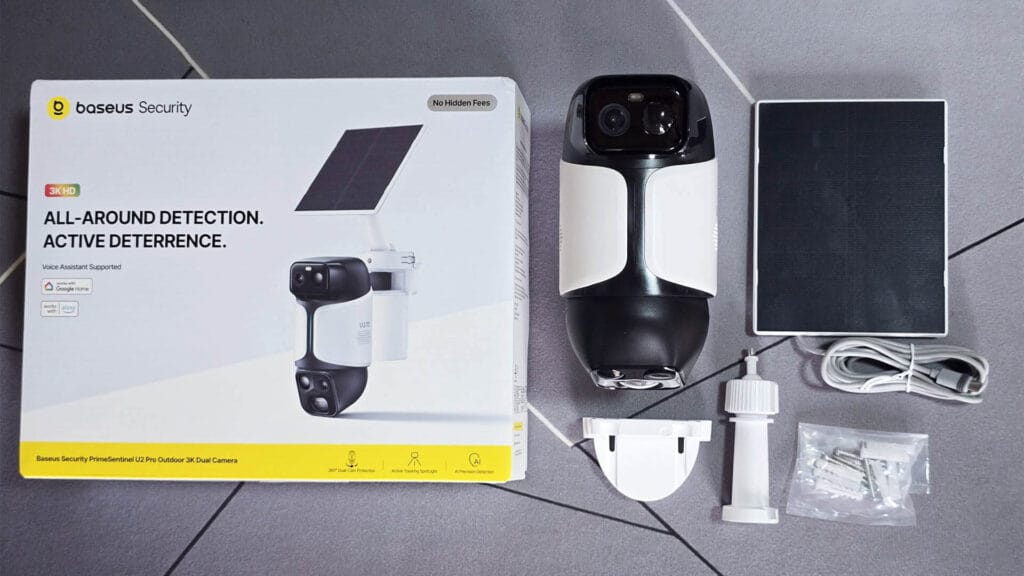
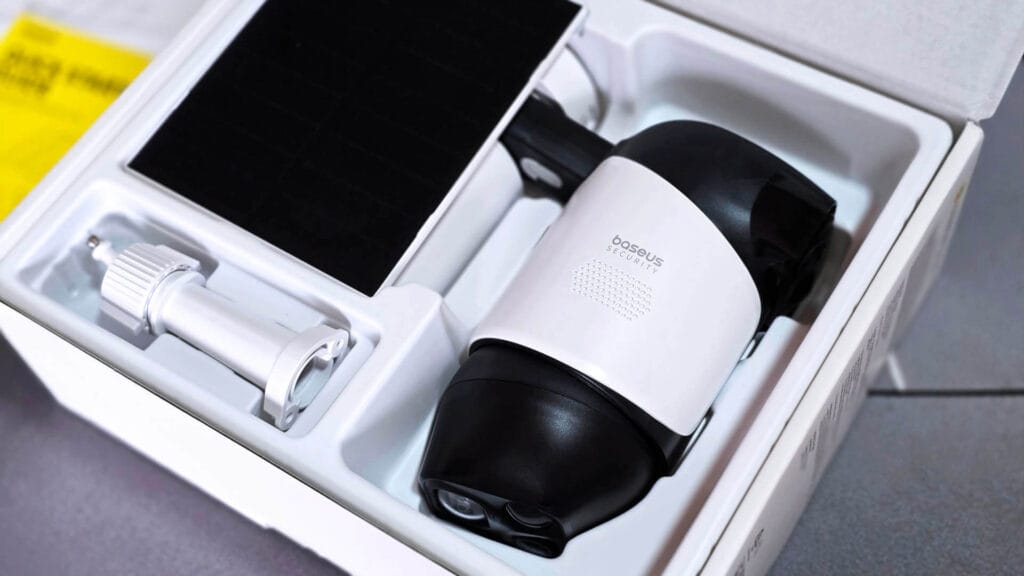
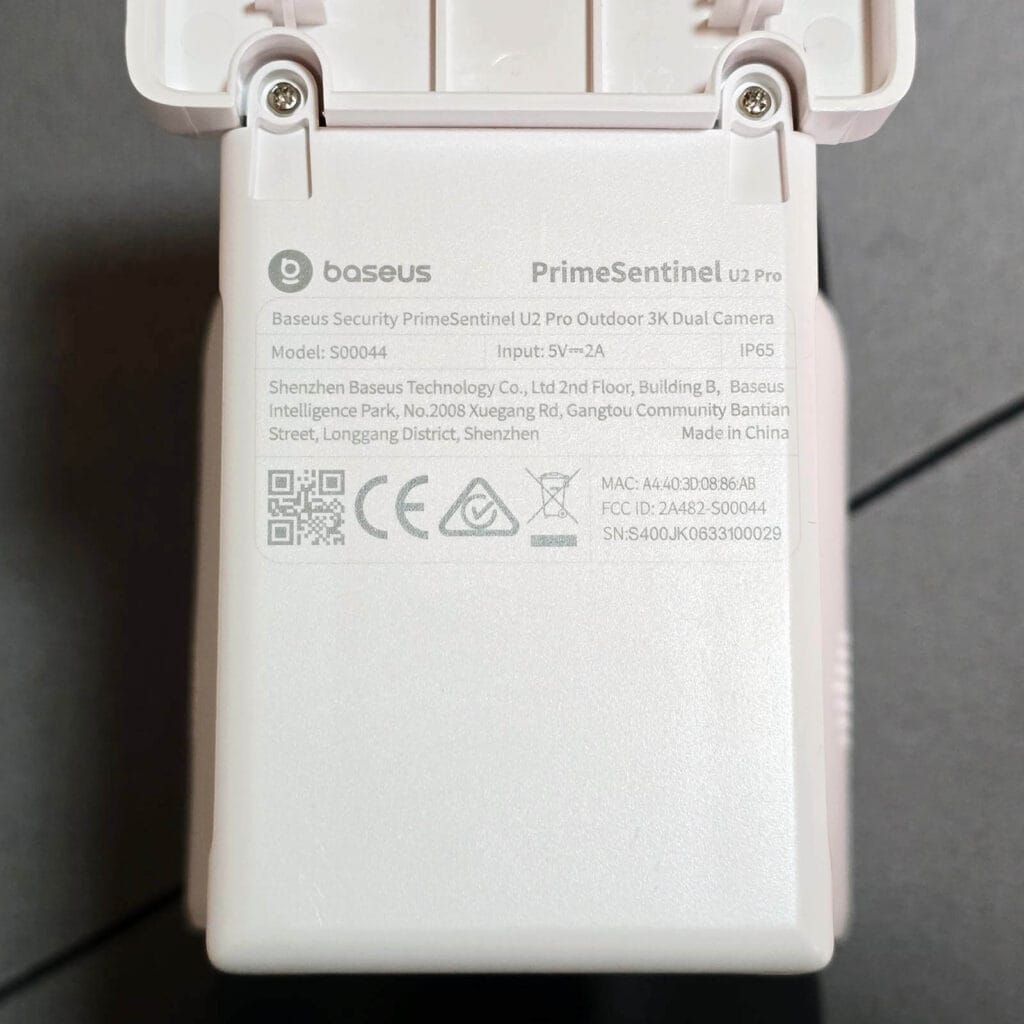
Baseus ships the PrimeSentinel U2 Pro in a branded retail box. It contains the camera, a solar panel with an attached cable, a separate mount for the panel, a user manual and a set of mounting screws.
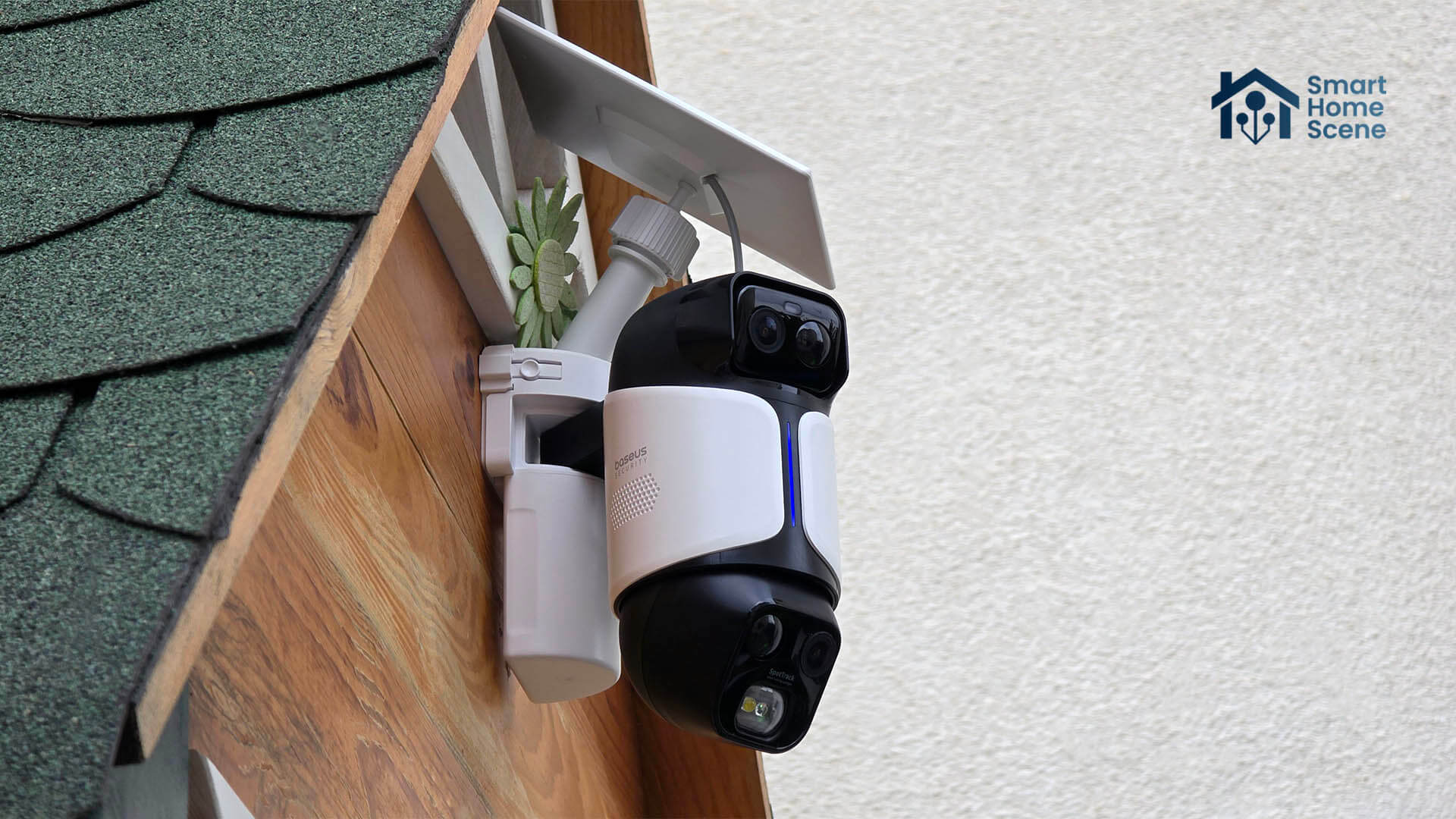
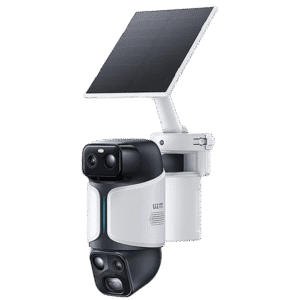
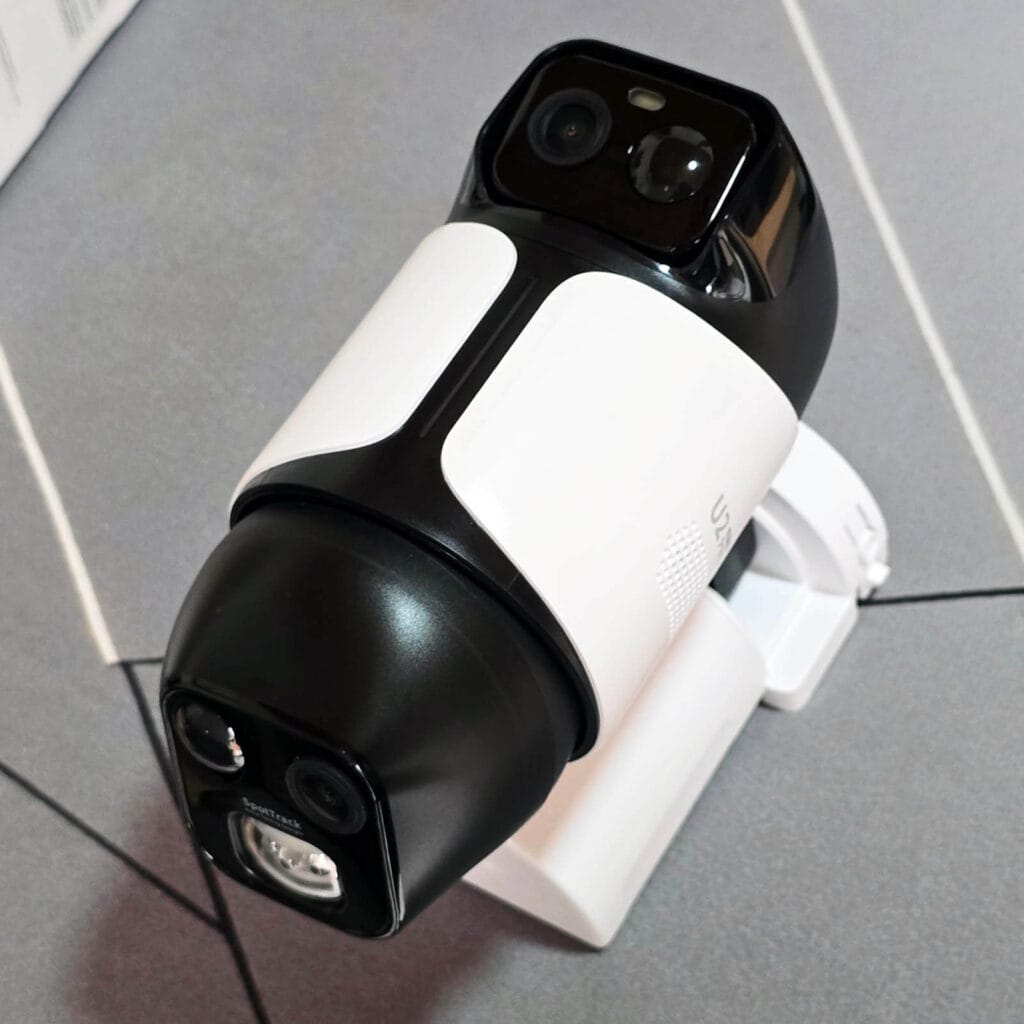
The U2 Pro has an unusual design that reminds me of a prop from a sci-fi movie. Its two stacked lenses look like a pair of eyes, so you always feel like the camera is watching you. Since the battery sits inside the body, the unit feels compact and quite heavy. The build quality is great overall.
The top lens is fixed, while the bottom one is a motorized pan and tilt camera. This bottom lens handles SpotTrack, which follows a detected person or vehicle in real time. Because it rotates a full 360°, a well-planned install leaves very few blind spots around the camera.
Each lens also has its own LED light, which you can switch on manually or set to trigger automatically. The light on the tracking camera, however, is much stronger than the other one. It works as a proper spotlight and projects a bright, square-shaped beam onto the person it follows, much like a searchlight in the movies. More on this below.
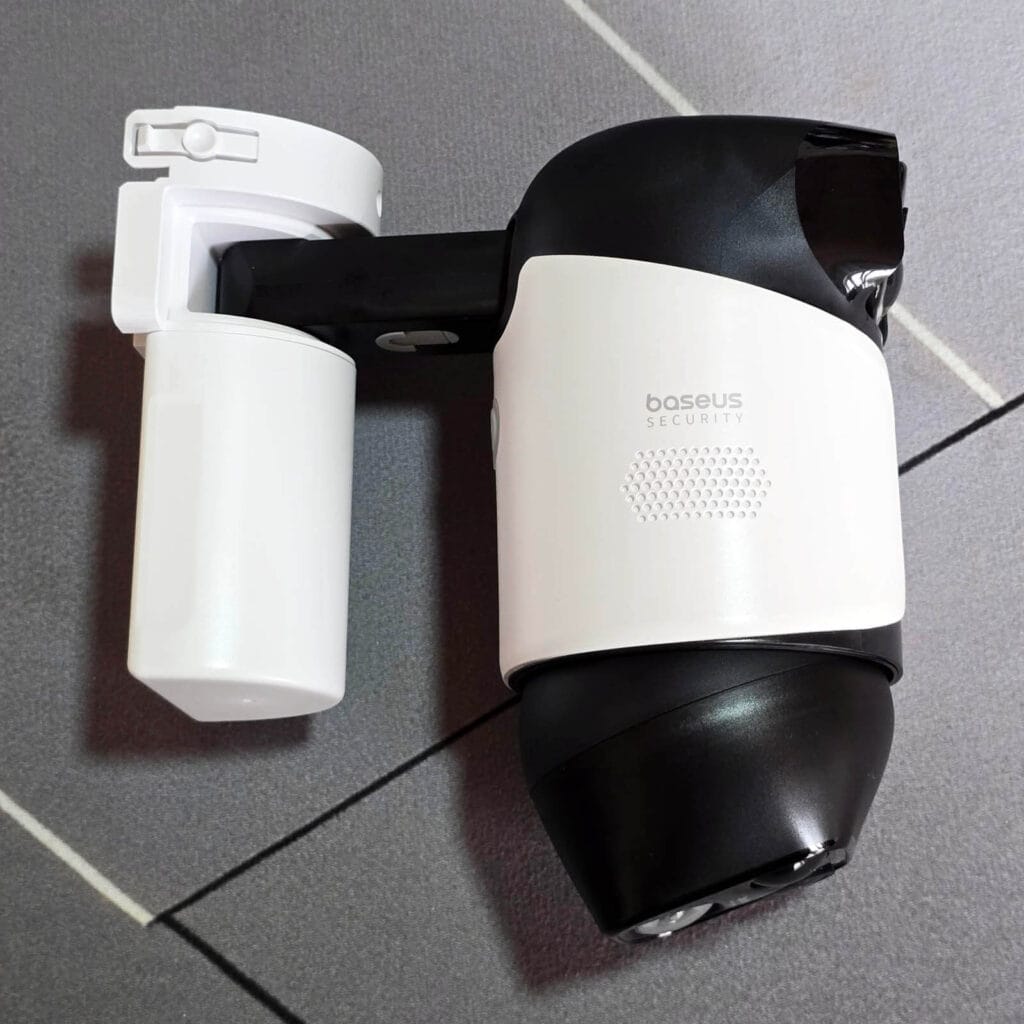
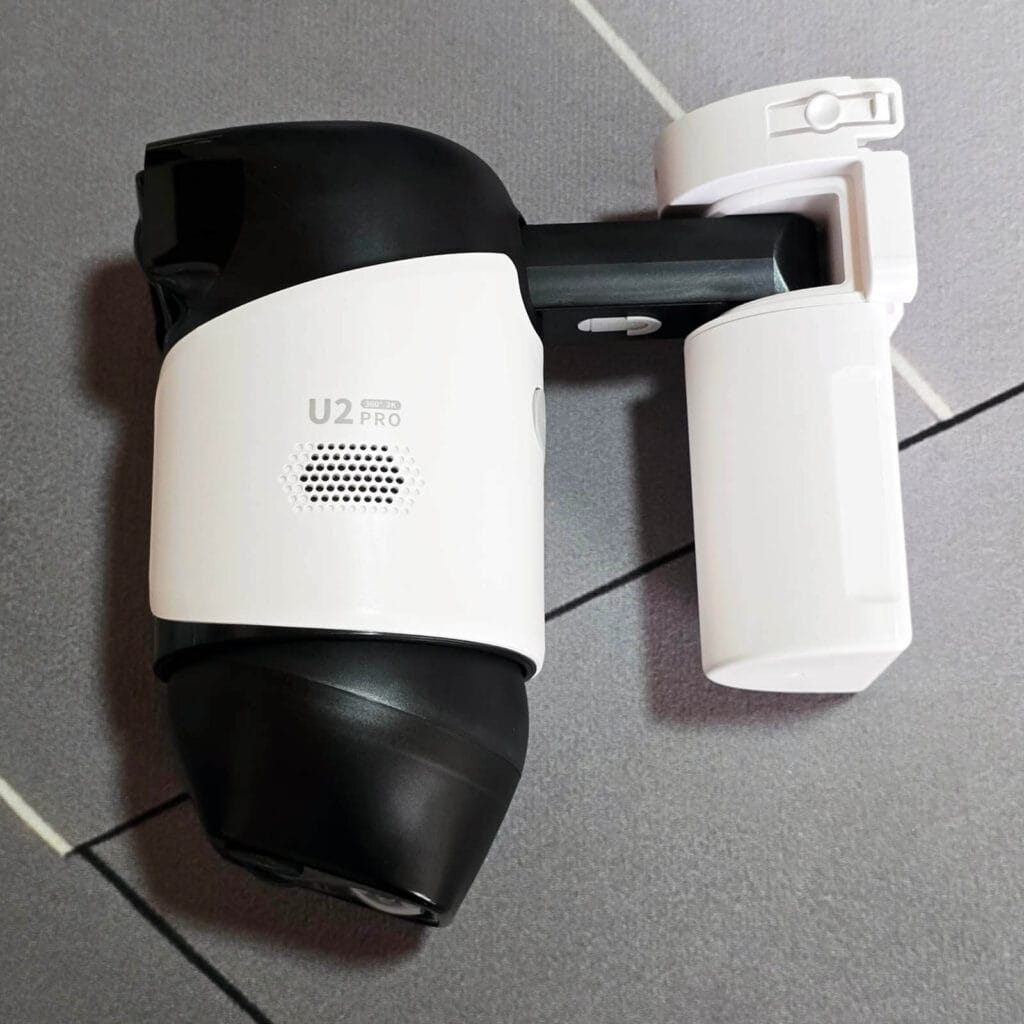
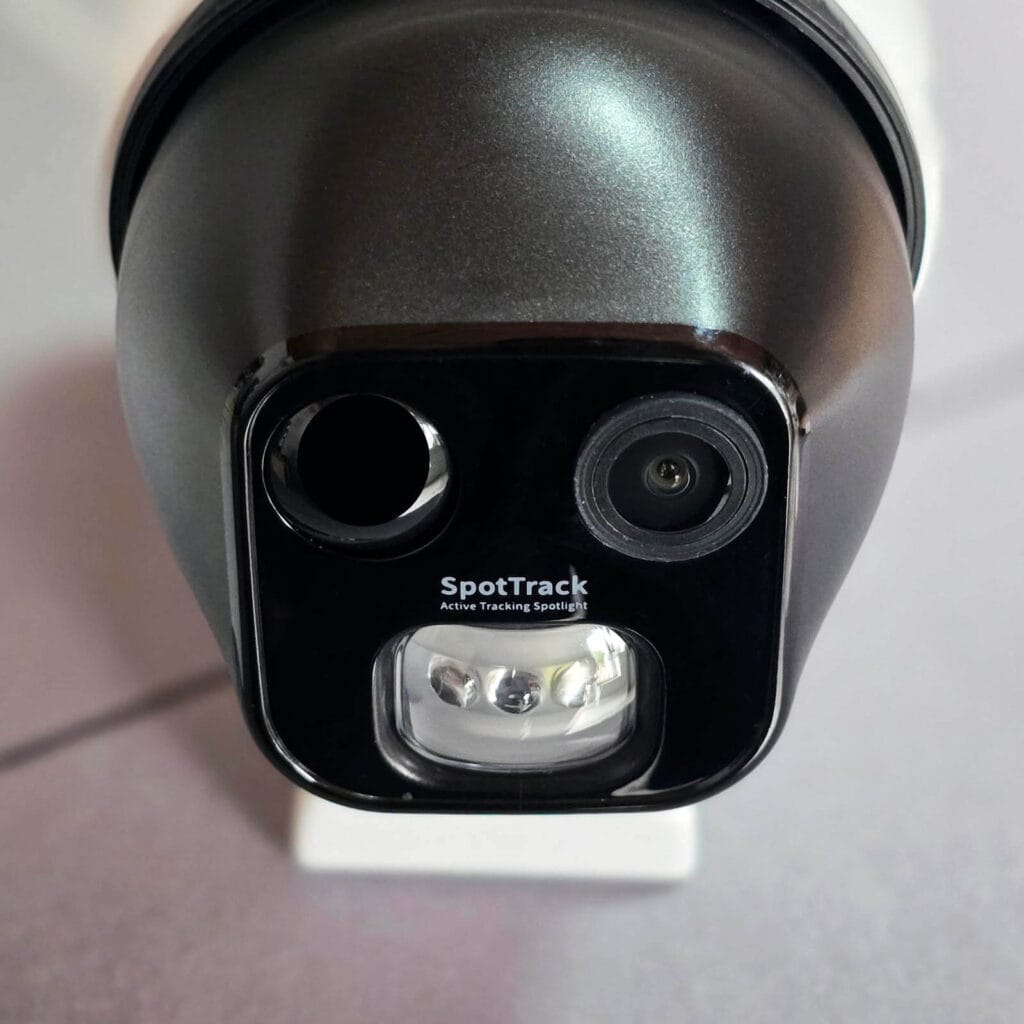
Power comes from a built-in 7,800 mAh battery. You can also charge it with a 5V/2A USB-C cable, but that defeats the point of a solar camera. In practice, the battery alone lasts for days and even weeks without sunlight, which my own testing confirms.
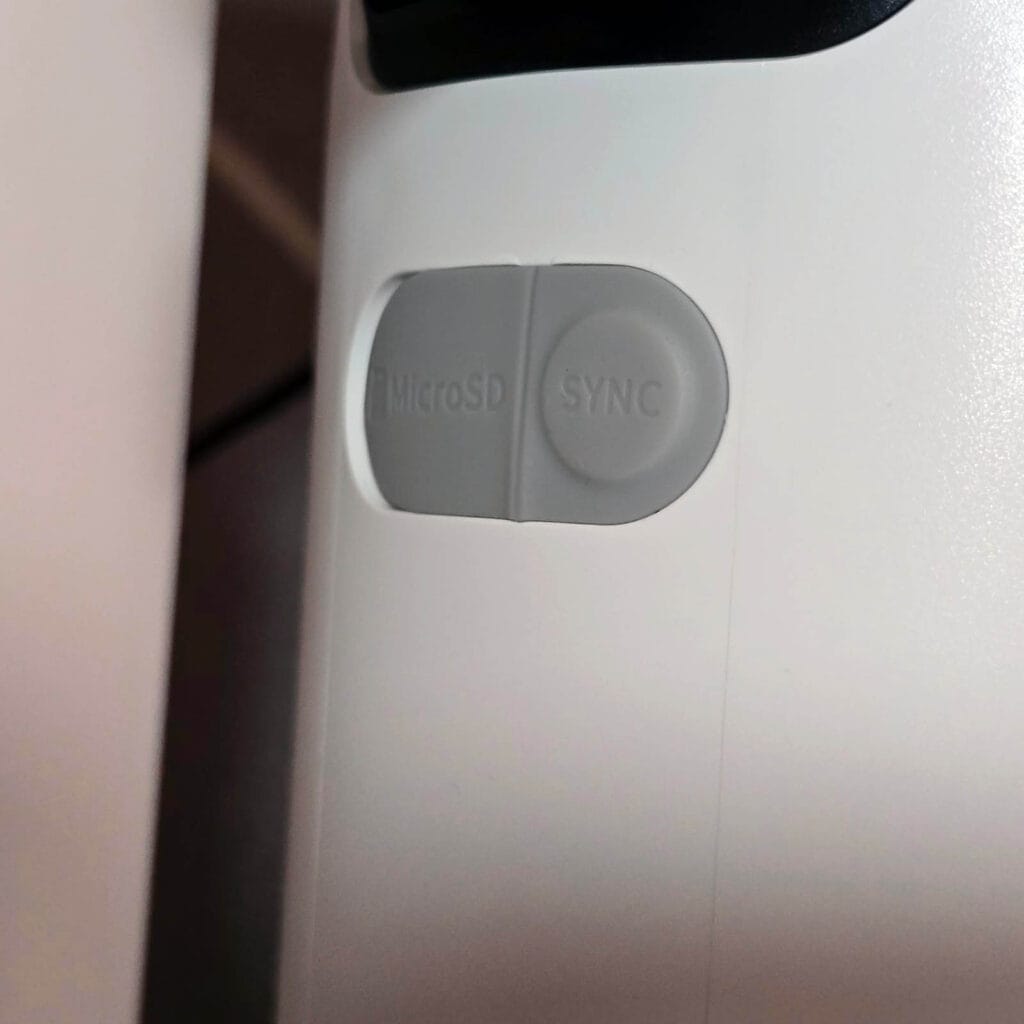
On the back of the camera, there is a pairing button and a microSD card slot. The slot accepts cards of up to 512 GB, which store all events and recordings locally. Baseus also offers cloud storage, but to me, it is a non-option when local storage is available.
Installation and Mounting
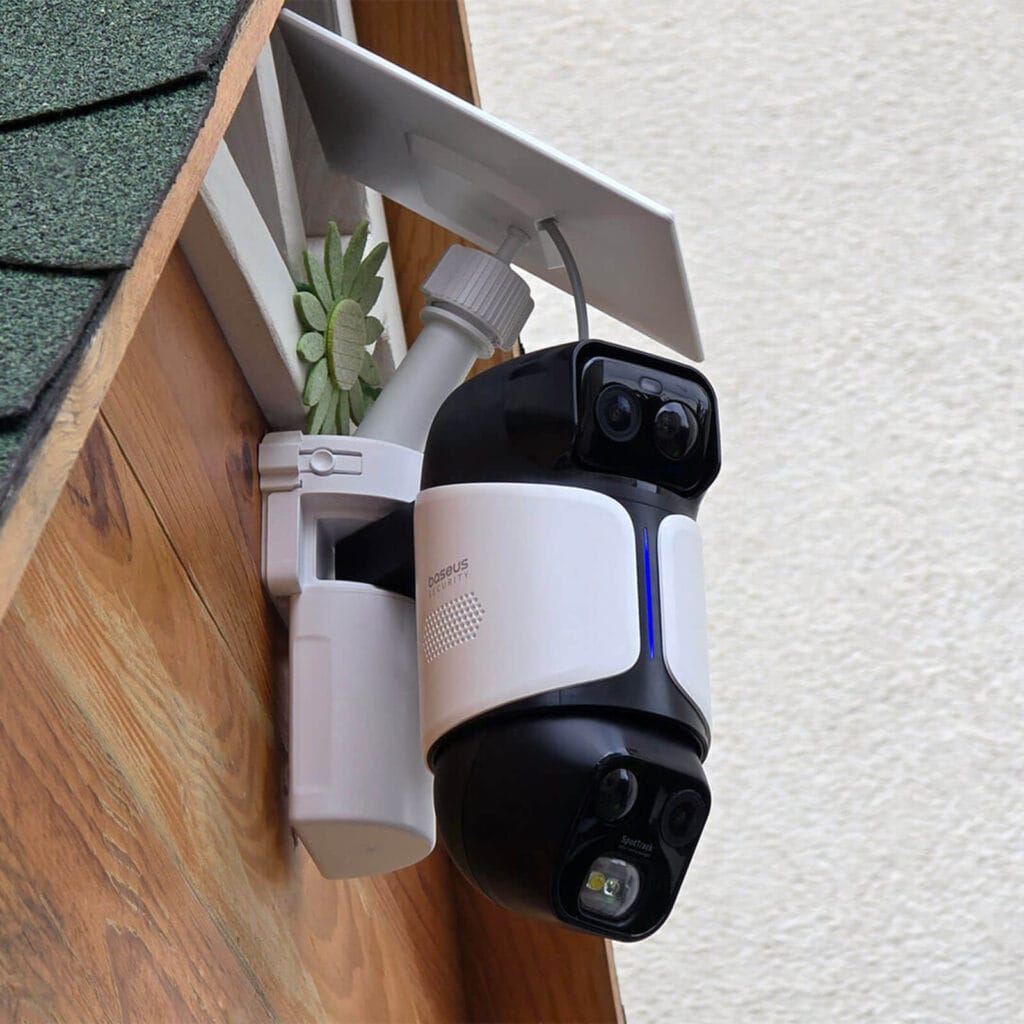
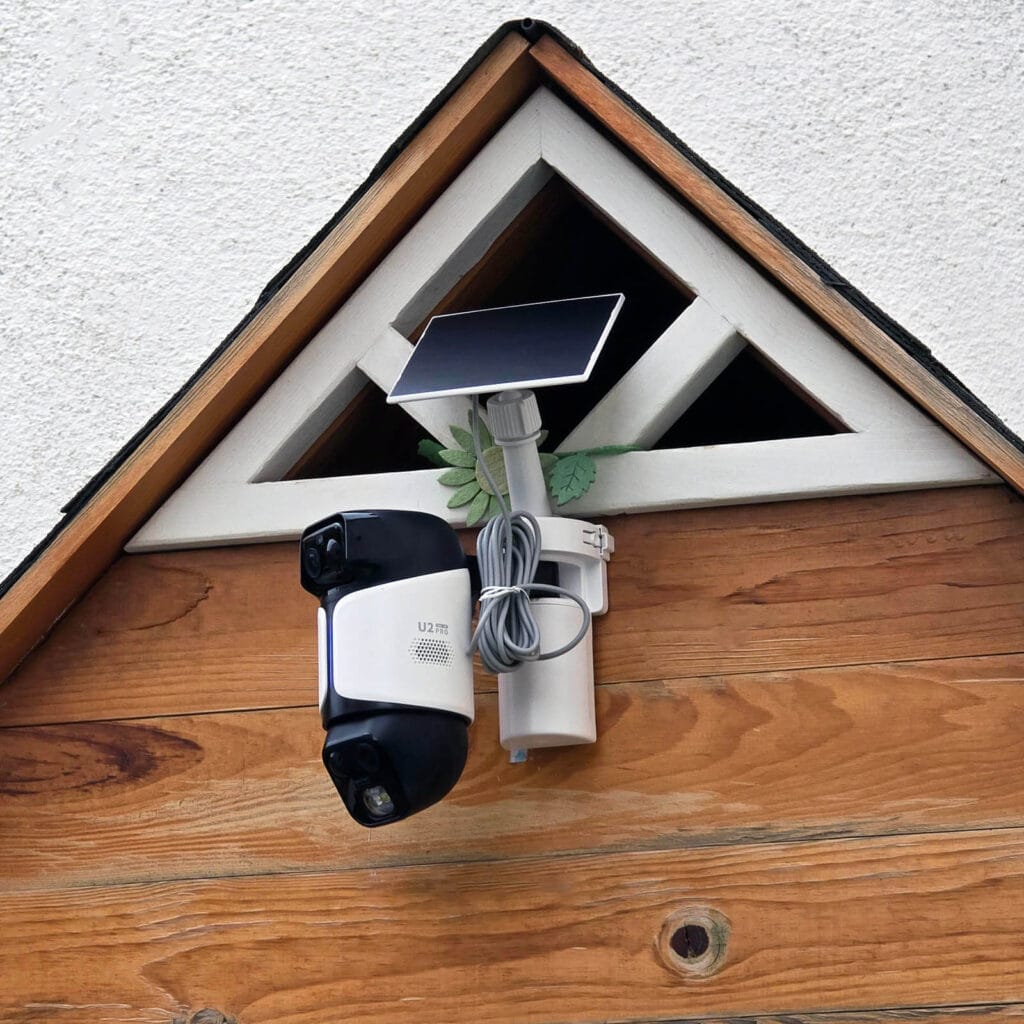
Installing the U2 Pro is very easy. First, you screw the holder in place, and then you snap the camera onto it. A single screw locks the camera to the holder, while the snap clips keep it seated firmly on the mount.
The solar panel comes with its own mount, so it does not need to sit next to the camera. This means you can install the camera in one spot and the panel in another, for example where it gets more sunlight. The only limit is the length of the cable.
I installed the camera on my kids’ playhouse, which overlooks my home. This turned out to be an excellent spot, because it let me test every camera feature properly. It is also a high-traffic area, since the camera monitors the front door and the kids are always playing in front of it.
App Setup and Configuration
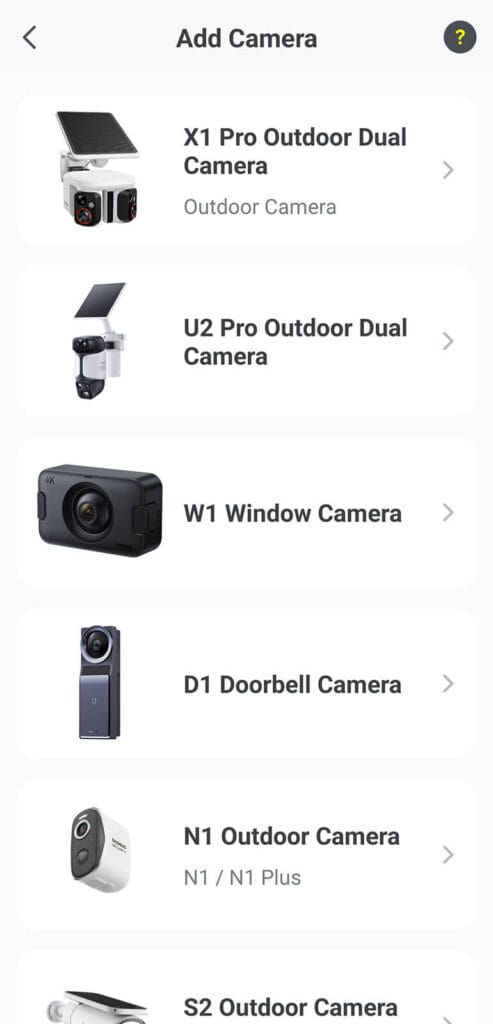
The U2 Pro is set up through their Baseus Security app. After you create an account and tap to add a new device, the app shows a list of all supported Baseus cameras. Here, I simply selected the U2 Pro Outdoor Dual Camera, which sits right below the X1 Pro in the list.
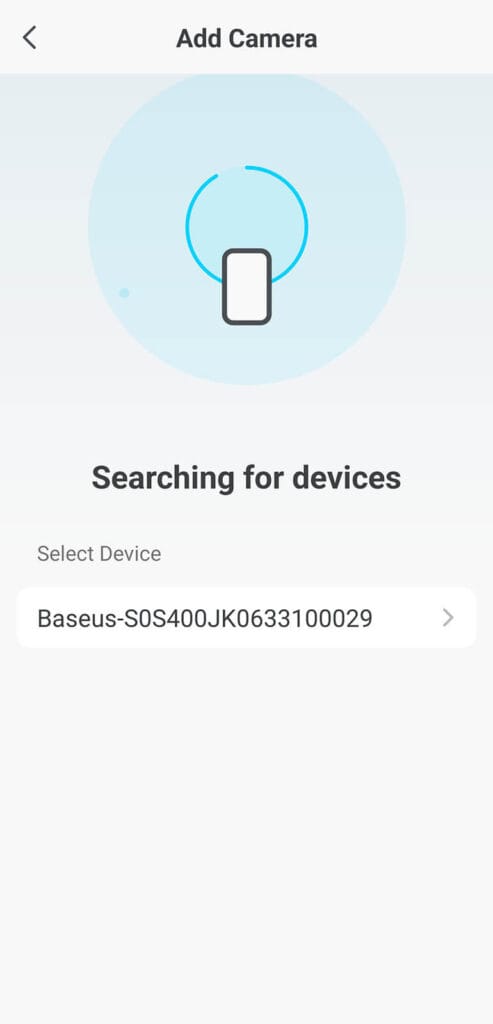
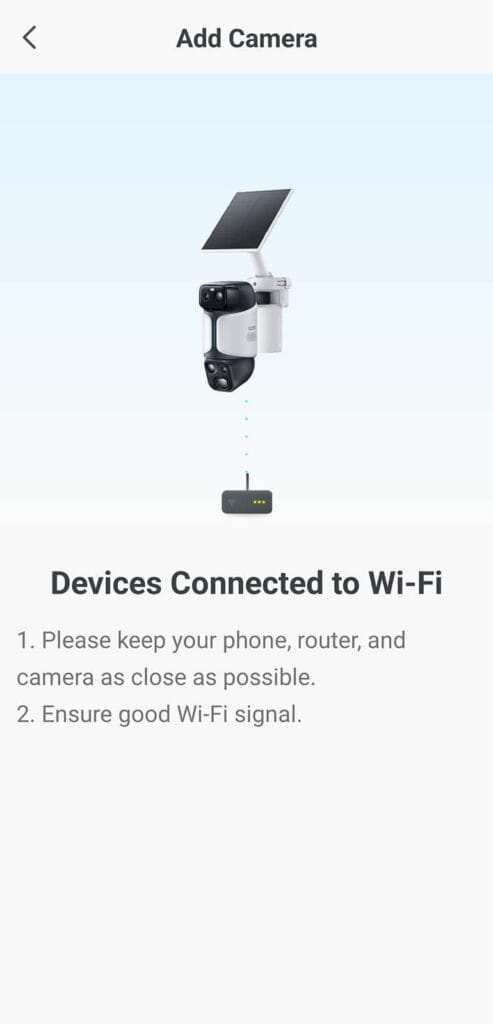
Next, the app starts searching for nearby devices, and my camera showed up in the list under its serial number. Before connecting it to Wi-Fi, the app asks you to keep the phone, router and camera as close as possible and to make sure the Wi-Fi signal is good. From there, you connect the camera to your Wi-Fi network and the pairing is done. Very standard stuff.
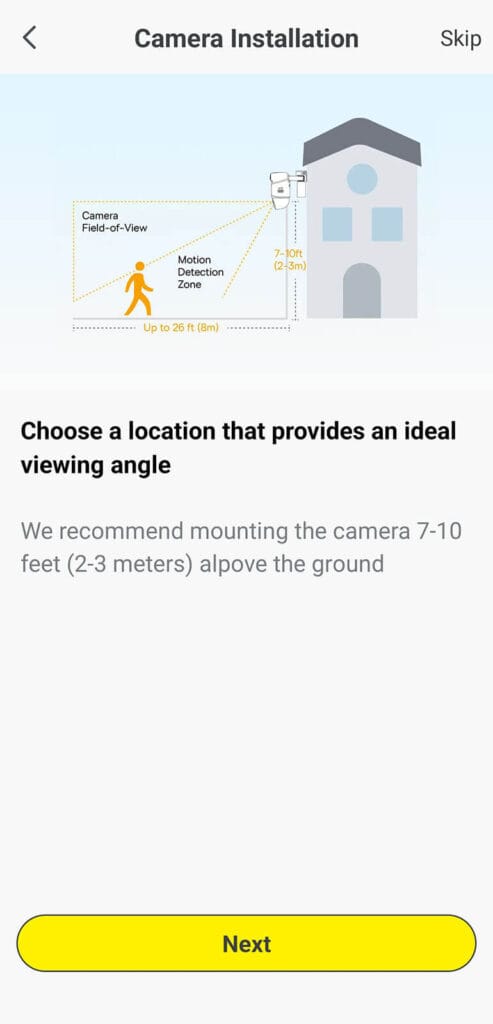
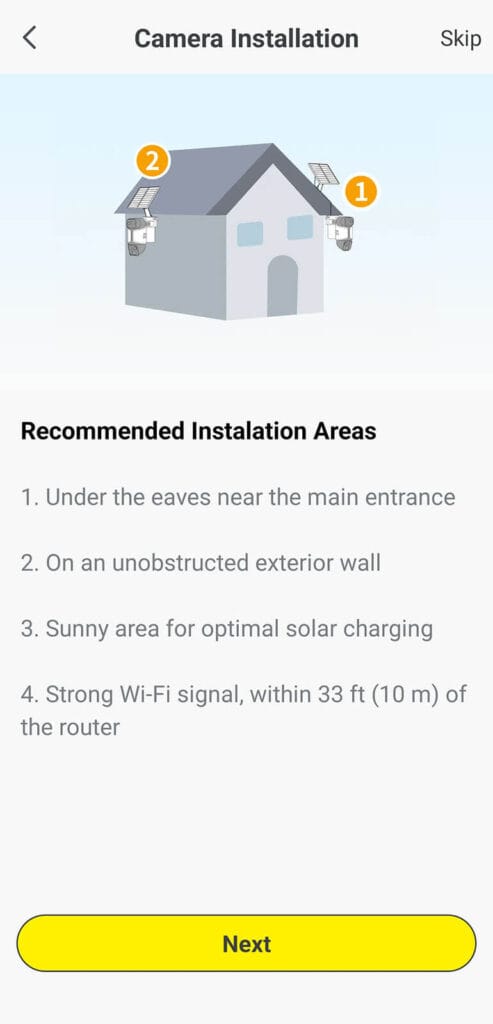
After pairing, the app walks you through a short installation guide, which you can skip at any time. First, it recommends mounting the camera 2 to 3 meters above the ground, so the field of view and the motion detection zone cover the area in front of it. It then lists the best spots for the camera, such as under the eaves near the main entrance or on an unobstructed exterior wall.
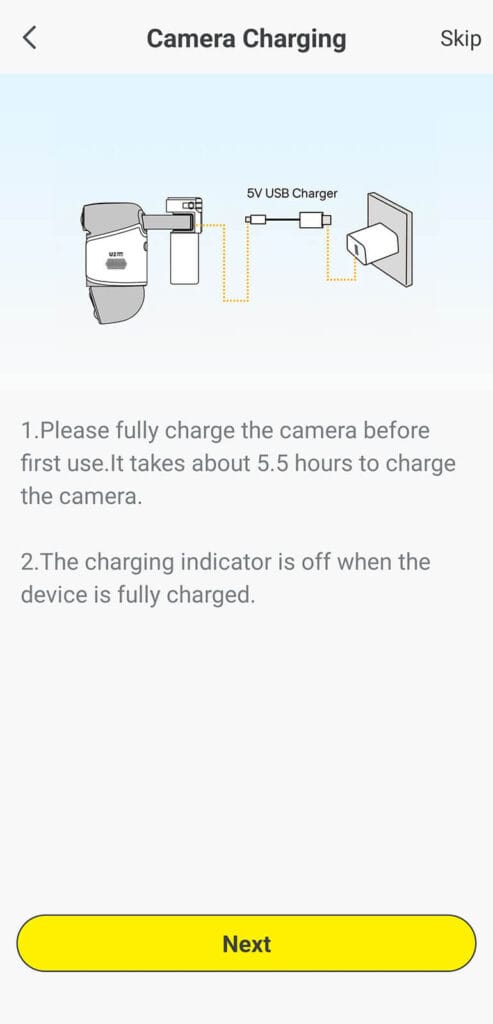
Since the U2 Pro runs on solar power, the app also advises a sunny area for optimal charging and a strong Wi-Fi signal within 10 meters of the router. Before the first use, Baseus recommends fully charging the camera with a 5V USB charger. This takes about 5.5 hours, and the charging indicator turns off once the battery is full.
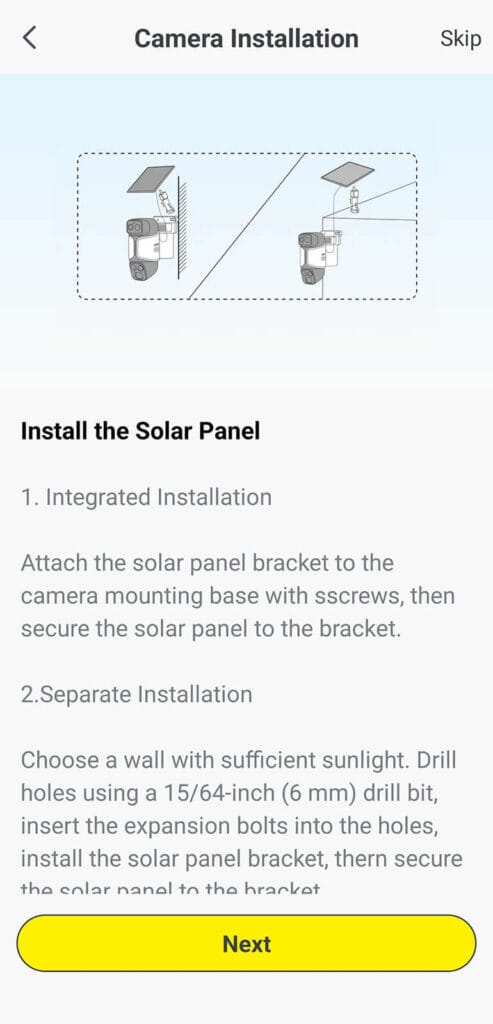
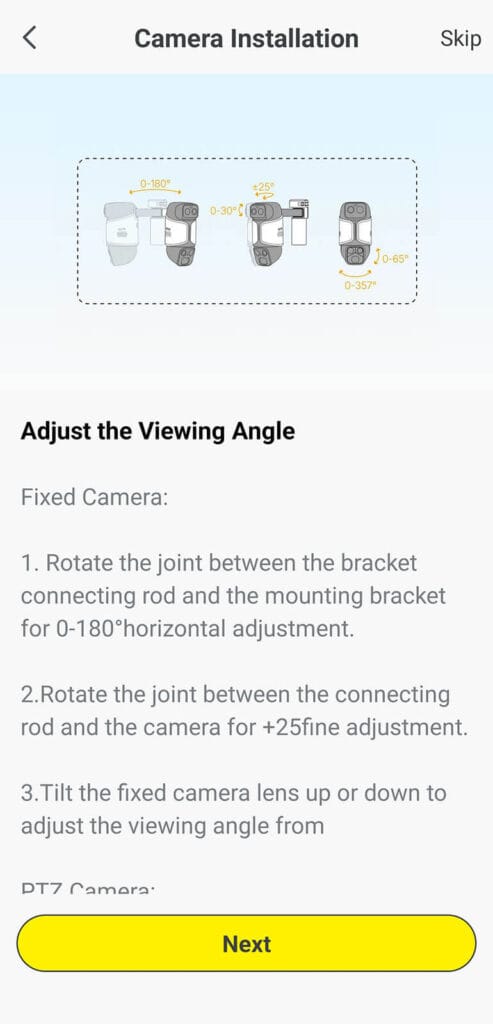
The next few screens cover the physical setup. You can install the solar panel in two ways, either attached directly to the camera mounting base or separately on a sunny wall. For the separate option, the app tells you to drill 6 mm holes, insert the expansion bolts and secure the panel bracket with screws. It then explains how to adjust the viewing angle of the fixed camera and the PTZ camera, which I cover in more detail further down.
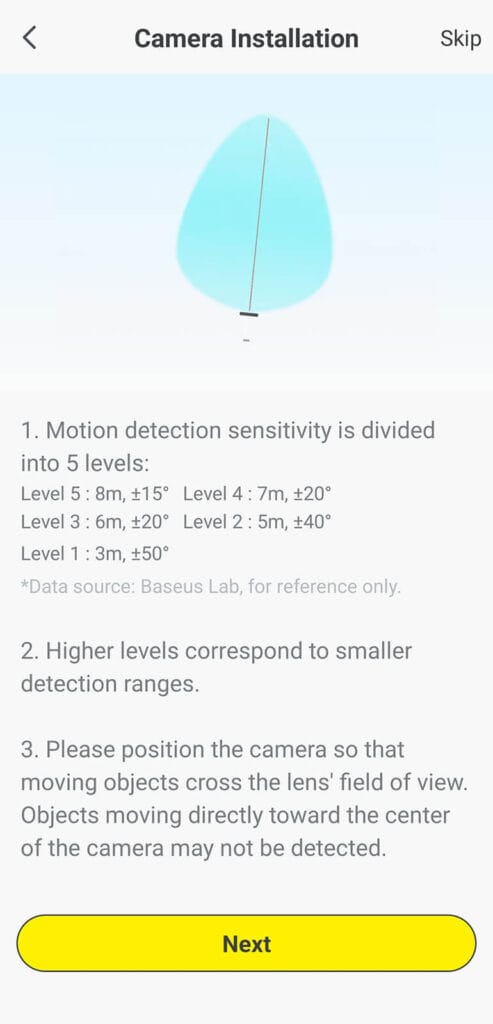
The last screen explains motion detection sensitivity, which is divided into 5 levels. Level 5 reaches the furthest at 8 meters, but with the narrowest angle of ±15°. On the other end, level 1 only reaches 3 meters, but it covers a much wider ±50° angle. The app also notes that objects moving directly toward the center of the camera may not be detected, so it is best to position the camera where people and cars cross its field of view.
Performance and Testing
I tested and tinkered with the U2 Pro for about three weeks, which gave me enough information to share my experience. Since some aspects of the camera are worth looking at separately, I grouped my findings into the sections below.
Video Quality – Day
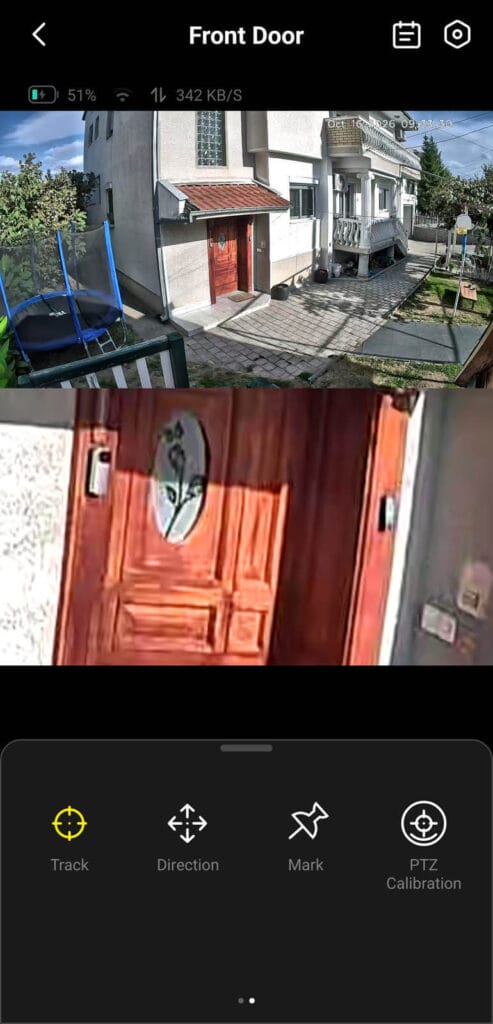
During the day, the video quality is excellent, which is honestly what I expected from this camera. The 3K lenses capture bright, vivid colors under daylight, so the image is always crisp and clear. Here are a few screenshots I captured from the app.
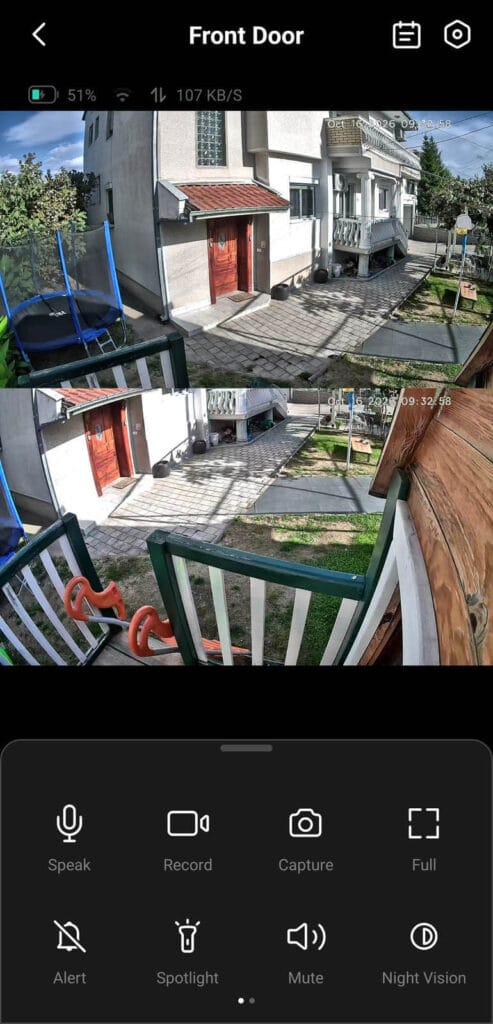
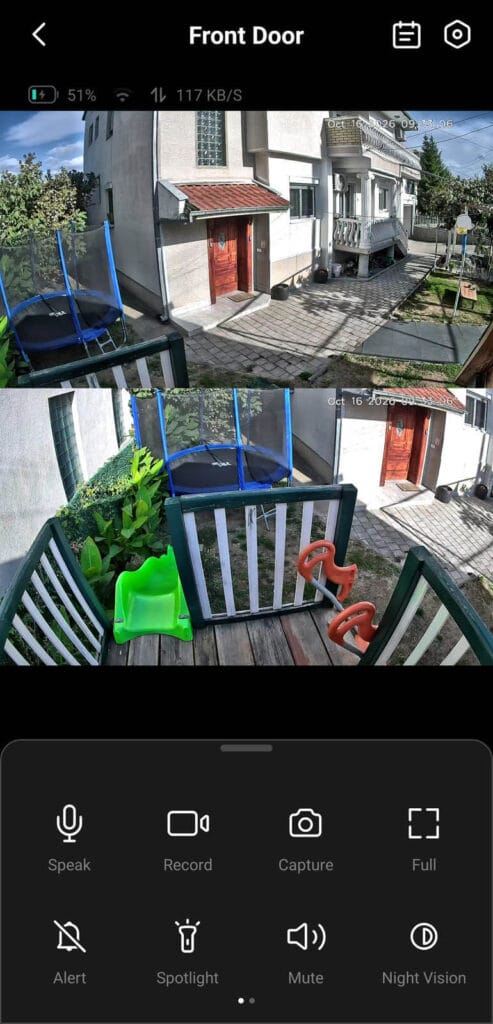
When you move the camera, the image re-adjusts itself if you happen to enter a darker area. You can also take screenshots, trigger the siren, enable the spotlight, control the audio and enter full-screen mode while you are on this control screen.
One thing worth noting is the angle of the two lenses. Out of the box, the fixed lens points slightly upward, while the bottom PTZ lens is angled down. Luckily, you can adjust both. The fixed camera has three manual adjustment points. The joint on the mounting bracket rotates 0 to 180° horizontally, and the joint between the rod and the camera adds ±25° of fine adjustment. On top of that, the lens itself tilts up or down by 0 to 30°. The PTZ camera, on the other hand, pans 0 to 360° and tilts 0 to 65°.
Video Quality – Night
The night video quality is where this camera shines, but not because it does something groundbreaking that others do not. It has an incredibly bright LED on the tracking camera that works like a strong spotlight. Here are a few screenshots.
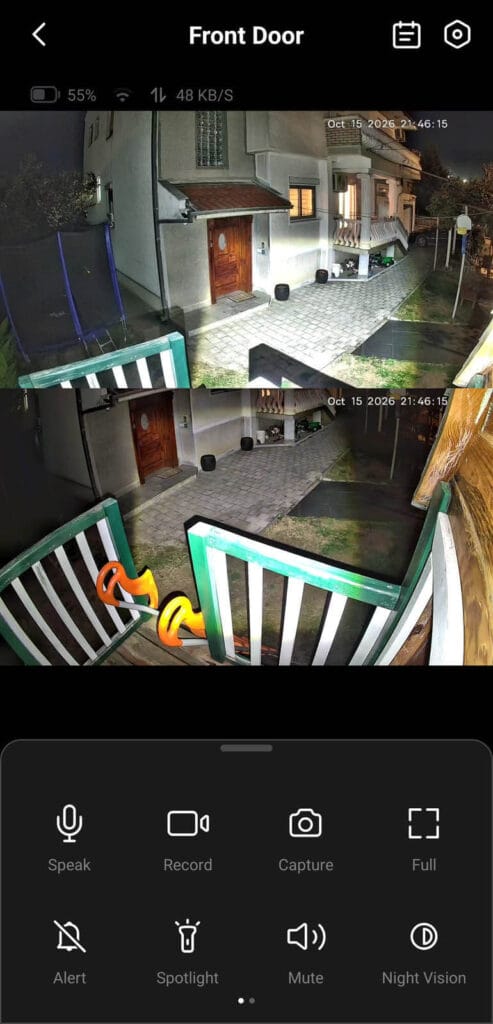
The spotlight lights up everything in its path, so nothing goes unnoticed. Since the top camera also picks up the spotlight, it records a clear, bright image at night as well. However, whether you like this spotlight is a matter of personal taste. Some people prefer the entire frame lit up, while this one works like the Batman signal and only lights a square in the middle.
For recording in the dark, the cameras also have infrared night vision, which works well too. Both lenses record clear black and white video, because they are tuned to pick up the area the IR LEDs light up. I did not capture a screenshot of it, because I was too into testing the spotlight. In the app, you can choose which night mode you want to use.
Motion Events
The camera uses dual PIR sensors to trigger recording. The sensitivity is adjustable, and in my tests, the sensors picked me up from as far as 8 meters away. You can configure person, pet, vehicle and face detection. Face detection needs data before it becomes usable, so you can also upload images to train the algorithm. I did not do this, and I never will.
Motion sensitivity is set on a scale of 1 to 5, and you can enable or disable person, vehicle and pet detection individually. For my setup, level 4 works best, because stray cats at the far end of the fence otherwise trigger the camera. Since both cameras have separate sensors, you can configure the fixed camera and the PTZ camera with their own settings.
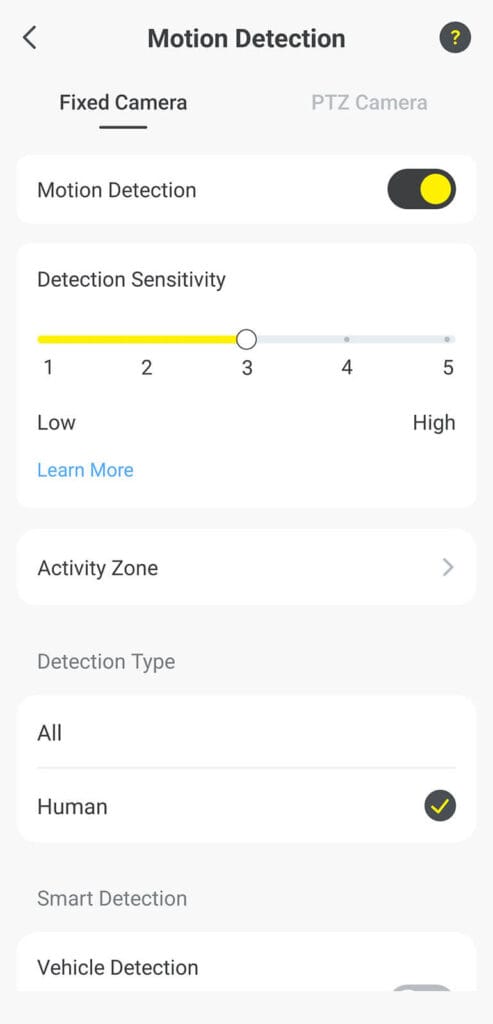
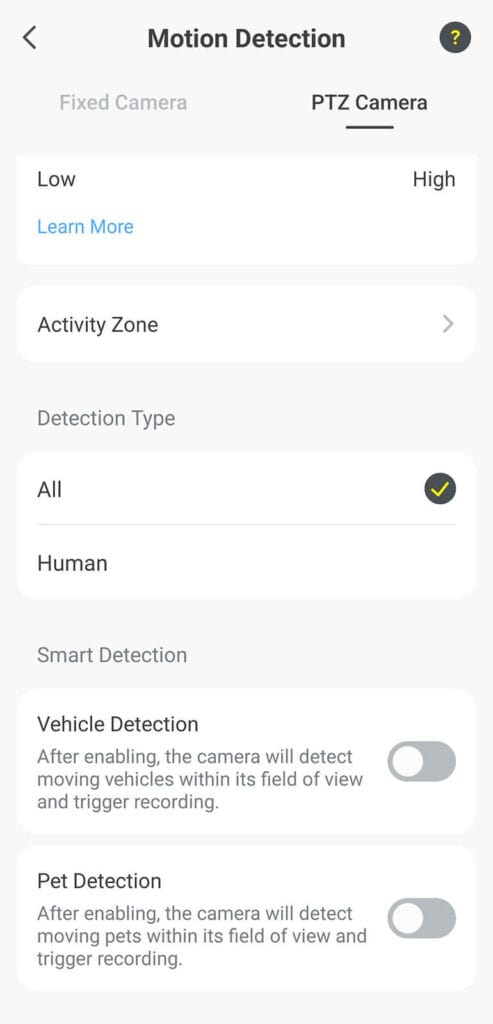
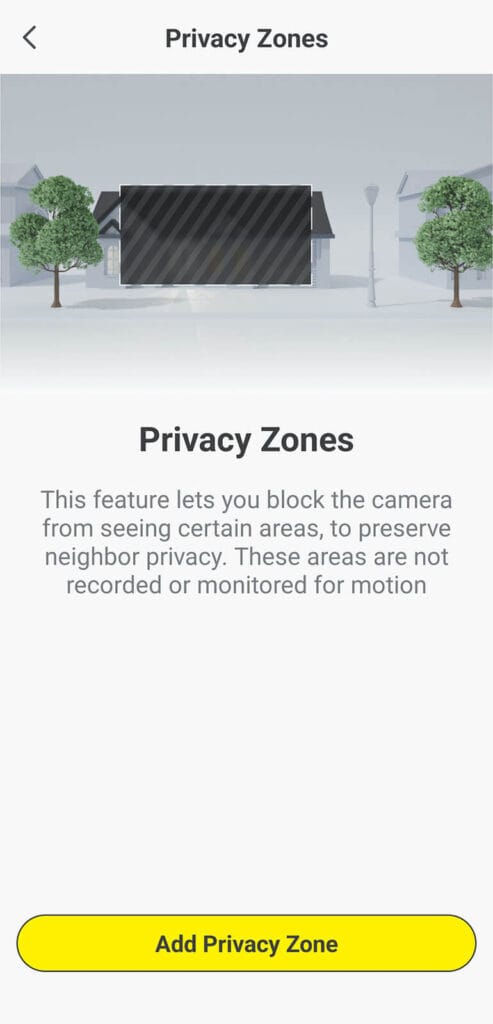
You can also set privacy zones to exclude certain areas from tracking. In addition, there is a dedicated patrol mode. It rotates the PTZ camera a full 360° from a preset position and then returns it to the starting point.
Audio Quality
The camera supports two-way talk in intercom mode. In the app, you can set the speaker volume and the alarm volume separately, which applies when you trigger the built-in siren. During a conversation, the audio is clean and crisp. You can clearly hear the other person and talk to them without raising your voice or having to talk in a lower tone that some cameras need.
However, there is one caveat. When the PTZ camera moves, you can clearly hear it in the audio. The sound is not loud, but it is noticeable. I hope Baseus can filter it out with a future update, although I doubt that is possible.
Home Assistant Integration
I honestly did not expect to find a working Home Assistant integration for this camera. It is battery powered, which usually means no ONVIF or RTSP support. On top of that, it is a brand new model, so existing integrations would not cover it.
However, I was able to add it to Home Assistant using the following app:
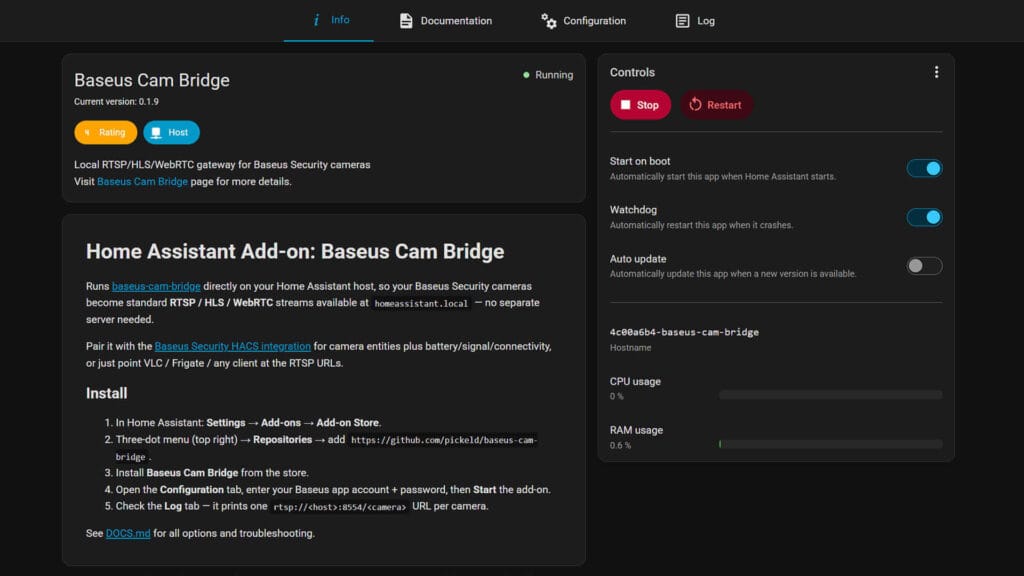
This app is called Baseus Cam Bridge, a small local gateway that runs as a Home Assistant app or a Docker container. It logs in with your own Baseus account, discovers the cameras on it and connects to them over the same encrypted P2P protocol the Baseus app uses. Then, it republishes the live video as standard RTSP, HLS and WebRTC streams on your local network. To save battery, the bridge only contacts the camera while something is actually watching the stream. The Baseus Security HACS integration adds the entities to Home Assistant afterwards.
For this camera, it exposes a simple camera entity, a battery sensor, a connectivity sensor and, weirdly enough, even the speaker volume. Still, you cannot do much with the U2 Pro in Home Assistant as it is. The best features are not exposed, and I do not think they ever will be. The camera entity also streams from the main fixed camera only, which means there is no PTZ control either.
Verdict
After three weeks of testing, the Baseus PrimeSentinel U2 Pro left a strong impression. The two 3K cameras deliver excellent video during the day, while the SpotTrack spotlight keeps the night footage clear and bright. On top of that, the 7,800 mAh battery and the solar panel keep it running without any maintenance, and all recordings stay on a local microSD card.
It is not perfect, though. The square spotlight is a matter of taste, and the PTZ motor is audible during two-way talk. Support for Home Assistant is also very limited. Baseus Cam Bridge brings the fixed camera stream into Home Assistant, but the PTZ camera, the spotlight and the AI detection stay locked inside the Baseus app.
Overall, the U2 Pro is a capable solar security camera with excellent coverage for a single unit. If you need an outdoor camera with no subscription, it is easy to recommend. However, if deep Home Assistant integration is a priority, you should look elsewhere.
Verdict
4/ 5Baseus PrimeSentinel U2 Pro Outdoor Camera
Pros
- Two 3K cameras with 360° PTZ tracking
- SpotTrack spotlight follows people at night
- Local microSD storage up to 512 GB, no subscription
- 7,800 mAh battery with a 3 W solar panel
Cons
- Very limited Home Assistant support, no PTZ
- PTZ motor noise is audible in two-way audio
- Most features require the app