
The Ecowitt WH51 and WH52 are popular smart soil sensors that use sub-GHz frequencies to communicate. The WH51 measures soil moisture only and has been part of the Ecowitt lineup for years. The WH52 is the newer model which adds soil temperature and electrical conductivity (EC) to the same reading cycle, something many users have been asking for.
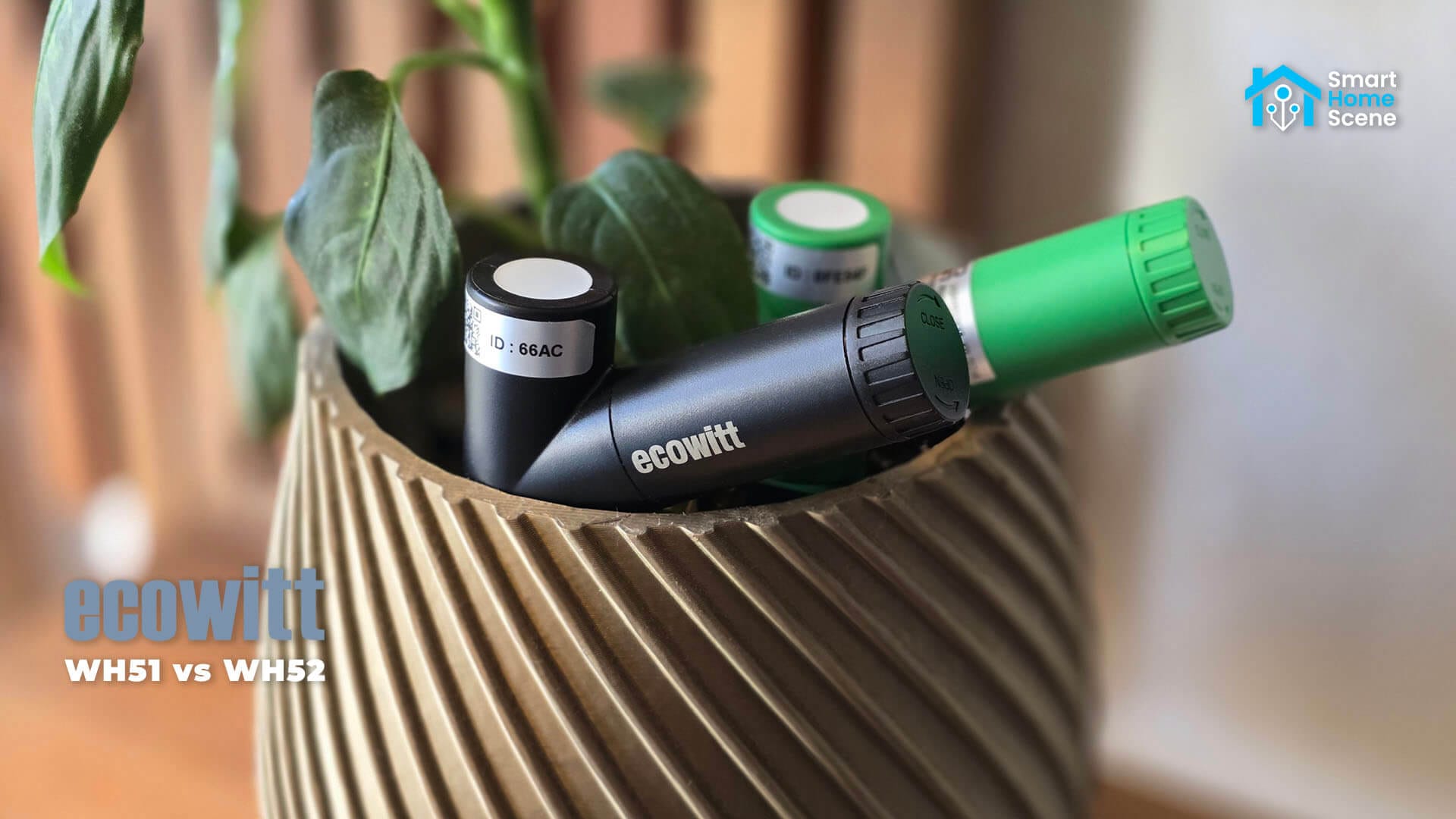
I tested both sensors side by side for more than a month with an Ecowitt GW1200 gateway connected to Home Assistant. This comparison covers the specs, hardware differences, local integration methods, reporting behavior and soil moisture accuracy. It also covers the two extra readings that the WH52 provides and what to expect from those.
As an alternative, check out the Apollo PLT-1 and ThirdReality Smart Soil Moisture Sensor reviews, if you are looking for Zigbee or ESPHome-based alternatives that work with Home Assistant without a gateway.
Ecowitt WH51 vs WH52 Specs
Both sensors are sold in three RF versions. The 915 MHz version is for North America, the 868 MHz version is for Europe and the 433 MHz version covers other regions. The sensor frequency must match your gateway or console, so be careful when choosing a frequency.
 Ecowitt WH51 | 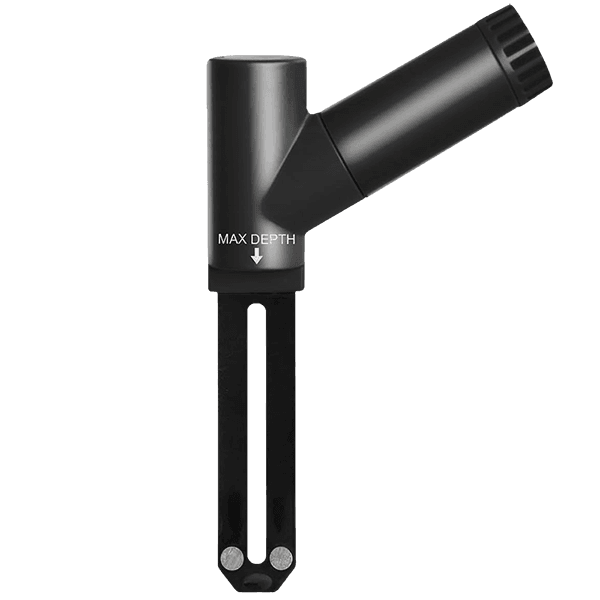 Ecowitt WH52 | |
|---|---|---|
| Soil moisture | FDR, 0 to 100% ±5%, 1% resolution | FDR, 0 to 100% ±5%, 1% resolution |
| Soil temperature | N/A | NTC, -40 to 60 °C ±1 °C, 0.1 °C resolution |
| EC | N/A | 0 to 10000 µS/cm, 10 µS/cm resolution ±100 µS/cm up to 1000, ±15% above |
| Operating range | -10 to 50 °C, IP66 ingress | -40 to 60 °C, IP66 ingress |
| Materials | ABS housing, FR-4 probe | ABS housing, FR-4 probe |
| Size and weight | 148×86×25 mm, 100 g | 148×86×25 mm, 100 g |
| Radio | 433 / 868 / 915 MHz 100 m open field | 433 / 868 / 915 MHz 100 m open field |
| Reporting interval | 70 s (10 s on rapid change) | 70 s (10 s on rapid change) |
| Battery | 1 × AA, 12 months minimum | 1 × AA, 12 months minimum |
| Gateway channels | 16 | 16 |
| Price | $23.99 / €24.99 | $30.99 / €30.99 |
| Availability | Amazon US, Amazon DE, Amazon NL, Amazon UK, Amazon CA, Amazon FR, AliExpress, Domadoo. | Amazon US, Amazon DE, Amazon NL, Amazon UK, Amazon CA, Amazon FR, AliExpress, Domadoo. |
Design and Build Quality
The Ecowitt WH51 and WH52 soil sensors each ship in a branded Ecowitt box. Inside, you get the sensor itself, two silicone caps for moisture protection and a user manual. The longer cap goes over the battery compartment, while the shorter one covers the LED indicator.
The GW1200 gateway comes in a smaller box, since the device itself is quite compact. It includes a user manual and a USB cable for power.
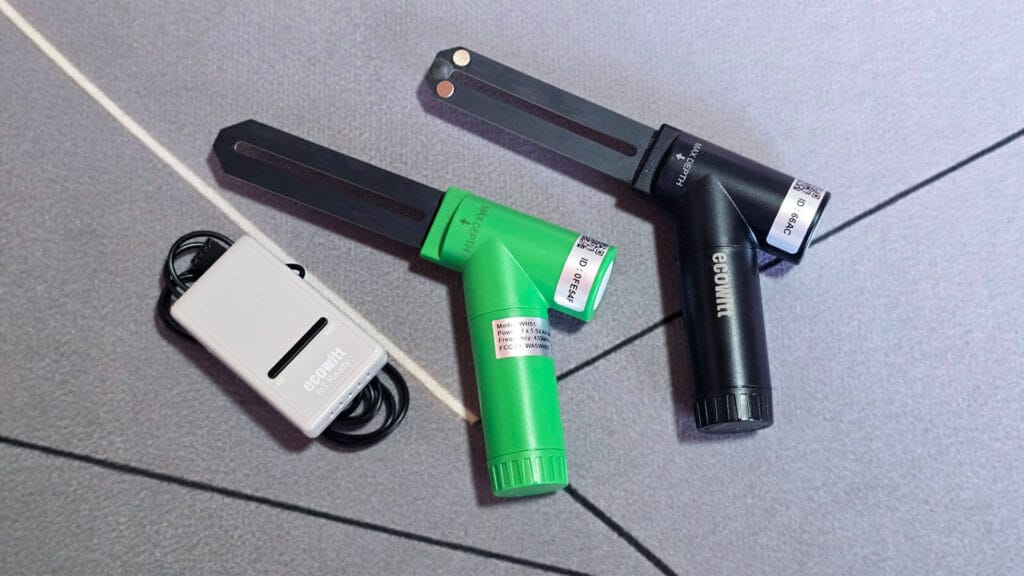
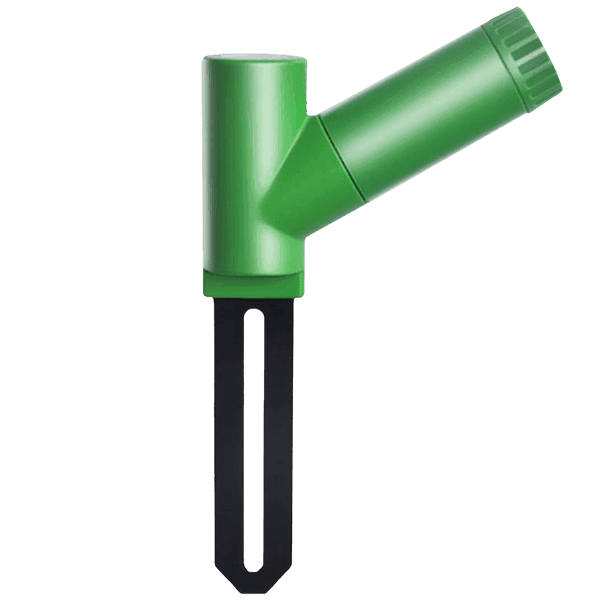
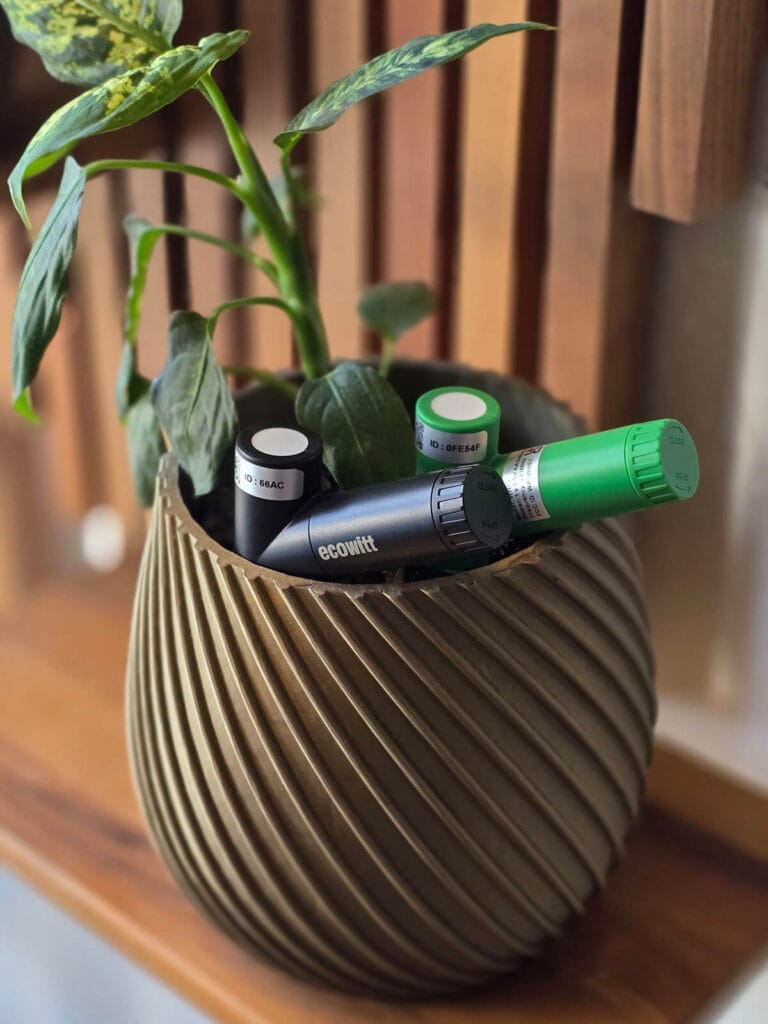
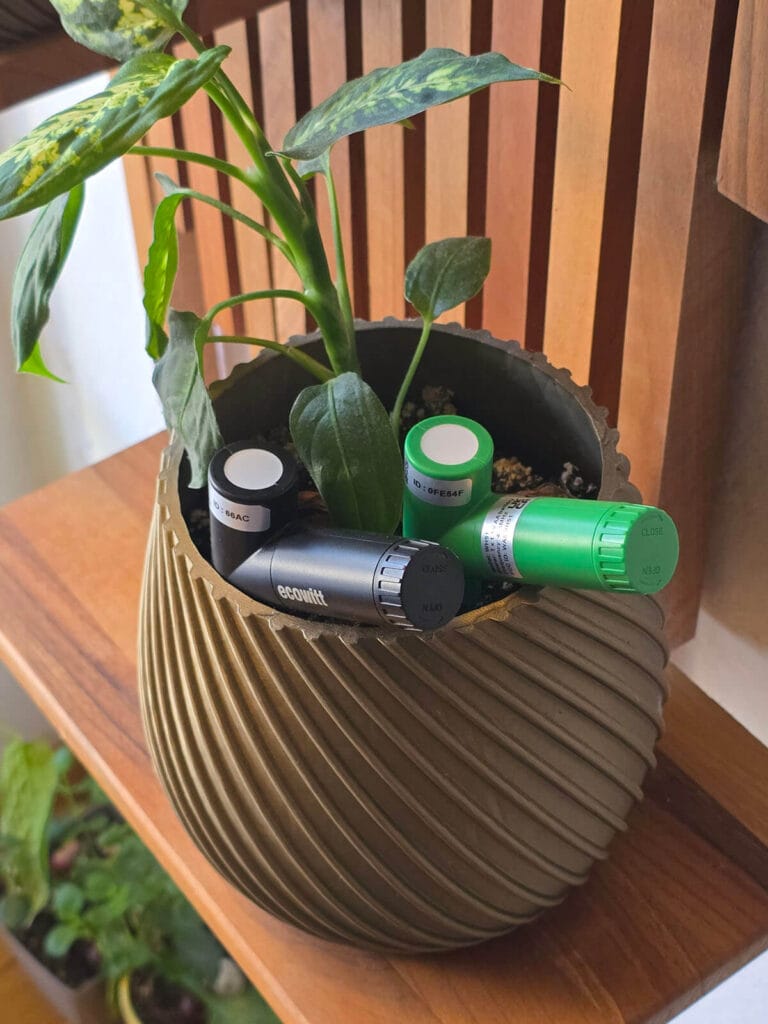
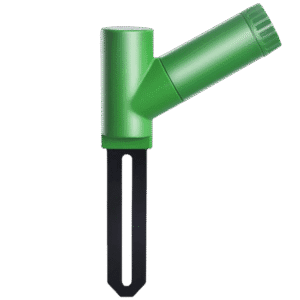
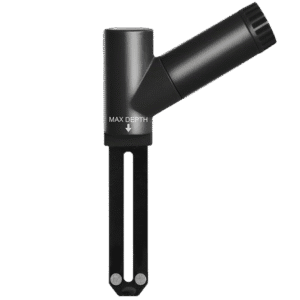
The WH51 and WH52 look almost identical from the outside. Both sensors are the same size, with the same body shape and angled design. Both sensors run on a single AA battery, which slots neatly into the angled handle. In fact, the only visible difference is the color, green for the WH51 and black for the WH52.
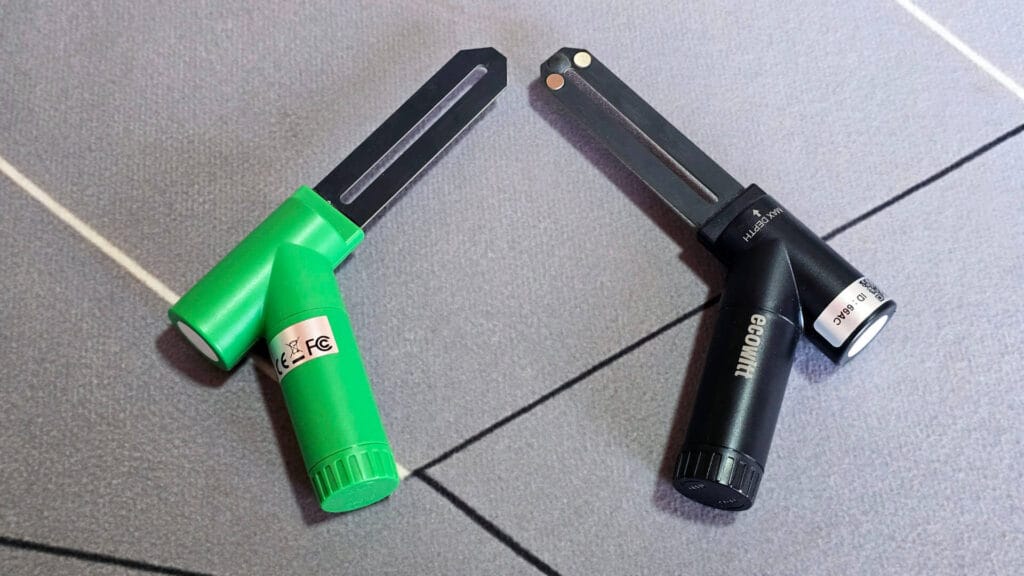
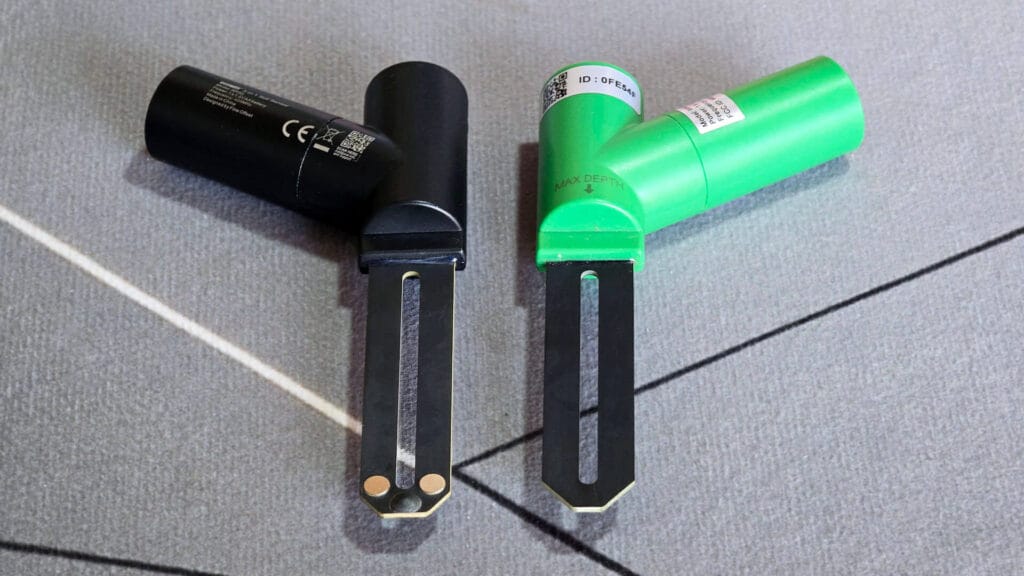
The probes are also the same length and almost the same shape. The WH51 has a slightly pointier tip. It also lacks the two metal electrodes that the WH52 uses to measure EC. On top of that, the WH52 has an NTC thermistor for soil temperature at the very tip of the probe, encased in black. The WH51 has no such sensor, since it only measures moisture.
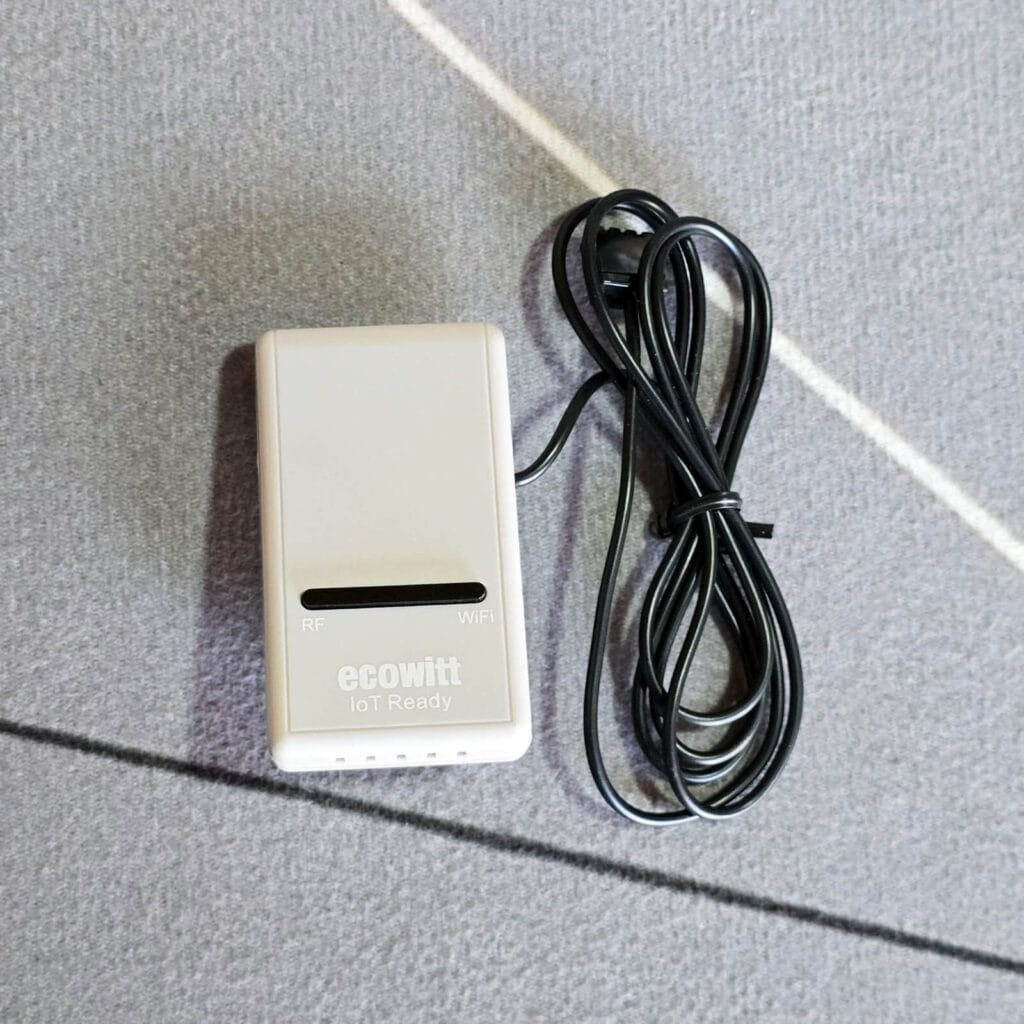
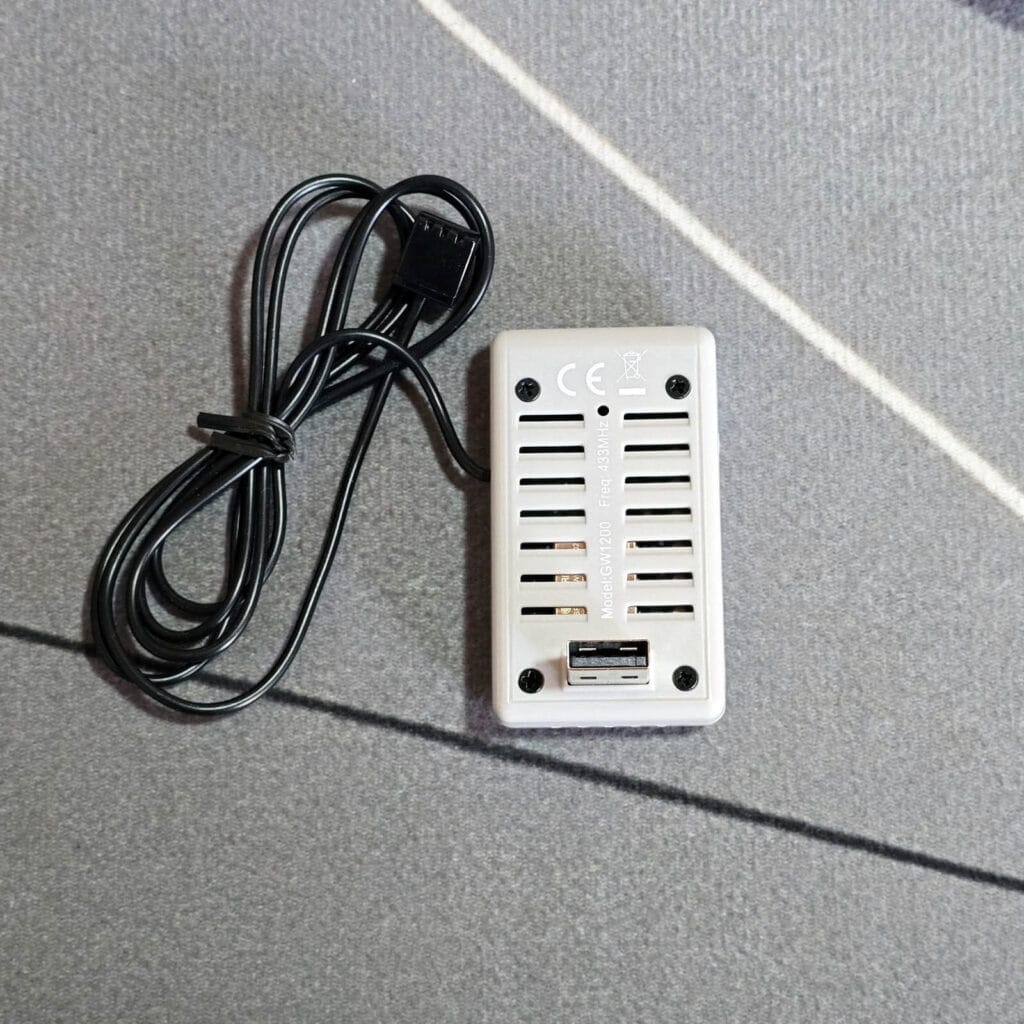
The Ecowitt GW1200 gateway I bought for this test is very small. At 35 × 25 × 62 mm and just 25 g, it is noticeably smaller than the sensors themselves. I like the size and shape a lot, since it is easy to hide wherever you want. The gateway also has a 3-in-1 probe attached on a 1 meter cable. This probe measures indoor temperature, humidity and barometric pressure, which show up as extra entities in Home Assistant. Ecowitt rates it at ±0.2 °C for temperature, ±2% for humidity and ±3 hPa for pressure.
Home Assistant Integration Methods
The Ecowitt WH51 and WH52 can be added to Home Assistant fully locally, and there are several ways to do it. Two of them run through an Ecowitt gateway but handle the data in different ways. The official Ecowitt integration waits for the gateway to push data over a webhook, while the Ecowitt Local integration from HACS actively polls the gateway on your local network. The third and most involved option skips the gateway altogether and decodes the radio packets with an SDR dongle and rtl_433.
For this comparison, I tested both gateway integrations with a GW1200 running firmware V1.4.8. Both of them picked up the WH51 and the WH52 without problems, including the EC and soil temperature readings that only the WH52 provides.
Official Ecowitt Integration via Gateway
The official Ecowitt integration has been part of Home Assistant since version 2022.9. Unlike most local integrations, it never actually queries the gateway. Instead, Home Assistant creates a webhook endpoint, and the gateway pushes its data to that endpoint every time it decides to upload.
Because of this, the gateway has to be able to reach Home Assistant over plain HTTP. During setup, the integration gives you a server address, path and port, which you then enter in the Customized upload settings of the gateway. Ecowitt gateways do not support HTTPS, so if your Home Assistant instance only accepts HTTPS, you will need a workaround like running NGINX to accept both.
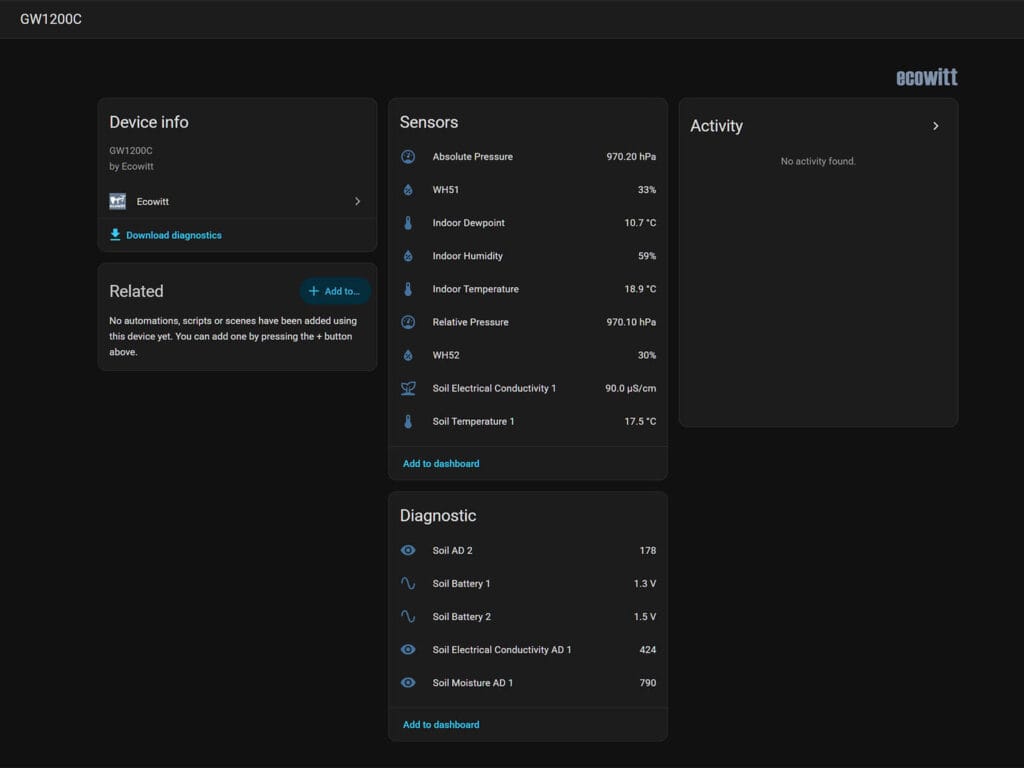
Once data starts flowing in, all readings end up under a single gateway device. The soil sensors do not get individual devices of their own, and their entities are named after the gateway channel they occupy. In my setup, the WH52 sits on channel 1 and the WH51 on channel 2, and together they expose the following entities.
- Soil moisture for each channel
- Soil electrical conductivity and soil temperature for the WH52
- Raw AD values for moisture and EC, as diagnostic entities
- Battery voltage for each sensor, as diagnostic entities
What is missing is signal strength and online status for the soil sensors. Battery is also reported only as voltage, which reads 1.3 V on my WH52 and 1.5 V on the WH51. On top of that, entity IDs follow the channel number. So if a sensor lands on a different channel after a battery swap or re-pairing, it gets new entity IDs and any automation using the old ones stops working.
Ecowitt Local HACS Integration via Gateway
Ecowitt Local is a third-party integration available in HACS, and it takes an opposite approach to the official one. Rather than waiting for pushed data, Home Assistant polls the gateway over its local web interface. As a result, there is no webhook to configure, the gateway never needs to reach Home Assistant, and the HTTPS limitation simply does not apply.
Setup is also simpler, since it only asks for the gateway IP address and an optional password. After that, you can adjust how often it polls for live data and for sensor mappings. According to the repo, it works with the GW1000, GW1100, GW1200, GW2000 and GW3000 gateways, although display consoles like the HP2550 are not supported.
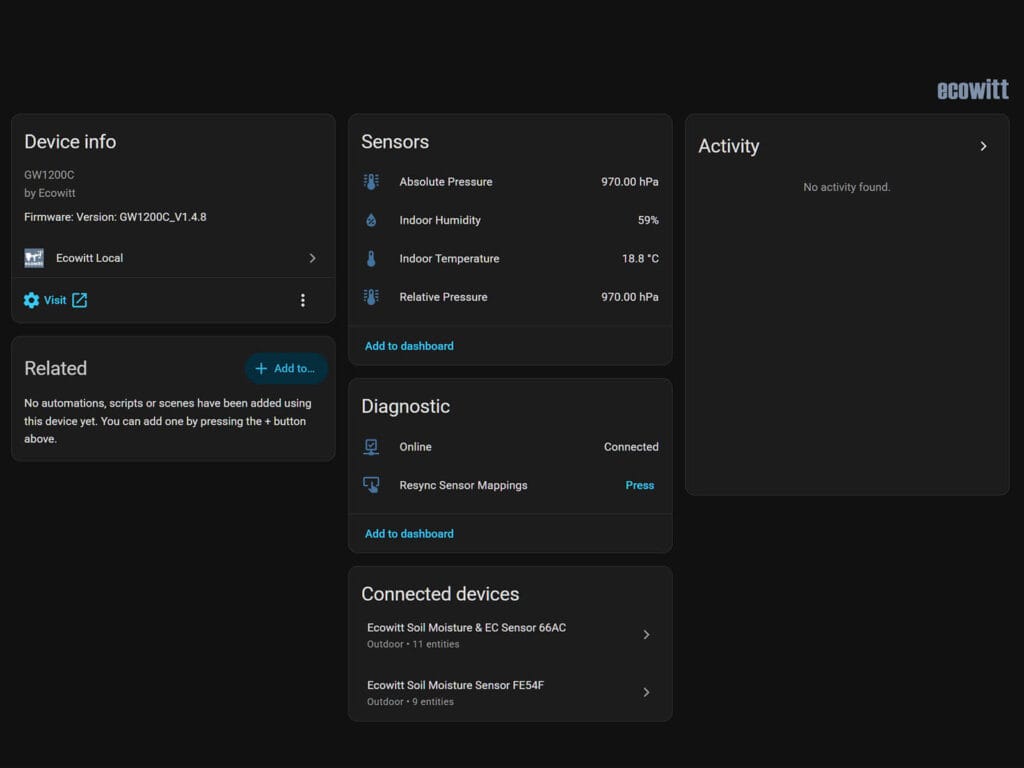
The biggest difference, however, is how it organizes the sensors. Each WH51 and WH52 becomes its own device, named after the hardware ID printed on the sensor. Since entity IDs are built from that hardware ID rather than the channel number, they stay the same through battery swaps and re-pairing. And if you set a custom title for a sensor on the gateway Live Data page, that title becomes the device name.
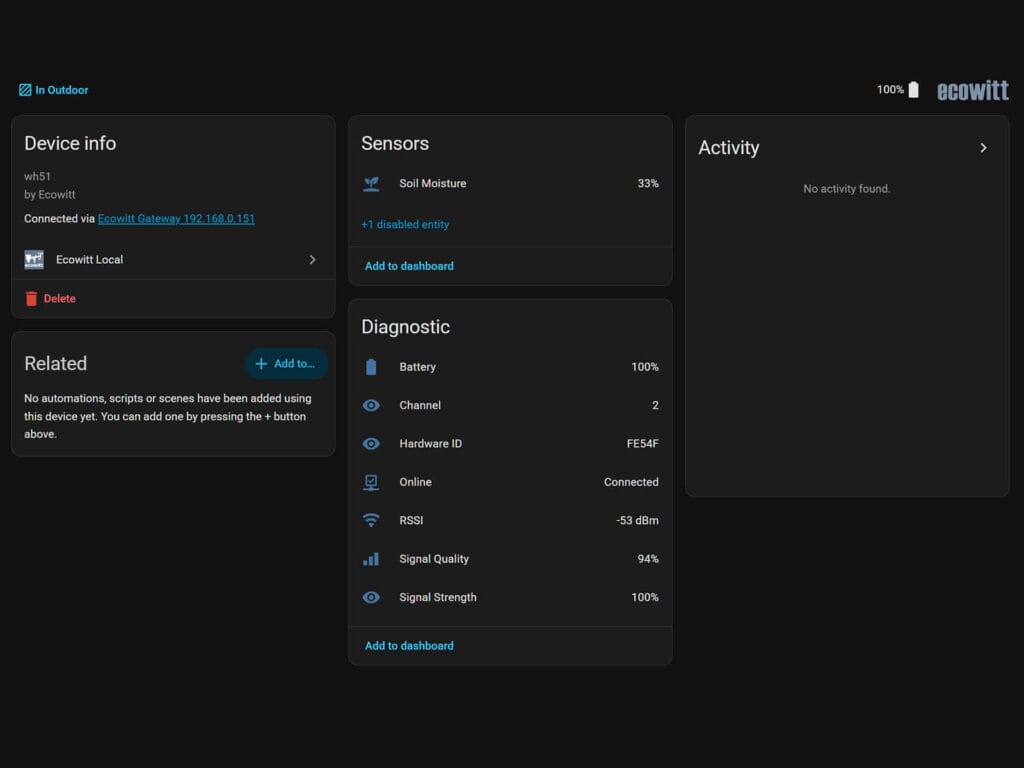
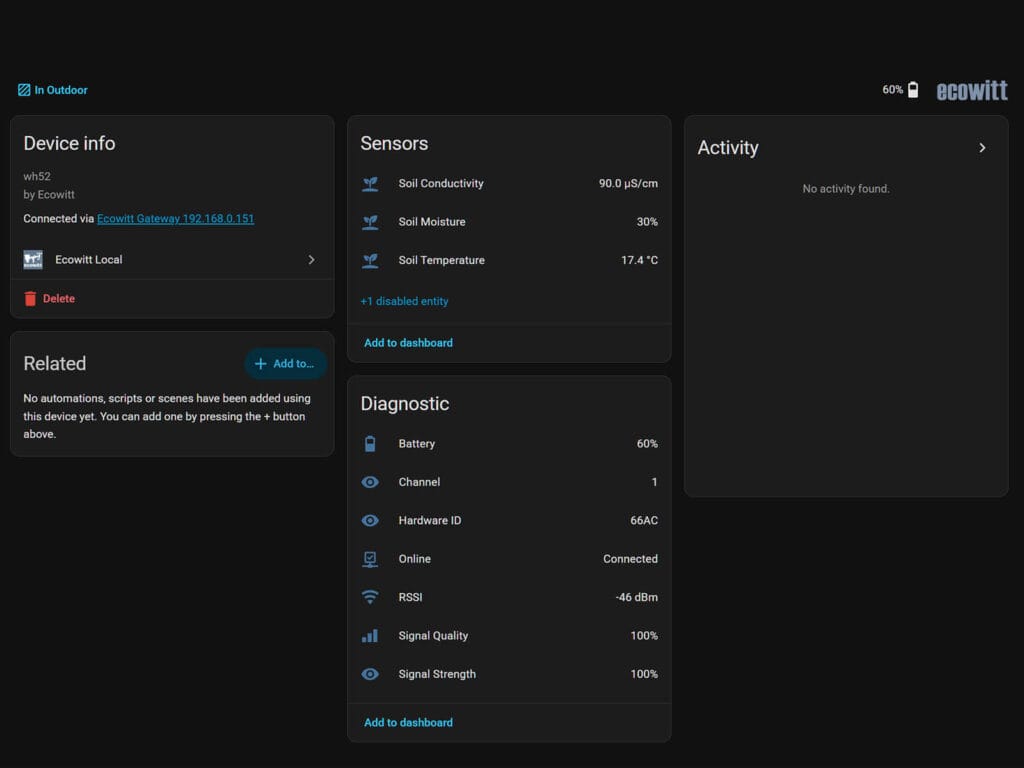
In my case, the WH52 shows up as Ecowitt Soil Moisture & EC Sensor 66AC with 11 entities, while the WH51 appears as Ecowitt Soil Moisture Sensor FE54F with 9 entities. Each of these sensor devices exposes the following.
- Soil moisture, plus soil conductivity and soil temperature for the WH52
- Battery level in percent
- RSSI in dBm, signal quality and signal strength
- Online status
- Channel number and hardware ID
The gateway itself also becomes a separate device, with its own indoor sensors, an online status and a button to resync sensor mappings. Battery readings are much easier to work with here too. The same WH52 battery that reads 1.3 V in the official integration shows up as 60%, which makes a low battery automation far simpler to build.
For these reasons, Ecowitt Local is the integration I recommend for the WH51 and WH52. Keep in mind, though, that moving over from the official integration changes every entity ID. Your automations and dashboards will need an update after the switch.
rtl_433 Integration via Dongle
If you would rather not use an Ecowitt gateway at all, rtl_433 is the alternative. However, it’s also the most involved and advanced option. rtl_433 is an open source decoder for sub-GHz wireless sensors, and when paired with an RTL-SDR USB dongle, it listens for the radio packets the WH51 and WH52 send and decodes them directly. The decoded readings then reach Home Assistant over MQTT, so everything still stays on your local network.
As for hardware, any dongle built on the RTL2832U chip can tune all three Ecowitt frequencies. The following three are well supported and easy to find.
- Nooelec NESDR SMArt v5 Bundle has a 0.5 PPM TCXO and ships with three antennas, including one cut for 433 MHz.
- RTL-SDR Blog V3 with Dipole Antenna Kit has a 1 PPM TCXO and comes with telescopic dipoles you can adjust for 433, 868 or 915 MHz.
- RTL-SDR Blog V3 is the same dongle without antennas, which makes it the cheapest option if you already have a suitable antenna.
All three have a TCXO, which matters because cheap dongles without one tend to drift off frequency and miss packets. The antenna matters even more, since the dongle covers every band but the antenna does not. As a rule of thumb, a quarter wave whip should be about 17.3 cm long for 433 MHz, 8.6 cm for 868 MHz and 8.2 cm for 915 MHz.
Reporting Interval and Battery Life
Both sensors transmit on the same schedule, sending a new reading every 70 seconds. When a value changes sharply, for example right after watering, they switch to a quick transmit mode automatically and send data every 10 seconds instead.
Each sensor runs on a single AA battery, which is not included in the box. Ecowitt rates battery life at a minimum of 12 months for both models, even though the WH52 powers two extra sensing elements from the same cell. In my setup, the WH52 currently reports 60% battery while the WH51 still sits at 100%. However, I used old batteries, so they weren’t new to begin with.
Soil Moisture Comparison
Both sensors measure moisture with frequency domain reflectometry (FDR). In simple terms, the probe reads the dielectric constant of the soil, which rises as the water content goes up. The sensor converts this into a raw AD value, and the gateway then turns that value into a moisture percentage with 1% resolution.
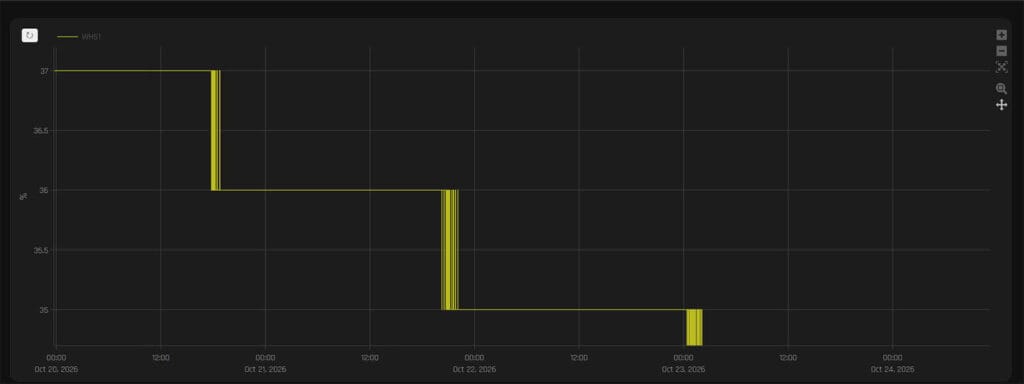
To compare them, I placed both sensors in a plant pot and logged their readings in Home Assistant. Neither sensor was calibrated before that, so the chart below shows both running on Ecowitt’s factory defaults.
Overall, the two sensors track each other very closely. Over the nine days shown, the soil slowly dried out without any watering, and both sensors followed the same downward trend in clear 1% steps. The WH51 dropped from 38% to 31%, while the WH52 went from 35% to 30% over the same period.
That said, the WH51 consistently read slightly higher. At the start of the test, the gap between the two was around 3 percentage points, but it narrowed as the soil dried. By the end, the two sensors were only 1 point apart. Since Ecowitt rates both models at ±5%, this difference stays well within the stated accuracy of either sensor.
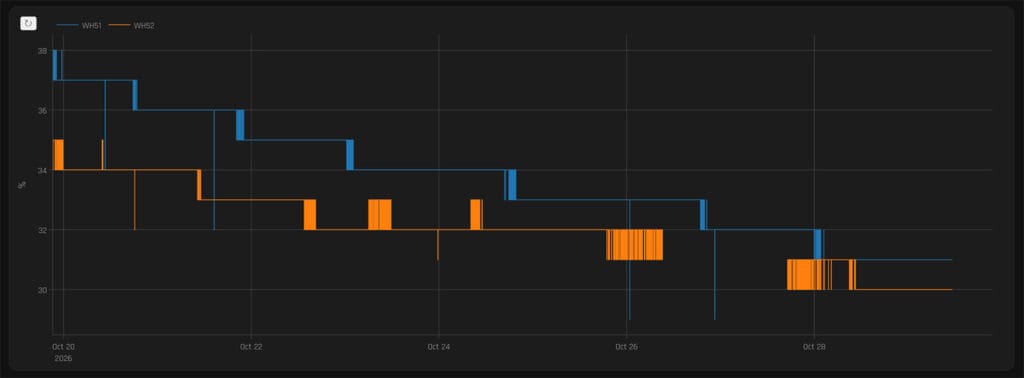
Looking closer at the chart, both sensors also flicker between two values when the real moisture level is right on the edge of a whole percentage. This is expected with 1% resolution, although the WH52 tends to flicker for longer stretches before settling on a number. In addition, the WH51 logged a few single readings that briefly dropped 2 to 4 points below the trend before snapping back on the next update. No idea what that was about.
Neither of these quirks affects the overall picture, but they do matter for automations. If you trigger irrigation from a moisture threshold, it is worth adding a short time condition in Home Assistant, so a single stray reading or a flicker at the threshold does not start the watering cycle.
Soil Temperature and Electrical Conductivity (WH52 Only)
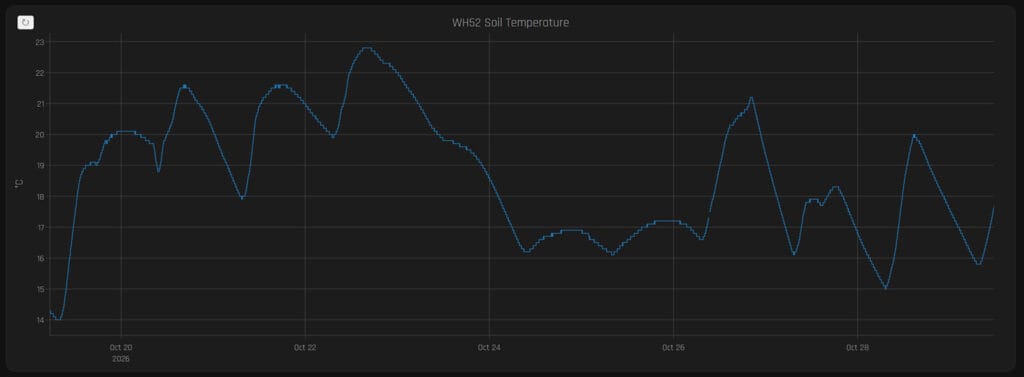
On top of moisture, the WH52 also measures soil temperature with an NTC thermistor built into the probe. Ecowitt rates it at ±1 °C with a resolution of 0.1 °C, and in practice the readings look smooth and free of noise. Over the test period I ran, the soil temperature ranged from 14 °C to 22.8 °C and followed a clear daily cycle, rising during the day and falling again overnight.
The more interesting addition, however, is electrical conductivity. EC shows how many dissolved ions are present in the soil water. Most of them come from fertilizer nutrients like nitrate, potassium and calcium, along with natural salts, so in practice EC can track fertilizer concentration. The WH52 measures it between two electrodes on the probe and reports the result in µS/cm, with a resolution of 10 µS/cm.
Over the same period, EC dropped from around 150 µS/cm to between 70 and 80 µS/cm, and this lines up closely with the moisture chart above. As the soil dried from 35% to 30%, EC fell gradually over the same period, which shows that the WH52 measures the conductivity of the soil as a whole.
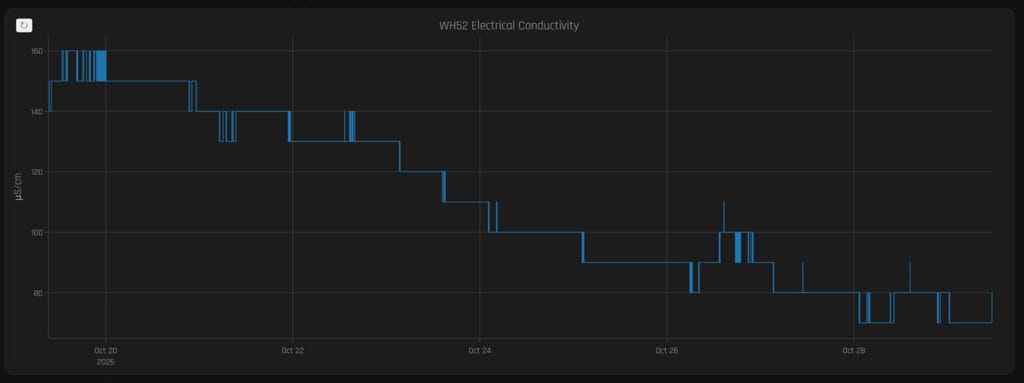
Less water in the soil means fewer paths for current to flow between the electrodes, so the reading drops even when the amount of fertilizer and dissolved salts stays the same. Interestingly, this is the opposite of what the Ecowitt manual describes, since it claims EC should climb as the soil dries and the dissolved nutrients become more concentrated in the remaining water.
Because of this, EC readings from the WH52 only make sense when you look at them together with moisture readings. A falling EC value on its own does not mean your fertilizer is running out, since it may simply mean the soil is drying. For that reason, the most useful approach is to compare EC values taken at a similar moisture level, for example a day after each watering.
Summary
Both the Ecowitt WH51 and WH52 are great soil moisture sensors. The WH51 remains just as relevant now that the WH52 is out. It is still a highly responsive and accurate soil moisture sensor, which stayed very close to the newer model in my tests. Both sensors also have a similar battery life and long wireless range. This makes them easy to place anywhere in a garden or greenhouse without worrying about coverage.
If you are not going the rtl_433 route, the GW1200 gateway is the simplest way to get these into Home Assistant. It’s affordable, small and easy to hide out out of sight. From there, you can add the sensors to Home Assistant with the official integration or with Ecowitt Local. Alternatively, you can set the gateway to upload its data to an MQTT broker directly, which gives you yet another fully local way to expose the sensors.
As for choosing between the two, both are well built, durable and accurate, so the decision really comes down to whether you need anything beyond soil moisture. If moisture is all you want to track, the WH51 does the job perfectly well for less. However, if soil temperature and EC are useful for you, the WH52 is worth the small price difference of $7 in the US and €6 in Europe.
Finally, keep in mind that neither sensor is locked or stuck to its factory defaults. You can calibrate both through the Ecowitt app, where the settings are stored on the gateway. Alternatively, you can correct the readings in Home Assistant itself with template sensors, which gives you full control over the values your automations use.
Frequently Asked Questions
Do the Ecowitt WH51 and WH52 work without a gateway?
Neither sensor has a display or Wi-Fi, so they cannot work on their own. To read the data, you need an Ecowitt gateway, a compatible console or an RTL-SDR dongle running rtl_433.
Can I use the WH51 and WH52 on the same gateway?
Yes. Ecowitt gateways treat both models as the same sensor type, so they share the same 16 soil channels. This also means the combined number of WH51, WH51L and WH52 sensors on one gateway cannot exceed 16.
Which Home Assistant integration should I use for the WH51 and WH52?
I recommend Ecowitt Local from HACS. It polls the gateway instead of relying on a webhook, gives every sensor its own device and keeps entity IDs stable through battery swaps. The official Ecowitt integration also works well, but it groups everything under the gateway and reports battery only as voltage.
Do the WH51 and WH52 report the same moisture level?
In my test, both sensors followed the same drying trend in the same pot, with the WH51 reading 1 to 3 percentage points higher. That difference stays well within the ±5% accuracy Ecowitt rates for both models.
Why does WH52 EC drop when the soil dries out?
The WH52 measures the conductivity of the soil as a whole, and current can only flow through water. As the soil dries, there are fewer paths for current between the electrodes, so the reading drops even when the amount of fertilizer stays the same. For this reason, EC values are best compared at a similar moisture level.
Do Ecowitt display consoles show WH52 temperature and EC?
No. The HP2550 and HP2560 only show soil moisture on screen, while consoles like the WS3900 and WN1980 upload WH52 data without displaying it at all. Soil temperature and EC are visible in the Ecowitt app, on ecowitt.net and in Home Assistant.
Do the WH51 and WH52 need the cloud to work with Home Assistant?
No. With the official integration, the gateway pushes data straight to Home Assistant on your local network. Ecowitt Local polls the gateway locally instead, while rtl_433 decodes the radio packets directly with a USB dongle. None of these methods require an internet connection.