

During a recent AliExpress search, I came across an exceptionally small Zigbee presence sensor. It measures only 33mm (1.30 inches) in diameter and 16mm (0.63 inches) in height. This makes it one of the smallest occupancy sensors I have ever tested for SmartHomeScene. It’s even smaller than the Apollo MSR-2, which held that title for a long time.
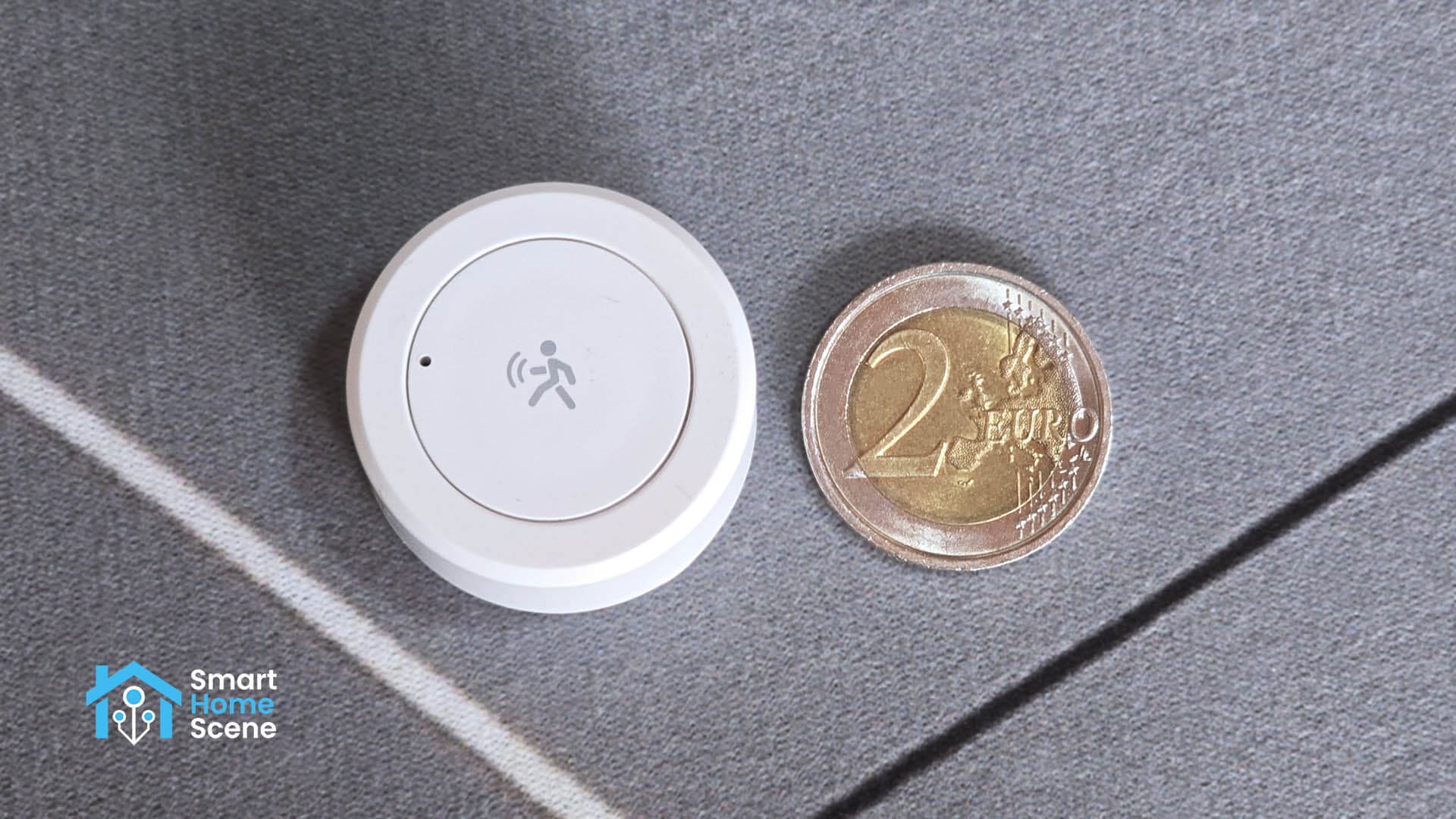
This device is white-labelled as the Hobeian ZG-204ZP and uses a 24GHz mmWave radar for static presence detection. It appears this sensor is related to similar battery-powered sensors floating around, two of which I’ve already reviewed: the ZG-204ZH and ZG-204ZM.
You can get the new ZG-204ZP on AliExpress 1, AliExpress 2 for about $10.
What’s Inside the ZG-204ZP?
The ZG-204ZP ships in a tiny box containing the device itself, a user manual, a pin for the pairing button and a sticker for installation. Everything is neatly packaged and arranged inside the box, with no wiggle room left.
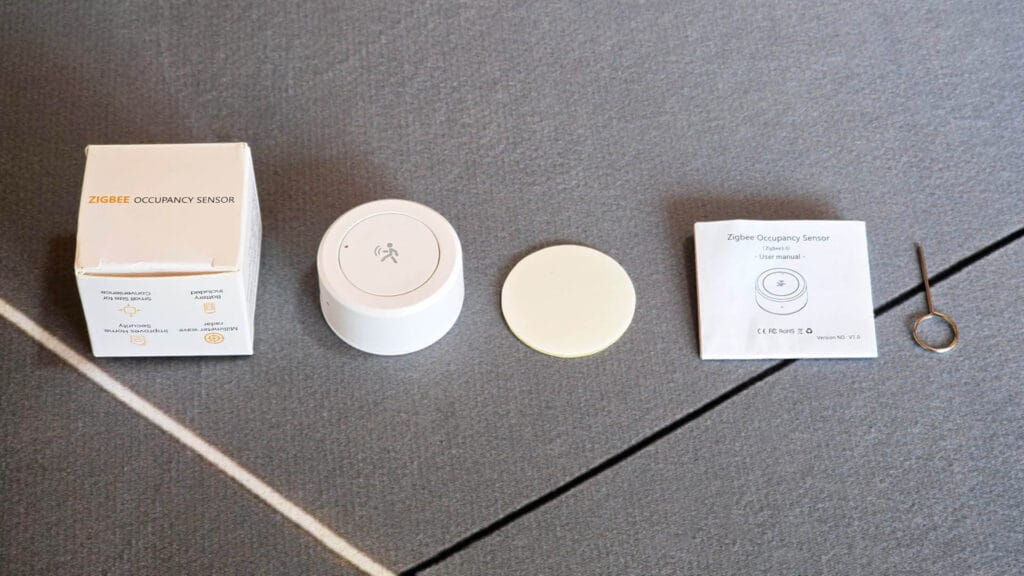
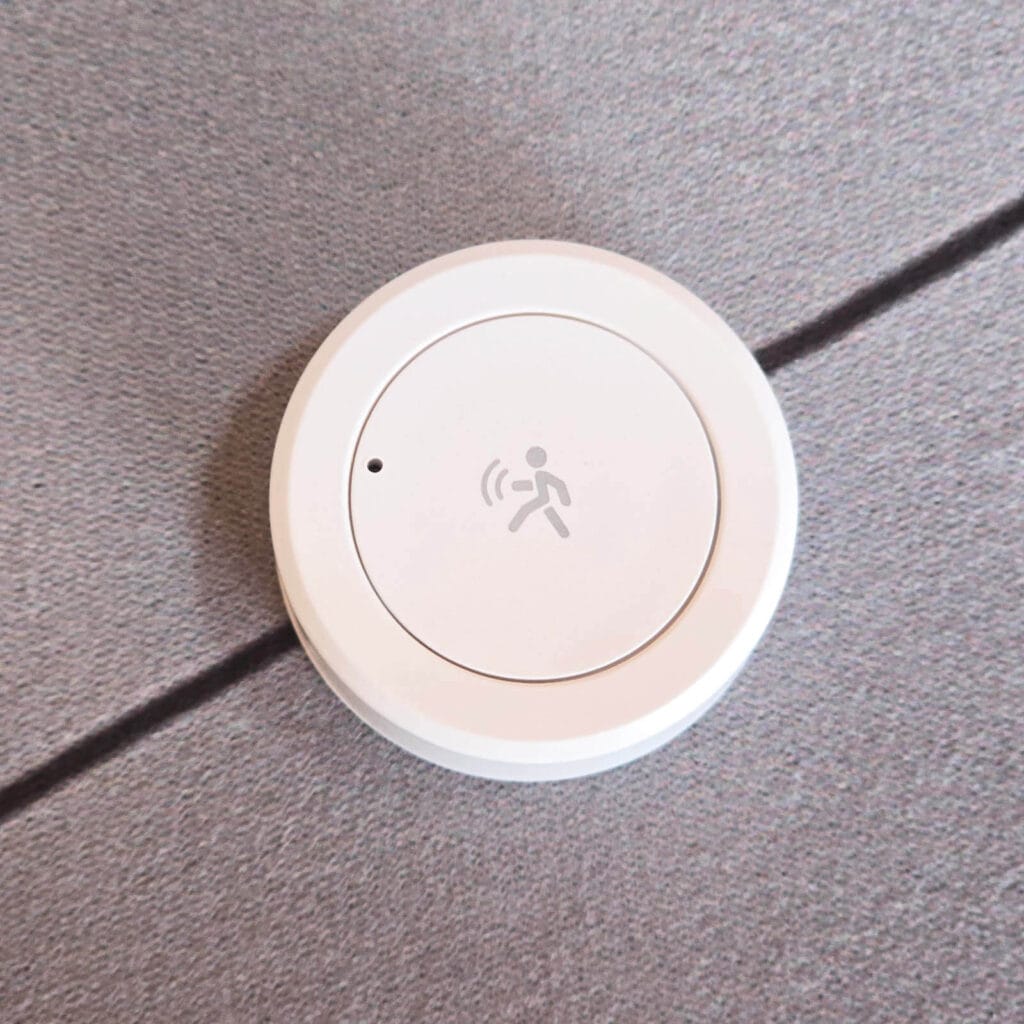
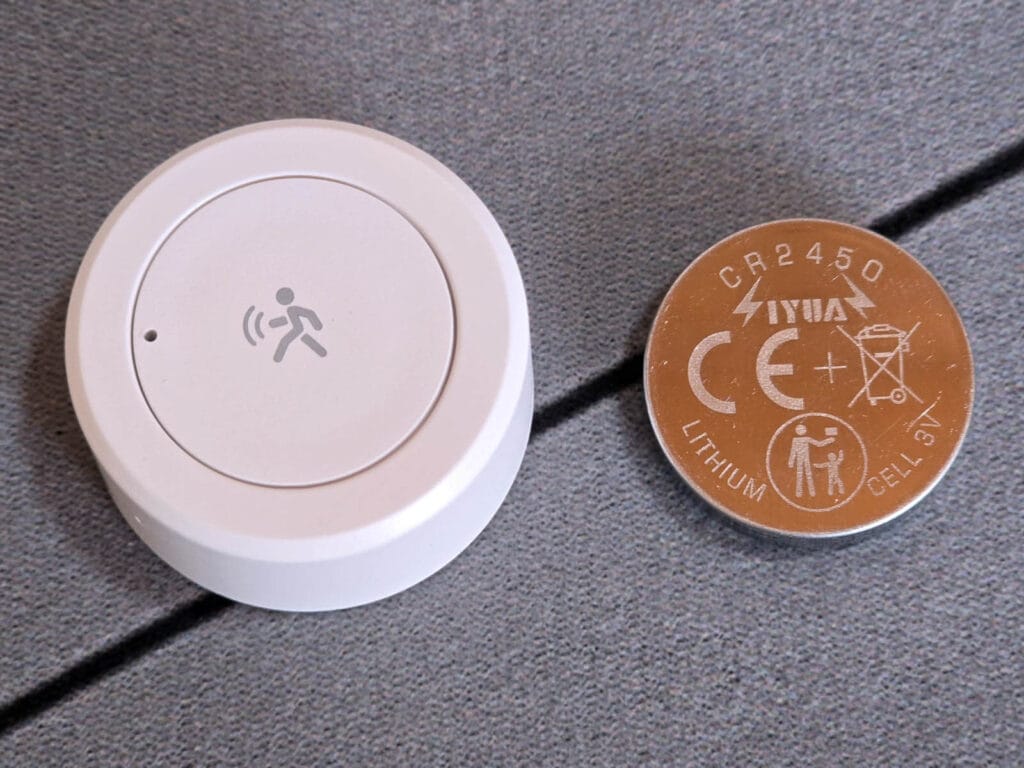
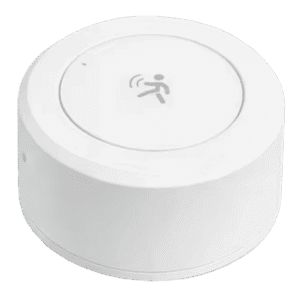
This sensor feels like holding a small wireless button. It’s light, it’s smooth and very simple in shape. My version does not have a rotating magnet stand (you can get it with one!) and can be installed only with a sticker. The front of the sensor has a small hole for the indicator LED, while the back has a battery cover that you twist to open. That’s it!
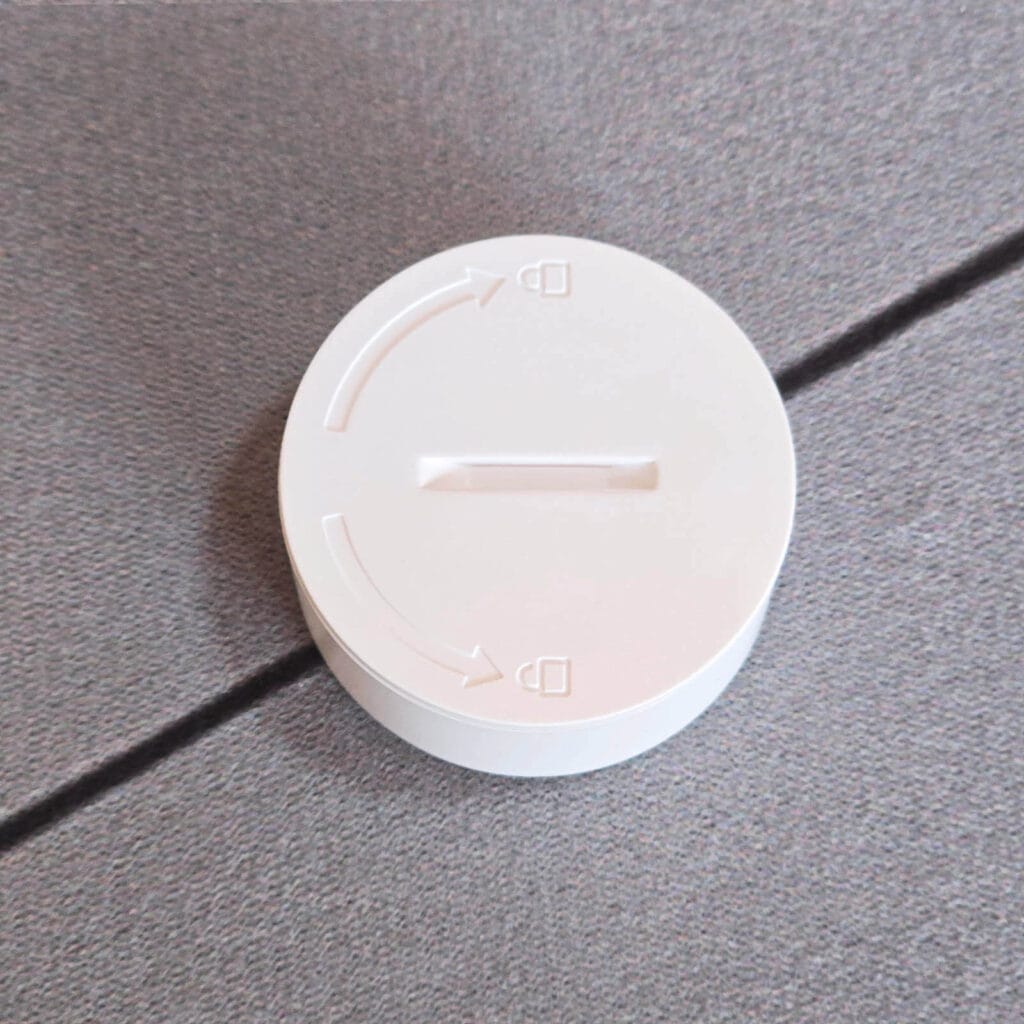
This device is powered by a single button cell CR2450 battery. The size of this battery perfectly illustrates just how tiny this presence sensor is. A CR2450 battery has a diameter of 24.50mm, while the sensor measures at 33mm. It’s just large enough to house the battery and small PCB with the mmWave radar. For reference, the 2 EUR coin pictured above is about 25.75mm in diameter.
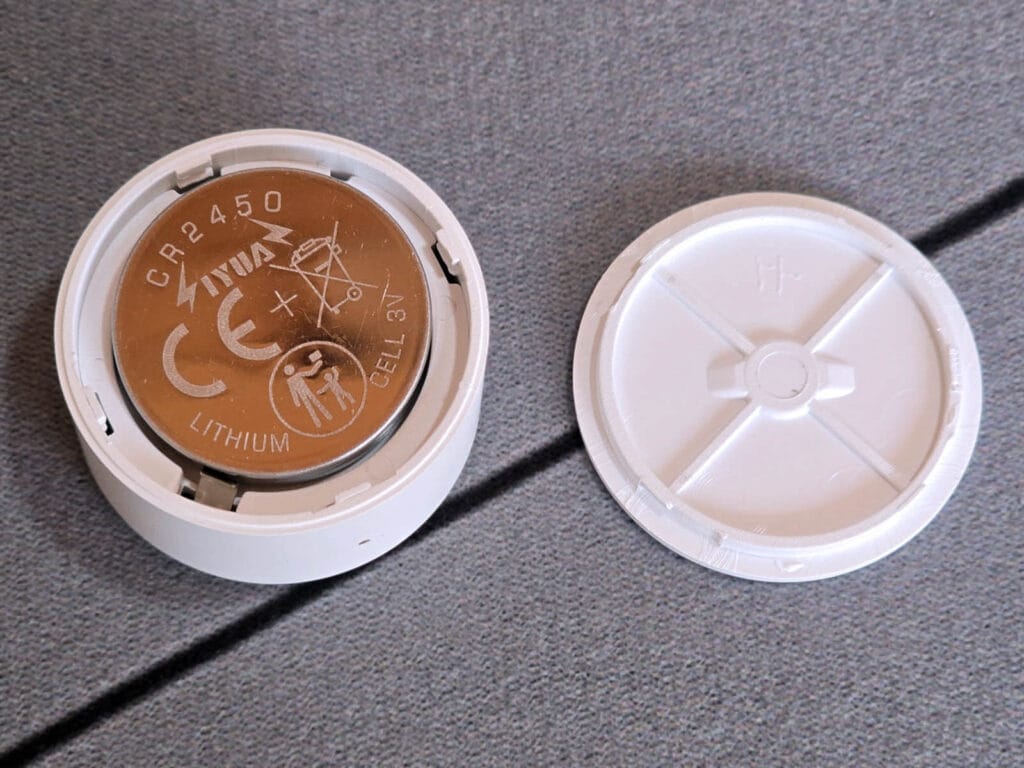
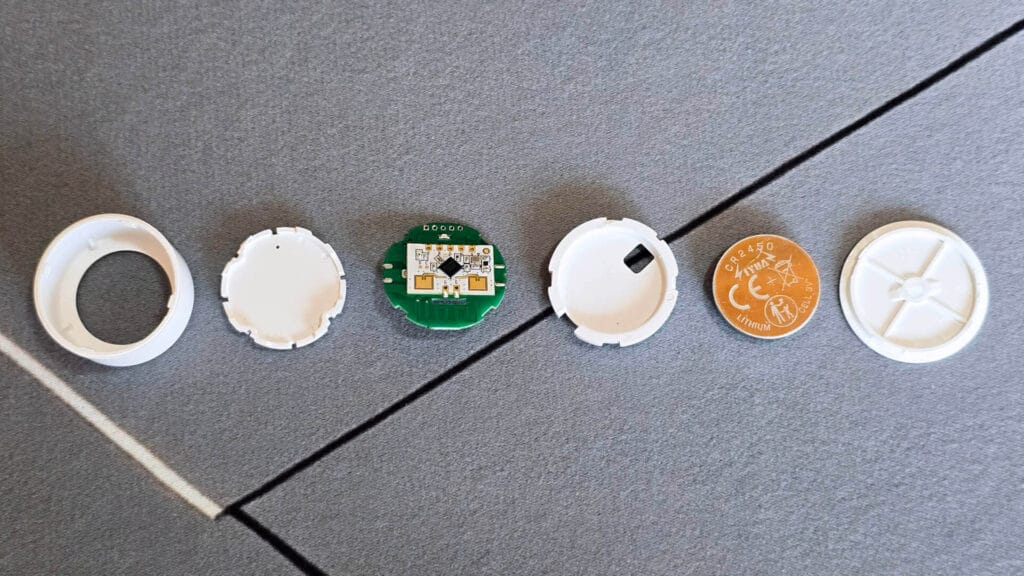
Being very careful not to damage the casing or PCB, I managed to open up the device with a small screwdriver. The PCB is quite impressive and even tinier and I had to zoom in to take better photos and identify all the components.
The ZG-204ZP uses the SkyRelay RC2412 [Datasheet] 24GHz mmWave radar. The RC2412 is a high-performance millimeter-wave radar SoC that operates within the 23.5GHz to 25GHz frequency range. It features a 1T2R configuration, meaning one transmit and two receive RF transceiver channels. I’ve encountered this mmWave radar in the Tuya ZG-204ZH as well as the pretty awesome Xiaomi XMOSB01XS BLE sensor.
For Zigbee connectivity, the ZG-204ZP uses the Telink TLSR8253 [Datasheet] onboard SoC. This multi-protocol chip features a 32-bit microcontroller and supports Zigbee alongside Bluetooth Low Energy. Telink chips are very low-power and are used in various Xiaomi temperature and humidity sensors, like the LYWSD03MMC or Qingping CGDK2.
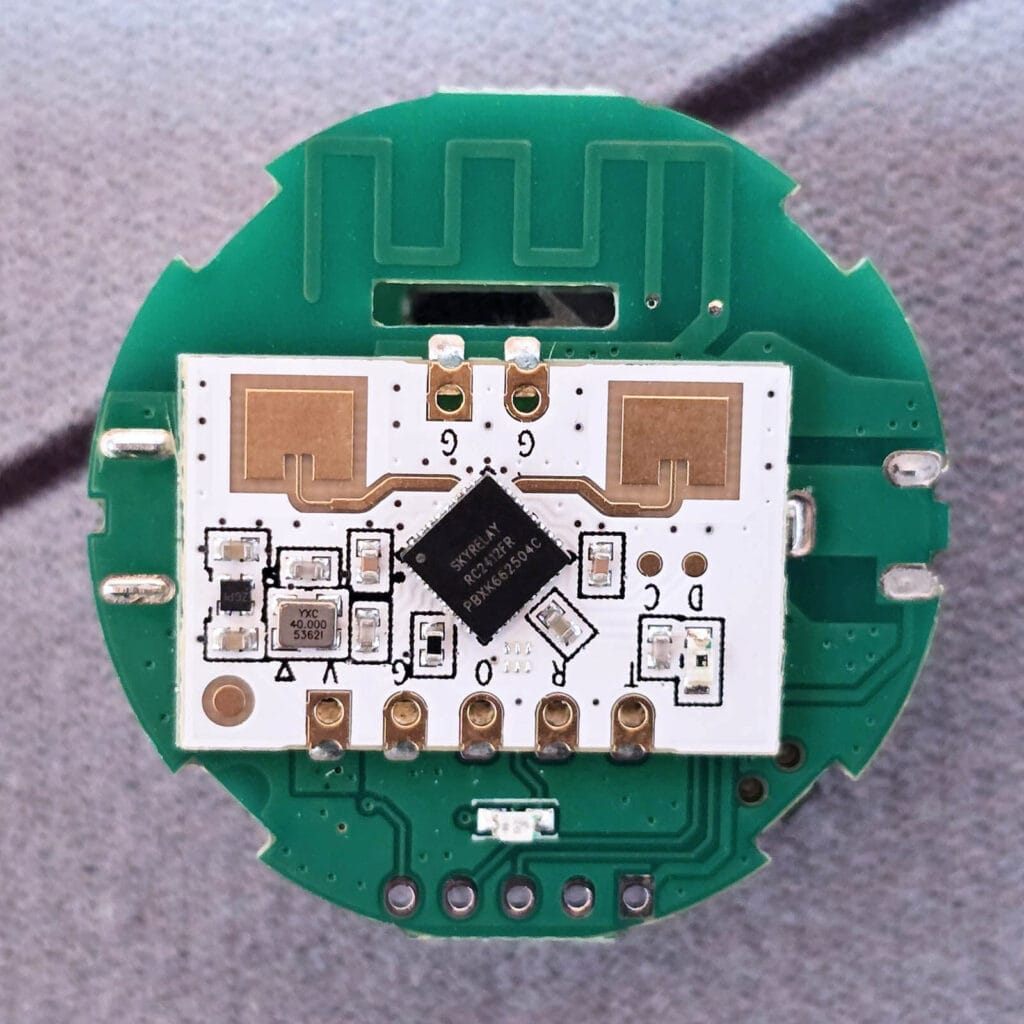
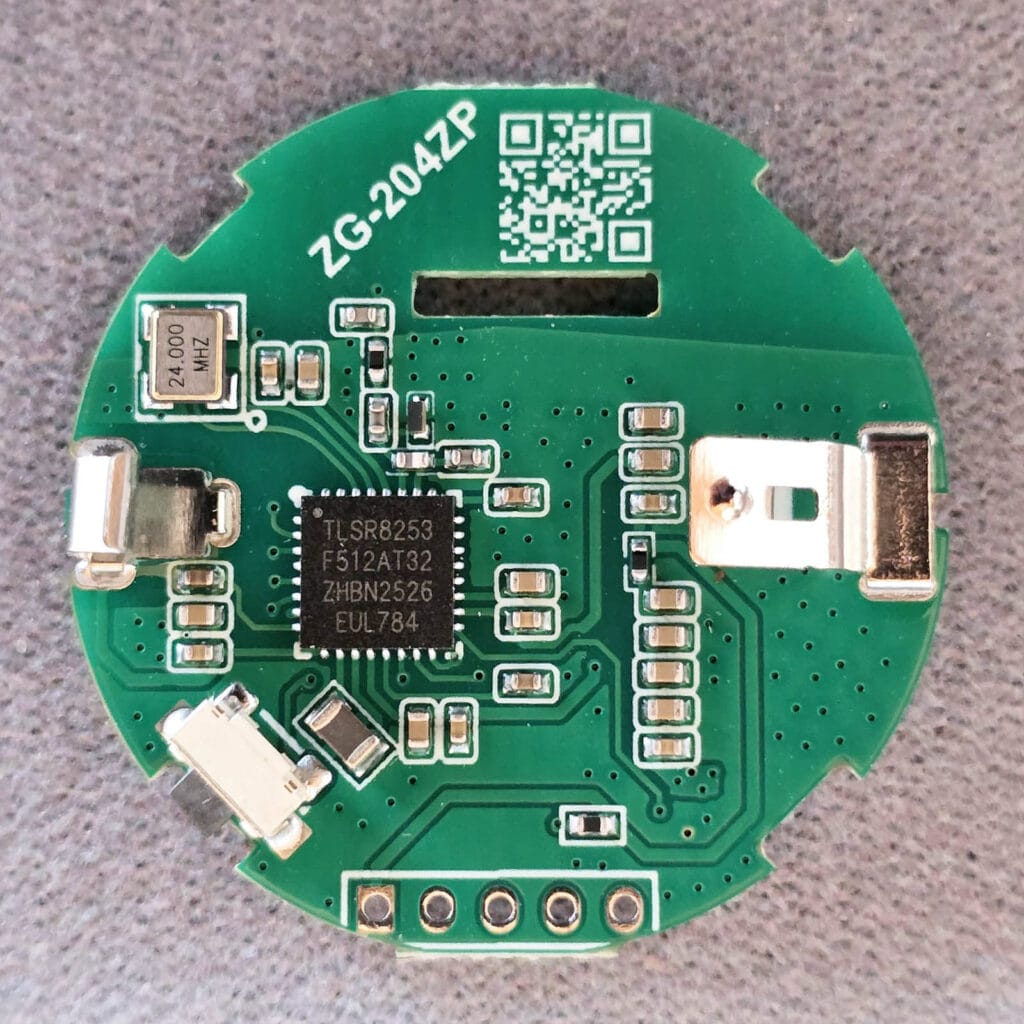
The small indicator LED sits just above the mmWave radar and lights up whenever presence is detected. You can turn it off in Zigbee2MQTT. I’d describe this device as a neat little presence sensor that doesn’t try too hard to be something it isn’t. Here’s what the ZG-204ZP looks like once fully dismantled:
Home Assistant Integration
The Tuya ZG-204ZP can be used with both ZHA and Zigbee2MQTT in Home Assistant, although ZHA requires a custom quirk for full functionality. To pair it to your coordinator, simply press and hold the button with the pin until the LED starts blinking red.
ZG-204ZP in Zigbee2MQTT
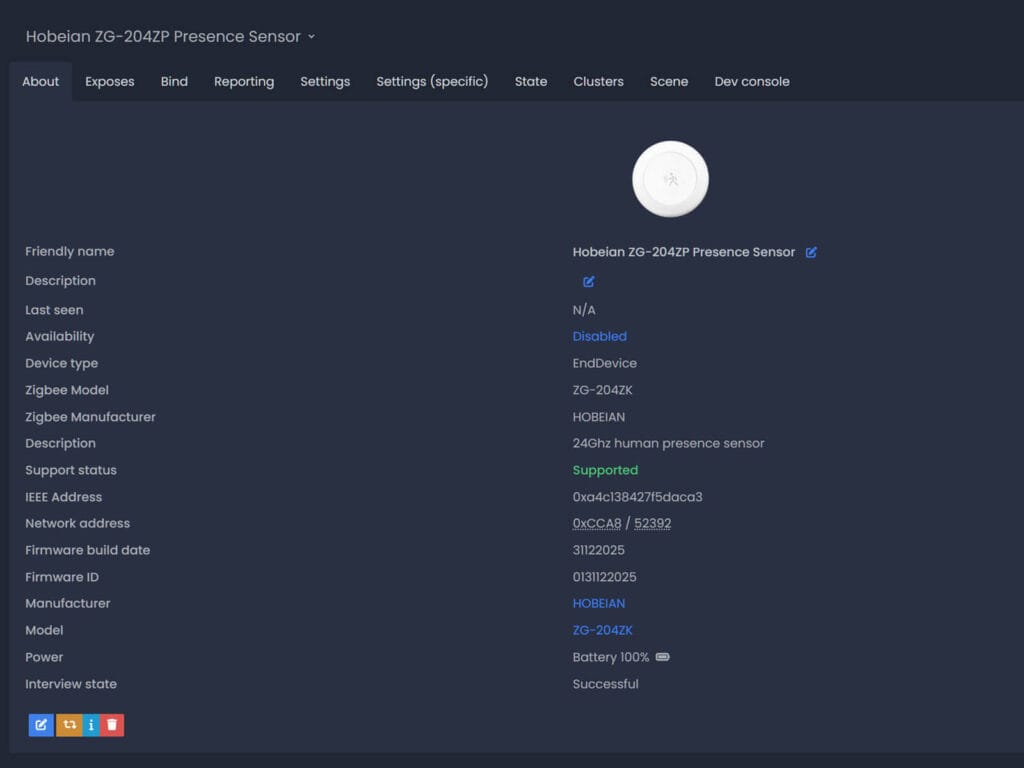
Once paired with Zigbee2MQTT, the device is identified as Zigbee model ZG-204ZK by manufacturer HOBEIAN. While the model is technically mislabeled, since my specific sample is the ZG-204ZP, the sensor pairs and operates properly.
It appears the model numbering difference reflects the target platform, as seen in the AliExpress listing. One version is likely intended for Zigbee2MQTT and the other for Tuya hubs. This is probably a certification distinction, and both versions should work with Z2M without any issues.
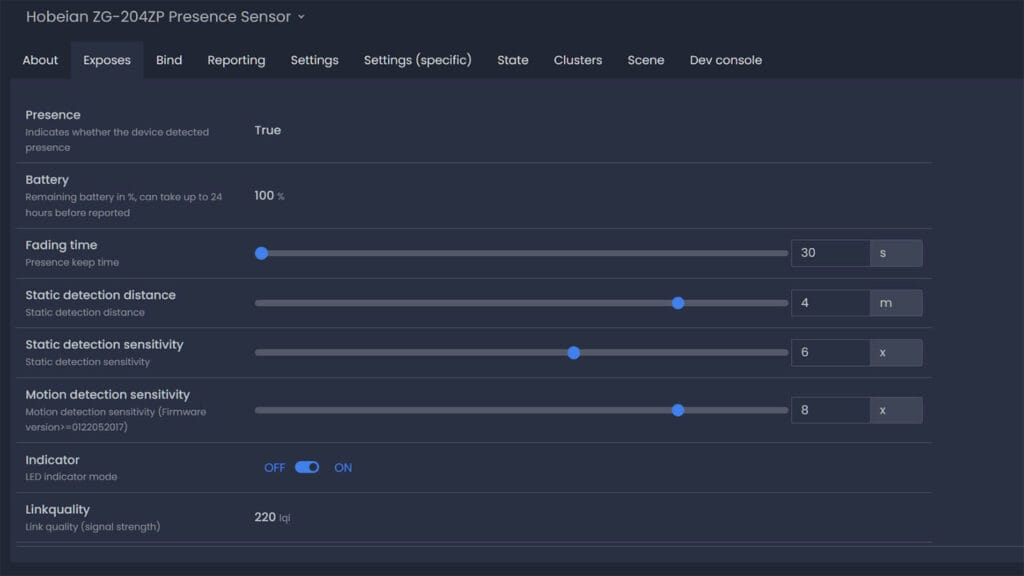
This device exposes a binary presence sensor, battery level percentage sensor and several configuration entities in Zigbee2MQTT. You can set the fading time, static detection distance, static detection sensitivity and motion detection sensitivity. Like I mentioned earlier, you can also turn off the LED indicator, which lights up for a split second when presence is detected. Per the manufacturer, it can take up to 10 minutes for the sensor to accept the new settings once a payload is sent.
ZG-204ZP in ZHA
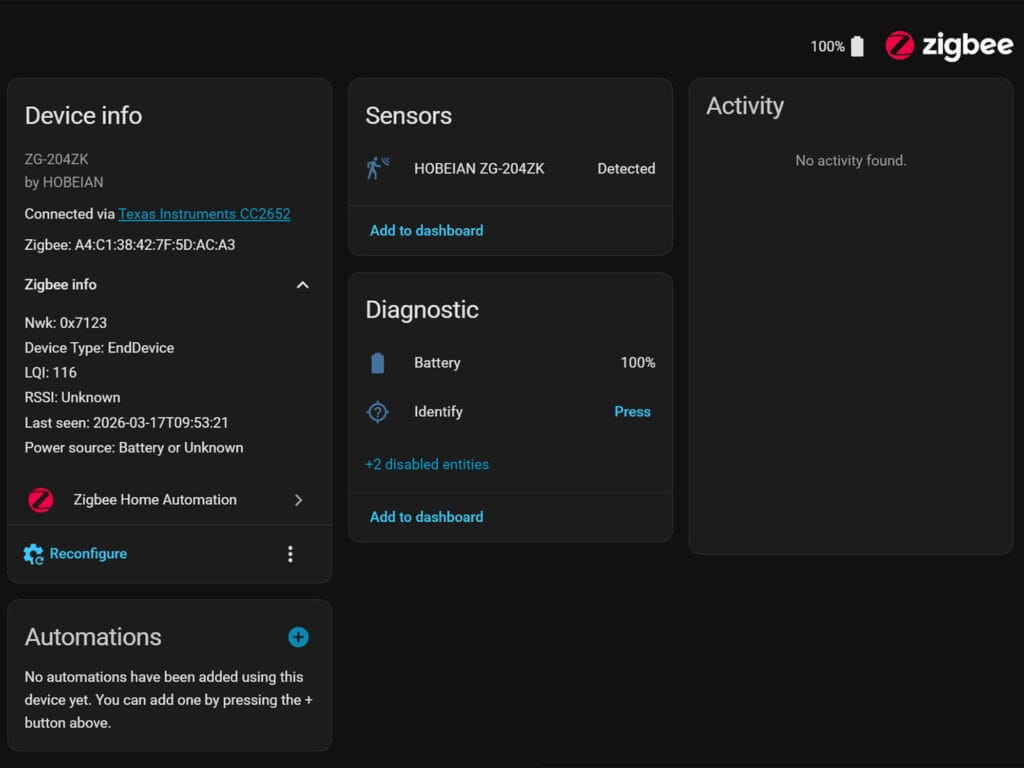
Once paired to ZHA, you simply get the binary presence sensor and the battery level sensor. No configuration parameters are exposed and you would need to develop a custom quirk or recycle a similar one to get them to show as entities.
Features of the ZG-204ZP
The Tuya ZG-204ZP has a maximum detection range of 5 meters at a 120° angle. I highly appreciate the fact that this tiny sensor does not try to be a jack of all trades and include live target distance tracking or an illuminance sensor. And here’s why.
Target distance tracking drains batteries very quickly due to the frequent reporting intervals needed for it to be useful. The Aqara FP300 is the only battery-powered sensor that does this correctly, by including a master toggle for the tracker. Live target tracking on a sensor powered by a CR2450 battery would be a disaster. It would be dead within a week.
And as I’ve said many times before, I find light-based automations completely overrated. They are rarely reliable and there is almost always a better way (if you really think about it) to achieve the same result without monitoring light levels. I’m glad the ZG-204ZP isn’t equipped with one.
Finally, the LED indicator flashes red whenever it initially detects motion or presence. You can turn it off via Zigbee2MQTT, which is useful to save battery and avoid annoyance each time you enter the room.
Testing and Benchmarks ZG-204ZP
Just like every other presence sensor I test, I installed the ZG-204ZP in my office. I tinkered with the parameters, but ultimately configured the presence keep time to 30 seconds and set the static detection distance to the maximum 5 meters. I also set both presence and motion sensitivity to 5x.
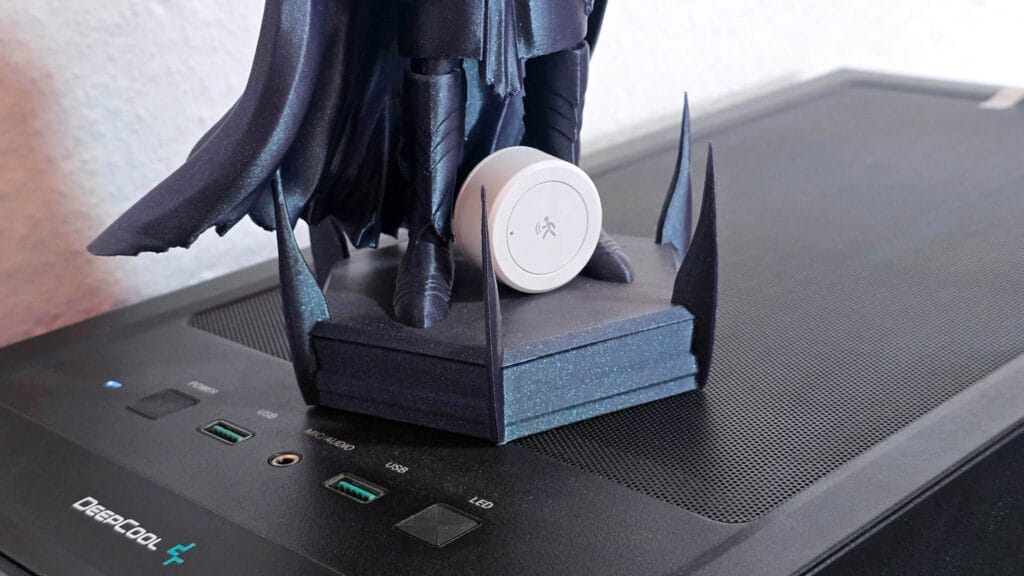
For my office desk, I don’t really need the 5 meter maximum distance. I was simply trying to determine the trigger speed of the sensor when I enter my office. I found the ZG-204ZP responds immediately when it detects you and works as a reliable trigger for automations.
Since this device lacks a dedicated PIR sensor, the motion sensitivity appears to work alongside presence sensitivity to trigger the main presence sensor more reliably. I found that false positives can be reduced or eliminated by adjusting the motion sensitivity slider. As this is the first internal parameter that updates before any state changes, you can tinker with it to fix false triggers if you have them.
On the other hand, the static presence sensitivity eliminates false negatives when you are near the sensor. For my desk, 5x sensitivity with a 30 second cooldown works perfectly without any false clears. When sitting at the other side of the room, I needed to boost sensitivity at 8x, otherwise I get an occasional false clear state. You will likely need to adjust these parameters to find the optimal state for your space. Which is true for any presence sensor, really.
Here’s what it recorded in Home Assistant next to the FP300:
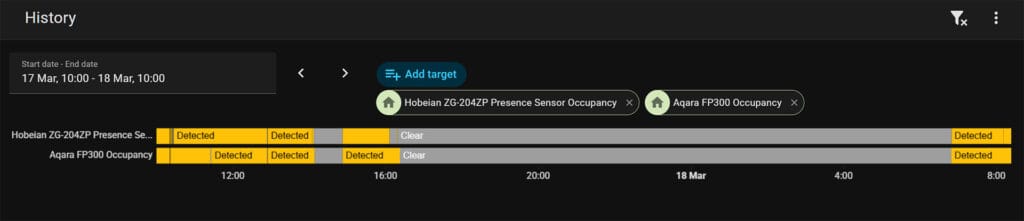
The Aqara FP300 works very reliably in my office already, as I have it fully configured in Z2M ever since I wrote about it. The ZG-204ZP performed on par with the FP300, with an occasional blip here and there. Since its radar is less powerful and I had sensitivity set at 5x, it did clear state before the FP300 in a couple of instances.
These were false negatives at a distance of about 4.5 meters rather than close range. You can solve this by boosting the sensitivity and range. On the flip side, there were no false positives for the entire 14 hours I was away from the office. The entity did not get stuck to True or False and it simply worked. Overall, this is commendable performance for such a tiny and affordable presence sensor.
Summary
The Tuya or HOBEIAN ZG-204ZP presence sensor turned out to be a very solid mini presence sensor. I say mini because of its size (33mm diameter), not because it underperforms. This is the smallest Zigbee 24GHz mmWave sensor I have tested so far.
In my office tests, it did just as well as the Aqara FP300 once I dialed it in. I highly appreciate the fact this sensor skips target distance tracking and the useless light sensor that usually kill batteries. It also works great with Z2M out of the box, although ZHA requires making a custom quirk if you’re up for it.
While the official range is 5 meters, I’d say the real number is around 4 meters. The sensor is fast and can be used as a reliable trigger for room automations. The tiny size and CR2450 battery make it a practical, no-nonsense device for Zigbee2MQTT users. If you want a tiny presence sensor for a small to medium-sized room without the extra fluff, I can comfortably recommend it.









Thanks for the great review! Do you have any idea how long the battery lasts?
Not really, but I have high hopes since there are no live sensors to update like lux level or target distance. My estimate is 8 months.
Thanks for the review. Does it suffer from spamming the zigbee network like some of the other tuya radar devices? https://smarthomescene.com/reviews/tuya-zigbee-battery-presence-sensor-zg-204zh-review/
No, not at all. It spends it time sleeping and since there isn’t an illuminance or target distance sensor to update, there’s isn’t any spam.
Thanks! (the first ali express link is down 🙁 )
Are there any lux sensors you recommend that would help with setting starting brightness for lights and tv? I think that’s one case where it’s not simply time of day and you would need lux levels
No, sorry I can’t recommend any.
As I’ve said Illuminance is overrated and I don’t use it, so I don’t know any good devices.
I Think that the battery is named 2450 because its 24 mm across, and 5 mm thick.
Yes exactly, but it also has 24.50mm diameter
Ali Link not working
It appear to be country dependent. Which country are u in?
Hey, it seems like on link 1 there are 3 models, which one did you choose?
TYPE 1: Alleen bewegingsdetectie. Ondersteunt NIET de Tuya/Smart Life-apps, Zigbee Hub vereist.
TYPE 3: Bewegings- en statische aanwezigheidsdetectie. Ondersteunt Zigbee2MQTT. Ondersteunt NIET de Tuya/Smart Life-apps, een Zigbee-hub is vereist.
Model 5: Bewegings- en statische aanwezigheidsdetectie. Inclusief beugel. Ondersteunt Zigbee2MQTT, Zigbee Hub vereist.
Choose Type 3 for Z2M or Type 5 for Z2M with bracket.
Did you have any trouble setting them up? I got two Type 5’s and I can get them into Z2M, but they never work after that. Never checks back in with the controller (last seen never updates) and HA occupancy shows Unknown. Paired them both like 10 times.
Can you try pressing the button with the PIN once so you force send a payload?
Seems like the interview is not finishing properly as it’s a battery-powered sensor and goes to sleep.
I just set one up and in Home Assistant it has sliders for Motion detection sensitivity and static sensitivity that were both set to zero. I slid them up to 3 and now it detects motion.
This looks interesting – thank you for the review.
You’re welcome, cheers!
Any idea how this would do with minor obstructions? i want to use it in a bathroom, but need to be able to track if someone is in the shower, through the shower curtain.
It would produce false triggers from the curtain moving.
honestly, thats not a bad thing, as long as it gets triggered when someone is IN the shower, then it just needs to keep the lights on.
I had a cheap, 10ghz, and i found that it was fast, but wouldnt detect someone in the shower, so i had to put a long safety timer on it. I moved to a switchbot, which DOES detect someone in the shower, but is slow.
Will it work for detecting pigeons?
(You see where I am coming from)
I ordered the exact same model and it is recognized as ZG-204ZK as well, only mine only shows Alarm 1, Alarm 2, Tamper and battery level. Alarm 1 activates when occupance is detected, but I can’t seem to change any range settings etc
Is there anything I’m missing here?
I’ve even updated Z2M for this, to no avail