

What Is the Zigbee USB-C Smart Switch
This device is an interesting Zigbee-controlled USB smart switch that I found on AliExpress. It’s not a power adapter or a Zigbee dongle you plug into your Home Assistant server. This plugs into a power adapter, computer port or power strip instead. You control its output ports with on and off commands through Home Assistant, cutting power and data to the attached device.
The USB smart switch doesn’t boost, invent, or generate any charging capability on its own. It just lets you control power delivery or data transfer to two ports from Home Assistant, and as I found out during testing, it also passes fast charging straight through.
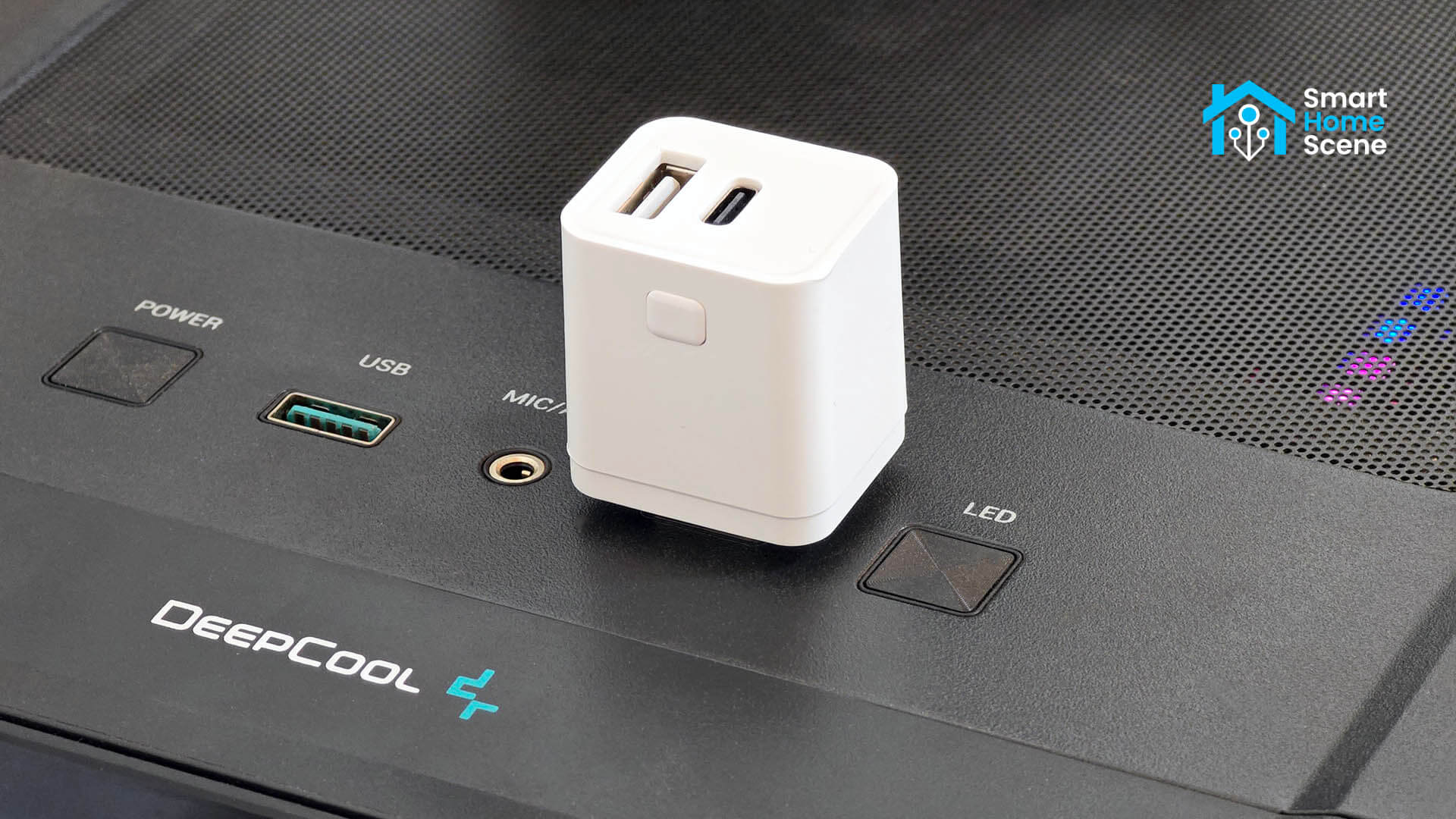
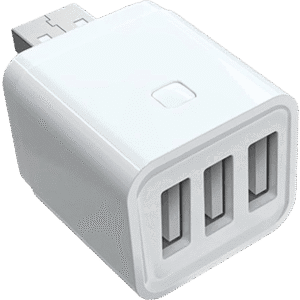
My test unit uses a USB-A male input plug, with one USB-A female output and one USB-C female output on the back. It’s also sold in USB-C input versions, and in single-port, dual-port, and triple-port output configurations. I’ll cover all of that below.
I got if off AliExpress for $11, but you can also find it on Amazon US, Amazon DE, Amazon UK or Amazon NL.
Size and Build Quality
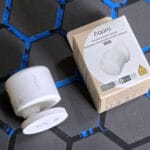
This USB smart switch measures 33 x 30 x 26mm in size. It’s small enough to sit in a USB power strip without blocking the next port, though that depends on your strip’s spacing and port orientation. It ships in a tiny box along with a small user manual. Nothing else is included as nothing else is needed.
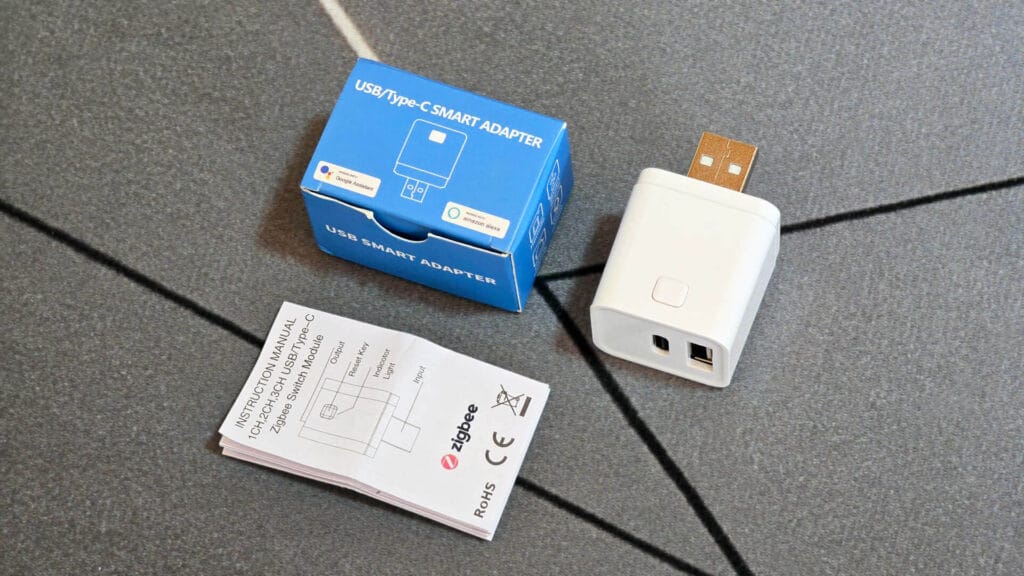
The device is made from ABS+PC plastic, rated V0 for fire resistance. That’s a good sign for something that sits plugged into mains power or computer around the clock. It feels compact and solidly build in hand, no creaking or flex when I press the button.
Pairing and Zigbee2MQTT Setup
Pairing is fast and painless with Zigbee2MQTT. You hold the button for 10 seconds until the LED starts blinking, and it joins the network within seconds. I use the SLZB-Ultima 3 coordinator for this test network and the latest Zigbee2MQTT dev build.
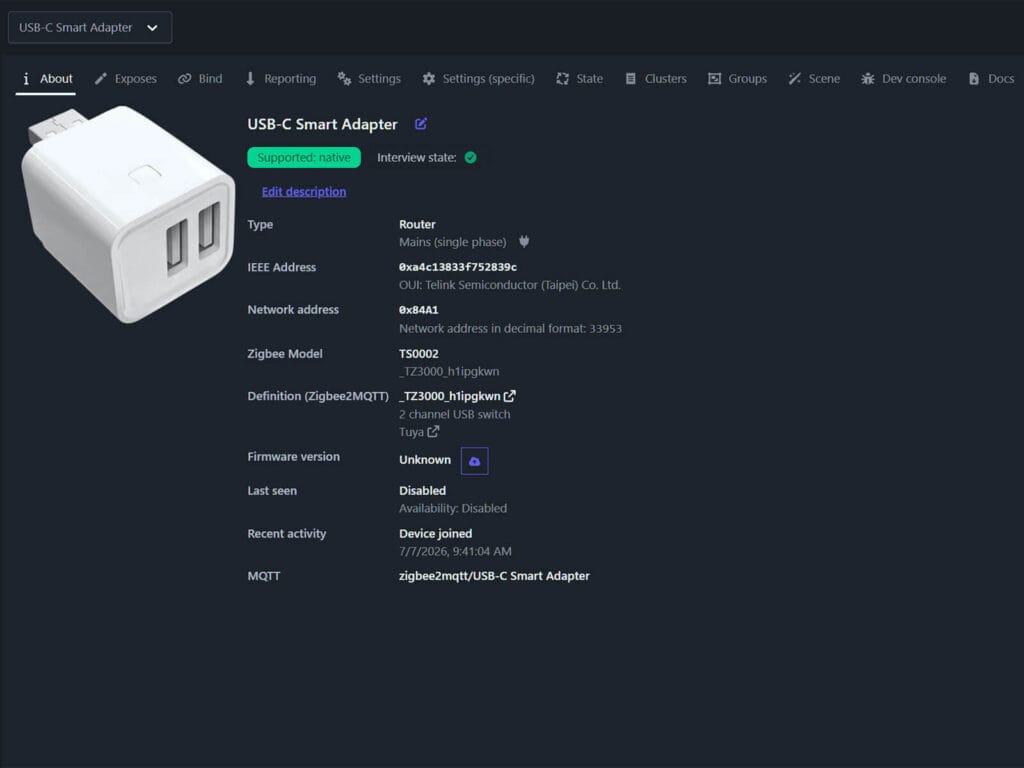
It’s recognized natively as model TS0002, manufacturer string _TZ3000_h1ipgkwn, and shows up as a Router device type. That means it’s mains-powered and will help repeat Zigbee signal for other devices on your mesh, the same way any smart plug does.
Pairing and ZHA Setup
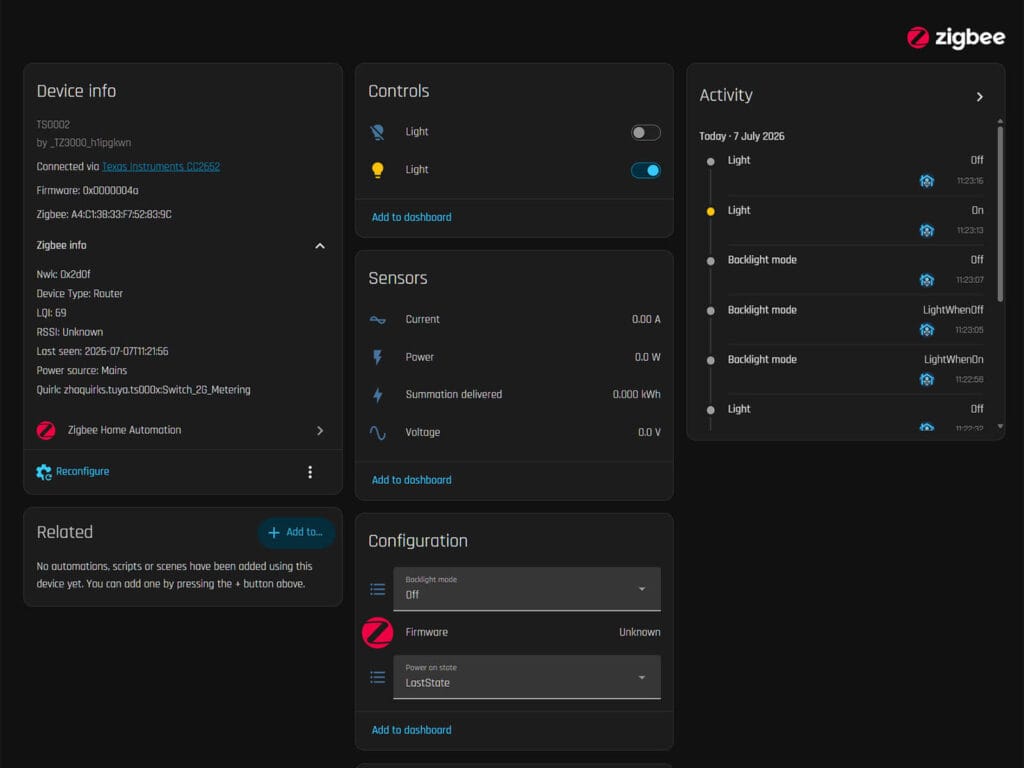
This USB smart switch is also supported in ZHA, but with a caveat. It automatically applies a custom quirk that enables energy metering. That’s a mistake. This adapter does not actually support energy metering. The values will stay at 0 no matter what you attach to it.
Independent Port Control
In Zigbee2MQTT and ZHA, each output port shows up as its own switch. You can turn one port off and leave the other on, straight from Home Assistant or Zigbee2MQTT, with no shared state between them.
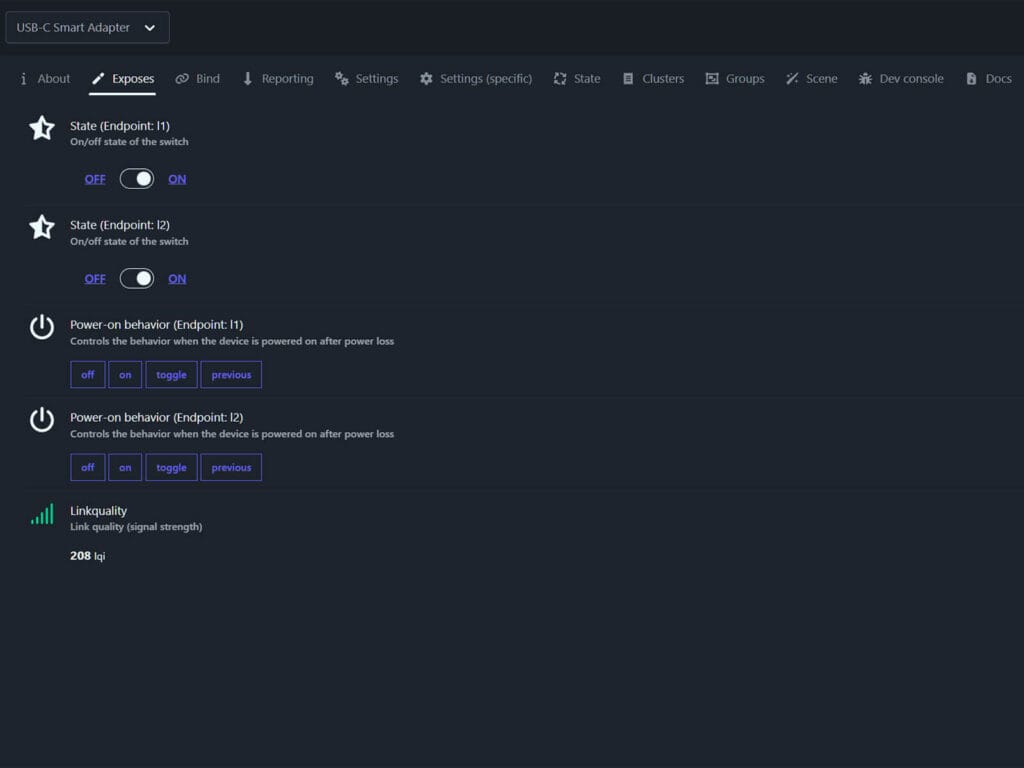
The physical button on the device doesn’t work the same way. Press it, and both ports toggle together. So software control is independent, but the manual button is an all-or-nothing switch. Good to know before you plan any automations around it.
The individual port control matters more than it sounds, because not every USB Zigbee plug on the market can do this. I tested the Moes Dual USB Zigbee Socket a while back, and its two USB ports can’t be controlled separately at all. One switch runs the main relay, the other runs both USB ports as a pair. This USB switch fixes that limitation entirely.
Power-On Behavior Per Port
Each port also has its own power-on behavior setting, exposed in Zigbee2MQTT as off, on, toggle, or previous. You can set port 1 to always come back on after a power cut, while port 2 stays off until you turn it on manually.
This is useful if you’re powering two different kinds of devices from the same switch. Say one port feeds a router or a sensor that should always come back online after an outage, and the other feeds something you only want running when you say so. You don’t have to choose one behavior for both.
Fast Charging and Data Transfer
Here’s the part I wanted to explain properly, because it’s easy to get wrong. The smart switch adapter itself does not generate or negotiate fast charging. It’s not a fast charger. What it does is act as a pass-through device for whatever it is plugged into.
I confirmed this directly. Plugged into a PD or QC-capable wall charger, my phone reported fast charging through the adapter, with no visible drop in speed. Plugged into a plain PC USB port instead, fast charging stopped, exactly as you’d expect from that PC port on its own, with or without the adapter in between.
To get some real numbers, I plugged the adapter into a PD/QC 20W charger with a USB power meter, with nothing else drawing from the same strip. Before plugging in, the meter sat at zero. The moment I connected the adapter and started charging my phone, it jumped to 9.1V at 1.80A, working out to around 16W.
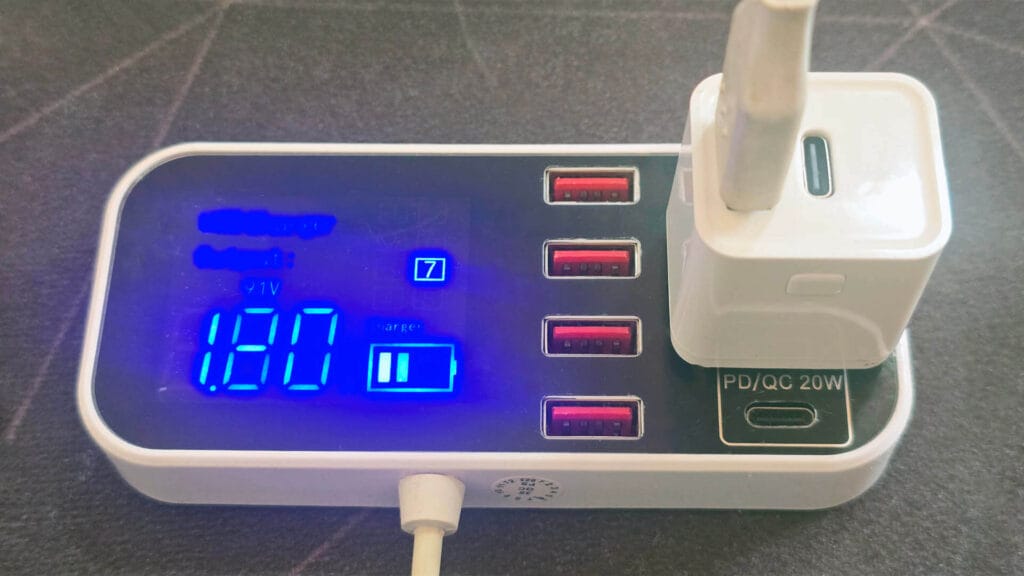
That voltage number tells the real story. A dumb charger or a blocked pass-through only ever outputs a flat 5V. Seeing it jump to 9.1V means a real fast charge negotiation happened between my phone and the charger, and the Zigbee adapter sat in the middle without getting in the way of it.
So the takeaway is simple. This adapter won’t make a dumb charger fast, and it won’t slow down a fast one. It just gets out of the way and lets the negotiation happen between your device and whatever’s actually feeding power in.
The USB-A output port also passes data, not just power. I tested a data cable through it and file transfer worked normally. So if you’re using this to smart-switch a USB hub, an external drive, or anything else that needs a data connection and not just a charge, this port handles it.
Output Power Per Port
This is the part most listings don’t explain clearly, so here’s exactly how it works based on my testing and the specs.
- The single-output version has a 2.5A budget, and that one port can use the full 2.5A on its own.
- The dual-output version has a 3A total budget. If only one port is drawing power, that port can pull up to 2.5A. But the moment both ports are active at once, each is capped at 1.5A, since they’re sharing that same 3A pool.
- The triple-output version also has a 3A total budget. One port active alone can still hit 2.5A. When all three are active together, each is capped at 1A.
Put simply, the higher number only applies when only one USB port is working. Once you plug in more devices at once, the adapter splits the power between them to stay within safe limits. So if you’re charging two phones off the dual-port version at the same time, don’t expect 2.5A on each. Expect 1.5A each.
Which Variant to Buy
This USB smart switch comes in a lot of port combinations, so don’t just buy the first one you see. Start with the input plug, since that’s the only fixed choice. It’s either USB-A or USB-C, so pick whatever works for you.
From there, the output side varies a lot between listings. Some have one port, some have two, some have three, and the port types on the output side don’t always match the input. You might see a USB-A input with USB-C outputs, or a USB-C input with USB-A outputs, or any mix in between.
My advice is simple. Think about what you need this USB switch for and get a matching version. And whatever variant you pick, remember the shared power budget I explained earlier. The Sonoff ZBMicro is a similar USB switch that you might want to read about first.
Also on AliExpress 2, AliExpress 3, Amazon DE, Amazon UK, Amazon NL, Amazon FR.




If more than one data-capable device is connected to its outputs and turned on, how do you control which device passes data to its input?
I just checked and only the USB-A port passes data on this particular model.
Great thinking and thanks for catching that.
I just wish they would create a Thread version. I need one to power cycle my SMLight Zigbee coordinator that freeze once in a while…
(I don’t want to buy the WiFi version)
I am confused between this and tuya power monitoring plugs. Both cost almost exactly the same. Both act as routers. This need USB power source and that will be plugged in the wall socket. I have few of tuya TS011F_plug_3 and other plugs both in Z2M and ZHA networks.
Please also review the custom zigbee firmware being worked on by pvvx and others dev for tuya devices.
I bought a few of the 3xUSB-A version and as you explained; if connected to a 5V non-PD USB port, and all three ports are populated, the juice for each port becomes next to useless. The device cannot be blamed for this, but it’s important to be aware of.
However, what’s worse is that after a while, the center port on all but one device (I had 5) began to fail. Don’t know why. That port could also no longer be controlled (on/off).
In addition, these devices too often failed to reconnect to MQTT whenever the broker was restarted. I often had to re-pair them manually, a problem I do not have with any other ZB devices.
I tried to use them, but when it switched off power, the switch used so minimal energy that the GaN charger feeding it in it’s turn switched of the power to the feeding USB port. ;-(
So I had to go back to the traditional Zigbee wall plug with a dedicated USB charger.
Does it allow USB 3 speeds such as 5 Gbps or 10 Gbps?
No, it does not.
What about ZHA?
It works with ZHA too:
https://smarthomescene.com/reviews/zigbee-usb-c-smart-switch-with-fast-charging-and-data-transfer/#pairing-and-zha-setup