

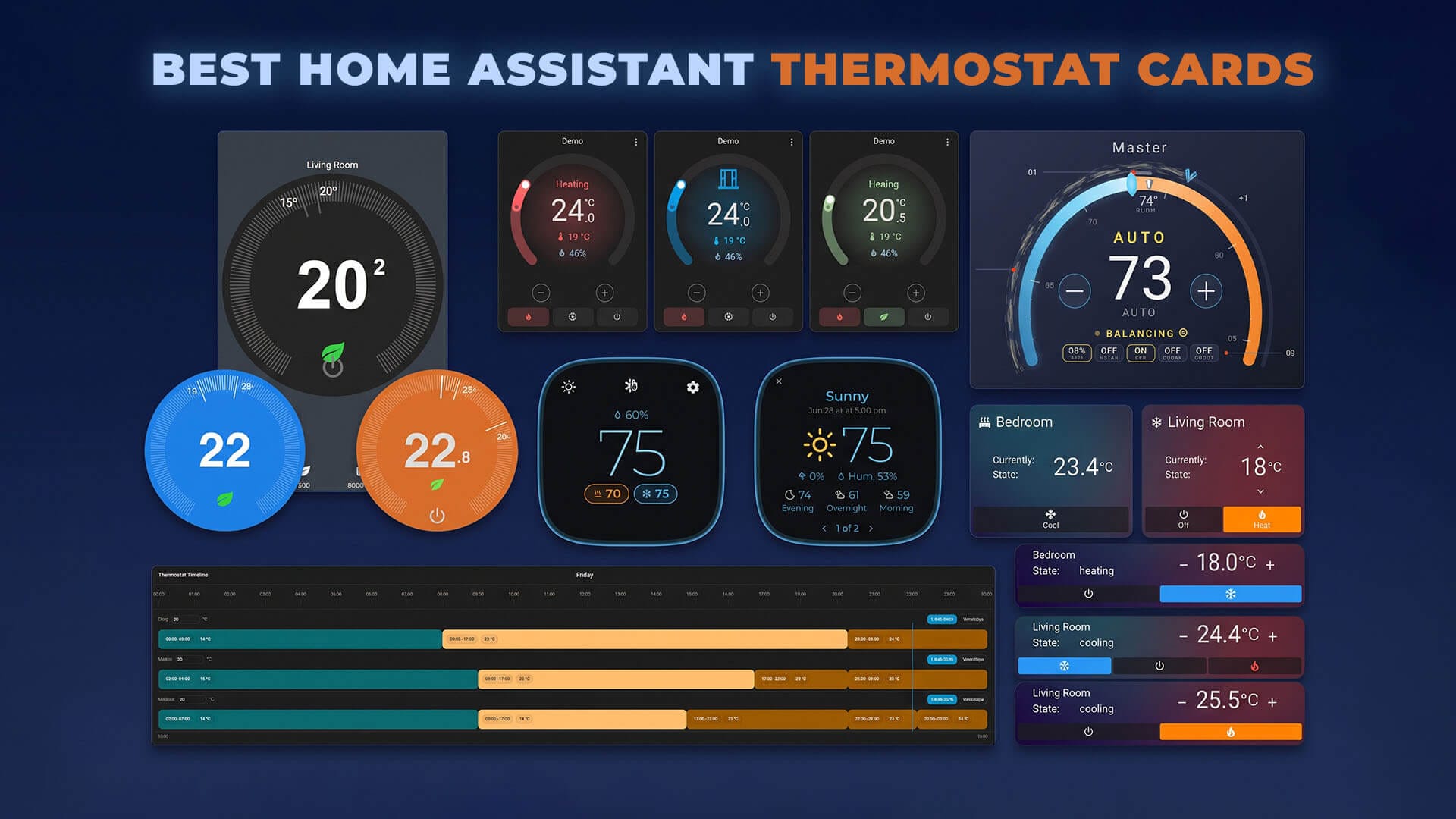
UPDATED 13.10.2026: This post is a collection of the best thermostat cards for Home Assistant available in the community store (HACS). Each entry has a short overview of the card, its main features and a direct HACS link for quick installation. All credit goes to the developers who made them.
For related collections, check these out:
- Best Home Assistant Dashboard Themes
- Best Tablets for Home Assistant Dashboards
- Home Assistant Light Cards Collection
- Top 10 Home Assistant Weather Cards
- Best HACS Integrations for Home Assistant
- Best HACS Integrations for Data Lovers
8. Thermostat Pro Timeline
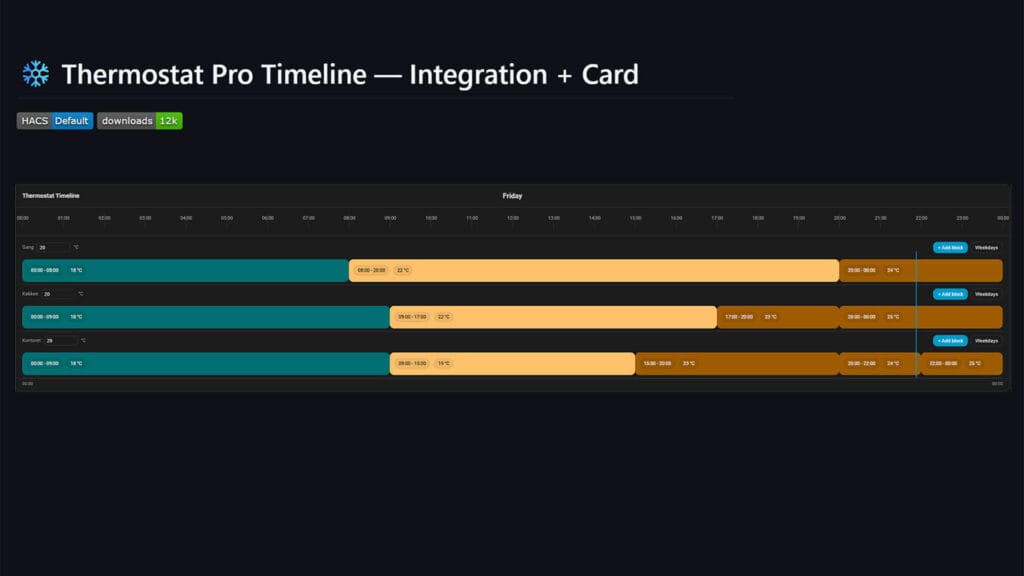
Thermostat Pro Timeline is a scheduling tool first and a thermostat card second. It pairs a custom integration with a card that shows every room on a 24-hour timeline. You draw heating and cooling periods as colored blocks and edit them with a double click. The integration stores the schedules centrally and keeps applying them even when no dashboard is open.
This one goes far beyond a basic schedule. It handles weekday groups, named profiles, presence-based setpoints, holidays from a calendar and separate summer and winter schedules. If you heat with TRVs across many rooms, this card replaces a pile of automations.
- Features:
- Visual 24-hour timeline for multiple rooms
- Weekday, holiday and seasonal schedules
- Presence and away mode with delays
- Open window detection
- Boiler control with hysteresis
- Made By: qlerup
- GitHub: qlerup/thermostat-pro-timeline
7. Simple Thermostat Card
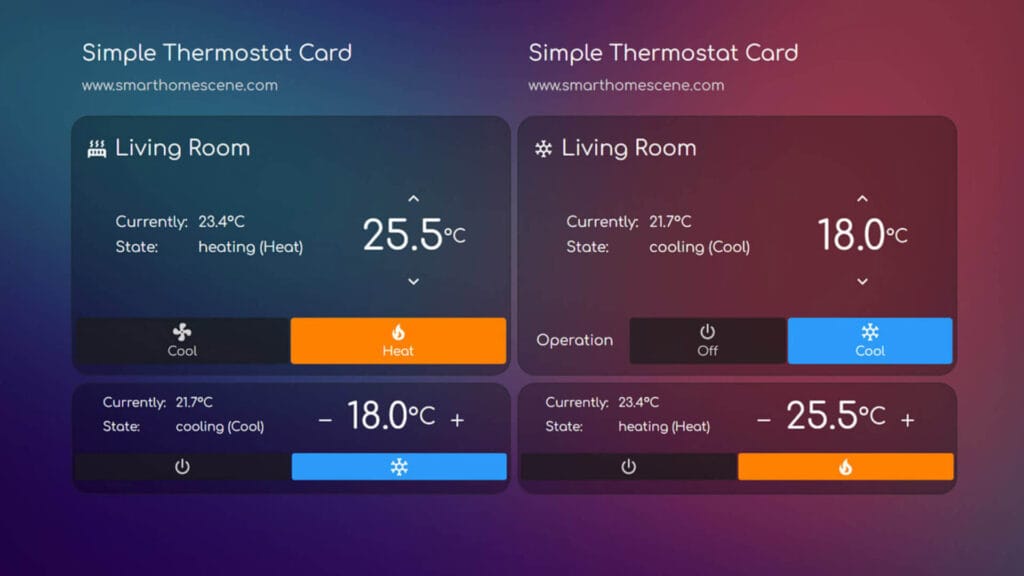
Simple Thermostat was one of the most popular climate cards for years, until the original project went quiet. This community fork keeps it working with current Home Assistant releases and adds a lot along the way. The compact look stays the same, with the target temperature, plus and minus buttons and a row of mode buttons.
Version 4 adds support for fans, humidifiers and dehumidifiers, so one card style covers your whole climate setup. A new group card lets you switch between several thermostats in the space of one card. Setup now happens in the visual editor, with YAML kept for advanced tweaks.
- Features:
- Climate, fan, humidifier and dehumidifier support
- Group card for multiple devices
- Extra sensor rows inside the card
- Dual setpoints for heat and cool
- Visual editor setup
- Made By: Wheemer
- GitHub: Wheemer/simple-thermostat
6. Better Thermostat UI Card
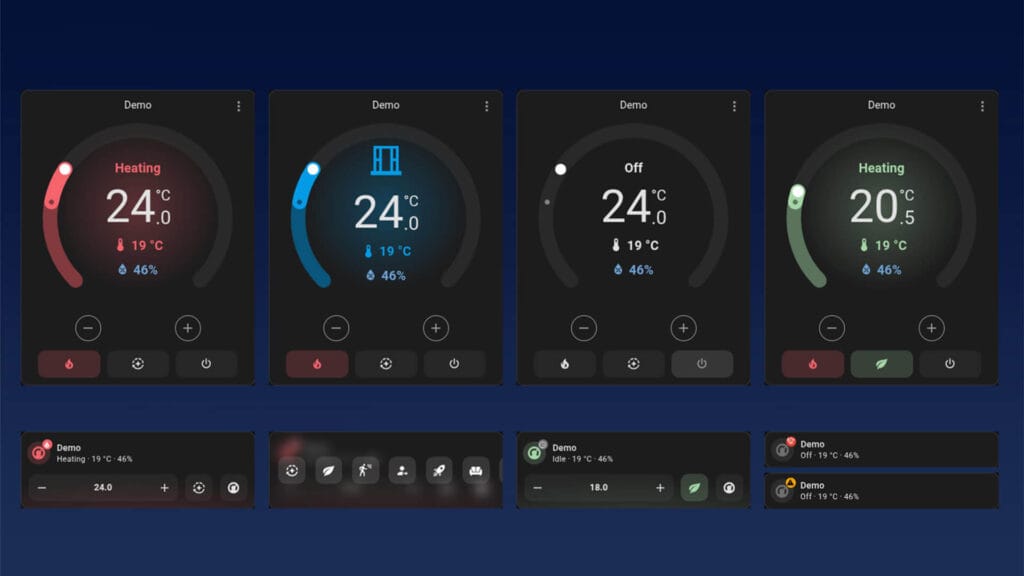
Better Thermostat UI Card is the companion card for the Better Thermostat integration, which improves how TRVs regulate a room. The card now comes in two versions, a full arc dial and a compact Mini card. Both show the extra status the integration provides, like an open window or summer mode.
You can use it with any climate entity, but it works best with Better Thermostat 1.8.0 or newer. Colors are customizable per HVAC mode and per preset, straight from the visual editor. It is also translated into more than 20 languages.
- Features:
- Normal arc dial and compact Mini variant
- Window open and summer status from Better Thermostat
- Eco preset toggle
- Custom colors per mode and preset
- Humidity display
- Made By: KartoffelToby
- GitHub: KartoffelToby/better-thermostat-ui-card
5. Ecosee Thermostat Card
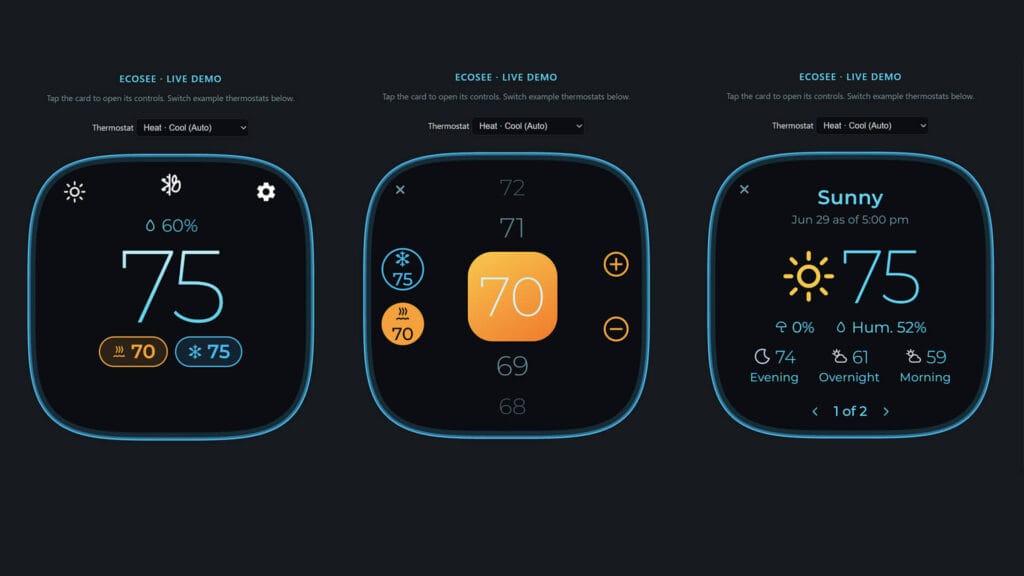
Ecosee is a full-screen thermostat card inspired by the ecobee interface. It shows a large current temperature, the room humidity and rounded setpoint pills you tap to adjust. A soft glow runs around the edge of the card while the system is heating or cooling.
Each control opens over the home screen and returns to it after a few seconds without input. You get screens for modes, presets, fan, room sensors and a weather forecast. There is also an optional standby clock, which makes it a good fit for a wall tablet. You can try it in your browser through the live demo before installing.
- Features:
- Large ecobee-style temperature display
- Edge glow while heating or cooling
- Weather, room sensor and fan screens
- Optional AQI and UV gauges
- Standby clock for wall tablets
- Made By: razzamatazm
- GitHub: razzamatazm/ecosee
4. Mini Climate Card
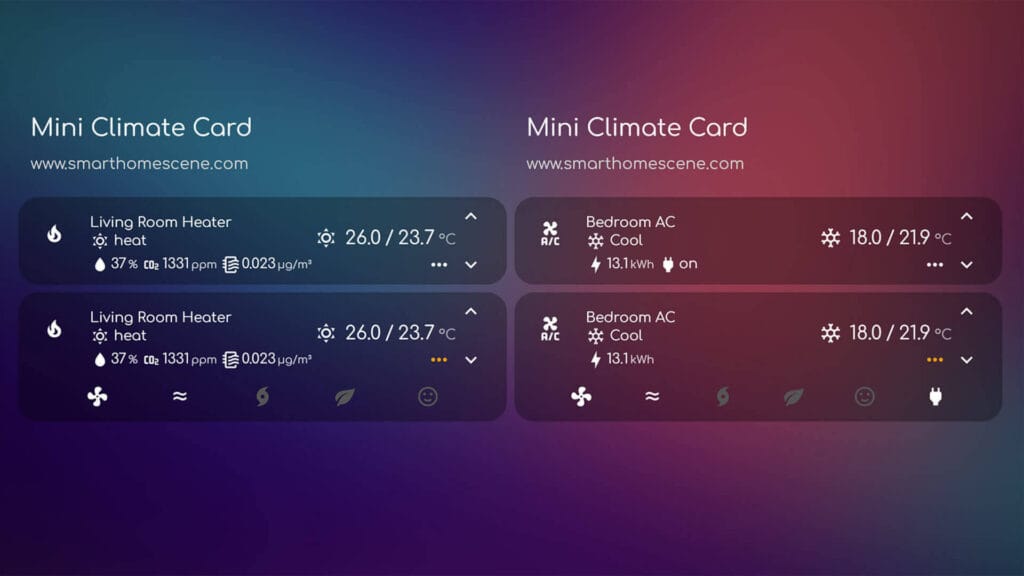
Mini Climate Card packs a full thermostat into a single compact row. You get the current temperature, the target with plus and minus buttons, and the HVAC and fan modes in a dropdown. It looks plain at first, but almost every part of it can be changed.
The depth is in the extras. You can add indicators under the name, like power use or humidity, plus your own buttons and dropdowns for any related entity. It is still maintained in 2026 and now has a proper documentation site.
- Features:
- Compact single-row layout
- Custom indicators for energy, power or humidity
- Custom buttons and dropdowns
- Visual editor plus advanced YAML options
- Theme variables for colors and sizing
- Made By: artem-sedykh
- GitHub: artem-sedykh/mini-climate-card
3. Bubble Card
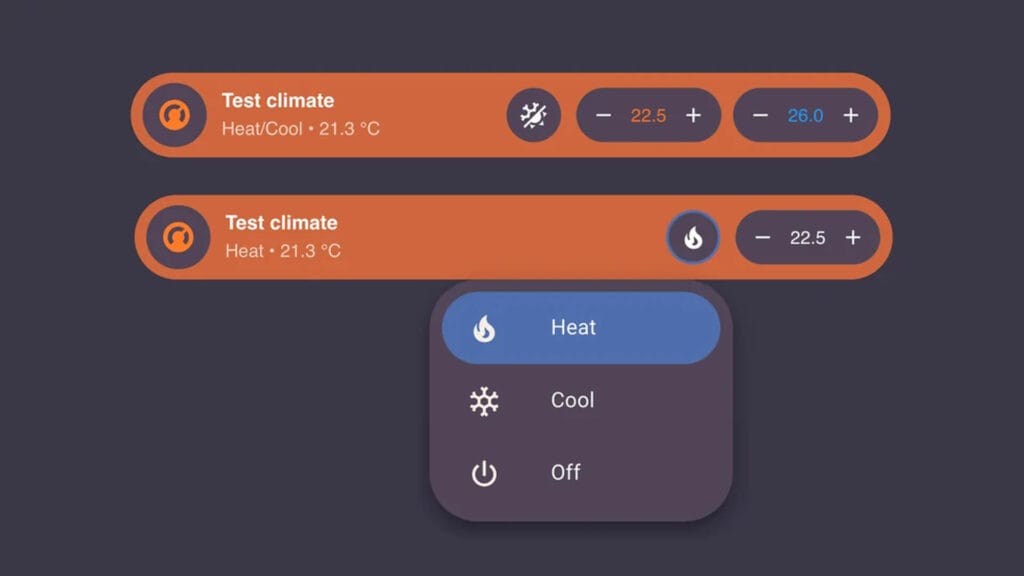
Bubble Card is not a single card but a whole collection, with pop-ups, buttons, media players, covers and more. It is one of the most popular projects in HACS, and its climate card is one of the best looking on this list. If you already build your dashboard with Bubble Card, your thermostats will match everything else.
The climate card is a slim pill with the current temperature, plus and minus buttons for the target and a mode menu. It also works with humidifiers and water heaters. You can add sub-buttons for presets, fan modes or any other entity, and restyle it with modules from the built-in Module Store.
- Features:
- Matches the rest of the Bubble Card set
- Climate, humidifier and water heater support
- Sub-buttons for modes, presets and fan
- Module Store with community styles
- Full visual editor
- Made By: Clooos
- GitHub: Clooos/Bubble-Card
2. Thermostat Dark Card
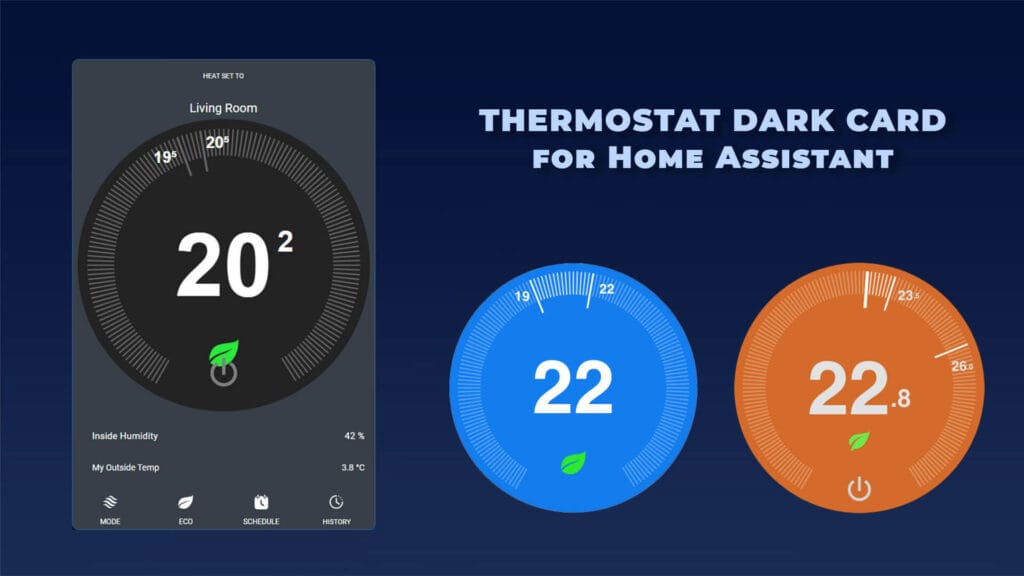
Thermostat Dark Card brings the round Nest look to your dashboard, with a dark dial, tick marks around the edge and a large temperature reading in the center. The dial is drawn entirely in SVG, so it stays light and scales to any card size. The card recently got a complete overhaul, with new themes and a visual editor.
You drag along the ring or tap the chevrons to set the temperature. The disc color changes to preview heating or cooling before the change is sent. It supports single and dual setpoints, shows preset icons like an eco leaf or a sleep moon, and comes in dark, light, transparent and glassy themes.
- Features:
- Round Nest-style SVG dial
- Ring drag and chevron controls
- Single and dual setpoint modes
- Preset icons for eco, sleep, boost and more
- Dark, light, transparent and glassy themes
- Made By: ciotlosm
- GitHub: ciotlosm/lovelace-thermostat-dark-card
1. Climate Cluster Card
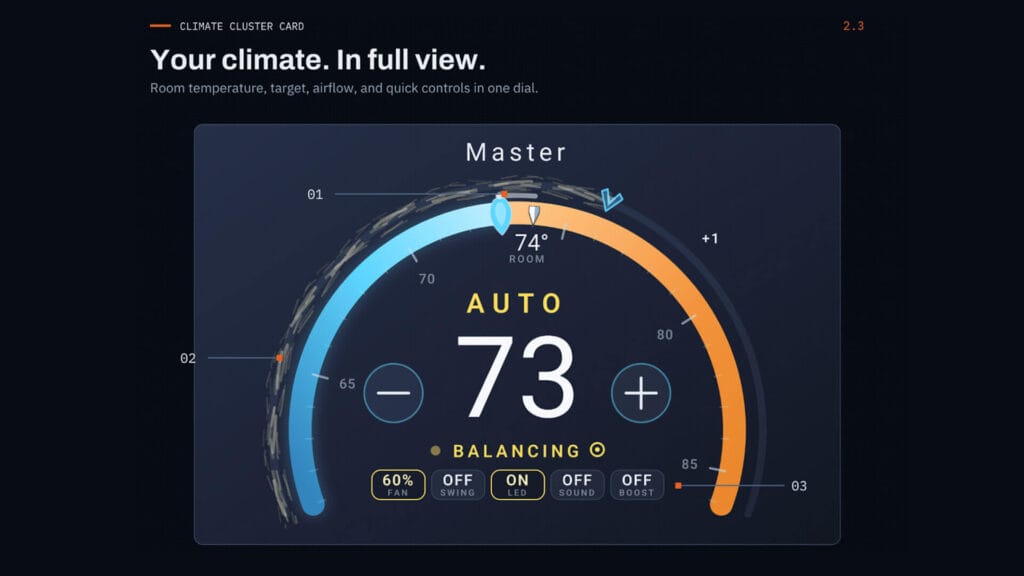
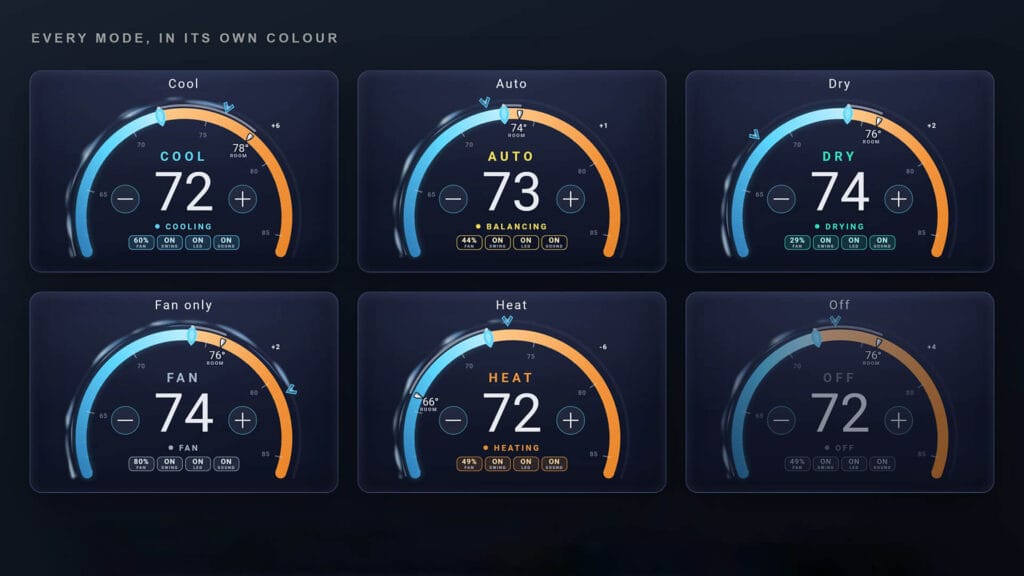
Climate Cluster Card is one of the most beautiful climate cards available for Home Assistant. It is styled like a car instrument cluster, with two rings you can drag, the inner one for the target temperature and the outer one for fan speed. Tap the center and a frosted glass popup opens with modes, presets and extra toggles like swing or the display LED.
The fan ring comes in three styles: Breeze, the default, sends ribbons drifting around the outer ring, Silk sends puffs travelling along the arc, and Original, which keeps a smoother static ring. Both animated styles speed up as the fan speed goes up, so you can read the fan level at a glance. Presets also get their own animated symbols, and the card either follows your theme or switches to a frosted glass panel. A separate multi-zone card shows the whole house on one gauge, with a tile for every room. Everything is set up in the visual editor.
- Features:
- Dual ring dial for temperature and fan speed
- Frosted glass mode and preset popup
- Animated preset symbols
- Multi-zone whole-house card
- Follows your theme or uses glass panels
- Made By: rickyfont94
- GitHub: rickyfont94/climate-cluster-card






I would add a note for this feature of simple-thermostat: https://github.com/nervetattoo/simple-thermostat/blob/master/examples/sensors.md
> You must set version: 3 on the card to enable these features.
It’s for version 3 and I love it.
Thanks, I will add it!
Great article, thanks.
What theme are you using here?
Hello,
It’s the kibibit milky glass theme:
https://github.com/Kibibit/hass-kibibit-theme
It’s featured on my Top 10 List:
https://smarthomescene.com/guides/another-top-10-home-assistant-lovelace-themes/#3-kibibit-theme
Cheers