
The Apollo CAST-1 is a small ESPHome audio streamer that plugs into powered speakers, amplifiers and AV receivers through a 3.5mm cable. It turns your legacy audio equipment into local Music Assistant players, so you can stream music and play TTS announcements via Home Assistant. Music streaming runs over Sendspin, an open audio protocol from the Open Home Foundation, with no cloud account involved.
Apollo Automation has been a regular on SmartHomeScene for a while now. I have tested and written about their R PRO-1 Presence Multisensor, the AIR-1 Air Quality Monitor and the BTN-1 Macro Deck, among others. The company has also joined the Works With Home Assistant program, so an audio device built around Music Assistant feels like a natural next step for them.
The Apollo Automation CAST-1 costs $34.99 on Apollo’s webstore. In this review, I’m going over the hardware, Home Assistant setup, and ESPHome firmware configuration. After that, I’m sharing my experience with Music Assistant streaming, TTS announcements and additional device features.
Device Overview and Disassembly
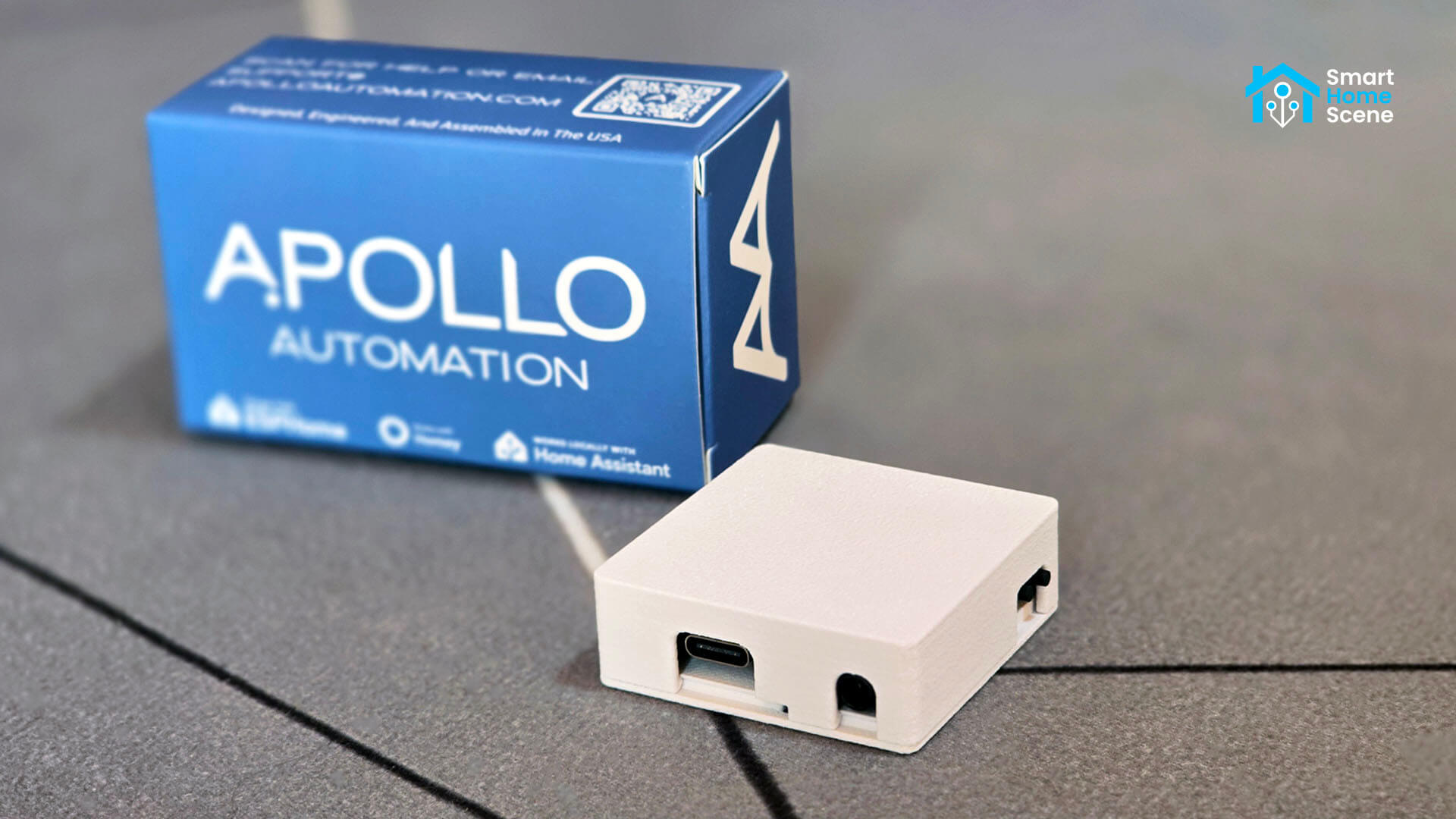
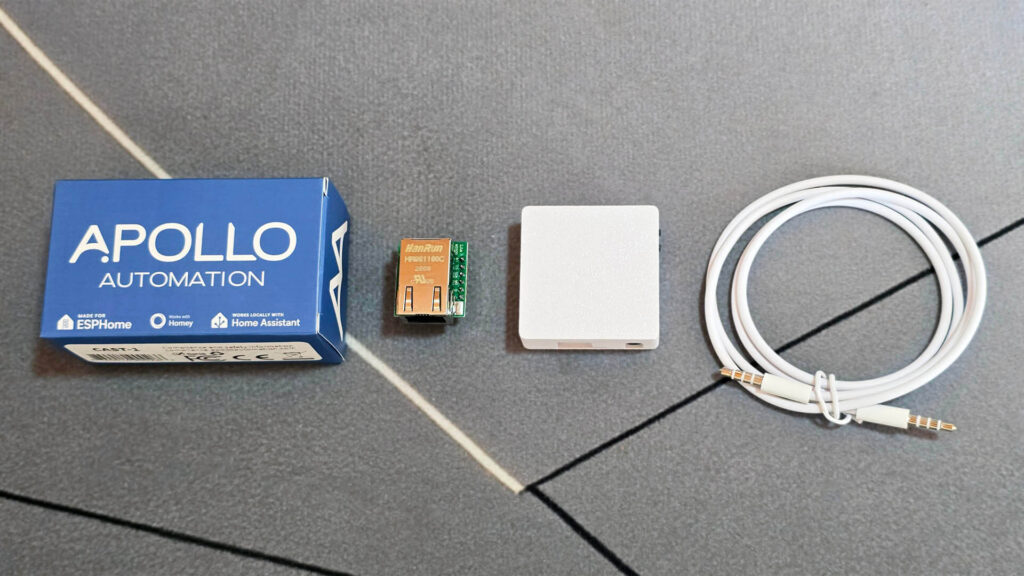
The Apollo Automation CAST-1 ships neatly packaged in an Apollo-branded box. The USB-C cable, 3.5mm audio cable and Ethernet module are all sold as separate add-ons on the product page, so it is worth checking what you already have at home before ordering. The device itself measures just 45 x 45 x 15 mm, which makes it easy to hide behind a receiver or tuck under a speaker.
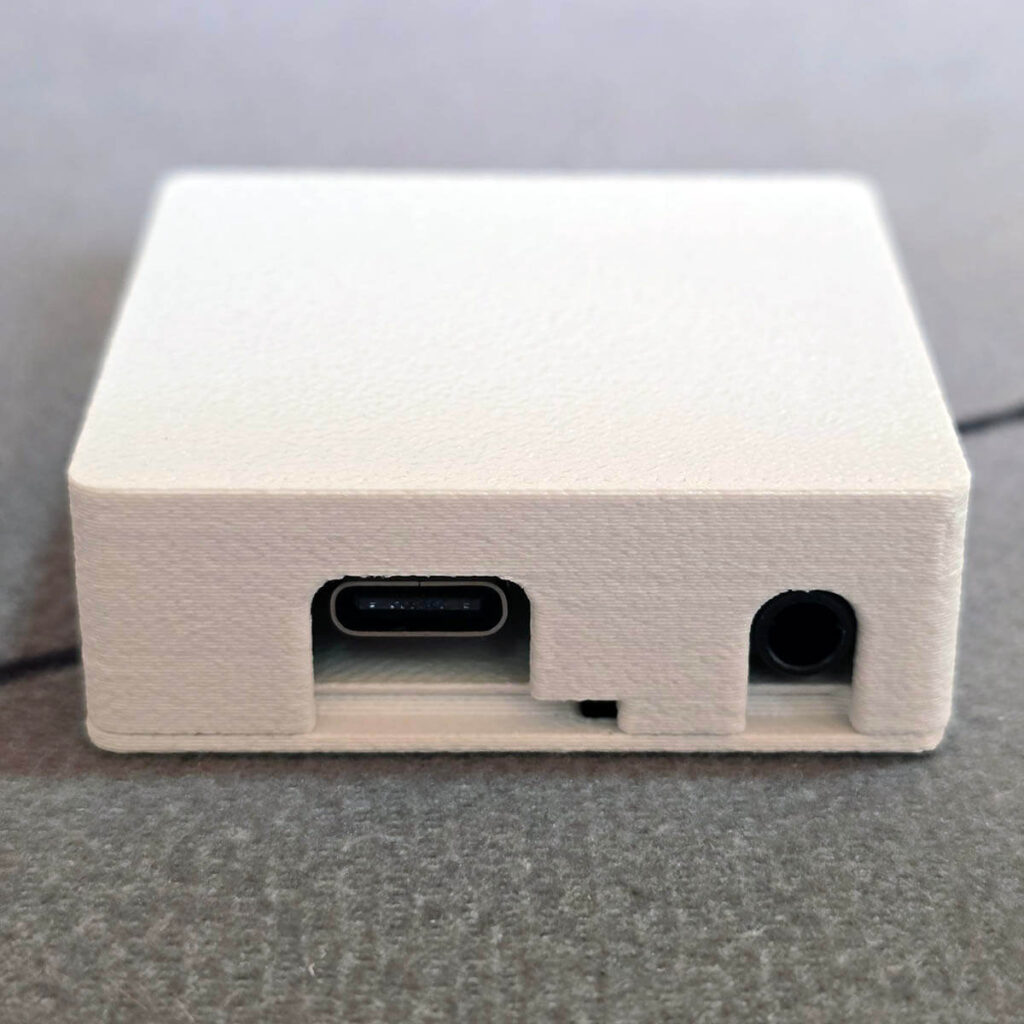
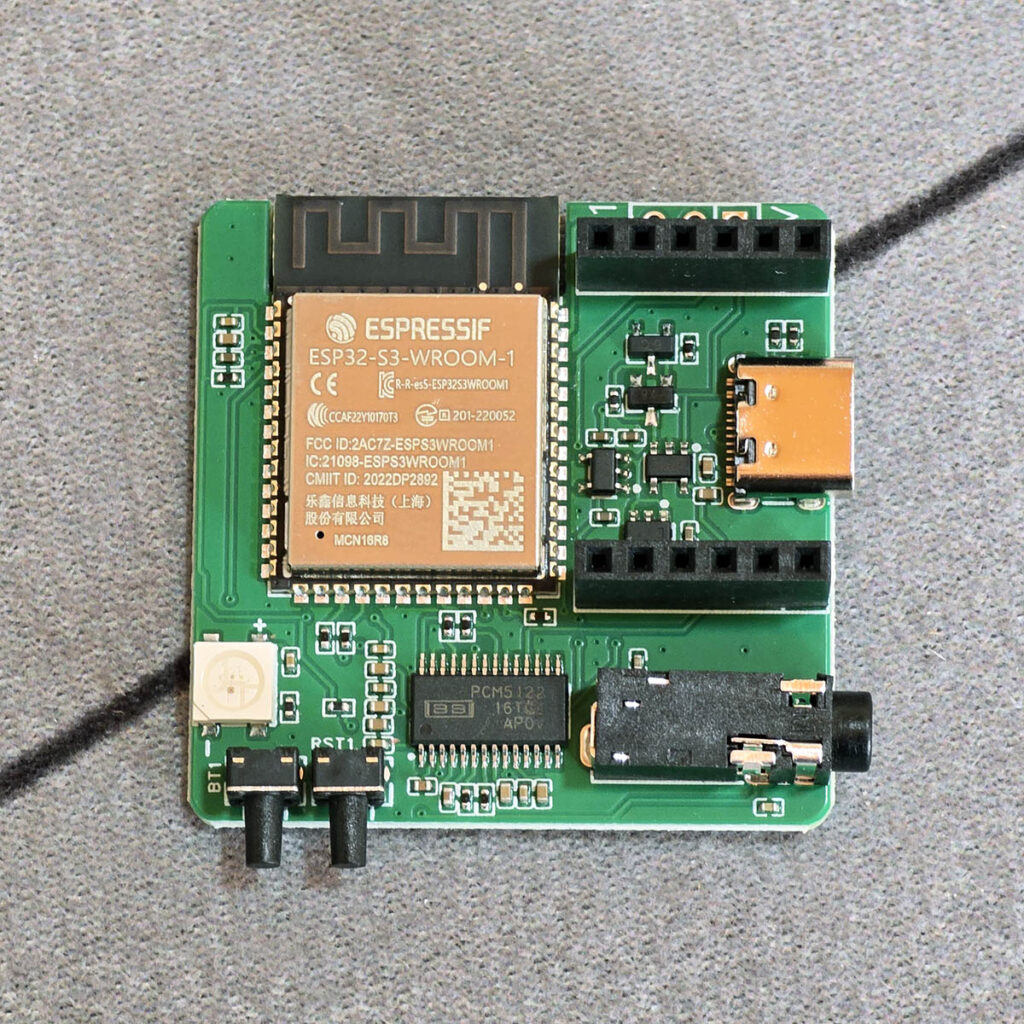
The CAST-1 has only two ports, a USB-C port for power and programming and a 3.5mm stereo line output for your speakers. Keep in mind that the CAST-1 has no amplifier of its own. It needs powered speakers, an active soundbar, a receiver or an amplifier on the other end. If your gear uses RCA or 6.35mm inputs, a simple 3.5mm adapter cable can take care of that.
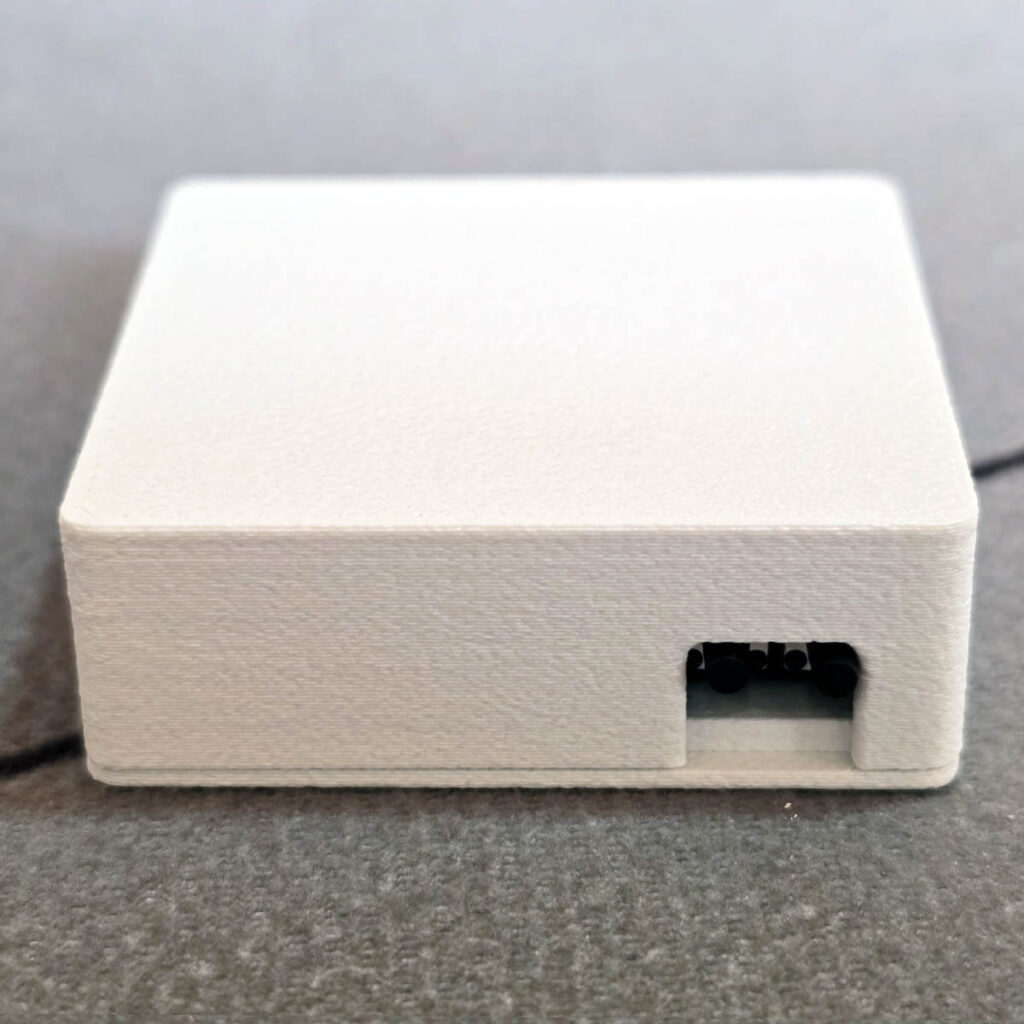
On the right side of the ports, the CAST-1 has two small buttons, boot on the left and reset on the right. You only need them to put the device into boot mode for flashing over USB, which Apollo explains in its boot mode guide.
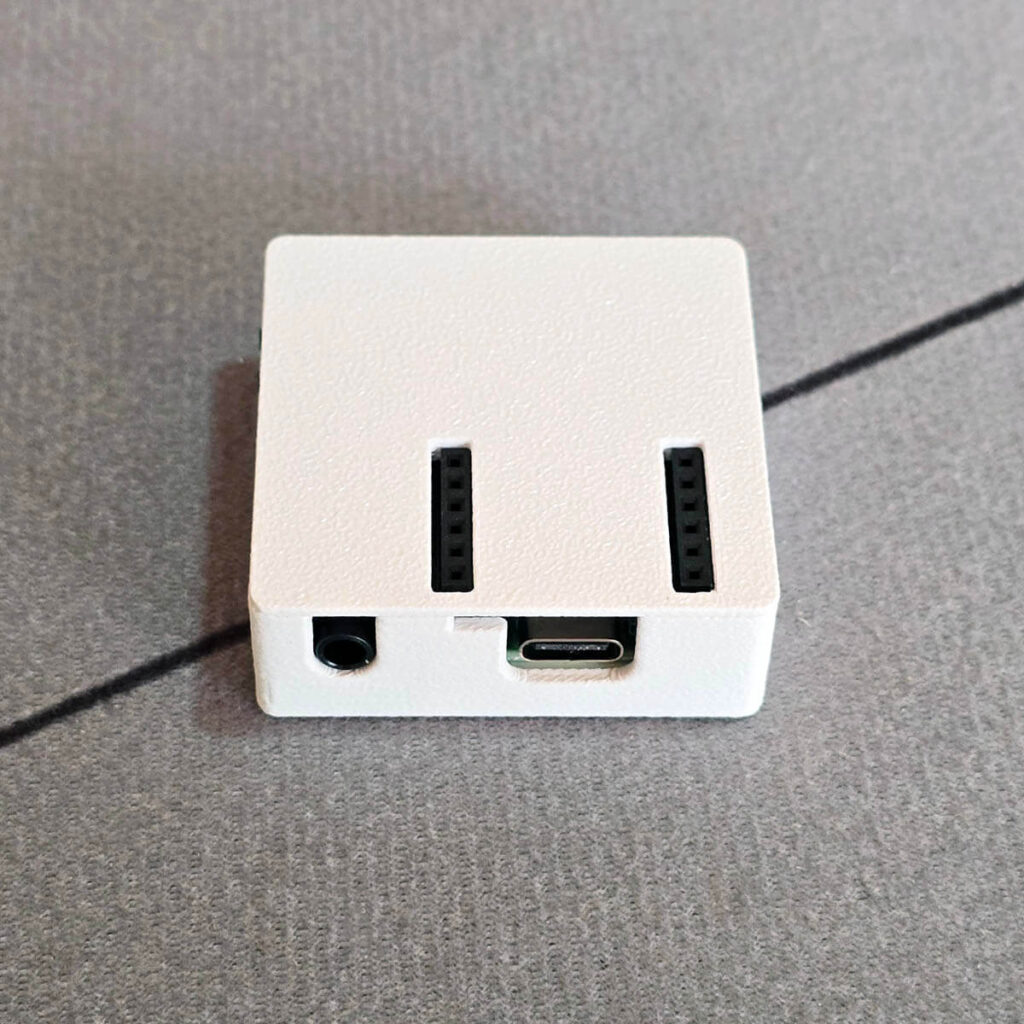
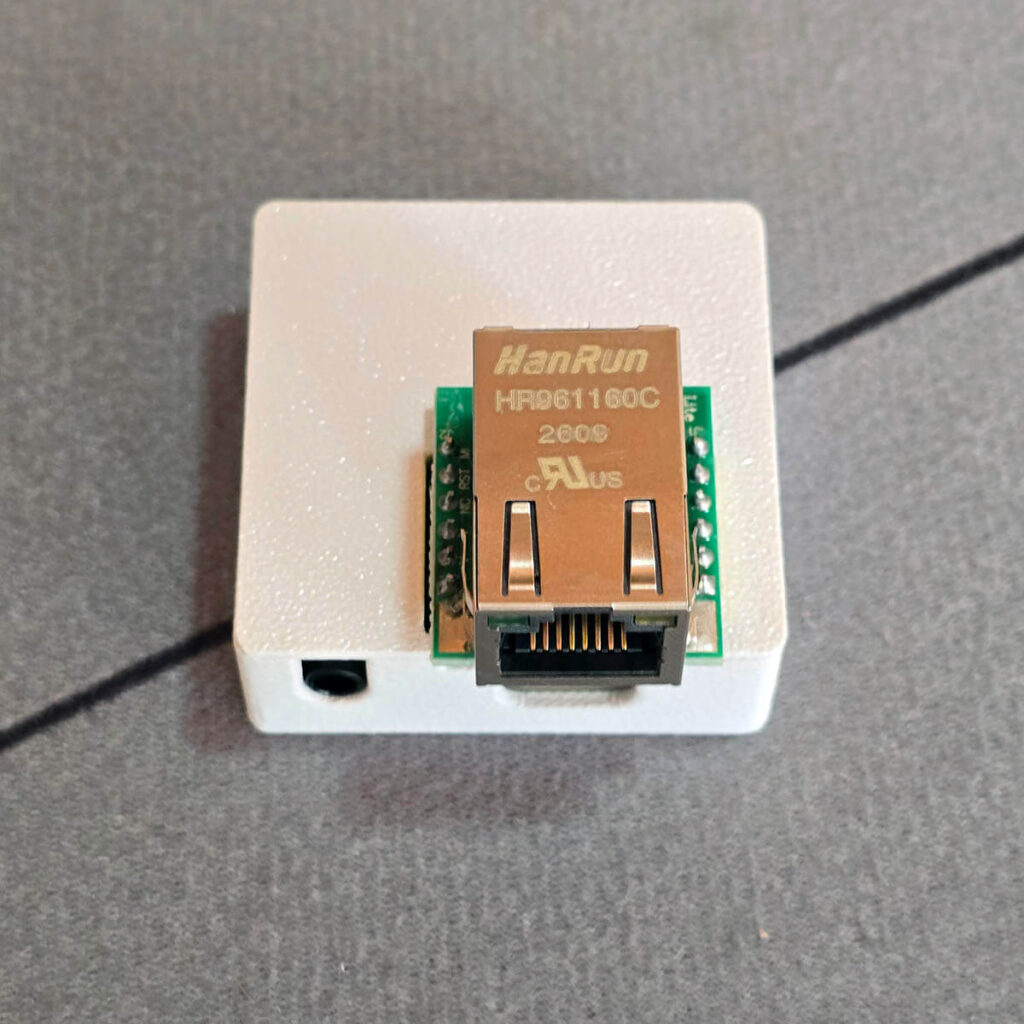
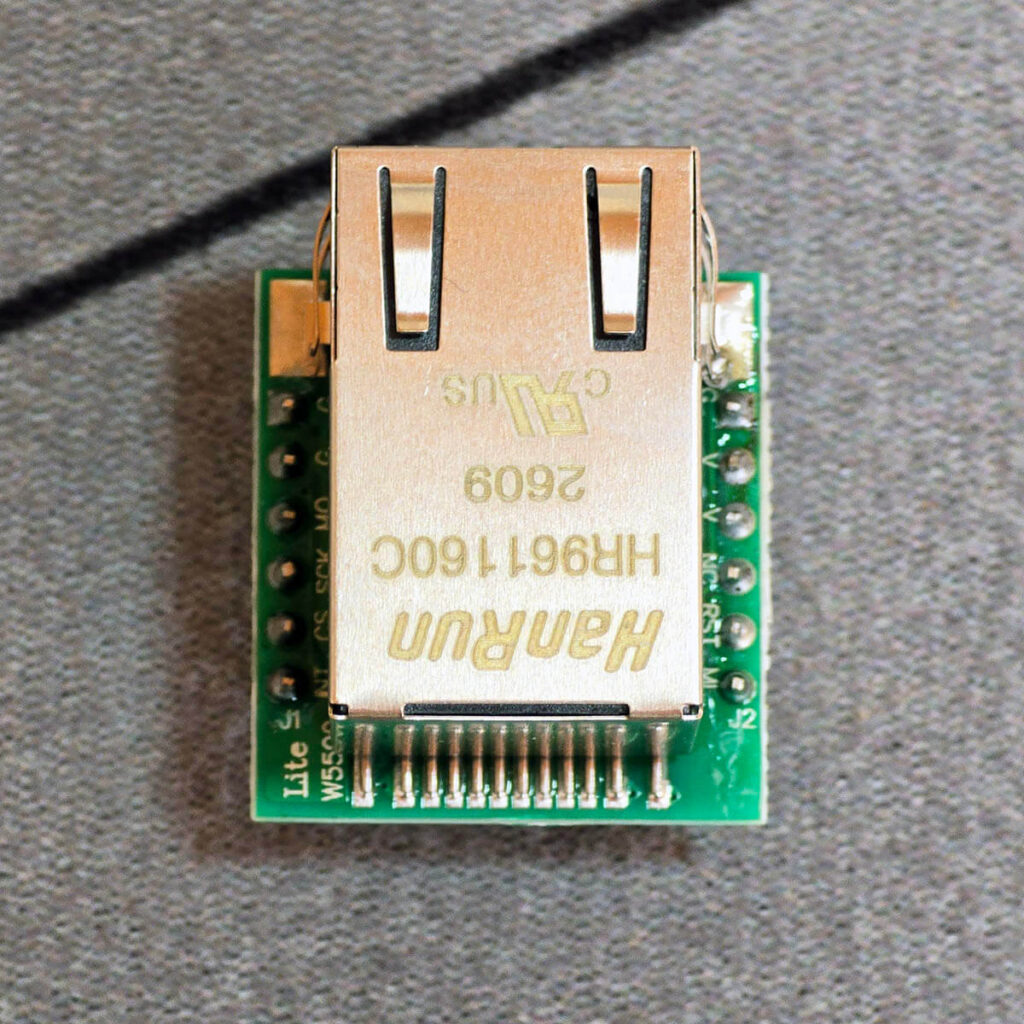
On top of the case, two rows of female header pins accept the Ethernet module, which I cover later in this review. The module is a small W5500 board that presses onto these pins and gives the CAST-1 a wired network connection, with no soldering and no extra firmware to flash. It carries data only and does not support PoE, so the CAST-1 still draws its power from the USB-C port.
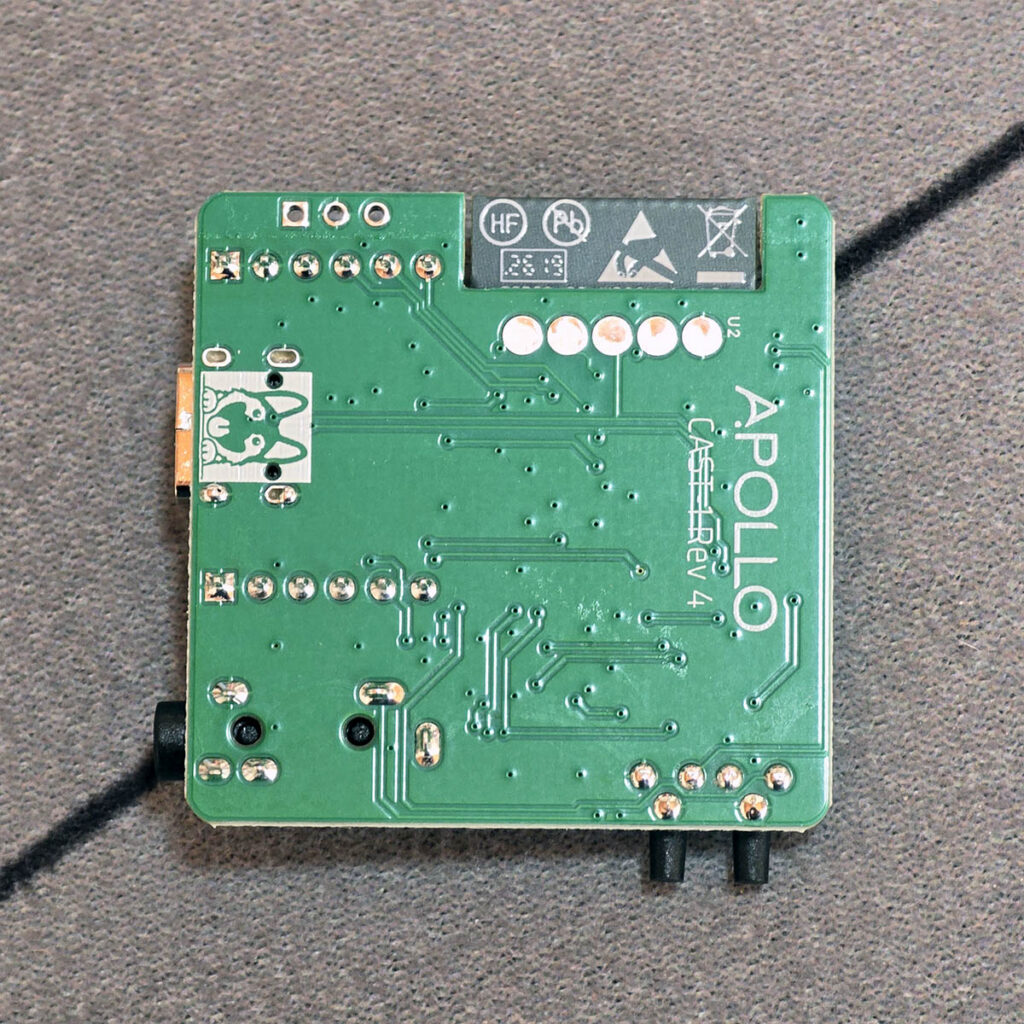
The board also exposes solder pads for 5V, GND and IO1. Since firmware 26.10.13.1, currently on the Beta channel, these pads can drive an addressable LED strip like WS2812B, which then shows up in Home Assistant as a light entity. I haven’t tested this myself, but Apollo documents the wiring and power limits in its LED strip guide.
The CAST-1 runs on an ESP32-S3 [Datasheet] with 16 MB of flash and 8 MB of PSRAM. That extra memory matters on an audio device, because buffering a music stream is far more demanding than reporting a sensor value. The audio itself goes through a Texas Instruments PCM5122 [Datasheet], a 32-bit stereo DAC rated for 112 dB SNR and -93 dB THD+N.
The PCM5122 itself supports sample rates up to 384 kHz, while Apollo’s firmware plays back at 48 kHz. That is slightly above the CD sample rate and plenty for a line output feeding powered speakers. At full scale, the output reaches 2.1 VRMS, which is close to the 2 VRMS you get from a typical CD player.
Home Assistant Setup and Integration
The CAST-1 ships with Apollo’s ESPHome firmware already flashed, and there are a couple of ways to get it online. The quickest is the fallback hotspot, which works from any phone or computer. Improv over BLE lets you set it up directly from Home Assistant, but it needs Bluetooth on your host or an ESP32 Bluetooth proxy nearby.
I used the fallback hotspot, which takes just a few steps:
- Power the CAST-1 with a 5V USB-C supply.
- Connect to the Apollo CAST 1 Hotspot Wi-Fi network from your phone or computer.
- If the dashboard does not open on its own, go to 192.168.4.1 in your browser.
- Select your 2.4 GHz network, enter the password and click Save.
- In Home Assistant, open Settings > Devices & services and add the discovered CAST-1 through the ESPHome integration.
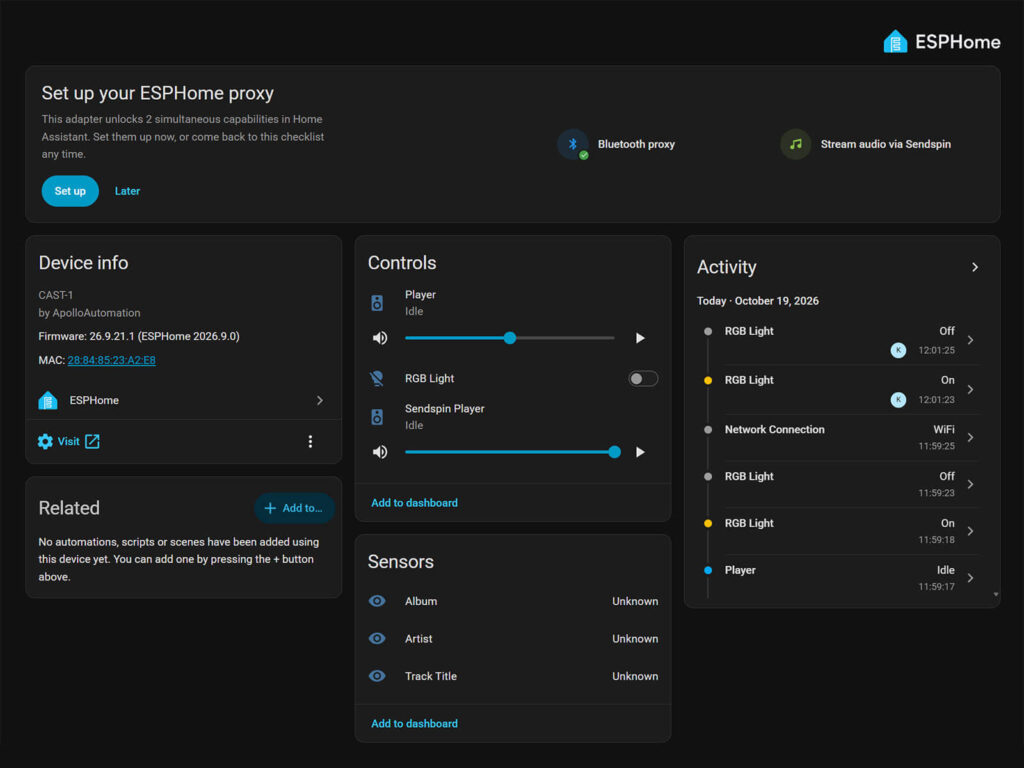
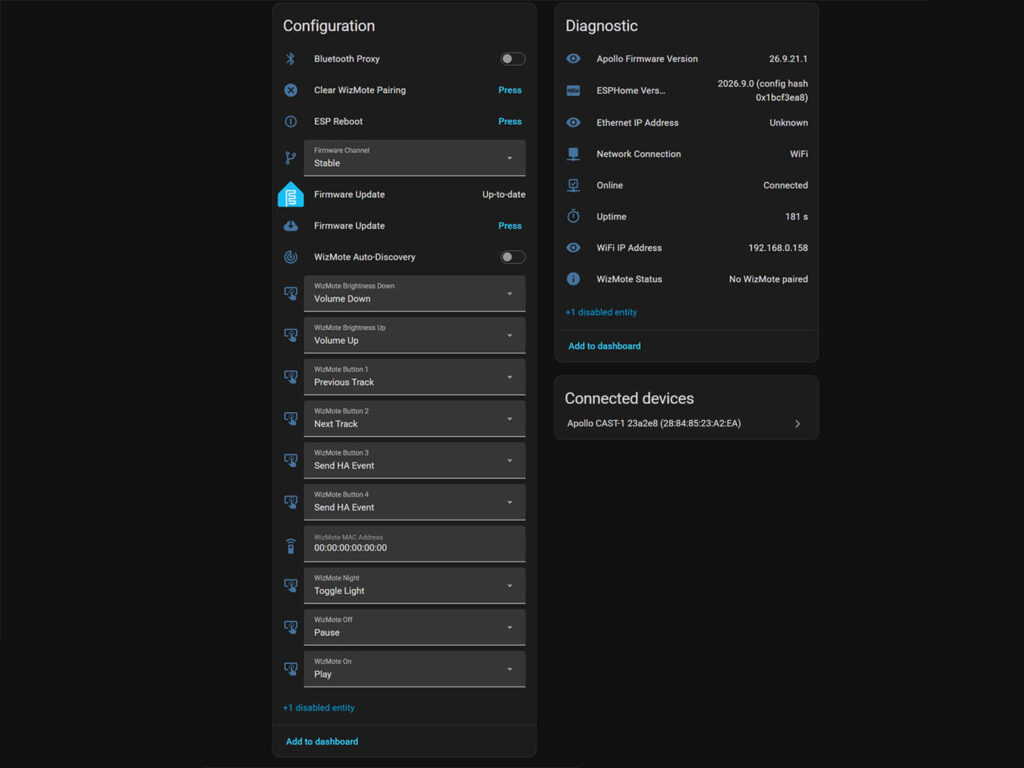
My unit shipped with firmware 26.8.26.7, and I updated it to 26.9.21.1 directly from Home Assistant. Interestingly, the latest ESPHome release also recognizes the CAST-1 as a Bluetooth proxy candidate, so you can enable that feature straight from the UI. Once added, the CAST-1 exposes the following entities:
- Apollo CAST-1 Player, the ESPHome media player that handles text-to-speech, announcements and regular media playback
- Apollo CAST-1 Sendspin Player, the Music Assistant streaming target used for grouping and multi-room audio
- RGB Light, which controls the four onboard RGB LEDs with Slow Pulse and Fast Pulse effects
- Track Title, Artist and Album sensors that report what is currently playing
- WizMote entities for pairing a WiZ WizMote remote and mapping its nine buttons to playback, volume or custom Home Assistant actions
- Firmware Channel and Firmware Update, for switching between Stable and Beta and installing updates
- Bluetooth Proxy, a switch that is off by default
- ESP Reboot and Factory Reset ESP, with the factory reset disabled by default
- Diagnostic sensors for Network Connection, WiFi IP Address, Ethernet IP Address, firmware and ESPHome versions, Online status and Uptime
Two media players on one device can look odd at first, but the split makes sense once you understand what each one does. Music Assistant streams to the Sendspin player, while the ESPHome player runs the announcement pipeline. Announcements sent to the Sendspin player get forwarded to the ESPHome player anyway, so the music ducks no matter which one you target.
The Bluetooth Proxy switch lets the CAST-1 relay nearby BLE sensors and trackers back to Home Assistant. It is not a Bluetooth audio receiver, though, so you cannot pair a phone and stream music to it with the current firmware. Apollo says a Squeezelite firmware is on the way, and that version will add Bluetooth audio support.
Streaming With Music Assistant and Sendspin
Music Assistant is how you actually play music on the CAST-1. If you already run it, the CAST-1 appears as a player automatically through mDNS, with nothing extra to configure. If not, you install the Music Assistant app from the Home Assistant app store, start it, and configure the CAST-1 as a player.
From there, you select the CAST-1 in the Music Assistant player list and play anything Music Assistant supports. That covers local music libraries, internet radio and every streaming service Music Assistant has a provider for.
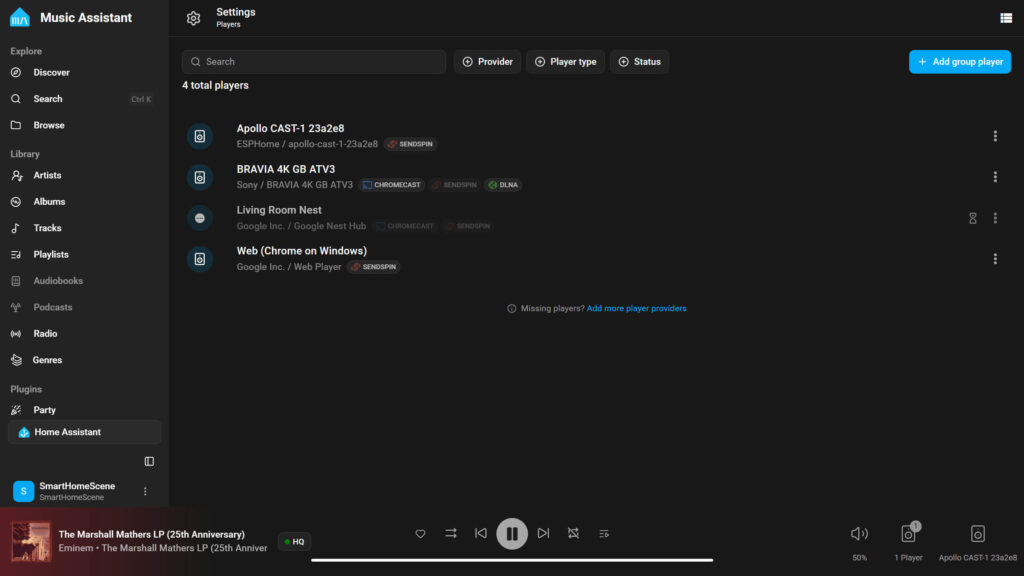
Under the hood, Music Assistant talks to the CAST-1 over Sendspin. This is an open audio streaming and synchronization protocol from the Open Home Foundation. Sendspin carries both the audio stream and the timing between players, and that timing is what makes multi-room playback possible via Music Assistant.
Multi-Room Audio Sync Feature
Multi-room audio is the main reason to buy more than one CAST-1. You can group several units in Music Assistant and they play the same audio in sync, with volume controlled for the whole group or for each player. Because the sync runs over Sendspin, you can also mix the CAST-1 with other Sendspin players in the same group.
Grouping players takes a few clicks in Music Assistant:
- Open the player you are currently listening on.
- Click the group button and select the other players you want to add.
- Adjust the volume for the whole group or for each player separately.
- You can also create a permanent group in Settings > Players > Add Group Player.
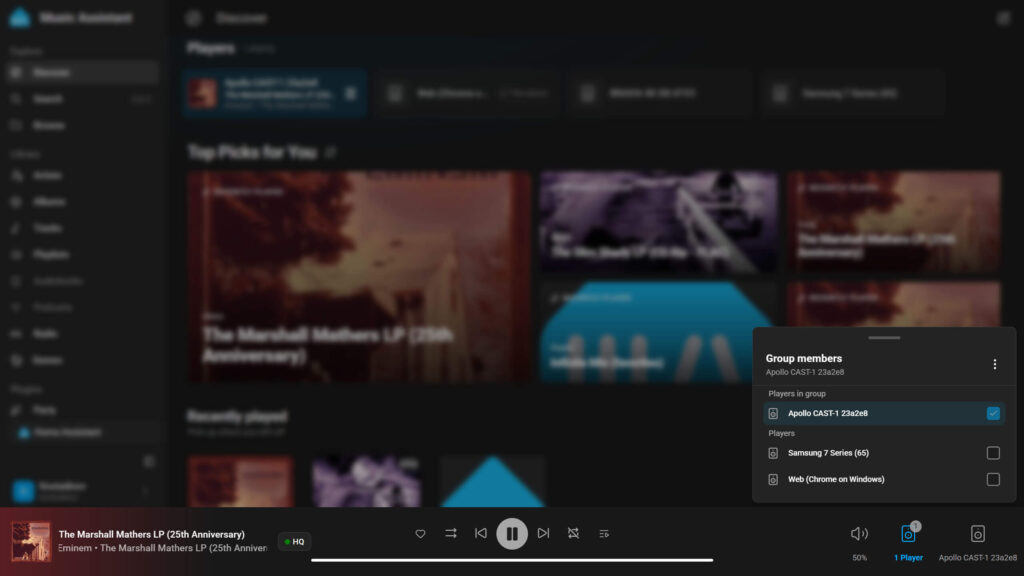
Since I do not have a second CAST-1 to test player grouping, I grouped my living room TV with the Apollo CAST-1. Playing via Sendspin, there was no audible drift and no sync inaccuracy between the two. Adding a Google Nest speaker to the group was a different story, as it played with a slight but noticeable delay.
The reason is that Google speakers do not support Sendspin natively. Music Assistant has to launch a custom Sendspin Cast web receiver app on the Nest speaker to make it play the synchronized stream. Google’s own buffering and internal processing then add a variable wireless lag, while the CAST-1 receives the stream directly and stays in time.
Google discontinued the Chromecast Audio back in 2019, yet plenty of Home Assistant users still rely on it as a cheap multi-room endpoint. The CAST-1 fills that same role, but it speaks Sendspin natively, runs open firmware and does not depend on Google keeping a cloud service alive.
TTS Announcements and Music Ducking
Announcements are where the Home Assistant side of the CAST-1 earns its place. When you send a text-to-speech message, the CAST-1 does not stop the music. Instead, it lowers the music by 40 dB, plays the announcement on top, and then fades the music back in over about one second.
The onboard LEDs also turn cyan while an announcement plays, which helps you tell an announcement apart from a playback glitch. Before any of this works, you need a TTS engine set up in Home Assistant. I used Piper for this test, although you can use Home Assistant Cloud if you have it. Example:
action: tts.speak
target:
  entity_id: tts.piper
data:
  media_player_entity_id: media_player.apollo_cast_1_xxxxxx_player
  message: The washing machine is finished
The number in the entity ID comes from your CAST-1’s MAC address, so copy the real one from the device page. The same pipeline also handles sound files like a doorbell chime. You call the play media action with announce: true, which routes the file through the announcement pipeline instead of replacing the music.
action: media_player.play_media
target:
  entity_id: media_player.apollo_cast_1_xxxxxx_player
data:
  media_content_id: media-source://media_source/local/doorbell.mp3
  media_content_type: music
  announce: true
Ethernet Module and Network Stability
Out of the box, the CAST-1 connects over 2.4 GHz Wi-Fi. For rooms where Wi-Fi is weak, or if you simply want audio traffic off your wireless network, Apollo sells a W5500 Ethernet module for $9.99. It is a small header board that presses onto the two rows of pins on top of the case, so there is no soldering and no case to open.
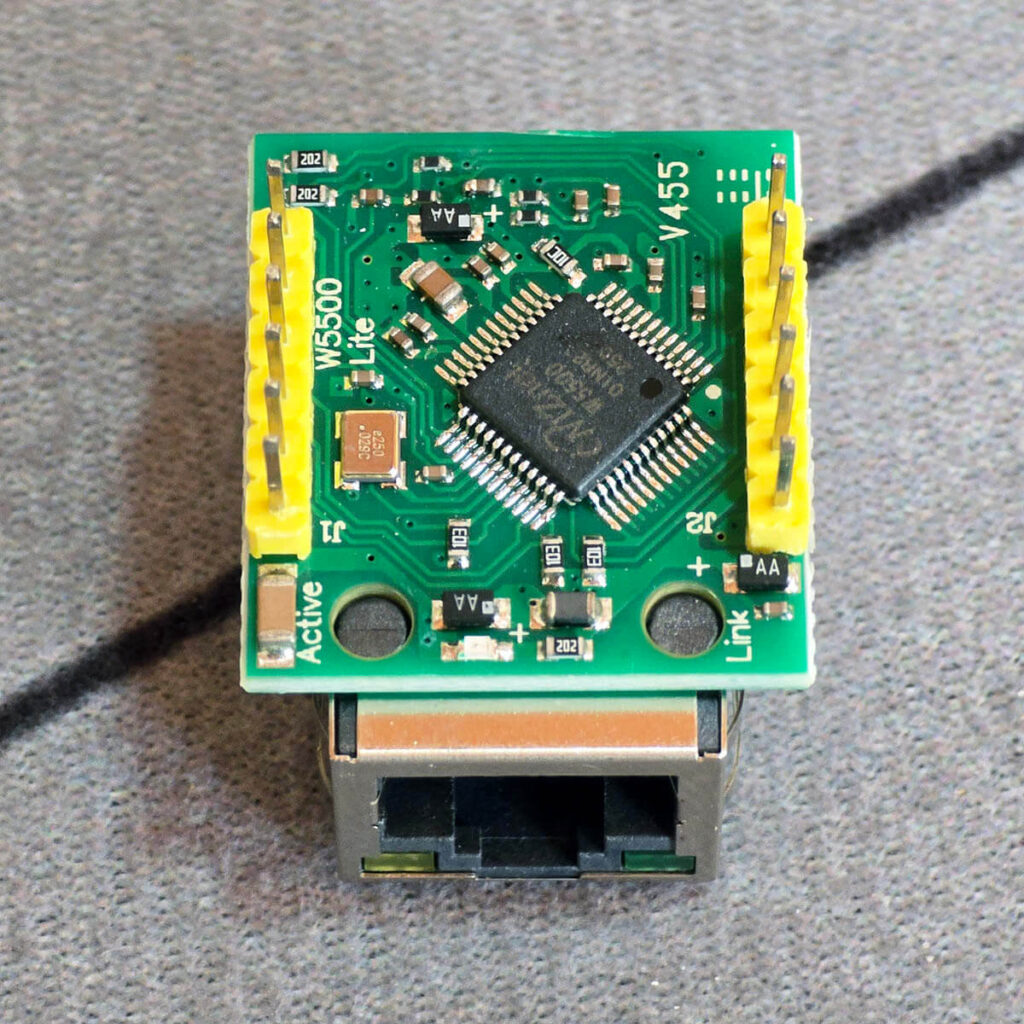
- Unplug the CAST-1 from power.
- Line up the module’s pins with the two header rows on top of the case.
- Press it straight down until it sits flat.
- Connect an Ethernet cable, then plug the CAST-1 back into power.
There is nothing to flash, because one firmware covers both connections. The CAST-1 gets an IP address from your router and the Network Connection sensor switches to Ethernet. If the device is also joined to Wi-Fi, it keeps both links up and the sensor reads Ethernet + WiFi. When you unplug the cable, it falls back to Wi-Fi on its own and stays online in Home Assistant.
Final Thoughts
The CAST-1 does an incredible job of streaming audio via Music Assistant. For $34.99, it turns powered speakers into Music Assistant players, plays announcements over music without stopping it, and syncs with other Sendspin players for multi-room audio.
Having reviewed the MSR-2, MTR-1, TEMP-1 and PLT-1, I can say the CAST-1 follows the same pattern as the rest of Apollo’s lineup. It is local, ESPHome-first hardware that you can open, reflash and extend. I used the MSR-2 to automate my home office, and the CAST-1 would go into that kind of setup just as easily.
There are a few things to keep in mind before buying one. The CAST-1 has no amplifier, so passive speakers need an amp in between. The current firmware also has no Bluetooth audio input, and the Ethernet module does not support PoE. Everything else depends on Music Assistant, so a feature like AirPlay comes from its plugins rather than the CAST-1 itself.
If you want to get comfortable with ESPHome on Apollo hardware first, my article on learning ESPHome with Apollo’s Starter Kit is a good place to start. Otherwise, you can get the CAST-1 on Apollo’s webstore, with the Ethernet module available as an optional add-on.
Frequently Asked Questions
Does the Apollo CAST-1 work with passive speakers?
No. The CAST-1 outputs line-level audio and has no amplifier of its own. Passive speakers need an amplifier or receiver between them and the CAST-1.
Do I need Home Assistant to use the CAST-1?
No. The CAST-1 works with a standalone Music Assistant server. Home Assistant adds the device entities, text-to-speech and announcements, so most people run both.
Can I stream music to the CAST-1 from my phone over Bluetooth?
Not with the current firmware. Music reaches the CAST-1 over your network through Music Assistant. Apollo says an upcoming Squeezelite firmware will add Bluetooth audio support.
Can the CAST-1 use Ethernet instead of Wi-Fi?
Yes, with the optional W5500 Ethernet module. It presses onto the top of the case and works with the same firmware. The module does not support PoE, so the CAST-1 still needs USB-C power.
Can I group the CAST-1 with other speakers for multi-room audio?
Yes. You can group several CAST-1 units in Music Assistant, or mix them with other Sendspin players. Grouped players stay in sync, and you can set the volume for the whole group or for each player.