

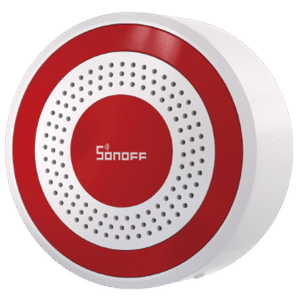
The Sonoff SNZB-09P is a new Zigbee 3.0 indoor siren with a 105 dB maximum output, a red light ring and a built-in backup battery. It pairs to any Zigbee coordinator and turns smart triggers into audible alarms, visual light alerts or both. In Home Assistant, it works perfectly with Zigbee2MQTT and ZHA through a custom quirk file from Sonoff.
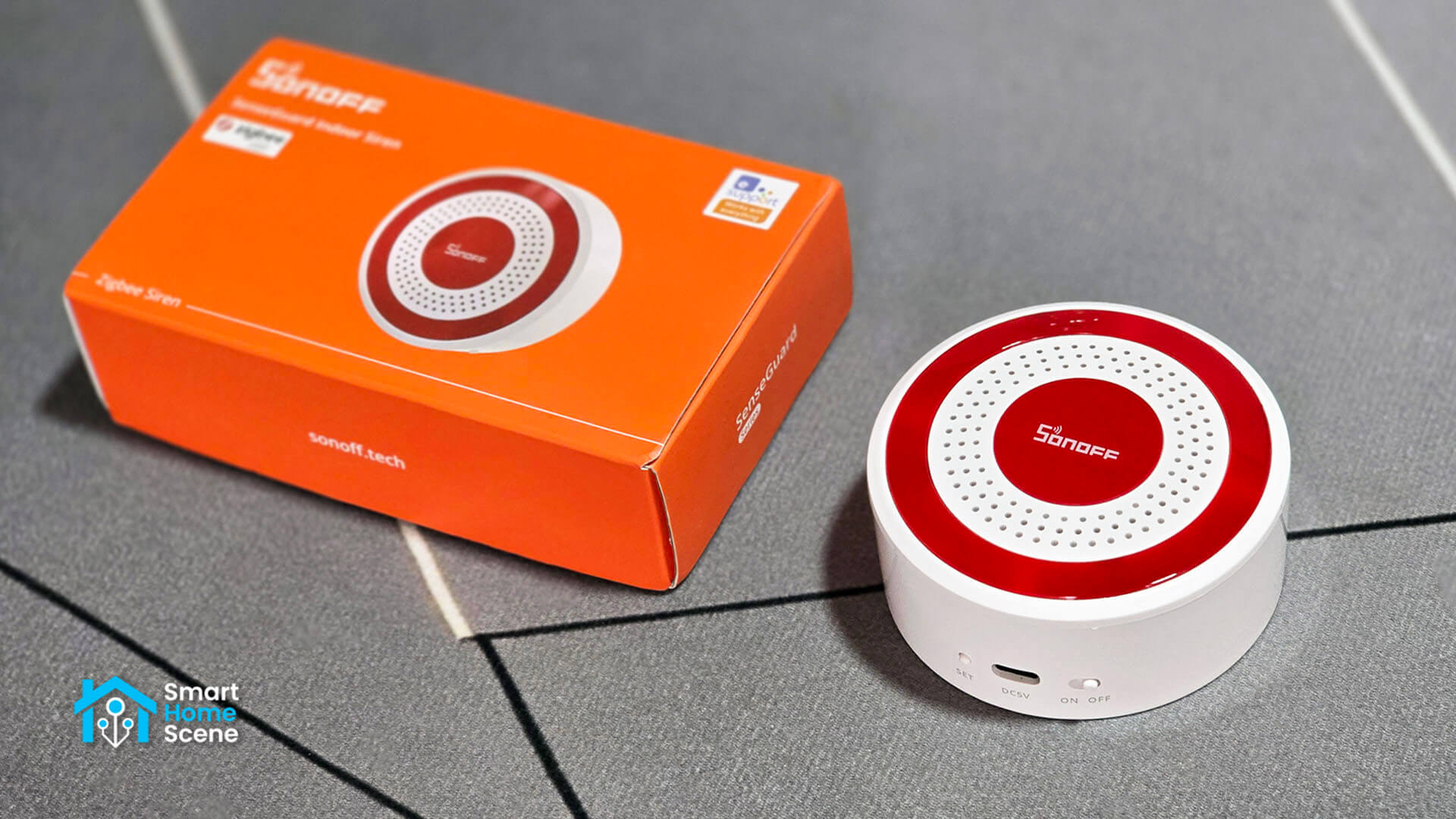
I tested the siren with both integrations in HA. This review covers the hardware, the backup battery, the tamper switch, the alarm configuration and how each integration handles everything. You can get this Sonoff siren on Amazon US, Amazon UK, Amazon DE, Amazon NL, Amazon FR, Amazon IT, Domadoo, Sonoff and AliExpress.
Technical Specifications
- Model: SNZB-09P (SenseGuard series)
- MCU: Telink TLSR8656
- Protocol: Zigbee 3.0
- Power: 5V 1A via USB-C, 600 mAh backup battery
- Volume: 4 levels, up to 105 dB at 1 m
- Alarm Tones: 10 (15 with firmware 1.2.0)
- Visual Alert: Red circular light strip
- Size: 81 x 81 x 35 mm, 106 g
- Casing: White/Red ABS, indoor only
- Operating Range: 0 to 45°C, 0 to 90% RH non-condensing
- Certifications: CE, FCC, RoHS
- Price: $24.90
Package Contents and Teardown
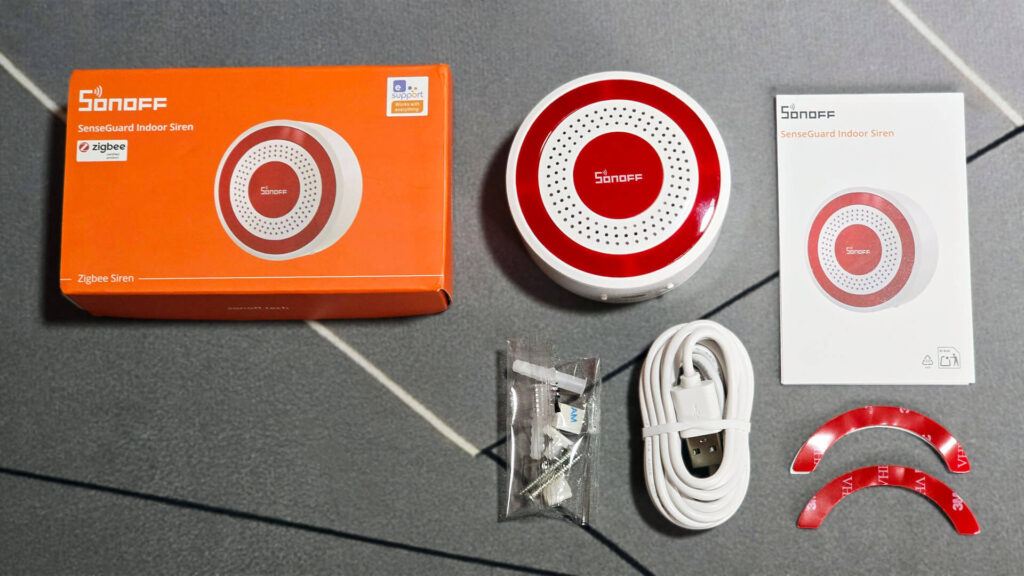
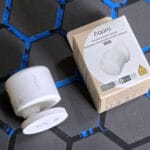
The Sonoff Zigbee Siren SNZB-09P ships in a recognizable orange box. Inside, you get the siren, a USB-A to USB-C cable, a user manual and a mounting kit. The kit contains screws, dowels and adhesive stickers, so you do not have to drill to install the siren.
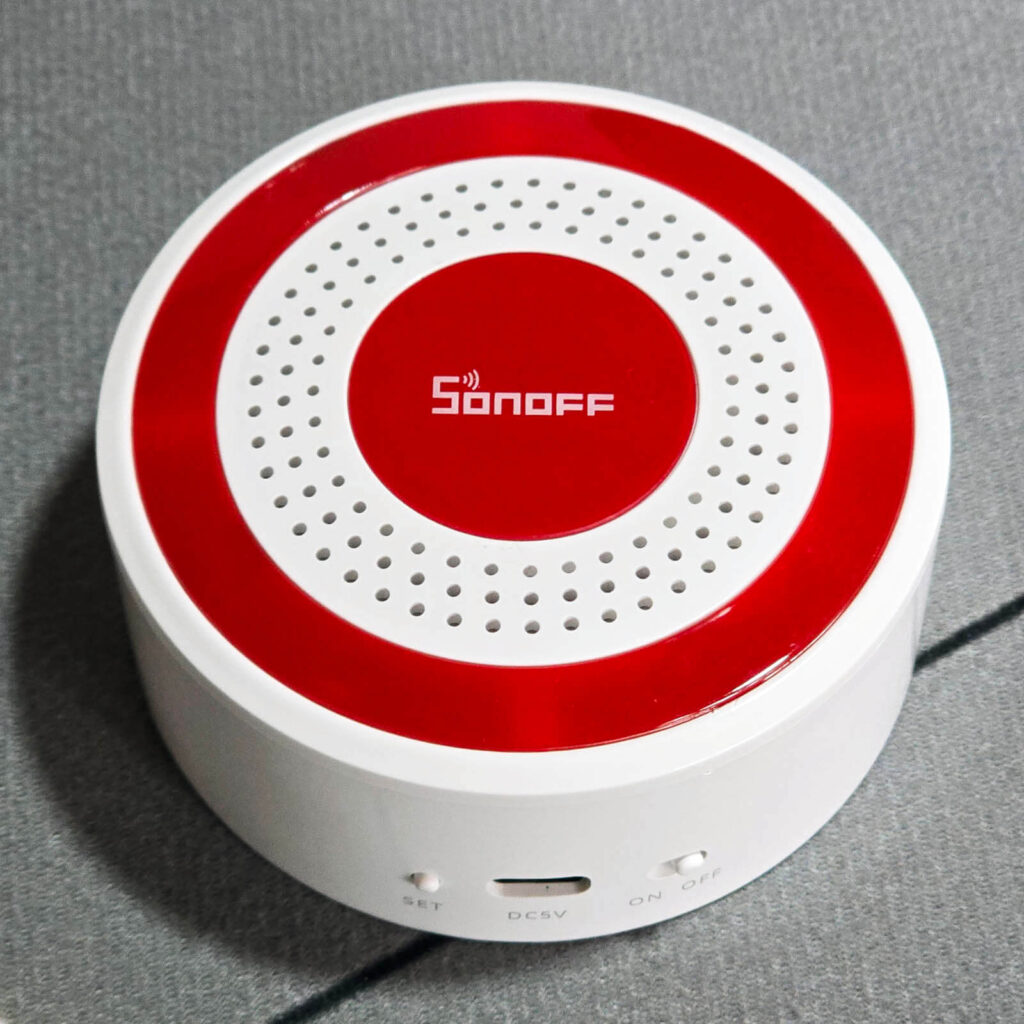
The SNZB-09P has two buttons and a USB-C port on the bottom. One button powers the siren on and off, while the other is used for pairing. The siren runs on 5V from any charger that supplies at least 1A. The large red ring around the siren holds the LED lights, which strobe and flash when the alarm is active.
In terms of design, it looks like a real siren. It is well made, round, smooth and not very large. On the rear side, there is a mounting ring that you simply twist to remove. This ring is what triggers the anti-tamper mechanism once it is installed. Anyone trying to remove the siren will inevitably move or detach the ring, which triggers the tamper sensor.
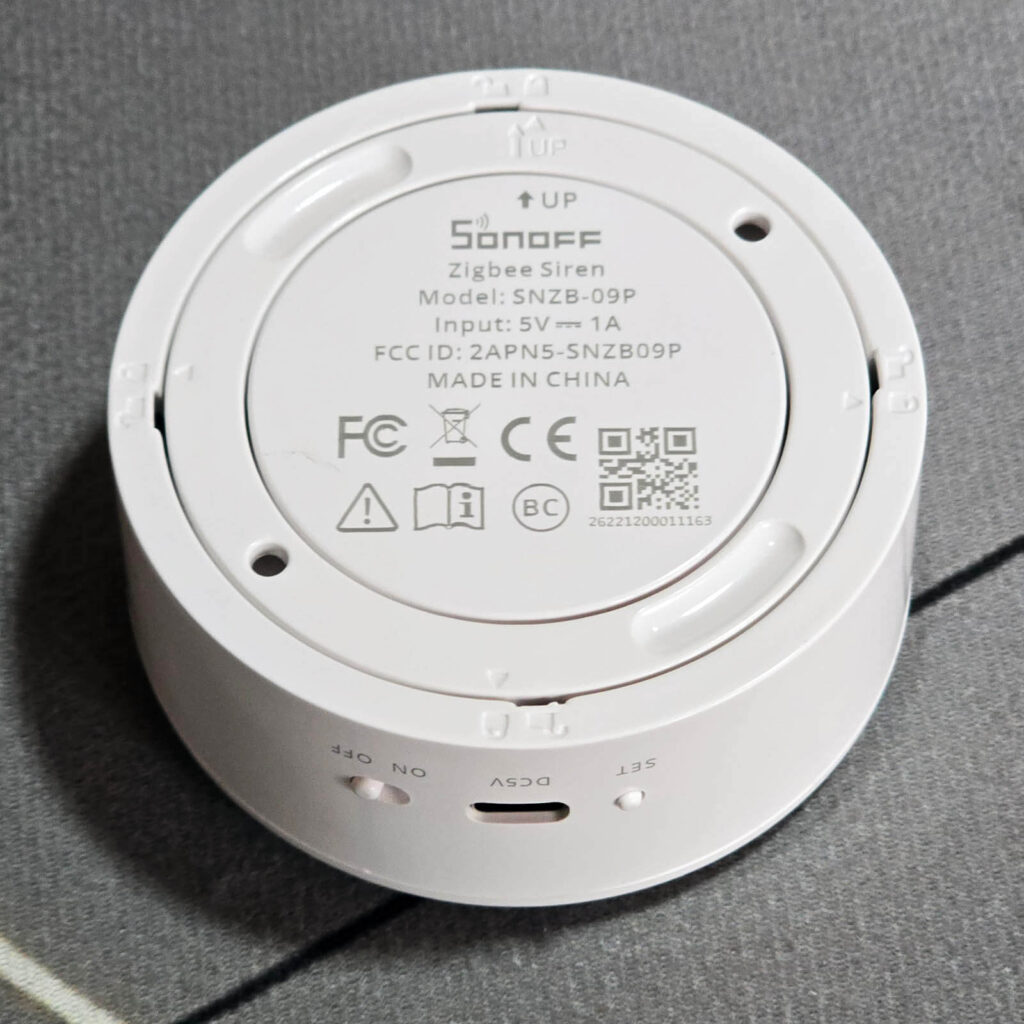
After removing the back mounting ring, I took out the two screws holding the housing together. The actual siren connects to the main board through a 2-pin JST connector. The board itself is clean and neat, and it looks well made and firmly secured. Three screws hold it in place against the back cover.
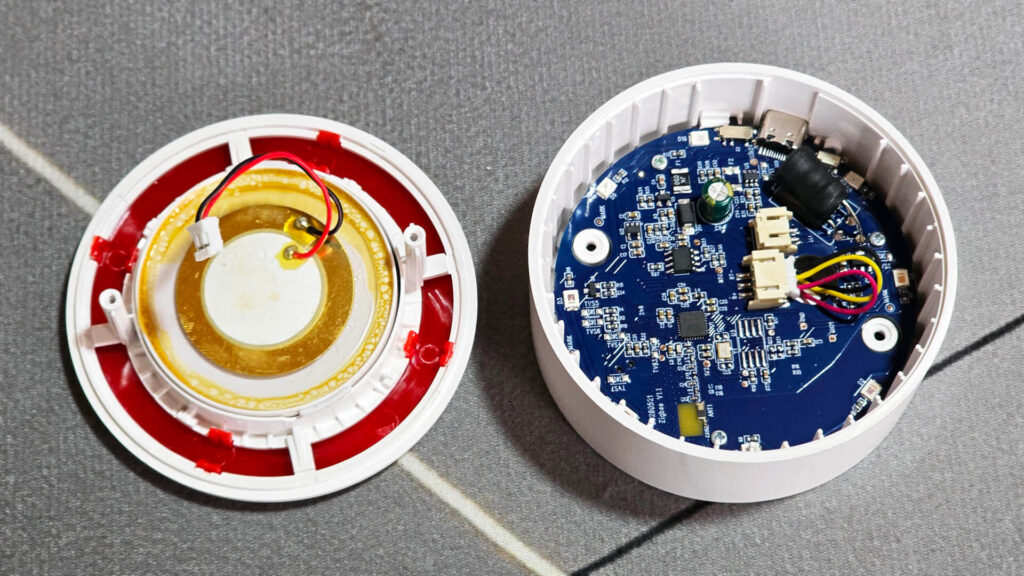
The Sonoff Zigbee Indoor Siren uses the Telink TLSR8656 [Datasheet] as its communication module. The same chip is used in the new Sonoff SenseGuard Presence Sensor SNZB-06P24 and the Sonoff SNZB-04PR2 Zigbee Door Sensor. It looks like Sonoff is using this chip across the new SenseGuard line, migrating away from Silabs modules I found in previous gen devices.
On the underside of the PCB sits a 3.7V 600 mAh lithium-ion battery, model 602450. There is not much else on this side of the PCB, except for the tamper switch visible above the battery. When the mounting ring is installed properly, it holds this switch engaged. If the ring is removed or dislodged, the switch disengages and activates.
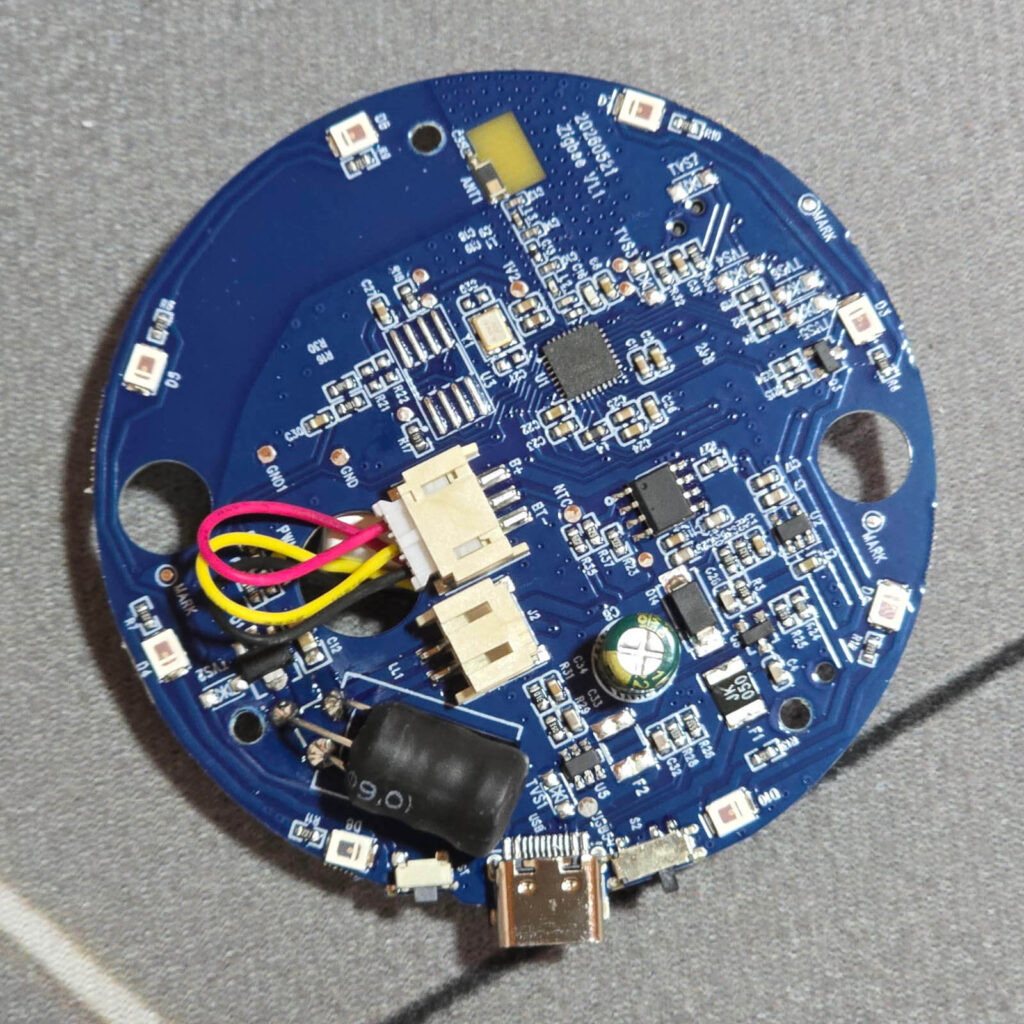
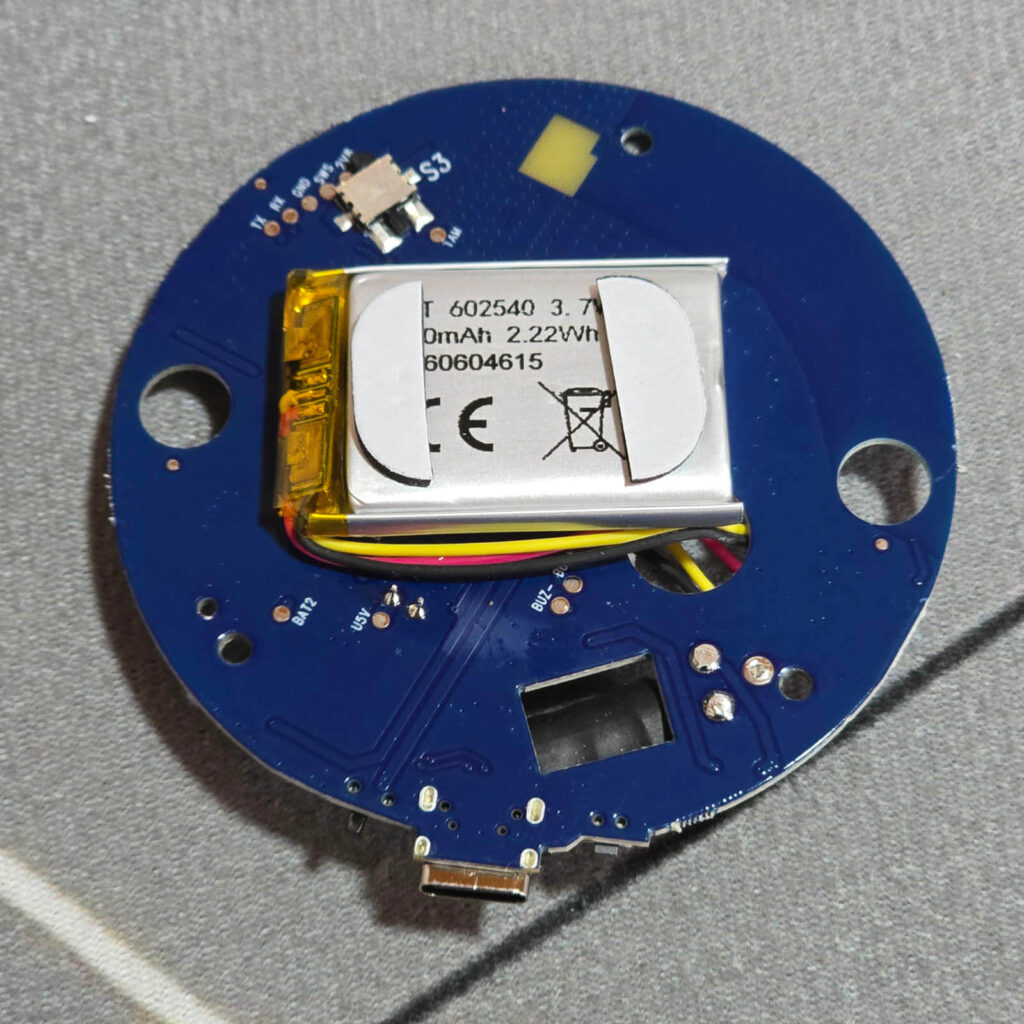
Overall, the device is well built with no visible flaws or weak points. To be perfectly honest, I did not expect anything less from Sonoff.
Backup Battery and Tamper Detection
The SNZB-09P runs on USB-C power and relies on a 600 mAh lithium battery as backup. When USB power drops, the siren switches to the battery automatically and stays online. Once power returns, it switches back and recharges the battery.
Sonoff rates the backup battery at more than 300 days in a silent state. The siren reports its current power source as either battery or external, so you can trigger a notification in Home Assistant if the mains supply fails.
The SNZB-09P is also equipped with an anti-tamper mechanism. Whenever the mounting ring is separated from the device, this sensor gets activated. You can use this as a trigger in Home Assistant to start the alarm or send a notification when someone tries to remove the siren. The anti-tamper mechanism does not activate the siren by default. You must create an automation.
Home Assistant Integration
The SNZB-09P is supported in both ZHA and Zigbee2MQTT in Home Assistant. Zigbee2MQTT support was added a while back, but ZHA still needs a custom quirk to expose all features. Sonoff has provided the quirk themselves, which you can download here, and opened a PR to merge it to ZHA.
Zigbee2MQTT
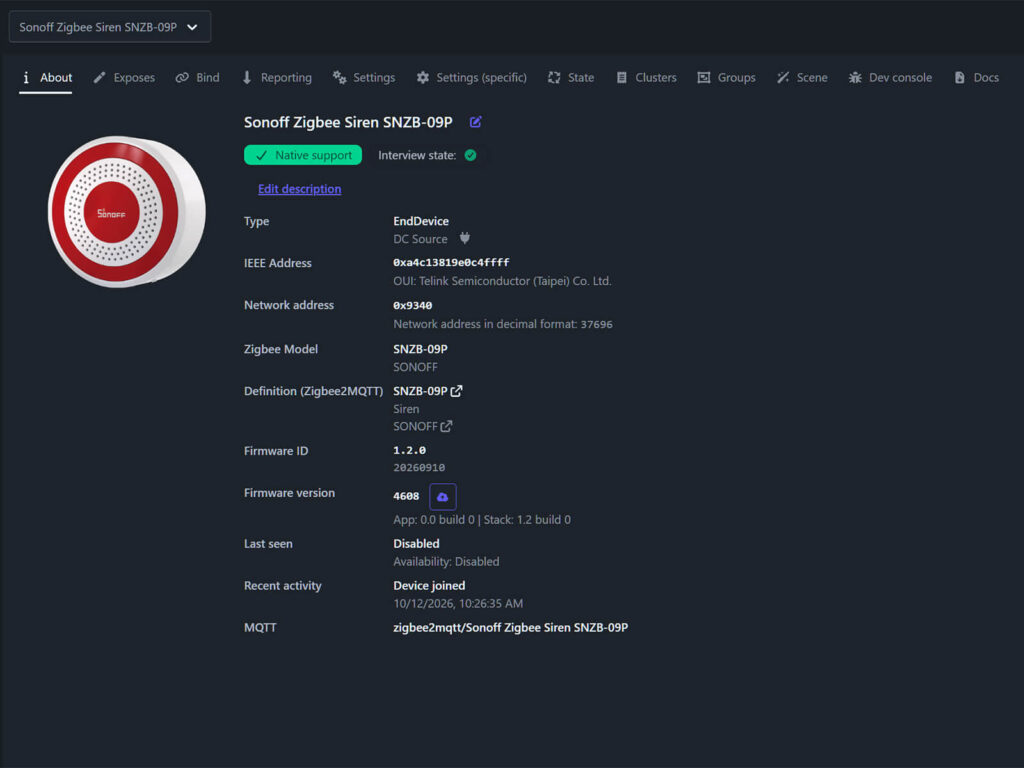
Zigbee2MQTT recognized the siren with native support and completed the interview without issues. My unit shipped with firmware 1.1.0 (build 20260608). Zigbee2MQTT supports OTA updates for this device and immediately offered firmware 1.2.0. I installed it over the air in about 10 minutes, and my siren now runs 1.2.0 (build 20260910). As fhe release notes tell you, this update adds five new alert sounds, including doorbell and chime tones.

The siren joins as an End Device, even when powered over USB-C. It does not route Zigbee traffic for other devices. Most mains-powered Zigbee devices act as routers, so this is worth knowing if you plan to use the siren to extend your mesh.
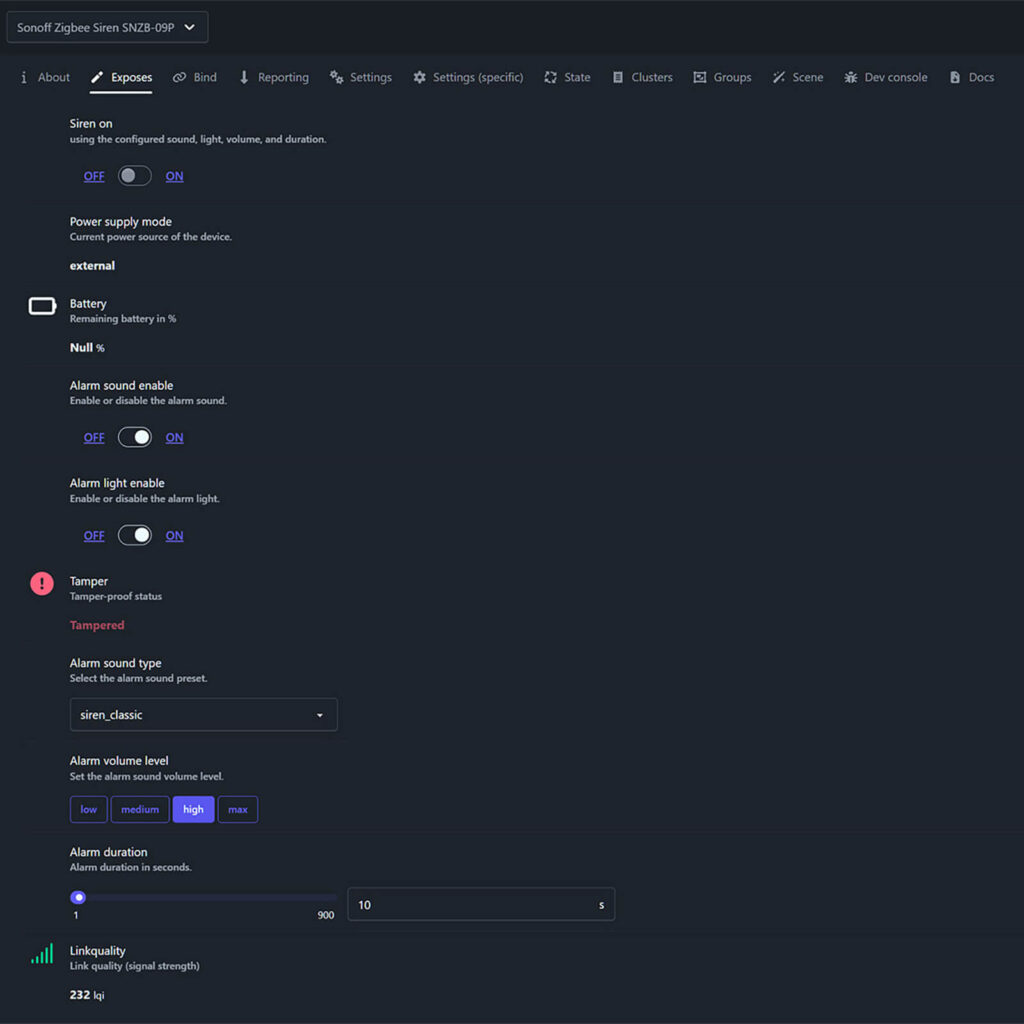
Zigbee2MQTT exposes the following entities:
- Siren on: Starts or stops the alarm using the configured sound, light, volume and duration
- Power supply mode: Reports the current power source as battery or external
- Battery: Remaining backup battery in %
- Alarm sound enable: Turns the alarm sound on or off
- Alarm light enable: Turns the flashing light on or off
- Tamper: Reports the tamper state
- Alarm sound type: Selects the alarm tone
- Alarm volume level: Low, medium, high or max
- Alarm duration: 1 to 900 seconds
The Siren on toggle is write-only. Zigbee2MQTT sends the command but does not publish the siren state back. The toggle triggers the alarm with whatever tone, volume, light and duration you have selected. The siren respects the configured duration perfectly.
ZHA
ZHA does not fully support the SNZB-09P out of the box. Without extra configuration, the device pairs but several entities are missing. Sonoff submitted a pull request (#5136) to add native ZHA support, but it has not been merged yet.
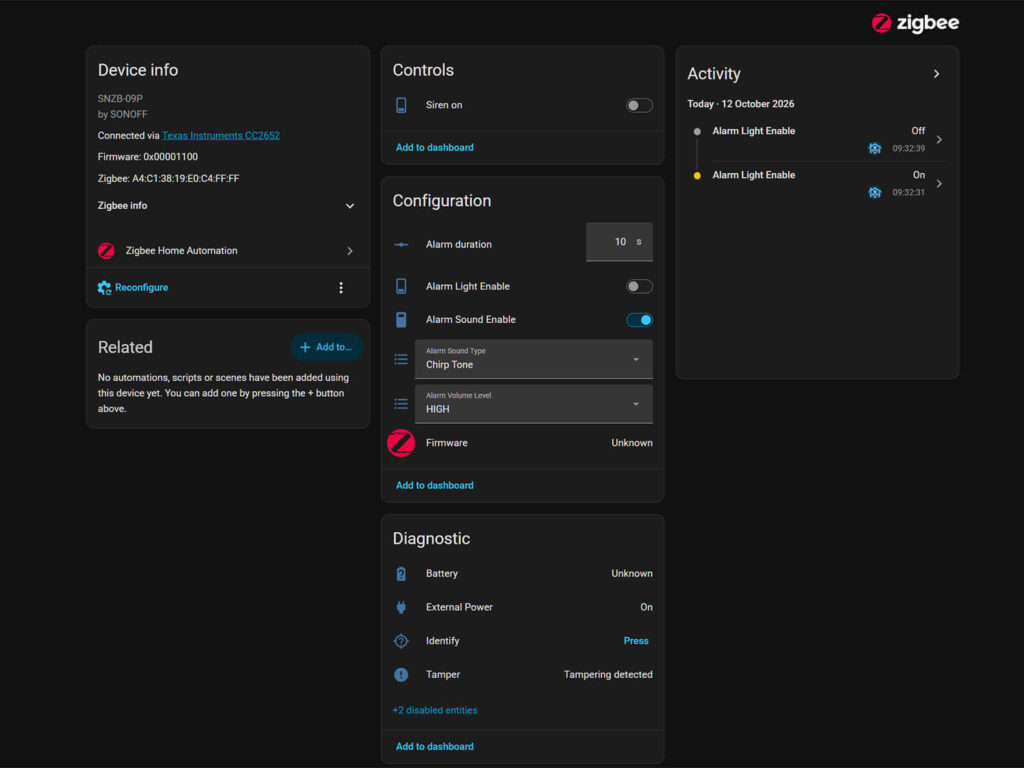
Until then, Sonoff provides a custom quirk file, (which it mistakenly calls a script), in its Help Center. I tried it out and it works without issues. With the quirk active, ZHA exposes the same controls as Zigbee2MQTT. That includes sound and light toggles, tone selection, volume level, alarm duration, power source and tamper state.
Volume and Alarm Tones
Okay, this siren is LOUD. It has four volume levels, and Sonoff rates them at roughly 75 dB, 82 dB, 93 dB and 105 dB, measured at 1m distance. I don’t have any professional instruments to verify these levels, but accidentally enabling the siren while I was holding it nearly made my ears bleed. I used noise cancelling ear plugs for the rest of my tests.
The lowest level makes the siren useful beyond security alarms. You can use it as an audible indicator for non-emergency automations, like a door left open or a finished washing cycle. The chirp tone works well for this, as long as its monotone sound does not annoy you.
It’s worth remembering that the siren ships with 10 built-in alarm tones with firmware 1.1.0. You have to update to 1.2.0 to get 5 more, which are just additional doorbell and chime tones. After the update, Zigbee2MQTT shows all 15 presets in the Alarm sound type dropdown. They fall into three groups, with six sirens, four tones and five chimes.
Sound and light work independently. I can run the siren with sound only, light only or both together. Light-only mode is useful for silent alerts at night, while sound-only mode works where a flashing light would be pointless. The light flashing pattern is just a full light blink every half a second or so.
Final Thoughts
The SNZB-09P works exactly as I expected from a Zigbee siren, but it adds two features that cheap sirens usually skip. First, the backup battery keeps it online even if someone cuts the power. Second, you can activate and control the siren and light independently. Very few models do this, as most sirens trigger both at once with no way to control them separately.
The four volume levels also make it practical for everyday notifications, not only alarms. For instance, you can build smoke and CO alarm automations around this siren, or simply use it as a visual indicator. Since the light works on its own, you do not need to blare the siren every time.
It’s worth remembering that the siren operates as an End Device, so it adds no routing capability to your Zigbee mesh despite running on USB power. ZHA users also need Sonoff’s quirk file until the pull request is merged. With all that said, if you are looking for a good Zigbee smart siren that is fully controllable from Home Assistant, I can comfortably recommend the Sonoff Zigbee SenseGuard Indoor Siren SNZB-09P.
Here’s where you can get it:
FAQ
Does the Sonoff SNZB-09P need a hub?
Yes. The SNZB-09P is a Zigbee device and needs a Zigbee coordinator. It works with Sonoff hubs and dongles in the eWeLink app, and with Home Assistant through Zigbee2MQTT or ZHA.
Does the SNZB-09P work with ZHA?
Yes, but it needs the custom quirk file from the Sonoff Help Center. Without it, several entities are missing. Native ZHA support is pending in pull request #5136.
Does the SNZB-09P act as a Zigbee router?
No. It joins the network as an End Device, even when powered over USB-C. It does not extend your Zigbee mesh.
How long does the backup battery last?
Sonoff rates the 600 mAh battery at more than 300 days in a silent state. It gives no figure for runtime during an active alarm.
How many alarm tones does the SNZB-09P have?
Firmware 1.1.0 includes 10 tones. The 1.2.0 OTA update adds five new alert sounds, including doorbell and chime tones, for a total of 15. Zigbee2MQTT can install the update over the air.
Can the SNZB-09P play custom sounds?
No. The siren only plays its built-in tones. You can choose the tone, volume and duration, but you cannot upload your own sounds.
Can I use the SNZB-09P outdoors?
No. Sonoff rates it for indoor use only, with an operating range of 0 to 45°C and no IP rating.








Does it have doorbell ring tone?
Yes, but keep in mind this is a monotone siren, not a real soft chime like modern doorbells.